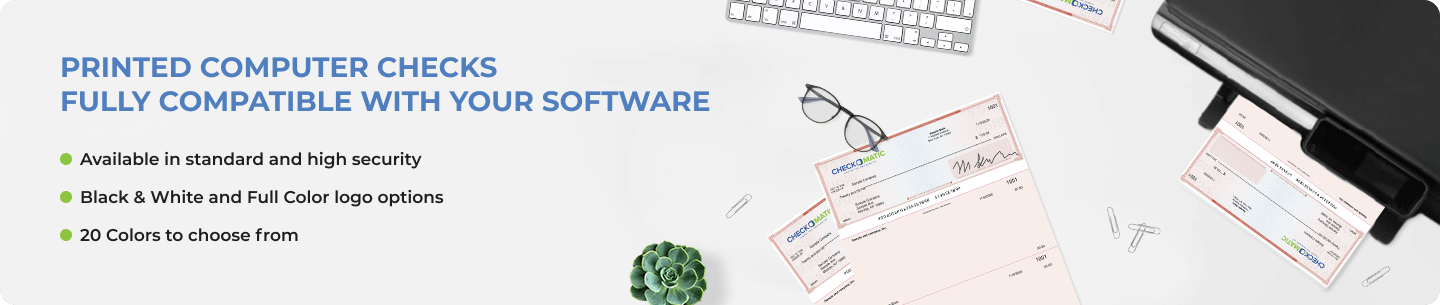
A computer check is a laser or inkjet-printed business check. Instead of writing the payee, amount, and date by hand, your accounting software fills those fields in automatically when you run a print job. The check stock arrives pre-printed with your company name, bank details, and logo. You load the paper, print, sign, and mail.
Checkomatic has manufactured computer checks from Monroe, NY since 1997. Four formats available. Free logo printing on every order. Compatible with QuickBooks, Xero, Sage, Quicken, and over 500 other accounting platforms. Every check exceeds ABA (American Bankers Association) specifications and clears at all major US banks.
What Is a Computer Check?
A computer check is a pre-printed check sheet designed to be completed by accounting software rather than by hand. The paper already carries your static information: company name, address, bank name, routing number, and account number. When you run a check print job, your software prints the variable details onto the form.
The result is a professionally printed, accurate, ready-to-sign check that takes seconds to produce per payment. Compared to handwritten checks, computer checks reduce entry errors, create cleaner AP records, and look more professional to the vendors and employees receiving them.
Computer Check Formats for Business
Four layouts cover the most common business check printing setups. The right format depends on which template your accounting software is configured to use.
Check on Top (Voucher Format)
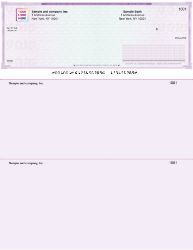
The check on top is the most widely used computer check format. The check prints at the top of a standard 8.5 x 11 inch sheet. Two perforated stubs sit below it. One stub goes to the vendor or employee with the payment as their confirmation. The other stays in your AP records.
This format matches the default template in QuickBooks, Xero, and most major accounting platforms. If you are not sure which format your software uses, this is almost certainly it.
Check in Middle
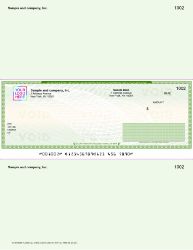
The check in middle centers the check on the page with one stub above and one below. Used for Deltek users and specific Sage 50 configurations that require equal stub space on both ends of the sheet. Less common than check on top but a specific requirement for certain AP workflows.
Check on Bottom
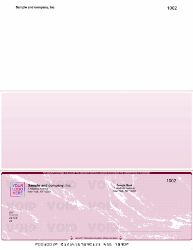
The check on bottom puts the check at the foot of the page with two stubs above it. Payroll departments often prefer this layout because the stub detail is the first thing the recipient sees when opening the envelope. The payment breakdown is visible before the check itself.
3-on-a-Page Computer Checks
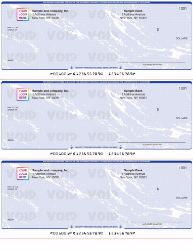
3-on-a-page checks print three separate checks on one 8.5 x 11 inch sheet with no stubs. All transaction records stay inside your accounting software. This format produces the lowest cost per check and the least paper waste for high-volume AP operations that do not need a physical stub record traveling with each payment.
Custom Computer Checks With Logo
Every computer check order from Checkomatic includes free black and white logo printing. You submit your logo file at checkout and it prints on every check in the batch. No setup charge. Full-color logo printing is available for a small additional fee.
Custom checks with your logo look more professional than generic bank-issued checks. They reinforce your business identity on every payment your company sends. Vendors and employees notice. It is a small thing that signals a professional operation.
Beyond the logo:
- 20 background color and design options across diamond, marble, and prismatic textures
- Colors including blue, burgundy, gold, green, brown, green-blue, and blue-red
- Additional signature lines for businesses requiring dual authorization
- Starting check number set by you at checkout
Accounting Software Compatibility
Our computer checks are formatted for the accounting software templates your business uses. Compatibility includes:
- QuickBooks Desktop and QuickBooks Online (all versions)
- Xero
- Quicken Home and Business, Premier, and Deluxe
- Sage 50
- Deltek
- Yardi Voyager and Breeze Premier
- Microsoft Dynamics GP
- Wave, FreshBooks, NetSuite, and hundreds of others
For a complete list of supported platforms, see our accounting software compatible checks page. If your software is not listed, contact us. We custom format check stock at no extra charge and keep your layout on file for future reorders.
Computer Checks vs Manual Business Checks
Computer checks are printed by your accounting software. They require a laser or inkjet printer and a software setup, but they eliminate hand-entry errors, print faster on high-volume runs, and produce cleaner records.
Manual business checks are handwritten. No printer, no software, no alignment testing. They suit businesses that write occasional checks, prefer traditional bookkeeping, or operate in settings where a printer is not practical. For handwritten check options, see our manual business checks page.
If you want the flexibility of printing the MICR line yourself across multiple accounts, our blank check stock is available in all four formats.
Security Features on Every Computer Check
Every computer check includes fraud protection built into the paper:
- Microprinting along the signature line that blurs on any photocopy
- Heat-sensitive ink that disappears when the check surface is warmed
- Chemical-reactive paper that stains when exposed to bleach, acetone, or solvent
- Void pantograph that shows VOID on any copy
- True watermark visible from both sides when held to light
- Coin-reactive ink embedded in the stock
All features exceed ABA specifications. Accepted at Chase, Bank of America, Wells Fargo, Capital One, Citibank, TD Bank, and all major US banks.
Ordering Computer Checks
Pair your checks with double-window check envelopes sized to fit all four formats. Business deposit slips are available to add to the same order.
Bulk discounts apply with volume increasing as quantity grows. Rush delivery available. Standard orders ship in 5 to 7 business days from Monroe, NY. If you find a lower advertised price for the same specification, we match it.
Computer Check on Top
Does your company have to issue a multitude of checks every day? Wouldn’t it be great if you could find a reliable and affordable supplier of laser computer checks to reduce banking time and effort? That’s where Checkomatic steps into the picture to make your life easier.
We offer several different background texture and color options on all our laser computer checks. Order your stock of laser computer checks in varying quantities ranging from 50 to 10,000. Plus, you can avail of generous percentage-based discounts (70% or more) on bulk orders.
That’s not all!
At Checkomatic, color customization options include three textures (diamond, marble, or prismatic) along with seven unique background color choices (green, blue, burgundy, brown, gold, green-blue, and blue-red). Plus, advanced security features are printed into each check including Check-21 compliant protocols, DocuGuard anti-fraud enhancements, and more.
Our laser computer checks on top come with the check printed at the top of the page and two separate vouchers beneath the check. These vouchers are suitable for recording payroll details, account balance details, invoicing summaries, and other relevant information. Our computer checks on top are best suited for use with QuickBooks, Quicken, Intuit 7.0, Microsoft Money, Quick Check, MYOB Accounting, and other industry-leading accounting software.
We also take special care to ensure that our checks comply with the latest American Bankers Association regulations. With Checkomatic, ordering laser computer checks online has never been easier. Just select your preferred quantity and click the “Next” button. Enter your personal/company details and banking information in the appropriate input fields, choose your preferred font, and upload your logo.
And that’s it! If you’re running out of time, don’t forget to leverage the rush delivery options to get your checks delivered as soon as tomorrow.
Computer Check in Middle
So, you’ve found the perfect laser computer checks for your business. They look awesome and boast a wide array of sophisticated security features. It’s only when you start using these checks that you realize you need a separate notepad to record every transaction. Save yourself from this trouble by ordering laser checks in middle format from Checkomatic.
Our selection of laser computer checks (middle format) are printed with the check in the middle of the sheet. Each sheet includes two perforated stubs on either end of the check. This format is suitable for businesses that require extra space at the bottom to record and organize transaction details. However, to print on the blank check products, you’ll need special check printing software.
At Checkomatic, we take the utmost care to ensure that our laser computer checks comply with the latest standards of the American Bankers Association. Plus, we only use the most premium quality paper, so that our checks can withstand regular office use. Our checks are compatible with all industry-standard accounting software. We can even custom format the checks for your software.
That’s not all!
Our blank check stock middle check inventory is available in three different background styles, namely: diamond, prismatic, and marble. We also boast several other customization options (e.g. custom logo, custom color choices, security upgrades, etc.). Background color choices include blue, brown, gold, burgundy, and green.
In addition to numerous customization options, we provide complimentary black and white logo printing on all blank check stock middle check orders. Color logo printing is available for a small additional fee. Plus, we offer two expedited shipping upgrades on all orders for laser computer checks. Our fastest shipping option (“Rush B”) includes overnight delivery of your first 50 checks. You can also avail of huge discounts on bulk orders.
Computer Checks on Bottom
Does your company use business checks for making payments to vendors, creditors, employees, and others? Are you looking for customizable pre-printed computer checks that’ll work with your accounting software? Wouldn’t it be even better if these checks came with handy payment stubs to record transaction and payee details? If your answer to any of the above questions is a resounding “yes”, you’ve come to the right place.
At Checkomatic, we’ve designed an impressive assortment of affordable and versatile computer checks for all your professional and personal needs. Nevertheless, our computer checks on bottom are one of our customers’ all-time favorites. This isn’t surprising considering that these pre-printed computer checks make financial recordkeeping a cakewalk.
The checks are printed on the bottom of the sheet with two payment stubs on top. While you can keep one stub for your official records, the other can be handed over to the payee. This makes our pre-printed computer checks on bottom ideal for accounts payable and payroll.
Plus, they come with a ton of advanced security enhancements such as coin-reactive ink, chemically sensitive paper, and more. We also take the utmost care to ensure that our checks comply with the latest guidelines of the American Bankers Association. These checks are designed to work on both laser and inkjet printers and are compatible with all industry-standard accounting software such as QuickBooks, Quicken, Microsoft Money, etc.
That’s not all!
We carefully source our raw materials to ensure that all our checks are of premium quality and can withstand rigorous office use. And we offer a ton of customization options including numerous background style and color choices. Plus, you can get your black and white company logo printed on these checks for free. You can also avail of color printing options for a nominal cost. Don’t forget to leverage our generous discounts by ordering your custom computer checks with logo in bulk.
Computer Checks - 3 on a Page
Computer checks are one of the most versatile and essential checking supplies every company should have. Whether you’re managing payroll or making payments to vendors, these checks come in handy. And if you don’t need payment stubs to record transaction details, Checkomatic’s three-on-a-page computer checks are the right fit for your organization.
The most obvious benefit of using 3-on-a-page checks is that you save plenty of money and resources. However, when you buy business checks in the 3-on-a-page format from Checkomatic, you also get a wide array of customization options. You can choose from three attractive background styles (diamond, marble, and prismatic) and 12 subtle colors including blue, burgundy, gold, and more.
Plus, you can get your company logo printed in black and white for free on your three-on-a-page computer checks. We can even add extra signature lines and print your bank account information on these checks.
That’s not all!
At Checkomatic, we take the utmost care to ensure that all computer checks in the 3-to-a-page format comply with the guidelines of the American Bankers Association. They’re also compatible with industry-standard accounting software such as QuickBooks, Quicken, etc. and work on both laser and inkjet printers.
Plus, our checks feature numerous advanced security enhancements including coin-reactive ink, invisible fluorescent fibers, and more. We can even custom format the three-on-a-page computer checks for your accounting software. And you can avail of awesome discounts on bulk orders.