


Why Check Security Features Matter in 2025 and 2026
The fraud reality: According to the 2025 AFP Payments Fraud and Control Survey, 63 percent of organizations faced check fraud in 2024. The Financial Crimes Enforcement Network (FinCEN) received more than 680,000 check fraud Suspicious Activity Reports in 2022, nearly double the 350,000 filed in 2021. Check fraud increased approximately 385 percent since the pandemic began, according to data from the American Bankers Association and US Postal Inspection Service. Despite the growth of electronic payments, checks remain the most fraud-targeted payment method in the United States.
Check fraud has not declined with the rise of digital payments. It has grown. Two forces explain this. First, the same digital tools that make modern business efficient (high-resolution scanners, inkjet printers capable of near-photographic output, and widely available photo editing software) also make check counterfeiting easier than it was a decade ago. Second, mail theft has surged, with criminals systematically targeting residential mailboxes and USPS collection boxes to intercept outgoing checks.
Business check security features are the primary defense. A check printed on standard paper with no security features provides essentially no resistance to washing, counterfeiting, or copying. A check with six layered security features creates meaningful obstacles at every stage of the most common fraud attempts, making the check impractical to alter without detection.
Understanding what each feature does, why it works, and which fraud type it stops is the starting point for making informed decisions about your check stock. This guide covers every major business check security feature individually, explains the CPSA certification system, and connects each feature to the fraud type it defends against.
For context on the most common check fraud methods that security features are designed to stop, see our detailed guide on check washing and how secure check stock prevents it.
The Three Fraud Types That Security Features Defend Against
Every business check security feature is designed to defeat one or more of three fundamental fraud types. Understanding these categories helps explain why different features exist and why no single feature is sufficient on its own.
Fraud Type 1: Check Washing (Chemical Alteration)
Check washing is the process of using chemical solvents (acetone, bleach, alcohol-based cleaners) to dissolve the ink in the payee name and dollar amount fields of a stolen check, then rewriting those fields with fraudulent information. The original signature remains intact, making the altered check pass casual inspection. The features that defend against washing are chemically reactive paper and toner adhesion coatings.
Fraud Type 2: Counterfeiting and Copying
Counterfeiting involves reproducing a check digitally, either by scanning an original and printing copies, or by creating a new check using your routing and account numbers with desktop publishing software. Modern consumer-grade printers and scanners can reproduce check designs at high resolution. The features that defend against counterfeiting and copying are the void pantograph, microprinting, genuine watermarks, and UV fluorescent features.
Fraud Type 3: Manual Alteration
Manual alteration involves physically changing information on a check without chemicals, for example by erasing printed or handwritten fields with correction fluid, or cutting and pasting sections. Toner adhesion coatings and security screens defend against this by making toner removal visibly damaging to the paper.
Each fraud type requires different countermeasures. A check that only defends against washing remains vulnerable to counterfeiting. A check that only defends against copying remains vulnerable to washing. This is why the CPSA minimum standard requires features that collectively address both alteration and counterfeiting, and why more features provide meaningfully better protection.
Feature 1: Chemically Reactive Paper
Defends against: Check washing (chemical alteration)
How it works: Chemical compounds embedded in the paper fibers react visibly when contacted by solvents, producing irreversible staining that marks the check as tampered.
Chemically reactive paper is the foundation of business check security. The CHAX Business Check Security Guide calls it "the most fundamental security feature" and notes that "without it, even the most sophisticated printed security features can be defeated." This is because check washing directly attacks the paper surface. If the paper does not react to solvents, a skilled fraudster can remove printed ink without leaving visible evidence.
What the chemistry does: check washing chemicals (acetone, bleach, and similar solvents) target the dye-based colorants in standard pen and printer ink. On unprotected paper, the solvent dissolves the dye without disturbing the paper fibers. On chemically reactive paper, the solvent triggers a reaction with compounds embedded in the paper, producing visible brown, black, or spotted discoloration that cannot be removed or concealed. The staining is irreversible. Any attempt to conceal the staining makes the tampering even more obvious under examination.
CheckDepot's security feature guide explains the visual result: "When someone uses chemicals on our checks, they leave a big stain that can't be hidden. The stain shows up as dark brown or black marks. Bank staff know these marks mean someone tried to change the check, making it easy for them to spot."
The practical test: if you receive a check and notice discoloration, staining, or blotchy marks in or around the payee name or dollar amount fields, those are signs that a washing attempt was made. Genuine chemically reactive paper makes this attempt unmistakably visible.
Checkomatic uses CPSA certified (CPSA certified) chemically reactive paper on every check order. This is not an optional upgrade. Every Checkomatic check ships on this paper at base price, providing washing protection regardless of which check format or product tier you order.
Feature 2: Genuine Watermark
Defends against: Counterfeiting, copying, scanning
How it works: Embedded in the paper during manufacturing, visible under light, impossible to reproduce by scanner, printer, or copier.
A genuine watermark on check stock is created during the papermaking process itself, not during printing. While the paper pulp is still wet, a wire mesh pattern presses into the fibers, creating variations in paper density that appear as subtle light and dark areas when the paper is held up to a light source. Because the watermark is part of the paper fiber structure rather than something printed on the surface, it cannot be reproduced by any printing equipment available to fraudsters.
StockChecks explains the authentication method: "You can spot a real watermark by holding it up to light, where you'll see soft light and dark spots that printers simply cannot copy." CHAX's security guide confirms: "When examining a check for authenticity, holding it up to the light to check for a watermark is one of the quickest and most reliable verification methods available."
The watermark also provides cut-and-paste protection. Because it is in the paper structure itself, cutting a section from one check and attaching it to another produces an obvious boundary where the watermark pattern is discontinuous. Any altered check that shows a mismatched or interrupted watermark is immediately identifiable as fraudulent.
True Watermark vs Artificial Watermark: The Difference
Not all watermarks on business checks are genuine. An important distinction exists between true watermarks and artificial watermarks, and the difference matters for security effectiveness.
True watermark: Created during paper manufacturing by pressing a pattern into the wet pulp. The pattern becomes part of the paper's fiber structure. Visible when held to light. Cannot be scanned, printed, or copied because it exists in the physical paper, not on its surface. StockChecks notes: "True foundry watermarks are one of the best security features for checks, and they've been protecting documents for hundreds of years."
Artificial watermark (simulated watermark): Printed onto the paper surface during check production using white or translucent ink at a specific angle. Visible when the check is tilted. More affordable to produce but less secure than a true watermark because it is applied during printing rather than during paper manufacturing. Taylor's security printing guide describes these as symbols "printed on corporate checks in white or transparent ink that become visible to the human eye when viewed at a 45-degree angle."
The security difference is meaningful. An artificial watermark can potentially be replicated by a sophisticated printer using the right ink formulation and the right printing angle. A true watermark cannot be replicated by any commercial printing process because it requires specialized papermaking equipment. Checkomatic's check stock includes a genuine watermark embedded in the paper during manufacturing, not an artificial printed substitute.
Feature 3: Microprinting
Defends against: Photocopying, scanning, counterfeiting
How it works: Text printed at sub-one-point size appears as a solid line to the naked eye but degrades to an unreadable blur on copies, immediately identifying non-originals.
Microprinting on checks is text printed at an extremely small size, typically less than one point, along the signature line, border, or other defined areas of a check. To the naked eye and to any casual observer, the microprinting appears as a solid or slightly decorative line. Under magnification, the line resolves into readable text, typically phrases like "ORIGINAL DOCUMENT," the company name, or other identifying phrases.
The security mechanism works because of resolution limitations in standard copiers and scanners. CHAX's guide explains: "The tiny text cannot be reproduced at that scale and instead appears as a blurred, indistinct line. This makes it an immediate indicator that a check is a copy rather than an original." Taylor's security printing guide confirms: "Most copiers and scanners, unless capable of very high dots-per-inch quality, will see the microprinting as a solid line."
When a check with microprinting is photocopied, scanned, or digitally reproduced, the microprinting either disappears completely or becomes a broken, blurred smear instead of the crisp line visible on the original. Anyone who knows to look for microprinting, including trained bank tellers and fraud detection systems, can immediately distinguish a copy from an original by examining this detail under a magnifying glass.
Checkomatic includes microprinting along the signature line and border areas of every check. The microprinting is part of the base product on all business check formats, including business checks on top, middle, and bottom formats, and all QuickBooks-compatible check variants.
Feature 4: Void Pantograph
Defends against: Photocopying, scanning, digital reproduction
How it works: A hidden pattern in the check background causes the word VOID to appear prominently on any photocopy or scan of the check.
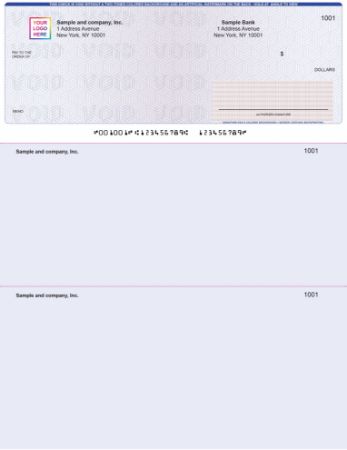
The void pantograph is one of the most visually striking and immediately understandable security features. A pantograph is a subtle, nearly invisible design printed into the check's background that contains hidden text (usually the word VOID) calibrated to become visible when the check is photocopied or scanned.
StockChecks explains the technical mechanism: "The pattern is calibrated to the resolution thresholds of standard copiers and scanners, so while the original check appears clean and professional, any reproduction clearly displays VOID across its face." The key is tonal calibration: the original check is printed with two background tones so subtly similar that the human eye sees a uniform pattern. When a copier or scanner amplifies the tonal differences during reproduction, the hidden text emerges.
ChoiceChecks confirms the practical effect: the void pantograph "displays when checks are photocopied or scanned on many machines." The StockChecks guide adds: "A pantograph pattern is engineered to become prominently visible when the check is photocopied or scanned. While the original check appears clean and professional, any reproduction clearly displays VOID across its face."
The void pantograph specifically addresses counterfeiting by color copier. A fraudster who photographs your check and attempts to print copies will find that the VOID pattern appears on every print, immediately marking all copies as fraudulent. Recipients who see VOID on a check know immediately they are holding a reproduction rather than an original.
Important limitation: the void pantograph defends against copying and scanning. It does not defend against check washing, which is a physical chemical attack on the original document rather than a reproduction attempt. This is why the void pantograph must be combined with chemically reactive paper for complete alteration and counterfeiting protection.
Feature 5: UV Fluorescent Features
Defends against: Counterfeiting, verification bypass
How it works: Fibers or inks embedded in or on the check are only visible under ultraviolet light, allowing bank equipment and verification tools to authenticate originals.
UV fluorescent check features encompass several related technologies that share a common principle: they are invisible under normal lighting and become visible only under ultraviolet (UV or "black") light. Banks and financial institutions use UV light scanners and handheld UV verification devices to authenticate checks, particularly for high-value transactions.
CheckDepot's guide describes two UV feature types commonly used in business check security. Invisible fluorescent fibers are "tiny threads mixed into the paper that you can only see under special UV light." These fibers are embedded in the paper pulp during manufacturing, making them impossible to replicate with any surface printing process. Visible fluorescent fibers are similar but can also be seen under normal lighting as colored threads in the paper.
Intuit Market's security feature documentation explains the authentication mechanism: "Invisible fluorescent fibers only appear under UV light which prevents photocopying and aid in authentication." When a bank teller or authentication device shines UV light on a check, genuine fluorescent fibers glow. A counterfeit check printed on standard paper from an office supply store will show nothing under UV light, immediately identifying it as non-authentic.
The practical verification step: UV light detection is one of the fastest authenticity checks available to anyone handling high-value check payments. A UV verification pen or portable UV flashlight (available at office supply stores for under $20) allows any merchant or business owner to verify check authenticity at the point of receipt, without any special training or equipment beyond the light source.
Checkomatic's security paper includes UV fluorescent features that are verified by bank processing equipment. These features are present on all orders and add no additional cost to the base check price. For more on how check security features interact with the banking system's fraud detection process, see our business check clearing and processing guide.
Feature 6: Pre-Encoded MICR as a Security Feature
Defends against: Counterfeiting, check routing fraud
How it works: MICR encoding in genuine magnetic iron oxide toner cannot be replicated by standard printers; bank reader-sorters detect the absence of a magnetic signal on counterfeits.
The MICR line (Magnetic Ink Character Recognition) at the bottom of every check is commonly understood as an operational element that enables automated bank processing. It is also a security feature. Bank reader-sorter machines read the MICR line magnetically. A check printed on blank paper using a standard office laser printer contains no magnetic signal in the MICR area, because standard toner is not magnetic. Reader-sorters detect the absence of a magnetic signal where one is expected and flag the item for manual review or rejection.
This means that a counterfeit check produced by scanning an original and reprinting it on blank paper will fail the very first automated bank test, even before any human examination. The fraudster cannot replicate genuine MICR encoding without specialized equipment (a dedicated MICR printer with certified iron oxide toner).
Checkomatic pre-encodes the MICR line at manufacture using ANSI E13-B certified magnetic toner on every order. This is not an option or upgrade. The routing number is verified against the Federal Reserve E-Payments Routing Directory before printing begins. Every batch is run through a MICR reader before shipping. The result is a bank rejection rate under 0.1 percent for MICR-related issues.
For the complete technical explanation of MICR encoding, how reader-sorters detect genuine vs counterfeit MICR, and the E-13B font specifications, see our MICR line explained guide.
Additional Feature: Thermochromic Heat-Sensitive Ink
Heat sensitive ink check thermochromic feature: this heat-reactive ink is printed in a specific location on the check face (typically a small icon, key symbol, or the word ORIGINAL) that changes color or temporarily disappears when warmed by body heat. Pressing a finger firmly against the thermochromic mark causes it to fade. When the check cools, the mark returns to its original state.
Harland Clarke's security feature comparison identifies this as "heat-reactive ink: a heat-sensitive pink icon that disappears when warmed by touch, allowing immediate verification of authenticity." CHAX's guide calls it "one of the most effective" features for instant field authentication because "you can easily authenticate it in the field without any special equipment."
The reason thermochromic ink works as a security feature is that no standard printer, copier, or scanner can reproduce a thermochromic response. A photocopy of a check with thermochromic ink will have the mark permanently visible (because the photocopy is just an ink image), and pressing a finger to the copied mark will produce no response. The mark will not disappear and return. This test takes seconds and requires no equipment, making it one of the fastest verification methods for recipients handling high-value check payments.
Additional Feature: Toner Adhesion
Check toner adhesion coatings are clear chemical treatments applied to the check paper surface that bond laser toner more firmly to the paper fibers. Standard paper and standard laser toner have a relatively weak bond. With chemicals, tape, or physical scraping, toner can be removed from unprotected paper without immediately visible damage.
Toner adhesion coatings make this removal attempt visibly destructive. ChoiceChecks explains: "Helps bond toner to the paper; attempts to remove information can damage the paper." Taylor's security guide calls this feature "toner lock": "a clear coating printed over sensitive areas of secure checks to protect against alteration of those areas. The coating makes removal of laser printer toner extremely difficult compared to untreated paper."
For businesses that use laser check printing (printing variable fields like payee and amount from QuickBooks or another accounting system), toner adhesion is particularly relevant because the printed fields are exactly what a manual alteration attempt would target. A check with toner adhesion makes this attack visible even if the fraudster is careful, because the paper surface shows damage where the toner was forcibly removed. For QuickBooks-compatible checks with this feature, see our QuickBooks checks catalog.
The Check Security Warning Box and Padlock Icon
The check security warning box is a printed area on the back of a secure business check that lists the specific security features incorporated in that check and provides guidance for verifying authenticity. It serves two purposes.
First, it informs anyone receiving the check exactly which security features to look for when verifying authenticity. A warning box entry that says "this check includes chemically reactive paper, watermark, and microprinting" tells the payee's bank teller exactly which verification steps to take and which signs of tampering to look for.
Second, the warning box itself functions as a fraud deterrent. When a potential fraudster examines the back of a check and sees a detailed list of security features, the knowledge that an alteration or copy attempt will be detected reduces the incentive to attempt fraud. StockChecks notes: "A warning band calls attention to features that help verify check's authenticity, and it serves as an active security feature as much as an informational one."
Padlock icon check meaning: the Padlock Icon is printed on the front of the check and functions as the visible indicator that the check has been certified under the CPSA system, covered in detail in the next section.
What CPSA Certification Means
CPSA stands for the Check Payment Systems Association, a financial industry organization formerly known as the Financial Stationers Association. CPSA was established to advance and protect the long-term viability of paper-based payment systems and to develop standards for check security.
CPSA certification definition: CPSA created the Enhanced Check Security Features Padlock Icon in response to growing check fraud perpetrated using copiers and computers, as described in its January 2025 Padlock Icon Guidelines. The CPSA website explains: "The presence of the Padlock Icon on a check indicates that there are a minimum of three features incorporated in the check that add complexity and make the check document harder to reproduce or change."
CPSA does not print checks. Its role is to certify check printing companies that apply and demonstrate compliance. The certification process requires a check printing company to:
- Submit an application to CPSA with an affidavit of compliance
- Designate a minimum of three overt security features that collectively defend against both alteration and counterfeiting
- Submit representative sample checks to CPSA for evaluation
- Receive CPSA authorization confirming the samples meet minimum requirements
- Renew annually through ongoing compliance
The Padlock Icon itself is a registered certification mark of CPSA on the Principal Register of the United States Patent and Trademark Office since July 15, 1997. Only CPSA-authorized check printing companies can legally print the Padlock Icon on checks. The Padlock Icon and corresponding descriptive text count as one of the required features under CPSA guidelines. Two additional features must be present to reach the three-feature minimum.
What CPSA certified means on a Checkomatic check: Checkomatic is an authorized CPSA user. The CPSA Padlock Icon appears on Checkomatic checks because Checkomatic's checks incorporate six security features, well above the three-feature minimum the CPSA certification requires. The Padlock Icon on a Checkomatic check is not just a symbol. It is backed by actual certification and ongoing compliance.
ANSI X9.100-170: The Check Fraud Deterrent Standard
The CPSA Padlock Icon is formally governed by ANSI X9.100-170-2010, titled "Check Fraud Deterrent Icon," published by the Accredited Standards Committee X9 on Financial Services. This American National Standard specifies the size, placement, and requirements for the Padlock Icon on checks of different sizes, and sets the framework for what qualifies as a certifiable security feature.
The CPSA's Padlock Icon Guidelines describe the original 1999 standard as ANSI X9.51, Fraud Deterrent Icon Standard, subsequently updated and redesignated as ANS X9.100-170 in 2004 and revised as ANSI X9.100-170-2010 in 2010. The standard requires that the Padlock Icon be machine-readable for check processing equipment, not just visually recognizable.
For broader check security guidance, the CPSA also references ASC X9/TG-8 2002, the Check Security Guideline, which provides complete technical guidance on security features, their application, and their relative effectiveness against different fraud types. These standards collectively define the technical framework within which certified check security features operate in the US banking system.
Why Layered Security Beats Any Single Feature
The reason multiple security features are recommended rather than just one or two comes down to fraud type coverage. Each feature defends against specific attack methods, and no single feature addresses all three fraud types:
- Chemically reactive paper stops check washing but does not stop a photocopier.
- Void pantograph stops photocopying but does not stop washing.
- Microprinting degrades on copies but does not react to solvents.
- Watermark cannot be reproduced by printers but does not prevent washing.
- UV features authenticate originals but do not physically deter washing or copying.
- MICR encoding prevents routing fraud and counterfeit MICR but does not stop alteration of the payee name.
The CheckDepot security guide explains this layered logic: "Each security feature adds a critical layer of protection, but their true strength comes in how they work together. When you combine physical elements like fluorescent fibers and true-foundry watermarks with reactive features like heat-sensitive ink and chemical protection paper, you get a robust check protected against every type of fraud attempt."
CHAX's business owner guide reinforces the recommendation: "For higher-risk businesses, those that issue large-dollar checks or have experienced fraud in the past, consider stock that also includes holographic foil and thermochromic ink." The minimum three CPSA features provide a baseline. More features provide coverage across a wider range of fraud attempts.
Checkomatic includes six core security features on every order at base price: chemically reactive paper, genuine watermark, microprinting, void pantograph, UV fluorescent features, and pre-encoded MICR. This combination addresses all three fraud types (washing, counterfeiting, and alteration) across multiple independent verification methods.
How to Verify Check Security Features When Receiving Payment
Knowing the security features that should be present on a check allows anyone receiving payment to perform quick authenticity checks. These verification methods require minimal equipment and take less than 30 seconds:
- Hold to light (watermark check): Hold the check up to a light source. A genuine watermark embedded in the paper will appear as subtle light and dark variations in the paper. No watermark visible means either the check was printed on non-security paper or the watermark was not included.
- Magnification (microprinting check): Examine the signature line and border under a magnifying glass or loupe. On a genuine check, microprinting resolves into readable text. On a photocopy or counterfeit, the microprinting is a blurred smear or absent entirely.
- Heat test (thermochromic check): Press a finger firmly against the thermochromic icon on the check face. On a genuine check, the mark temporarily fades from warmth and returns as it cools. On a copy, the mark does not respond to heat.
- UV light (fluorescent fiber check): Shine a UV flashlight on the check. Genuine security paper shows glowing fluorescent fibers. Standard paper shows nothing or non-specific fluorescence.
- Chemical test (wash detection): The check security warning box on the check back typically lists a chemical wash detection area. Some high-security checks include a white box that should remain clear. Any coloration in this box indicates a washing attempt was made.
- Check number match: The check number printed in the upper right corner must match the check number encoded in the MICR line at the bottom. A mismatch indicates tampering or a counterfeit.
For businesses that regularly accept checks, a UV flashlight and magnifying glass at the point of payment allows quick verification. These checks take under 30 seconds and do not slow operations.
Connection Between Security Features and Check Washing
Check washing is the fastest-growing form of check fraud and the one that most directly affects businesses that mail checks for accounts payable, payroll, or vendor payments. Understanding which security features specifically protect against washing is important for businesses evaluating their check stock.
The primary washing defense is chemically reactive paper. This is not negotiable: no other printed or design security feature provides meaningful resistance to chemical washing. A check with microprinting, watermarks, and a void pantograph but no chemically reactive paper remains fully vulnerable to washing, because those features are on the paper surface and the chemicals can remove the ink without triggering any of them.
Secondary washing defense comes from toner adhesion coatings, which make it harder to remove laser-printed variable fields (payee name, dollar amount) even with mechanical methods. Gel ink pens, rather than ballpoint pens for handwritten fields, also provide resistance because gel ink bonds with paper fibers rather than sitting on the surface.
For a complete guide to check washing, how it works chemically, what the USPS and FBI data show about mail theft, and the full range of prevention strategies beyond check stock selection, see our check washing prevention guide. That guide covers USPS Informed Delivery, secure mailing practices, the UCC 4-401 legal framework for victim recovery, and the FinCEN statistics on check fraud scale.
Why Checkomatic for Secure Business Checks
Checkomatic is an in-house check manufacturer (in-house check manufacturer) producing ABA compliant check stock (ABA compliant) in Monroe, NY (Monroe NY) since 1997. Every check order includes six fraud deterrent security features at base price, with no tiered security levels or upgrade fees required to reach meaningful protection:
- CPSA certified (CPSA certified) chemically reactive paper: Stains immediately and irreversibly when washing solvents contact the paper. Included on every order.
- Genuine watermark: Embedded in paper fiber structure during manufacturing. Visible under light. Cannot be reproduced by any commercial printer or scanner.
- Microprinting: Appears as a solid line to the naked eye. Degrades to an unreadable blur on photocopies and scans. Along signature and border areas.
- Void pantograph: Hidden background pattern causes VOID to appear prominently on any photocopy or digital reproduction of the check.
- UV fluorescent features: Invisible under normal light. Visible under UV light to bank verification equipment and UV verification pens.
- Pre-encoded MICR in certified magnetic toner: Bank reader-sorters detect genuine MICR magnetically. Counterfeits printed in standard toner produce no magnetic signal and are flagged immediately.
Free logo printing (free logo printing) is included on every business check order. Standard turnaround is 3 to 5 business days from proof approval. The routing number is verified against the Federal Reserve E-Payments Routing Directory before any printing begins. Every batch is run through a MICR reader before shipping.
For business checks with all six security features, see our business checks catalog. For QuickBooks-compatible secure checks, see our QuickBooks checks. For personal account holders who want security features on personal checks, see our personal checks range. Order at checkomatic.
What Checkomatic Customers Say
The reviews below are published directly on checkomatic.com, reproduced verbatim with no modifications. Sources: checkomatic.com/quickbooks-starter-pack and checkomatic.com/business-checks-on-top.
"Been with them for 15 years. Always reliable, always good quality, good service. What more can you ask for?"
ATV Inc. | ★★★★★ 5/5 | April 5, 2024 | Source: checkomatic.com/quickbooks-starter-pack
"We use CheckoMatic for all of our check needs! They have great prices and we receive our products in a timely manner!"
CG's Tax Service | ★★★★★ 5/5 | September 18, 2024 | Source: checkomatic.com/quickbooks-starter-pack
"I got 500 checks for less than half of what the bank wanted for 200!"
VVA Voucher Checks (Vietnam Veterans of America) | ★★★★★ 5/5 | July 6, 2024 | Source: checkomatic.com/quickbooks-starter-pack
"Checkomatic was wonderful to work with on a custom order check. Their communication was excellent and always available when a question or concern was presented to them. Super fast turnaround. Will definitely use them for future check orders."
Gina M. | ★★★★★ 5/5 | Verified Customer | Source: checkomatic.com/business-checks-on-top
"First time ordering and I am super impressed with the quality of the checks. No issues with delivery. I will be ordering again!"
TClinton | ★★★★★ 5/5 | April 9, 2025 | Source: checkomatic.com/quickbooks-starter-pack
"Customer service was very helpful. I was able to complete the ordering process in a matter of about 2 minutes. Highly recommend."
Cindy S. | ★★★★★ 5/5 | Verified Customer | Source: checkomatic.com/business-checks-on-top
All reviews reproduced verbatim. Read more at checkomatic/business-checks.
The Short Version on Business Check Security Features
Business check security features are physical, chemical, and printing characteristics that make checks harder to alter, counterfeit, or copy. Three fraud types require different defenses: check washing requires chemically reactive paper and toner adhesion; counterfeiting and copying require the void pantograph, microprinting, watermarks, and UV features; manual alteration requires toner adhesion and chemically reactive paper. CPSA (Check Payment Systems Association) certifies check printing companies that incorporate a minimum of three overt security features covering both alteration and counterfeiting, using the registered Padlock Icon governed by ANSI X9.100-170-2010. A true watermark is embedded in paper fibers during manufacturing and cannot be reproduced by printers. An artificial watermark is printed on the surface and is less secure.
Microprinting appears as a solid line to the naked eye but degrades to an unreadable blur on copies. The void pantograph causes VOID to appear on photocopies. UV fluorescent features glow under UV light but are invisible normally, allowing bank equipment to authenticate originals. Pre-encoded MICR in certified magnetic toner is itself a security feature because counterfeits printed in standard toner produce no magnetic signal. Checkomatic includes all six core features on every check order at base price, with CPSA certification, ABA compliance, and Federal Reserve routing number pre-verification.





