


Do you own a business and want to streamline how your team gets paid? Using laser checks is an efficient way of creating and printing secure business payments in-house.
With the right software, bank account, and check paper, along with some font writing and bookkeeping know-how--you can be up & running faster than ever!
Plus it's ideal for employees who may have had trouble opening their own accounts due to banking restrictions - they'll still get the funds they need quickly when cashing those well-printed online checks.
Keeping your business's finances organized and accurate is essential for success. One of the best ways to do this?
Invest in bookkeeping software like QuickBooks, which not only arranges transactions but also allows you to create checks from it!
You can supplement these tools with font writing software that inserts special symbols between your account number and check symbol - read by bank credit or debit card readers alike.
When you're ready to take your business checks online, there's one more important step - special check paper. This type of paper encrypts the check information and is watermark-protected just like its traditional counterparts.
You can purchase either roll or single sheet varieties for printing only checks, as well as two-in-one versions that include stubs too!
Lastly, all you need is a suitable printer, and presto - custom laser checks are created!
Congratulations on setting up your business! You'll need a few items to make sure everything runs smoothly, including two printer choices: laser and inkjet. Both types are essential ingredients in producing professional-looking checks with font writing software -- the key ingredient for any successful company.
Protect yourself (and your employees) by utilizing special checking paper, as well as having enough printer ink to guarantee the highest quality of output from either model of printer you choose.
Make sure all these pieces fall perfectly into place so that no problems arise when dealing with banks or other financial institutions.
Browse the full range of computer checks for business at Checkomatic -- manufactured in Monroe, NY since 1997.
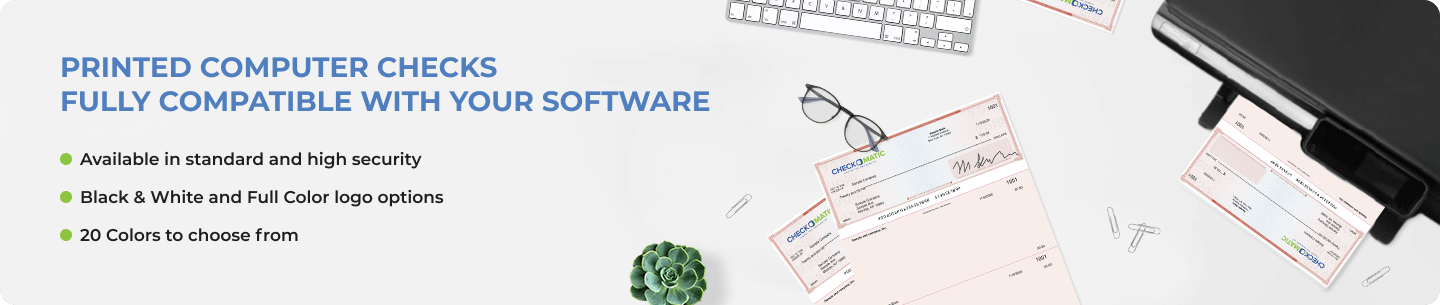
What You Need to Start Creating Business Checks
The original overview explains the concept well. Here is a more detailed breakdown of exactly what each piece of the setup requires, so you can confirm you have everything before ordering your first box of check paper.
1. Bookkeeping or Accounting Software
QuickBooks is the most widely used platform for creating business checks, but any accounting software that supports check printing works. The software stores your vendor list, bank account information, and payment history. When you write a check, the software fills in the payee name, amount, date, and payment category automatically. For QuickBooks-specific check guidance, see the benefits of using QuickBooks checks.
2. MICR Check Paper
MICR stands for Magnetic Ink Character Recognition. The check paper you order must have your company name, mailing address, bank name, ABA routing number, and checking account number pre-printed at manufacture in certified magnetic toner. This is the MICR line at the bottom of every check. Bank reader-sorter machines read this line magnetically to process the payment. Without pre-printed MICR encoding, a check may print correctly on paper but fail bank processing. For a complete explanation of routing numbers, see our ABA routing numbers guide.
3. Font Writing Software
Font writing software inserts the MICR special characters between your account number and check symbol on the check. These characters tell bank processing systems exactly how to read the check data. Most accounting software includes this functionality built in, but standalone font writing tools exist for businesses using custom printing setups.
4. Laser or Inkjet Printer
Both laser and inkjet printers work for creating business checks. Laser printers produce sharper, more consistent output and are preferred for high-volume payroll and AP check printing. Inkjet printers work for lower-volume operations. Printer alignment is the most important setup step, regardless of printer type. One plain-paper alignment test before loading real check stock prevents wasting an entire batch.
Step-by-Step: How to Set Up Laser Check Printing for Your Business
- Open a business checking account. Your bank provides the ABA routing number and account number that go on your check paper. These two numbers are the most critical pieces of information for creating business checks.
- Choose your accounting software. QuickBooks Desktop, QuickBooks Online, Quicken, Sage, MYOB, and Xero all support business check printing. Choose based on your existing accounting workflow.
- Select your check format. Decide whether you need voucher checks (one check with two stubs), 3-on-a-page checks (three checks per sheet), or manual checks (handwritten with stubs). See the formats section below.
- Order your MICR check paper. Order check paper pre-printed with your company name, address, logo, ABA routing number, and account number from a manufacturer that verifies the routing number before printing. See business checks at Checkomatic for the full range.
- Set up your printer alignment. Before printing on real check stock, run an alignment test on plain paper. Hold the test printout against a blank check to confirm all fields land in the correct position.
- Print a test check. Print one real check and verify the MICR line position, payee field, amount in words, and date field. Confirm against your accounting software record before printing a full batch.
- Store check paper securely. Blank check paper with your banking information pre-printed is a financial document. Store it in a locked drawer or cabinet with restricted access.
Security Features in Laser Check Paper
The original content mentions that check paper is watermark-protected. Here is what that means in practice and what other security features professional business check paper includes.
Chemically Sensitive Paper
The check paper reacts permanently to washing solvents like acetone or bleach. Any attempt to erase and rewrite payee information leaves an irreversible chemical stain. This protects against check washing, the most common form of check fraud.
Watermark Protection
Every sheet of professional check paper includes a watermark embedded during manufacture. The watermark appears when the paper gets wet and cannot be replicated on a standard photocopier. It identifies the paper as genuine business check stock.
Microprinting
Text printed at under one point size runs along the signature line. Under the naked eye it appears as a solid line. On any photocopy or scan it degrades to an unreadable blur, immediately identifying the copy as non-original.
Void Pantograph
A hidden background pattern causes the word VOID to appear across the face of the check on any photocopy or scan. The original shows nothing unusual under normal light.
Pre-Encoded MICR Line
The MICR line is pre-encoded in certified magnetic iron oxide toner at manufacture. Bank reader-sorter machines detect this magnetically. Every routing number at Checkomatic is verified against the Federal Reserve E-Payments Routing Directory before printing begins.
Checkomatic includes all of these security features at the base price on every check paper order. No security upgrade is required.
Creating Business Checks for Payroll vs Accounts Payable
Creating business checks for payroll and creating them for vendor payments have different requirements. Understanding the difference before setting up your check printing system saves time and prevents format mistakes.
Payroll Checks
Payroll checks go to employees. They must carry the gross pay, all deductions, and net pay on the stub at the time of payment to satisfy state payroll stub requirements in most US states. The voucher format (check on top with two stubs) is the standard for payroll because one stub goes to the employee and one stays in your records. Payroll checks are higher-value fraud targets because payroll amounts are predictable. Security features in the check paper are especially important for payroll. For complete payroll check guidance, see our business checks for payroll guide.
Accounts Payable Checks
AP checks go to vendors and suppliers. The voucher format also works well for AP because the stub carries invoice numbers and payment reference detail that vendors need for their own records. High-volume AP operations sometimes use the 3-on-page format to reduce paper costs when stub detail is not required because all records are kept digitally in the accounting software. Browse the full QuickBooks checks range for AP and payroll formats.
Accepted by the World's Leading Banks
Every business check paper order from Checkomatic meets and exceeds ABA (American Bankers Association) check specifications. The MICR encoding is pre-verified against the Federal Reserve E-Payments Routing Directory before production begins, ensuring every check clears through any US bank's reader-sorter system without rejection. This is the baseline requirement for any business check paper used in in-house laser check printing.
What Customers Say About Checkomatic Business Check Paper
All reviews below are published on checkomatic.com and reproduced verbatim. Source: checkomatic.com/quickbooks-starter-pack-product, 4.5 stars from 166 verified reviews.
"First time ordering and I am super impressed with the quality of the checks. No issues with delivery. I will be ordering again!"
TClinton | ★★★★★ 5/5 | April 9, 2025 | Source: checkomatic.com/quickbooks-starter-pack-product
"Been with them for 15 years. Always reliable, always good quality, good service. What more can you ask for?"
ATV Inc. | ★★★★★ 5/5 | April 5, 2024 | Source: checkomatic.com/quickbooks-starter-pack-product
"I got 500 checks for less than half of what the bank wanted for 200!"
VVA Voucher Checks (Vietnam Veterans of America) | ★★★★★ 5/5 | July 6, 2024 | Source: checkomatic.com/quickbooks-starter-pack-product
"We use CheckoMatic for all of our check needs! They have great prices and we receive our products in a timely manner!"
CG's Tax Service | ★★★★★ 5/5 | September 18, 2024 | Source: checkomatic.com/quickbooks-starter-pack-product
"ASJ Wilson Construction has been a client of checkomatic for some years now and they've never disappointed this company. Thank you checkomatic for all that you do."
ASJ Wilson Construction | ★★★★★ 5/5 | June 6, 2024 | Source: checkomatic.com/quickbooks-starter-pack-product
"Affordable and efficient. My go-to business check printer."
Doe | ★★★★★ 5/5 | January 24, 2025 | Source: checkomatic.com/quickbooks-starter-pack-product
Why Choose Checkomatic for Creating Business Checks
In-House Manufacturing Since 1997
All business check paper is manufactured at Checkomatic's own facility in Monroe, NY. No third-party print vendors. Direct manufacturing means lower prices, faster turnaround (3 to 5 business days standard), and a single accountable source for every order.
MICR Pre-Verified Against the Federal Reserve Directory
Every routing number is verified against the Federal Reserve E-Payments Routing Directory before any check paper is printed. This prevents routing number errors from producing unusable batches. Bank rejection rate for MICR-related issues at Checkomatic is under 0.1 percent across all orders.
Five Security Features at Base Price
Chemically sensitive paper, watermark protection, microprinting, void pantograph, and pre-encoded MICR are all included at the base price. No security upgrade needed.
Free Logo Printing on Every Order
Black-and-white logo printing is included at no extra charge on every check paper order regardless of quantity. Your company logo appears on every check you create, reinforcing brand identity with every payment.
Compatible With All Major Accounting Software
Check paper formats pre-calibrated for QuickBooks Desktop and Online, Quicken, Sage, MYOB, Xero, and over 500 other platforms. Rush and overnight options available for urgent payroll needs. See shipping and handling for rush options.
50 to 70 Percent Below Bank Pricing
Creating business checks with Checkomatic check paper costs 50 to 70 percent less than ordering equivalent check paper through a bank. See the full range at business checks.





