


Does FreshBooks Support Check Printing?
FreshBooks is cloud-based accounting software designed primarily for freelancers, consultants, and small service businesses. It handles invoicing, expense tracking, time tracking, and basic bookkeeping. What it does not do is print checks directly from the software the way QuickBooks Desktop or QuickBooks Online does.
This is one of the clearest differences between FreshBooks and QuickBooks. When you record a bill in QuickBooks, you can print a check directly from the software onto compatible check stock. FreshBooks does not have this workflow. FreshBooks records the bill and the payment, but the check itself is written outside of FreshBooks, either by hand or through a separate check printing integration.
Despite this difference, FreshBooks has over 30 million users worldwide, and a large proportion of those users are freelancers, landlords, small service businesses, and sole proprietors who still write paper checks regularly. For these businesses, the question is not whether FreshBooks prints checks. The question is what check stock they need, which formats work for their payment types, and how to record each check correctly in FreshBooks.
This guide answers all of those questions.
Which FreshBooks Users Still Need to Write Paper Checks?
FreshBooks attracts a specific type of business owner. Most are service-based, project-driven, or solo operations who invoice clients and get paid electronically. Many of those same businesses also have outgoing payments that still happen by paper check.
Freelancers and Consultants Paying Subcontractors
Freelancers who subcontract work to other independent contractors frequently pay by paper check, particularly when the subcontractor does not use ACH, does not want to share bank account details, or simply prefers a check. A manual AP check written on pre-printed business check stock with the freelancer's business name looks significantly more professional than a personal check and provides a clear paper record for tax purposes.
Landlords Paying Property Maintenance Vendors
Property managers and landlords who use FreshBooks for rental income and expense tracking regularly write checks to repair contractors, landscapers, plumbers, and cleaning companies. Many trade contractors in these fields prefer or require payment by check. A manual business check with "For Deposit Only" recorded in FreshBooks as a property maintenance expense creates a clean audit trail at year-end. For landlords managing multiple properties, manual 3-on-page AP checks provide a stub for each property's expense records.
Small Service Businesses Paying Suppliers and Part-Time Staff
Service businesses in cleaning, landscaping, trades, and similar fields often pay their materials suppliers by check and pay occasional part-time or seasonal staff by payroll check. These businesses may use FreshBooks for invoicing and expense tracking but have no need for the more complex QuickBooks AP check printing workflow. A simple manual payroll check with an earnings stub and an AP check for supplier payments, both recorded in FreshBooks as expenses, covers their entire outgoing payment operation.
Small Retailers Making Vendor AP Payments
Small retail shops often purchase inventory from local distributors or specialty suppliers who prefer or require payment by check. Recording these as vendor bills in FreshBooks under the Bills section and issuing a paper check provides a complete AP record with a due-date reminder, a payment record, and a reconciliation against the bank feed when the check clears.
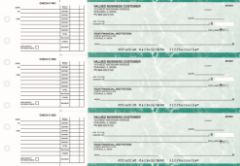
Manual AP checks from Checkomatic: the most practical format for FreshBooks users paying vendors, suppliers, and contractors by paper check.
Is There a Check Format That Works for Both FreshBooks and QuickBooks?
Yes. Standard ABA-compliant business check stock works with both. If your business uses FreshBooks as the primary accounting tool but also runs QuickBooks for certain accounts or a separate business entity, the check-on-top voucher format is the most versatile. It is the default format for QuickBooks printing and works equally well as a manual check written by hand. One check stock order from Checkomatic covers both workflows. See check-on-top business checks for the QuickBooks-compatible voucher format.
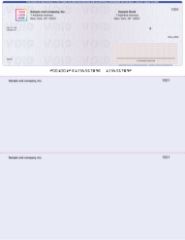
Check-on-top voucher format: works for both FreshBooks manual check writing and QuickBooks check printing from a single order.
How Do I Record a Paper Check in FreshBooks?
The most common question from FreshBooks users who write paper checks is how to record each check correctly so it appears in the right expense category, does not create a duplicate entry, and reconciles cleanly when the check clears the bank.
Recording a Check for a One-Time Vendor Payment (Expense Method)
For an immediate payment where you are writing the check at the time of the purchase or service:
- Go to Expenses in FreshBooks and click New Expense
- Enter the vendor name, amount, and the date you wrote the check
- Select the correct expense category (for example: subcontractors, supplies, maintenance)
- Note the check number in the notes or description field for reconciliation reference
- When the check clears your bank, it appears in your bank feed. Match the feed transaction to the expense record you already created
Recording a Check for a Future-Dated Vendor Bill (Bills Method)
For a vendor invoice with a future due date, FreshBooks recommends using the Bills workflow rather than Expenses. See the FreshBooks bills guide for the full workflow. In brief:
- Go to Expenses > Bills and create a new bill for the vendor
- Enter the vendor, bill number, issue date, and due date
- When you write and mail the check, click Add a Payment on the bill
- Enter the check amount and the date you wrote the check
- Match the cleared bank transaction to the bill payment when it appears in your bank feed
What Happens When a Check I Wrote Clears in FreshBooks?
FreshBooks syncs your bank transactions automatically through your connected bank feed. When a check you wrote clears the bank, the transaction appears as a debit in your FreshBooks bank feed. If you already recorded the check as an expense or bill payment, you match the feed transaction to that record. If you did not record it yet, you create the expense or bill payment record at that point and match it.
One important note from FreshBooks's own documentation: check expenses in FreshBooks are not assigned to a specific bank account until the check clears and the transaction arrives via the bank feed. This is different from QuickBooks, which records the bank account debit immediately when you print the check. For FreshBooks users writing multiple checks in a period, this means the bank feed reconciliation step is essential for keeping your books accurate. See FreshBooks accounts payable process for the complete vendor bill workflow.
How Do I Handle Payroll Checks When Using FreshBooks?
Payroll check handling is the most nuanced check scenario for FreshBooks users, because getting it wrong creates a double-counted expense in your profit and loss report.
The Double-Counting Risk With Payroll Checks in FreshBooks
If your business uses FreshBooks Payroll or a payroll integration like Gusto, the payroll run creates a payroll expense record automatically when you run payroll. If you then also create a separate check expense in FreshBooks for each employee payroll check, you are recording the payroll cost twice: once when the payroll software creates the expense record, and again when you enter the check. The result is that payroll appears to cost double on your profit and loss report.
Which Payroll Check Format Works Best for FreshBooks Users?
Manual payroll checks with a pre-printed earnings stub are the most practical format for FreshBooks users paying 1 to 10 employees by paper check. The earnings stub documents pay period dates, gross wages, deductions, and net pay alongside the check itself. The employee retains the stub as their pay record and you retain one for your files. This satisfies most state pay stub requirements without requiring separate payroll stub software. See business payroll checks for available formats.
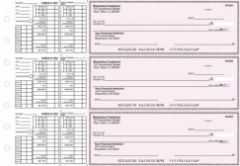
Manual payroll checks from Checkomatic with earnings stub: the practical format for FreshBooks users paying employees by paper check.
What Security Features Should Business Checks Have for FreshBooks Users?
FreshBooks users who write paper checks to vendors, contractors, or employees carry the same check fraud risk as any other business. A check written on non-secure paper and mailed to a vendor is vulnerable to check washing, where the ink is chemically removed and the check is rewritten to a different payee or amount. The check's physical security features are the only protection against this.
Every Checkomatic business check includes six ABA-compliant security features at the base price on every order:
- Chemical-reactive paper: Stains visibly if check washing solvents are applied, revealing alteration before the bank processes the check
- Microprinting: Tiny repeating text on the signature line that blurs on any photocopy or digital scan, flagging counterfeits
- Void pantograph: VOID appears clearly when the check is photocopied or scanned at the payee's bank
- Thermochromic ink (heat-sensitive): Disappears when pressed with a warm thumb, a standard bank teller authenticity test
- Coin-reactive ink: Changes appearance visibly when rubbed with a coin or metal edge
- Genuine foundry watermark: Visible from both sides under light, absent from counterfeit check paper
For a full breakdown of how each feature protects a business check in transit and at the bank, see are business checks safe, check fraud prevention, and check washing guide.
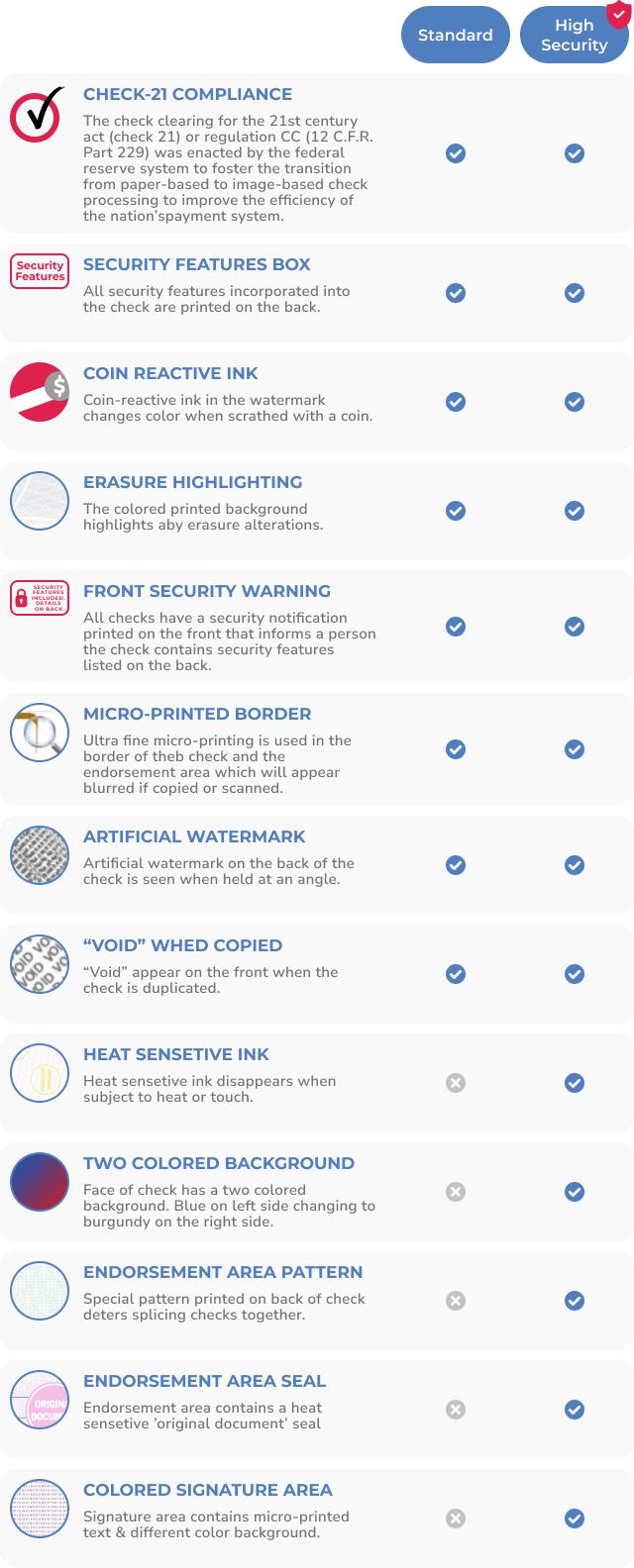
Six ABA-compliant security features on every Checkomatic check protect FreshBooks users against check washing, counterfeiting, and alteration.
Why Should FreshBooks Users Order Checks Instead of Getting Them From the Bank?
Many FreshBooks users start by using checks from their bank simply because the bank sends them when the account is opened. Bank-issued checks are more expensive and often have fewer security features than checks ordered from a direct manufacturer. Here is what the comparison typically looks like:
- Bank check pricing: Most US banks charge $30 to $50 for a box of 100 to 150 checks with minimal customization
- Checkomatic pricing: 500 checks at a fraction of the bank's per-check cost, with free logo printing, six security features, and pre-printed business name and address
- Bank check security: Basic security features, often fewer than the ABA-recommended six
- Checkomatic security: All six ABA-compliant security features standard on every order at no additional cost
- Bank check customization: Limited , usually just business name and address
- Checkomatic customization: Logo printing (free), format selection, custom memo lines, color options, accounting software compatibility
For FreshBooks users ordering checks for the first time, the manual starter pack lets you confirm the format and check quality before committing to a larger quantity. For ordering guidance, see how to order checks and how to order checks online.
What to Order Alongside Your Business Checks
Check Envelopes
Mailing a check to a vendor in a properly sized check envelope is the final step in a professional AP payment. Check envelopes from Checkomatic are sized to fit both manual and computer check formats and complete the professional presentation of every check you issue.
Endorsement Stamp for Depositing Received Checks
When your clients pay your FreshBooks invoices by paper check, an endorsement stamp pre-printed with your business name, "For Deposit Only," and your account number speeds up deposits and prevents misdirected funds. It covers the receiving side of your check workflow.
Business Deposit Slips
Depositing client check payments with matching business deposit slips creates an organized paper trail for each deposit that you can match against your FreshBooks income records.
How Do I Order Business Checks Compatible With FreshBooks?
Ordering from Checkomatic is simple. Since FreshBooks does not dictate a specific check print format, you choose the format that fits your payment workflow:
- Choose your format , Manual AP checks, payroll checks, or computer checks depending on how you pay and whether you also use QuickBooks or other software
- Enter your business details , Business name, address, ABA routing number, and account number exactly as they appear on your bank account
- Upload your logo (optional, free) , Checkomatic includes free black and white logo printing on every order
- Choose your quantity and place your order , Standard orders ship in 3 to 5 business days from Monroe, NY
For software compatibility questions or format guidance, see accounting software compatible checks and business checks FAQs. For the MICR line and routing number requirements, see MICR line explained and check stock paper.
If your business also uses Quicken for personal and small business finance tracking, see Quicken compatible checks. If you use QuickBooks alongside FreshBooks, see the full QuickBooks checks guide.
What Customers Say About Checkomatic
All reviews below are reproduced verbatim from checkomatic.com. Source: checkomatic.com/quickbooks-starter-pack-product, 4.5 stars from 166 verified reviews.
"Been with them for 15 years. Always reliable, always good quality, good service. What more can you ask for?"
"I got 500 checks for less than half of what the bank wanted for 200!"
"We use CheckoMatic for all of our check needs! They have great prices and we receive our products in a timely manner!"
"ASJ Wilson Construction has been a client of checkomatic for some years now and they've never disappointed this company. Thank you checkomatic for all that you do."
"First time ordering and I am super impressed with the quality of the checks. No issues with delivery. I will be ordering again!"
"Affordable and efficient. My go-to business check printer."





