


Reorder vs First-Time Order: What Is Different
Knowing how to reorder checks online correctly saves you time and avoids costly mistakes. A reorder is faster and simpler than a first-time check order in two specific ways. First, you do not need to submit a voided check for identity and account verification. That step was completed when you placed your original order. The printer already confirmed that your routing number and account number match an active bank account. Second, you know exactly which format, security level, and design you want because you have been using the previous batch.
If you already order QuickBooks checks from us, here is how to reorder your QuickBooks checks in a few steps.
Related guide: how to get business checks delivered fast.
The one thing that always changes when you reorder checks online is the starting check number. Every check in your batch has a unique sequential number printed in the upper right corner and encoded in the MICR line at the bottom. Your reorder needs to pick up where your last batch ends. Getting this number right is the most important step in the process.
Everything else, your routing number, account number, business name, address, logo, and check format, stays the same unless something in your business has changed. This guide covers both the standard reorder and the situations where something has changed.
What Information You Need Before You Start
When you know how to reorder checks online, this checklist becomes second nature. Have these five items ready before you begin the reorder form. The form to reorder checks online takes about 3 minutes to complete when everything is in front of you. Stopping mid-form to look up a routing number or check your last order number adds time and increases the chance of a typo.
- Business name and address exactly as they appear on your bank account. This must match your bank's records.
- ABA routing number , the 9-digit number at the bottom left of any existing check. Do not use an online routing number lookup; use an existing check or your bank's verified list.
- Checking account number , the number at the bottom of your check, to the right of the routing number and before the check number.
- Starting check number , one above the highest check number you have already used. See the next section for how to find this.
- Logo file (optional) , only if you want to add or update your logo. PNG, JPG, or vector formats accepted. Black-and-white logo printing is free on every Checkomatic order.
Unlike a first-time order, you do not need to submit a voided check for verification on a standard reorder from the same supplier. Your account information was verified on the first order. If you are switching suppliers, the new printer will require a voided check or bank verification letter before production starts.
For an explanation of how to read the numbers at the bottom of your check, including the routing number, account number, and check number positions, see our ABA routing number guide.
How to Find Your Starting Check Number
The starting check number is the most common point of confusion when businesses reorder checks online. Here is how to find it in four different situations.
Method 1: QuickBooks Desktop: Finding Your Number Before You Reorder Checks Online
Go to Banking in the top menu, then select Use Register. Select your business checking account. Click the column headers to sort by check number descending. The highest check number in the register is the last check you wrote. Your starting number for the new order is one above that number.
Example: if your register shows the highest check number is 4623, your new order starts at 4624. If your remaining stock of unwritten checks runs up to 4750, you have two choices: start at 4624 (meaning you will overlap with unwritten stock still in your drawer) or start at 4751 (finish the current stock first, then begin the new batch). Most bookkeepers prefer starting where the old stock ends, so they never have two batches in use at the same time.
Method 2: QuickBooks Online
In QuickBooks Online, go to Reports in the left navigation menu. Search for Check Detail or run a Transaction List by Account report for your checking account. Filter by transaction type: Check. Sort by check number in descending order. The number at the top is your highest issued check number. Add one to get your starting number.
Method 3: Manual Check Register (No Accounting Software)
If you use a manual check register ledger or the stub in your manual check binder, find the last entry and read the check number from the left column or the stub. That is the last check you wrote. Add one for your starting number.
If your stubs are incomplete or some checks were written without recording the stub, look at the physical checks remaining in your binder. The last check in the sequence shows the highest pre-printed number. If you have written through check 2147 and the last check in your binder is 2200, your starting number for the new order is 2201.
Method 4: Your Previous Order Confirmation
Your Checkomatic order confirmation email includes the starting check number from your previous order and the quantity. If you ordered 500 checks starting at 1001, your batch runs from 1001 to 1500. If you have used most of them, your starting number for the next order is 1501. This method works well when you use checks sequentially and rarely skip or void numbers.
When to Reorder: The 25-Check Rule
The practical rule for how to reorder checks online without running out: place your reorder when you have approximately 25 checks remaining. Standard production and shipping at Checkomatic takes 3 to 5 business days. Twenty-five checks at typical business volumes (3 to 5 per day) gives you 5 to 8 business days of supply, enough buffer to cover the production and delivery window with a few days to spare.
For businesses with irregular check volume, adjust the number. If you write 20 checks on the last day of each month for vendor payments, having 25 checks on hand going into that month-end run is cutting it close. Reorder when you have 30 to 40 checks remaining if your check writing is concentrated in short bursts.
This is the most important timing question when you plan to reorder checks online: the situation where running out causes the most damage is payroll. If you issue payroll checks and run out before a pay date, your staff does not get paid on time. Beyond the obvious employee relations problem, late payroll carries legal risk in most states. Build your reorder trigger around payroll, not around general supplies: always have at least one full payroll run worth of checks in hand before placing a reorder.
If you have reached the point where you have fewer than 10 checks and still have business payments to make before your reorder arrives, consider using an alternative payment method for those transactions (ACH transfer, wire, or digital payment) to bridge the gap, rather than writing checks from a number range that may conflict with your new order.
How to Reorder Checks Online at Checkomatic: Step-by-Step
These steps cover a standard reorder of the same check format from a previous order. The full process takes under 5 minutes when your information is ready.
Step 1: Go to the Check Catalog
Visit checkomatic/business-checks and select the same check type you ordered previously. If you ordered computer checks last time, go to Computer Checks. If you ordered manual checks, go to Manual Checks. If you ordered QuickBooks-compatible checks, go to QuickBooks Checks. Select the specific format (check on top, check in middle, check on bottom, 3-on-page) and the quantity you want.
Step 2: Enter Your Business and Banking Information
Fill in your business name, address, ABA routing number, and checking account number. Enter your starting check number from the method you used in the previous section. Verify every digit before moving to the next field. One wrong digit in the routing number sends your checks to the wrong bank. A one-digit error in the account number produces checks your bank will reject at deposit.
Step 3: Choose Your Design Options
Select your background color, security level (standard or high-security), and any customization options. Upload your logo file if you want a logo printed. Black-and-white logo printing is free on every order. Full-color logo printing is available as an upgrade. Add extra signature lines if your business requires dual signatures on checks.
Step 4: Review the Digital Proof
When you reorder checks online, a digital proof is generated showing exactly how your checks will look. Read every field on the proof carefully:
- Business name spelling and punctuation
- Street address, city, state, and ZIP code
- Bank name (if printed on the check)
- Routing number (all 9 digits)
- Account number (all digits)
- Starting check number
- Logo placement and appearance
- Signature line count
Catching an error on the proof takes 30 seconds. Catching it after 500 checks are printed takes a reprint and additional days. Do not rush this step.
Step 5: Select Shipping and Complete Checkout
Choose standard shipping (included in base pricing) or a rush option if you need checks quickly. Complete checkout with your payment information. Your order enters production immediately after proof approval and payment confirmation. You will receive a shipping confirmation with a tracking number when the order leaves the Monroe, NY facility.
What to Update Versus Keep the Same
When you reorder checks online, most orders are identical to the previous order except for the starting check number. Here is what to review deliberately on every reorder rather than assuming nothing has changed.
Always Update on Every Reorder
- Starting check number. This changes on every reorder by definition. Never use the same starting number as your previous order.
Update Only If Changed
- Business address. If you moved since your last order, update the address on the check and verify it matches your bank's records for the account.
- Authorized signer name. If the person whose name appears on the signature line has changed (ownership transfer, officer change), update accordingly.
- Logo. If your logo has been redesigned, upload the new version. If the previous logo was correct, reuse it.
- ABA routing number. Only changes if your bank merged with another institution or restructured its account types. Covered in detail in the next section.
- Check format. Only if you have switched accounting software or changed your AP workflow. A format change requires a corresponding update in your accounting software's check style setting.
Do Not Change Without Telling Your Bookkeeper
- Check number sequence. If you decide to start a new number range (e.g., jumping from the 1000s to the 5000s), tell your bookkeeper. They need to update the expected check number range in your accounting software to avoid reconciliation warnings.
- Check format. Changing from voucher to 3-on-page, for example, changes how stubs are handled. Your bookkeeper's workflow for reconciling payments may depend on specific stub fields that change between formats.
- Security level. Not a bookkeeping issue, but notify anyone responsible for verifying incoming checks, so they know to look for different security features.
What to Do If Your Bank Changed Your Routing Number
One important exception to a simple reorder checks online process: bank mergers and acquisitions are the most common cause of routing number changes for small businesses. When your bank is acquired by or merges with another institution, the surviving entity typically maintains one routing number and phases out the other. You may receive a letter from your bank stating that your routing number will change on a specific date.
When this happens, your existing check stock becomes invalid after the effective date of the routing number change. Checks with the old routing number may still clear for a brief transition period (banks typically provide a grace window of 30 to 90 days) but do not rely on this. Order new checks with the updated routing number before the transition date and plan to stop using old check stock by the effective date.
This situation is a new order, not a reorder, because the banking information has changed. You will need to submit a voided check or bank verification letter from the new account to confirm the new routing number before production begins. Checkomatic verifies every routing number against the Federal Reserve E-Payments Routing Directory before printing. If there is any discrepancy between the number you enter and the number on file at the Fed, the order is flagged before production rather than discovered when checks start bouncing.
What to Do If Your Address Changed
An address change when you reorder checks online is simpler than updating a routing number. Update your mailing address in the check order form and confirm that the new address matches what your bank has on file for the account. Your bank uses the address on the account for fraud detection: a check with a different address than what is on record can occasionally trigger a manual review.
Address changes do not require re-verification documents on a reorder from the same supplier. Your banking information (routing and account number) was already verified. The address on the check face is printed information, not a security element that affects MICR processing.
If you moved and have not yet updated your address with your bank, do both at the same time: update the bank first, then place the check reorder with the new address that matches your updated bank records. This avoids a mismatch between your check address and your account address.
Rush Reorder: When You Need Checks Fast
If you need to reorder checks online urgently and cannot wait for standard production, rush orders are available at Checkomatic for situations where you cannot wait for standard 3 to 5 business day production. Common scenarios that require a rush order include running out unexpectedly before a scheduled payroll run, a bank merger that invalidated your existing stock without enough advance notice, or discovering an error on your current check stock that makes them unusable.
To reorder checks online on a rush basis at Checkomatic: select the rush production option during checkout or contact the team before placing your order to confirm availability for your specific check type. Rush production completes printing within 1 to 2 business days. Combined with overnight shipping, checks can reach most US locations within 2 to 3 business days from your order date.
For an emergency where you have zero checks and need to make payments immediately while your order is in production, consider these bridge options:
- ACH transfers through your bank's online portal (same-day or next-business-day arrival depending on cutoff times)
- Wire transfers for large vendor payments where speed is worth the wire fee
- Manual checks from a different account if your business has multiple checking accounts
- Requesting a short payment extension from a vendor (most vendors are understanding about a 2 to 3 day delay when given advance notice)
Same Supplier or Switch: What Changes and What Does Not
When you reorder checks online from the same supplier you used before, the process is simpler because your previous order information is on file, your routing number was already verified, and you know the checks cleared at your bank without issue. The reorder process is faster and the output is predictable.
Switching to a new supplier for a reorder requires the same process as a first-time order at that supplier: submitting a voided check for verification, allowing extra time for the verification step, and running a test batch before ordering a full year's supply. The Checkomatic switching guide recommends ordering a smaller test batch first (250 checks) to confirm print quality, MICR reading, and turnaround time before committing to a large order.
From a banking and accounting standpoint, switching suppliers changes nothing material. The same routing number and account number appear on the new checks. Your vendors will receive checks that look slightly different (different design, security background, or color) but the payment instrument is identical. Your bank reads the MICR line, not the check design.
The one scenario where switching suppliers creates a brief adjustment is lockbox payment processing. If a vendor uses an automated lockbox to scan incoming checks, a significantly different MICR placement or check dimension can occasionally require a one-time manual review. This is rare and usually resolves itself after the first check clears. If you pay vendors who specifically process via lockbox, it is worth checking whether they have any check formatting requirements before switching.
What Not to Change Without Telling Your Bookkeeper
Several changes that seem minor when you reorder checks online create real problems on the bookkeeping side if they happen without communication.
Changing the Check Number Range
If you decide to start a new number sequence on your next order (for example, jumping from 2500-series numbers to 5000-series) without telling your bookkeeper, your accounting software will likely flag the new numbers as out of sequence and may generate reconciliation warnings. Tell your bookkeeper the new starting number before the first check from the new batch is written.
Changing the Check Format
Switching from voucher checks to 3-on-page, or from 3-on-page to manual checks, changes how your bookkeeper reconciles vendor payments. Voucher checks travel with a remittance stub that gives vendors invoice-level detail. Switching to 3-on-page moves that record into QuickBooks only. Your bookkeeper needs to know this before they start asking vendors why the stub is missing.
Also, changing the check format requires updating the check style setting in your accounting software. In QuickBooks Desktop, go to File, Printer Setup, Form Name: Check, and update the Check Style to match your new format. If you forget this step and run a print job, the output will be misaligned because QuickBooks is printing to a template that no longer matches your physical check stock.
Adding a Second Authorized Signer
If you add an extra signature line to your checks for a new required signer, your bookkeeper needs to update the check approval workflow. Checks that now require two signatures but come back with only one will be rejected by your bank if your bank enforces dual-signature requirements.
Business Checks Available at Checkomatic
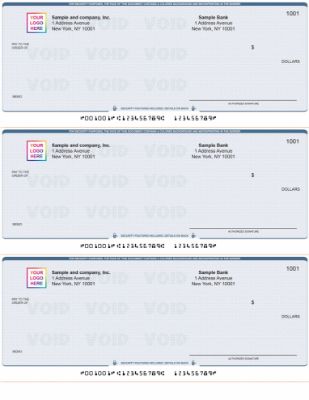
When you reorder checks online at Checkomatic, all check types are manufactured at our Monroe, NY facility. Every reorder ships with the same six CPSA-certified security features at base price: chemically sensitive paper, microprinting, void pantograph, UV fluorescent fibers, heat-sensitive ink, and pre-encoded MICR. Free black-and-white logo printing on every order.
Computer Checks
Ready to reorder checks online? Four computer check formats for QuickBooks, Xero, Sage, MYOB, Quicken, and over 500 other platforms: check on top, check in middle, check on bottom, and 3-on-page. Prices from $19.79 for 50 checks. Order at checkomatic/computer-checks.
Manual Business Checks
Three formats: Accounts Payable, Payroll, and Multi-Purpose. Available in 1-part and 2-part (carbon copy). 7-ring binder compatible. From $42.79 for 300 checks. Order at checkomatic/manual-checks.
QuickBooks-Compatible Checks
Voucher, standard, and wallet formats. Compatible with all QuickBooks Desktop and Online versions. Includes the QuickBooks Starter Pack (checks, deposit slips, envelopes, endorsement stamp in one order). Order at checkomatic/quickbooks-checks.
Personal Checks
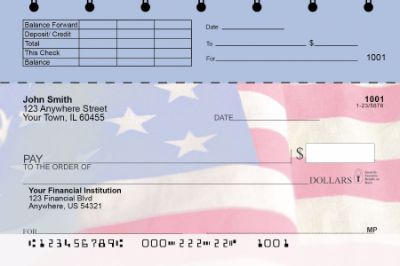
For personal checking accounts. Multiple designs, security features included, free logo printing option. Order at checkomatic/personal-checks.
For the full range including deposit slips, envelopes, and endorsement stamps, see checkomatic/business-checks.
What Customers Say About Checkomatic
Here is what customers say about using Checkomatic to reorder checks online, published on checkomatic.com and reproduced verbatim. Source: checkomatic.com/quickbooks-starter-pack, 4.5 stars from 166 verified customer reviews.
"Been with them for 15 years. Always reliable, always good quality, good service. What more can you ask for?"
ATV Inc. | ★★★★★ 5/5 | April 5, 2024 | Source: checkomatic.com/quickbooks-starter-pack
"We use CheckoMatic for all of our check needs! They have great prices and we receive our products in a timely manner!"
CG's Tax Service | ★★★★★ 5/5 | September 18, 2024 | Source: checkomatic.com/quickbooks-starter-pack
"First time ordering and I am super impressed with the quality of the checks. No issues with delivery. I will be ordering again!"
TClinton | ★★★★★ 5/5 | April 9, 2025 | Source: checkomatic.com/quickbooks-starter-pack
"I got 500 checks for less than half of what the bank wanted for 200!"
VVA Voucher Checks (Vietnam Veterans of America) | ★★★★★ 5/5 | July 6, 2024 | Source: checkomatic.com/quickbooks-starter-pack
"ASJ Wilson Construction has been a client of Checkomatic for some years now and they've never disappointed this company. Thank you Checkomatic for all that you do."
ASJ Wilson Construction | ★★★★★ 5/5 | June 6, 2024 | Source: checkomatic.com/quickbooks-starter-pack
"Affordable and efficient. My go-to business check printer."
Doe | ★★★★★ 5/5 | January 24, 2025 | Source: checkomatic.com/quickbooks-starter-pack
All reviews reproduced verbatim. Read the full set at checkomatic/business-checks.
Why Choose Checkomatic for Your Check Reorders
When You Reorder Checks Online: 3 to 5 Business Days vs 7 to 14
Banks issue checks through third-party printers on batched schedules. Standard bank-issued check delivery takes 7 to 14 business days. Checkomatic ships most reorders within 3 to 5 business days from Monroe, NY because production runs continuously, not on a batch schedule. Rush options ship within 1 to 2 business days when you need checks urgently.
Price: 50 to 70 Percent Below Bank Retail
Bank-issued business check pricing typically runs $30 to $50 for 100 checks. Checkomatic computer checks start at $19.79 for 50 checks, and the per-check price drops significantly at higher quantities. The Vietnam Veterans of America chapter confirmed this in a verified review: 500 checks for less than half of what their bank charged for 200.
Routing Number Pre-Verification on Every Order
Checkomatic verifies every routing number against the Federal Reserve E-Payments Routing Directory before printing begins. If your routing number has changed after a bank merger and you enter the old number, the order is flagged before production. This catches the most damaging reorder mistake (wrong routing number) before it produces a box of unusable checks.
Six Security Features at Base Price
Every check includes chemically sensitive paper, microprinting, void pantograph, UV fluorescent fibers, heat-sensitive ink, and pre-encoded MICR at the standard price. No security tier upgrades required to get meaningful fraud protection. For a full explanation of what each feature does, see our check types and security terminology guide.
Free Logo on Every Order
Black-and-white logo printing is included at no extra cost on every reorder. Full-color logo printing available as an upgrade. No minimum quantity for free logo setup.
In-House Manufacturing in Monroe, NY Since 1997
All checks are printed at Checkomatic's own facility. Your banking information never passes through third-party print vendors. Every reorder is handled by the same manufacturing team that handled your original order.
Quick Summary: How to Reorder Business Checks Online
Keywords covered in this guide: how to reorder checks online, reorder business checks, reorder personal checks, reorder checks online, business check reorder, need to order checks online, order checks online fast delivery, order checks fast shipping, order checks overnight, order checks next day delivery, starting check number reorder, where to find starting check number, QuickBooks check number reorder, check reorder checklist, when to reorder checks, how many checks to order, rush check order, order checks 3 to 5 business days, reorder business checks online, check reorder information needed, routing number account number checks, reorder checks after bank merger, Checkomatic reorder, ABA compliant checks reorder, free logo checks reorder, Monroe NY check reorder.
When you need to know how to reorder checks online, this is the complete summary: gather your business name, mailing address, ABA routing number, checking account number, and starting check number (one above the highest check number you have already written). In QuickBooks Desktop, find the highest check number in Banking, Use Register, sorted descending. In QuickBooks Online, run a Check Detail report sorted by number. Without software, read the last stub in your manual check binder. Reorder when you have 25 checks remaining for a 5 to 8 business day buffer. At Checkomatic, the reorder form takes under 5 minutes to complete.
Review the digital proof carefully before approving, especially the starting check number, routing number, and business address. Standard reorders ship in 3 to 5 business days from Monroe, NY. Rush production options are available for urgent needs.
If your routing number changed after a bank merger, treat this as a new order and submit a voided check with the new account information. Tell your bookkeeper before changing the check number sequence or check format on a reorder. This guide covers the keyword "how to reorder checks online," "reorder business checks," "order checks fast delivery," "order checks next day delivery," "order checks overnight," "order checks fast shipping," and "need to order checks online" , all from the Checkomatic search performance data showing high impression counts and low click rates that this post is written to improve.





