


What a Stop Payment Is and When You Need One
A stop payment is a bank instruction that prevents a specific check from being paid if it is presented for deposit or cashing. When you place a stop payment, the bank adds the check details to a list of checks to refuse. If that check shows up at the bank , in person, by mail, through mobile deposit, or through the automated check clearing system , the bank returns it unpaid.
Stop payments are needed in these situations:
- The check was lost or stolen after leaving your hands. You mailed a payment and it never arrived, or it was taken from your outgoing mail.
- You sent the check to the wrong payee. You addressed the envelope to the wrong person or business.
- The amount on the check was wrong. You wrote the wrong dollar amount and need to cancel and reissue.
- A payment dispute has arisen. You paid a vendor for work that was not completed and need to prevent the check from clearing while the dispute is resolved.
- The payee is no longer entitled to payment. An employee was terminated before their final check was deposited, or a contract was cancelled.
- The check was fraudulently issued from your account. Someone else wrote or printed a check using your account information.
Stop payment is not the right tool if the check is still in your hands. If you have the physical check, void it by writing VOID across the face in permanent marker. Voiding is free and immediate. For the full guide on voiding checks, see how to void a check.
Information You Need Before Contacting Your Bank
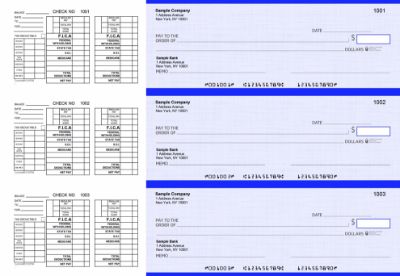
Gather this information before you call, log in, or visit your bank. Having all five items ready speeds up the process and reduces the chance of the bank placing the stop payment on the wrong check.
- Check number: The sequential number printed in the upper right corner of the check and in the MICR line at the bottom. This is how the bank identifies the specific check to stop.
- Exact dollar amount: The amount written on the check. Banks match this against the check being presented. An approximate amount may be accepted but an exact amount is more reliable.
- Date on the check: The date you wrote on the check. This helps the bank confirm the correct check if multiple checks from your account are being processed.
- Payee name: The name or business name you wrote on the "Pay to the Order of" line. This is additional confirmation that the bank is stopping the right check.
- Your account number: The checking account from which the check was drawn. Most banks pull this up automatically when you log in or identify yourself, but have it available.
Check your check register to find the check number and amount for any check you have already issued. Maintaining an accurate register from the day you start writing checks makes stop payment requests much faster. For the complete guide to check register maintenance, see check register: how to set up and use a checkbook ledger.
How to Stop Payment on a Check Online or Through Mobile Banking
Online and mobile banking is the fastest way to place a stop payment for most people. The process is available 24 hours a day and takes effect within one business day at most banks.
Step 1: Log Into Your Online or Mobile Banking Account
Open your bank's website or mobile app and log in with your credentials. Navigate to your checking account.
Step 2: Find the Stop Payment Option
Look for a menu item labeled Stop Payment, Account Services, or Customer Service. The exact location varies by bank. Common paths include: Account Details, then More Options, then Stop Payment; or Customer Service, then Check Services, then Stop Payment.
Step 3: Enter the Check Details
Fill in the required fields: check number, exact dollar amount, check date, and payee name. Some banks require all four. Others may only require the check number and amount. Enter the information exactly as it appears on the check , even a small discrepancy in the dollar amount can cause the stop payment to miss the check when it is presented.
Step 4: Review and Confirm
Review the entered details carefully before submitting. The bank will display the stop payment fee (typically $20 to $35) and the effective date. Confirm that all details match the check you want to stop. Submit the request.
Step 5: Save Your Confirmation
After submitting, your bank will generate a confirmation number. Write it down or take a screenshot. The confirmation number is your proof that the stop payment was placed and the effective date it took hold. Keep this confirmation in your records.
How to Stop Payment on a Check by Phone
Phone stop payments are available at virtually every bank. Use this method if online banking is unavailable, if the stop payment is urgent and you want to speak directly with a representative, or if you have an unusual situation such as a stolen check without a known check number.
Step 1: Call Your Bank's Customer Service Number
Call the number on the back of your debit card or on your bank statement. Have your account information ready to verify your identity before the representative can access your account.
Step 2: Request a Stop Payment
Tell the representative you need to place a stop payment on a check. Provide the check number, dollar amount, date, and payee name when asked. The representative will confirm your account and process the request.
Step 3: Confirm the Fee and Effective Date
The representative will tell you the stop payment fee and confirm when the order becomes effective. Most phone stop payments take effect the same business day if placed before the bank's cutoff time.
Step 4: Get a Confirmation Number
Ask the representative for a confirmation number before ending the call. Note the date, time, and representative name in addition to the confirmation number. This documentation protects you if there is a dispute about whether the stop payment was placed in time.
How to Stop Payment on a Check In Person
Visiting a branch is the least common method but may be necessary if you need to provide additional documentation, if the check was stolen and you need to file related fraud paperwork at the same time, or if your bank requires in-person authorization for large-amount stop payments.
Step 1: Bring Your Identification and Account Information
Bring a government-issued photo ID and your account number. Some banks also ask for your debit card. Have the check details (number, amount, date, payee) written down before you arrive.
Step 2: Speak With a Bank Teller or Customer Service Representative
Tell them you need to place a stop payment. They will pull up your account and complete the stop payment request form with the information you provide.
Step 3: Sign the Stop Payment Authorization
Most banks ask you to sign a stop payment authorization form. This document authorizes the bank to refuse the specific check and confirms the fee you are paying. Review it carefully before signing.
Step 4: Keep Your Copy
Ask for a copy of the signed stop payment form and any receipt for the fee. File this with your check records for the current month.
Stop Payment Cost and Validity Period
What Happens After Six Months
The stop payment expires automatically after six months. If the check has not been presented by then, your bank will honor it if it appears after the expiration date , unless you renew the stop payment. To renew, contact your bank the same way you placed the original order and pay the fee again. You can renew a stop payment indefinitely in six-month increments.
A check that has not been presented for six months is approaching stale-check territory. Most banks may refuse a check that is more than six months old under standard banking guidelines, but they are not required to. A stop payment renewal removes any ambiguity.
Stop Payment vs Voiding a Check
Stop payment and voiding a check accomplish the same goal , preventing a specific check from being paid , but they apply to completely different situations. Choosing the wrong one wastes time and money or leaves a check at risk of being cashed.
For the full guide on voiding checks including when to void vs stop payment, see how to void a check.
Can You Stop Payment on a Check That Has Already Cleared
No. A stop payment order cannot reverse a check that has already been processed and debited from your account.
Once a check clears , meaning the funds have been released from your account and transferred to the payee's bank , the transaction is complete and irreversible through a stop payment. The stop payment mechanism only works on checks that have not yet been presented for payment.
What to Do If a Check Already Cleared Fraudulently
If a check cleared your account and you believe it was unauthorized, altered, or counterfeited, contact your bank's fraud department immediately rather than placing a stop payment. The fraud dispute process involves:
- Filing a fraud claim with your bank
- Providing documentation that the check was unauthorized or altered
- Your bank investigating the claim and potentially recovering funds through the check return process
Fraud disputes have time limits , typically 30 to 60 days from the statement date in which the fraudulent transaction appeared. Contact your bank as quickly as possible after discovering the unauthorized check. Using high-security check stock with chemically sensitive paper and microprinting makes alteration fraud much harder to execute before it reaches the cleared check stage. For information on security features that prevent check fraud before it starts, see the guide on what are the most important features of checks.
ACH Stop Payment vs Check Stop Payment
Stop payments work differently for ACH (Automated Clearing House) transactions than they do for paper checks. If someone initiated an ACH debit from your account that you want to stop, the process differs from stopping a paper check.
Key Differences
- Paper check stop payment: Requires the check number, amount, date, and payee. Valid for six months. Stops that specific check.
- ACH stop payment: Requires the company name, amount, and sometimes the ACH transaction ID. Can be set to stop all future debits from the same originator (not just one transaction).
- ACH stop payment timing: Must be placed at least three business days before the scheduled debit date to be effective under Regulation E guidelines.
- ACH stop payment cost: Banks may charge a similar fee or a different fee from paper check stop payments. Confirm the cost with your bank.
If you authorized an ACH payment and want to cancel it, you also have the option to contact the originating company and request cancellation directly. Canceling with the originator before the transaction is initiated avoids the bank stop payment fee entirely.
What to Do After Placing a Stop Payment
Record It in Your Check Register
Enter the stop payment in your check register immediately after placing it. Write the check number, the word "STOP PAYMENT," the date the stop payment was placed, and the fee amount paid. This creates a complete paper trail that matches your bank statement and prevents the check number from appearing as an unresolved open transaction. For check register maintenance guidance, see check register: how to set up and use a checkbook ledger.
Contact the Payee
If the stop payment was placed because of a payment dispute, a lost check, or an error , and the payee has a legitimate claim to payment , contact them immediately. Explain that a stop payment was placed and arrange an alternative payment method. Leaving a payee without notice that their check was stopped damages business relationships and may create legal complications if the payee has already delivered goods or services.
Set a Calendar Reminder for the Renewal Date
Set a reminder for five and a half months from the date you placed the stop payment. If the check is still outstanding and you want to maintain the stop payment, contact your bank before the six-month expiration and renew the order. A lapsed stop payment on an outstanding check exposes you to that check clearing unexpectedly.
Record in Your Accounting Software
If you use QuickBooks or another accounting platform for accounts payable, record the stop payment in the software as well. This keeps your software records and bank statement in sync during reconciliation. For the monthly reconciliation process, see checkbook management: how to balance and reconcile your account every month.
Issuing a Replacement Check After a Stop Payment
After placing a stop payment and resolving the underlying situation, you may need to issue a replacement check to the payee. Here is how to do it correctly.
Use the Next Sequential Check Number
Issue the replacement check using the next available check number in your sequence , not the same number as the stopped check. Using the same check number as a stopped check creates confusion in your records and potential issues with positive pay systems if your bank uses that service.
Note the Replacement in Your Check Register
In your check register, note next to the original stopped check entry that a replacement was issued, including the new check number and date. This creates a clear audit trail showing the stopped check was replaced and the payee was made whole.
Confirm the Stop Payment Before Issuing the Replacement
Before issuing a replacement check, confirm with your bank that the stop payment on the original check is active. The last thing you want is both the original and the replacement check clearing your account. Only issue the replacement after you have confirmation that the stop payment is in effect.
For replacement business check stock when you need to reorder, browse business checks and computer checks for business at Checkomatic. For QuickBooks-compatible formats, see QuickBooks checks.
Common Stop Payment Mistakes
Mistake 1: Wrong Dollar Amount
Entering an amount that is even slightly different from the actual check amount can cause the bank's matching system to miss the check when it is presented. Double-check your check register to confirm the exact amount before submitting the stop payment request. If you wrote $1,250.00 on the check, do not enter $1,250 or $1250 , enter the exact format your bank requires.
Mistake 2: Waiting Too Long to Act
A stop payment only works on a check that has not yet cleared. If a payee deposits your check the same day they receive it, you may have very little time. As soon as you realize a stop payment is needed, contact your bank the same day. Do not wait until the next business day if the situation is urgent.
Mistake 3: Forgetting to Renew Before the Six-Month Expiration
A stop payment that expires while the check is still outstanding no longer protects you. The check can clear after expiration. Set a calendar reminder at five months to evaluate whether renewal is needed.
Mistake 4: Using Stop Payment Instead of Voiding
If the check is still in your hands, voiding it is free and immediate. Paying a $20 to $35 stop payment fee for a check you could have voided wastes money. Confirm the check has actually left your possession before requesting a stop payment.
Mistake 5: Not Notifying the Payee
Placing a stop payment on a legitimate payment without notifying the payee creates confusion and damages business relationships. Contact the payee promptly to explain what happened and arrange alternative payment.
What Customers Say About Checkomatic
All reviews below are published on checkomatic.com and reproduced verbatim. Source: checkomatic.com/quickbooks-starter-pack-product, 4.5 stars from 166 verified reviews.
"Been with them for 15 years. Always reliable, always good quality, good service. What more can you ask for?"
ATV Inc. | ★★★★★ 5/5 | April 5, 2024 | Source: checkomatic.com/quickbooks-starter-pack-product
"First time ordering and I am super impressed with the quality of the checks. No issues with delivery. I will be ordering again!"
TClinton | ★★★★★ 5/5 | April 9, 2025 | Source: checkomatic.com/quickbooks-starter-pack-product
"We use CheckoMatic for all of our check needs! They have great prices and we receive our products in a timely manner!"
CG's Tax Service | ★★★★★ 5/5 | September 18, 2024 | Source: checkomatic.com/quickbooks-starter-pack-product
"I got 500 checks for less than half of what the bank wanted for 200!"
VVA Voucher Checks (Vietnam Veterans of America) | ★★★★★ 5/5 | July 6, 2024 | Source: checkomatic.com/quickbooks-starter-pack-product
"ASJ Wilson Construction has been a client of checkomatic for some years now and they've never disappointed this company. Thank you checkomatic for all that you do."
ASJ Wilson Construction | ★★★★★ 5/5 | June 6, 2024 | Source: checkomatic.com/quickbooks-starter-pack-product
"Affordable and efficient. My go-to business check printer."
Doe | ★★★★★ 5/5 | January 24, 2025 | Source: checkomatic.com/quickbooks-starter-pack-product
Why Choose Checkomatic for Replacement Business Checks After a Stop Payment
Sequential Check Numbers Pre-Printed on Every Order
When you need to replace a stopped check, your next check number must continue your sequential numbering without gaps. Checkomatic pre-prints the starting check number you specify on every order, ensuring your physical check stock and accounting software records stay synchronized from the first replacement check you print.
Six Security Features Reduce Future Stop Payment Situations
Many stop payments result from check washing and check alteration fraud , a criminal intercepts your check, alters the payee or amount, and tries to cash it. Checkomatic's business checks include chemically sensitive paper that permanently stains when washing solvents are applied, microprinting that degrades on photocopies, and a void pantograph that reveals VOID on any reproduction. These features deter the physical fraud that creates stop payment situations.
Fast Replacement Turnaround
When a check is stopped and a replacement needs to go out quickly, Checkomatic's rush production ships in 1 to 2 business days. Standard production ships in 3 to 5 business days from Monroe, NY.
All Formats for Business Replacement Checks
Voucher checks for payroll replacements. Standard 3-on-a-page for vendor payment replacements. QuickBooks-compatible formats for businesses running accounting software. All formats include ABA-verified MICR encoding that clears at any US bank. Browse business checks, computer checks for business, and QuickBooks checks at Checkomatic.





