


What Is a Business Endorsement Stamp and Why Do Businesses Use One?
A business endorsement stamp is a self-inking rubber stamp that prints your business name, bank account number, and "For Deposit Only" text on the back of every check your business receives. Instead of handwriting this information on each check before depositing it, you press the stamp once and all the required endorsement information appears in a clean, uniform impression.
Businesses use endorsement stamps for three main reasons. Speed: stamping a batch of 30 checks takes minutes, not the better part of an hour that handwriting the same information would require. Consistency: the stamp produces the same impression every time, with the correct account number and the exact legal business name. Security: a "For Deposit Only" stamp is a restrictive endorsement, which limits the check to deposit into your account only. This is significantly more secure than a blank signature endorsement.
For a full explanation of endorsement types and what goes on a business endorsement stamp, see endorsement stamp and how to endorse a check. To order a custom business endorsement stamp from Checkomatic, see self inking custom stamps.
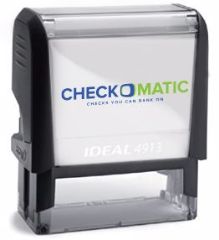
Checkomatic self-inking endorsement stamps are custom-printed with your business name, account number, and "For Deposit Only" text, ready to use on every check your business receives.
What Should You Check Before Using an Endorsement Stamp?
Most endorsement guides go straight to the stamping step. The steps before the stamp are where most deposit problems actually start.
What Should You Verify on a Check Before Endorsing It?
Before you flip any check over to stamp it, confirm four things on the front:
- Payee name matches your business: The name on the "Pay to the Order Of" line must match the business name on your stamp and your bank account. A check made out to "ABC Consulting" cannot be deposited using a stamp that reads "ABC Consulting LLC" unless your bank has accepted that DBA relationship in writing.
- Date is within six months: A check more than 180 days old is considered stale-dated. Most banks will refuse it. Contact the issuer and ask for a replacement rather than endorsing and attempting to deposit a stale check.
- Date is not in the future: A post-dated check cannot be deposited before its date. Endorsing does not make it valid early. If you receive a post-dated check, file it without endorsing and set a reminder for the deposit date.
- Legal and written amounts agree: The numerical amount in the box and the written amount on the line below must match. If they differ, the bank's processing system will flag it. Ask the issuer to void and reissue the check if the amounts disagree.
Why Should You Endorse a Check Immediately After Receiving It?
This is one of the most important practices in business check handling, and it is not covered by most endorsement guides.
The moment a check arrives at your business, stamp it with your "For Deposit Only" endorsement. Do not wait until you are ready to deposit it. Here is why this matters for fraud prevention specifically:
A For Deposit Only restrictive endorsement kills the check's value to anyone who might intercept or steal it. A check endorsed with just your business name and "For Deposit Only" into account number 12345678 can only be deposited into that specific account. Even if someone takes the physical check after you have stamped it, they cannot cash it or deposit it elsewhere.
The second risk is double-deposit fraud. This is a real internal control vulnerability for businesses: an employee photographs the check to submit through the company's mobile or remote deposit system, then takes the physical check and cashes it at a check-cashing location or different bank. Because an unendorsed or blank-endorsed check can be cashed anywhere, the fraud succeeds. A "For Deposit Only" stamp applied the moment the check arrives removes this vulnerability entirely. See check fraud prevention for the broader business check fraud context.
How to Use an Endorsement Stamp: Step-by-Step
Where Do You Place an Endorsement Stamp on a Check?
Every business check has a designated endorsement area on its back. Federal Reserve Regulation CC and the ABA standard require all endorsements to be placed within 1.5 inches of the trailing edge of the check. The trailing edge is the left edge when the check is held horizontally with the front facing up. When you flip the check over, this becomes the top of the back side.
Most checks mark this zone with "Endorse Here" and a bordered box or parallel lines. This box is your target. Everything stamped or written must stay within it. The space beyond the 1.5-inch zone is reserved for the bank's own processing endorsement, which it adds when the check enters the clearing system. Overlapping into that space can cause processing delays or the Endorsement Irregular return code.
Test the ink quality on scrap paper first
Before starting any batch, press the stamp once on a blank sheet of paper. The impression must be crisp, complete, and fully dark with no faded areas, gaps, or missing characters. A partial or faint impression means the ink pad needs re-inking before you touch any check. Starting a batch with a low-ink stamp risks producing endorsements too faint for the bank to read.
Flip the check over and locate the endorsement zone
Turn the check to its back side. Find the endorsement area at the trailing edge, marked "Endorse Here" or indicated by a bordered box. This 1.5-inch zone is where the entire stamp impression must land.
Center the stamp squarely over the endorsement area
Hold the stamp directly above the endorsement zone. Align it so the impression will fall fully within the box. Do not angle or tilt the stamp; a tilted impression can push part of the text outside the zone. For standard self-inking business endorsement stamps, the stamp face typically fits comfortably within the ABA-required zone when properly aligned.
Press firmly and lift straight up
Apply firm, even pressure straight down across the full face of the stamp. Hold for one second, then lift straight up without sliding or rocking. A sliding motion smears the ink and blurs the impression, potentially making it unreadable. The self-inking mechanism re-inks the pad automatically as you lift, so the stamp is immediately ready for the next check.
Add an authorized signature below the stamp if your bank requires it
Some banks require an authorized signatory signature alongside the stamp for business check deposits. If your bank requires this, sign directly below the stamp impression, within the endorsement area, using blue or black ink. Blue or black ink is required; pencil, red ink, and gel ink that smears are commonly rejected by bank processing systems. The signature confirms you are authorized to deposit on behalf of the business.
Verify the impression before moving to the next check
Check that the business name, account number, and "For Deposit Only" text are clearly legible and fully within the endorsement zone. If the impression is faded, partial, or outside the zone, set that check aside. Re-ink the stamp before continuing. Do not re-stamp over a bad impression. Present problem checks to your bank teller for guidance.
How to Use an Endorsement Stamp for a Batch of Multiple Checks
When your business deposits multiple checks at once, a systematic batch workflow prevents errors and keeps endorsement quality consistent through the full batch.
What Is the Most Efficient Batch Endorsement Workflow?
- Sort and verify all checks face-up first. Confirm each check's payee name, date validity, and amount agreement before turning any check over. Catching an unacceptable check before stamping avoids wasted endorsements.
- Test ink on scrap paper. Always, regardless of how recently you last used the stamp.
- Flip the entire sorted stack face-down. Work through the full stack in sequence without flipping back and forth.
- Endorse each check. Position, press firmly, lift straight up. Do not rush the lift; pulling up too fast before the ink sets can smear.
- Cross-check the batch count against your deposit slip. The number of endorsed checks must match the number of line items on the deposit slip before leaving for the bank.
- Deposit the batch the same day. Endorsed checks sitting overnight in a desk drawer or envelope are still exposed checks. Your account number is now printed on each one. Secure endorsed checks immediately and deposit as soon as possible.
For completing the deposit workflow after endorsing, see how to deposit a business check and deposit slips.
How to Use an Endorsement Stamp for Mobile Deposits
Does the Endorsement Change for Mobile Deposits?
Yes, in many cases. A standard "For Deposit Only" stamp may not satisfy your bank's mobile deposit endorsement requirement.
The reason comes from the Check Clearing for the 21st Century Act, commonly called Check 21. When you submit a check through your bank's mobile app, the app creates a digital substitute check, which enters the Federal Reserve clearing system in place of the physical paper.
The risk the bank is managing is double presentment: the physical check could be deposited a second time at a different bank after the mobile deposit is accepted. To prevent this, many banks now require "For Mobile Deposit Only" rather than just "For Deposit Only" on checks submitted via their app. This additional language signals that the physical check should not be redeposited anywhere after the mobile deposit clears.
What Should You Write on a Check for Mobile Deposit?
Requirements vary by bank. Common formats include:
- "For Mobile Deposit Only"
- "For Mobile Deposit at [Bank Name] Only"
- "For Mobile Deposit Only" with the date
- "For Mobile Deposit Only" followed by a signature
Check your bank's mobile app for specific instructions before your first mobile deposit. If your stamp says only "For Deposit Only," you may need to handwrite the mobile deposit language below the stamp impression, or order a dedicated mobile deposit endorsement stamp for checks you deposit via the app.
How to Re-Ink a Self-Inking Endorsement Stamp
A self-inking stamp lasts through thousands of impressions, but the ink pad eventually runs low. Knowing how to re-ink correctly extends the stamp's operational life.
How Do You Know When a Self-Inking Stamp Needs Re-Inking?
When the scrap paper test produces a faded, uneven, or incomplete impression. Some characters lighter than others, or text that simply does not appear, means the pad is low. Do not use a low-ink stamp on actual checks.
What Are the Steps to Re-Ink a Self-Inking Stamp?
- Open the stamp housing. Most self-inking stamps open by sliding or snapping open the base. Some have a removable pad that lifts out. Check the stamp's model documentation if you are unsure.
- Apply ink sparingly to the pad. Add stamp ink, matching the correct ink type for your stamp model, a few drops at a time directly to the pad surface. Apply to the pad surface only, not to the die or the text plate.
- Allow the ink to absorb for 2 to 5 minutes. Do not skip this wait. Stamping too soon after re-inking causes ink bleed-through and smearing on the check surface, potentially creating an unreadable impression or one that bleeds into adjacent check fields.
- Test on scrap paper before using on checks. The impression should be crisp and complete with no excess smearing. If it is still faint, apply a few more drops and wait again.
Common Endorsement Stamp Mistakes That Cause Deposit Rejections
Based on the patterns reported by small business owners and banking compliance resources, these are the most common errors that result in returned deposits or Endorsement Irregular return codes:
- Business name on stamp does not match check payee: The most frequently cited rejection cause. The stamp must match the front of the check exactly. "ABC Inc." and "ABC Incorporated" are different names to bank processing systems.
- Stamping outside the 1.5-inch endorsement zone: Impression bleeds into the bank's processing area. Can cause processing delays or automated rejection.
- Using handwriting in pencil or red ink alongside the stamp: Pencil can be erased and altered; red ink and some gel inks are not read reliably by bank imaging systems. Use only blue or black ink for any handwritten additions.
- Low-ink impressions: A partial impression that is missing characters, particularly in the account number, can cause Endorsement Irregular returns.
- Forgetting "For Mobile Deposit Only" for app deposits: This is the leading cause of mobile deposit rejection at banks that require the specific phrase. Standard "For Deposit Only" may not satisfy the requirement.
- Endorsing without verifying the payee name first: Stamping a check made out to an individual employee's name with the company stamp cannot be fixed after the fact. The endorsement name must match the payee before stamping.
- Re-stamping over a bad first impression: Two overlapping impressions are harder to read than one bad one. Do not attempt to correct a misfire by re-stamping. Bring the check to a teller.
How Is an Endorsement Stamp Different From a Signature Stamp?
These are two separate tools that serve opposite functions and are not interchangeable.
An endorsement stamp goes on the back of checks your business receives, before depositing them. It contains your business name, account number, and "For Deposit Only." It is a receiving tool.
A signature stamp contains a reproduction of an authorized signatory's signature. It is applied to the front of checks your business issues, on the signature line. It is an issuing tool.
If your business needs both, Checkomatic offers both types as separate products. See self inking custom stamps for the full range.
For the checks you issue to vendors, employees, or payees, see manual business checks, business checks payroll, and how to write a business check.
What Customers Say About Checkomatic
All reviews below are reproduced verbatim from checkomatic.com. Source: checkomatic.com/quickbooks-starter-pack-product, 4.5 stars from 166 verified reviews.
"Been with them for 15 years. Always reliable, always good quality, good service. What more can you ask for?"
"We use CheckoMatic for all of our check needs! They have great prices and we receive our products in a timely manner!"
"ASJ Wilson Construction has been a client of checkomatic for some years now and they've never disappointed this company. Thank you checkomatic for all that you do."
"First time ordering and I am super impressed with the quality of the checks. No issues with delivery. I will be ordering again!"
"Affordable and efficient. My go-to business check printer."
"I got 500 checks for less than half of what the bank wanted for 200!"





