-
 Contact Us
-
 Re order
-
 Log in
-
 Cart 0
You have no items in your shopping cart.
Is It Safe to Order Checks Online? How to Order Safely
Key Observations
- Ordering checks online is safe when you use an established check printer with a secure checkout, a real address and phone number, and published security features.
- Most of the risk sits after the order, not during it. Mail theft and check washing are the problems to plan for, so track the box and store the checks somewhere locked.
- A check printer needs your name, address, bank routing number, account number and a starting check number. It never needs your online banking login or your Social Security number.
- Look for security features such as chemically sensitive paper, microprinting and heat-sensitive ink, plus a proof you approve before anything is printed.
- If a box of checks goes missing, call your bank the same day. The account numbers on those checks are what a thief would use.
Yes, it is safe to order checks online from an established check printer. The real risk is rarely the website. It is what happens to the checks in the mail and in your office after they arrive.
This guide explains how to tell a legitimate check printer from a risky one, what information you should and should not share, which security features matter, and how to protect a new box of checks once it ships. It is written by the Checkomatic team, which has printed business and personal checks in Monroe, NY since 1997.
Here is where the real risks sit when you order checks, and what reduces each one.
| Risk | When it happens | What reduces it |
|---|---|---|
| A fake or careless check website | At checkout | A secure checkout, a physical address, a phone number and a long track record |
| Wrong bank details on the checks | During printing | A proof you approve and a printer that checks the routing number |
| Mail theft | In transit and at your mailbox | Tracking, collecting the box quickly and a secure delivery address |
| Check washing and alteration | After a check is written and mailed | Security features on the paper and careful mailing habits |
| Unused checks going missing | In your office or home | Locked storage and a quick count when the box arrives |
Looking for checks with security features built in? See our business checks, printed in our own facility with a proof you approve before production.
What is in this guide
- Is it safe to order checks online?
- What are the real risks when you order checks?
- How can you tell a check printer is legitimate?
- What information does a check printer need?
- Is ordering from your bank safer than ordering online?
- Which security features should your checks have?
- How do you keep new checks safe after they arrive?
- What should you do if your checks are lost in the mail?
- Are business checks riskier to order online?
- How does Checkomatic protect a check order?
- Questions about ordering checks online
- Questions about check security
Is it safe to order checks online?
Ordering checks online is safe when the check printer is established, uses a secure checkout, shows who it is and where it is based, and prints security features on every check. Your bank details are already printed on every check you hand out, so sharing them with a reputable printer adds very little risk.
The part that deserves the most care is delivery. A box of blank checks carries your account and routing numbers, so it needs the same care as a bank card in the mail.
Is it safe to order personal checks online?
Yes. The same rules apply to personal checks as to business checks: use a printer you can verify, approve a proof, track the shipment and store the checks somewhere private. The checks themselves should carry visible security features so altered checks are easier to spot.
Is it safe to reorder checks online?
Reordering is usually the safest order of all, because the printer already has your verified layout and bank details on file. Confirm the starting check number and your address before you approve the reorder. Our guide to reordering checks online walks through the steps.
What are the real risks when you order checks?
The main risks when you order checks are mail theft, check washing and printing errors, not the online order itself. According to the US Financial Crimes Enforcement Network (FinCEN), banks filed more than 680,000 suspicious activity reports about check fraud in 2022, up from more than 350,000 in 2021, and much of that fraud started with stolen mail.
- Mail theft. Thieves take checks from mailboxes, either new boxes of checks or checks you have written and mailed.
- Check washing. A stolen check is soaked in chemicals to remove the ink, then the payee and amount are rewritten.
- Counterfeiting. Account details from a real check are copied onto fake checks.
- Printing mistakes. A wrong routing or account number can get checks rejected, which is costly even when no fraud is involved.
Security features on the paper target the second and third risks. Good habits at your mailbox target the first. A proof and a printer that checks routing numbers target the fourth. Our check fraud prevention guide covers each type of fraud in more depth.
How can you tell a check printer is legitimate?
A legitimate check printer shows a physical business address and a phone number, uses a secure checkout, explains its security features in plain terms, sends a proof before printing, and has a track record you can check. If any of those are missing, order somewhere else.
Use this checklist before you place an order:
- Secure checkout. The order and payment pages should use a secure connection, shown by the padlock in your browser address bar.
- A real business behind the site. Look for a street address, a phone number that a person answers, and how long the company has been printing checks.
- Published security features. The printer should name the features on its checks, not just say they are secure.
- A proof before printing. You should see your name, address, bank details and starting number before anything goes to press.
- Independent reviews. Read reviews from real customers and look for a pattern, not one comment.
- Industry standards. Checks should meet American Bankers Association specifications so banks can read them. Some printers also display the Check Payments Systems Association padlock icon, which the association permits only on checks that carry at least three security features. You can confirm a printer against the association's list of authorized users.
What are the warning signs of a risky check website?
Be wary of a check website with no address or phone number, prices far below everyone else, no proof step, pressure to pay by wire transfer or gift card, or a request for your online banking password. A real check printer never needs your banking login.
What information does a check printer need?
A check printer needs your name or business name, the address you want printed, your bank's routing number, your account number and the number you want your checks to start from. It may also ask for a voided check or a bank letter to confirm the details. It does not need your Social Security number, your card PIN or your online banking password.
The routing number is the nine-digit number at the bottom left of a check, followed by your account number and the check number. Those three numbers make up the MICR line that bank equipment reads, so they must be printed exactly right.
What does Checkomatic do with your bank details?
Checkomatic prints every order in its own facility in Monroe, NY, so your banking information is not passed to outside print vendors. Routing numbers are checked against the Federal Reserve E-Payments Routing Directory before printing, and the MICR line on each batch is read by a MICR reader before it ships. Our guide to whether business checks are safe explains how order data is handled.
Is ordering from your bank safer than ordering online?
Ordering from your bank is not automatically safer than ordering online. Banks read checks by the MICR line, so checks from an independent printer work the same way as bank-supplied checks as long as the routing and account numbers are printed correctly to bank standards. The safety difference comes from the printer's process, not where you click to order.
What matters more is the security on the paper, whether you see a proof, and how the checks are delivered. Ask the same questions whichever route you choose.
Which security features should your checks have?
Your checks should have several security features that work together, so an altered or copied check is easy to spot. Chemically sensitive paper, microprinting and heat-sensitive ink are among the most useful, because they target check washing and copying, the two most common ways stolen checks are misused.
This table shows what each common feature protects against.
| Feature | How it works | Main protection |
|---|---|---|
| Chemically sensitive paper | Stains or changes color if solvents are used on it | Check washing |
| Microprinting | Tiny text that looks like a line and blurs when copied | Copying and counterfeiting |
| Heat-sensitive ink | Fades when warmed, which a copy cannot do | Counterfeiting |
| Invisible fluorescent fibers | Show up under ultraviolet light | Counterfeiting |
| Pre-printed MICR line | Bank details printed in magnetic ink | Rejected or misread checks |
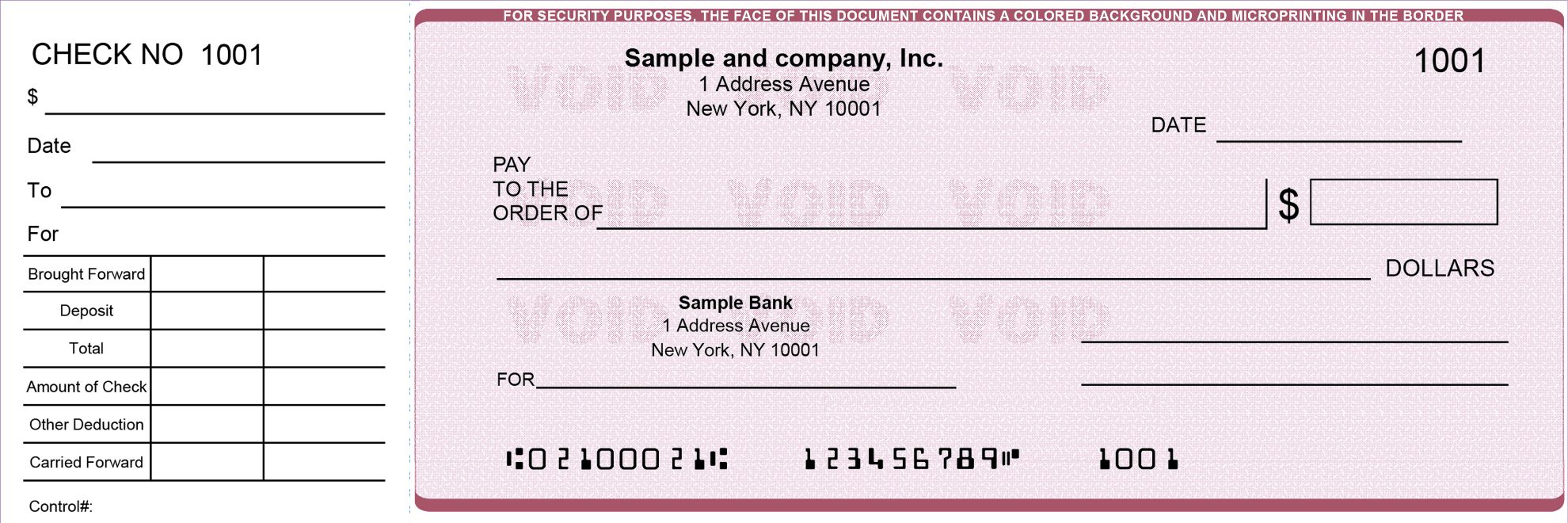
Our business check security features guide explains each feature in more detail and how to test it.
How do you keep new checks safe after they arrive?
Keep new checks safe by collecting the box as soon as it is delivered, counting the checks against the numbers you ordered, and storing them somewhere locked. In a 2025 public service announcement, the FBI and the US Postal Inspection Service advised using the free Informed Delivery service and Hold Mail when you are away, and choosing checks with security features.
- Track the shipment. Know which day the box should arrive and collect it that day.
- Do not leave checks in the mailbox overnight. This applies to new boxes of checks and to checks you are sending out.
- Count the checks. Check the first and last numbers in each pad against your order.
- Lock them away. Keep unused checks in a locked drawer or cabinet, not on an open desk.
- Write checks with gel or permanent ink. This makes washing harder.
- Mail checks from inside the post office. Avoid leaving them in an unattended blue collection box.
What should you do if your checks are lost in the mail?
If a box of checks does not arrive, call your bank the same day and tell them which check numbers are missing. The bank can watch for those numbers, stop payment on them or help you close the account and open a new one. Then contact the check printer so they can trace the shipment.
- Call your bank. Give the missing check number range.
- Contact the printer. Ask for the tracking details and the delivery record.
- Report mail theft. If you think the box was stolen, report it to the US Postal Inspection Service.
- Watch your account. Review every cleared check image for the next few months.
Are business checks riskier to order online?
Business checks are not riskier to order, but they carry larger amounts and pass through more hands, so the cost of a stolen check is higher. That makes security features, controlled storage and bank tools such as positive pay more important for a business account than for a personal one.
Positive pay is a bank service that matches each check presented against the list of checks you issued, so a changed amount or payee is caught before it clears. Our guide to what positive pay is explains how it works with business checks.
How does Checkomatic protect a check order?
Checkomatic has printed business and personal checks in Monroe, NY since 1997, and every order is printed in its own facility. Each check meets American Bankers Association specifications and carries security features such as heat-sensitive ink, chemically sensitive paper, invisible fluorescent fibers and microprinted signature lines, with an upgraded security level available.
Before production you approve a proof of your checks. Routing numbers are checked before printing, and standard orders ship in three to five business days, with rush options at checkout. On our business checks page, our computer checks are rated 4.5 out of 5 from 113 customer reviews.
If you print checks from accounting software, our QuickBooks checks arrive with the MICR line and your bank details already printed, and matching double window check envelopes keep the check details out of sight in the mail.
Ready to order? Start with our business checks or follow our guide to ordering business checks online.
Frequently Asked Questions
Do you have to order checks through your bank?
What do I need to order checks online?
Is it safe to give a check printer my account number?
How can I check that my new checks are correct?
Accepted by the world’s leading banks