-
 Contact Us
-
 Re order
-
 Log in
-
 Cart 0
You have no items in your shopping cart.
Mobile Check Deposit: Steps, Limits and Hold Times
Mobile check deposit saves a trip to the bank, right up until the app rejects your photo, puts the money on hold, or asks for an endorsement you did not write. Most of those problems come from a few rules nobody explains when you first open the deposit screen.
This guide covers how mobile check deposit works, the steps that get a check accepted the first time, what to write on the back, how long the money takes, which checks a phone cannot deposit, and what to do with the paper check afterward.
Quick Summary
Mobile check deposit lets you deposit a paper check by photographing the front and back in your bank's app. Your bank sets the limits, the cutoff time and the endorsement wording. Keep the paper check until the deposit is final, then destroy it, and treat any stranger's check that asks you to send money back as a likely scam.
Key points
- The bank's agreement governs mobile deposits. The CFPB says banks may set a different timetable for mobile deposits, so read your bank's policy.
- Many banks still follow the Regulation CC figures. Since July 1, 2025, the next-day amount is $275 and the large deposit threshold is $6,725.
- "For mobile deposit only" is a bank rule, not a federal law. Regulation CC simply removes a bank's protection if a check with that kind of endorsement is deposited another way.
- Limits depend on your account. New accounts can start with low limits, and your app usually shows your current limit.
- Not every check qualifies. Money orders, savings bonds, foreign checks and third-party checks are common exclusions.
- Keep the paper check for a while. Bank policies we reviewed ranged from "until accepted" to 60 days.
| Question | Short answer | Where it comes from |
|---|---|---|
| Who sets mobile deposit rules? | Your bank, through its account and app agreement | CFPB guidance on deposit holds |
| What is the Regulation CC next-day amount? | $275, effective July 1, 2025 | 12 CFR 229.11 |
| When can a bank place a large deposit hold? | On the part of a day's checks above $6,725 | 12 CFR 229.13 |
| Is "for mobile deposit only" required by law? | No, banks choose whether to require it | 12 CFR 229.34(f) and its 2018 rule |
| How long should you keep the check? | As long as your bank says, then destroy it | Bank policies and the FDIC remote deposit primer |
Table 1. The main answers on one screen. Typical timing for every deposit method is in our guide on how long a check takes to clear.
Deposit business checks every week? Ask our team about endorsement stamps and deposit slips that speed up the routine.
In this guide
- What is mobile check deposit and how does it work?
- How do you deposit a check with your phone?
- What do you write on the back of a check for mobile deposit?
- How long does a mobile check deposit take?
- What are typical mobile deposit limits?
- Which checks cannot be deposited with a phone?
- What should you do with the check after mobile deposit?
- How do fake check scams use mobile deposit?
- Can a business use mobile check deposit?
- Frequently asked questions
What Is Mobile Check Deposit and How Does It Work?
Mobile check deposit is a way to deposit a paper check by sending pictures of it through your bank's app instead of handing it to a teller. The bank's software reads the amount and the MICR line at the bottom of the check, then sends an electronic image through the clearing system.
Banks call the wider practice remote deposit capture. It works because federal law lets banks clear checks as images rather than moving paper, which our Check 21 Act guide explains. The paper check stays with you, which is why what you do with it afterward matters.
Is mobile check deposit safe?
Mobile check deposit is generally as safe as your banking app and your phone. The bigger risks are a stolen login, a duplicate deposit of the same check, and checks from strangers that later bounce. Each one is covered below.
How Do You Deposit a Check With Your Phone?
To deposit a check with your phone, endorse it, photograph both sides in your bank's app, confirm the amount and submit before the cutoff time. The whole process takes a few minutes once you know your bank's wording.
- Check that the check is complete. Payee, date, written and numeric amounts and signature should all be filled in and match.
- Endorse the back. Sign inside the endorsement area and add any wording your bank requires.
- Open the deposit screen. Choose the account and type the amount exactly as written.
- Photograph the front. Place the check flat on a dark, plain surface with all four corners in the frame.
- Photograph the back. Keep the same distance so both images are a similar size.
- Review and submit. Note the confirmation number and the time.
- Watch for the approval message. A submitted deposit is not yet an accepted one.
What photo tips stop a rejected deposit?
- Use contrast. A light check on a dark table helps the app find the edges.
- Use even light. Shadows and glare can hide the amount or the MICR line.
- Keep it flat. Folds and curled corners distort the image.
- Keep the bottom line clear. Do not let a thumb, stamp or crease cover the numbers along the bottom edge.
- Match the amount. A typed amount that differs from the written amount is a common reason for an adjustment or a rejection.
What Do You Write on the Back of a Check for Mobile Deposit?
For mobile deposit, sign the back of the check and add the restrictive wording your bank asks for, such as "For mobile deposit only at" followed by the bank name. The exact phrase differs from bank to bank, and some banks reject deposits that leave out a single word, so copy it from your app or the bank's help page.
Why do banks ask for it? Since July 1, 2018, Regulation CC section 229.34(f) says a bank cannot claim certain indemnity protection if the check carried a restrictive endorsement that does not match how it was deposited. "For mobile deposit only" is the example used in that rule. The American Bankers Association has noted that requiring the wording is each bank's choice.
Our full guide on how to endorse a check covers every endorsement type, and businesses can follow endorsing a business check for deposit.
What if the app rejected a check you already marked for mobile deposit?
Call your bank before you take the check anywhere else. Under UCC 3-206, "for deposit" style wording is a restrictive endorsement, and a bank that ignores one takes on liability. Your own bank can usually tell you whether to retry in the app, bring it to a branch or ask the payer for a new check.
How Long Does a Mobile Check Deposit Take?
How long a mobile check deposit takes depends on your bank's policy. Banks that mirror Regulation CC make the first $275 available on the next business day and most other checks by the second business day, with longer holds in the exception cases below. Federal rules on mobile deposits are less clear than for teller and ATM deposits.
The Federal Reserve chose not to amend the availability rules in Subpart B of Regulation CC for remote deposits in its 2017 final rule, and the CFPB tells consumers to ask about their bank's policies. In practice, many banks mirror the Regulation CC figures. Evening cutoffs on bank help pages we reviewed fell between 9 pm and 11 pm, each in the bank's own time zone.
| Regulation CC rule | Figure or period | Section |
|---|---|---|
| Next-day amount from a day's check deposits | The lesser of $275 or the total deposited | 229.10(c)(1)(vii) |
| Large deposit exception | The part of a day's checks above $6,725 | 229.13(b) |
| New account exception | The first 30 calendar days after opening | 229.13(a) |
| Repeated overdraft exception | Overdrawn on six or more banking days in the past six months | 229.13(d) |
| Reasonable extra hold for local checks | Generally five business days | 229.13(h) |
| Notice of an exception hold | Written notice, generally at the time of deposit | 229.13(g) |
Table 2. Regulation CC figures effective July 1, 2025, as published in the eCFR in October 2026. They bind teller and ATM deposits; for mobile deposits, check how your bank applies them. Related: business check clearing times.
Why is my mobile deposit on hold?
The usual reasons are a new account, a large check, a history of overdrafts, or a reason to doubt the check will be paid. Banks must give written notice of an exception hold. If the money matters for a bill, ask the bank when the hold ends instead of spending against the pending balance.
What Are Typical Mobile Deposit Limits?
Mobile deposit limits are set by each bank and often depend on how long you have had the account and how you have used it. Your app usually shows your daily and monthly limits on the deposit screen.
Published examples show how wide the range is. One national bank says new accounts could start as low as $50 a day for the first 90 days. One regional bank lists $5,000 a day and $25,000 a month for personal accounts, and $20,000 a day and $100,000 a month for business accounts.
- Over your limit? Deposit the check at a branch or an ATM instead.
- Limit just cut? Banks sometimes lower limits after fraud waves; ask whether it is temporary.
- Large check? Expect a possible hold on the amount above $6,725 under the large deposit exception.
Which Checks Cannot Be Deposited With a Phone?
Most banks accept standard personal, business and government checks by phone but refuse items that are hard to verify from an image. The table lists exclusions we found on bank help pages in October 2026. Your bank's list may differ.
| Item | Common mobile deposit policy | Better option |
|---|---|---|
| Money order | Often refused | Branch or ATM |
| Savings bond | Refused | Branch or the issuer's process |
| Foreign check | Refused | Branch, often sent for collection |
| Third-party check signed over to you | Usually refused | Branch, if the bank accepts it at all |
| Substitute check or check image printout | Refused | Ask the payer for a new check |
| Remotely created or convenience check | Refused by some banks | Branch |
| Check older than six months, postdated, or payable to "cash" | Refused by some banks | Ask the payer to reissue |
| Cashier's check | Often accepted | A teller deposit can earn next-day availability |
Table 3. Common exclusions from bank mobile deposit policies. Signed-over checks are explained in how to sign a check over.
Can you mobile deposit a cashier's check?
Many banks allow it, but timing differs. Under Regulation CC section 229.10(c), cashier's, certified and teller's checks get next-day availability only when deposited in person to a bank employee; otherwise the deadline is the second business day. See what a cashier's check is.
What Should You Do With the Check After Mobile Deposit?
After a mobile deposit, keep the paper check somewhere safe until your bank's retention period ends, then mark it and destroy it. The FDIC's remote deposit capture primer lists redeposit and duplicate presentment as a known risk and calls for proper disposal once the retention period has expired.
| Retention policy we found | Type of institution |
|---|---|
| Until the deposit is accepted | National bank |
| 5 days | National bank |
| 10 business days | National bank |
| 14 days after approval | Regional bank and a payment app |
| At least 60 days | Credit union |
Table 4. Paper check retention periods from published mobile deposit policies, October 2026. Follow your own bank's rule.
- Write on the front. Mark it "Deposited" with the date, or write VOID across it.
- Store it securely. Keep it with your records until the retention period ends.
- Shred it. A cross-cut shredder makes the account details unreadable. Our how to void a check guide shows the marking step.
What happens if the same check is deposited twice?
The second deposit is normally returned, and the money can be taken back from the account that received it. Under Regulation CC section 229.34(a), a bank that sends a check image warrants that no one will be asked to pay a check already paid. Deliberate double deposits can lead to a closed account.
How Do Fake Check Scams Use Mobile Deposit?
Fake check scams use mobile deposit because the money can show in your balance before the check is proven good. The FTC says that even if you see the funds in your account, that does not mean it is a good check, and that fake checks can take weeks to be discovered.
When a fake check bounces, you owe the bank the money. The FTC names overpayment, mystery shopper, job and sweepstakes schemes as common setups, and our check fraud scams guide walks through each.
- Never send money back from a check deposited for a stranger, an online buyer or a new employer.
- Never share your banking login. Some scams ask to deposit checks into your account through your own app.
- Be wary of urgency. Pressure to act before the check clears is a warning sign.
- Report it. The FTC accepts reports, and your bank should hear about it right away.
Can a Business Use Mobile Check Deposit?
Yes. Many banks let business accounts use the same app, usually with higher limits than personal accounts. Businesses with steady check volume often move to a desktop scanner service, which handles batches and keeps images for bookkeeping.
- App deposit: fine for a few checks a week, with limits shown in the app.
- Scanner service: suits daily batches, with retention rules set in the service agreement.
- Endorsement stamp: a stamp with the account details saves time on every check; see our endorsement stamps and confirm your bank's wording.
- Branch for exceptions: very large or unusual checks still go to a teller; see how to deposit a business check.
Does the check you write affect your payee's mobile deposit?
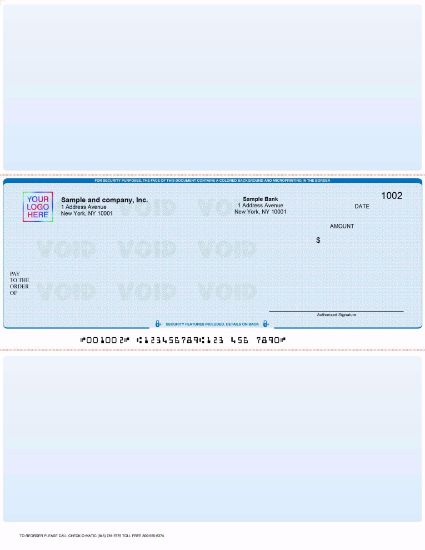
It can. One national bank's policy refuses checks whose MICR data is not machine readable, and others accept standard-size checks only. Checks printed on proper stock with a clean MICR line give your vendors and staff fewer reasons for a rejected deposit. Our business check security features guide covers what else to look for.
Making Deposits Easier on Both Sides of the Check
Checks that scan cleanly. Our business checks are printed with your bank details on the MICR line for machine reading.
Faster endorsements. A custom endorsement stamp puts the same wording on every check you receive.
Paper backup when you need it. Deposit slips are still the simplest way to take a batch of checks to a branch.
About the Author
This guide is the Checkomatic team's work, written for people and businesses who send and receive paper checks. Sources include Regulation CC (12 CFR Part 229) and its 2017 final rule, the Federal Register notice for the July 1, 2025 threshold changes, UCC 3-206, the FDIC remote deposit capture primer, CFPB and OCC consumer guidance, FTC fake check guidance, and published mobile deposit policies from US banks and credit unions.
This is general information, not legal or financial advice. Mobile deposit rules come from your bank's agreement, so confirm limits, cutoffs and endorsement wording with your bank.
Frequently Asked Questions
Is mobile check deposit instant?
Why was my mobile deposit rejected?
Can I mobile deposit a check made out to someone else?
Do I need to write my account number on the back?
What happens if I type the wrong amount?
Can I deposit the same check at a branch after a mobile deposit?
Is there a fee for mobile check deposit?
Can a business deposit checks with a phone?
How do I know my mobile deposit went through?
Does a mobile deposit protect me from a fake check?
Accepted by the world’s leading banks