Why is QuickBooks Checks ideal for business and single-use?Aids in accounting and bookkeeping
Laser or inkjet compatible
Accepted by all major banks
Protects against fraud
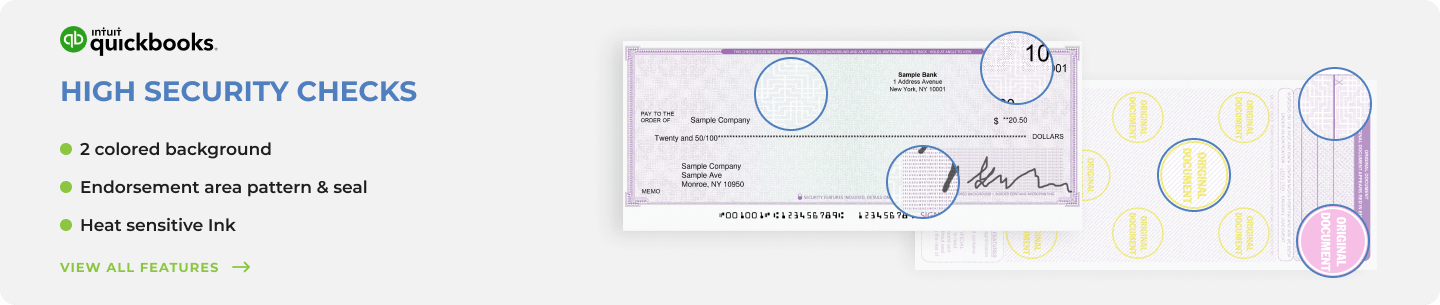
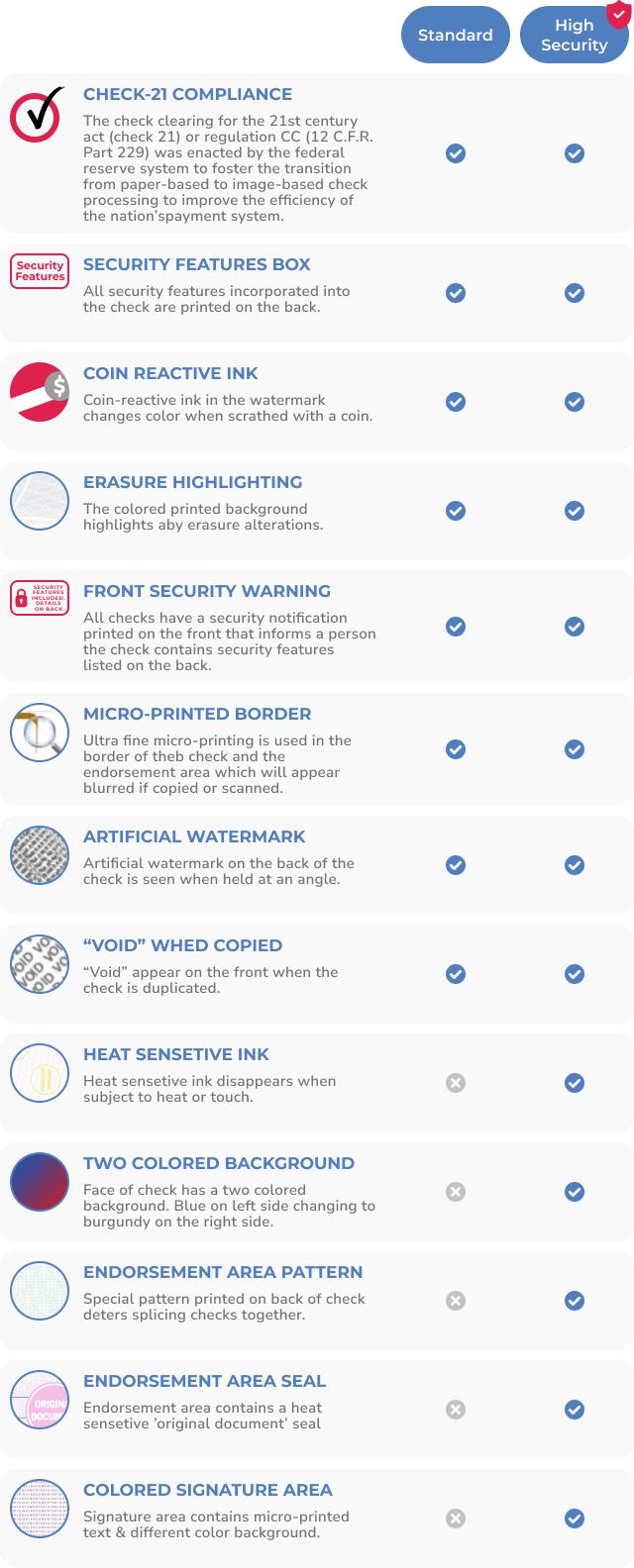
Standard security option
High-security option
Saves all inputted information in your QuickBooks or QBConnect account to easily track all services or transactions
Pre-printed lines for manual or digital information input
Hassle-free printing for your small business
Simply put, all you need to print these convenient custom checks is the QuickBooks software.
At Checkomatic, we strive to create a hassle-free banking experience for all our customers. Our emphasis on quality, durability, and security has made us the go-to online destination for business checks. It’s only natural that we also include QuickBooks™ checks in our impressive assortment of products. These checks are ideal for businesses that use a single all-purpose bank account for all their needs.
Checkomatic’s large selection of custom QuickBooks™ checks features three different layout formats, three separate background patterns, more than 10 color options, and two levels of security (regular or upgraded). Plus, when you order QuickBooks checks with Checkomatic, you automatically receive free non-color logo printing on all checks. You can include an extra signature line too.
That’s not all!
All our checks are designed to meet and exceed the specifications of the American Bankers Association. They’re also compatible with all versions of QuickBooks™.
Plus, they’re equipped with advanced security features including:
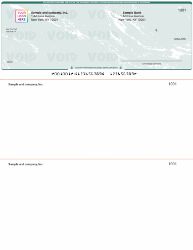
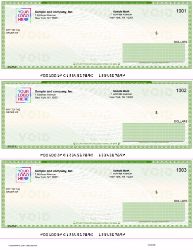
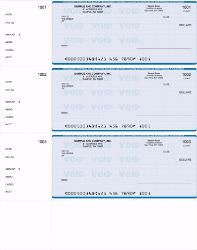
Our check-on-top business checks for QuickBooks™ feature a single check at the top of the page, with two awesome-looking vouchers beneath the check for inputting payroll information and account details. If you don’t need payment stubs, you can simply order the three-on-a-page QuickBooks checks. This option is perfect for accounts payable purposes.
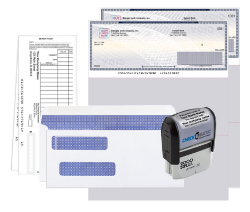
In addition to our “three-on-a-page” business checks for QuickBooks™, we also stock personal checks that are fully compatible with QuickBooks™. Printing your personal checks can save both money and time when compared with getting bank-issued checks. We also offer robust QuickBooks™ starter kits comprising checks, deposit slips, envelopes, and endorsement stamps.
Whether you need a small batch of 50 QuickBooks™ compatible checks or 10,000 - we offer a wide variety of affordable options. Plus, you can leverage generous discounts on bulk orders.
Quickbooks™ Checks With Free Logo
Marketing your company image every way you can, has never been more important. So it's without a doubt that QuickBooks™ checks with a free company logo is very popular right now. These particular types of checks can simply be filled out using a computer. By using the QuickBooks™ software to print checks that have your company's logo, black and White or full color, already printed on them, you are saving yourself a lot of money and time as well.
Quickbooks™ Checks With Color Logo
At Checkomatic.com we offer a fair better deal than any other company on printed QuickBooks™ checks, plus you can add a free logo to it. You can even order business checks with color logo for the maximum branding effect.
Businesses and companies all over the world use some type of accounting program. These programs simply help them keep up with all the finances and even calculate payroll figures as well. The QuickBooks™ program is the most popular. Though if you don't know how to use it, it can be quite difficult. There are online classes and training that you can attend to learn how to use QuickBooks™ to the absolute best of your abilities.
QuickBooks™ checks with a free company logo or a full-Color company/QuickBooks™ LOGO for an extra fee is very popular with many businesses. By purchasing the checks from our online site you will be getting a great deal as far as pricing goes. There are many different styles.
What QuickBooks checks are and why businesses still use them
A QuickBooks check is a pre-formatted check sheet that lines up with the print output of QuickBooks software. The software fills in payee, amount, date, and account info. The paper handles the rest. You're not buying special checks. You're buying compatible stationery that QuickBooks already knows how to print on.
That distinction matters because a lot of business owners assume QuickBooks creates a different kind of check. It doesn't. The bank treats a QuickBooks-printed check the same as one written by hand or printed by Quicken, MYOB, or Sage. The compatibility is about alignment and format, not about how the bank reads it.
Three layouts dominate real-world use. Voucher checks (check on top with two stubs below) are the default for accounts payable and payroll, because the stubs let you record what each payment was for. Three-on-a-page checks are the cheapest option per check and work for businesses that don't need stubs. Wallet-size personal checks suit owner-operators who want QuickBooks compatibility without the full letter-size page.
Are QuickBooks compatible checks the same as Intuit checks
Functionally yes, commercially no. Intuit's own check ordering portal sells the same three layouts at a markup. The chemistry, the security features, and the bank acceptance are identical across any vendor that meets American Bankers Association specs.
Where you save: Checkomatic checks are typically 50-70% cheaper than Intuit's pricing for the equivalent format and quantity. Free black-and-white logo printing is included. Color logo, custom signature lines, and high-security upgrades are available at small add-on costs.
Where you might want to stay with Intuit: if your accountant has set up auto-replenishment through the QuickBooks app and you don't want to manage check stock manually. Most businesses don't have that setup, which is why third-party check vendors exist.
Voucher checks vs 3-on-a-page vs wallet: which QuickBooks format fits
Pick voucher (check on top) if you cut payroll, pay vendors, or need a paper trail attached to each check. The two stubs below the check let you record invoice numbers, employee deductions, or memo notes. One stub goes to the payee, one stays in your records.
Pick 3-on-a-page if your transactions don't need stubs and you want the lowest cost per check. Common use case: simple AP for a small office, reimbursements, contractor payments where you already track details elsewhere. Three checks per sheet means roughly 33% lower paper cost.
Pick wallet/personal QuickBooks checks if you're a sole proprietor or owner-operator who carries the checkbook around. These are personal-size, 6 by 2¾ inches, and still print from QuickBooks software. They're not for high-volume payroll.
Why Checkomatic saves businesses up to 73% on QuickBooks checks
The savings come from three places. First, no middleman. Checkomatic prints in-house and ships direct, so there's no Intuit licensing markup baked into every box. Second, free black-and-white logo printing on every order, which adds $25-$50 of value per box at competitor pricing. Third, bulk discounts that scale aggressively past 500 checks. Most QuickBooks users go through 250-1,000 checks a year, which puts them squarely in discount territory.
Beyond price, Checkomatic checks ship with the same security stack the major banks expect: heat-sensitive ink that disappears when copied, coin-reactive ink, chemically sensitive paper, invisible fluorescent fibers, and microprinted signature lines. Every check meets American Bankers Association specifications, which is what the bank's clearing system actually checks for.
Frequently asked questions about QuickBooks checks
Are QuickBooks checks compatible with QuickBooks Online and QuickBooks Desktop?
Yes. Checkomatic's QuickBooks checks work with QuickBooks Online, QuickBooks Desktop (Pro, Premier, Enterprise), QuickBooks Self-Employed, and QBConnect.
Do I need special software to print QuickBooks checks?
No. The QuickBooks software you already use prints them. You just load the blank checks into your laser or inkjet printer and print as normal.
Can I order QuickBooks checks with my company logo at no extra cost?
Yes. Black-and-white logo printing is free on every QuickBooks check order from Checkomatic. Color logos cost a small additional fee.
How fast can I get QuickBooks checks delivered?
Standard shipping is 3-5 business days. Rush options ship the next business day, with overnight delivery available on the first 50 checks.
What's the difference between standard and high-security QuickBooks checks?
High-security adds enhanced microprinting, watermarks, holograms, and chemically reactive paper. Worth the upgrade for payroll or any account targeted by check fraud.
Do Checkomatic QuickBooks checks come with deposit slips and envelopes?
They can. The QuickBooks Starter Pack bundles checks, deposit slips, double-window envelopes, and an endorsement stamp at a discount.
Will my bank accept QuickBooks checks printed by Checkomatic?
Yes. All Checkomatic checks meet ABA specifications and are accepted by Bank of America, Chase, Wells Fargo, Citibank, Capital One, TD Bank, and every other major US bank.