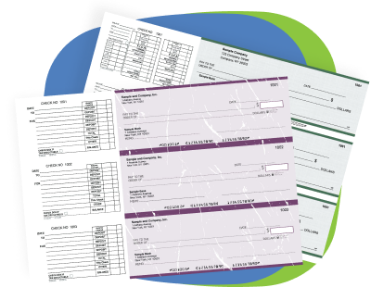
QuickBooks deposit slips are pre-printed deposit forms formatted to work with QuickBooks' Make Deposits feature. When you record customer payments and process a deposit in QuickBooks, the software prints the deposit detail onto compatible deposit slips. Each slip holds up to 18 individual entries, meaning you can list up to 18 separate checks or cash amounts on a single deposit. Your company name, bank name, routing number, and account number are pre-printed before the order ships. Manufactured in Monroe, NY since 1997, every slip is accepted at all major US banks and meets ABA standards.
What Are QuickBooks Deposit Slips and How Do They Work?
A QuickBooks deposit slip is the physical form you hand to the bank teller alongside your checks and cash. QuickBooks populates the deposit detail at print time: the date, individual check amounts, cash amount, and total. You load the pre-printed deposit slip paper, run the print job through QuickBooks, and the form is complete and ready for the bank.
QuickBooks refers to these as deposit slips, but your bank may call them deposit tickets. The terms refer to the same document. Our deposit slips are formatted to align with the QuickBooks Make Deposits print template, so the printed fields land in the correct positions without any manual adjustment in your software settings.
QuickBooks software is required for printing deposit data onto these slips. The slips are not compatible with handwritten use only. For handwritten deposit slips that do not require software, see our standard business deposit slips available in 1-part, 2-part, and 3-part formats.
Up to 18 Entries Per Deposit Slip: Why This Matters
The 18-entry capacity is one of the most practical features on this product and one that most competing deposit slips do not highlight clearly. When a business deposits multiple checks from different customers in a single deposit run, each check needs its own line on the deposit slip. Banks use this itemization to verify the deposit total and trace individual checks if needed.
A deposit slip with only a few entry lines forces you to either combine entries or use multiple slips for a single deposit. At 18 entries per slip, most single deposit runs fit on one form regardless of how many individual checks are included. For businesses making weekly or daily deposits that bundle payments from multiple clients, this capacity makes the deposit process faster and cleaner.
Singles, Duplicates, and Triplicates: Which Format to Order
QuickBooks deposit slips are available in three formats to match your record-keeping preference.
Singles are a single sheet per deposit. The bank keeps it. No copy stays with you. If all your deposit records live in QuickBooks, this is sufficient.
Duplicates include a carbon copy that records automatically as the slip is printed. The bank keeps the original. Your copy stays in your files as a physical deposit record independent of the software.
Triplicates produce two copies alongside the original. One for the bank, one for your internal records, one for your bookkeeper or a second department. This format suits businesses that need to distribute deposit documentation to more than one person or location.
What Gets Pre-Printed on Every QuickBooks Deposit Slip
Every order ships with the following pre-printed on each slip:
- Your company name and address
- Your bank name
- ABA routing number
- Account number
- Perforated stubs for record keeping
QuickBooks fills in the variable fields at print time: deposit date, individual entry amounts, and total. Every slip is formatted for automated bank scanning to eliminate processing delays at the teller.
Why Choose Checkomatic for QuickBooks Deposit Slips
Checkomatic has manufactured QuickBooks compatible banking supplies from Monroe, NY since 1997. Every deposit slip ships pre-printed with your account details and formatted to the QuickBooks print template. Pair your deposit slips with QuickBooks checks on top or browse the full QuickBooks compatible checks catalog to order everything in one batch. All orders carry a 30-day satisfaction guarantee. Standard delivery 3 to 5 business days with rush options available.
QuickBooks deposit slips are the straightforward way to keep your deposit process accurate and bank-ready every time. With up to 18 entries per slip, singles through triplicates, and pre-printed account details on every order, these are the deposit forms QuickBooks users need alongside their check stock.



 Contact Us
  Re order
  Log in
  Cart 0