


Quick Answer: Blank check stock is check paper that arrives with no routing number, account number, or business name printed on it. Security features, perforations, and check format are built into the paper. Your accounting software , QuickBooks, Sage, Xero, or any compatible platform , prints all check details including the MICR line at the bottom when you run a payment batch. It is used by businesses that need one paper supply to cover multiple bank accounts, and by payroll companies printing checks across multiple client accounts.
Related guide: Xero compatible business checks guide.
What Is Blank Check Stock
Blank check stock is check paper that arrives with no bank account information on it. No routing number. No account number. No business name. No payee line. Just a security-grade sheet of paper with the correct perforations, the right check layout, and fraud-resistant features built into the fiber and coating of the paper itself.
Everything else , your business name, bank details, payee, amount, date, check number, and the MICR line at the bottom , gets printed by your accounting software when you run a payment batch. The paper provides the physical and security layer. The software provides all the data.
This is different from pre-printed business checks, which arrive with your routing number, account number, and business name already on every sheet. With pre-printed checks, your software only fills in the variable fields: payee, amount, date, and memo. With blank check stock, your software prints everything.
For the full range of blank check stock formats and ordering options, see blank check stock and blank check paper at Checkomatic.
How Blank Check Stock Works
What the Paper Does
Blank check stock arrives pre-configured with the physical structure of a check: the correct dimensions (8.5 by 11 inches for most formats), perforation lines that let you separate stubs cleanly, and security features embedded in the paper fiber and coating. The paper holds the anti-fraud layer. It cannot be photocopied successfully. It reacts visibly to chemical tampering. None of this is printed on , it is part of the paper manufacturing process.
What the Software Does
When you run a check print job in QuickBooks, Sage, Xero, or any compatible platform, the software sends a print command to your printer. That command positions every data field on the page according to the check format template: your business name and address in the upper left, the payee line, the dollar amount in numerals and words, the date, the check number in the upper right, and the MICR line at the very bottom. Your printer transfers all of this onto the blank sheet in one pass.
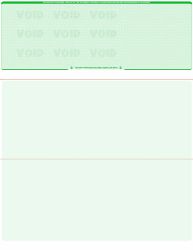
Blank laser checks on top , the most popular blank check stock format for QuickBooks and payroll software.
The MICR Line
The MICR line is the row of numbers at the bottom of every check. It contains your routing number, account number, and check number in E13-B font , the standard used for magnetic ink character recognition across the US banking system. On pre-printed checks, this line comes on the paper before it reaches you, printed in certified magnetic ink by the manufacturer. On blank check stock, this line is either pre-printed by the manufacturer (Checkomatic's approach) or printed by your software at run time using MICR-compatible toner. Which applies depends on which type of blank stock you order , covered in detail in the MICR section below.
Who Needs Blank Check Stock
Blank check stock is not the right choice for every business. Pre-printed checks are simpler for single-account operations. Blank check stock serves specific needs that pre-printed checks cannot meet.
Payroll Companies and CPA Firms
A payroll company or CPA firm may process payroll for dozens or hundreds of client businesses, each with their own bank account. Pre-printed checks would require maintaining a separate stock for each client account. Blank check stock solves this: one stack of paper covers all client accounts. The software swaps out the bank details for each client when printing. One paper supply. Unlimited account coverage.
Businesses With Multiple Bank Accounts
A business that maintains separate checking accounts for payroll, operating expenses, and taxes needs different MICR data for checks drawn on each account. Pre-printed checks are tied to one account. Blank check stock works for all accounts from the same paper supply. Load the stack, select the account in your software, and the correct routing and account numbers print on each check automatically.
Property Management Companies
Property managers often process payments across multiple owner accounts and tenant accounts simultaneously. Each property or owner entity may have its own bank account. Blank check stock eliminates the need to stock and track separate pre-printed check supplies for each account.
High-Volume Accounts Payable Operations
At large quantities, blank check stock costs less per sheet than pre-printed checks. Businesses running high-volume accounts payable batches find blank stock more economical. The per-sheet savings compound significantly at volume, and the flexibility to cover multiple accounts from one supply adds further operational value.
Businesses Switching Banks or Adding Accounts
When banking details change , a new account, a bank switch, or a routing number change , pre-printed check stock becomes obsolete immediately. With blank check stock, a routing number change requires only a software update. The physical paper stays in use. Nothing is wasted.
Do You Need MICR Toner for Blank Check Stock
This is the question most businesses get wrong before ordering blank check stock. The answer depends on which type you order.
Type 1: Blank Stock With Pre-Printed MICR Line (Checkomatic)
Checkomatic's blank check stock ships with the MICR line already printed on the paper by the manufacturer in certified magnetic ink. Your routing number and account number are already on the sheet when it arrives. Your software prints only the variable data fields: payee, amount, date, check number, and business name. Your standard laser or inkjet printer handles this with standard toner. No MICR toner required for the MICR line.
Type 2: Fully Blank Stock With Software-Printed MICR Line
Fully blank stock has nothing pre-printed , not even the MICR line. Your software prints the complete check including the routing and account numbers in the MICR line. For this to work, your laser printer must be equipped with MICR-compatible toner cartridges. Inkjet printers cannot use MICR toner. Fully blank stock always requires a laser printer with MICR toner.
How to Confirm Before Ordering
- Call your bank and ask whether they process checks optically or magnetically. Most major US banks use optical processing as of 2026, which means standard laser or inkjet output is acceptable.
- Confirm which type of blank stock you are ordering. Checkomatic's blank check stock ships with the MICR line already on the paper , only standard toner needed for the variable fields.
Blank Check Stock vs Pre-Printed Checks
| Factor | Blank Check Stock | Pre-Printed Checks |
|---|---|---|
| Bank details on paper | None , software prints at run time | Pre-printed by manufacturer |
| MICR toner needed | Depends on type ordered | Not needed , MICR already on paper |
| Accounts covered | Unlimited , software switches accounts | One account per supply |
| Setup complexity | Higher , software must be configured | Lower , load and print |
| Best for | Multi-account businesses, CPAs, payroll companies | Single-account businesses |
| When banking details change | Update software only , paper still usable | Order new check stock |
| Per-sheet cost at volume | Lower at high quantities | Higher due to custom pre-printing |
| Security features | Built into paper , same level | Built into paper , same level |
For a full guide to choosing between check types, see different types of business checks: what is best for your business.
The Four Blank Check Stock Formats
Blank check stock comes in four formats. Each corresponds to a specific accounting software print layout. Ordering the wrong format causes every field to print in the wrong position. Always confirm your software's format before ordering.
Blank Check on Top
The check area occupies the top third of an 8.5 by 11 inch sheet. Two perforated stubs fill the lower two-thirds. One stub goes to the payee. One stays with the payer as a record. This is the default format for QuickBooks and most payroll software. If you are unsure which format your software uses, this is almost definitely it.
Blank Check in Middle
The check sits in the center of the page. One stub appears above the check. One stub appears below. This layout is the default for Sage 50 (formerly Peachtree) and is required for businesses running that platform.
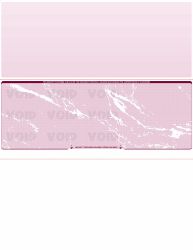
Blank check paper in middle , the correct format for Sage 50 and Peachtree users.
Blank Check on Bottom
The check sits at the bottom of the sheet. Two stubs appear above it. This format is required for DacEasy, agFinance, agPayroll, Countryside Data, Sage MAS 90, and other platforms that output check data to the lower portion of the page.

Blank check stock on bottom , required for DacEasy, Sage MAS 90, and similar platforms.
Blank 3-on-a-Page
Three checks per 8.5 by 11 inch sheet with no stubs. This format prints three times more checks per page than voucher format, making it the most paper-efficient option for high-volume accounts payable runs. It is not appropriate for payroll where employees need a physical pay stub.
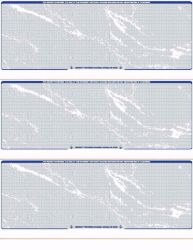
Blank laser checks 3 on page , three checks per sheet for high-volume accounts payable runs.
Which Accounting Software Works With Blank Check Stock
Any accounting platform that includes check printing functionality can work with blank check stock, provided the stock format matches the software's configured print layout. The most commonly used platforms include:
- QuickBooks Desktop and Online: Default is check-on-top (voucher) format. Also supports 3-on-a-page and wallet.
- Sage 50 (Peachtree): Default is check-in-middle format.
- Xero: Supports check printing with appropriate format templates.
- Quicken: Compatible with standard blank check formats.
- Deltek: Compatible with check-on-top format.
- DacEasy and Sage MAS 90: Require check-on-bottom format.
Checkomatic has been formatting blank check stock for accounting software platforms for nearly three decades. If your platform is not listed, contact Checkomatic before ordering to confirm the correct format. Custom formatting is available for non-standard configurations.
Security Features in Blank Check Paper
Security in blank check stock is built into the paper itself , not the printing. Checkomatic's blank check stock includes the same six security features as pre-printed business checks, all at the base price with no upgrade fee.
- Chemically sensitive paper: Reacts visibly when check washing solvents contact it, permanently staining the sheet.
- Void pantograph: A hidden pattern that displays the word VOID when the check is photocopied or scanned.
- Microprinting: Text under one point size along the signature line. Degrades to an unreadable blur on any photocopy.
- UV fluorescent fibers: Embedded in the paper. Glow under ultraviolet light used by bank authentication equipment.
- Heat-sensitive ink: Disappears when rubbed with a finger. Reappears when released.
- Genuine watermark: Visible when held to light. Cannot be replicated on a standard printer or copied from a scan.
How to Choose the Right Blank Check Stock
Decision 1: Do You Actually Need Blank Stock?
If your business has one bank account and one accounting platform, pre-printed checks are simpler. Blank stock adds setup complexity that single-account businesses do not need. If you have multiple accounts, use payroll software for multiple clients, or switch banks regularly, blank stock is the right choice.
Decision 2: Which Format Does Your Software Use?
Open your accounting software and check the print settings. The format in the preview tells you exactly which blank stock format to order. Do not guess , a wrong format wastes the entire order.
Decision 3: Does Your Bank Require MICR Toner?
Call your bank before ordering. Ask whether they process checks optically or magnetically. Checkomatic's blank check stock ships with the MICR line pre-printed , only the variable data fields are printed by your software at run time, which standard toner handles.
Decision 4: What Quantity Do You Need?
Blank check stock is available in multiple quantity tiers with bulk discounts. For businesses printing hundreds of checks per week, ordering at a higher quantity tier reduces supply cost and reorder frequency.
Common Blank Check Stock Mistakes
Mistake 1: Ordering the Wrong Format
The most common mistake. If your software is set to check-in-middle and you order check-on-top blank stock, every field prints in the wrong position. Always confirm your software's format setting in print settings before ordering.
Mistake 2: Assuming MICR Toner Is Not Required Without Checking
Printing with standard toner at a bank that requires magnetic processing results in rejected checks. Two minutes on the phone with your bank before ordering prevents this entirely.
Mistake 3: Using 3-on-a-Page for Payroll
Ordering 3-on-a-page blank stock for payroll where employees need physical pay stubs creates a compliance problem. Use check-on-top (voucher) format for payroll. For the complete payroll check guide, see business checks for payroll: the complete employer guide.
Mistake 4: Not Testing Alignment First
Before running a full batch on blank check stock for the first time, print one test check on plain paper. Hold the plain paper against your blank stock and confirm every field aligns correctly before printing the full batch.
Mistake 5: Running Out Mid-Payroll
Order replacement stock when your supply reaches approximately 20 percent remaining. At that level, standard production (3 to 5 business days) arrives before you run out under normal printing volumes.
What Customers Say About Checkomatic
All reviews below are published on checkomatic.com and reproduced verbatim. Source: checkomatic.com/quickbooks-starter-pack-product, 4.5 stars from 166 verified reviews.
"Been with them for 15 years. Always reliable, always good quality, good service. What more can you ask for?"
ATV Inc. | ★★★★★ 5/5 | April 5, 2024 | Source: checkomatic.com/quickbooks-starter-pack-product
"First time ordering and I am super impressed with the quality of the checks. No issues with delivery. I will be ordering again!"
TClinton | ★★★★★ 5/5 | April 9, 2025 | Source: checkomatic.com/quickbooks-starter-pack-product
"We use CheckoMatic for all of our check needs! They have great prices and we receive our products in a timely manner!"
CG's Tax Service | ★★★★★ 5/5 | September 18, 2024 | Source: checkomatic.com/quickbooks-starter-pack-product
"I got 500 checks for less than half of what the bank wanted for 200!"
VVA Voucher Checks (Vietnam Veterans of America) | ★★★★★ 5/5 | July 6, 2024 | Source: checkomatic.com/quickbooks-starter-pack-product
"ASJ Wilson Construction has been a client of checkomatic for some years now and they've never disappointed this company. Thank you checkomatic for all that you do."
ASJ Wilson Construction | ★★★★★ 5/5 | June 6, 2024 | Source: checkomatic.com/quickbooks-starter-pack-product
"Affordable and efficient. My go-to business check printer."
Doe | ★★★★★ 5/5 | January 24, 2025 | Source: checkomatic.com/quickbooks-starter-pack-product
Why Choose Checkomatic for Blank Check Stock
All Four Formats Available
Check on top, check in middle, check on bottom, and 3-on-a-page blank check stock , all manufactured at Checkomatic's own facility in Monroe, NY since 1997. Every format available with bulk quantity pricing and six security features at base price.
MICR Line Pre-Printed on Every Order
Checkomatic's blank check stock ships with the MICR line already printed in certified magnetic toner and verified against the Federal Reserve E-Payments Routing Directory before production. Your standard laser or inkjet printer handles only the variable fields at run time.
Compatible With Over 500 Accounting Platforms
QuickBooks Desktop, QuickBooks Online, Sage 50, Xero, Quicken, Deltek, and hundreds of other platforms. Custom formatting available for non-standard configurations.
Six Security Features at Base Price
Chemically sensitive paper, microprinting, void pantograph, UV fluorescent fibers, heat-sensitive ink, and genuine watermark , all standard on every blank check stock order at no extra charge.
Fast Turnaround From Monroe NY
Standard production ships in 3 to 5 business days. Rush production available for urgent situations. Browse all formats at blank check stock and blank check paper.





