


Quick Answer: Adding a color logo to your business checks turns every payment into a branded touchpoint. Your checks pass through multiple hands before they clear ; the payee, their AP staff, their bank. A color logo gets noticed and remembered at each step. As the original content correctly identifies, business checks function like business cards that also happen to be worth money, which makes them one of the most cost-effective branding tools a small business has.
Why Color Logos Make Business Checks More Powerful
Owning and operating a business can be hard work and when it is a small to medium-sized business, getting your business name and brand out there can be challenging.
Something to always remember is that by adding your logo to all forms of your business is a great way to advertise even if they are just going on a check.
Color logos really make your business checks pop and make them eye-catching which is exactly what you want especially if you are just getting started as a business. This is a great way to have your business checks reflect your company and to help show what your brand is all about. Business checks should be thought of as another form of a business card except they probably get more attention paid to them since they are handled by different people and they are worth money.
This is what makes them such a great marketing tool for your business. So you may be wondering why not just go with a black and white logo and save money on printing checks? What you may not realize is that a plain black-and-white logo may go unnoticed and be missed by those looking at you checks. By putting a color logo on your business checks it makes them more noticeable and more likely to be seen by those that you are paying.
If you are just getting started off and are finding new vendors it can be helpful to use color logos on your business checks as they will be more likely to remember them. This is a great way to keep them thinking about you as one of their clients and it can result in them offering you great deals on their products when they remember you from your logo. When you decide to go with a color logo you are already making the right steps to a great logo for your checks but you also get to decide whether you want to use your original logo artwork or if you want to use a generic logo.
Again a great way to really advertise and to show off your business is to use a customized unique logo that will keep your business in peoples' minds. When your logo is done right and is in color it can really be attention-grabbing, this is a great way to find and develop new leads. Even if you are out buying supplies from a local store and pay with your business check if you have a catchy logo businesses are going to notice and depending on what your business is this could be a great way to draw in more customers and business.
The best thing about putting a great color logo on your business checks is that you can use that same logo for the rest of your business items. This is a great opportunity for you to develop a fantastic color logo to not only use on your checks but for the rest of your company as well. Having a color logo on your business check is a great way to advertise and market your business. Browse the full range of custom logo business checks at Checkomatic.
How a Color Logo on Your Checks Works as a Marketing Touchpoint
The original content makes an accurate observation: a business check gets more attention than a business card because it is worth money. Let us break down exactly what that means in practice.
How Many People Actually Handle Each Check
Consider the journey of a single business check from your desk to the bank:
- You write and sign it. You see your own logo ; brand consistency reinforced.
- The payee receives and opens the envelope. First impression on the recipient.
- The payee's AP or bookkeeping staff processes it. Second viewing by a different person in a different organization.
- The payee endorses and deposits it. Third interaction with your branded document.
- The bank teller or ATM processes it. Additional handling at the bank.
Each step is a brand impression that costs you nothing beyond the check itself. No extra postage, no separate ad spend, no follow-up required. Your logo travels with the payment and does its job at every step.
Vendor Relationships and Brand Recall
As the original content correctly identifies, vendor relationships benefit from logo recognition. A vendor who has processed several of your checks and recognizes your logo at a glance is more likely to prioritize your orders, remember your account without looking it up, and associate your payments with a professional, organized business. This kind of brand familiarity develops gradually but compounds over time. A plain check with no logo builds none of it.
Checks as a Branding Surface You Are Already Paying For
Every check order has a base cost whether or not you add a logo. The check stock, printing, MICR encoding, and shipping are the same with or without your logo on it. Adding a color logo is incremental cost on top of that baseline, spread across every check in the order. At 250 checks per order, the per-check branding cost is very small. At 500 checks, it is smaller still. The marketing value per check ; measured in brand impressions across multiple handlers ; makes logo printing one of the highest-return branding investments a small business can make on a per-impression basis.
Color Logo vs Black and White Logo on Business Checks
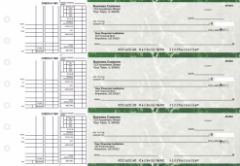
Custom logo business checks ; your brand visible on every payment you make.
As the original content explains, black and white logos can go unnoticed. Here is the specific reason color makes a measurable difference on a check specifically.
| Factor | Color Logo | Black and White Logo |
|---|---|---|
| Visual impact | High; stands out against check background | Low; blends with check text and layout |
| Brand recall | Higher; color aids memory and recognition | Lower; easier to overlook |
| Brand consistency | Matches your website, cards, and invoices | Does not match full-color brand materials |
| Professional impression | Signals established, professional business | Generic look; less differentiated |
| Cost at Checkomatic | Small additional charge per order | Free on every order |
| Best for | Businesses building vendor and client brand recognition | Internal use checks where branding is not a priority |
What to Include in Your Color Logo on Business Checks
The original content recommends using your original logo artwork rather than a generic design, and this is the right advice. Here is how to make that logo work on a check specifically.
Use Your Existing Brand Logo
As the original content correctly identifies, consistency across business materials reinforces brand recognition. The logo on your checks should be the same logo that appears on your invoices, website header, business cards, and letterhead. Every time a vendor or client encounters a consistent logo across your documents, the association strengthens. A different or generic logo on your checks breaks that chain of recognition.
Logo File Format and Quality
Submit a high-resolution logo file for the best printed result. Vector formats (SVG, AI, EPS) scale without quality loss and are the best option for check printing. If you only have a raster file (PNG, JPEG), use the highest resolution version available. A blurry or low-resolution logo printed on a check looks unprofessional and defeats the purpose of the branding exercise.
Keep It Readable at Small Sizes
The logo print area on a business check is not large. A logo that looks sharp on a website or business card at full size may lose detail at check size. Before submitting, reduce your logo to approximately 1.5 inches wide on screen and check that the key elements ; your business name, icon, and any tagline ; remain readable. If the logo has fine text that becomes illegible at that size, a simplified version may print more cleanly.
Avoid Overly Complex Backgrounds
Business checks already have a printed background pattern for security purposes. A logo with a complex background of its own can clash with the check's design background. Logos with transparent backgrounds or simple clean layouts work best on check stock. Your design team or Checkomatic can advise on which version of your logo works best for check printing if you are unsure.
How to Order Business Checks With a Color Logo
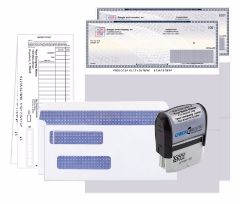
Checkomatic starter packs ; checks, deposit slips, envelopes, and stamp with your color logo on every check.
Adding a color logo to your business checks at Checkomatic is part of the standard ordering process, not a separate service or custom project.
- Choose your check format. Computer checks for software printing, manual checks for handwritten use, or QuickBooks-compatible formats. All formats support color logo printing. Browse business checks, computer checks for business, QuickBooks checks, or manual checks.
- Select your background color and design. 20 color options across diamond, marble, and prismatic textures. The background color you choose affects how your logo appears ; lighter backgrounds generally make color logos more visible.
- Choose your logo option. Black and white logo printing is free on every order. Select the color logo upgrade for full color output.
- Upload your logo file. Submit at checkout. Vector or high-resolution raster files produce the best results.
- Review the digital proof. Before production begins, verify your logo appears correctly in the proof. Confirm placement, color accuracy, and that your business name, address, and banking details are all correct.
For guidance on choosing the right check format for your business size and software, see different types of business checks: what is best for your business.
Accepted by the World's Leading Banks
Every business check from Checkomatic ; including every format with color logo printing ; is manufactured to ABA (American Bankers Association) specification. The MICR line is pre-printed in certified magnetic toner and verified against the Federal Reserve E-Payments Routing Directory. A color logo on your business check does not affect bank acceptance in any way. Your checks clear at Chase, Bank of America, Wells Fargo, Capital One, and every other US financial institution without issue. The logo prints in the upper left area of the check, well away from the MICR line and all fields the bank's processing equipment reads. For the complete range of custom logo business checks, see business checks at Checkomatic.
What Customers Say About Checkomatic Business Checks
All reviews below are published on checkomatic.com and reproduced verbatim. Source: checkomatic.com/quickbooks-starter-pack-product, 4.5 stars from 166 verified reviews.
"Been with them for 15 years. Always reliable, always good quality, good service. What more can you ask for?"
ATV Inc. | ★★★★★ 5/5 | April 5, 2024 | Source: checkomatic.com/quickbooks-starter-pack-product
"First time ordering and I am super impressed with the quality of the checks. No issues with delivery. I will be ordering again!"
TClinton | ★★★★★ 5/5 | April 9, 2025 | Source: checkomatic.com/quickbooks-starter-pack-product
"We use CheckoMatic for all of our check needs! They have great prices and we receive our products in a timely manner!"
CG's Tax Service | ★★★★★ 5/5 | September 18, 2024 | Source: checkomatic.com/quickbooks-starter-pack-product
"I got 500 checks for less than half of what the bank wanted for 200!"
VVA Voucher Checks (Vietnam Veterans of America) | ★★★★★ 5/5 | July 6, 2024 | Source: checkomatic.com/quickbooks-starter-pack-product
"ASJ Wilson Construction has been a client of checkomatic for some years now and they've never disappointed this company. Thank you checkomatic for all that you do."
ASJ Wilson Construction | ★★★★★ 5/5 | June 6, 2024 | Source: checkomatic.com/quickbooks-starter-pack-product
"Affordable and efficient. My go-to business check printer."
Doe | ★★★★★ 5/5 | January 24, 2025 | Source: checkomatic.com/quickbooks-starter-pack-product
Why Choose Checkomatic for Custom Color Logo Business Checks
Free Black and White Logo Printing on Every Order
You start with a logo at no extra cost. Black and white logo printing is included free on every Checkomatic business check order regardless of format or quantity. Submit your logo file at checkout and it prints on every check in the batch. No setup fee. No design charge.
Color Logo Upgrade Available on All Formats
Every check format Checkomatic manufactures supports color logo printing: computer checks, manual checks, QuickBooks-compatible checks, voucher checks, 3-on-a-page checks, and wallet checks. Add a color logo to any format at checkout. One order covers your entire check supply with consistent branding.
20 Background Color and Design Options
Your logo sits on top of your chosen background design. Checkomatic offers 20 background color options across diamond, marble, and prismatic textures. Choosing a background that complements your logo color palette creates a fully branded check that looks professional and consistent with the rest of your business materials.
Consistent Branding Across Your Full Check Supply
As the original content correctly recommends, use the same logo on your checks that you use on your other business materials. Every Checkomatic order can carry your exact logo, creating consistency between your checks, deposit slips, invoices, and letterhead. For the complete range of custom logo check formats, see business checks and computer checks for business. For the best place to order checks with a logo online, see what is the best place to order checks online.





