
Blog

Sep 16, 2026

Business Checks for Law Firms: What Attorneys and Legal Practices Actually Need
Quick Answer: Law firms need business checks for IOLTA trust account disbursements, settlement payments to clients and co-counsel, operating account vendor and expense payments, and attorney and staff payroll. Multi-purpose manual checks with dual signature for trust account use. Computer voucher checks for operating account AP. Payroll checks with earnings stubs for employed attorneys and staff. Trust account and operating account checks must be kept completely separate with their own pre-printed banking details.


Why Law Firms Depend on Business Checks

Law firms operate with a financial complexity that most businesses do not face. Every firm that holds client funds must maintain at least one account completely separate from its operating finances. The rules governing how that account is managed, what appears on its checks, who can authorize disbursements, and how those disbursements are documented are set not by the firm but by the state bar and the Rules of Professional Conduct.

Paper checks remain the dominant payment instrument for law firm trust account disbursements for several reasons. A check creates a physical disbursement record that travels with the payment. The memo line or stub documents what matter the disbursement relates to and under what authority the payment was made. A check can be stopped if a dispute arises before it clears. A wire transfer sent to a wrong account or under disputed circumstances cannot be recalled once settled.

For operating account payments, law firms write checks to a wide range of vendors: office landlords, legal research services, court reporters, process servers, filing fee depositories, professional liability insurers, and any number of professional service providers. Payroll for employed attorneys, paralegals, legal assistants, and administrative staff rounds out the firm's check writing obligations.


IOLTA and Client Trust Account Checks
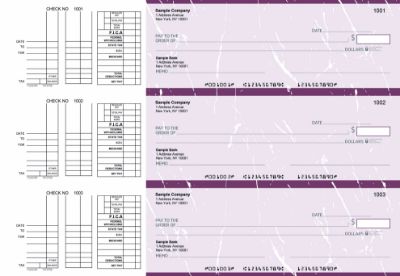
 

Burgundy


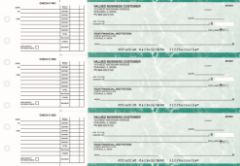
Multi-purpose manual checks from Checkomatic, with dual signature line for IOLTA and client trust account disbursements.

IOLTA stands for Interest on Lawyers Trust Accounts. It is the account where attorneys hold client funds that do not belong to the firm: retainers held before services are rendered, settlement proceeds before disbursement, funds held in escrow pending a transaction, and any other client funds the firm controls but does not yet own.


State Bar Requirements for IOLTA Check Stock

Most state bars require that IOLTA account checks carry specific identifying language on the check face, typically the firm name followed by a designation such as "Trust Account," "Client Trust Account," or "IOLTA." The exact required designation varies by state bar. Before ordering IOLTA check stock, confirm your state bar's current requirements for trust account check identification. Checkomatic pre-prints the firm name and account designation exactly as you specify during the ordering process.


Dual Signature for IOLTA Disbursements

Many law firms require dual authorization on IOLTA disbursements as a financial control, and some state bar guidelines encourage or require dual signatures on trust account checks. Dual signature checks include two signature lines on the check face. Both authorized signers must sign before the check is valid for bank processing. This prevents a single person from unilaterally disbursing client funds without a second review. Checkomatic includes the dual signature line on any manual check order at no additional cost , specify this preference at checkout. For the multi-purpose format that supports dual signature for trust account and general law firm use, see multi-purpose manual business checks.


Keeping Trust and Operating Accounts Separate

The trust account and the operating account must have completely separate check supplies. The two must never be commingled , not in the same checkbook, not under the same account number, and not with the same check stock. Trust account checks and operating account checks should look different and be stored separately. Many bars consider commingling of client funds and operating funds a serious ethics violation regardless of whether any client was actually harmed.


Settlement Disbursement Checks

Settlement disbursement checks are among the most significant checks a law firm writes. A personal injury settlement, a commercial litigation resolution, or a real estate closing proceeds disbursement may involve checks in the tens or hundreds of thousands of dollars. The process for issuing settlement disbursement checks requires careful attention to both the check itself and the supporting documentation.


How Settlement Disbursements Work

When a settlement is reached, the opposing party or their insurer sends the settlement funds to the law firm's IOLTA trust account. Before any disbursement can be made, the firm must confirm the funds have cleared. Only after the funds clear should disbursement checks be written. The disbursement check to the client should be drawn on the trust account. The firm's fee, if earned at this point, should be transferred from the trust account to the operating account by a separate transaction , not by writing a check from the trust account directly to the firm.


Settlement Check Documentation

Every settlement disbursement requires a closing statement or disbursement breakdown document that the client signs before the check is issued. This document shows the gross settlement amount, the attorney fee, any costs advanced by the firm, and the net amount the client receives. The check stub should reference the matter name or file number and the disbursement date. Keep the signed closing statement with the check stub in the client matter file.


Operating Account AP Checks
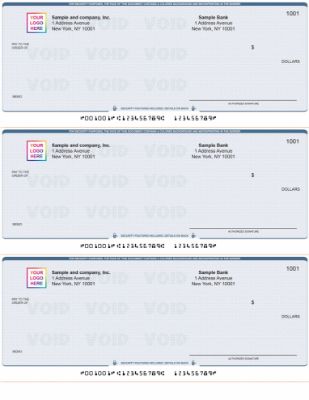
 

Blue


AP business checks from Checkomatic for law firm operating account vendor and expense payments, with stub detail for invoice reference and matter allocation.

The law firm operating account covers all firm overhead and business expenses: office rent, utilities, legal research subscriptions, court filing fees, professional liability insurance, malpractice premiums, marketing, office supplies, and any vendor or service provider the firm uses in its operations. These payments come from the operating account, never from the trust account.


Matter Allocation on Operating Account Check Stubs

Law firms that track expenses by client matter for billing reimbursement purposes benefit from noting the matter number on the check stub or memo line when the expense relates to a specific client file. Court filing fees, process server fees, and deposition costs are common examples of expenses initially paid from the operating account that are later billed to the client as costs. A check stub that notes the matter number makes cost allocation simple at billing time without requiring a separate tracking log.


Computer Checks for High-Volume Operating Account AP

Larger law firms processing many vendor payments per month benefit from computer voucher checks integrated with QuickBooks or another accounting platform. The software fills in the payee, amount, invoice reference, and matter allocation at print time. One stub goes to the vendor. The second stub stays in the AP files. For the computer check range compatible with QuickBooks and major accounting platforms, see computer checks. For accounting software compatibility, see software compatible business checks.


Attorney and Staff Payroll Checks

Payroll checks from Checkomatic for law firms, earnings stubs with gross compensation, deductions, and net pay for attorneys and staff.

Law firms with employed attorneys, paralegals, legal assistants, and administrative staff run a payroll that can range from simple (a small practice with two or three employees) to complex (a regional firm with dozens of employees at varying pay grades, benefit packages, and retirement contribution levels).


Payroll Check Stub Requirements for Law Firms

For all W-2 employees, the payroll check stub must document:

  • Pay period start and end dates
  • Gross compensation for the period (base salary or hourly rate and hours)
  • Federal income tax withheld
  • State income tax withheld
  • Social Security and Medicare (FICA) deductions
  • Health, dental, and vision premium deductions
  • Retirement plan contributions (401k, Simple IRA, profit sharing)
  • Net pay matching the check amount
  • Year-to-date totals for all categories

Most states require employers to provide a written earnings statement with each paycheck. Law firms that print payroll from QuickBooks or dedicated payroll software generate these stub details automatically. For the complete payroll check guide and format options, see business checks for payroll: the complete employer guide.


Portable Checks for Court and Client Meetings
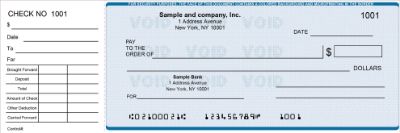
 

Blue


Manual executive deskbook checks from Checkomatic, the portable format for attorneys writing checks at court, client meetings, or closings.

Attorneys frequently need to write checks outside the office: at real estate closings, at mediation sessions, at court hearings, and at client meetings. A manual deskbook check binder carried in a briefcase gives attorneys a portable no-printer option for these situations. The pre-printed firm name, address, and banking details are already on the check. Only the payee, amount, date, and memo need to be written by hand.

For a firm running both computer checks for office AP and manual deskbook checks for field payments, both can be drawn on the same operating account with non-overlapping sequential check number ranges. All payments appear in one account register without administrative overlap. For the full manual check range including deskbook and pocket formats, see manual checks.


Which Check Format Fits Your Law Firm

Multi-Purpose Manual Checks with Dual Signature , For Trust Account Use

The most appropriate format for IOLTA and client trust account disbursements is a multi-purpose manual check with a dual signature line. Manual format gives the firm control over every disbursement without requiring software integration on the trust account. Dual signature ensures two authorized persons review every trust account payment before it leaves the account. This is the standard for law firm trust account financial controls. See multi-purpose manual business checks.


Computer Voucher Checks , For Operating Account AP

For firms using QuickBooks or legal practice management software with accounting features, computer voucher checks in check-on-top format automate the operating account AP process. The software fills in vendor details, invoice references, and matter allocations at print time. The two stubs provide both the vendor and the firm with a complete payment record. See computer checks.


Payroll Checks with Earnings Stubs , For Attorney and Staff Compensation

Payroll checks with pre-printed earnings stub fields document gross compensation, deductions, and net pay as required by state wage laws. For the full payroll check guide, see business checks for payroll: the complete employer guide.


Manual AP Checks , For Low-Volume Operating AP Without Software

Small law practices writing fewer than 20 vendor checks per month may prefer manual 3-on-page AP checks over setting up a computer check printing workflow. Handwritten stubs with vendor and invoice references provide sufficient AP documentation for small-practice recordkeeping. See manual 3-on-page accounts payable checks.


Law Firm Check Format Comparison

Payment TypeBest FormatKey FeatureCheckomatic Link
IOLTA trust account disbursementsMulti-purpose manual with dual signatureTwo signature lines, no printer neededMulti-purpose manual checks
Settlement disbursements to clientsMulti-purpose manual with dual signatureHigh-value security features standardMulti-purpose manual checks
Operating account vendor APComputer check on top (voucher)Software-integrated, 2 stubsComputer checks
Attorney and staff payrollComputer payroll checkEarnings stub for state wage compliancePayroll checks
Court, closing, and field paymentsManual executive deskbookPortable, no printer neededManual checks
Small practice low-volume APManual 3-on-page AP checksHandwritten stubs, no software neededManual AP checks


1099-NEC for Contract Attorneys and Referral Fees

Law firms that engage contract attorneys, of-counsel relationships, or co-counsel arrangements on a per-matter basis must issue a 1099-NEC to each individual or unincorporated entity paid $600 or more in a calendar year. Referral fees paid to other attorneys under written referral agreements are also subject to 1099-NEC reporting when they meet the threshold.


Check Records as the Source for 1099-NEC Compliance

Your AP check records are the primary source documents for calculating annual payments per contract attorney or referral recipient. A complete check register with the payee name, amount, and date for every payment allows you to extract annual totals at year end without a separate reconciliation process. Collect a W-9 from every contract attorney before writing the first check. The W-9 confirms their legal name, entity type, and taxpayer identification number , the three pieces of information you need for the 1099-NEC form.


Check Fraud Protection for Law Firms
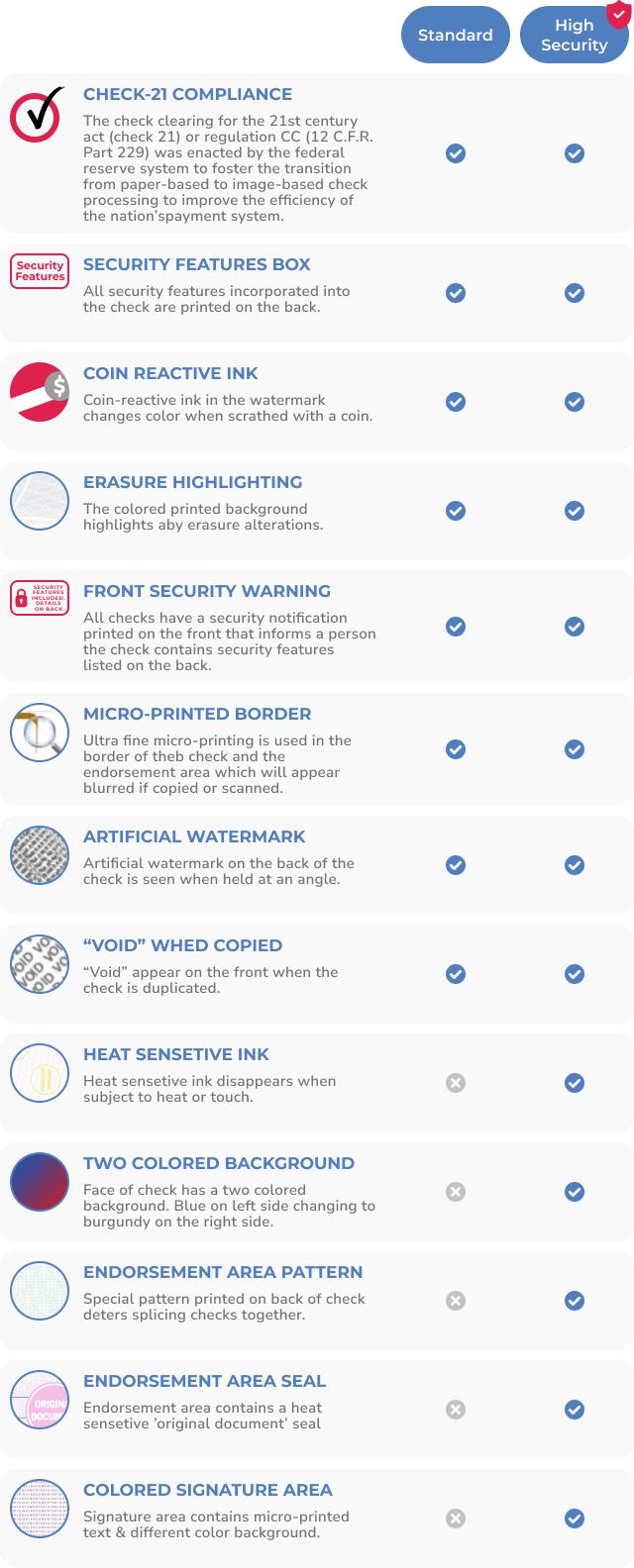
 

Security features on Checkomatic business checks for law firms including chemical-reactive paper microprinting void pantograph heat-sensitive ink coin-reactive ink and watermark protecting high-value IOLTA settlement disbursement and attorney payroll checks

Security features on every Checkomatic business check for law firms, protecting high-value settlement disbursements and trust account checks from fraud.

Law firms write some of the highest-value checks in any industry. A settlement disbursement check for $250,000 or a client trust account check for $500,000 is a far more attractive fraud target than a typical business AP check. Check washing, where a criminal intercepts a mailed check, chemically removes the ink, and rewrites the payee and amount, is a known risk for high-value legal disbursements.


Security Features on Every Checkomatic Business Check

Every Checkomatic business check includes six ABA-compliant security features as standard on every order at the base price:

  • Chemical-reactive paper: Stains visibly when washing solvents are applied, revealing alteration attempts before the bank processes the check.
  • Microprint signature line: Tiny repeating text that blurs on any photocopy, flagging reproductions at the bank.
  • Void pantograph: Background pattern that makes VOID appear clearly when the check is photocopied or scanned.
  • Heat-sensitive ink: Disappears when pressed with a warm thumb, a standard bank teller authenticity test.
  • Coin-reactive ink: Changes appearance when rubbed with a hard metal object.
  • True watermark: Visible from both sides under light, absent from counterfeits printed on plain paper.

For the complete check fraud protection guide, see are business checks safe: security features that actually matter. For bank-side fraud protection that matches every presented check against your issued check list, see what is positive pay and how does it work.


How to Order Business Checks for Your Law Firm

What to Have Ready Before Ordering

  • Firm legal name: Exactly as registered with your state bar and your bank. For trust account checks, include the required designation (Trust Account, Client Trust Account, or IOLTA) as specified by your state bar.
  • Bank ABA routing number: From an existing check on the account you are ordering for, not from an online lookup.
  • Account number: The specific checking account number for that account. Trust account and operating account are separate orders.
  • Starting check number: One higher than the last check used on that account. Non-overlapping sequential ranges across accounts keep your check register clean.
  • Firm logo: Black and white logo printing is free on every Checkomatic order. A professional firm logo on every check reinforces the brand on payroll checks, vendor payments, and client disbursements.
  • Dual signature preference: If your trust account policy requires two authorized signatures on disbursements, specify this at checkout at no additional charge.


Separate Orders for Each Account

Every bank account requires its own check order with its own pre-printed account details. A firm with a trust account, an operating account, and a payroll account needs three separate orders. Use non-overlapping sequential check number ranges to keep all payment records auditable. Browse the complete range at business checks.


What Customers Say About Checkomatic

All reviews below are published on checkomatic.com and reproduced verbatim. Source: checkomatic.com/quickbooks-starter-pack-product, 4.5 stars from 166 verified reviews.

"Been with them for 15 years. Always reliable, always good quality, good service. What more can you ask for?"

ATV Inc. | ★★★★★ 5/5 | April 5, 2024 | Source: checkomatic.com/quickbooks-starter-pack-product

"First time ordering and I am super impressed with the quality of the checks. No issues with delivery. I will be ordering again!"

TClinton | ★★★★★ 5/5 | April 9, 2025 | Source: checkomatic.com/quickbooks-starter-pack-product

"We use CheckoMatic for all of our check needs! They have great prices and we receive our products in a timely manner!"

CG's Tax Service | ★★★★★ 5/5 | September 18, 2024 | Source: checkomatic.com/quickbooks-starter-pack-product

"I got 500 checks for less than half of what the bank wanted for 200!"

VVA Voucher Checks (Vietnam Veterans of America) | ★★★★★ 5/5 | July 6, 2024 | Source: checkomatic.com/quickbooks-starter-pack-product

"ASJ Wilson Construction has been a client of checkomatic for some years now and they've never disappointed this company. Thank you checkomatic for all that you do."

ASJ Wilson Construction | ★★★★★ 5/5 | June 6, 2024 | Source: checkomatic.com/quickbooks-starter-pack-product

"Affordable and efficient. My go-to business check printer."

Doe | ★★★★★ 5/5 | January 24, 2025 | Source: checkomatic.com/quickbooks-starter-pack-product


Why Choose Checkomatic for Law Firm Business Checks

All Formats for Every Law Firm Payment Situation

Multi-purpose manual checks with dual signature for trust account disbursements. Computer voucher checks for operating account AP. Payroll checks with earnings stubs for attorneys and staff. Manual deskbook checks for portable court and client meeting payments. All from Checkomatic, all with ABA-compliant security features standard, and all compatible with the same business checking accounts. Browse at business checks and manual checks.


Dual Signature at No Extra Charge

Law firms requiring two authorized signatures on trust account disbursements can specify the dual signature line on any Checkomatic manual check order at no additional cost. Specify at checkout. See multi-purpose manual business checks.


Free Logo Printing on Every Order

A professional firm logo pre-printed on every check reinforces the firm's brand on every client disbursement, vendor payment, and payroll check. Black and white logo printing is free on every Checkomatic order.


All Six Security Features on Every Order

High-value settlement disbursement checks and IOLTA trust account checks need full check security features. Chemical-reactive paper, microprinting, void pantograph, heat-sensitive ink, coin-reactive ink, and true watermark are included on every Checkomatic order at the base price. For the complete security guide, see are business checks safe: security features that actually matter.
 

Sep 15, 2026

Business Checks for Medical Offices: What Practices Actually Need

Quick Answer: Medical offices need business checks for vendor AP, insurance reimbursement handling, physician and staff payroll, and patient refunds. Computer voucher checks for software-based AP. Payroll checks with earnings stubs for employed staff. Manual deskbook checks for front desk and field use. All from the same business account, with HIPAA-aware stub practices to keep clinical identifiers off payment documents.


Why Medical Offices Still Depend on Business Checks

Medical practices operate in a payment environment that combines high-dollar insurance reimbursements, regular vendor invoices for medical supplies and equipment, employed staff payroll with detailed earnings requirements, and occasional patient refunds from overpayments and co-pay adjustments. Electronic payments have made inroads in each of these areas, but paper checks remain essential in medical office finance for several reasons.

Insurance payers still issue paper reimbursement checks in significant volume, particularly from smaller regional payers, self-insured employers, and government programs where electronic funds transfer has not been universally adopted. Medical supply vendors and equipment lessors often accept both electronic and paper payment, but many smaller suppliers prefer check payments that generate a clear paper trail for each purchase order. Patients who receive refunds frequently request a physical check rather than a credit card return, particularly for accounts that were originally paid in cash, by check, or by a payment card that is no longer active.

For employed physicians and clinical staff, the payroll check stub provides the earnings documentation that 42 states require employers to deliver with each paycheck. A practice that issues plain business checks without the required earnings stub detail may fall out of compliance with state wage payment laws even if the correct net amount is paid.


Handling Insurance Reimbursement Checks

Insurance reimbursement checks arrive from payers accompanied by an Explanation of Benefits (EOB) that details which claims are being paid, the allowed amounts, any contractual adjustments, and the net payment amount. The check is deposited into the practice operating account. The EOB is then used by the billing department to post payments in the practice management system and identify denied or underpaid claims for follow-up.


Endorsing Insurance Reimbursement Checks

Every insurance reimbursement check must be endorsed before deposit. A pre-configured endorsement stamp applied at the point of receipt is the most efficient and consistent method for medical practices receiving multiple reimbursement checks per week. The stamp should include the practice's full legal name as it appears on the bank account, "For Deposit Only," and the practice checking account number. This restrictive endorsement ensures the check can only be deposited into the designated practice account, protecting against loss or theft between receipt and deposit.


ERA vs Paper Check Reimbursements

Most major commercial payers and Medicare now offer Electronic Remittance Advice (ERA) with electronic funds transfer, which eliminates the paper check entirely. Practices enrolled in ERA receive payment directly to their bank account along with a 835 transaction file that posts automatically to the practice management system. Smaller payers, some state Medicaid programs, and self-insured employer plans may still issue paper checks with paper EOBs. A practice receiving a mix of ERA and paper check reimbursements needs a consistent process for handling both, including endorsement and deposit procedures for paper checks that arrive separately from the electronic payments.


Vendor and Supplier AP Checks


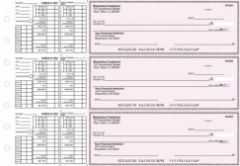
Manual 3-on-page accounts payable business checks from Checkomatic for medical offices paying medical supply vendors equipment lessors and service contractors with handwritten voucher stubs for invoice number and purchase order reference


Manual 3-on-page accounts payable checks from Checkomatic, for medical office vendor and supplier payments with stub detail for invoice and PO reference.

Medical offices write AP checks to a range of vendors: medical supply companies, pharmaceutical distributors, laboratory services, equipment lessors, cleaning and maintenance contractors, IT and practice management software vendors, and professional service providers including billing companies and accountants. These vendor payments are typically processed from the practice operating account on a weekly or bi-weekly AP cycle.


What to Record on Vendor Check Stubs

For each vendor payment, the check stub should carry enough detail to match the payment to the open invoice in your AP records:

  • Vendor name and account number
  • Invoice number or purchase order number
  • Invoice date and payment date
  • Invoice amount and any discounts or credits applied
  • Net payment amount matching the check
  • GL account or cost center code if your practice tracks expenses by department or location


Medical Supply and Equipment Vendor Payments

Medical supply vendors often issue invoices on net-30 terms. Tracking payment due dates and matching checks to specific invoices prevents duplicate payments, missed early-pay discounts, and vendor statement disputes. A computer voucher check that prints the invoice reference from QuickBooks or your practice management system at print time creates an automatic paper trail for each payment without additional manual entry. For the AP check format that works with QuickBooks and most practice management platforms, see computer checks.


Physician Payroll Checks


Payroll business checks from Checkomatic for medical offices showing earnings stub with pay period dates gross compensation deductions and net pay for employed physicians nurses medical assistants and administrative staff


Payroll business checks from Checkomatic for medical offices, earnings stubs with pay period dates, gross compensation, deductions, and net pay for employed physicians and staff.

Medical practices pay physicians in several different ways depending on the practice's legal structure and the physician's employment arrangement. Employed physicians at group practices, hospital-owned practices, and multi-specialty groups typically receive a W-2 salary paid by payroll check on a bi-weekly or semi-monthly schedule. The payroll check stub documents gross compensation, any productivity bonuses included in the pay period, and all tax and benefit deductions.


Physician Payroll Check Stub Requirements

For employed physicians paid as W-2 employees, the payroll check stub should include:

  • Pay period start and end dates
  • Base salary for the period
  • Any productivity or incentive bonus paid in the period
  • Gross compensation before deductions
  • Federal income tax withheld
  • State income tax withheld (where applicable)
  • Social Security and Medicare (FICA) deductions
  • Health, dental, and vision insurance premium deductions
  • Retirement plan contributions (401k, 403b, profit sharing)
  • Net pay matching the check amount
  • Year-to-date totals for all earnings and deduction categories

For the complete payroll check guide and all earnings stub format options, see business checks for payroll: the complete employer guide.


Locum Tenens and Independent Contractor Physicians

Locum tenens physicians and other independent contractor physicians are not paid through payroll. They invoice the practice for their services and are paid by a standard AP check, not a payroll check. Independent contractor physicians paid $600 or more in a calendar year require a 1099-NEC from the practice. Your check records are the source documents for calculating the annual total per contractor. See the 1099-NEC section below for recordkeeping guidance.


Staff Payroll Checks

Medical offices employ a range of clinical and administrative staff: registered nurses, licensed practical nurses, medical assistants, front desk and scheduling staff, billing specialists, practice managers, and coding staff. Most of these roles are paid as hourly or salaried W-2 employees on a regular payroll cycle. State pay stub laws in 42 states require that employees receive a written earnings statement with each paycheck showing hours worked, pay rate, gross pay, itemized deductions, and net pay.


Hourly Clinical Staff Payroll

Nurses, medical assistants, and front desk staff paid by the hour have payroll calculations that vary each pay period based on hours worked, overtime hours, and any shift differentials. The payroll check stub must accurately reflect regular hours at the base rate and any overtime hours at 1.5 times the regular rate for hours over 40 in a workweek under the Fair Labor Standards Act. Practices that print payroll checks from QuickBooks or dedicated payroll software generate these calculations automatically from the timesheet data, and the check stub reflects the correct breakdown for each pay period.


Multi-Location Practices and Payroll Complexity

Medical groups operating multiple office locations may need to track which location each employee worked at during a pay period, particularly for practices that allocate labor costs by site. If your payroll system tracks location codes, adding the location reference to the check stub or memo field gives the practice a clear record for cost allocation without requiring a separate manual report for each pay period.


Patient Refund Checks


Manual executive deskbook business checks from Checkomatic for medical offices issuing patient refund checks at the front desk for overpayments co-pay adjustments and credit balance returns without requiring a printer


Manual executive deskbook checks from Checkomatic, the portable format for medical office front desk patient refunds and occasional payments without a printer.

Patient refund checks are issued when a patient has a credit balance in their account. Common reasons include insurance overpayments where the payer later recoups an amount the patient paid at the time of service, co-pay collection errors discovered during billing reconciliation, prepaid service credits for cancelled or rescheduled procedures, and refunds for services that were billed but later found to be covered at 100 percent by insurance.


When and How to Issue Patient Refund Checks

Patient refund checks should be issued promptly once the credit balance is confirmed. Some states set specific timeframes for issuing patient refunds; several require refunds within 30 to 60 days of identifying a credit balance. The check is made out to the patient's legal name as it appears in the billing record. For patients who originally paid by insurance and the credit balance resulted from a payer overpayment, confirm whether the refund should go to the patient or back to the payer before issuing the check.


Check Format for Patient Refunds

For practices that issue patient refunds at the front desk or during patient checkout, manual deskbook checks give the office manager or front desk coordinator a portable check option that does not require running a print job. For batch patient refund processing at the end of a billing cycle, computer checks printed from your billing system are more efficient and create an automatic electronic record of each refund. For the manual check range including deskbook and pocket formats, see manual checks.


HIPAA and Check Stub Best Practices

HIPAA protects patient Protected Health Information (PHI), which includes names, dates, diagnosis codes, procedure codes, and any other information that could identify a patient's health status or treatment. Business checks written by a medical practice can inadvertently include PHI if memo lines or check stubs reference clinical details alongside a patient's identifying information.


What to Include and What to Avoid on Check Stubs

For patient refund checks, the stub should reference the patient account number and the refund reason using a general description rather than clinical language:

  • Appropriate: "Acct #12345 , Overpayment refund" or "Acct #12345 , Co-pay adjustment"
  • Avoid: Any diagnosis code, procedure code, or clinical description that identifies what services were provided

For vendor checks where the vendor provides medical services, referencing the vendor invoice number is sufficient without adding clinical context. For insurance reimbursement checks received by the practice, the EOB should be stored separately from the check deposit records rather than attached to the check stub.

HIPAA note: The guidance in this section is general and does not constitute legal or compliance advice. Medical practices should consult their HIPAA Privacy Officer or legal counsel for practice-specific policies on PHI handling in financial documents. Requirements and enforcement standards vary by state and practice type.


Which Check Format Fits Your Medical Practice

Computer Checks in Voucher Format , For Vendor AP and Payroll

Medical practices using QuickBooks, or a practice management platform with accounts payable functionality, benefit most from computer checks in voucher check-on-top format for office-based AP and payroll. The check prints at the top of the sheet with two stubs below. The software fills in the payee, amount, date, invoice reference, and any memo detail at print time. One stub goes to the vendor or employee. The second stub stays in your AP or payroll files. For the full computer check range compatible with QuickBooks and major practice management platforms, see computer checks and QuickBooks checks.


Payroll Checks With Earnings Stubs , For Physicians and Staff

Payroll checks with pre-printed earnings stub fields are the appropriate format for all employed physicians and staff receiving W-2 compensation. The stub fields document gross pay, itemized deductions, and net pay in the format required by state pay stub laws. For the complete payroll check guide, see business checks for payroll: the complete employer guide.


Manual Deskbook Checks , For Front Desk and Field Use

Manual checks in executive deskbook format give office managers and front desk staff a portable check option for patient refunds, occasional vendor payments, and any check written outside the normal billing workflow. No printer, no software, no alignment setup needed. Pre-printed with the practice's name, address, and banking details. For the complete manual check range, see manual checks. For the 3-on-a-page AP format with voucher stubs for handwritten vendor payments, see manual 3-on-page accounts payable checks.


Multi-Purpose Manual Checks With Dual Signature

Group medical practices with internal financial controls that require dual authorization on disbursements above a certain dollar amount can specify a dual signature line on any Checkomatic manual check order at no additional cost. Both authorized signers must sign before the check is valid for bank processing. This is a common financial control in multi-physician group practices and health systems where large vendor payments or disbursements require a second reviewer. For the multi-purpose manual format with dual signature support, see multi-purpose manual business checks.


Medical Office Check Format Comparison

Payment TypeBest FormatKey FeatureCheckomatic Link
Vendor AP (medical supplies, equipment, services)Computer check on top (voucher)2 stubs , invoice ref, vendor accountComputer checks
Employed physician payrollComputer payroll checkEarnings stub with gross pay, deductions, netPayroll checks
Clinical and admin staff payrollComputer payroll checkHours, OT, deductions, state stub compliancePayroll checks
Patient refunds at front deskManual executive deskbookPortable, no printer neededManual checks
Handwritten vendor AP (low volume)Manual 3-on-page AP checksHandwritten stubs, carbon copies availableManual AP checks
Large disbursements requiring dual authMulti-purpose with dual signatureTwo pre-printed signature linesMulti-purpose checks


1099-NEC for Contracted Physicians and Medical Staff

Medical practices that engage independent contractor physicians, locum tenens providers, freelance billing specialists, or any other independent contractor paid $600 or more in a calendar year must issue a 1099-NEC to each contractor by January 31 of the following year. Your check records are the primary source documents for calculating annual payments per contractor.


Check Register Requirements for 1099-NEC Compliance

For each independent contractor who may require a 1099-NEC, your check records must allow you to identify:

  • The contractor's legal name and entity name exactly as it will appear on the 1099-NEC
  • The total dollar amount paid across all checks during the calendar year
  • The dates and check numbers for each payment

Collect a completed W-9 from every independent contractor before writing the first check. The W-9 gives you the contractor's legal name, entity type, and taxpayer identification number. Waiting until January to collect W-9s from contractors who completed locum assignments or billing projects months earlier creates a compliance problem that a simple upfront process eliminates.


Check Fraud Protection for Medical Offices

Medical offices process high-dollar insurance reimbursement checks, vendor payments, and physician payroll that make them a meaningful target for check fraud. Insurance reimbursement checks mailed from payers can be intercepted, washed, and rewritten before reaching the practice. Outgoing vendor checks of significant value are similarly at risk if mailed without adequate check security features.


Security Features on Every Checkomatic Business Check

Every Checkomatic business check includes the following security features on every order at the base price:

  • Chemical-reactive paper: Stains visibly when washing solvents are applied, revealing any alteration attempt before the bank processes the check.
  • Microprint signature line: Tiny repeating text along the signature line that blurs on any photocopy, flagging reproductions.
  • Void pantograph: Background pattern that makes VOID appear when the check is photocopied or scanned.
  • Heat-sensitive ink: Disappears when pressed with a warm thumb, a standard bank teller authenticity test for suspicious checks.
  • Coin-reactive ink: Changes appearance when rubbed with a hard metal object.
  • True watermark: Visible from both sides under light, absent from counterfeits printed on plain paper.

For the complete security feature guide, see are business checks safe: security features that actually matter. For bank-side positive pay protection that matches every presented check against your issued check list, see what is positive pay and how does it work.
 

How to Order Business Checks for Your Medical Office

What to Have Ready Before Ordering

  • Practice legal name: Exactly as registered with your bank. The name on the check must match the business bank account registration. Many practices operate under a DBA or a professional corporation (PC) name , confirm the exact registered name before ordering.
  • Bank ABA routing number: From an existing check on the same account, not from an online routing number lookup.
  • Account number: From an existing check or your online banking account details.
  • Starting check number: One higher than the last check used on that account.
  • Practice logo: Black and white logo printing is free on every Checkomatic order. A medical practice's professional logo pre-printed on checks reinforces the brand on every vendor payment and payroll check.
  • Dual signature preference: If your group practice or health system requires two authorized signatures on disbursements above a threshold, specify this at checkout at no additional charge.


Separate Orders for Separate Accounts

If your practice maintains separate bank accounts for operating expenses and payroll, each account needs its own check order with its own pre-printed account details. Multi-location group practices with separate accounts per location need separate orders per account. Use non-overlapping sequential check number ranges across accounts to keep all payment records clean and auditable. For the full range of business check options, see business checks and software compatible business checks.


What Customers Say About Checkomatic

All reviews below are published on checkomatic.com and reproduced verbatim. Source: checkomatic.com/quickbooks-starter-pack-product, 4.5 stars from 166 verified reviews.

"Been with them for 15 years. Always reliable, always good quality, good service. What more can you ask for?"

ATV Inc. | ★★★★★ 5/5 | April 5, 2024 | Source: checkomatic.com/quickbooks-starter-pack-product

"First time ordering and I am super impressed with the quality of the checks. No issues with delivery. I will be ordering again!"

TClinton | ★★★★★ 5/5 | April 9, 2025 | Source: checkomatic.com/quickbooks-starter-pack-product

"We use CheckoMatic for all of our check needs! They have great prices and we receive our products in a timely manner!"

CG's Tax Service | ★★★★★ 5/5 | September 18, 2024 | Source: checkomatic.com/quickbooks-starter-pack-product

"I got 500 checks for less than half of what the bank wanted for 200!"

VVA Voucher Checks (Vietnam Veterans of America) | ★★★★★ 5/5 | July 6, 2024 | Source: checkomatic.com/quickbooks-starter-pack-product

"Affordable and efficient. My go-to business check printer."

Doe | ★★★★★ 5/5 | January 24, 2025 | Source: checkomatic.com/quickbooks-starter-pack-product


Why Choose Checkomatic for Medical Office Business Checks

All Formats for Every Medical Practice Payment Situation

Computer voucher checks for vendor AP and payroll. Payroll checks with earnings stubs for physician and staff compensation. Manual deskbook checks for front desk patient refunds. All from Checkomatic, all manufactured to ABA quality standards, all with security features standard, and all compatible with the same business checking account. Browse all formats at business checks.


Free Logo Printing on Every Order

Medical practices build patient and vendor trust through consistent professional presentation. A practice logo pre-printed on every check reinforces the brand on payroll checks given to employed physicians and staff, on vendor payments sent to supply companies, and on patient refund checks issued at checkout. Black and white logo printing is free on every Checkomatic order.


Dual Signature at No Extra Charge

Group practices and health systems that require dual authorization on disbursements above a threshold can add the dual signature line to any manual check order at no additional cost. Specify at checkout. See multi-purpose manual business checks.


All Security Features on Every Order

Medical office checks that carry insurance reimbursements, large vendor payments, and physician payroll need full security features. Chemical-reactive paper, microprinting, void pantograph, heat-sensitive ink, coin-reactive ink, and true watermark are included on every Checkomatic order at the base price. See are business checks safe: security features that actually matter.
 

Sep 10, 2026

Business Checks for Real Estate Companies: What Brokerages, Agents, and Investors Actually Need
Quick Answer: Real estate companies need business checks for commission disbursements to agents, trust and escrow account payments at closing, contractor and vendor payments for investors, and payroll for office staff. The right check type depends on which payment you are making: computer checks with voucher stubs for commission and AP batches, manual checks for field or property-level payments, check-in-middle format for title company closing software, and dual signature checks for trust account disbursements requiring two authorized signers.


Why Real Estate Companies Rely on Business Checks

Real estate is a paper-check-intensive industry despite its high transaction volumes and technology adoption. The reason is compliance. State real estate licensing laws require brokerages to maintain separate trust accounts for client funds, and most state regulations require documented, traceable disbursements from those accounts. Electronic transfers from trust accounts raise compliance questions that checks do not. A check drawn on a trust account with a check number, date, payee, and authorized signature is a complete audit trail for a regulator or licensing board.

Commission disbursements to independent contractor agents have a similar documentation need. The brokerage must produce 1099-NEC forms at year end for every agent paid $600 or more, and the commission check records are the source for those figures. Missing check entries, transposed amounts, or incomplete payee names create 1099 mismatches that cost more to resolve than any time saved by simplifying the check format.

Beyond compliance, real estate investors with rental or renovation portfolios write checks to contractors, maintenance crews, property managers, and utility providers on every property they own. A dedicated investment property checking account with business checks creates the clean Schedule E documentation that tax preparation and lender reporting require.


Commission Disbursement Checks for Real Estate Brokerages

 Burgundy

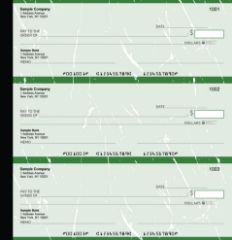
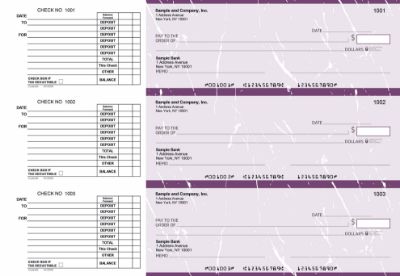
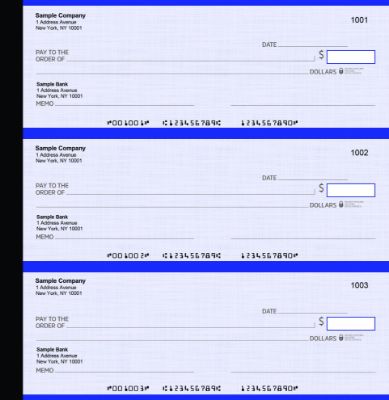
Manual 3-on-page accounts payable checks from Checkomatic, for real estate brokerage and investor vendor and commission payments.

A real estate brokerage pays agent commission at or shortly after closing, once the title company has funded the transaction and wired or distributed the commission proceeds to the brokerage. The brokerage then cuts individual checks to each participating agent for their net commission after the brokerage split, franchise fees, transaction fees, and any other deductions.


What to Include on a Commission Check Stub

Voucher-format computer checks with two stubs are the most useful format for commission disbursements. The stub going to the agent should show:

  • Property address and closing date
  • Gross commission amount (total before any deductions)
  • Brokerage split or cap credit applied
  • Transaction fees, franchise fees, or other deductions itemized individually
  • Net commission amount matching the check
  • Year-to-date commission paid to the agent from this brokerage

The second stub stays in the brokerage's files as the disbursement record. At year end, the year-to-date totals on the commission stubs should reconcile exactly with the 1099-NEC amount reported for each agent.


Manual vs Computer Checks for Commission Disbursements

Brokerages that close more than 10 to 15 transactions per month and use QuickBooks or another accounting platform benefit from computer checks in voucher format. The software calculates each agent's net commission, prints the check and stub automatically, and records the transaction. Brokerages with lower volume or no accounting software can use manual business checks with handwritten stubs for each commission payment. Both formats from Checkomatic are accepted at all major US banks and include the same security features.


Trust Account and Escrow Checks for Real Estate

Real estate trust accounts are legally separate from the brokerage operating account. State real estate licensing laws require that client funds, including earnest money deposits, security deposits, and closing proceeds held in escrow, be maintained in a dedicated trust account and disbursed only for authorized purposes with full documentation.


Trust Account Check Requirements

Business checks drawn on a real estate trust account should clearly identify the trust account in the business name printed on the check , for example, "Smith Realty Group Trust Account" rather than simply "Smith Realty Group." This makes it immediately clear to the bank, to regulators, and to any recipient that the funds come from the trust account rather than the operating account.


Dual Signature for Trust Account Disbursements

Many brokerages require two authorized signatures on trust account checks, particularly for disbursements above a threshold amount. The broker of record and an authorized office manager or licensed associate co-sign each trust account check before it is released. Dual signature checks include two signature lines pre-printed on the face of the check. Both must be signed before the bank processes the payment. This is a financial control that protects the brokerage against unauthorized trust account disbursements and demonstrates compliance to licensing boards. Checkomatic's multi-purpose manual business checks include the dual signature line at no additional charge.


Escrow Disbursement Checks at Closing

At a real estate closing, the title company or escrow officer disburses funds to all parties: the seller, the listing brokerage, the buyer's brokerage, lien holders, and any other parties with a claim on the proceeds. These disbursements may be made by wire, cashier's check, or business check depending on the amount, the recipient's preference, and the state's closing practices. For smaller disbursements or situations where a recipient specifically requests a paper check, the title company issues a business check from its operating or escrow account. The check format used depends on the closing software the title company runs.


Title Company Check Formats

Title companies use specialized closing software to manage settlements, generate closing disclosures, and disburse funds. The most widely used closing platforms in the US output check printing data to a specific position on the sheet when generating disbursement checks. The check stock must match that position exactly.


Check-in-Middle for Closing Software

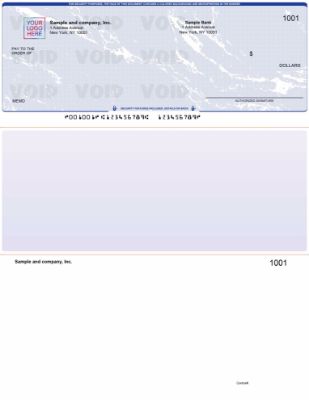
Title companies using Softpro, Landtech, and similar closing platforms typically require checks in the check-in-middle format. The check prints in the center of the 8.5 x 11 inch sheet with one stub above and one below it. This is the position the closing software's print template uses. Ordering the wrong format creates misaligned print output where the payee name, amount, and date land in the wrong fields on the sheet.

Before ordering, confirm which format your closing software uses by running a check print preview in the software settings. If the preview shows the check printing in the center of the page, order check-in-middle format. If it prints at the top, order check-on-top. Do not rely on assumptions , closing software templates differ and some firms configure non-standard layouts. For the check-in-middle format compatible with title company closing software, see business checks in middle. For all software-compatible check formats, see software compatible business checks.


Business Checks for Real Estate Investors


Blue

Manual executive deskbook checks from Checkomatic, portable field check format for real estate agents and brokers.

Real estate investors who own rental properties or manage renovation projects write checks regularly for maintenance repairs, contractor work, insurance premiums, utility bills, property management fees, and HOA dues. A dedicated investment property checking account with business checks keeps these payments separate from personal finances and creates the Schedule E documentation that tax filing and lender reporting require.


Common Real Estate Investor Check Payments

  • Contractor and handyman payments for repairs and renovations
  • Property management company fees
  • Insurance premium payments
  • Utility payments for vacant or turnover properties
  • HOA dues for condos and planned communities
  • Material purchases at supply houses
  • Landscaping and cleaning vendor invoices
  • Pest control and inspection fee payments


What to Record on Investment Property Check Stubs

For tax purposes, each check payment from an investment property account should document the property address and the expense category on the stub or memo line. This makes year-end Schedule E preparation faster and provides clear documentation if the IRS questions any expense deduction. A check stub noting "123 Main St , Plumbing repair" leaves no ambiguity about which property the expense belongs to and what it was for.


Manual vs Computer Checks for Real Estate Investors

Investors who own one to three properties and write fewer than 20 checks per month typically find manual business checks in a binder or deskbook format most practical. No printer required. Write the check at the property, at the supply house, or wherever the payment is needed. The stub records the property address and purpose immediately. Investors managing larger portfolios using QuickBooks or a property accounting platform benefit from computer checks in voucher format that create transaction records automatically. For the full manual check range, see manual checks. For the 3-on-a-page AP format for higher-volume investor payments, see manual 3-on-page accounts payable checks.


Payroll Checks for Real Estate Office Staff

Payroll business checks from Checkomatic, earnings stubs for real estate brokerage and investor employees.

Real estate agents are typically independent contractors, not employees, and receive commission checks rather than payroll checks. However, most brokerages also employ W-2 staff: administrative assistants, transaction coordinators, marketing coordinators, office managers, and receptionists. These employees receive regular payroll checks with earnings stubs showing their hours, gross pay, deductions, and net pay.


Payroll Checks vs Commission Checks , The Key Difference

A payroll check for a W-2 employee has tax withholding deducted at source: federal income tax, state income tax, Social Security, and Medicare. The earnings stub shows gross pay before deductions and net pay after. A commission check for an independent contractor agent has no withholding , the full net commission is paid, and the agent is responsible for their own estimated tax payments. The 1099-NEC at year end reports the agent's total commissions received. Both types of checks come from the brokerage operating account, but they document different payment relationships and have different tax consequences.

For the complete payroll check guide and format options, see business checks for payroll: the complete employer guide.


Which Check Format Fits Your Real Estate Company

Computer Checks in Voucher Format , For Commission and Office AP

Real estate brokerages using QuickBooks or another accounting platform for commission tracking and office AP benefit most from computer checks in check-on-top voucher format. The software calculates each agent's net commission or each vendor's payment, prints the check and stub automatically, and records the transaction. For the computer check range, see computer checks.


Manual Checks , For Investors and Field Payments

Real estate investors paying contractors at the property level, agents writing checks at client meetings, and brokerages with low check volume that do not use accounting software all benefit from manual checks in binder or deskbook format. For the full manual range, see manual checks.


Check-in-Middle , For Title Company Closing Software

Title companies and settlement agents using Softpro, Landtech, or other closing platforms that default to the center print position need check-in-middle format stock. For this format, see business checks in middle.


Multi-Purpose Checks With Dual Signature , For Trust Accounts

Brokerages that require two authorized signatures on trust account disbursements need dual signature checks. These include two signature lines on the check face, both of which must be signed before the bank processes the payment. Checkomatic includes the dual signature line at no additional cost on multi-purpose manual checks. See multi-purpose manual business checks.


Real Estate Check Format Comparison Table

FormatBest Real Estate UseRequiresStub DetailLink
Computer check on top (voucher)Commission disbursements, office APPrinter + accounting software2 stubs for agent and brokerage recordsComputer checks
Check in middleTitle company closing disbursements (Softpro, Landtech)Printer + closing software1 stub above, 1 below checkBusiness checks in middle
Manual binder or deskbookInvestor vendor payments, agent field checksNo printer or software neededHandwritten stubManual checks
Multi-purpose manual with dual signatureTrust account disbursements requiring two signersNo printer or software neededTwo signature lines pre-printedManual business checks
Payroll computer checkW-2 office staff payrollPrinter + payroll softwareEarnings stub with hours, deductions, net payPayroll checks


1099-NEC Recordkeeping for Agent Commission Checks

Real estate agents working as independent contractors with a brokerage are subject to 1099-NEC reporting when their total commission payments from that brokerage reach $600 or more in a calendar year. The brokerage must issue a 1099-NEC to each qualifying agent by January 31 of the following year and file a copy with the IRS.


How Commission Check Records Support 1099 Compliance

Every commission check you write creates a record: the payee name, the closing date, the property address, and the net commission amount. If you use accounting software for check printing, the software maintains a running total of payments to each payee automatically. If you write manual commission checks, your check register carries the same information provided you record every payment completely and promptly.

At year end, you extract total commission payments per agent, identify which agents received $600 or more, and issue 1099-NEC forms. A clean commission check register is the fastest and most reliable source for these totals. Missing or incomplete entries require bank statement reconstruction that costs more in accounting time than maintaining the register would have.


Check Fraud Protection for Real Estate Payments

Real estate companies write high-value checks. Commission disbursements at the brokerage level, closing disbursements at the title company, and large contractor payments for renovation investors are all attractive fraud targets. Check washing , where a criminal intercepts a mailed check, removes the ink, and rewrites the payee and amount , is particularly effective on checks without chemical-reactive security features.


Security Features on Every Checkomatic Business Check

Every Checkomatic business check includes these security features as standard on every order at the base price:

  • Chemical-reactive paper: Stains visibly when washing solvents contact the paper, revealing any alteration before the check is processed.
  • Microprint signature line: Tiny repeating text that blurs on any photocopy, flagging reproductions.
  • Void pantograph: Background pattern that makes VOID appear when the check is copied or scanned.
  • Heat-sensitive ink: Disappears when pressed with a warm thumb , an authenticity test bank tellers apply routinely.
  • Coin-reactive ink: Changes appearance when rubbed with a hard metal object.
  • True watermark: Visible from both sides under light. Absent from any printed reproduction.

For the complete security feature guide and fraud protection strategies relevant to real estate, see are business checks safe: security features that actually matter. For bank-side positive pay protection that matches every presented check against your issued check list before payment, see what is positive pay and how does it work.
 

How to Order Business Checks for Your Real Estate Company

What to Have Ready Before Ordering

  • Legal business name: Exactly as registered with your state and your bank. For trust accounts, include "Trust Account" in the name to distinguish from the operating account.
  • Business address: The address registered to the specific checking account you are ordering checks for.
  • ABA routing number: Nine digits from the lower-left of an existing check on the same account. Do not use a routing number from a different account or a lookup site.
  • Account number: From an existing check or online banking account details.
  • Starting check number: One higher than the last check used from this account.
  • Company logo: Black and white logo printing is free on every Checkomatic order. A color logo is available as an add-on.
  • Dual signature: If required for trust account or brokerage checks, specify this at checkout. Included at no extra cost.
  • Format confirmation: Confirm your software's print template before ordering computer or title company checks.


Separate Orders for Separate Accounts

Order separately for each account: one order with the operating account routing and account number, a separate order with the trust account routing and account number. Checks from different accounts must never be commingled in your check supply. Store each account's check stock in a separate, clearly labeled location. For the full business check range, see business checks.


What Customers Say About Checkomatic

All reviews below are published on checkomatic.com and reproduced verbatim. Source: checkomatic.com/quickbooks-starter-pack-product, 4.5 stars from 166 verified reviews.

"Been with them for 15 years. Always reliable, always good quality, good service. What more can you ask for?"

ATV Inc. | ★★★★★ 5/5 | April 5, 2024 | Source: checkomatic.com/quickbooks-starter-pack-product

"First time ordering and I am super impressed with the quality of the checks. No issues with delivery. I will be ordering again!"

TClinton | ★★★★★ 5/5 | April 9, 2025 | Source: checkomatic.com/quickbooks-starter-pack-product

"We use CheckoMatic for all of our check needs! They have great prices and we receive our products in a timely manner!"

CG's Tax Service | ★★★★★ 5/5 | September 18, 2024 | Source: checkomatic.com/quickbooks-starter-pack-product

"I got 500 checks for less than half of what the bank wanted for 200!"

VVA Voucher Checks (Vietnam Veterans of America) | ★★★★★ 5/5 | July 6, 2024 | Source: checkomatic.com/quickbooks-starter-pack-product

"ASJ Wilson Construction has been a client of checkomatic for some years now and they've never disappointed this company. Thank you checkomatic for all that you do."

ASJ Wilson Construction | ★★★★★ 5/5 | June 6, 2024 | Source: checkomatic.com/quickbooks-starter-pack-product

"Affordable and efficient. My go-to business check printer."

Doe | ★★★★★ 5/5 | January 24, 2025 | Source: checkomatic.com/quickbooks-starter-pack-product


Why Choose Checkomatic for Real Estate Business Checks

Every Format Real Estate Companies Need

Computer checks for commission disbursements and office AP. Manual checks for investors and field payments. Check-in-middle for title company closing software. Dual signature for trust accounts. All from Checkomatic, all manufactured to ABA quality standards, all with the same security features. Browse the full range at business checks, computer checks, and manual checks.


Free Logo Printing on Every Order

Real estate is a brand-conscious industry. Checks that carry your brokerage logo, colors, and professional appearance reinforce your brand identity with every payment. Black and white logo printing is included at no extra charge on every Checkomatic order. Color logo printing is available as an add-on. For manual checks with logo for real estate professionals, see manual business checks with logo.


All Security Features as Standard

Real estate companies write high-value checks for commissions, closings, and contractor payments. Every Checkomatic business check includes the full standard security feature set at the base price: chemical-reactive paper, microprinting, void pantograph, heat-sensitive ink, coin-reactive ink, and true watermark. These are not optional add-ons. For the complete security feature guide, see are business checks safe: security features that actually matter.
 

Dual Signature at No Extra Charge

Trust account disbursements requiring two authorized signatures can be handled with Checkomatic's dual signature line option, available at no additional charge on manual business check orders. Both signature lines print on the face of the check. Both must be signed before the bank processes the payment.


Sep 09, 2026

Business Checks for Construction Companies: What GCs and Contractors Actually Need

Quick Answer: Construction companies need business checks for subcontractor payments, supplier invoices, employee payroll, and field payments at job sites. The right format depends on where you write the check. Voucher computer checks for office-based AP and payroll. Manual binder or pocket checks for field use. Payroll checks with earnings stubs for hourly construction workers. All from the same business account, running in sequential check number ranges.


Why Construction Companies Depend on Business Checks

Construction is one of the most check-dependent industries in the US economy. General contractors and trade contractors write checks to subcontractors on every project, to material suppliers on every delivery order, to equipment rental companies on every mobilization, and to their own workers on every pay period. Electronic payment adoption in construction has grown, but checks remain the dominant payment method for subcontractor disbursements, particularly for smaller and mid-size subcontractors who are not set up to receive ACH or wire transfers from every GC they work with.

The reasons construction relies on checks are practical. A check provides a physical remittance document that travels with the payment. The stub carries the project name, invoice number, draw number, and any retainage details. The subcontractor's accounts receivable team knows exactly what was paid and why without a separate phone call or email. A wire or ACH transfer settles the same dollar amount but delivers no remittance data, requiring the subcontractor to match the incoming deposit to an open invoice manually.

Beyond payment documentation, checks provide stop payment protection that construction companies need when disputes arise mid-project. If a subcontractor abandons work, delivers defective materials, or fails to perform, a check not yet deposited can be stopped. A wire sent the same day cannot be recalled. This reversibility makes checks the operationally safer payment instrument for the complex, long-duration payment relationships that construction projects involve.


Paying Subcontractors by Check


Blue


AP business checks from Checkomatic , voucher stub format for subcontractor payments, carrying project name, invoice number, and payment detail for your AP records.

Paying subcontractors by check is the standard practice for most general contractors. The check is made out to the subcontractor's legal business name exactly as it appears on the subcontract. The memo line or check stub carries the project name, draw number or invoice number, and any retainage held back from the payment.


What to Record on a Subcontractor Check Stub

A voucher check with two stubs is the most useful format for subcontractor payments. One stub goes to the subcontractor with the check. That stub carries enough detail for the subcontractor's accounts receivable team to match the payment to their invoice and close the open item. The second stub stays in your AP files as your record of the disbursement. For each subcontractor payment, the stub should note:

  • Project name and address
  • Invoice number or draw request number
  • Gross invoice amount
  • Retainage held (if any, expressed as dollar amount and percentage)
  • Net payment amount
  • Any deductions for back charges or credits applied


Retainage and Partial Payment Checks

Construction contracts typically allow the general contractor to withhold a retainage percentage (commonly 5 to 10 percent) from each subcontractor payment until project completion or substantial completion. This means the check amount is almost never equal to the invoice amount. Documenting retainage clearly on every check stub prevents disputes at project closeout when the subcontractor submits a final retainage draw. A clear paper trail of every draw payment, with retainage withheld and retainage balance noted, is worth far more than any savings from simplifying your check format.

Lien waiver exchanges: Many construction payment processes require the subcontractor to provide a conditional or unconditional lien waiver in exchange for each payment. Keep a copy of the lien waiver with the matching check stub in your project file. The check stub and the lien waiver together form the payment documentation record for the draw. This combined record is what title companies, lenders, and owners ask for when auditing project payment history.


Payroll Checks for Construction Workers


Burgundy


Payroll business checks from Checkomatic , earnings stub with hours worked, pay rate, gross pay, and deductions for construction workers on hourly and prevailing wage projects.

Construction payroll is typically the most complex payroll calculation in any industry. Workers perform multiple classifications of work on the same day. Hours shift between regular time, overtime, and double time. Apprentices and journeymen work side by side at different pay rates. Fringes, benefits, and deductions vary by labor agreement or project requirement. The payroll check and its stub must carry enough detail to document what was paid and why.


What a Construction Payroll Check Stub Needs to Show

For construction workers paid by the hour, the earnings stub on each paycheck should show:

  • Pay period start and end dates
  • Regular hours worked at the base rate
  • Overtime hours worked (at 1.5x or 2x rate where applicable)
  • Work classification or trade (carpenter, electrician, laborer, operator, etc.)
  • Gross pay before deductions
  • Federal income tax withheld
  • State income tax withheld
  • Social Security and Medicare (FICA) deductions
  • Any fringe benefit deductions or contributions
  • Net pay matching the dollar amount on the check

For the complete payroll check guide and format options, see business checks for payroll: the complete employer guide.


Prevailing Wage Compliance and Certified Payroll

Construction companies working on federally funded or state-funded public works projects are subject to prevailing wage laws that require payment of the prevailing wage rate for each work classification in the project location. The Davis-Bacon Act governs federal projects. Many states have their own prevailing wage statutes that apply to state-funded projects.


What Certified Payroll Requires

Contractors on prevailing wage projects must submit a certified payroll report to the awarding agency for each pay period. This report lists every employee who worked on the project, their work classification, hours worked, the prevailing wage rate paid, deductions taken, and net pay. The payroll check and its stub are the source documents for this report. If you print payroll checks from QuickBooks or your payroll software, the software generates the certified payroll report from the same data that printed the check, making compliance documentation automatic.


Why Your Check Stub Format Matters for Prevailing Wage

Computer payroll checks in voucher format that print earnings detail from your accounting software produce certified payroll documentation automatically. Each paycheck's stub shows the classification, hours, rate, gross pay, and deductions in the same format your certified payroll report uses. Manual payroll checks require handwriting all of this detail on each stub for each employee, which is time-consuming at scale and creates room for transcription errors in the certified payroll report.


Field Checks for On-Site Payments


Blue


Manual executive deskbook checks from Checkomatic , the portable field check format for general contractors writing payments on job sites, at inspections, or at project meetings.

Not all construction payments happen at a desk. General contractors write checks at project kickoff meetings, at permit inspections, at material delivery acceptance, at equipment mobilization, and at project closeout walkthroughs. Pulling out a laptop and running a check print job is not practical on a job site.


Manual Checks for Field Use

Manual business checks in a binder or executive deskbook format solve this problem. The check binder fits in a briefcase or truck cab. You write the check by hand, tear it out, hand it to the payee, and note the payment in the stub. The pre-printed company name, address, and banking details are already on the check , the only thing you write is the payee name, amount, date, memo, and your signature. No printer, no software, no alignment issues.


When Field Checks Make Sense on a Construction Project

  • Paying a day laborer or temporary worker at the end of a shift
  • Writing a deposit check to a material supplier at the time of order
  • Paying a permit or inspection fee at a government office
  • Issuing a subcontractor draw payment at a project meeting
  • Settling a small invoice with a local vendor or equipment rental on the spot
  • Writing a final payment at a project closeout walkthrough

For the full range of manual check formats including binder, pocket, and 3-on-a-page options, see manual checks.


Which Check Format Fits a Construction Company

The right format depends on where and how you write checks. Most construction companies benefit from two formats used in different situations.


Computer Checks in Voucher Format , For Office AP and Payroll

If your office uses QuickBooks, Sage, or another accounting platform to manage AP and payroll, computer checks in check-on-top voucher format are the right choice for office-based payments. The check prints at the top of the sheet with two stubs below it. Your software fills in the payee, amount, date, check number, and any memo or remittance detail at print time. One stub goes to the subcontractor or employee. The second stub stays in your files. For the computer check range compatible with QuickBooks and major accounting platforms, see computer checks. For QuickBooks-specific formats, see QuickBooks checks. For all accounting software formats, see software compatible business checks.


Manual Checks in Binder Format , For Field Payments

For payments written at job sites, inspections, or project meetings, manual business checks in a binder format are the most practical option. No printer, no software, no alignment setup. Pre-printed with your company name, address, and banking details. You write only the variable payment information. Available in three-on-a-page format for high-volume handwritten AP payments and in pocket or deskbook format for portable field use. For the full manual range, see manual checks. For the 3-on-a-page AP format specifically, see manual 3-on-page accounts payable checks.


Multi-Purpose Manual Checks With Dual Signature

Some construction companies require dual authorization on outgoing payments above a certain dollar amount. The project owner, controller, or CFO must co-sign checks that exceed the project manager's single-signer limit. Dual signature checks include two signature lines on the face of the check. Both authorized signers must sign before the check is valid for bank processing. This is a common financial control for construction companies with multiple projects running simultaneously. For the multi-purpose manual format with dual signature support, see multi-purpose manual business checks.


Construction Check Format Comparison Table

FormatBest Construction UseRequiresStub DetailLink
Computer check on top (voucher)Office AP to subcontractors and suppliersPrinter + accounting software2 stubs , invoice, job cost, retainageComputer checks
Payroll computer checkEmployee payroll , hourly, overtime, classified workPrinter + payroll softwareEarnings stub with hours, rate, gross, netPayroll checks
Manual 3-on-a-pageHigh-volume handwritten AP at officeNo printer or softwareHandwritten stub; carbon copy availableManual AP checks
Manual binder/deskbookField payments at job sites and meetingsNo printer or software , portableHandwritten stubManual checks
Multi-purpose with dual signatureHigh-value payments requiring dual authorizationNo printer or softwareTwo signature lines pre-printedMulti-purpose checks


1099-NEC Recordkeeping for Subcontractor Checks

Construction companies that pay subcontractors as independent contractors are required by the IRS to issue a 1099-NEC to any subcontractor paid $600 or more in a calendar year. Your check records are the primary source for calculating annual payments per subcontractor. This is one of the most practical reasons to maintain a clean, complete check register for your business checking account.


How Your Check Register Supports 1099 Compliance

Every subcontractor payment check you write creates a record: the payee name, the date, and the amount. If you use accounting software for check printing, the software maintains a running total of payments to each payee. If you write manual checks, your check register carries the same information provided you record every payment promptly and completely.

At year end, you extract total payments per subcontractor, identify which individuals and businesses received $600 or more, and issue 1099-NEC forms by January 31. Your check register is the audit trail that supports these totals. A missing check entry, a transposed amount, or an incomplete payee name can create a mismatch between what you report on the 1099 and what the subcontractor reports as income , a discrepancy that may trigger IRS attention for both parties.


Check Fraud Protection for Construction Companies

Construction companies write high-value checks. A subcontractor draw payment for a mid-size project can easily run $50,000 to $500,000. These check amounts make construction AP a high-value target for check fraud, particularly check washing , the practice of chemically removing ink from a mailed check and rewriting the payee and amount.


Why Check Washing Is a Risk for Construction AP

Subcontractor payments are frequently mailed. A check mailed to a subcontractor travels through the postal system and may sit in a business mailbox before being collected. If intercepted, a check printed on low-quality paper without chemical-reactive security features can be washed and rewritten without visible evidence of tampering. The altered check clears the bank. The construction company has no recourse once funds have left the account.


Security Features on Every Checkomatic Business Check

Every Checkomatic business check includes the following security features as standard on every order:

  • Chemical-reactive paper: Stains visibly when washing solvents are applied, revealing any alteration attempt before the check is processed.
  • Microprint signature line: Appears as a thin line but is actually tiny repeating text that blurs on any photocopy, flagging reproductions.
  • Void pantograph: Background pattern that makes VOID appear when the check is photocopied or scanned.
  • Heat-sensitive ink: Disappears when pressed with a warm thumb , an authenticity test bank tellers apply to suspicious checks.
  • Coin-reactive ink: Changes appearance when rubbed with a hard metal object.
  • True watermark: Visible from both sides under light , absent from counterfeits printed on plain paper.

For the complete security feature guide and fraud protection strategies, see are business checks safe: security features that actually matter. For bank-side fraud protection that matches every presented check against your issued check list, see what is positive pay and how does it work.
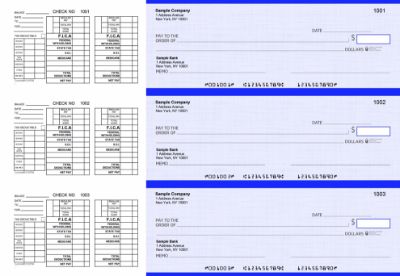
 

How to Order Business Checks for Your Construction Company

What to Have Ready Before Ordering

  • Your company's legal name: Exactly as registered with your state and your bank. The name on the check must match the business bank account registration.
  • Your company address: The address registered to the business checking account.
  • Your bank's ABA routing number: Nine digits from the lower-left of an existing check. Not from a routing lookup site , use the number from an existing check on the same account.
  • Your checking account number: From an existing check or your online banking account details.
  • Starting check number: One higher than the last check you used. For computer and manual formats running in parallel, assign separate sequential ranges.
  • Your company logo: Black and white logo printing is free on every Checkomatic order. Color logo printing is available as an add-on.
  • Dual signature preference: If your company policy requires two signatures on checks above a threshold, specify this at checkout.


Quantity for Construction Companies

Construction companies typically write more checks per month than most businesses , particularly during active project cycles when multiple subcontractor draws, supplier invoices, and weekly payroll runs happen simultaneously. A construction company writing 50 to 100 checks per month will go through a 500-check order in 5 to 10 months. Ordering 1,000 at a time reduces the per-check cost and extends the supply through most project cycles without risking holding outdated stock if your banking details change. For complete ordering guidance, see business checks.


What Customers Say About Checkomatic

All reviews below are published on checkomatic.com and reproduced verbatim. Source: checkomatic.com/quickbooks-starter-pack-product, 4.5 stars from 166 verified reviews.

"ASJ Wilson Construction has been a client of checkomatic for some years now and they've never disappointed this company. Thank you checkomatic for all that you do."

ASJ Wilson Construction | ★★★★★ 5/5 | June 6, 2024 | Source: checkomatic.com/quickbooks-starter-pack-product

"Been with them for 15 years. Always reliable, always good quality, good service. What more can you ask for?"

ATV Inc. | ★★★★★ 5/5 | April 5, 2024 | Source: checkomatic.com/quickbooks-starter-pack-product

"First time ordering and I am super impressed with the quality of the checks. No issues with delivery. I will be ordering again!"

TClinton | ★★★★★ 5/5 | April 9, 2025 | Source: checkomatic.com/quickbooks-starter-pack-product

"We use CheckoMatic for all of our check needs! They have great prices and we receive our products in a timely manner!"

CG's Tax Service | ★★★★★ 5/5 | September 18, 2024 | Source: checkomatic.com/quickbooks-starter-pack-product

"I got 500 checks for less than half of what the bank wanted for 200!"

VVA Voucher Checks (Vietnam Veterans of America) | ★★★★★ 5/5 | July 6, 2024 | Source: checkomatic.com/quickbooks-starter-pack-product

"Affordable and efficient. My go-to business check printer."

Doe | ★★★★★ 5/5 | January 24, 2025 | Source: checkomatic.com/quickbooks-starter-pack-product


Why Choose Checkomatic for Construction Company Business Checks

Both Formats for Every Construction Payment Situation

Computer checks for office-based AP and payroll. Manual checks for field payments at job sites. Both from Checkomatic, both manufactured to the same ABA quality standard, both with the same security features, and both compatible with the same business checking account. Browse all formats at business checks, computer checks, and manual checks.


Voucher Stubs for Construction AP Documentation

Every computer check and 3-on-a-page manual check from Checkomatic includes stub space for the detail that construction AP documentation requires: payee, payment amount, project reference, and any memo or invoice notation. For the AP check format specifically designed for subcontractor and vendor payments, see manual 3-on-page accounts payable checks.


Dual Signature at No Extra Charge

Construction companies that require dual authorization on outgoing payments can add the dual signature line to any manual check order at checkout at no additional cost. For multi-purpose manual checks with dual signature support, see multi-purpose manual business checks.


All Security Features on Every Order

Chemical-reactive paper, microprinting, void pantograph, heat-sensitive ink, coin-reactive ink, and true watermark are included on every Checkomatic business check at the base price. For a construction company writing high-value subcontractor checks, these features are not optional extras. For the complete security feature guide, see are business checks safe: security features that actually matter.
 

Sep 09, 2026

Business Checks for Nonprofits: What Your Organization Actually Needs

Quick Answer: Nonprofits need the same business checks as any organization: a format that matches their payment volume, a dual signature option if board policy requires it, and security features that protect the account from fraud. The key differences from a standard business are the emphasis on financial accountability, the board governance requirement for dual authorization on larger payments, and the need for a clean audit trail that supports IRS Form 990 and annual financial reporting. Checkomatic's business checks cover all of these needs with manual and computer formats, dual signature lines, and full security features on every order.


Why Nonprofits Need Dedicated Business Checks

A nonprofit organization operates as a legal entity separate from its founders and board members. Even a small 501(c)(3) with an all-volunteer team and a modest annual budget handles financial transactions that require documentation: vendor invoices paid, contractor fees disbursed, staff payroll processed, volunteer expenses reimbursed, and supplies purchased. Every one of these payments needs a clear, traceable record.

Dedicated business checks for nonprofits serve this purpose in several ways that personal checks or cash payments cannot match.


IRS Financial Transparency and Form 990

501(c)(3) organizations file IRS Form 990 annually, which requires a detailed account of all income and expenses. Every disbursement made by check is documented with a check number, date, payee, and amount. A dedicated nonprofit checking account with properly ordered business checks creates the clean, chronological payment record that supports Form 990 preparation and reduces the accounting time required at year end. Mixed personal and organizational accounts create reconstruction work that costs more in accounting time than the entire annual check supply.


Donor and Board Accountability

Donors, grantors, and board members expect nonprofits to manage funds with transparency. A separate organizational checking account with checks that carry the nonprofit's name and logo signals that finances are managed as an independent organizational function, not co-mingled with personal accounts. When a major donor or foundation asks for financial statements, the check register from a dedicated nonprofit checking account is part of the documentation that demonstrates stewardship.


Annual Audits and Financial Reviews

Many nonprofits above a certain revenue threshold are required by state law, grant agreements, or board policy to undergo an annual independent financial audit or review. The auditor examines disbursements and requests documentation for individual payments. A check-based payment record is one of the clearest documentation trails an auditor can follow. Every check number corresponds to a transaction; every check stub carries the payee, date, and amount; every cancelled check returned by the bank confirms the payment was made and cleared.


Dual Signature Checks for Nonprofit Board Authorization

Many nonprofit boards require two authorized signatures on checks above a certain dollar threshold. This is a financial control measure that reduces the risk of a single individual making unauthorized disbursements without oversight. The dual signature requirement is documented in the nonprofit's bylaws or board financial policy and enforced at the check level.


How Dual Signature Checks Work

A dual signature check includes two signature lines on the face of the check rather than one. Both lines must be signed by authorized individuals before the check is valid for bank processing. The first signer is typically the treasurer or bookkeeper who initiates the payment. The second signer is typically the executive director, board chair, or another officer designated in the bylaws. Neither signature alone is sufficient for payment; the bank requires both.


When to Use Dual Signature Checks

Dual signature requirements vary by organization. Common policies include:

  • All checks above a specified dollar amount require two signatures (for example, checks above $500 or $1,000)
  • All checks require dual authorization regardless of amount
  • Payroll checks are exempt from dual signature but all other disbursements require it
  • Grant disbursements require dual authorization as a condition of the grant agreement

If your nonprofit's bylaws or board financial policy specifies a dual signature requirement, order checks with the dual signature line pre-printed. Checkomatic's multi-purpose manual business checks include the dual signature line option at no additional charge. For the full range of manual check formats with dual signature support, see multi-purpose manual business checks.


Manual vs Computer Checks for Nonprofits


Burgundy


Manual business checks from Checkomatic , the right format for volunteer-run nonprofits, churches, and HOAs that write checks by hand without accounting software.

The choice between manual checks and computer checks for your nonprofit comes down to two questions: how many checks does your organization write per month, and do you use accounting software to manage finances?

FactorManual ChecksComputer Checks
Best forSmall nonprofits, volunteer-run, low volumeLarger nonprofits, paid staff, software-managed accounts
Monthly check volumeFewer than 20 per month20 or more per month
Software requiredNo , handwrittenYes , QuickBooks, Xero, Quicken etc.
Printer requiredNoYes , laser or inkjet
Dual signature option✅ Yes , pre-printed at no extra cost✅ Yes , pre-printed at no extra cost
Carbon duplicate copyAvailable , automatic record of every checkSoftware creates digital record automatically
Logo printing✅ Free B&W on every order✅ Free B&W on every order

For the full manual check range including all formats, dual signature options, and carbon copy configurations, see manual checks. For the computer check range compatible with QuickBooks, Xero, and other accounting platforms, see computer checks.


Which Check Format Fits Your Nonprofit?

Beyond manual vs computer, the specific format within each category matters. Here is a quick guide to which format fits the most common nonprofit payment situations.


Voucher Check on Top (Computer Check)

The voucher check on top format is the standard for nonprofits using QuickBooks or another accounting platform to process AP payments. One check at the top of the sheet with two stubs below. One stub goes to the vendor with remittance detail. The second stub stays in your organizational files as the payment record. The stubs carry space for invoice numbers, payment dates, and reference notes that support your audit trail. For the voucher check format comparison, see voucher checks vs wallet checks: which is right for your business.


3-on-a-Page Manual Checks

The 3-on-a-page manual format is the most practical check format for smaller nonprofits, churches, and HOAs that write checks by hand. Three checks per full-size page with carbon duplicate copies. You write one check, the carbon records it automatically. One check goes to the vendor or payee. The duplicate stays in your files as the organizational record. No printer, no software, no setup. For the multi-purpose 3-on-page format, see multi-purpose manual business checks.


Executive Deskbook Manual Checks

The executive deskbook format is a portable manual check in a compact binder. Useful for nonprofit executive directors, church pastors, or HOA officers who write checks at meetings, events, or locations away from the office. Same pre-printed organization name, logo, and banking details as any Checkomatic business check, in a format that fits in a briefcase or bag.


Business Checks for Churches and Religious Organizations

Churches, mosques, synagogues, temples, and other religious organizations share many of the same check writing needs as other nonprofits, with a few additional considerations.


Common Church Check Payments

  • Vendor and supplier invoices: utilities, maintenance, office supplies, printing
  • Contractor payments: building maintenance, construction, landscaping
  • Staff payroll: pastors, music directors, administrative staff, youth workers
  • Volunteer reimbursements: travel, materials, event expenses
  • Ministry disbursements: benevolence funds, outreach programs, mission support


Dual Signature Requirements in Church Governance

Many churches require two signatures on checks as a matter of denominational policy or internal governance. The treasurer and a church elder, deacon, or board member typically co-sign checks above a set amount. This practice protects the church from the risk of financial mismanagement by any single individual and demonstrates financial accountability to the congregation. Checkomatic's manual business checks include the dual signature line option for exactly this use case.


Check Volume at Churches

Most smaller churches write between 5 and 20 checks per month. At this volume, manual checks are typically the most practical format. Larger churches with dedicated administrative staff, formal accounting software, and regular payroll may benefit from computer checks in voucher format. The right choice depends on how your church's financial administration is structured.


Business Checks for HOAs and Condo Associations

Homeowners associations, condo associations, and property management organizations collect regular dues from members and disburse funds for maintenance, repairs, management fees, landscaping, insurance, and capital improvements. This creates a consistent, moderate-volume check writing need that business checks are well suited to serve.


Common HOA and Condo Association Check Payments

  • Property maintenance and repair contractors
  • Landscaping and grounds care vendors
  • Insurance premium payments
  • Property management company fees
  • Utility payments for common areas
  • Reserve fund contributions and capital improvement disbursements
  • Administrative and accounting service fees


Financial Accountability to Members

HOA and condo association members pay regular dues and expect transparent accounting of how those funds are spent. A dedicated association checking account with business checks that carry the organization's name and logo supports the financial reporting that members receive at annual meetings. Every check paid from the account is traceable, numbered, and documented, making it simple to produce the expense reports that member meeting financial summaries require.


Payroll Checks for Nonprofits With Paid Staff


Blue


Payroll business checks from Checkomatic , for nonprofits with paid staff including executive directors, church employees, and HOA administrators.

Not all nonprofits are all-volunteer operations. Many 501(c)(3) organizations employ paid executive directors, administrative staff, program coordinators, social workers, teachers, pastors, and part-time workers. These employees are paid just like employees of any for-profit business: subject to payroll tax withholding, documented on a regular pay cycle, and entitled to a pay stub showing gross pay, deductions, and net pay.


Payroll Check Requirements for Nonprofits

Nonprofit payroll checks need the same information as any business payroll check:

  • Employee name as the payee
  • Pay period dates
  • Gross pay, deductions, and net pay on the stub
  • Organization name and bank details pre-printed
  • Sequential check numbering for payroll records


Payroll Check Format for Nonprofits

The 3-on-a-page payroll manual check format is well suited for nonprofits that run manual payroll for a small number of employees. The stub above each check carries space for pay period detail, deductions, and net pay. For nonprofits using payroll software, computer checks in voucher format integrate the print run directly with the payroll software, automatically filling in all variable fields. For the complete payroll check guide, see business checks for payroll: the complete employer guide.


Check Fraud Protection for Nonprofits

Nonprofit organizations are not immune to check fraud. In fact, smaller nonprofits with informal financial controls, volunteer treasurers, and less formal oversight can be more vulnerable to both external check fraud and internal misappropriation than established businesses with formal financial controls.


External Check Fraud Risks

Check washing , the practice of chemically removing ink from a check and rewriting the payee and amount , targets any organization that mails checks regularly. A check mailed to a vendor can be intercepted, washed, and redeposited with a different payee and a higher amount. Quality check paper from Checkomatic includes chemical-reactive paper that stains visibly when washing solvents are applied, making any alteration attempt visible before the check is processed. For the complete guide to check fraud and protection, see are business checks safe: security features that actually matter.
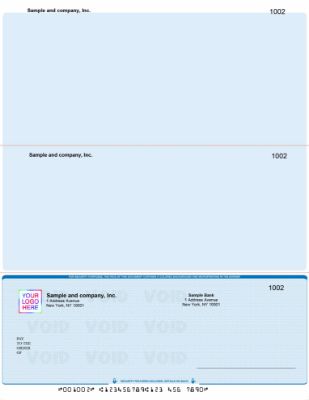
 

Internal Control Measures

Dual signature requirements, as discussed above, are one of the most effective internal controls available to nonprofits. Positive pay is a bank-side service that compares each presented check against a list of checks your organization has issued, flagging any check that does not match for manual review before payment. For the complete positive pay guide, see what is positive pay and how does it work.


Secure Check Storage

Blank check stock with your nonprofit's name, account number, and routing number pre-printed is a high-value fraud target. Store all check stock in a locked cabinet or safe when not in use. Limit access to the individual or individuals formally authorized to write checks. Record the starting and ending check numbers for each order and reconcile the check register regularly to confirm all check numbers are accounted for. For the reconciliation guide, see checkbook management: how to balance and reconcile.


How to Order Business Checks for Your Nonprofit


AP business checks for nonprofits from Checkomatic showing accounts payable voucher format with organization name logo dual signature option and security features for 501c3 churches HOAs and other nonprofit organizations


AP business checks from Checkomatic , pre-printed with your nonprofit's name, logo, and banking details, with dual signature line and full security features on every order.


What You Need Before Ordering

  • Your organization's legal name: Exactly as registered with the IRS and your bank. The name on the check must match the bank account registration.
  • Your organization's address: The mailing address registered to the nonprofit checking account.
  • Your bank's ABA routing number: Nine digits from the lower-left of an existing check or from your bank's online portal.
  • Your checking account number: From an existing check or your bank's online banking account details.
  • Starting check number: One higher than the last check used, to maintain sequential numbering for your financial records.
  • Your organization's logo file: Black and white logo printing is free on every Checkomatic order.
  • Dual signature preference: Specify at checkout if your bylaws or board policy require two signature lines.


Ordering Quantity for Nonprofits

Most smaller nonprofits, churches, and HOAs write between 5 and 30 checks per month. At 15 checks per month, a 250-check order lasts about 16 months. This is a reasonable quantity: enough to avoid frequent reorders but not so large that you risk holding outdated check stock if your banking details or organization address changes. For complete ordering quantity guidance, see what is the best place to order checks online.


What Customers Say About Checkomatic

All reviews below are published on checkomatic.com and reproduced verbatim. Source: checkomatic.com/quickbooks-starter-pack-product, 4.5 stars from 166 verified reviews.

"Been with them for 15 years. Always reliable, always good quality, good service. What more can you ask for?"

ATV Inc. | ★★★★★ 5/5 | April 5, 2024 | Source: checkomatic.com/quickbooks-starter-pack-product

"First time ordering and I am super impressed with the quality of the checks. No issues with delivery. I will be ordering again!"

TClinton | ★★★★★ 5/5 | April 9, 2025 | Source: checkomatic.com/quickbooks-starter-pack-product

"We use CheckoMatic for all of our check needs! They have great prices and we receive our products in a timely manner!"

CG's Tax Service | ★★★★★ 5/5 | September 18, 2024 | Source: checkomatic.com/quickbooks-starter-pack-product

"I got 500 checks for less than half of what the bank wanted for 200!"

VVA Voucher Checks (Vietnam Veterans of America) | ★★★★★ 5/5 | July 6, 2024 | Source: checkomatic.com/quickbooks-starter-pack-product

"ASJ Wilson Construction has been a client of checkomatic for some years now and they've never disappointed this company. Thank you checkomatic for all that you do."

ASJ Wilson Construction | ★★★★★ 5/5 | June 6, 2024 | Source: checkomatic.com/quickbooks-starter-pack-product

"Affordable and efficient. My go-to business check printer."

Doe | ★★★★★ 5/5 | January 24, 2025 | Source: checkomatic.com/quickbooks-starter-pack-product


Why Choose Checkomatic for Nonprofit Business Checks

Dual Signature Line at No Extra Charge

Nonprofit boards that require two authorized signatures on outgoing checks can add the dual signature line to any Checkomatic manual business check order at checkout. It prints on every check in the order at no additional cost. This is one of the most requested features for church, HOA, and nonprofit check orders. For multi-purpose manual checks with dual signature support, see multi-purpose manual business checks.


Free Logo Printing on Every Order

Black and white logo printing is included on every Checkomatic business check order at no extra charge. For nonprofits that want checks to carry their organization's logo, this feature is available without an additional fee. Color logo printing is also available as a low-cost add-on. Every order includes 20 background color and style options so your checks reflect your organization's identity.


All Security Features as Standard

Every Checkomatic business check , manual or computer, nonprofit or for-profit , includes the full standard security feature set: chemical-reactive paper, microprinting, void pantograph, heat-sensitive ink, true watermark, and coin-reactive ink. These features are not optional upgrades. They are standard on every order at the base price. For the full security feature guide, see are business checks safe: security features that actually matter.

 

Budget-Friendly Pricing for Cost-Conscious Nonprofits

Nonprofits operate on carefully managed budgets. Ordering check stock directly from a printer, rather than through a bank, significantly reduces the per-check cost. Bulk order discounts reduce the cost further for organizations that order in larger quantities. For the complete ordering and cost guide, see what is the best place to order checks online.


Sep 07, 2026

Xero Compatible Business Checks: Formats, Setup, and How to Order

Quick Answer: Xero compatible business checks are pre-printed check stock that aligns with Xero's Bills to Pay check printing template. Your company name, bank details, and MICR-encoded routing and account numbers are pre-printed. When you run a check print job in Xero, the software outputs the payee name, amount, date, and check number to the correct positions on the sheet. Checkomatic manufactures Xero compatible checks in check-on-top, check-in-middle, check-on-bottom, and 3-on-a-page formats, all working with Xero's print workflow without alignment adjustments.


How Xero Check Printing Works

Xero's check printing feature is built into the Bills to Pay module. When you are ready to pay a batch of vendor bills by check, you select the bills, choose to pay by check, and Xero generates a print-ready PDF. That PDF contains all the variable information for each check: payee name, dollar amount in numbers and words, date, check number, and memo. The PDF is formatted to match a specific check stock layout.

Your job is to load the right check stock into your printer and print the PDF. Xero does the variable field output. The check stock does the rest: your pre-printed company name, bank name, routing number, and account number appear in the correct positions because they were printed on the stock before it arrived.

The critical requirement is that the check stock layout must match Xero's PDF template exactly. Xero outputs fields to specific coordinate positions on the sheet. If the check is not in the position the template expects, the payee name, dollar amount, and date all print in the wrong locations. The result is unusable paper that cannot be signed or mailed.

Xero and MICR toner: Checkomatic's Xero compatible checks come with the MICR line pre-printed using ABA-certified MICR ink. Your laser or inkjet printer only handles Xero's variable output. Standard toner is all you need. You do not need MICR toner for most Xero check printing setups.


What Gets Pre-Printed vs What Xero Fills In

Understanding the division between pre-printed and Xero-printed information helps you order correctly and troubleshoot any print run issues.

Pre-Printed at CheckomaticXero Fills In at Print Time
Your company name and addressPayee name (vendor or employee)
Your bank nameDollar amount in numbers (convenience amount)
ABA routing numberDollar amount in words (legal line)
Checking account numberCheck date
MICR line (ABA-certified magnetic ink)Check number (sequential)
Your business logo (free B&W or color add-on)Memo / reference line
Security features (in the paper)Stub remittance detail (invoices paid, amounts)

When you receive your Checkomatic Xero compatible check order, every check in the supply already has your company's static information printed on it. No manual writing. No setup. Load the paper, open Xero's Bills to Pay module, select your bills, and print.


The Four Xero Compatible Check Formats


Xero compatible check on top format from Checkomatic showing voucher check with check printed in upper third of 8.5x11 sheet and two detachable perforated stubs below for AP vendor payment records compatible with Xero Bills to Pay check printing workflow

Xero compatible check on top from Checkomatic , the most commonly ordered format for Xero AP workflows, with two stubs below the check for vendor and payer records.

Checkomatic manufactures four Xero compatible check formats. All four work with Xero's Bills to Pay check printing workflow. The difference is where the check is positioned on the 8.5 x 11 inch sheet, which must match Xero's configured print template.


Xero Check on Top

The Xero check on top format places the check in the upper third of the sheet with two perforated stubs below it. One stub goes to the vendor as a payment confirmation and remittance record. The other stays in your files as your AP copy. Check on top is the most commonly ordered format for Xero users and the default layout for most Xero AP check printing setups. For the Xero check-on-top format, see Xero check on top.


Xero Check in Middle

The Xero check in middle format centers the check on the sheet with one stub above and one below. This layout is used in Xero configurations where equal stub space on both sides is required, or where a specific AP workflow expects the check-in-middle template. For the Xero check-in-middle format, see Xero check in middle.


Xero Check on Bottom

The Xero check on bottom format positions the check at the foot of the sheet with both stubs running above it. Payroll-heavy operations sometimes prefer this layout because the earnings or payment detail appears at the top of the sheet when the recipient opens the envelope, making the remittance information the first thing they see before detaching the check. For the Xero check-on-bottom format, see Xero check on bottom.


Xero 3-on-a-Page

The Xero 3-on-a-page format places three separate checks on one sheet with no stubs. All transaction records stay inside Xero rather than on a physical stub. High-volume AP departments and accounting practices managing multiple client accounts use this format to reduce paper cost per check payment. It is not suitable for payroll or for vendor payments requiring physical remittance documentation. For the Xero 3-on-a-page format, see Xero 3 on a page.


Which Xero Check Format Should You Order?

The format you order must match the Xero print template your account is configured to use. This is not a preference. If the check position does not match Xero's template coordinates, every field the software outputs will land in the wrong location on the sheet. The check will be unusable.


How to Find Your Xero Check Format

  1. Log in to Xero and navigate to the Bills to Pay module.
  2. Select any bill and choose the option to pay by check.
  3. Open the print preview for the check PDF that Xero generates.
  4. Observe where the payee name, date, and dollar amount appear in the preview: upper third of the page = check on top; center = check in middle; lower third = check on bottom; three per page = 3-on-a-page.
  5. Order the format that matches this preview exactly.
Confirm with a test print first: Before placing a bulk order, print a single Xero check PDF on plain white paper. Hold the printed page over a blank Checkomatic check to confirm the variable fields align with the correct positions. This one-minute test prevents an entire order from being unusable.

For a complete comparison of all three check position formats and which accounting platforms use each, see check on top vs check in middle vs check on bottom: which format you need.


Xero Check Format Comparison Table

FormatCheck PositionStubsBest forCheckomatic
Check on TopUpper third2 below checkAP vendor payments, payrollXero check on top
Check in MiddleCenter1 above, 1 belowWorkflows needing equal stub spaceXero check in middle
Check on BottomLower third2 above checkPayroll, stub-first presentationXero check on bottom
3-on-a-Page3 checks per sheetNo stubsHigh-volume AP, accounting firmsXero 3 on a page


Common Mistakes With Xero Check Printing

Ordering the Wrong Format

The most common mistake is ordering check on top stock when Xero is configured for a different layout. Because check on top is the default for most AP setups, many businesses assume it is always correct. Before ordering, always verify your Xero print template by running a preview in the Bills to Pay module. If your Xero account was configured by an accountant or bookkeeper, confirm with them which template is active before placing an order.


Assuming All Checks Are Interchangeable

Some businesses order generic computer checks thinking any check-on-top format will work with Xero. Xero compatible checks must be formatted to Xero's specific template dimensions and field positions. Checkomatic's Xero compatible checks are pre-formatted to align with Xero's output without manual adjustment. Generic check stock that is not pre-formatted to Xero's template may require printer alignment adjustment for every print run.


Not Testing Before Bulk Ordering

Ordering 500 or 1,000 checks without a test print first is a risk that costs more than the test would have. A single test page on plain white paper, held over a blank Checkomatic check, confirms alignment in under one minute. This one step eliminates the most expensive mistake in Xero check printing.


Printing MICR Toner Unnecessarily

Some businesses who have previously used blank check stock assume they need MICR toner to print Xero checks. Checkomatic's Xero compatible checks arrive with the MICR line pre-printed using ABA-certified MICR ink. Your standard laser or inkjet printer handles Xero's variable output only. MICR toner is not needed and adding it unnecessarily doubles print complexity without benefit.

If Xero fields print in the wrong location: The check stock format does not match your Xero template. Do not continue printing. Identify which format your Xero account is configured for using the Bills to Pay print preview, and order the matching Checkomatic format. Do not attempt to adjust print settings to compensate for mismatched stock.


How to Verify Your Xero Format Before Ordering

  1. Run a Xero check print preview: Log into Xero, go to Bills to Pay, select any bill, and choose to print a check. Open the PDF preview. This shows exactly where Xero outputs each field on the sheet.
  2. Print on plain white paper: Print one test check on plain white 8.5 x 11 paper from your standard printer.
  3. Check the position: Look at where the payee name and dollar amount printed. Upper third = check on top. Center = check in middle. Lower third = check on bottom. Three per page = 3-on-a-page.
  4. Order the matching format: Order the Checkomatic Xero compatible format that matches your test result. Browse all formats at Xero compatible checks.
  5. Run a second test: When your Checkomatic checks arrive, print one check on a single sheet from your order. Confirm all fields align correctly before printing the full batch.

For the complete format comparison across all major accounting platforms, see software compatible business checks.


Security Features on Xero Compatible Checks


Xero compatible accounts payable business checks from Checkomatic showing security features including microprinting heat sensitive ink chemical reactive paper void pantograph watermark and coin reactive ink on every Xero check order accepted by all major US banks

Xero compatible AP checks from Checkomatic , all security features included on every order as standard, accepted at all major US banks.

Every Xero compatible check from Checkomatic includes the following security features built into the check paper as standard:

  • Microprinting along the signature line: Appears as a thin line but is actually tiny repeating text. Blurs on any photocopy, which bank fraud detection systems flag as a reproduction.
  • Heat-sensitive ink: A small element on the check disappears when pressed with a warm thumb. Bank tellers use this as an authenticity test.
  • Chemical-reactive paper: The check paper stains visibly when exposed to bleach or solvent, revealing any check washing attempt before the bank processes the check.
  • Void pantograph: A background pattern that causes VOID to appear clearly when the check is photocopied or scanned, deterring counterfeiting.
  • True watermark: Visible from both sides when held to light. Authentic paper, not printed reproduction.
  • Coin-reactive ink: Changes color when the check surface is rubbed with a coin or hard metal object. A quick teller authenticity test.

All security features meet ABA specifications. Every Xero compatible check from Checkomatic is accepted at all major US banks. For the complete guide to check security features and which matter most for fraud prevention, see are business checks safe: security features that actually matter.

 

How to Order Xero Compatible Checks From Checkomatic

What You Need Before Ordering

  • Your ABA routing number: Nine digits from the lower-left of the MICR line on an existing check, or from your bank's online portal.
  • Your checking account number: The center digits in the MICR line at the bottom of an existing check.
  • Your starting check number: One higher than the last check you used. This keeps your sequential numbering intact for bookkeeping and Xero reconciliation.
  • Your business name and address: Exactly as registered with your bank. Mismatches between the check and bank records can create verification delays.
  • Your logo file (optional): Black and white logo printing is free on every Checkomatic order. Color logo printing is available for a small additional fee.
  • Your confirmed Xero format: Verified using the test print method above before ordering.


What Comes with Every Xero Check Order

  • Your company name, address, and banking details pre-printed
  • Your business logo in black and white at no extra charge
  • 20 background color and style options across diamond, marble, and prismatic textures
  • All security features as standard: microprinting, heat-sensitive ink, chemical-reactive paper, void pantograph, watermark, coin-reactive ink
  • ANSI E13-B certified MICR encoding pre-printed and verified
  • Laser and inkjet printer compatibility

You can pair your Xero compatible checks with double-window check envelopes and business deposit slips on the same order. Browse all Xero formats at Xero compatible checks.


What Customers Say About Checkomatic

All reviews below are published on checkomatic.com and reproduced verbatim. Source: checkomatic.com/quickbooks-starter-pack-product, 4.5 stars from 166 verified reviews.

"Been with them for 15 years. Always reliable, always good quality, good service. What more can you ask for?"

ATV Inc. | ★★★★★ 5/5 | April 5, 2024 | Source: checkomatic.com/quickbooks-starter-pack-product

"First time ordering and I am super impressed with the quality of the checks. No issues with delivery. I will be ordering again!"

TClinton | ★★★★★ 5/5 | April 9, 2025 | Source: checkomatic.com/quickbooks-starter-pack-product

"We use CheckoMatic for all of our check needs! They have great prices and we receive our products in a timely manner!"

CG's Tax Service | ★★★★★ 5/5 | September 18, 2024 | Source: checkomatic.com/quickbooks-starter-pack-product

"I got 500 checks for less than half of what the bank wanted for 200!"

VVA Voucher Checks (Vietnam Veterans of America) | ★★★★★ 5/5 | July 6, 2024 | Source: checkomatic.com/quickbooks-starter-pack-product

"ASJ Wilson Construction has been a client of checkomatic for some years now and they've never disappointed this company. Thank you checkomatic for all that you do."

ASJ Wilson Construction | ★★★★★ 5/5 | June 6, 2024 | Source: checkomatic.com/quickbooks-starter-pack-product

"Affordable and efficient. My go-to business check printer."

Doe | ★★★★★ 5/5 | January 24, 2025 | Source: checkomatic.com/quickbooks-starter-pack-product


Why Choose Checkomatic for Xero Compatible Business Checks

Pre-Formatted for Xero , No Alignment Adjustments

Checkomatic has manufactured Xero compatible checks from Monroe, NY since 1997. Every format on the Xero product range is pre-formatted to align with Xero's Bills to Pay print template. Load the paper, run the print job in Xero, sign, and mail. No adjustments, no test runs consuming your check supply, no format mismatches on your first AP batch. For all four Xero formats, see Xero compatible checks.


MICR Pre-Printed , Standard Toner Only

The MICR line on every Checkomatic Xero check is pre-printed using ABA-certified MICR ink and verified before shipping. Your standard office laser or inkjet printer handles Xero's variable output only. No MICR toner, no special printer, no complex setup.


All Security Features Standard

Every Xero compatible check from Checkomatic includes the full standard security feature set at the base price: microprinting, heat-sensitive ink, chemical-reactive paper, void pantograph, true watermark, and coin-reactive ink. These are not optional upgrades. They are on every check in every order.


500+ Accounting Platforms Supported

If you use multiple accounting platforms, or if your Xero configuration changes and you need a different format, Checkomatic supports over 500 accounting software platforms. For the complete software compatibility overview, see software compatible business checks.


Sep 07, 2026

What Is a Counter Check? How It Works and When to Use One

Quick Answer: A counter check is a temporary check that your bank's teller prints for you on demand when you need to write a payment immediately and have no personalized checks available. It contains your routing and account number so it clears through the banking system normally, but it typically does not have your name or address pre-printed on it. It is a valid payment instrument, not a substitute for a full personalized check supply, and it is available (with fees and policies varying) at bank branches that offer this service.


What a Counter Check Is

A counter check is a temporary check printed on demand by a bank teller at a branch counter. The name refers to the bank counter where a teller serves customers in person. When an account holder needs to write a check immediately but does not have any personalized checks available, their bank may be able to print a counter check for them on the spot.

Counter checks are printed with the account holder's bank routing number and account number encoded in the MICR line at the bottom of the check. However, they are typically not pre-printed with the account holder's name, address, or other personalized identifying information that appears on a standard personalized check. The account holder writes all of this information in by hand when completing the check.

Counter checks are sometimes called temporary checks or demand checks. They are a valid negotiable instrument under UCC Article 3 and clear through the US banking system the same way personalized checks do. For a complete overview of the different types of checks used in US banking and their legal definitions, see types of checks: every check type and term explained.


How a Counter Check Works

A counter check functions as a payment instrument the same way any personal or business check does. The payer fills in the payee name, payment amount in numbers and words, date, and memo. The payer signs the check. The payee deposits it at their bank, which presents it to the payer's bank through the check clearing system. The payer's bank verifies the account and releases the funds.

The key technical element is the MICR line. Counter checks have the bank's routing number and the account holder's account number encoded in the MICR line at the bottom, in the same magnetic ink format that bank automated processing systems read. This is what allows a counter check to clear through standard bank processing alongside personalized checks. For the complete guide to what the MICR line contains and how bank processing reads it, see MICR line explained: the technology behind every check.

What a counter check typically does not have: Pre-printed account holder name and address, which appear in the upper-left corner of personalized checks. Pre-printed check number in the upper-right corner and MICR line (the account holder or teller may write a number by hand, or the field may be left blank). Security features beyond what the check paper itself contains, which varies by institution. The account holder writes all variable information by hand.


How to Get a Counter Check at Your Bank

Counter checks are available at bank and credit union branches that offer this service. Not all banks offer them. Availability depends on your specific bank's policies. The process at institutions that do offer counter checks is typically as follows:

  1. Visit your bank or credit union branch in person. Counter checks are generally not available through online banking, mobile banking, or ATMs because they require a teller to print them on demand using the branch's check printing equipment.
  2. Bring valid government-issued ID and your account information. The teller will verify your identity and access your account to retrieve your routing and account numbers for printing.
  3. Specify how many counter checks you need. Most institutions that offer counter checks will print a small number per request, often three to five, though policies vary.
  4. Pay any applicable fee. Counter check fees vary by institution and are discussed in the section below.

Because counter check availability varies by bank and by branch, it is worth calling your branch before visiting specifically for counter checks, to confirm they are available and to understand the current fee and quantity limit.


Counter Check Fees: What to Expect

Counter check fees are not standardized across US financial institutions. They vary by bank and credit union, and published fee schedules from US institutions show a wide range. The information below reflects fees published in institutional fee schedules; always verify current fees directly with your bank, as pricing changes.


Published Fee Examples From US Institutions

  • Some institutions charge per check (for example, $1 to $2 per individual check), while others charge per sheet (for example, $2 to $3 per sheet of three checks).
  • Some credit unions and banks provide a small initial batch of counter checks at no charge, particularly at new account opening, before moving to per-check fees for subsequent requests.
  • Some institutions, including some large national banks, do not offer counter checks at all.
  • Fee schedules reviewed from US credit unions as of 2025 show counter check fees ranging from $1 per check to $5 per sheet, depending on the institution.
Before you go: Call your branch and ask specifically whether counter checks are available, what the current fee is, and how many they can print in one visit. This saves a trip if your bank does not offer them or has a quantity limit that does not meet your need.


Counter Check vs Starter Check: What Is the Difference

Counter checks and starter checks are related concepts that are sometimes used interchangeably, but they are not the same thing.

FactorCounter CheckStarter Check
When issuedAny time on demand when account holder runs out of personalized checksWhen a new checking account is opened, before personalized check order arrives
Name pre-printedTypically noOften yes, or at least partially
Account holderExisting account holder who has run out of checksNew account holder waiting for first check order
MICR lineRouting number and account numberRouting number and account number
FeeOften charged per check or per sheetOften provided at no charge for a small initial supply
Intended useEmergency bridge paymentTemporary bridge until personalized checks arrive

Both are temporary solutions designed to bridge a gap. Neither is a long-term substitute for personalized check stock. For the complete glossary of check types and terminology, see check types and terminology: complete glossary guide.


Counter Check vs Personal Check


Personalized business checks from Checkomatic showing what is a counter check by contrast with full pre-printed account holder name address check number logo and complete security features on quality personalized check stock

Personalized business checks from Checkomatic , pre-printed with your business name, address, and complete security features, in contrast to a counter check's minimal pre-printed information.

FactorCounter CheckPersonalized Check
Pre-printed nameTypically no✅ Yes
Pre-printed addressTypically no✅ Yes
MICR routing and account✅ Yes✅ Yes
Sequential check numberOften no (may be written by hand or blank)✅ Yes
Security featuresVaries by institution , often minimalFull set: chemical-reactive paper, microprint, void pantograph, heat-sensitive ink, MICR encoding
Where obtainedBank branch teller on demandOrdered from check printer, delivered by mail
Legal validity✅ Valid under UCC Article 3✅ Valid under UCC Article 3
CostPer check or per sheet fee at branch; varies by institutionPer check cost decreases significantly with volume orders


Counter Check vs Certified Check vs Cashier's Check

Counter checks, certified checks, and cashier's checks are all bank-related check instruments, but they serve very different purposes and carry very different payment guarantees.


Counter Check

A counter check is a personal check drawn on the account holder's checking account, issued as a temporary convenience. Payment depends on whether the account holder has sufficient funds when the check is presented. A counter check carries no payment guarantee beyond what any personal check carries. The bank does not verify or guarantee the funds at the time of issuance.


Certified Check

A certified check is a personal check on which the bank has verified that sufficient funds exist in the account and has set those funds aside to guarantee payment. The bank stamps or marks the check as certified. The account holder's own account is debited for the amount at the time of certification, not at the time the check clears. Certified checks carry a bank fee and are used for transactions where the payee needs assurance of funds before completing the transaction.


Cashier's Check

A cashier's check is drawn on the bank's own funds rather than the individual account holder's funds. The account holder pays the bank the face amount plus any fee, the bank deducts from its own account, and issues a check signed by the bank itself as the drawer. Cashier's checks carry the highest level of payment certainty of the three because the bank itself is obligated to pay, not the individual account holder. They are commonly required for large transactions such as real estate closings, vehicle purchases, and similar high-value payments.

For a complete guide to the types of checks used in different banking and payment situations, see types of checks: every check type and term explained.


Security Features on Counter Checks

The security features on a counter check depend on the check paper and printing equipment used by the specific bank branch. This varies by institution and is not standardized across US banking.

Personalized checks ordered from a certified check printer include a defined set of security features: chemical-reactive paper that stains visibly if altered with solvents, microprinting on the signature line that blurs on photocopies, a void pantograph that makes VOID appear when the check is copied, heat-sensitive ink, and ANSI E13-B certified MICR encoding. These features are built into the check stock at the printing stage.

Counter checks printed on demand at a bank branch may or may not include these features depending on the paper the branch uses. Most branches use pre-printed counter check paper with some basic security elements, but the specific features, their quality, and their consistency are not uniform across institutions. If you are accepting a counter check from someone else and have concerns about security, you can ask your bank about their verification process for checks with minimal pre-printed information.

For the complete guide to which security features matter most in personalized check stock, see are business checks safe: security features that actually matter.

 

Will Payees Accept a Counter Check?

A counter check is a legal negotiable instrument under UCC Article 3. There is no law that prevents a payee from accepting one. Whether a specific payee accepts a counter check is a matter of individual policy, not law.

In practice, acceptance depends on the payee. Some individuals, businesses, and institutions accept counter checks without issue. Others may have policies that require pre-printed identifying information on any check they accept, which a counter check typically does not have. If you are planning to use a counter check for a specific payment, it is worth confirming acceptance with the payee first, particularly for larger amounts or formal transactions.

The absence of pre-printed name and address on a counter check means the payee may ask for additional identification or choose to wait until funds fully clear before completing a transaction. This is a practical consideration, not a legal barrier.


Counter Checks and Direct Deposit Setup

A common reason people ask about counter checks is direct deposit setup. When an employer or a government agency asks for a voided check to set up direct deposit, they need a document showing your bank's routing number and your account number, which appears in the MICR line at the bottom of any check drawn on your account.

A counter check contains your routing number and account number in the MICR line, so it can serve the same function as a voided check for direct deposit setup. You would void the counter check the same way you would void any check: write VOID in large letters across the front and provide it to the party setting up the direct deposit. Alternatively, your bank may be able to provide a bank letter or a direct deposit form that contains the same routing and account information without requiring a physical check.


How Long Is a Counter Check Valid?

A counter check, like any personal check, is subject to the standard stale date rules under UCC Article 3. Banks are not required to honor checks presented more than six months after the date written on the check, and many banks will decline to process stale-dated checks as a matter of policy. Some banks have shorter internal stale date policies. The six-month period is a general banking convention based on UCC Article 3, not a universally mandatory rule, but it is the standard used by most US financial institutions.

If you write a counter check, it should be deposited by the payee within a normal timeframe. If you receive a counter check and do not plan to deposit it immediately, check with your bank about their specific stale date policy before depositing a check that is several months old.


When to Use a Counter Check vs Ordering Personalized Checks


Personalized manual executive deskbook checks from Checkomatic as alternative to counter checks showing pre-printed business name address security features and MICR encoding for regular business and personal check writing

Personalized manual checks from Checkomatic , a ready alternative to counter checks, with your name, address, and security features pre-printed and available to write by hand whenever needed.


When a Counter Check Makes Sense

  • You need to make a single urgent payment today and have no other checks available
  • Your bank offers counter checks, the payee will accept one, and the fee is acceptable for the situation
  • You need a voided check document for direct deposit setup and have no other checks at hand
  • You are a new account holder and your initial personalized check order has not yet arrived


When Ordering Personalized Checks Makes More Sense

  • You write checks regularly, whether for personal payments, vendor payments, or payroll
  • The per-check cost of counter checks at your bank adds up relative to the cost of a personalized check order
  • You want your checks to carry your pre-printed name, address, and full security features
  • Your bank does not offer counter checks, or limits the quantity per visit
  • You want checks that integrate with accounting software like QuickBooks for automatic record-keeping

For the complete guide to choosing the right check type and how to order, see order checks online: personal and business buyer guide. For cost and quantity guidance, see what is the best place to order checks online.

Ordering speed note: Personalized check orders from a direct printer ship faster than many people expect. Standard production and delivery for personalized checks is typically 5 to 10 business days. If urgency is the only reason you are considering a counter check, it is worth comparing the counter check fee against the per-check cost of a quick personalized order, particularly for personal checks at lower quantities. For manual checks (no printer required), some formats ship even faster. For personal check options, see personal checks.


What Customers Say About Checkomatic

All reviews below are published on checkomatic.com and reproduced verbatim. Source: checkomatic.com/quickbooks-starter-pack-product, 4.5 stars from 166 verified reviews.

"Been with them for 15 years. Always reliable, always good quality, good service. What more can you ask for?"

ATV Inc. | ★★★★★ 5/5 | April 5, 2024 | Source: checkomatic.com/quickbooks-starter-pack-product

"First time ordering and I am super impressed with the quality of the checks. No issues with delivery. I will be ordering again!"

TClinton | ★★★★★ 5/5 | April 9, 2025 | Source: checkomatic.com/quickbooks-starter-pack-product

"We use CheckoMatic for all of our check needs! They have great prices and we receive our products in a timely manner!"

CG's Tax Service | ★★★★★ 5/5 | September 18, 2024 | Source: checkomatic.com/quickbooks-starter-pack-product

"I got 500 checks for less than half of what the bank wanted for 200!"

VVA Voucher Checks (Vietnam Veterans of America) | ★★★★★ 5/5 | July 6, 2024 | Source: checkomatic.com/quickbooks-starter-pack-product

"ASJ Wilson Construction has been a client of checkomatic for some years now and they've never disappointed this company. Thank you checkomatic for all that you do."

ASJ Wilson Construction | ★★★★★ 5/5 | June 6, 2024 | Source: checkomatic.com/quickbooks-starter-pack-product

"Affordable and efficient. My go-to business check printer."

Doe | ★★★★★ 5/5 | January 24, 2025 | Source: checkomatic.com/quickbooks-starter-pack-product


Sep 05, 2026

Business Checks for Sole Proprietors: What You Actually Need
Quick Answer: Sole proprietors do not legally need business checks, but using dedicated business checks is one of the most practical financial decisions a self-employed person can make. They keep your business and personal finances cleanly separated, simplify your Schedule C tax filing, look professional to vendors and clients, and cost very little relative to the recordkeeping headaches they prevent. If you write more than five business checks per month from a personal account, the accounting time you save by switching to a dedicated business check account pays for itself within the first 30 days.


Do Sole Proprietors Need Business Checks?

The short answer is no, not legally. A sole proprietorship is not a separate legal entity from its owner. The IRS treats the business and the owner as one and the same. This means a sole proprietor can legally write personal checks to pay business expenses, accept personal checks as business income, and deposit everything in a single personal bank account without violating any law.

The long answer is that you should get them anyway, for practical rather than legal reasons. Here is why.


The Tax Recordkeeping Problem

Every business expense you pay with a personal check must be identified, documented, and separated at tax time to claim it as a Schedule C deduction. If your business and personal transactions are in the same account, every year end involves reconstructing which transactions were business and which were personal. If you are ever audited by the IRS, the burden of proof for every mixed-account deduction falls on you. Clean, dedicated business check records eliminate this reconstruction work entirely.


The Professional Credibility Point

A check drawn on "Jane Smith" looks different to a vendor or contractor than a check drawn on "Jane Smith Consulting." The business name on the check signals that you operate as a business, not as an individual writing a personal payment. Vendors deposit business checks more readily than personal checks from unknown individuals, and contractors treating your payment as a business transaction are more likely to issue proper 1099-NEC documentation.


The Low-Cost Threshold

Business checks from a direct printer cost $0.15 to $0.25 per check. At 20 checks per month, the check stock cost is $3 to $5 per month. The accounting cleanup from mixed accounts typically costs multiples of that in professional accounting time. For any sole proprietor writing more than a handful of checks per month, dedicated business checks pay for themselves.


Personal Checks vs Business Checks for Sole Proprietors

FactorPersonal CheckBusiness Check
Legally valid for business?✅ Yes✅ Yes
Schedule C recordkeeping❌ Manual reconstruction required✅ Clean , all business in one account
Appears on checkYour personal nameYour business name (DBA or entity)
Two stubs for records❌ Small single stub only✅ Two stubs , payer and payee copies
Software compatible❌ No✅ Yes , QuickBooks, Xero, Sage, etc.
Professional appearancePersonal name onlyBusiness name + logo option
IRS audit readiness⚠️ Mixed , harder to prove business use✅ Clean , dedicated business account
Cost from CheckomaticVery lowSlightly higher , minimal difference

For a complete breakdown of the differences between personal and business checks, see what's the difference between personal and business checks. For the full comparison of when to use each, see business checks vs personal checks: what's the real difference.


DBA Accounts and Ordering Business Checks as a Sole Proprietor

Most sole proprietors operate under either their personal name or a DBA (Doing Business As) business name. Understanding which name to use on your business checks matters more than most new sole proprietors realize.


What Is a DBA?

A DBA is a fictitious business name or trade name that a sole proprietor files with their state or county to operate under a business name other than their own legal name. For example, a freelance graphic designer named Maria Gonzalez might file a DBA as "Gonzalez Design Studio." She is still legally a sole proprietor, not an LLC or corporation, but she can open a business bank account in the name "Maria Gonzalez DBA Gonzalez Design Studio" and accept payments made out to "Gonzalez Design Studio."


Which Name Goes on Your Business Check?

The name on your business check should match the name your bank has registered for the account exactly. If your account is in the name "Maria Gonzalez DBA Gonzalez Design Studio," the check should reflect that. Most sole proprietors choose to print just the DBA business name for a cleaner look, but confirm with your bank what name variation they require on checks before ordering.

When ordering from Checkomatic, you enter your business name, address, bank routing number, and account number exactly as they appear on your bank account. The name you enter is what prints on the check. Take a moment to confirm this matches your bank's records before finalizing the order.


Do You Need a Separate Business Bank Account?

Legally, sole proprietors are not required to have a separate business bank account. But if you want checks that carry your business name rather than your personal name, you need a business checking account (or a DBA account) to provide the routing and account numbers. Most US banks and credit unions open business checking accounts for sole proprietors and DBA operators, often with the same documentation required for any business account: your DBA filing certificate, your Social Security number or EIN, and personal identification.

EIN vs SSN on business checks: Sole proprietors can file taxes using either their Social Security Number or an Employer Identification Number (EIN). The EIN does not appear on the check itself (only your bank's routing and account number do), but having an EIN is useful for opening a dedicated business account, for issuing 1099s to contractors, and for situations where you prefer not to share your SSN with vendors. The IRS issues EINs free of charge online.


Which Business Check Format Fits a Sole Proprietor

The right check format for a sole proprietor depends on two things: how you write checks and how many you write per month.

Your SituationRight FormatWhy
Write checks by hand, no accounting softwareManual check (deskbook or wallet)No printer needed , write at desk or on the go
Use QuickBooks, Xero, or Quicken for bookkeepingComputer check (check-on-top)Prints directly from software , auto-fills all fields
Frequently write checks away from officeManual check (binder format)Portable , write at client sites, meetings, job locations
Low volume (1-5 checks per month)Manual check or personal checkComputer check setup overhead not worth it at low volume
Higher volume (10+ checks per month)Computer checkFaster, fewer errors, cleaner records
Pay contractors who need remittance detailVoucher check (check-on-top with stubs)Two stubs carry project reference, invoice number detail


Manual Checks for Sole Proprietors


Manual executive deskbook business checks for sole proprietors and self-employed from Checkomatic showing portable binder format for writing checks by hand away from office at client sites meetings or job locations

Manual executive deskbook checks from Checkomatic , the portable check format for sole proprietors who write checks by hand or away from the office.

Manual checks are handwritten business checks in a binder or deskbook format. They do not require a printer, a computer, or any accounting software. You open the binder, write the check by hand, tear it out, and hand it to the payee or mail it. The small stub next to each check lets you note the date, payee, amount, and purpose immediately after writing.


When Manual Checks Are the Right Choice

Manual checks make the most sense for sole proprietors who:

  • Do not use accounting software to manage their books
  • Write only a few checks per month , not worth setting up computer printing for low volume
  • Frequently need to write checks at client locations, job sites, or meetings where a printer is not available
  • Prefer the control and simplicity of handwriting each payment rather than running a software print job
  • Are just starting their business and want to keep setup simple before committing to an accounting platform

The executive deskbook format is popular among self-employed professionals who carry checks to client meetings. The binder format is compact enough for a briefcase or laptop bag. For the full range of manual check options, see manual checks.


Computer Checks for Sole Proprietors Using QuickBooks


QuickBooks computer check on top for sole proprietors and self-employed using accounting software showing voucher format with two stubs for vendor contractor and business expense payments with automatic payee amount and date fields

QuickBooks-compatible computer checks from Checkomatic , pre-formatted for sole proprietors using accounting software, with payee, amount, and date filled in automatically at print time.

Computer checks are pre-printed check stock that your accounting software completes at print time. Your business name, address, bank routing number, and account number are already on the paper when it arrives from Checkomatic. When you run a check print job in QuickBooks or another platform, the software outputs the payee name, date, dollar amount, and memo to the correct fields. You sign and mail.


Why Computer Checks Make Sense for Software-Using Sole Proprietors

If you use QuickBooks, Xero, Quicken, or any other accounting platform to track your business income and expenses, computer checks integrate your payment process directly into your bookkeeping. Every check you print from the software creates a transaction record automatically in your accounts. Your vendor payments, contractor fees, and business expenses are logged as you pay them, not reconstructed later from bank statements. This is the cleanest possible recordkeeping for a sole proprietor's Schedule C.


Which Computer Check Format for a Sole Proprietor

Check-on-top is the correct format for most sole proprietors using QuickBooks, Xero, or Quicken. It is the default print template for all three platforms. The check prints at the top of the 8.5 x 11 sheet with two stubs below it. One stub goes to the payee. The second stub stays in your files as your business record of the payment. For the QuickBooks-compatible range, see QuickBooks checks. For the full computer check range, see computer checks.

Sole proprietor QuickBooks setup tip: When setting up QuickBooks for the first time, enter your DBA business name exactly as it appears on your bank account. This is the name that will print on every check. Enter your bank's ABA routing number and your checking account number under the bank account setup. When ordering check stock from Checkomatic, specify the same starting check number you enter in QuickBooks to keep your digital transaction records and physical check numbers in sync from your first check.


How to Pay Yourself as a Sole Proprietor by Check

Sole proprietors pay themselves through owner draws, not through payroll. Understanding the difference matters for how you record the payment and how you handle taxes.


What Is an Owner Draw?

An owner draw is a transfer of funds from your business bank account to yourself personally. You write a check from your business checking account made out to yourself, note it as "Owner Draw" in your check stub and bookkeeping records, and deposit it in your personal bank account. Owner draws do not have payroll taxes withheld because sole proprietors pay self-employment tax on their total net business profit at tax time, not on each individual draw.


How to Record an Owner Draw on a Business Check

When writing a check to yourself as an owner draw:

  • Make the check out to your own legal name
  • Write "Owner Draw" or "Owner Distribution" in the memo field
  • Note the same in your check stub for your business records
  • Record the draw in your bookkeeping software as an owner draw (not as a business expense or payroll)
  • Deposit the check in your personal account

Owner draws are not tax-deductible business expenses. They reduce your business bank balance but do not reduce your taxable business profit on Schedule C. Your Schedule C profit, after all legitimate business expense deductions, is what you pay self-employment tax on, regardless of how much you drew from the business during the year.

Record every owner draw: Even though owner draws are not tax-deductible, recording every draw clearly in your bookkeeping software is essential for understanding your business's financial position. A sole proprietor who cannot distinguish between business expenses and owner draws at year end faces a significant bookkeeping problem when preparing Schedule C. Your check stubs and business bank records are your primary documentation.


Tax and Recordkeeping Benefits of Dedicated Business Checks for Sole Proprietors


Business checks for sole proprietors from Checkomatic showing accounts payable voucher format for self-employed and freelance business owners paying vendors contractors and business expenses with two stub documentation for Schedule C tax records

Business checks for sole proprietors , two stubs per check for clean business expense documentation, directly supporting Schedule C tax filing.


Schedule C Deduction Documentation

Every legitimate business expense you pay by check can be deducted on Schedule C of your federal tax return. A dedicated business check account creates a complete, timestamped, amount-specific record of every business payment in one place. When tax season arrives, your check register and business bank statement are the primary documentation for your deductions. If you pay business expenses from a personal account mixed with personal spending, demonstrating to the IRS that a specific payment was a business expense , and not personal , requires additional documentation for every transaction.


Contractor Payment Records and 1099-NEC

Sole proprietors who hire independent contractors and pay them $600 or more per year are required to issue a 1099-NEC to each contractor and file a copy with the IRS. Your business check records are your primary source for calculating total payments to each contractor. A dedicated business check account makes this calculation simple: review your check register, total the payments to each contractor, and issue the 1099. Mixed personal and business accounts require cross-referencing bank statements and receipts to identify contractor payments, which takes significantly more time.


Business Bank Account Separation as a Best Practice

Even though the IRS does not require sole proprietors to maintain separate business accounts, every tax professional recommends it. The reason is simple: the more clearly you can demonstrate that your business expenses are truly business-related, the stronger your deduction position in the event of an audit. Dedicated business checks, drawn on a dedicated business bank account, with clear stub documentation for each payment, are the foundation of that demonstration.


Security Features on Sole Proprietor Business Checks

Whether you are a self-employed consultant, a freelance designer, a one-person contractor, or a sole proprietor running a small retail operation, the checks you write face the same fraud risks as checks written by larger companies. Check washing, alteration, and counterfeiting affect businesses of every size.

Every Checkomatic business check includes standard security features that protect sole proprietor payments:

  • Chemical-reactive paper: Stains visibly when check-washing solvents are applied, revealing any alteration attempt.
  • Microprint signature line: Appears as a thin line but is actually repeating tiny text that blurs on photocopies, flagging reproductions.
  • Void pantograph: Background pattern that makes VOID appear clearly when the check is photocopied or scanned.
  • Heat-sensitive ink: Disappears when pressed with a warm thumb , an authenticity test bank tellers apply to suspicious checks.
  • ANSI E13-B certified MICR encoding: Routing and account numbers encoded to the standard all US bank automated processing systems require.

For the complete guide to check security features and which matter most for your specific risk situation, see are business checks safe: security features that actually matter.


What Customers Say About Checkomatic

All reviews below are published on checkomatic.com and reproduced verbatim. Source: checkomatic.com/quickbooks-starter-pack-product, 4.5 stars from 166 verified reviews.

"Been with them for 15 years. Always reliable, always good quality, good service. What more can you ask for?"

ATV Inc. | ★★★★★ 5/5 | April 5, 2024 | Source: checkomatic.com/quickbooks-starter-pack-product

"First time ordering and I am super impressed with the quality of the checks. No issues with delivery. I will be ordering again!"

TClinton | ★★★★★ 5/5 | April 9, 2025 | Source: checkomatic.com/quickbooks-starter-pack-product

"We use CheckoMatic for all of our check needs! They have great prices and we receive our products in a timely manner!"

CG's Tax Service | ★★★★★ 5/5 | September 18, 2024 | Source: checkomatic.com/quickbooks-starter-pack-product

"I got 500 checks for less than half of what the bank wanted for 200!"

VVA Voucher Checks (Vietnam Veterans of America) | ★★★★★ 5/5 | July 6, 2024 | Source: checkomatic.com/quickbooks-starter-pack-product

"ASJ Wilson Construction has been a client of checkomatic for some years now and they've never disappointed this company. Thank you checkomatic for all that you do."

ASJ Wilson Construction | ★★★★★ 5/5 | June 6, 2024 | Source: checkomatic.com/quickbooks-starter-pack-product

"Affordable and efficient. My go-to business check printer."

Doe | ★★★★★ 5/5 | January 24, 2025 | Source: checkomatic.com/quickbooks-starter-pack-product


Why Choose Checkomatic for Sole Proprietor Business Checks

Both Formats for Every Sole Proprietor Situation

Whether you write checks by hand or print them from QuickBooks, Checkomatic has the format you need. Manual checks in binder and deskbook format for portable, handwritten check writing. Computer checks in check-on-top format for QuickBooks and other accounting platforms. Both come with all standard security features included at the base price. For the full range, see business checks, manual checks, and computer checks.


Order Small to Start

Sole proprietors just setting up their first business check account can order a small starting quantity. Checkomatic offers checks from 50 units, making it practical to start small, verify the format and print alignment, and reorder in bulk once you are confident the setup is right. For ordering guidance and quantity recommendations, see what is the best place to order checks online.


More Affordable Than Bank-Issued Checks

Most banks charge $20 to $35 for a box of business checks at the branch. Checkomatic's checks are a fraction of that per check, with bulk order discounts that reduce the per-check cost further at higher quantities. For a sole proprietor who is cost-conscious by necessity, this cost difference adds up significantly over the life of the business.


Software Compatibility Verified Before Shipping

Checkomatic pre-formats computer check stock to match QuickBooks, Quicken, Xero, Sage, MYOB, and most other accounting platforms sole proprietors use. Every order is verified before shipping to confirm the routing number matches the Federal Reserve's routing directory. For the complete QuickBooks check range, see QuickBooks checks. For the voucher vs wallet format comparison, see voucher checks vs wallet checks: which is right for your business.


Sep 03, 2026

Check on Top vs Check in Middle vs Check on Bottom: Which Format Do You Need?
Quick Answer: If you use QuickBooks, order check on top. If you use Sage 50 or Peachtree, order check in middle. If your payroll or AP software specifically outputs to the bottom position, order check on bottom. If you are unsure which format your software uses, open your software's print settings, find the check printing template, and look for the check position. Or print a test page on plain white paper, hold it over a check, and see where the fields land. Never commit to a bulk order without confirming the format matches your software.


Why Check Position Matters More Than You Think

When most business owners order checks for the first time, they assume "business check" covers everything and the format is just a cosmetic preference. It is not. The position of the check on the sheet , top, middle, or bottom , determines where your accounting software prints the payee name, dollar amount, date, check number, and memo on the paper. The software has a fixed print template with specific coordinates for each field. If the check stock's position does not match those coordinates, every field lands in the wrong location.

A check on top sheet fed into a printer configured for Sage 50 (which uses check in middle) will print the payee name in blank stub space and the dollar amount somewhere in the perforated border. The check is unusable. The same applies in reverse: check in middle stock in a QuickBooks print run produces the same misalignment problem. The format must match the software. There is no adjustment you can make in the software to compensate for the wrong stock.

What all three formats share: Every format is the same 8.5 x 11 inch sheet. Every format has one check and two perforated stubs. Every format uses the same MICR encoding at the bottom of the check. Every format accepts the same customization options at Checkomatic: logo, color background, dual signature lines, and security features. The only thing that changes is the vertical position of the check on the sheet.


Check on Top: Layout, Uses, and Software Compatibility

Check on top voucher format from Checkomatic showing QuickBooks compatible business check with check printed in upper third of 8.5x11 sheet and two detachable perforated stubs below for AP vendor payments and payroll

Check on top from Checkomatic , the most widely used business check format, compatible with QuickBooks, Xero, MYOB, and most major accounting platforms.


How Check on Top Is Laid Out

The check on top format places the physical check in the upper third of the 8.5 x 11 inch sheet. Below the check are two perforated stubs, each running horizontally across the remaining two-thirds of the sheet. When the check is torn off along the perforation, one stub goes to the payee with the check as their payment confirmation. The second stub stays in the payer's files as their accounting record.

This layout places the check at the top of the sheet, which is where most accounting software templates are configured to output check data by default. When you open a new check printing session in QuickBooks, the software outputs to the top-third position automatically. No configuration change is needed if you have check on top stock loaded in your printer.


Who Uses Check on Top

Check on top is the most widely used business check format in the US. It is the default for the majority of accounting platforms because it matches the natural reading order of a printed document: the most important information (the check) is at the top, with supporting documentation (the stubs) below. For businesses running AP vendor payments, payroll, or any check-based payment workflow, check on top is the starting assumption unless your specific software requires otherwise.


Software Compatibility: Check on Top

  • QuickBooks Desktop (all versions) , default
  • QuickBooks Online , default
  • Quicken (Home and Business, Premier, Deluxe) , default
  • Xero , default
  • MYOB , standard
  • Yardi (Voyager, Breeze) , standard
  • Most other major platforms , default unless specified otherwise

For QuickBooks-compatible checks in check on top format, see QuickBooks checks and the full computer check range at computer checks.


Check in Middle: Layout, Uses, and Software Compatibility

How Check in Middle Is Laid Out

The check in middle format places the physical check in the center of the 8.5 x 11 inch sheet. One perforated stub runs above the check. A second perforated stub sits below it. When the check is detached along the perforations, the payee receives the check with one stub as remittance documentation. The payer retains the second stub.

From a visual standpoint, the check in middle sheet looks balanced: the two stubs frame the check on both sides. From a functional standpoint, the software platforms that use this format have their print templates configured to output check fields to the center third of the sheet. Sage 50, Peachtree, and several other platforms use this configuration as their standard and do not provide a check on top output option without significant template customization.


Who Uses Check in Middle

Check in middle is less common than check on top but is the required format for a specific set of accounting platforms used heavily in certain industries. Sage 50 (formerly Peachtree) is the most common platform requiring this format. Title company software and legal settlement software platforms, including Softpro and Landtech, also use the check in middle position as their standard check template. Deltek, used in professional services and government contracting firms, also defaults to check in middle for some configurations.

For businesses in real estate, legal services, title insurance, property management, and government contracting that use these platforms, check in middle is not a preference. It is the only format that will print correctly without custom software configuration.


Software Compatibility: Check in Middle

  • Sage 50 (formerly Peachtree) , required standard
  • Peachtree (legacy versions) , required standard
  • Deltek , standard for many configurations
  • Softpro (title company closing software) , required standard
  • Landtech (title company software) , required standard
  • Some property management platforms , verify your specific version

For check in middle stock compatible with Sage 50, Peachtree, Softpro, and Landtech, see computer check in middle.


Check on Bottom: Layout, Uses, and Software Compatibility

Blue

Check on bottom from Checkomatic , two stubs at the top, check at the foot of the sheet, often preferred for payroll where employees see earnings detail before the check.


How Check on Bottom Is Laid Out

The check on bottom format places the physical check at the foot of the 8.5 x 11 inch sheet. Both perforated stubs run above the check in the upper two-thirds of the sheet. When the check is detached, the payee receives the check with one stub. The payer retains the second stub.

The defining characteristic of check on bottom is that stubs are the first thing visible on the sheet. The detailed payment information , earnings breakdown, invoice references, deduction detail , appears at the top of the sheet before the check itself is visible. This layout is specifically preferred in payroll workflows where employees expect to see their earnings detail before the payment instrument.


Who Uses Check on Bottom

Check on bottom is the least common of the three formats but serves specific workflow needs. Some payroll processing systems and older AP automation platforms output check data to the bottom position. Certain property management and nonprofit accounting platforms also use this layout. The payroll argument for check on bottom is practical: when an employee opens a sealed paycheck envelope, the stub detail (gross pay, deductions, net pay) is visible before the check is fully unfolded, making it easier for the employee to review their pay breakdown before detaching the check.


Software Compatibility: Check on Bottom

  • Certain AP automation systems , verify your software's check position setting
  • Older accounting platforms , some legacy systems default to bottom position
  • Specific payroll software configurations , verify before ordering
  • DacEasy , standard for some versions
  • Sage MAS 90 / Sage 100 , some configurations use bottom format

For check on bottom stock, see computer checks on bottom. If your software is not listed and you are unsure whether it uses bottom format, use the verification steps in the "How to verify which format your software uses" section below before ordering.


Full Comparison: Check on Top vs Check in Middle vs Check on Bottom

FeatureCheck on TopCheck in MiddleCheck on Bottom
Check positionTop third of sheetCenter third of sheetBottom third of sheet
Stubs location2 stubs below check1 stub above, 1 below2 stubs above check
Most common✅ Yes , most widely usedModerate useLess common
Primary softwareQuickBooks, Quicken, Xero, MYOB, YardiSage 50, Peachtree, Deltek, Softpro, LandtechDacEasy, Sage 100, some payroll systems
Best forAP, payroll, general business paymentsReal estate, legal, title, government contractingPayroll where stub-first presentation matters
Interchangeable?❌ No , must match software❌ No , must match software❌ No , must match software
Available at Checkomatic✅ Yes✅ Yes✅ Yes


Software-to-Format Mapping Table

Use this table to find your accounting software and confirm the correct check position format before ordering. If your software is not listed, contact Checkomatic before placing your order , the team will confirm the correct format for your specific platform version.

Accounting SoftwareCheck FormatNotes
QuickBooks Desktop (all versions)Check on TopDefault standard
QuickBooks OnlineCheck on TopDefault standard
Quicken (all versions)Check on TopDefault standard
XeroCheck on TopDefault standard
MYOBCheck on TopStandard
Yardi Voyager / BreezeCheck on TopStandard
Sage 50 (formerly Peachtree)Check in MiddleRequired standard
Peachtree (legacy)Check in MiddleRequired standard
DeltekCheck in MiddleStandard for most configurations
SoftproCheck in MiddleTitle company standard
LandtechCheck in MiddleTitle company standard
DacEasyCheck on BottomStandard
Sage MAS 90 / Sage 100Check on BottomVerify your specific configuration
Other software not listedVerify before orderingUse print test method below

For the complete guide to software-compatible business checks across all major platforms, see software compatible business checks.


What Happens When You Order the Wrong Format

Every year, businesses order the wrong check position format and discover the problem only when they attempt their first print run. Here is exactly what happens and what you can do about it.


The Misalignment Problem

When the check stock position does not match the software's print template, the software outputs its fields to the correct coordinates on the sheet , but those coordinates correspond to different physical areas on the wrong check stock. A check on top sheet fed into a Sage 50 print run will have all the check fields (payee name, date, amount, memo) printing in the stub area below the check, not in the check itself. The result is a printed sheet with the check area blank and the stub area printed with transaction data.

The printed sheet is not usable. The check fields are in the wrong location. No bank will accept it, and the payee cannot use the information to verify the payment. You cannot fix this by adjusting the software; the print template coordinates are fixed and designed to match specific stock.


What to Do If You Have the Wrong Stock

If you receive an order of check stock that does not match your software's print template, contact Checkomatic immediately. For new orders where you are unsure of the format, see the verification steps below before placing your order. For large existing incorrect stock, do not attempt to use it through a different software or a manual workaround. The MICR line at the bottom of the check is unaffected by the position error, but the check fields printed by your software will be misaligned and the check will not be processable.


How to Verify Which Format Your Software Uses

Before placing your check order, use one of these three methods to confirm your software's check format. Method 1 is the fastest for most users.


Method 1: Print a Test Page on Plain White Paper

  1. Open your accounting software's check printing function.
  2. Create a test or sample transaction , a $1.00 payment to "Test Vendor" works well.
  3. Select "Print" and load plain white 8.5 x 11 paper into your printer.
  4. Print the test check.
  5. Hold the printed test page over a sample check from Checkomatic (or simply fold the paper in thirds to approximate check sections).
  6. Observe where the payee name, date, and dollar amount printed: upper third = check on top; center = check in middle; lower third = check on bottom.


Method 2: Check Your Software's Print Settings

Most accounting platforms display the check format setting in their check printing setup screen. In QuickBooks, go to File → Printer Setup → Check/Paycheck. The "Check Style" or "Voucher" option shows the current format. In Sage 50, the check position is set in the form template settings. The label may read "AP Check" with a position indicator. If you cannot find the setting, consult your software's help documentation or support team.


Method 3: Order a Small Quantity First

If you have already confirmed the format from your software documentation but want to verify physical alignment before committing to a large order, order a small starting quantity (50 to 100 checks). Run a full print test with your actual accounting software and confirm alignment across multiple checks before reordering in bulk. Checkomatic offers checks from small starting quantities, making this verification step practical and cost-effective. For the complete guide to choosing the right check type and quantity for your business, see computer printable checks: how to choose and print them.


What Customers Say About Checkomatic

All reviews below are published on checkomatic.com and reproduced verbatim. Source: checkomatic.com/quickbooks-starter-pack-product, 4.5 stars from 166 verified reviews.

"Been with them for 15 years. Always reliable, always good quality, good service. What more can you ask for?"

ATV Inc. | ★★★★★ 5/5 | April 5, 2024 | Source: checkomatic.com/quickbooks-starter-pack-product

"First time ordering and I am super impressed with the quality of the checks. No issues with delivery. I will be ordering again!"

TClinton | ★★★★★ 5/5 | April 9, 2025 | Source: checkomatic.com/quickbooks-starter-pack-product

"We use CheckoMatic for all of our check needs! They have great prices and we receive our products in a timely manner!"

CG's Tax Service | ★★★★★ 5/5 | September 18, 2024 | Source: checkomatic.com/quickbooks-starter-pack-product

"I got 500 checks for less than half of what the bank wanted for 200!"

VVA Voucher Checks (Vietnam Veterans of America) | ★★★★★ 5/5 | July 6, 2024 | Source: checkomatic.com/quickbooks-starter-pack-product

"ASJ Wilson Construction has been a client of checkomatic for some years now and they've never disappointed this company. Thank you checkomatic for all that you do."

ASJ Wilson Construction | ★★★★★ 5/5 | June 6, 2024 | Source: checkomatic.com/quickbooks-starter-pack-product

"Affordable and efficient. My go-to business check printer."

Doe | ★★★★★ 5/5 | January 24, 2025 | Source: checkomatic.com/quickbooks-starter-pack-product


Why Choose Checkomatic for Check on Top, Middle, and Bottom Formats

All Three Formats Available , Pre-Formatted for Your Software

Checkomatic manufactures check on top, check in middle, and check on bottom formats from Monroe, NY. Every format is pre-formatted to align with the accounting software that uses it. You do not need to adjust print settings or measure template coordinates. The stock is built to match the software's output. For the complete range, see computer checks, computer check in middle, and computer checks on bottom.


Custom Format at No Extra Charge

If your accounting software uses a non-standard format or a configuration not covered by the standard three positions, Checkomatic's customer service team will custom-format your checks at no additional charge. Specify your software and version when ordering and the team will confirm the correct format before production begins.


Security Features on Every Format

Whether you order check on top for QuickBooks, check in middle for Sage 50, or check on bottom for your payroll system, every Checkomatic business check includes the same security features: chemical-reactive paper, microprint signature line, void pantograph, heat-sensitive ink, and ANSI E13-B certified MICR encoding. The format position does not affect the security feature set. For the complete security guide, see the types of checks reference at types of checks: every check type and term explained.


Voucher vs Wallet Format: A Different Decision

The check position (top, middle, bottom) is one dimension of your check selection. The other is whether you need a voucher format (one check with two stubs) or a wallet format (three checks per page, no stubs). The position comparison in this guide applies to voucher formats. For the voucher vs wallet decision, see voucher checks vs wallet checks: when to use each format.


Sep 02, 2026

Check vs ACH Payment: Costs, Speed, and When to Use Each
Quick Answer: For most US businesses, the check vs ACH payment decision comes down to relationship maturity and volume. ACH wins on per-transaction cost and settlement predictability for established recurring vendor relationships. Business checks win on universal acceptance, stop payment capability, remittance documentation, and zero setup requirements for new payees. Running both methods is the standard approach: ACH for known recurring vendors, checks for new relationships, one-time payments, and exceptions.


How Business Checks and ACH Payments Each Work

How a Business Check Works

A business check is a written payment instrument drawn on your business checking account. You fill in the payee name, payment amount, date, and memo, sign as the authorized account signatory, and deliver the check to the payee by mail or in person. The payee deposits the check at their bank, which presents it to your bank through the check clearing system. Your bank verifies the check against your account, confirms the funds, and releases the payment. Your account is debited when the check clears, not when you write it.

The physical check serves as both the payment instruction and the documentation of the transaction. The voucher stub attached to most business checks in voucher format carries remittance detail , invoice numbers, payment periods, deduction descriptions , that the payee uses for their own reconciliation. For the complete guide to check clearing timelines under the Check 21 Act and Regulation CC, see how long do business checks take to clear.


How an ACH Payment Works

An ACH payment is an electronic bank-to-bank transfer processed through the Automated Clearing House network, administered by NACHA (the National Automated Clearing House Association). Instead of a physical document, the payment is a digital instruction file containing the payee's routing number, account number, and payment amount. Your bank submits this file to the ACH network in a batch, the ACH network routes the instruction to the payee's bank, and the payee's bank credits their account. The Federal Reserve operates the ACH settlement infrastructure for most US banks.

ACH payments are either credits (you push funds to the payee) or debits (you pull funds from the payer's account with authorization). For vendor payments and payroll, businesses almost always use ACH credits, where they initiate the payment and push funds to the payee. ACH debits are used for collecting recurring payments from customers, such as subscription billing or loan repayments.

eCheck vs ACH: An eCheck is a consumer-facing term for an ACH payment initiated online. The underlying mechanism is identical to a standard ACH credit or debit. When a vendor's payment portal asks for your routing number and account number to "pay by eCheck," it processes the payment through the ACH network. The eCheck label is a user experience layer, not a distinct payment rail.


Full Comparison: Check vs ACH Payment

FactorBusiness CheckACH Payment
Per-transaction cost$1.50 to $4.00 fully loaded$0.25 to $1.50 ACH fee
Settlement speed2 to 8 days total (mail + clearing)1 to 2 days standard; same day with Same Day ACH
Reversible?✅ Yes , stop payment before deposit⚠️ Limited , NACHA reversal within 5 days, not guaranteed
Setup requiredNone , write and mail immediatelyBanking data exchange + authorization required
Vendor acceptanceUniversal , accepted everywhereRequires vendor's bank details and authorization
Remittance detailVoucher stub with full detailLimited , addenda record (max 94 characters)
Physical document✅ Yes , paper audit trailDigital record only
International paymentsUS banks only (foreign checks need collection)US banks only (IAT for international)
Bank account required (payee)No , can be cashed✅ Yes , bank account required
Positive pay integration✅ Full positive pay availableACH debit block / ACH filter available


Cost Comparison: What Each Method Actually Costs


Burgundy

Checkomatic AP business checks , per-check stock cost starts at $0.15 to $0.25, making business checks cost-competitive with ACH for moderate payment volumes.


What a Business Check Costs Per Transaction

A business check payment has three cost components: the check stock itself, any postage if mailed, and the staff time to prepare and reconcile the payment.

  • Check stock cost: When ordered directly from a check printer, business check stock costs $0.15 to $0.25 per check at standard quantities. This is the cost of the paper itself with pre-printed bank details and security features.
  • Postage: A first-class stamp for a mailed check envelope is $0.73 as of 2025. Checks delivered in person cost nothing in postage.
  • Staff time: Writing, signing, and mailing a check takes 2 to 4 minutes per check at most businesses. At a $20 per hour staff rate, this adds $0.67 to $1.33 per check.
  • Fully loaded total: $1.55 to $2.31 per check at the low end for businesses ordering check stock directly and handling payments efficiently.

The AFP Payments Cost Benchmarking Survey median for business check issuance is $2.01 to $4.00 per transaction. This higher figure reflects businesses ordering through intermediaries, higher staff wage rates, and manual reconciliation processes. Businesses ordering check stock directly and using accounting software to automate the process consistently achieve costs in the $1.50 to $2.50 range per transaction.


What an ACH Payment Costs Per Transaction

  • Standard ACH (next-day or 2-day): $0.25 to $0.75 per transaction at most banks and payroll processors for standard ACH credits.
  • Same Day ACH: $0.75 to $1.50 per transaction, with some institutions charging more for the premium settlement speed.
  • Payroll processor ACH: Many payroll software subscriptions include ACH at a per-employee-per-period rate, typically $1.50 to $3.00 per deposit when broken down per transaction, depending on the provider and plan.
  • Bank origination fees: Some banks charge a monthly ACH origination setup fee in addition to per-transaction fees. This fixed cost amortizes across high volume but increases the effective per-transaction cost for low-volume payers.


Which Is Cheaper: Check vs ACH?

The honest answer depends on your order volume, your check stock source, and how your staff time is valued. For businesses ordering check stock directly from Checkomatic and using QuickBooks or another accounting platform to automate check printing, the fully loaded check cost is $1.50 to $2.50 per transaction. Standard ACH is $0.25 to $0.75. ACH is cheaper per transaction at any volume when both methods are run efficiently.

However, the cost difference narrows significantly at lower volumes and when ACH setup costs are included. Setting up ACH with a vendor requires collecting their banking details, configuring your payment system, and testing a small transaction before production payments. For one-time or infrequent vendor payments, this setup cost can exceed the cost savings ACH provides over several payment cycles. A business check requires no setup. You write it and mail it the same day.

Break-even calculation: If ACH saves $1.50 per transaction over a check and setup takes 30 minutes of your time at $30 per hour ($15 in time cost), you break even on ACH setup after 10 payments to the same vendor. If you pay a vendor fewer than 10 times total, a check is often cheaper when setup time is included.


Speed and Settlement: Check vs ACH Timeline

Check Payment Timeline

A business check payment has two phases: delivery and clearing. Delivery depends on how the check reaches the payee. A mailed check takes 1 to 5 business days for USPS first-class delivery. A check delivered in person is instant.

Once deposited, the clearing timeline depends on the payee's bank hold policy under Regulation CC. Standard checks from established business accounts typically clear in 1 to 2 business days under Check 21 electronic processing. New accounts or large checks may be subject to holds of up to 5 to 7 business days under Regulation CC extended hold provisions. Total time from check writing to cleared funds: 2 to 8 business days depending on mail transit and bank holds. For the complete clearing timeline guide, see how long do business checks take to clear.


ACH Payment Timeline

ACH payments move in three tiers of settlement speed governed by NACHA rules:

  • Standard ACH (2-day): The most common tier. Submitted before the bank's ACH cutoff (typically 3 to 5 PM local time), the payment settles 2 business days later. This is the default for most ACH payroll and vendor payments.
  • Standard ACH (next-day): Submitted before a slightly earlier cutoff, settles the next business day. Most banks support this at no additional fee for standard transactions.
  • Same Day ACH: NACHA introduced Same Day ACH in 2016. Payments submitted before 2:45 PM Eastern settle the same day, typically available in the payee's account by 5 PM. Same Day ACH carries a $0.053 per-transaction surcharge charged by the receiving bank, in addition to your bank's origination fee. Limit per transaction is $1 million.
Payment MethodTime to PayeeTime to Cleared Funds
Check (mailed)1 to 5 business days3 to 8 business days total
Check (in person)Immediate1 to 3 business days
ACH (standard 2-day)2 business days2 business days (no hold)
ACH (next-day)1 business day1 business day (no hold)
Same Day ACHSame business daySame business day by 5 PM ET


Reversibility: Stop Payment vs ACH Reversal

Stopping a Business Check

A stop payment order placed with your bank before the check is deposited definitively cancels the check. The bank records the stop against the check number and amount. When the check is presented for payment, the bank returns it unpaid. Stop payment costs $20 to $35 at most banks and takes effect immediately. Stop payment works reliably because the check cannot be processed without your bank's authorization, and the stop flag is applied to your specific account at your specific bank.

Stop payments expire, typically after 6 months, and must be renewed if the check is still outstanding. A stop payment placed after a check has been deposited may not be effective if the check has already cleared. The key window is before deposit. For the complete stop payment guide, see checkbook management: how to balance and reconcile.


Reversing an ACH Payment

NACHA rules permit ACH reversals in three specific circumstances: the dollar amount was incorrect, the bank account number was incorrect, or the payment was a duplicate. The reversal must be submitted within five business days of the original settlement date and must include a notice to the receiving party explaining the reason for the reversal.

The receiving bank is not legally obligated to return the funds. If the payee has already withdrawn the money, the receiving bank cannot force its return. The initiating party must pursue recovery through other means. In practice, most ACH reversals between legitimate businesses succeed when initiated promptly and properly documented. However, if the original payment was sent to a fraudulent account due to business email compromise, the funds are typically unrecoverable even with a timely reversal request.

Practical difference: A stop payment on a check gives you unilateral control before deposit , no cooperation from the payee or their bank is needed. An ACH reversal requires the receiving bank's cooperation and is not available for all situations. For payments where you need the ability to cancel cleanly if something goes wrong, a check is the safer instrument.


Fraud Risk and Protection: Check vs ACH

Check Fraud Risks and Protections

Business check fraud primarily takes three forms: check washing (chemically altering a mailed check to change the payee or amount), counterfeiting (creating a fake check using your account details), and unauthorized check use (someone obtains a blank check or your account details and writes checks without authorization).

The primary protections against check fraud are security features built into the check stock and positive pay at your bank. Chemical-reactive paper, microprinting, void pantograph, and heat-sensitive ink make check washing and counterfeiting visible before the bank processes the check. Positive pay matches every check presented to your bank against a file of checks you actually issued, blocking altered or counterfeit checks automatically. For the complete check security guide, see are business checks safe: security features that actually matter. For positive pay setup, see what is positive pay and how does it work.

 

ACH Fraud Risks and Protections

ACH fraud primarily takes two forms: business email compromise (BEC), where a fraudster impersonates a vendor or internal finance contact and convinces your AP team to redirect an ACH payment to a fraudulent account, and unauthorized ACH debits, where someone who has obtained your routing and account number initiates debit transactions from your account without authorization.

The primary protections against ACH fraud are ACH debit blocks (which prevent any ACH debit from your account without an authorized filter), callback verification for any banking detail change requests (calling the vendor at a known phone number to confirm a change before updating your records), and regular account monitoring for unexpected ACH activity under Regulation E's 60-day reporting window.


Which Is More Secure?

The AFP 2023 Payments Fraud and Control Survey consistently shows that business checks are the payment method most frequently targeted in fraud attempts by volume. However, ACH fraud losses per incident are often larger because ACH fraud typically involves larger dollar amounts and is harder to reverse. No payment method is fraud-free. The right approach is applying the appropriate protection to each method rather than assuming one is inherently safer.


Vendor Acceptance and Setup Requirements

Business Checks: Zero Setup, Universal Acceptance

A business check requires no setup from the payee. You write the check with the payee's legal name, mail or deliver it, and the payee deposits it at any US bank or credit union. No advance coordination, no banking data exchange, no authorization form. A new vendor you identified this morning can receive a check payment this afternoon. This zero-setup, universal acceptance property makes business checks the default payment method for new vendor relationships, one-time payments, and any situation where ACH has not yet been configured.


ACH: Setup Required Before First Payment

Paying a vendor by ACH requires their ABA routing number, checking account number, and a written authorization confirming their consent to receive ACH credits to that account. Collecting this information securely takes time and coordination. Most businesses use a vendor ACH enrollment form that the vendor completes and returns, after which the AP team configures the vendor's banking details in their payment system. A test transaction is recommended before the first production payment to confirm the banking details are correct. Any subsequent change in the vendor's banking details (new account, different bank) requires the same process and must be verified carefully to avoid BEC fraud.


Which Vendors Accept ACH vs Check?

Virtually all US vendors accept checks. ACH acceptance depends on the vendor's AP infrastructure. Large established vendors and recurring service providers typically have ACH setup processes in place. Small vendors, one-time contractors, and vendors in some industries may not have ACH configured and may prefer checks. For payees without bank accounts, checks remain the only option.


Check vs ACH for Payroll


Blue

QuickBooks-compatible payroll checks from Checkomatic , the paper payroll alternative when ACH direct deposit is unavailable or not appropriate for a specific employee situation.


ACH for Payroll (Direct Deposit)

Direct deposit payroll is ACH credit. Your payroll processor generates an ACH file for each pay period, and your bank submits it to the ACH network. Employee accounts are credited on pay date. Direct deposit is the preferred payroll method for most employees and most businesses because funds are available at bank opening on pay date without any employee action required. Cost is typically $1.50 to $3.00 per employee per pay period through a payroll processor, though this varies widely by provider and plan.


Paper Checks for Payroll

Paper payroll checks remain necessary for unbanked employees who cannot receive ACH direct deposit. An employee without a bank account cannot receive direct deposit. Most states prohibit mandatory direct deposit, requiring employers to offer a paper check alternative for any employee who does not consent or cannot participate in direct deposit. Paper payroll checks in voucher format include pay stub detail showing gross pay, deductions, and net pay, which satisfies the pay stub disclosure requirements in most states. For the complete payroll check vs direct deposit comparison, see the payroll section at checkbook management: how to balance and reconcile.


Which Is Better for Payroll?

Direct deposit ACH is the lower-cost, operationally simpler choice for employees who have bank accounts and consent. Paper payroll checks are the required alternative for unbanked employees and the legally required fallback in states that prohibit mandatory direct deposit. Most employers run both: ACH direct deposit for consenting employees with bank accounts, paper checks for everyone else. For QuickBooks-compatible payroll checks that work for both formats, see QuickBooks checks.


Check vs ACH for Accounts Payable

ACH for AP: Best for Recurring Established Vendor Payments

ACH is the most cost-efficient AP payment method for established recurring vendor relationships. Monthly rent, utility payments, subscription services, and regular supplier payments where the vendor relationship is stable and the payment amount is predictable are ideal ACH use cases. Once configured, ACH vendor payments run with minimal staff intervention and post to the vendor's account on a predictable schedule. The lower per-transaction fee compounds across many payments over a full year.


Business Checks for AP: Best for New, One-Time, and Exception Payments

Business checks remain the practical AP payment method for new vendor relationships before ACH is set up, one-time contractors and service providers who will not be paid again, exception payments where something went wrong with an ACH batch, and any vendor who does not have ACH configured in your payment system. The zero-setup, universal acceptance nature of a check means it can resolve any payment situation in minutes rather than waiting for ACH enrollment to complete.

Business checks in voucher format also carry more remittance detail than the 94-character ACH addenda field allows. For vendors who need to match your payment against specific invoices or purchase orders, a check stub with full detail is cleaner than a brief ACH reference code that the vendor must interpret and match manually.

Practical AP workflow: Use ACH for all established recurring vendors once configured. Default to check for any new vendor until ACH is set up and tested. Keep check stock on hand at all times for exception payments, replacements, and any situation where ACH is unavailable or inappropriate. For the complete AP check ordering guide, see wire transfer vs check: when to use each for business payments and card vs check payments: costs, pros, cons compared.


When to Use a Check vs ACH: Decision Table

Payment SituationUseWhy
New vendor , first paymentCheckNo ACH setup yet , zero setup check
Established recurring vendor (monthly)ACHLower cost, predictable settlement
One-time contractor paymentCheckACH setup cost exceeds savings for one payment
Payroll , banked employees, consent givenACHLower cost, funds available on pay date
Payroll , unbanked employeesCheckACH not available without bank account
Payment error discovered , need to cancelCheckStop payment is definitive; ACH reversal is not
Detailed remittance needed (multiple invoices)CheckVoucher stub carries full detail; ACH addenda is 94 chars
High-volume AP (50+ payments per month)ACH primaryCost savings compound at volume
Vendor does not accept ACHCheckNo alternative , check is universal
Exception or replacement paymentCheckFastest resolution for one-off payment needs


What Customers Say About Checkomatic

All reviews below are published on checkomatic.com and reproduced verbatim. Source: checkomatic.com/quickbooks-starter-pack-product, 4.5 stars from 166 verified reviews.

"Been with them for 15 years. Always reliable, always good quality, good service. What more can you ask for?"

ATV Inc. | ★★★★★ 5/5 | April 5, 2024 | Source: checkomatic.com/quickbooks-starter-pack-product

"First time ordering and I am super impressed with the quality of the checks. No issues with delivery. I will be ordering again!"

TClinton | ★★★★★ 5/5 | April 9, 2025 | Source: checkomatic.com/quickbooks-starter-pack-product

"We use CheckoMatic for all of our check needs! They have great prices and we receive our products in a timely manner!"

CG's Tax Service | ★★★★★ 5/5 | September 18, 2024 | Source: checkomatic.com/quickbooks-starter-pack-product

"I got 500 checks for less than half of what the bank wanted for 200!"

VVA Voucher Checks (Vietnam Veterans of America) | ★★★★★ 5/5 | July 6, 2024 | Source: checkomatic.com/quickbooks-starter-pack-product

"ASJ Wilson Construction has been a client of checkomatic for some years now and they've never disappointed this company. Thank you checkomatic for all that you do."

ASJ Wilson Construction | ★★★★★ 5/5 | June 6, 2024 | Source: checkomatic.com/quickbooks-starter-pack-product

"Affordable and efficient. My go-to business check printer."

Doe | ★★★★★ 5/5 | January 24, 2025 | Source: checkomatic.com/quickbooks-starter-pack-product


Why Choose Checkomatic for Business Check Stock

The Check That Works Alongside ACH , Not Instead of It

Checkomatic does not position business checks as a replacement for ACH. The right payment strategy for most businesses is both. ACH for established recurring vendors, checks for everything else. Checkomatic's role is to make sure the check side of that strategy costs as little and works as reliably as possible. At $0.15 to $0.25 per check ordered directly, with full security features standard and QuickBooks compatibility built in, the per-check cost is close to ACH economics for moderate volumes without any of the setup burden. For all business check formats, see business checks.


Security Features That Match ACH Debit Block Protection

ACH payments are protected by debit blocks and account monitoring. Business checks are protected by security features and positive pay. Checkomatic's standard business checks include chemical-reactive paper, microprinting, void pantograph, heat-sensitive ink, and ANSI E13-B certified MICR encoding on every order. Paired with your bank's positive pay service, this combination provides the check-side equivalent of the ACH debit block. For the complete guide, see are business checks safe: security features that actually matter and what is positive pay and how does it work.


QuickBooks-Compatible for Integrated AP and Payroll

Checkomatic's business checks are pre-formatted to work with QuickBooks, Quicken, Sage, and most other accounting platforms. When your accounting software handles both ACH payroll and paper check printing, using check stock that aligns with your software's format eliminates alignment issues and produces professional, correctly formatted checks on every print run. For the full QuickBooks check range, see QuickBooks checks.


Accepted by the world’s leading banks

Bank of America logo
Capital One logo
Citibank logo
Wells Fargo logo
TD Bank logo
Chase bank logo
;
