Blog

Aug 04, 2026

Cheap Business Deposit Slips: How to Save Money Without Cutting Corners

Most businesses get their first deposit slips from the bank when they open their checking account. The bank hands you a small supply as part of the account setup. When those run out, the bank offers to reorder them , at a price that is significantly higher than ordering from a direct manufacturer.

The reason for the markup is simple. Banks do not manufacture deposit slips. They contract with third-party printers, add their margin, and pass the total to you. You pay the manufacturer's cost, plus the printer's distribution margin, plus the bank's markup. Three layers of cost for a product that has one manufacturing step.

A direct manufacturer like Checkomatic produces deposit slips in-house, ships from Monroe, NY, and sells at manufacturing cost plus a single margin. No third-party printer. No bank markup. The same pre-printed deposit slip with your business name, routing number, and account number costs considerably less per slip when ordered directly.

Picture for category #9 X 12 Envelopes


How Much Do Cheap Business Deposit Slips Cost

Deposit slip costs depend on three variables: format (1, 2, or 3-part), configuration (book-bound or loose), and quantity. Here is a practical breakdown of how each variable affects the total cost.

The cost difference between 1-part and 2-part slips is smaller than most people expect. For most small businesses, the 2-part format is the sweet spot: low cost, with an automatic paper record that makes deposit verification simple. The 3-part format adds meaningful value for businesses where deposit records need to reach more than one person or department simultaneously.

Compared to bank pricing on the same formats, ordering directly typically saves a substantial amount per order. That gap widens further on bulk orders, where per-slip cost drops as quantity increases. Browse the full range of business deposit slips at Checkomatic for current pricing on all formats.


Deposit Slip Formats: Which One Is Cheapest for Your Business

1-Part Single Deposit Slips

One sheet per deposit. You fill it in, hand it to the teller, and the bank keeps it. No copy stays with you. This is the cheapest deposit slip format per slip because there is no carbonless copy layer to manufacture.

1-part slips are the right choice for businesses that record every deposit directly in QuickBooks or another accounting platform at the time of the transaction. If your software maintains the deposit record, the paper slip is a formality , the cheapest acceptable option is entirely sufficient.


2-Part Duplicate Deposit Slips

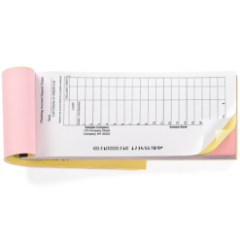
Two-part slips create a carbonless copy automatically as you write. The bank keeps the original. You keep the duplicate. No separate transcription, no manual entry later. The copy is an exact record of what the teller received.

For businesses that process regular deposits and want a paper audit trail without extra steps, the 2-part format is the most cost-effective balance. The cost increase over 1-part is small. The record-keeping benefit is significant. Most businesses processing more than a few deposits per week find this the easiest format to work with. Browse manual deposit slips in both 1-part and 2-part formats.

Manual 3 on Page Accounts Payable


3-Part Triplicate Deposit Slips

Three copies from a single writing. The bank keeps the original. Two copies remain with you. This format is most useful when deposit records need to reach multiple people or departments: a bookkeeper, a property manager, a branch administrator, and a central accounting office all needing separate records from one transaction. At a higher per-slip cost than 1-part or 2-part, triplicates are worth the premium only when the routing of multiple copies genuinely serves your workflow.


Book-Bound vs Loose Deposit Slips: Which Costs Less

The same deposit slip formats come in two physical configurations: book-bound (padded) and loose sheets. The configuration affects both cost and usability.


Book-Bound (Padded) Deposit Slips

Slips bound together in a pad with a stiff cardboard backer. You tear one off for each deposit. The remaining slips stay flat, organized, and protected. The binding adds a small production cost compared to loose slips, but for hand-filled deposits, the pad format is far more practical. Nothing gets crumpled in a bag or scattered in a drawer.


Loose Deposit Slips

Individual sheets in bulk, sold unbound. Slightly cheaper per slip than book-bound because there is no binding process. Better for offices that print deposit information from accounting software rather than handwriting each slip. QuickBooks deposit slips, which print variable transaction data from QuickBooks, always use the loose format because they feed through a printer tray rather than being handwritten and torn from a pad.

For businesses doing hand-filled deposits: choose book-bound. For businesses printing deposits from software: choose loose. The cost difference is modest. The practical difference in daily use is significant.


How Bulk Ordering Reduces the Cost of Business Deposit Slips

The per-slip cost of cheap business deposit slips drops as order quantity increases. This is one of the most reliable ways to reduce deposit slip costs for a business with predictable deposit volume.


How Bulk Discounts Work

Direct manufacturers apply volume pricing tiers. The per-slip cost at the lowest quantity is higher than at mid-range or high quantities. A business that deposits twice per week uses roughly 100 slips per year on 1-part slips. At that volume, ordering an annual supply in one batch rather than three or four small orders typically reduces the total cost meaningfully.


When to Order in Bulk

  • Consistent deposit frequency: If your deposit volume is predictable month over month, you can estimate annual usage and order accordingly.
  • No expiration on deposit slips: Pre-printed deposit slips do not expire as long as your account number and routing number remain unchanged. Ordering a 12-month supply at once and storing them properly costs less per slip than quarterly reorders.
  • Same-format deposits: If all your deposits use the same slip format (all 2-part, for example), bulk ordering one format is practical. Mixing formats in small quantities is less efficient.


Why Cheap Must Still Mean ABA-Compliant

The most important distinction between genuinely cheap business deposit slips and problematically cheap ones is ABA compliance. Every business deposit slip, regardless of price, must be formatted for automated bank scanning under the Check 21 Act to process without delays.


What ABA Compliance Means for Deposit Slips

ABA-compliant deposit slips have your routing number and account number pre-printed in the correct field positions for optical scanning at the bank. When a teller or automated processor scans the slip, the account information reads correctly without manual lookup or reentry. A slip that is not formatted correctly slows processing, may require manual intervention, and can create errors in how the deposit posts to your account.


What to Confirm Before Ordering

  • The manufacturer formats every slip for automated bank scanning
  • Your routing number is verified against current ABA records before printing
  • The slip is accepted at all major US banks
  • The pre-printed account information matches your current account exactly

At Checkomatic, every deposit slip is formatted for automated bank scanning and accepted at all major US banks. Your routing number is verified before production begins. Cheap pricing does not mean skipping the formatting steps that make a deposit slip work correctly.


Cheap QuickBooks-Compatible Deposit Slips

Businesses using QuickBooks for bookkeeping have a specific deposit slip need: slips that QuickBooks fills in from transaction records, the same way QuickBooks prints a check. These are not hand-filled slips. They are laser-printed from accounting software and must be formatted to match the QuickBooks deposit slip print template.


How QuickBooks Deposit Slips Work

You record deposits in QuickBooks, then print the corresponding deposit slip from QuickBooks directly onto the pre-printed slip stock. QuickBooks adds the amounts, check numbers, and date. Your business name, account number, and routing number are already on the slip from the manufacturer. The result is a fully completed deposit slip generated by your accounting software without manual entry.


Why Ordering Through Your Software Provider Costs More

QuickBooks and similar platforms offer deposit slip ordering directly through their interfaces for convenience. This convenience comes at a cost: the order passes through the software company's supply partner, which applies its own markup before fulfillment. Ordering QuickBooks-compatible deposit slips directly from Checkomatic eliminates that layer entirely and produces the same ABA-compliant, software-formatted slip at a lower price.

Browse QuickBooks deposit slips at Checkomatic for the full range of compatible formats. For businesses that want to bundle cheap deposit slips with matching checks and envelopes in a single order, see the business check starter packs.

Wallet/Personal Quickbooks Checks


What to Avoid When Buying Cheap Business Deposit Slips

Not all inexpensive deposit slips deliver the savings they promise. A deposit slip that causes processing delays at the bank, is rejected for incorrect formatting, or arrives with errors in the pre-printed account information costs far more to fix than the money saved on the original order.


Generic Blank Deposit Slips Without Pre-Printing

Generic blank deposit slips require you to handwrite your account number, routing number, and business name on every single slip. This eliminates the entire time-saving purpose of pre-printed slips and introduces handwriting errors that can misdirect deposits. Pre-printed slips cost slightly more but save far more in time and error risk.


Deposit Slips Without ABA Formatting

A deposit slip printed on generic paper without ABA-compliant field positioning may look correct but fail automated processing at the bank. Banks increasingly rely on optical scanning for deposit processing. A slip that requires manual intervention ties up teller time and sometimes results in holds or errors. Confirm ABA compliance before ordering from any supplier.


Incorrect Account or Routing Information

Always verify your account number and routing number before finalizing any deposit slip order. A transposed digit in either field means every slip in your order deposits to the wrong account or fails to process. A reputable manufacturer will give you an opportunity to review the pre-printed information before production. Verify it carefully.


Ordering More Than One to Two Years of Supply

Banking details change: account numbers when you change banks, routing numbers when banks merge, business names when companies rebrand. Ordering more than 12 to 24 months of deposit slips at once creates the risk that a banking change renders a portion of the supply unusable before it is needed.


What Customers Say About Checkomatic Deposit Slips and Business Supplies

All reviews below are published on checkomatic.com and reproduced verbatim. Source: checkomatic.com/quickbooks-starter-pack-product, 4.5 stars from 166 verified reviews.

"I got 500 checks for less than half of what the bank wanted for 200!"

VVA Voucher Checks (Vietnam Veterans of America) | ★★★★★ 5/5 | July 6, 2024 | Source: checkomatic.com/quickbooks-starter-pack-product

"Been with them for 15 years. Always reliable, always good quality, good service. What more can you ask for?"

ATV Inc. | ★★★★★ 5/5 | April 5, 2024 | Source: checkomatic.com/quickbooks-starter-pack-product

"We use CheckoMatic for all of our check needs! They have great prices and we receive our products in a timely manner!"

CG's Tax Service | ★★★★★ 5/5 | September 18, 2024 | Source: checkomatic.com/quickbooks-starter-pack-product

"ASJ Wilson Construction has been a client of checkomatic for some years now and they've never disappointed this company. Thank you checkomatic for all that you do."

ASJ Wilson Construction | ★★★★★ 5/5 | June 6, 2024 | Source: checkomatic.com/quickbooks-starter-pack-product

"First time ordering and I am super impressed with the quality of the checks. No issues with delivery. I will be ordering again!"

TClinton | ★★★★★ 5/5 | April 9, 2025 | Source: checkomatic.com/quickbooks-starter-pack-product

"Affordable and efficient. My go-to business check printer."

Doe | ★★★★★ 5/5 | January 24, 2025 | Source: checkomatic.com/quickbooks-starter-pack-product


Why Choose Checkomatic for Cheap Business Deposit Slips

In-House Manufacturing Since 1997

Checkomatic manufactures all deposit slips at its own facility in Monroe, NY. No third-party print vendors. No bank markup. Direct manufacturing keeps prices low while maintaining consistent quality and formatting standards on every order.


ABA-Compliant on Every Order

Every deposit slip is formatted for automated bank scanning and accepted at all major US banks. Your routing number is verified before production begins. You get cheap business deposit slips that actually work at the bank without delays or manual processing.


Three Formats, Two Configurations

1-part, 2-part, and 3-part formats available in both book-bound and loose configurations. Whether you hand-fill deposits or print them from QuickBooks, the right format is available at the right price point. See the full range at business deposit slips.


Volume Discounts on Every Order

Per-slip cost drops as quantity increases. Businesses ordering a full-year supply benefit from the lowest available per-slip pricing. Rush delivery is available for urgent restocks when a deposit deadline is close. See shipping and handling for options.


Bundle With Business Checks for Maximum Savings

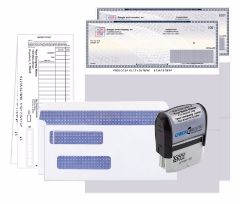
Ordering deposit slips alongside matching business checks in a single order is the most cost-efficient approach for businesses that use both. The business check starter packs bundle checks, deposit slips, envelopes, and an endorsement stamp in one order at a packaged price. For a full guide on finding the best value when ordering business banking supplies, see what is the best place to order checks online.
 

Aug 03, 2026

How to Record a Bounced Check in QuickBooks: Step-by-Step Guide

Knowing how to record a bounced check in QuickBooks starts with understanding what the correct entries are supposed to accomplish. Before recording a bounced check in QuickBooks, it helps to understand what the correct entries are supposed to accomplish. A bounced check from a customer creates a specific accounting problem: your bank account was credited when you deposited the check, but the money was taken back when the bank returned it. Your books show money you do not actually have.

Correctly recording a bounced check in QuickBooks does four things:

  • Reduces your bank balance by the amount of the returned check, matching what your bank statement shows
  • Increases Accounts Receivable by the same amount, because the customer still owes you
  • Reopens the original invoice, changing its status from Closed to Open so the customer's outstanding balance is accurate
  • Preserves the audit trail , the original payment transaction stays in your records, which is important for reconciliation and tax purposes

There are two approaches in QuickBooks Online for recording a customer's bounced check: the expense method and the journal entry method. Both reach the same result. The expense method is simpler and is recommended for most businesses.

QuickBooks Starter Pack


QuickBooks Online: Expense Method (Recommended)

Step 1: Record the Expense for the Bounced Amount

  1. Go to + New and select Expense under Vendors.
  2. In the Payee field, select the customer whose check bounced. (Yes, you are creating a vendor expense with a customer as the payee , this is correct.)
  3. In the Payment Account field, select the bank account where you originally deposited the check.
  4. Set the Payment Date to the date the bank returned the check (shown on your bank statement).
  5. In the Ref No. field, type NSF or the bounced check number for reference.
  6. In the Category details section (not Item details), select Accounts Receivable (A/R) from the Category dropdown.
  7. Enter the full amount of the bounced check in the Amount field.
  8. In the Customer column on that same row, select the customer who gave you the bounced check.
  9. Click Save and Close.

This expense reduces your bank balance and increases accounts receivable bounced check entries, which is the correct accounting effect of a returned check.


Step 2: Reopen the Original Invoice

  1. Go to All apps, then Customer Hub, then Customers.
  2. Find and click the name of the customer whose check bounced.
  3. In the transaction list, find the original payment transaction (not the invoice). Click it to open.
  4. You will see the original invoice checked in the Outstanding Transactions section.
  5. Uncheck the box next to the original invoice.
  6. Check the box next to the expense you just created in Step 1.
  7. Click Save and Close.
  8. When QuickBooks asks if you want to proceed because the transaction is linked to others, click Yes.

The original invoice status now shows as Open or Overdue, meaning the customer owes you the full original amount again.


QuickBooks Online: Journal Entry Method

Use the journal entry method when your accountant specifically recommends it, when the original payment was not linked to an invoice, or when the Accounts Receivable subledger requires precise manual control. The steps are more involved than the expense method but achieve the same accounting result.

Blue


Step 1: Create the Journal Entry

  1. Go to + New and select Journal Entry under Other.
  2. Set the Journal Date to the date the check bounced.
  3. On the first line, select Accounts Receivable from the Account dropdown. Enter the bounced check amount in the Debits column. Select the customer in the Name column. Add a memo such as NSF check #[number] from [customer name].
  4. On the second line, select your bank account from the Account dropdown. The matching credit amount should populate automatically in the Credits column.
  5. Click Save and Close.


Step 2: Relink the Payment to the Journal Entry

  1. Go to Customers and open the customer's transaction list.
  2. Find and open the original payment transaction.
  3. Uncheck the original invoice. Check the journal entry you just created.
  4. Click Save and Close and confirm when prompted.

The invoice is now reopened and linked to the journal entry. The journal entry links to the original payment, creating a clean audit trail.


How to Record the NSF Bank Fee in QuickBooks

Your bank charges an NSF fee recording entry when a deposited check bounces. This fee appears on your bank statement as a debit and must be recorded separately from the bounced check entry.

  1. Go to + New and select Expense under Vendors.
  2. In the Payee field, select your bank (or create it as a new vendor if it is not already in your list).
  3. In the Payment Account field, select the bank account that was charged.
  4. Set the Payment Date to the date the fee appeared on your bank statement.
  5. In the Ref No. field, type NSF fee.
  6. In the Category details section, select Bank Charges (or Bank Service Charges) from the Category dropdown.
  7. Enter the fee amount your bank charged.
  8. Add a memo: NSF fee for returned check from [customer name], check #[number].
  9. Click Save and Close.


How to Charge the Customer for the Bounced Check Fee

You are not required to absorb the cost of a customer's bounced check. Most businesses charge the customer the same amount or slightly more than what the bank charged them. State law caps the maximum returned check fee a business can charge , typically $20 to $40 depending on your state.


Step 1: Create a Service Item for Returned Check Fees

  1. Go to All apps, then Sales and Get Paid, then Products and Services.
  2. Click New and select Service.
  3. Name the item Returned Check Fee or NSF Fee.
  4. Check the I sell this product/service box.
  5. Select an appropriate income account (such as Other Income or Bank Charges Recovered).
  6. Click Save and Close.


Step 2: Invoice the Customer for the Returned Check Fee

  1. Go to + New and select Invoice under Customers.
  2. Select the customer whose check bounced.
  3. Set the Invoice Date to the date the check was returned.
  4. In the Product/Service column, select the Returned Check Fee item you just created.
  5. Enter the amount you want to charge the customer.
  6. Add a memo: Returned check fee for check #[number] dated [date].
  7. Click Save and Send to email the invoice to the customer.

After this step, the customer has two open invoices: the original invoice that was reopened and the new invoice for the returned check fee.


How to Send a Customer Statement After a Bounced Check

Once the original invoice is reopened and the NSF fee invoice is created, send the customer a statement showing both outstanding amounts. A statement is more effective than sending two separate invoices because it shows the customer their complete balance in one document.

  1. Go to Customers and select the customer.
  2. Click New Transaction and select Statement.
  3. Choose Balance Forward as the statement type to show all open balances.
  4. Set the statement date to today and a start date that covers both open invoices.
  5. Click Save and Send to email the statement.

The statement shows the customer that they owe the original invoice amount plus the returned check fee. Include a brief note in the email body referencing the bounced check and requesting prompt payment.


How to Reconcile a Bounced Check in QuickBooks

Reconciling a bounced check in QuickBooks can confuse people because the bank statement shows it as two entries: the original deposit (positive) and the NSF return deduction (negative). Your QuickBooks bank register should also show two entries: the original deposit and the NSF expense you created.


What to Match During Reconciliation

  • Original deposit: The deposit transaction in QuickBooks should match the original deposit line on your bank statement. Check it off in the reconciliation screen.
  • NSF return: The expense you created to record the bounced check (Step 1 of the expense method) should match the NSF return deduction on your bank statement. Check it off.
  • NSF bank fee: The expense you created for the bank fee should match the fee entry on your bank statement. Check it off.

When all three are checked, they account for the complete bounced check event on your bank statement. The net result in your cleared items is zero gain from the bounced check (deposit offset by return) plus the expense of the bank fee. This is the correct reconciliation outcome.

For a complete guide to bank reconciliation in QuickBooks, see our checkbook management and reconciliation guide.

Blue


QuickBooks Desktop: How to Record a Bounced Check

QuickBooks Desktop bounced check recording uses a built-in Record Bounced Check feature that automates most of the steps required in QuickBooks Online. This feature is available in QuickBooks Desktop Pro, Premier, Enterprise, and Accountant editions.


Prerequisites for the Record Bounced Check Feature

  • You must be in single-user mode
  • The payment method must be set to Check (not ACH or credit card)
  • The check must have been deposited to the bank account (not sitting in undeposited funds (Undeposited Funds account))


Steps to Record a Bounced Check in QuickBooks Desktop

  1. Go to the Customers menu and select Receive Payments.
  2. Find and open the payment transaction for the check that bounced.
  3. Click the Record Bounced Check button in the toolbar at the top of the Receive Payments window.
  4. In the Manage Bounced Check window, enter the Bank Fee amount and the fee date.
  5. Select the expense account for the bank fee (Bank Service Charges is standard).
  6. Optionally, enter the Customer Fee , the amount you want to charge the customer for the bounced check.
  7. Click Next to preview the transactions that QuickBooks will create.
  8. Click Finish.

QuickBooks Desktop automatically creates all necessary entries: it reverses the original payment, marks the invoice as unpaid, creates a bank service charge expense for the NSF fee, and creates a new customer invoice for any fee you chose to charge. No manual relinking is required.


If the Record Bounced Check Button Is Not Available

The button is greyed out or missing when the payment method is not set to Check. Open the payment, change the method to Check, and try again. If the check is still in Undeposited Funds rather than deposited to a bank account, you will need to complete the deposit first before the feature becomes available.


Recording a Check You Wrote That Bounced

The steps above for how to record a bounced check in QuickBooks cover a customer giving you a bad check. A different situation is when a check you wrote to a vendor or employee is returned because your own account had insufficient funds. This is a different accounting problem with different entries.


What Happens When Your Own Check Bounces

When a check you wrote bounces, your bank charges you an NSF fee. The vendor or employee who tried to cash the check does not receive payment. The bill or payroll entry in your books still shows as paid even though it is not. You need to:

  1. Record the NSF fee your bank charged you as an expense (Bank Charges category)
  2. Reopen the bill or payroll entry that the check was applied to
  3. Reissue payment to the vendor or employee using a new check number


How to Reopen a Bill After Your Own Check Bounces in QuickBooks Online

  1. Go to Expenses, then Vendors, and open the vendor's transaction list.
  2. Find the bill payment check that bounced and open it.
  3. Note the bill it was applied to, then delete or void the bill payment check. (In this case, voiding or deleting the bill payment is appropriate because the payment never actually cleared the bank.)
  4. The bill returns to an unpaid status automatically.
  5. Record the NSF fee as a separate expense with Bank Charges as the category.
  6. Issue a new bill payment with a fresh check number once your account has sufficient funds.

For more on voiding checks in QuickBooks Online, see our complete guide at how to void a check in QuickBooks Online.


How to Reissue Payment After a Bounced Check

After completing how to record a bounced check in QuickBooks and resolving the accounting entries, you may need to reissue payment to the vendor or employee whose check bounced. When reissuing, follow these rules:

  • Always use a new check number. Never reuse the number from the bounced check. Reusing numbers creates confusion in your check register and breaks bank reconciliation best practices. Record the new check number in QuickBooks when creating the replacement payment.
  • Reference the original in the memo. Add a note such as Replaces bounced check #[original number] dated [date]. This creates a clear link in your records between the bounced check and its replacement.
  • Confirm your account balance before writing the replacement. A replacement check written before your account has sufficient funds will bounce again, doubling the fees and the problem.
  • Use quality MICR check stock. Some checks bounce not because of insufficient funds but because of MICR encoding errors in the check stock. A routing number printed in non-certified toner, or an incorrect routing number, causes bank reader-sorter machines to reject the check even when your account balance is sufficient. Using check stock from a manufacturer that pre-verifies routing numbers eliminates this cause of return entirely.

For QuickBooks-compatible check stock with MICR pre-verified against the Federal Reserve E-Payments Routing Directory, see QuickBooks checks at Checkomatic. For the full business check range, see business checks.

For more on how MICR encoding works and why it matters for bank clearing, see our ABA routing numbers guide.


What Customers Say About Checkomatic Business Checks

All reviews below are published on checkomatic.com and reproduced verbatim. Source: checkomatic.com/quickbooks-starter-pack-product, 4.5 stars from 166 verified reviews.

"First time ordering and I am super impressed with the quality of the checks. No issues with delivery. I will be ordering again!"

TClinton | ★★★★★ 5/5 | April 9, 2025 | Source: checkomatic.com/quickbooks-starter-pack-product

"Affordable and efficient. My go-to business check printer."

Doe | ★★★★★ 5/5 | January 24, 2025 | Source: checkomatic.com/quickbooks-starter-pack-product

"We use CheckoMatic for all of our check needs! They have great prices and we receive our products in a timely manner!"

CG's Tax Service | ★★★★★ 5/5 | September 18, 2024 | Source: checkomatic.com/quickbooks-starter-pack-product

"I got 500 checks for less than half of what the bank wanted for 200!"

VVA Voucher Checks (Vietnam Veterans of America) | ★★★★★ 5/5 | July 6, 2024 | Source: checkomatic.com/quickbooks-starter-pack-product

"ASJ Wilson Construction has been a client of checkomatic for some years now and they've never disappointed this company. Thank you checkomatic for all that you do."

ASJ Wilson Construction | ★★★★★ 5/5 | June 6, 2024 | Source: checkomatic.com/quickbooks-starter-pack-product

"Been with them for 15 years. Always reliable, always good quality, good service. What more can you ask for?"

ATV Inc. | ★★★★★ 5/5 | April 5, 2024 | Source: checkomatic.com/quickbooks-starter-pack-product


Why Choose Checkomatic for Replacement Check Stock

MICR Pre-Verified , Eliminates Encoding Errors

Every routing number on every check order is verified against the Federal Reserve E-Payments Routing Directory before printing begins. This prevents the MICR encoding errors that cause checks to bounce even when your account balance is sufficient. Bank rejection rate for MICR-related issues at Checkomatic is under 0.1 percent across all orders.


QuickBooks-Compatible in All Three Formats

Voucher (check on top), standard 3-on-page, and wallet formats , all pre-calibrated to match QuickBooks Online and Desktop print templates. Order the right format and the replacement check prints correctly on the first attempt.


In-House Manufacturing Since 1997

All check stock is manufactured at Checkomatic's own facility in Monroe, NY. No third-party print vendors. Standard turnaround is 3 to 5 business days. Rush and overnight options are available when the replacement check is urgent.


Six Security Features at Base Price

Chemically sensitive paper, microprinting, void pantograph, UV fluorescent fibers, heat-sensitive ink, and pre-encoded MICR are all included at the base price on every order. No security upgrade needed.


50 to 70 Percent Below Bank Pricing

Direct in-house manufacturing eliminates the bank's markup. Free black-and-white logo printing on every order. Volume discounts reduce the per-check cost as quantity increases. Browse the full range at business checks.


Aug 03, 2026

Endorsements and Stamps on Checks: Complete Guide

Check Endorsement Definition

Check endorsement definition: a check endorsement is a signature or written instruction placed on the back of a check by the payee (the person the check is written to) to authorize the bank to process, deposit, or cash it. Without a valid endorsement, a bank generally will not process a check because it cannot verify that the intended recipient has authorized the transaction.

The word "endorsement" comes from the French "en dos," meaning "on the back." In US banking and under the Uniform Commercial Code, an endorsement is technically spelled "indorsement" in the legal text, though both spellings are used interchangeably in practice. The UCC governs all four types of check endorsements across Article 3 (Negotiable Instruments).

Endorsing a check transfers your rights to the funds it represents. The type of endorsement you choose determines who else can access those funds, under what conditions, and what legal obligations you carry after signing. Choosing the wrong endorsement type , or signing too early , can expose you to fraud, missed deposits, or personal liability.


The Four Types of Check Endorsements

The UCC recognizes four types of check endorsements, each governed by a specific UCC section and serving a different legal and practical purpose. Most people only encounter blank and restrictive endorsements in everyday life. Special endorsements come up when signing a check over to another person. Qualified endorsements are used primarily by attorneys, executors, and agents processing checks in a fiduciary capacity.


Blank Endorsement Check

Blank endorsement check definition: a blank endorsement is the simplest form of endorsement. The payee signs only their name on the back of the check in the endorsement area, with no additional instructions. This is governed by UCC 3-204 endorsement (UCC Section 3-204).

A blank endorsement converts the check into a bearer instrument, meaning any person physically holding the check can attempt to cash or deposit it. This is why it is called "blank" , the endorsement is open, not directed to any specific account, institution, or condition.

The blank endorsement check risk is real. Once you have signed the back with a blank endorsement, if the check is lost or stolen before you reach the bank, another person can present it for payment. Tellers at a bank branch may ask for identification and notice if the face of the check shows a different name, but automated ATM and mobile deposit processing has fewer such checks in place.

Wells Fargo's guide and LegalClarity's UCC analysis both note that experienced bank staff advise customers not to sign a check until they are standing at the counter or actively initiating the mobile deposit in their app. This advice is specifically intended to limit the window during which a blank endorsement exists on an unsigned check in transit.

For most everyday personal deposits made in person at a teller, blank endorsement works without issue because the teller verifies the account and the check face simultaneously. For ATM and mobile deposits, a restrictive endorsement is a meaningfully safer choice.


Special Endorsement Check

Special endorsement check definition: a special endorsement transfers ownership of the check to a named third party. The payee writes "Pay to the order of [new payee name]" on the back of the check and signs below. This is governed by UCC 3-205 special endorsement (UCC Section 3-205).

The result of a special endorsement is a third-party check , a check that was originally written to one person and then signed over to another. The new payee named in the special endorsement can then endorse the check in turn and deposit or cash it.

The special endorsement third party check bank policy is the key practical constraint: not all banks accept third-party checks. Many major banks have policies against accepting checks where the payee on the face does not match the depositor. Armed Forces Bank confirms the third party check endorsement bank policy: "Not all banks allow third-party endorsements. Some may require the presence of both parties with identification." Even banks that do accept them may require that both the original payee and the new payee be physically present at the branch to verify the transfer.

Before using a special endorsement to sign a check over to someone else, verify with the receiving bank that they will accept it. Third-party checks are also more susceptible to fraud (two sets of signatures to potentially forge) and receive additional scrutiny at teller windows.


Restrictive Endorsement Check

Restrictive endorsement check definition: a restrictive endorsement limits how the check can be used by adding a condition above or alongside the signature. The most common restrictive endorsement is "For deposit only" or "For deposit only to account [number]." This is governed by UCC 3-206 restrictive endorsement (UCC Section 3-206).

The restrictive endorsement check anti-fraud benefit is its most important feature. Once a check is endorsed with "For deposit only to account [number]," the bank is instructed to deposit the funds into that specific account only. A thief who steals a check with this restrictive endorsement already applied cannot cash it at a check-cashing store, cannot deposit it into a different account, and cannot use a special endorsement to transfer it elsewhere.

Huntington Bank's guide puts this clearly: "This method specifically instructs the bank that the check should be deposited into the account identified in the endorsement." LegalClarity's analysis adds the legal dimension: "If someone else tries to use the check, the bank should only deposit it into the account you listed."

There is one privacy tradeoff: when you include your account number in a restrictive endorsement, that number is visible to anyone who handles the check. Huntington Bank notes: "The check writer may see a copy of the check through their bank. They typically get to see the front and back of the check." If you are writing "For deposit only" to a check written by someone you do not want knowing your account number, omitting the account number (writing only "For deposit only" followed by your signature) is still an effective restrictive endorsement that most banks honor, but it is slightly less specific than including the full account number.

The restrictive endorsement is the most appropriate default endorsement for any check you are not depositing in person at a teller window immediately. It is also the required or strongly recommended endorsement for mobile deposits. For a complete guide to how checks are processed after endorsement, see our check diagram and layouts guide.


Qualified Endorsement Check

Qualified endorsement check definition: a qualified endorsement removes the endorser's secondary liability by adding the phrase "without recourse" or "sans recours" above their signature. This is governed by UCC Sections 3-415 and 3-416.

To understand qualified endorsements, it helps to understand secondary liability. When a person endorses a check (any endorsement type), they become a secondary obligor under the UCC. This means that if the check bounces (the issuer's bank returns it for insufficient funds), the endorser can potentially be held liable by the party they endorsed the check to.

The qualified endorsement UCC 3-415 language says effectively: "I am passing this check along, but I am not guaranteeing that the funds will be there. If this check bounces, I accept no responsibility." The qualified endorsement check without recourse language removes secondary liability.

LegalClarity's endorsement guide explains the most common use case: "This endorsement shows up most often when attorneys, executors, or agents are handling checks in an official capacity. An attorney distributing a settlement check, for instance, has no reason to personally guarantee the issuer's bank account." The qualified endorsement makes clear that the signer is passing the instrument in a representative capacity without vouching for the issuer's ability to pay.

For ordinary personal or business check deposits, qualified endorsements are not appropriate. Banks will accept them, but the typical account holder depositing a payroll check or rent payment has no reason to disclaim secondary liability. The qualified endorsement is a specialized tool for fiduciary and professional contexts.


Mobile Deposit Endorsement

Mobile deposit endorsement requirements differ from in-person deposit endorsements, and getting them wrong is one of the most common reasons a mobile check deposit is rejected. A 2024 American Bankers Association survey found that endorsement errors are among the top reasons for mobile deposit rejection, with missing or incorrect mobile deposit wording being the most common error.

The standard mobile deposit endorsement requires two elements written in the endorsement zone on the back of the check:

  1. Your signature (the payee's name as it appears on the front of the check)
  2. The phrase "For mobile deposit only at [your bank name]" written directly below your signature

Wells Fargo's guide confirms: "For mobile deposit only at [your bank]" written beneath your signature is the correct form. Some banks require the specific bank name in the phrase; others accept "For mobile deposit only" without the bank name. Check your bank's mobile app for their specific wording requirement before signing.

Many checks now have a pre-printed checkbox on the back labeled "Mobile Deposit." RSNB Bank's guidance explicitly states: "The mobile deposit check box and space for the date is for your record keeping and unfortunately does not meet the requirement for mobile deposits." The handwritten phrase is required. Checking a box does not satisfy the Regulation CC endorsement requirement regardless of what the check design implies.


How Mobile Endorsement Prevents Double Deposit Fraud

The for mobile deposit only Regulation CC requirement is not administrative overhead , it is the specific legal mechanism that prevents double deposit fraud and defines bank liability when it occurs.

Double deposit fraud mobile check: someone photographs a check through their bank's mobile app to deposit it remotely, then physically presents the same paper check at a second bank or check-cashing store to cash it again. Without the mobile endorsement, the second bank has no notice that the check was already deposited remotely, and may pay out on it. The original depositor receives a duplicate credit; the issuer is debited twice; the second bank is the victim of a fraud it cannot easily detect.

Regulation CC mobile endorsement requirement (Section 229.34(f)) addresses this directly. When a bank receives a remotely deposited check (via mobile app or remote deposit scanner), it generally indemnifies any second depositary bank that later accepts the original paper check , unless the original paper check carries a restrictive endorsement consistent with the means of deposit, such as "For mobile deposit only at [bank name]." The ABA Banking Journal confirms: "The bank accepting the paper check is not protected if the original paper check has a restrictive endorsement consistent with the means of deposit."

In plain terms: if your mobile-deposited check has the "For mobile deposit only" endorsement and someone tries to cash the physical check elsewhere, the second bank has no indemnity claim against your bank. Your bank is protected. Without the endorsement, your bank may be liable and could claw back the deposit from your account while the dispute is investigated.

This is why banking apps increasingly auto-reject mobile deposit images where the endorsement is missing or incomplete. The 2024 ABA survey finding that endorsement errors are a top rejection reason reflects how seriously banks now enforce this requirement through automated image analysis.


Where to Endorse a Check: The 1.5-Inch Zone

The endorsement area check 1.5 inch zone is the endorsement zone check: the designated space on the back of a check where all payee endorsements should appear. Looking at the back of a check held face down, the endorsement zone is at the left end (the trailing edge in standard check processing orientation), within the first 1.5 inches from that edge. Most checks print "Endorse Here" within a bordered box in this zone, followed by "Do not write, stamp, or sign below this line."

The ABA endorsement standard and Regulation CC define check endorsement placement rules. When Regulation CC was introduced, the Federal Reserve initially required payee endorsements to appear only within the 1.5-inch trailing-edge zone. The rule was later softened to state that this zone is "commonly used" for payee endorsements rather than entirely required. However, many banks still train tellers and configure scanning equipment to expect endorsements in this zone, and writing outside it can trigger delays or scanning failures in automated processing.

The reason the 1.5-inch zone is specifically reserved for payee endorsements is that the adjacent zone (1.5 to 3.0 inches from the trailing edge) is reserved for the depositary bank's own endorsement, which includes the bank's routing number, endorsement date, and bank identification. When payee endorsements spill into the bank's zone, they interfere with the bank's automated endorsement printing and can create processing errors downstream in the clearing system.

GOBankingRates' mobile deposit guide reinforces: "Look for the endorsement box. It's usually in the top 1.5 inches of the back. Stay within the lines: writing outside can interfere with mobile scanning." For mobile deposits, this constraint is particularly important because the bank's app photographs the back of the check and uses image analysis to verify the endorsement location and content. A signature drifting below the endorsement zone may be treated as no endorsement at all by the automated system.


Check Endorsement Ink Color Rules

The check endorsement ink color rules are less strict for payees than for banks, but best practices still apply. LegalClarity's endorsement guide recommends using "permanent blue or black ink" for all check endorsements. This matches the general standard for all check writing: blue or black ink is universally accepted, dries permanently, and photographs clearly for digital processing.

For depositary bank endorsements (the bank's own stamp on the back), Regulation CC specifies that the Federal Reserve encourages purple ink for depositary bank endorsements as a distinguishing marker, though it is not required. Black ink may also be used by the depositary bank. Purple ink cannot be used for subsequent endorsements (banks further down the clearing chain must use black).

For individual payees and businesses, the practical standard is: use blue or black permanent ink. Do not use red ink (can interfere with optical scanning), pencil (erasable and not permanent), or felt-tip markers that bleed through the paper and obscure the check face.


When to Sign a Check Before Depositing

The consistent advice from bank guides across Wells Fargo, Huntington, LegalClarity, and Armed Forces Bank covers where to sign check back: sign check before or after depositing, as late as possible before depositing. The reason is clear: a signed check is a live negotiable instrument. Once a blank endorsement exists on the back, the check can potentially be cashed or deposited by whoever holds it.

Practical guidance by deposit method:

  • Teller deposit (in person): Sign while standing at the counter, just before handing the check to the teller. This eliminates the window in which the endorsed check could be lost or stolen.


  • ATM deposit: Sign immediately before inserting the check. Use a restrictive "For deposit only" endorsement if the ATM accepts it.


  • Mobile deposit: Open the banking app, select mobile deposit, then sign the check with "For mobile deposit only at [bank]" immediately before photographing it. Deposit the same day.


  • Mailing a check to the bank: Use a restrictive endorsement ("For deposit only to account [number]") before mailing. Never mail a blank-endorsed check.


Huntington Bank adds an important follow-up step for mobile deposits: "Deposit it right away. This is important to keep in mind because if you lose the check after you endorse it, someone can steal the check and alter the endorsement." After mobile deposit, mark the paper check "DEPOSITED" and retain it for at least 14 days, then destroy it securely.


Third-Party Check Endorsement Rules

A third-party check is one where the original payee uses a special endorsement to sign the check over to a new payee. The bank's acceptance of this depends heavily on their internal policy.

Most major banks have become increasingly reluctant to accept third-party checks, particularly for amounts over a few hundred dollars, because they carry elevated fraud risk. The original payee may have already cashed the check elsewhere and is now attempting to pass it to a second party. Verifying that the chain of endorsements is valid requires manual review that automated teller processes cannot perform.

Intuit's endorsement guide notes: "When Jane Doe attempts to cash the check, the bank will likely require that you're present for the transaction to confirm the validity of your special endorsement." In practice, this means both the original payee and the new payee may need to appear at the branch together with identification, making the transaction operationally cumbersome.

For businesses receiving checks, the third-party check problem is clear: do not accept checks endorsed to your business by a third party that you do not know. The risk of the original check being fraudulent, stopped, or already deposited is significant. Accept only checks written directly to your business name.


Business Check Endorsement Stamps

Business check endorsement stamps are for deposit only stamps: self-inking rubber stamps that apply a pre-formatted restrictive endorsement to the back of a check in a single press. They are the standard tool for businesses that receive and deposit checks in volume, replacing handwriting that is slow, inconsistent, and prone to missing required fields.

The business check endorsement stamp value is most apparent at scale. A business receiving 50 checks per week would otherwise need to manually write the endorsement on each check. A self-inking stamp applies the full restrictive endorsement in under a second per check, consistently positioned within the endorsement zone, with legible text every time. The Intuit endorsement guide confirms: "Endorsement stamps are faster and more convenient than hand signing a stack of checks. For those who regularly endorse a lot of checks, it may make sense to get a stamp."

Self-inking endorsement stamps are pre-inked and re-ink automatically with each impression. A single self-inking stamp yields thousands of impressions before the ink needs to be refreshed. The stamp face is typically set with the business's account-specific endorsement text at the time of manufacture and does not change.


Endorsement Stamp Wording Format

The check stamp wording for a business endorsement stamp should follow a standardized format that applies a complete restrictive endorsement in a single impression. Intuit's endorsed format recommendation covers the essential elements:

  • Company name
  • "For deposit only"
  • Bank name
  • Account number

A complete example for a business account stamp might read:

ACME HARDWARE LLC
FOR DEPOSIT ONLY
FIRST NATIONAL BANK
ACCT: 0012345678

This format applies a restrictive endorsement check for deposit only on every stamped check, making it impossible for a stolen or misdirected check to be cashed at a counter or deposited into a different account. The account number in the stamp makes the deposit destination unambiguous and accelerates the bank's processing of the batch.


For businesses using mobile remote deposit capture (depositing checks through a scanner or mobile app rather than at a branch), the stamp wording should be adapted to include mobile deposit language:

ACME HARDWARE LLC
FOR MOBILE DEPOSIT ONLY AT [BANK NAME]
ACCT: 0012345678

The ABA Banking Journal's analysis of Regulation CC confirms that remote deposit capture endorsements ("for mobile deposit only to XYZ Bank") provide indemnity protection for the depositing bank. Whether depositing by scanner or phone app, the same restrictive language on the stamp satisfies the Regulation CC requirement for all remote deposit methods, not just consumer mobile deposits.

One practical note: endorsement stamps should be stored securely. A stamp configured with your company's bank account number is a sensitive document. If the stamp is lost or stolen, anyone who finds it could apply your business's endorsement to any check they possess. Treat the stamp like a financial instrument.


Checkomatic Endorsement Stamps and Checks

Checkomatic has manufactured personal and business checks in Monroe, NY since 1997. As an in-house check manufacturer (in-house check manufacturer), Checkomatic offers a complete range of check accessories designed to complement the personal and business checks produced at the Monroe NY facility.


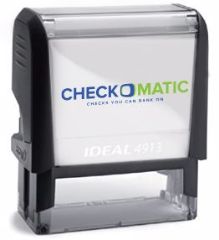
Self-Inking Endorsement Stamp

Checkomatic's self-inking endorsement stamp is configured at the time of manufacture with your specific endorsement text. The stamp applies consistent impressions in the endorsement zone with every press. It is self-inking, meaning no separate ink pad is required, and produces thousands of clear impressions before needing an ink refill pad. The stamp is sized to fit within the standard check endorsement area.


Business Checks That Work With Endorsement Stamps

Checkomatic's full business check range is designed with the endorsement zone standard in mind. The check on top, check in middle, and 3-on-a-page formats all have the standard endorsement zone pre-marked on the back of each check sheet. The manual business checks and personal checkbooks include the endorsement zone marking as well.


Deposit Slips and Check Envelopes

For businesses that deposit checks at a branch, Checkomatic's business deposit slips are printed to match the MICR line encoding on your Checkomatic checks. Check envelopes are available for businesses that mail checks or process check payments by post. For bulk check storage and manual check operations, 7-ring check binders keep manual check sets organized and accessible.

All Checkomatic check orders ship on ABA-compliant (ABA compliant) security paper with six fraud deterrent features. CPSA certified status confirms the security paper meets the Check Payment Systems Association's enhanced security standard. Standard turnaround is 3 to 5 business days from digital proof approval. Free black and white logo printing is included on every business check order. No pre-selected add-ons at checkout. Start at checkomatic.com.

For more on check security features and how they protect the endorsement area from alteration, see our safe and security checks guide. For how to handle an endorsed check that is lost, see our lost checks and replacements guide.


The Short Version on Endorsements and Stamps on Checks

Four types of check endorsements: blank (signature only, most common, least secure), special (Pay to the order of, transfers to a third party), restrictive (For deposit only, most secure for routine deposits), and qualified (without recourse, removes secondary liability for fiduciaries).

Sign within the 1.5-inch endorsement zone on the back. Use blue or black permanent ink. Sign as late as possible before depositing to limit fraud exposure. For mobile deposits, write "For mobile deposit only at [bank name]" to comply with Regulation CC and prevent double-deposit fraud liability. The pre-printed mobile deposit checkbox does not satisfy this requirement.

Businesses that deposit checks in volume use self-inking endorsement stamps configured with company name, "For deposit only," bank name, and account number to apply a consistent restrictive endorsement on every check in a single press.


Frequently Asked Questions


What are the four types of check endorsements?

The four types of check endorsements are blank endorsement check, special endorsement check, restrictive endorsement check, and qualified endorsement check. Blank endorsement (UCC 3-204): the payee signs their name only; most common but least secure since any holder can attempt to cash the check. Special endorsement (UCC 3-205): the payee writes "Pay to the order of [new payee]" and signs, transferring ownership to a third party; not all banks accept third-party checks. Restrictive endorsement check (UCC 3-206): the payee writes "For deposit only" or "For deposit only to account [number]" and signs, limiting the check to deposit into the specified account; most secure for routine use. Qualified endorsement (UCC 3-415 and 3-416): the payee writes "without recourse" above their signature, removing secondary liability; used by attorneys, executors, and agents in a fiduciary capacity.


What is a restrictive endorsement on a check?

A restrictive endorsement check is an endorsement that limits how the check can be used. The most common restrictive endorsement is "For deposit only" or "For deposit only to account [number]," which directs the bank to deposit the check into the named account only and not to cash it or pass it to another party. The restrictive endorsement check anti-fraud benefit: even if a check with this endorsement is stolen after signing, the thief cannot cash it at a teller window or deposit it into a different account. Most banks require a restrictive endorsement for mobile deposits. Regulation CC requires "For mobile deposit only at [bank name]" specifically for remote deposit capture, to prevent double-deposit fraud where the same check is deposited twice at different institutions.


What does "For mobile deposit only" mean on a check endorsement?

The for mobile deposit only Regulation CC endorsement is a restrictive endorsement required or recommended by most banks when depositing a check through a mobile banking app. Writing "For mobile deposit only at [bank name]" below your signature before photographing the check prevents double deposit fraud under Regulation CC Section 229.34(f). Without this endorsement, if the same physical check is later presented at another bank, the second bank may process it and your bank may lose the indemnity protection Regulation CC provides. Most banking apps auto-reject mobile deposits missing this endorsement. The pre-printed mobile deposit checkbox on some checks does not satisfy this requirement; the handwritten phrase is required.


What is a check endorsement stamp and when should a business use one?

A business check endorsement stamp is a self-inking rubber stamp that applies a pre-configured restrictive endorsement to the back of a check in a single press, replacing manual handwriting on each deposited check. The check stamp wording typically includes: company name, "For deposit only," bank name, and account number. A well-formatted endorsement stamp applies a complete restrictive endorsement consistently on every check deposited, preventing any check from being cashed by an unauthorized party. Self-inking endorsement stamps are most valuable for businesses that receive and deposit checks in volume daily. They eliminate handwriting variation, save time, and ensure the restrictive endorsement is correctly positioned within the 1.5-inch endorsement zone on every check.


Where do you endorse a check on the back?

The endorsement area check 1.5 inch zone: endorse within the first 1.5 inches from the trailing edge (left end of the check when held face down), which is the area labeled "Endorse Here" on most checks. Check endorsement placement within this zone matters because the adjacent zone (1.5 to 3.0 inches from the trailing edge) is reserved for the depositary bank's own endorsement under Regulation CC. Writing outside the payee endorsement zone can cause processing delays, scanning errors in automated equipment, or rejection of mobile deposits where the bank's image analysis cannot find the endorsement in the expected location. Use blue or black permanent ink, sign your name as it appears on the front of the check, and add any restrictive endorsement language within the same zone above your signature.


Jul 31, 2026

Bank Checks: Ordering, Usage, and Cost Complete Guide

What Bank Checks Are

Bank check definition: bank checks are personal or business checks ordered through your bank or credit union rather than directly from a check manufacturer. The checks are printed with your bank's routing number and your account number in the MICR line at the bottom , the same information that appears on any other check for your account , and they function identically to checks ordered from any other source.

The term "bank checks" does not refer to cashier's checks or certified checks, which are different instruments guaranteed by the bank itself. Bank checks in the context of this guide are the standard paper checks you write from your personal or business checking account, simply ordered via your bank's ordering system rather than from a check manufacturer directly.

When you order bank checks through your bank's website, mobile app, phone line, or branch, the bank passes your order to a check printing partner such as Deluxe or Harland Clarke. These companies manufacture the checks and ship them directly to your address. The bank acts as an intermediary between you and the printer, and charges a premium for that intermediary role. The checks themselves are produced by the same type of manufacturers that also supply direct-order check companies.

All bank checks must meet the same standards: an ABA compliant bank check meets (ABA-compliant) paper specifications and MICR encoding standards as any other check. The bank check MICR line follows the same ANSI X9 position specifications, uses the same E-13B font, and carries the same routing number and account number that your bank assigned when you opened your account. For a complete explanation of how the MICR line works and what each field contains, see our check diagram and layouts guide.


Four Ways to Order Checks Through Your Bank

Most major US banks offer four ordering methods. The online and mobile app methods are the most common because they are available at any time, pre-populate your account information automatically, and give you immediate access to the full check catalog. Phone and branch ordering are available for customers who prefer those channels or who are placing a first-time order that the bank requires to be verified in person.


Ordering Checks Through Online Banking

Bank check ordering online is the most common method. The process follows this pattern across all major banks, with minor variations in menu names:

  1. Order checks bank website step 1: log in to your bank's online banking website.
  2. Navigate to your checking account.
  3. Look for "Order Checks," "Order Account Supplies," or "Account Services" in the account menu.
  4. Verify the account information that will be pre-printed on your checks (name, address, account number).
  5. Browse available check designs and select a style.
  6. Choose quantity and any add-on features.
  7. Review the order and select a shipping speed.
  8. Confirm and place the order.

Bank of America's ordering process links directly from their mobile banking and website to their check provider portal, where customers can see which check styles qualify for free or discounted pricing under their account type. US Bank routes customers through their Smart Assistant to Deluxe's ordering portal. Wells Fargo's online banking links to an ordering form for personal checks; business accounts call Harland Clarke directly.

The pre-population of account information is the main convenience of ordering through the bank portal. Your routing number and account number are pulled directly from your account record, reducing the risk of transcription errors. This is particularly relevant on a first order where you may not yet have an existing check to copy the MICR line from.


Ordering Checks Through the Bank Mobile App

Order checks bank mobile app is the fastest method for existing customers reordering. Huntington Bank's process is typical: log in, tap the More menu, go to Account Settings, and tap Order Checks. Capital One's mobile app has the check ordering option under "I Want To" in the account view. Bank of America places it under "Order account supplies and accessories" in the checking account screen.

The mobile app method generally produces the same order as the web portal, routing through the same bank-partner printer. Where mobile app ordering has an advantage over web ordering is speed of navigation: most banks have streamlined the app path specifically for repeat check reorders, which require fewer clicks than a first-time order through the website.


Ordering Checks by Phone

Order checks by phone is the legacy method still supported by all major banks. The phone option routes through either the bank's general customer service line or directly to the bank's check printing partner. Wells Fargo directs personal account holders to call 1-800-TO-WELLS; business accounts call Harland Clarke at 1-800-237-8982. US Bank directs customers to call Deluxe at 866-882-3178. Huntington accepts check orders by phone at 800-480-2265.

Phone ordering is useful for customers who need to place a first order on a new account and want to verify the information verbally, customers who are not comfortable with online ordering, and business accounts that have specific MICR encoding requirements or format selections that are easier to discuss with a representative than navigate in a web catalog.


Ordering Checks at a Bank Branch

Bank branch check ordering is the least common method but remains available at every bank with physical locations. Walk in to any branch, speak to a teller or personal banker, and ask to place a check order. The banker will pull up your account, confirm the imprint information, and submit the order to the bank's check partner. The same delivery timeline applies regardless of whether the order is placed online or in branch.

Branch ordering is specifically required at some banks for first-time check orders on new accounts where the bank wants to verify your identity in person before shipping personalized checks with your routing and account number. If you are a new account holder and the bank's website shows an error when you try to order online, visiting a branch to place the initial order and verifying your identity is typically the resolution.


What Bank Checks Actually Cost

The bank check cost per check is the most important data point for anyone deciding whether to order through their bank or from a direct manufacturer. Bankrate research found that standard checking account holders pay approximately 40 to 66 cents per single check when ordering through a bank, and 43 to 75 cents per duplicate check. These prices apply to standard accounts at major US banks without any premium tier membership or account balance benefits.

Bank check markup exists because banks purchase checks from Deluxe, Harland Clarke, and similar printers at wholesale prices and resell them to account holders at retail with a margin. Bankrate's research shows the per-check cost spread is wide: non-bank providers commonly charge 5 to 24 cents per check for single checks. SoFi's guide puts the typical bank price at $30 or more per box of 100 checks (30 cents per check at minimum), while direct-order online vendors run 10 to 30 cents per check.

At Checkomatic, personal checks from the Monroe, NY in-house manufacturing facility run approximately 15 to 25 cents per check depending on format and quantity, with no bank intermediary markup. Business checks run approximately 20 to 35 cents per check. The bank's markup is typically 50 to 100 percent above direct-manufacturer pricing, which Checkomatic's own business vs personal comparison page confirms directly.

The cost gap is compounded by the fact that bank check delivery time is also longer. Paying more for the checks and waiting longer to receive them is the trade-off of the bank ordering convenience. Whether that convenience is worth the price depends on how often you reorder and what your time is worth relative to navigating a direct-order website once.

For a full cost comparison with per-check price data across ordering sources, see our cheap checks online guide.


Banks That Offer Free Checks

Bank checks free with account: some banks and credit unions offer free checks to qualifying account holders, which changes the cost calculation entirely. Banks that offer free checks typically limit the benefit to premium account tiers, high-balance accounts, or specific account types.


Personal Accounts With Free Check Benefits

Ally free checks: Ally Bank provides 20 free checks to all members on request, available for any Ally checking account without a balance requirement. Chase free checks on Premier Plus Checking and Sapphire Banking accounts, both of which require maintaining minimum balances or paying monthly fees. Wells Fargo free checks: Prime Checking and Premier Checking accounts include free standard checks, with monthly fees that can be waived by meeting balance requirements. SoFi free checks: SoFi provides free check shipping to all SoFi Money account holders. Discover Bank is noted for offering checks with low or no fees. First Citizens Bank gives Prestige checking holders unlimited free checks with exclusive designs, and Premier checking holders free checks on the first order only.


Business Accounts With Free Check Benefits

Business account free check benefits are less common and typically require premium business checking products. Business checking accounts at most banks charge for check orders, making direct-manufacturer ordering more compelling for businesses that write checks regularly.


Free Checks and the Real Cost Calculation

When evaluating banks that offer free checks, consider the monthly fee or minimum balance requirement attached to the account tier that offers the free check benefit. A checking account with a $25 monthly fee that waives it if you maintain a $10,000 minimum balance is not truly offering "free" checks if maintaining that balance has an opportunity cost. For accounts where the free check benefit is genuinely available without conditions (Ally, SoFi, Discover), ordering through the bank is the obvious choice. For accounts where free checks require a premium tier you would not otherwise use, compare the total account cost against ordering checks directly.


Starter Checks: What They Are and What They Include

Starter checks new account come with most new checking accounts, typically in a quantity of 100 to 150. They are plain checks issued by the bank immediately upon account opening, allowing you to write checks before your personalized check order arrives.

Starter checks contain all the legally required MICR line information: your bank's routing number, your account number, and a starting check number. They function identically to personalized checks for payment purposes. A payee receiving a starter check can deposit or cash it exactly as they would any other personal check. The MICR line is the same. The bank clearing process is the same.

What starter checks typically lack: your home address (they may show only your name, or name and bank info), design elements, and the same level of security paper features as premium check stock. Some banks issue starter checks on standard ABA security paper with six features; others issue simpler paper. If you have security concerns about the starter check stock your bank provided, ordering a supply of CPSA-certified personal checks from a direct manufacturer promptly after account opening resolves this gap.

Bankrate confirms the typical starter check quantity: "Many checking accounts come with a starting set of free checks, usually containing 100 to 150 checks, upon opening." Ally Bank offers 20 free checks to all members as their standard policy. This 20-check supply is functional for occasional check writers but will run out quickly for anyone writing checks for rent or regular expenses.


Bank Check Delivery Time

Bank check processing time / delivery time is 7 to 14 business days at most major US banks. US Bank states on their ordering page: "most check orders arrive within 7-14 business days." Huntington Bank's guide says "it will generally take 10-14 business days" depending on where you order from. Main Street Inc., which supplies checks to financial institutions, reports average 24-hour turnaround time from order placement to shipping, but the shipping transit time adds several more days after that point.

Some banks offer expedited shipping at additional cost, which can reduce the delivery time to 5-7 business days. Standard (economy) shipping is the default and carries the longest delivery window.

If you need checks quickly, the bank's standard ordering process may not be fast enough. The direct manufacturer advantage includes turnaround time: Checkomatic's standard processing is 3 to 5 business days from digital proof approval to shipping, meaningfully faster than the 7-14 day bank window for the same standard delivery speed. For urgent needs, ordering direct from a manufacturer like Checkomatic with standard delivery will typically arrive before the bank's standard option.


Banks Outsource Check Printing to the Same Manufacturers

This is the key fact that most bank check ordering guides do not mention: bank outsources check printing: banks do not manufacture checks themselves. Every major US bank partners with a check printing company and routes all customer check orders through that partner.

Deluxe check printer is US Bank's declared check provider: "Follow the link it provides to our check provider, Deluxe." When a US Bank customer orders checks through their online banking, they are redirected to Deluxe's ordering portal under US Bank branding. Harland Clarke check printer handles Wells Fargo business accounts at 1-800-237-8982 to place orders. Costco's check service page identifies it as "Harland Clarke Check Printing." Capital One orders are processed through their designated check provider.

Deluxe Corporation and Harland Clarke (now a Vericast business) are the two dominant check printing companies in the US market. They supply checks to banks, credit unions, retailers, and direct-order providers. The bank acts as a sales and distribution channel for these manufacturers, not as a manufacturer itself.

The practical implication is that ordering checks "through your bank" means paying the bank's retail markup on checks produced by the same industrial printing infrastructure that supplies direct-order companies. The manufacturing quality, paper grade, and MICR encoding standards are governed by the same ANSI X9 and ABA specifications regardless of the ordering channel.


Are Bank Checks Actually More Secure Than Direct-Order Checks?

Are bank checks safer than third party checks? This is the most common misconception about bank checks. The belief is that ordering checks through your bank is inherently safer or more secure than ordering from a third-party manufacturer. The evidence does not support this belief.

The security of a check depends on the paper specification (ABA-compliant security paper per ANSI X9.100-10), the security features printed on or embedded in the paper (chemical reactivity, watermark, microprinting, thermochromic ink, void pantograph, UV fluorescent fibers), and the MICR encoding accuracy. None of these attributes are determined by whether the check was ordered through a bank or directly from a manufacturer. They are determined by the paper manufacturer and print shop producing the check stock.

An Extra Value Checks security guide states it clearly: "Banks often outsource check printing to the same types of specialized printing companies that independent providers use. The difference is not in how the checks are made. It is in who you order them from and what options you are given."

Experian's check ordering guide confirms: "It's typically safe to obtain checks from third-party vendors; just make sure the checks feature a small padlock icon, a safety standard on checks authorized by industry group Check Payment Systems Association." The CPSA padlock icon is the standard that matters, not the ordering channel.

Bank checks can vary in their security feature level just as direct-order checks do. A basic-tier bank check with minimal security paper features is less secure than a CPSA-certified direct-order check on full ABA security paper. Bank vs direct manufacturer checks: the ordering channel tells you nothing about the security level; the security feature list and CPSA certification tell you everything.


The CPSA Padlock: The Real Security Standard

Bank check security features are governed by the CPSA padlock bank checks standard, the industry certification that applies equally to bank-ordered and direct-order checks. The Check Payment Systems Association (CPSA) is the industry body responsible for enhanced check security feature standards. The CPSA padlock icon on a check confirms that the manufacturer is a licensed user of the CPSA security standard and that the check includes the security features the CPSA recommends.

The CPSA publishes a list of authorized padlock users, which includes major check manufacturers and direct-order check providers. Both Deluxe and Harland Clarke (who print for banks) and independent direct-order manufacturers (including Checkomatic) can be CPSA-certified. The certification is based on the features included in the check, not on the ordering channel.

When evaluating any check source, bank or direct, looking for the CPSA padlock icon is the relevant security check. Experian advises: "just make sure the checks feature a small padlock icon." A bank check without the CPSA padlock may be less secure than a direct-order check with it. Conversely, a direct-order check with full CPSA certification and six ABA security features is as secure as any bank-ordered equivalent.

Checkomatic's checks carry CPSA certification (CPSA certified) on every order. Every Checkomatic personal and business check ships on ABA-compliant security paper with all six standard fraud deterrent features: chemically reactive paper, genuine watermark, microprinting, thermochromic ink, void pantograph, and UV fluorescent fibers. For a complete breakdown of what each security feature prevents, see our safe and security checks guide.


When Bank Checks Make Sense

When to order through bank: ordering through your bank is appropriate in three specific situations.


Your Account Comes With Free Checks

If your checking account tier includes free check orders (Ally, SoFi, Chase Premier Plus, Wells Fargo Prime, Discover), ordering through the bank is clearly the right choice. You receive standard ABA checks at no incremental cost. Take advantage of it for your standard orders and supplement with direct-order checks if you need faster turnaround or specialized business formats.


First-Time Order on a New Account

When you open a new checking account, the bank has your routing number and account number in their system. Ordering through the bank's portal for your first supply ensures the MICR line information is pulled directly from the account record without any manual transcription. Once you have your first box, bank check reorder can be placed with any CPSA-certified direct manufacturer using the information from your existing checks.


Infrequent Check Writers Who Value Simplicity

If you write five to ten checks per year and never want to think about check ordering, keeping your check supply within your bank's app may be worth the premium. The convenience of one fewer vendor relationship has value for people who rarely need checks and do not want to comparison shop. The cost difference on 100 checks per year is roughly $20-$40 at standard bank rates versus direct pricing, which some users reasonably treat as a convenience fee.


When Ordering Direct From a Manufacturer Saves Money and Time

For the majority of check users, ordering directly from a CPSA-certified manufacturer like Checkomatic delivers better value on cost, turnaround, format selection, and security features.


Cost Savings at Any Volume

At 15 to 25 cents per check versus 40 to 66 cents per check through a standard bank account, ordering direct saves 40 to 60 percent on every order. On 200 checks per order, that difference is $30 to $80 per order. Over two to three orders per year, it is $60 to $240 annually. The savings compound because direct-order volumes tend to be larger (offering a lower per-check price), while bank orders are often limited to smaller standard quantities.


Faster Delivery

The direct manufacturer check 3 to 5 days turnaround at Checkomatic versus the bank check 7 to 14 days delivery window matters when you run low on checks and need them quickly. Standard bank ordering through a portal that routes to Deluxe or Harland Clarke takes the same time regardless of which bank places the order; standard ordering through Checkomatic's direct manufacturing pipeline is faster because there is no intermediary processing step.


Business Check Format Selection

Banks offer a limited range of check styles and formats, typically focused on personal checks and a basic selection of business formats. A business needing check on top for QuickBooks, check in middle for Sage 50, manual payroll checks, 3-on-a-page, and Z-fold pressure seal formats will not find all of these through most bank portals. Direct manufacturers offer the full range. See all Checkomatic business formats at business checks.


Custom Logo Printing

Free black and white logo printing on business and personal checks is standard at Checkomatic. Most bank check ordering portals do not offer logo printing at all, or offer it only for business checks at an extra charge. For businesses that want their company logo on every check (reinforcing professional appearance with vendors and employees), direct ordering is the only practical option at no extra cost.


Why Checkomatic Is the Direct Alternative to Bank Check Ordering

Checkomatic has manufactured personal and business checks in Monroe, NY since 1997. As an in-house check manufacturer (in-house check manufacturer), every order is produced at the Monroe NY facility with direct quality control over MICR encoding, security paper grade, and check layout. There is no intermediary bank portal, no Deluxe or Harland Clarke routing, and no bank markup applied to the manufacturing cost.


Personal Checks With the Same ABA Security as Bank Orders

Every Checkomatic personal check ships on the same ABA-compliant security paper that bank-partnered printers use, at a fraction of the bank's resale price. All personal formats are available: personal checkbooks in blue, burgundy, and green (single or duplicate), personal top stub checks, personal deskset checks, and secretary deskbook checks. A check register is included with every personal checkbook order.


Business Checks Not Available Through Bank Portals

The complete Checkomatic business check range covers formats that no bank ordering portal offers: check on top (QuickBooks voucher), check in middle (Sage 50), 3-on-a-page, the full manual business check range (AP, payroll, multi-purpose, compact deskbook), and Z-fold pressure seal checks.


Blank Check Stock for MICR Printing

For businesses with MICR printing capability, blank check stock is available in all five formats on 28 pound bond ABA security paper. This option does not exist through any bank check ordering portal. For a complete explanation of blank stock versus pre-printed, see our check stock and paper supplies guide.


Check Accessories

Checkomatic also offers business deposit slips, check envelopes, 7-ring check binders for manual check storage, and self-inking endorsement stamps. Bank check ordering portals typically do not offer these items or charge additional fees for them.

Start at checkomatic.com. Digital proof approval before production, 3-5 business day standard turnaround, free logo printing on every order, no pre-selected add-ons at checkout.


The Short Version on Bank Checks Ordering and Usage

Bank checks are standard personal or business checks ordered through your bank's website, mobile app, phone, or branch. Banks resell checks manufactured by Deluxe or Harland Clarke at 40-66 cents per check for standard accounts , two to four times the direct-manufacturer price of 5-24 cents per check. Some banks offer free checks (Ally, Chase Premier Plus, Wells Fargo Prime, SoFi, Discover) for qualifying account holders.

Starter checks (100-150 checks) come free with most new checking accounts. Bank check delivery typically takes 7-14 business days. Bank checks are not inherently more secure than CPSA-certified direct-order checks , the security is determined by the paper specification and features, not the ordering channel. The CPSA padlock icon is the standard to look for on any check from any source.

Direct-manufacturer ordering from Checkomatic delivers the same ABA-compliant security paper in 3-5 business days at a fraction of the bank's price, with the full range of business formats, free logo printing, and no intermediary markup.


Frequently Asked Questions


What are bank checks?

Bank check definition: bank checks are standard personal or business paper checks ordered through your bank or credit union rather than from a direct check manufacturer. The bank acts as a reseller, routing your order to their check printing partner (typically Deluxe or Harland Clarke), who manufactures and ships the checks to you. The MICR line bank check carries your bank's routing number and your account number, making them functionally identical: bank check deposit same as direct order check for clearing purposes. The ordering channel is the only difference. Bank check cost is typically 40-66 cents per single check at standard account rates, compared to 5-24 cents per check from direct-order manufacturers.


How do I order checks through my bank?

How to order checks online from bank: log in to your bank's website, go to your checking account, and find "Order Checks" or "Order Account Supplies" in the account services menu. Order checks bank mobile app: open your bank's app, navigate to your checking account, and find the check ordering option in account settings. Order checks by phone: call your bank's customer service line or their designated check provider. Order checks bank branch: visit any branch and ask to place a check order. All four methods route through the bank's check printing partner and ship to your address. Delivery takes 7-14 business days for standard service.


How much do bank checks cost?

Bank check cost per check at standard accounts is approximately 40-66 cents per single check based on Bankrate research. Duplicate checks cost 43-75 cents per check. Banks that offer free checks to qualifying account holders include Ally (20 free checks for all members), Chase Premier Plus and Sapphire accounts, Wells Fargo Prime and Premier accounts, SoFi, and Discover. Business account free check benefits are less common. For comparison, direct-manufacturer pricing from Checkomatic is approximately 15-25 cents per personal check and 20-35 cents per business check, with the same ABA-compliant security paper and CPSA certification.


Are bank checks safer than checks ordered from a direct manufacturer?

No. Bank checks are not inherently more secure than checks ordered from a CPSA-certified direct manufacturer. Banks outsource check printing to Deluxe, Harland Clarke, and similar industrial printers , the same manufacturers that also supply direct-order check companies. Check security is determined by the paper specification (ABA-compliant security paper per ANSI X9.100-10) and the security features included in the check, not by whether it was ordered through a bank portal. The CPSA padlock icon is the standard to look for: it confirms the check meets the Check Payment Systems Association's enhanced security guidelines, regardless of the ordering channel. Experian confirms it is "typically safe to obtain checks from third-party vendors; just make sure the checks feature a small padlock icon."


What are starter checks and when do I get them?

Starter checks are a limited supply (typically 100-150 checks) provided by banks when you open a new checking account. They are plain checks with your routing number, account number, and a starting check number in the MICR line , fully functional for payments , but without personalized address details or design features. Starter checks function identically to personalized checks for payment, deposit, and bank clearing purposes. They allow you to write checks immediately while your personalized order arrives. Once your starter checks run low, you can reorder through your bank's portal or order directly from a manufacturer like Checkomatic for faster delivery and lower per-check cost.

Jul 31, 2026

How to Print Checks in QuickBooks Online: Step-by-Step Guide

Learning how to print checks in QuickBooks Online requires four things to be in place before you click print. Missing any one of them causes the most common printing failures.

  • An active QuickBooks Online subscription. Check printing is available on all QBO plans: Simple Start, Essentials, Plus, and Advanced. No additional module is required.
  • QuickBooks-compatible MICR check stock. QuickBooks Online does not print on blank paper. The check stock must be pre-printed with your company name, address, ABA routing number, and account number in certified MICR magnetic toner. The paper must be 8.5 by 11 inches and formatted to match QBO's print template in your chosen style (Voucher, Standard, or Wallet).
  • A laser or inkjet printer. Both work. Laser printers produce sharper MICR output when printing variable payment details. Alignment accuracy is the most important factor regardless of printer type.
  • Adobe Acrobat Reader (free). QuickBooks Online generates a PDF when you print checks. You must open and print that PDF through Adobe Acrobat Reader specifically, with scale set to 100 percent (Actual Size). Printing through a browser PDF viewer or at any scale other than 100 percent causes misalignment.


Choosing the Right Check Stock to Print Checks in QuickBooks Online

The most common reason how to print checks in QuickBooks Online fails is not a software problem. It is a check stock mismatch. If the physical check stock you load into your printer does not match the format QuickBooks Online is configured to print, every check in the batch will be misaligned and unusable.

[IMAGE 2 | Source: checkomatic.com/computer-checks | Link: checkomatic.com/computer-checks | ALT: Computer checks on top voucher format loaded in printer tray for QuickBooks Online check printing showing 8.5 x 11 inch pre-printed MICR check stock]

QuickBooks Online supports three check formats. Before ordering check stock, confirm which format your QBO account is configured to use. To check: go to the gear icon, select Print Checks, then Print Setup, and read the check style displayed.

  • Voucher (check on top): One check per page with two detachable stubs below. The QuickBooks Online default. Best for payroll and accounts payable where remittance detail on the stub matters.
  • Standard (3-on-a-page): Standard checks , three checks per sheet with no stubs. Efficient for high-volume AP where all records are kept digitally in QuickBooks.
  • Wallet: Three smaller personal-size checks per sheet. Occasionally used for low-volume personal-style business payments.

Do not order check stock without first confirming your QBO format setting. Ordering Voucher stock when QuickBooks is set to Standard, or vice versa, produces a full batch of unusable checks. See our complete format comparison at QuickBooks-compatible checks guide.

2 colored background, Endorsement area pattern and seal, Heat sensitive Ink


Step 1: How to Set Up and Align Your Printer for QuickBooks Online Check Printing

Printer alignment for checks is a one-time setup that QuickBooks Online remembers for future use. Complete this step before printing your first real check. If you switch printers or change check formats later, repeat this step.

  1. Go to + New in the top-left corner of your QuickBooks Online dashboard.
  2. Select Print Checks from the menu.
  3. Click Print Setup in the top-right of the Print Checks screen.
  4. Select your check style (Voucher or Standard). The check style in QuickBooks determines which format the software prints to. If you use Wallet checks, select Standard and load Wallet stock.
  5. Load one sheet of plain white paper into your printer.
  6. Click View Preview and Print Sample, then click Print.
  7. Take the printed sample and place it on top of a blank check from your check stock. Hold both up to a light source.
  8. Check whether the dollar amount, payee name, date, and MICR area on the sample line up with the corresponding areas on the check stock.
  9. If everything lines up: click Yes, I'm finished with setup. Alignment is complete.
  10. If anything is misaligned: click No, Continue Setup. Drag the blue grid on the screen to adjust the position of the print output. Move the grid up, down, left, or right until the sample matches the check positions. Print another sample and repeat.


Step 2: How to Record a Check in QuickBooks Online for Printing

Before you can print a check in QuickBooks Online, you must record it. Recording the check enters the transaction into your books and marks it for the print queue.

  1. Go to + New and select Check.
  2. In the Payee field, select the vendor, supplier, or employee from your list. If they are not in your list yet, click Add New to create the payee record.
  3. In the Bank Account field, select the checking account from which this payment will draw.
  4. Enter the payment Date. For checks you want to print later, use today's date or the intended payment date.
  5. Check the Print Later box. This is the critical step. Checking Print Later changes the Check No. field to "To Print" and adds this check to the print queue. If you do not check Print Later, the check will not appear in the print queue.
  6. In the Category field, select the expense account that best describes the payment (supplies, utilities, contractor fees, etc.).
  7. Enter the Amount in the dollar field.
  8. Add a Memo if you want reference notes to appear on the check stub.
  9. Click Save and Close to record the check and add it to the print queue.

Repeat this process for every check you want to print. QuickBooks Online queues all of them together for batch printing.


The print queue in QuickBooks Online holds all checks marked Print Later. This is the print queue in QuickBooks where all pending checks wait before printing. You can add as many checks as needed and print them all in one batch.

  1. Go to + New and select Print Checks.
  2. From the Account dropdown at the top, select the bank account you are printing from. Only checks from that account appear in the queue.
  3. Review the list of checks waiting to print. Each shows the payee name, date, and amount.
  4. To remove a check from the current print batch without deleting it, uncheck the box next to it. Unchecked checks remain in the queue for the next print session.
  5. To remove a check from the queue permanently, open the check itself, uncheck Print Later, enter a manual check number, and save. This records it as a handwritten check rather than a printed one.


Step 4: Enter the Starting Check Number for QuickBooks Online Printing

The starting check number is one of the most important fields in the QBO printing process. Getting it wrong causes your check number sequence and physical check register to fall out of order, creating reconciliation problems later.

  1. Look at the first physical check loaded in your printer tray. Read the check number printed on that check (top right corner).
  2. Enter that number in the Starting Check No. field in QuickBooks Online.
  3. QuickBooks Online numbers the remaining checks sequentially from there. If you are printing 5 checks starting at check number 1045, QBO will print checks numbered 1045, 1046, 1047, 1048, and 1049 automatically.
Common mistake: Entering a starting check number that does not match the physical check in the printer. This assigns QuickBooks record numbers that do not match the printed check numbers, making bank reconciliation difficult. Always verify the number on the first physical check in the tray before entering the starting number.

For help understanding check numbering and ABA routing numbers on your check stock, see our ABA routing numbers guide.


[IMAGE 3 | Source: checkomatic.com/quickbooks-compatible-checks | Link: checkomatic.com/quickbooks-compatible-checks | ALT: QuickBooks compatible check formats from Checkomatic showing voucher check on top, standard 3-on-page, and wallet formats for QuickBooks Online check printing]
  1. Load your QuickBooks-compatible check stock into the printer. Face-up or face-down depends on your specific printer model , check your printer manual for the correct paper orientation if you are unsure.
  2. In the QuickBooks Online Print Checks screen, check the box next to each check you want to print in this batch.
  3. Click Preview and Print. The preview and print QuickBooks step shows exactly how each check will look before committing to real check stock.
  4. QuickBooks Online generates a PDF file. Your browser will attempt to open or download it.
  5. Open the PDF in Adobe Acrobat Reader. Adobe Reader check printing at 100 percent scale is the required method. Do not print from the browser's built-in PDF viewer.
  6. In Adobe Acrobat Reader's print dialog, set the print scale to 100% or Actual Size. This is the most critical setting. Do not use Fit to Page.
  7. Select your printer and click Print.

After the checks print, do not remove them from the output tray until you have reviewed every check against the QuickBooks Online preview to confirm correct alignment and information.


Step 6: Confirm Printing Results in QuickBooks Online

After printing, QuickBooks Online displays a confirmation screen. This step is important because it determines which checks are removed from the print queue and which are returned for reprinting.

  1. Review each printed check against the preview shown in QuickBooks Online.
  2. If all checks printed correctly: click Yes, they all printed correctly, then click Done. QuickBooks Online removes these checks from the print queue and marks them as printed in your register.
  3. If one or more checks did not print correctly: click Some checks need reprinting. Enter the check number of the first check that needs to be reprinted. QuickBooks Online returns those specific checks to the print queue. Checks that printed correctly are removed from the queue.
  4. If none of the checks printed: click Keep all checks in the print list. All checks return to the queue for another attempt after you fix the underlying issue.
 

How to Print Checks in Batches in QuickBooks Online

Batch printing is one of the biggest time-saving advantages when you know how to print checks in QuickBooks Online correctly. Rather than printing each check individually, you can record as many checks as needed throughout the day or week, then print all of them in a single print run.


Best Practices for Batch Check Printing in QuickBooks Online

  • Group checks by bank account. QuickBooks Online filters the print queue by bank account. If your business uses multiple checking accounts, print all checks from one account before switching to the next.
  • Sort before printing. Review the print queue before printing and confirm the check sequence makes sense. Printing from lowest to highest check number keeps your check register clean.
  • Load the full batch before printing. Count how many checks are in the batch and load that many sheets of check stock before clicking Preview and Print. Running out of check stock mid-batch leaves some checks in the queue with incorrect numbering.
  • Print a plain paper test first for large batches. For batches of 20 or more checks, run a quick alignment test on plain paper before loading the full stack of check stock. One test sheet confirms alignment is still correct before committing the full batch.

For businesses printing payroll checks in batches, the voucher format is the standard choice because one stub carries payroll detail to the employee and one stays in your records. See our complete payroll check guidance at QuickBooks checks.

Quickbooks® Check on Top


Troubleshooting: Why Can't I Print Checks in QuickBooks Online

If you are having trouble printing checks in QuickBooks Online, one of these six issues is almost always the cause.


Problem 1: Check Does Not Appear in the Print Queue

Cause: The Print Later checkbox was not selected when the check was recorded.

Fix: Open the check from your register. Check the Print Later box. The Check No. field changes to "To Print." Save and close. The check now appears in the print queue.


Problem 2: PDF Does Not Open After Clicking Preview and Print

Cause: The browser's popup blocker is preventing the PDF from opening.

Fix: Look for a popup blocked notification in your browser address bar. Click it and allow popups from QuickBooks Online. Alternatively, click the PDF download link directly and open it manually in Adobe Acrobat Reader. Chrome and Firefox work most reliably for QuickBooks Online check printing.


Problem 3: Checks Print Misaligned Despite Completing Setup

Cause: Adobe Acrobat Reader is printing at a scale other than 100 percent.

Fix: Open the PDF in Adobe Acrobat Reader. Go to File, Print. In the Page Sizing and Handling section, select Actual Size. Never use Fit to Page or Shrink to Printable Area. These settings reduce output by 3 to 5 percent and shift all field positions regardless of how the QBO alignment grid is set.


Problem 4: Checks Print but Bank Rejects Them

Cause: The check stock does not have MICR encoding, uses non-certified toner, or has an incorrect routing number.

Fix: Order QuickBooks-compatible check stock from a manufacturer that pre-verifies routing numbers against the Federal Reserve E-Payments Routing Directory before printing. A routing number error or non-certified MICR toner causes bank reader-sorter machines to reject the check even if it prints correctly on paper. See our QuickBooks-compatible checks guide for check stock that meets these requirements.


Problem 5: "You Don't Have Permission to Print Checks" Error

Cause: The QBO user account does not have Print Checks permission enabled.

Fix: An admin needs to go to Settings, Manage Users, find the user's account, click Edit, and verify that the user has access to banking and expense functions including printing. Standard user roles in QuickBooks Online sometimes exclude check printing by default.


Problem 6: Checks Print Correctly but Numbers Are Wrong

Cause: The Starting Check No. entered in QBO did not match the first physical check loaded in the printer.

Fix: In QuickBooks Online, open each incorrectly numbered check, void it if it has not been issued, and reprint with the correct starting number. Going forward, always verify the number printed on the first physical check in the printer tray before entering the starting number in QBO.


Why MICR Check Stock Matters When You Print Checks in QuickBooks Online

Once you know how to print checks in QuickBooks Online, the software side is handled automatically. What determines whether the printed check clears your bank successfully is the quality of the check stock you use.


What MICR Means and Why Banks Require It

MICR stands for Magnetic Ink Character Recognition. The row of characters at the bottom of every check is the MICR line. It contains your ABA routing number, checking account number, and check number. Bank reader-sorter machines process checks by reading this line magnetically, not visually. For the magnetic reading to work, the MICR characters must be printed in certified iron oxide magnetic toner at the check manufacturing stage, not by your office printer.

When you print checks in QuickBooks Online, your printer adds the payee name, dollar amount, date, and other variable fields. The MICR line must already be on the check stock before it goes into your printer. Check stock without a pre-printed MICR line, or with a MICR line printed in regular office ink, will be rejected by bank reader-sorter machines. The check looks correct to the eye but fails bank processing.


Routing Number Verification Before Printing

A second MICR-related problem is an incorrect routing number on the check stock. Routing numbers change when banks merge, when accounts move between branches, and when regional routing assignments shift. A routing number that was correct when you last ordered check stock may no longer be current.

Checkomatic verifies every routing number against the Federal Reserve E-Payments Routing Directory before printing begins. This catches transposed digits and outdated routing numbers before they produce a full batch of checks that bank clearing systems reject. See our ABA routing numbers guide for how to verify your routing number before ordering.

For the complete explanation of computer check benefits and MICR requirements, see our guide on how to print checks with your computer using QuickBooks.


Why Choose Checkomatic for QuickBooks Online Check Stock

Pre-Calibrated to QuickBooks Online Print Templates

Checkomatic manufactures check stock sized and formatted to match QuickBooks Online's default print templates for all three formats: Voucher, Standard, and Wallet. This minimizes the alignment adjustment needed during the one-time setup step. Most users confirm alignment on the first or second test print.


MICR Pre-Verified Against the Federal Reserve Directory

Every routing number is verified against the Federal Reserve E-Payments Routing Directory before production begins. This catches transposed digits and outdated routing numbers before printing starts. Bank rejection rate for MICR-related issues at Checkomatic is under 0.1 percent across all orders.


In-House Manufacturing in Monroe, NY Since 1997

All QuickBooks-compatible check stock is manufactured at Checkomatic's own facility. No third-party print vendors. Direct manufacturing means lower prices, faster turnaround (3 to 5 business days standard), and a single accountable source for every order. Rush and overnight options are available for urgent printing needs. See shipping and handling for rush options.


Six Security Features at Base Price

Every QuickBooks-compatible check order includes chemically sensitive paper, microprinting, void pantograph, UV fluorescent fibers, heat-sensitive ink, and pre-encoded MICR at the base price. No security upgrade needed. For a full breakdown of why these features matter, see the benefits of using QuickBooks checks.


50 to 70 Percent Below Direct-From-Software Ordering

Ordering check stock directly through the QuickBooks interface routes your order through a third-party printer with retail markup. Checkomatic manufactures in-house with no middleman. Free black-and-white logo printing is included on every order. For pricing guidance and what to look for when choosing a supplier, see our QuickBooks compatible checks guide.


Jul 30, 2026

Personal vs Business Checks: Full Comparison Guide

Personal Check Definition and Business Check Definition

Personal check definition: a personal check is a check drawn against an individual's personal checking account, used for personal financial transactions. The check carries the account holder's name, address, and personal bank account information. It is issued in a wallet-size format designed for portability in a personal checkbook.

Business check definition: a business check is a check drawn against a business checking account, used for business financial transactions including payroll, vendor payments, accounts payable, operating expenses, and tax payments. The check carries the business name, address, and business bank account information, and is available in multiple formats designed for different business workflows.

The most fundamental difference between personal and business checks is the account from which each is drawn. Personal checks are drawn on personal bank accounts; business checks are drawn on business bank accounts. Both types clear through the same Federal Reserve check clearing system and process identically from the bank's perspective. The differences in size, format, and features are about functionality for the user, not about how the banking system processes the payment.


Size Comparison: Personal Check vs Business Check Dimensions

The personal check 6 inch dimensions: personal check size is 6 inches wide by 2.75 inches tall for the detached check. This personal checkbook wallet size format fits in a standard bi-fold checkbook cover and can be carried in a wallet or purse. The check pad holds 20 to 25 checks, and four to five pads make a standard personal checkbook box.

The business check size dimensions depend on the format. Business check 8.5 inch format: standard computer business voucher checks are printed on full 8.5-by-11-inch sheets. The check itself occupies one third of the sheet, measuring approximately 8.5 inches wide by 3.5 inches tall. The remaining two thirds of the sheet contains voucher stubs. Checkomatic confirms the standard sizes: personal check 6.00 inches by 2.75 inches; business voucher check 8.50 inches by 3.50 inches; business 3-on-a-page check 7.00 inches by 3.00 inches per check position on the sheet.

The size difference exists for a functional reason, not an arbitrary one. Business checks need to feed through a laser or inkjet printer connected to accounting software, sit flat on a desk for hand-signing, align with printer feed trays in accounting departments, and carry more information than a personal check (voucher stub fields, company logo, address, multiple signature lines). The larger 8.5-by-11-inch sheet handles all of these requirements in a way that a wallet-size personal check cannot.

Capital One's business guide notes: "Business checks are generally larger than personal checks, usually coming in at around 8 by 2 to 3 inches... The larger format of business checks allows space for details like your company name, logo and address."


Layout and Format Differences

Personal checks come in one basic layout in several style variations. The check fields (payee, amount, date, signature, memo) are always in the same positions. Style variations include standard top-tear, side-tear, top stub (spiral bound), and deskset formats, but the check face itself is always the same wallet-size layout. Personal check formats are described in detail in our types of checks guide.

Business checks come in six distinct layouts that serve different workflows:


  • Check on top (voucher): Check in the top third of the sheet, two voucher stubs below. The most common format for QuickBooks and most accounting software.


  • Check in middle: Check in the center third, one stub above and one below. Used with Sage 50 (Peachtree) and MYOB.


  • Check on bottom: Check in the bottom third with stubs above. Used with specific payroll and specialty software configurations.


  • 3-on-a-page: Three checks per sheet, no stubs. Maximum check output per sheet, used where remittance detail is sent separately.


  • Manual checks: 3-on-a-page format for handwriting, with pre-printed stub fields for accounts payable, payroll, or multi-purpose use.


  • Z-fold pressure seal: Full-page format that folds and seals without an envelope, used for high-volume mailed check operations.


The format selection is primarily driven by the accounting software a business uses and whether checks are printed through software or written by hand. This decision is covered in detail in our business checks and payroll guide.


Voucher Stubs: The Biggest Practical Difference

The presence or absence of voucher stubs is the most practically significant difference between personal and business checks, and it is consistently underemphasized in comparison guides.

Business checks in voucher, check on top, check in middle, and check on bottom formats include one or two detachable stubs attached to the check. These stubs contain pre-printed payment detail fields: invoice number, invoice date, gross amount, discount amount, net payment amount, and memo fields. When a business issues a payment:

  • The check tears away from the stubs and goes to the payee for deposit.


  • The payer keeps one stub as their accounts payable record.


  • A second stub may be sent to the payee as remittance advice, telling them exactly which invoices the payment covers.


This self-contained remittance data is the reason businesses choose voucher checks over wallet checks or ACH payments for vendor relationships with multiple open invoices. The payee receives both the payment and a document explaining what the payment covers, allowing immediate accounts receivable reconciliation without a separate phone call or email.

Personal checks have no stub of any kind. The only payment record on a personal check is the memo line, which holds brief free-text notes. For personal payments (rent, utilities, charitable donations, contractors), this is sufficient. For business payments with multiple invoices per vendor, it is not.

Manual business checks, which are handwritten rather than software-printed, include stub areas with the same payment detail fields. The payer fills in the relevant invoice and payment information by hand at the time of writing. See our business check voucher refill guide for a detailed explanation of how voucher stub fields work.


Security Feature Comparison

The business check security features vs personal check security features comparison is somewhat overblown in competitor content. Both types share the same ABA-compliant security paper specification, and the presence or absence of specific features depends far more on the check manufacturer than on the check type.

What is accurate: business checks often ship with more security features than entry-level personal checks from the same manufacturer because business check buyers tend to be more security-conscious, because the consequences of business check fraud are larger (higher transaction amounts, more checks per account), and because some business check manufacturers offer tiered security levels.

What is not accurate: the premise that personal checks inherently have fewer security features than business checks. At Checkomatic, both personal and business check formats ship on the same ABA-compliant six-feature security paper: chemically reactive paper, genuine watermark, microprinting, thermochromic ink, void pantograph, and UV fluorescent fibers. There is no security tier difference between Checkomatic's personal and business orders. Both include the full ABA security standard at base price.

The security features that are genuinely unique to some business check formats include additional signature lines (for dual-signature requirements), voucher stub serial numbering for internal audit control, and MICR-certified printing for high-volume automated processing. For the complete security feature breakdown, see our safe and security checks guide.


Accounting Software Compatibility

Business check accounting software compatible requirements are the most technically specific difference between personal and business checks, and they are entirely absent from personal check use.

When a business prints checks through QuickBooks, Sage, Xero, or another accounting platform, the software generates the check image (payee, amount, date, check number) and sends it to the printer. The printer applies this to the pre-printed check stock. A QuickBooks compatible business check must align with the software's print template exactly.

QuickBooks supports three print templates: Voucher (check on top), Standard (3-on-a-page), and Wallet (personal-size). If you print using the Voucher template, you must use check on top stock. If you use check in middle stock with the Voucher template, the check fields will be misaligned and the check will be unusable. This business check QuickBooks compatible alignment requirement drives the format selection for the large majority of small business check orders.

Sage 50 (Peachtree) uses check in middle as its default format. MYOB uses check in middle. These software-specific requirements mean a business switching accounting software may also need to change its check format and reorder stock. Personal checks have no equivalent software requirement; they are filled in by hand and do not feed through a printer in normal use.

For a complete guide to QuickBooks check format selection, see our QuickBooks checks page.


What Is Printed on Each Check Type

The pre-printed content on personal and business checks differs in three areas.


Name and Entity Type

Personal checks carry the individual account holder's full name. Business checks carry the business name, which may be the legal name, the DBA (doing business as) name, or both. For sole proprietors operating under their own name, the business check and the personal check may carry the same name; for any other business structure, the business name is different from the individual owner's name.


Address and Contact Information

Personal checks carry the account holder's home address. Business checks carry the business address. Some businesses also print a phone number, website, or email address in the payer information block. This additional contact information is standard practice in business check printing but rarely included on personal checks.


Logo

Business check logo printing is a standard feature that personal checks rarely include. A business logo printed in the upper left corner of a business check reinforces brand identity when the check is received by a vendor or employee, signals a professional, established business, and helps the payee identify and file the payment in their records. Free black and white logo printing is included on every Checkomatic business check order. Personal checks can also include a logo at Checkomatic, at no extra charge for black and white.


Cost Comparison: Personal vs Business Checks

The business check cost per check vs personal check cost comparison is one where the actual difference is smaller than most buyers expect.


Personal Check Cost

Cost of personal checks from a direct manufacturer like Checkomatic is approximately 15 to 25 cents per check depending on format and order quantity. Standard personal checkbooks in blue, burgundy, or green at typical order quantities fall in this range. Personal checks ordered through a bank typically cost $25 to $50 for 200 checks, or 12.5 to 25 cents per check, but bank pricing includes a significant markup over the actual manufacturing cost.


Business Check Cost

Cost of business checks from a direct manufacturer: computer checks run approximately 20 to 35 cents per check, reflecting the larger paper size, more complex layout, and voucher stub printing. Manual business checks run similarly. The per-check cost difference between personal and business checks from the same direct manufacturer is typically 5 to 10 cents per check.

Business checks ordered through a bank carry the same 50 to 100 percent markup that personal bank checks do. Checkomatic's page on business vs personal checks confirms: "The mistake is ordering business checks through your bank. Banks resell checks at a 50 to 100 percent markup. Order direct from a printer like Checkomatic and you'll pay close to personal-check pricing per unit."


The Real Cost of a Business Check Transaction

The per-check purchase price is only part of the cost of a business check transaction. Melio's analysis puts the aggregated cost of sending a single business check (including staff time to prepare, sign, mail, and reconcile, plus postage and banking fees) at $4 to $20 per check, substantially higher than the paper cost alone. ACH payments average $0.28 per transaction on the same all-in basis. This total-cost comparison is why many high-volume businesses migrate away from paper checks to ACH for routine vendor payments while retaining paper checks for specific situations requiring remittance documentation.


The MICR Line Is Identical Across All Check Formats

This is the one important technical fact that most personal vs business check comparison guides miss entirely. The MICR line same format: the MICR line (the machine-readable line at the bottom of every check containing the routing number, account number, and check number) is formatted identically on personal checks and all business check formats. The MICR line position, field structure, E-13B font, and MICR toner specification are all governed by ANSI X9.100 standards that apply equally to personal and business checks.

A bank's automated check processing system reads only the MICR line to process a check. It cannot tell from the MICR line whether the check is a personal check or a business check, a wallet check or a voucher check. All formats clear through the Federal Reserve's automated clearing system identically. Chase confirms: "Both types of checks generally take about two business days to clear, but this varies by financial institution."

This matters because it means there is no functional banking difference between clearing a personal check and clearing a business check. The differences are entirely at the user and workflow level, not at the banking system level. For a complete explanation of MICR line structure, see our check diagram and layouts guide.


When Personal Checks Are the Right Choice

Personal checks are the correct choice in these five situations.


All Non-Business Personal Payments

Personal check rent payments, utility bills, charitable donations, healthcare copays, contractor payments for personal home repairs, gifts, and any payment from your personal funds to any payee. These are the core use cases for personal checks, and no special consideration about business vs personal applies.


Sole Proprietors Writing Very Few Business Checks

A sole proprietor who writes two or three checks per month for minor business expenses from a combined personal-business checking account can use personal checks without significant risk, provided they maintain clear records. The legal liability exposure of a sole proprietorship is the same regardless of which check type is used because no corporate veil exists to pierce. However, even here, separate accounts and business checks are the better long-term practice.


Business Payments When Only Wallet-Size Is Practical

Some business contexts require a portable, wallet-size check: paying a contractor on site, writing a check at a trade event, or writing a check to an employee in a field service context. Checkomatic's QuickBooks wallet checks and manual pocket checks serve this use case. They are business account checks in wallet size, not personal checks, but they solve the portability requirement.


Early-Stage Businesses Before Business Account Setup

In the very early days of a business before a business checking account is established, using personal checks temporarily is common and generally acceptable. The period should be as short as possible, and retroactive accounting separation of business expenses from personal records is important for tax purposes.


Informal Personal Payments Within Families

Payments within a household or between family members (splitting a shared expense, reimbursing a family member, birthday gifts in check form) have no reason to involve business checks. Personal checks are always correct for these transactions.


When Business Checks Are Required

Business checks are required (or strongly indicated) in five situations.


Any Business with a Registered Legal Entity

The LLC check requirement: if your business is an LLC, a corporation, a partnership, or any registered entity, business checks are required for business expenses. The bank account from which business payments are made should be a business checking account in the entity's name, and the checks should carry the entity name. Using personal checks for a registered entity's expenses creates legal, tax, and liability risks described in the mixing section below.


Payroll Checks to Employees

Business check payroll payments must be drawn from the business payroll account, not a personal account. Employee payroll records, W-2 reporting, and payroll tax obligations are all tied to business accounts and business check payments. Checkomatic's manual payroll checks are specifically designed for this use with payroll-specific stub fields for gross pay, deductions, and net pay.


Vendor and Accounts Payable Payments

Business check accounts payable: vendor payments from a business should come from the business checking account so that the expense is clearly documented as a business expense in both the payer's records and the payee's records. The voucher stub attached to a business AP check provides the remittance detail that vendors need for accounts receivable reconciliation.


Payments Requiring Company Name on the Check Face

Some vendors, landlords, and government agencies require payment from the business entity and will not accept a personal check for a business obligation. Lease agreements for commercial space, business utility accounts, business insurance payments, and tax authority payments all typically require the business name on the check.


High-Volume Check Operations Requiring Accounting Software Integration

Any business using accounting software (QuickBooks, Sage, Xero, etc.) to print checks needs business check formats compatible with those software print templates. Personal checks are not designed for printer feed and do not align with accounting software templates. Using business computer check formats ensures accurate alignment, complete voucher stub printing, and MICR encoding that works with software-generated check numbers.


The Legal Risk of Using Personal Checks for Business

This is the most underemphasized point in most personal vs business check comparison guides, and it deserves detailed coverage because the consequences for LLC and corporate owners can be severe.


Piercing the Corporate Veil

The limited liability protection of an LLC or corporation (the "corporate veil") protects the owner's personal assets from business creditors. If a creditor sues your business and wins a judgment, they can collect from business assets but not from your personal bank accounts, car, or home. This protection only holds if the business is treated as a genuinely separate legal entity from its owner.

Piercing the corporate veil personal checks risk: using personal checks for business expenses is one of the specific behaviors courts examine when creditors argue that the corporate veil should be "pierced." If a court finds that you consistently used personal funds and personal accounts for business purposes, it may conclude that the business and the individual are effectively the same entity and allow the creditor to pursue your personal assets. Chase's guide explicitly flags this: "It is essential to avoid mixing your personal and professional expenses if you run your business as a limited liability company (LLC), because a creditor could potentially argue that you're personally liable for your company expenses."

Mixing personal and business checks can be used as evidence in this argument. It is not the only factor courts consider, but it is a documented and recognized one.


Tax Complications

Business check tax deduction separation: when business and personal transactions are mixed, tax preparation requires sorting each transaction individually to determine which are deductible business expenses and which are personal. This sorting process is time-consuming, error-prone, and increases the risk of missing legitimate deductions or incorrectly claiming personal expenses as business expenses. The IRS also views co-mingling as a red flag that can draw additional scrutiny to returns that mix the two.


Bookkeeping and Audit Readiness

Clean accounting requires that every business expense trace to a business account transaction. When business expenses appear in a personal account, reconciling accounting records to bank statements requires constant manual intervention to separate the two categories. If a business is audited or needs to present financial statements to investors, lenders, or acquirers, mixed personal-business accounts create an immediate credibility and documentation problem.


Sole Proprietor Check Choice

Sole proprietors occupy a unique position in the personal vs business check decision because they are legally the same entity as their business. There is no corporate veil to pierce because there is no separate legal entity for the business.

From a strict legal standpoint, a sole proprietor operating under their own name can use personal checks for business expenses without the piercing risk that applies to LLCs or corporations. The tax treatment is also more flexible because all sole proprietor income and expense flows through Schedule C on the personal tax return regardless of which account it comes from.

However, even for sole proprietors, using separate business accounts and business checks is strongly recommended for three practical reasons. First, tax preparation is dramatically simpler when all business transactions are in a dedicated account with business checks. Second, business check professional appearance matters: a contractor, freelancer, or consultant who pays business expenses from a check carrying their business name looks more established than one using a personal check. Third, growth planning: when a sole proprietor eventually forms an LLC or corporation (which most do as the business grows and liability exposure increases), having established check account separation from personal records makes the transition far cleaner.

For a sole proprietor who writes very few business checks and does not use accounting software, Checkomatic's personal check range serves the practical need while the business remains in the sole proprietor structure. As the business grows, transitioning to a dedicated business checking account with Checkomatic business check formats is the logical next step.


Business Check Format Selection Guide

For buyers who have decided they need business checks, the next decision is which format. Here is the selection guide by primary use case.


QuickBooks Desktop or Online, Standard Print

Order check on top (voucher). This is QuickBooks' default voucher template. The check prints in the top third, two stubs print below. If you have never changed your QuickBooks print settings, this is the format your software expects. Checkomatic's QuickBooks checks are tested for QuickBooks Desktop and Online alignment.


Sage 50 (Peachtree) or MYOB

Order check in middle. Sage 50's default print template places the check in the center of the sheet. Using check on top stock with Sage 50 produces misaligned output.


High-Volume Check Printing, No Stub Needed

Order 3-on-a-page checks. Three checks per sheet, no stubs, maximum check yield per box. Used when remittance data is sent separately or not required.


Handwritten Business Payments (AP, Payroll, or Both)

Choose from Checkomatic's manual check range: manual AP checks, manual payroll checks, multi-purpose checks, or compact deskbook checks. All store in a 7-ring binder for desk use.


High-Volume Mailed Checks (Payroll or AP Vendor Payments)

Order Z-fold pressure seal checks. Prints and folds to mail without an envelope. Eliminates folding, stuffing, and sealing for high-volume mailing runs.


Ordering Personal and Business Checks From Checkomatic

Checkomatic has manufactured personal and business checks in Monroe, NY since 1997. As an in-house check manufacturer (in-house check manufacturer), every order is produced at the Monroe NY facility with direct quality control over paper grade, MICR encoding, and security feature printing.


Full Personal Check Range

Personal check ordering range: all personal check formats with ABA-compliant security paper and a check register included with every order: personal checkbooks in blue, burgundy, or green (single or duplicate), top stub checks, deskset checks, and secretary deskbook checks.


Full Business Check Range

Business check ordering covers all six business check formats: check on top, check in middle, check on bottom, 3-on-a-page, the full manual business check range, and blank check stock for MICR printing operations.


Same Security Paper, Both Types

Every Checkomatic ABA compliant check, personal and business, ships on ABA-compliant security paper with all six fraud deterrent features at base price. CPSA certified confirmation appears on every order. No separate security tier is needed for either type.


Free Logo, Standard Turnaround

Free black and white logo printing is included on every personal and business check order. Standard turnaround is 3 to 5 business days from digital proof approval. Start at checkomatic.com.


The Short Version on Personal vs Business Checks

Personal checks are drawn from personal accounts, measure 6 inches by 2.75 inches, come in one wallet-size format, carry the individual's name, and include no voucher stubs. They are the right choice for all personal financial transactions and appropriate for sole proprietors with minimal business check activity.

Business checks are drawn from business accounts, measure 8.5 inches by 3.5 inches in voucher format, come in six formats for different workflows, carry the company name and logo, and include voucher stubs with remittance detail fields. They are required for LLCs, corporations, and any business using accounting software to print checks. Using personal checks for a registered business entity's expenses risks piercing the corporate veil, complicates tax preparation, and creates bookkeeping problems.

The MICR line that banks read to process a check is identical in format and specification across personal and business check formats. The banking system does not distinguish between them. All differences are at the workflow, documentation, and legal level, not at the payment processing level.


Frequently Asked Questions


What is the difference between personal and business checks?

Personal vs business checks comparison shows five concrete differences. First, size: personal check size dimensions are 6 inches by 2.75 inches (wallet size); business check size dimensions for voucher format are 8.5 inches by 3.5 inches per check on an 8.5-by-11-inch sheet. Second, layout: personal checks come in one format; business checks come in six formats (check on top, check in middle, check on bottom, 3-on-a-page, manual, Z-fold pressure seal). Third, voucher stubs: business check voucher stubs carry invoice numbers, payment amounts, and remittance details; personal checks have only a memo line. Fourth, software compatibility: business checks are designed for printer feed and alignment with QuickBooks, Sage, and other accounting software; personal checks are not. Fifth, what is printed: business checks carry the company name, logo, and business address; personal checks carry the individual's name and personal address. The MICR line structure is identical across both types.


Can I use personal checks for business expenses? (can i use personal check for business expense)

You can use personal checks for business in limited situations, but it is not recommended for any registered business entity. For LLCs and corporations, using personal checks for business expenses can be used as evidence to "pierce the corporate veil" and make you personally liable for business debts, because courts look for signs that the business and individual were not treated as genuinely separate entities. The tax complications from mixing accounts are also significant: every transaction must be individually sorted to separate personal and business expenses, increasing preparation cost and error risk. The professional appearance of a business check on vendor relationships is also meaningful. Sole proprietors without a separate business entity have less legal risk but still benefit practically from keeping business and personal finances separate.


Are business checks more expensive than personal checks?

Business checks cost slightly more per check than personal checks from the same direct manufacturer, typically 5 to 10 cents more per check, reflecting the larger paper size, more complex layout with voucher stubs, and additional features. From Checkomatic, personal checks run approximately 15 to 25 cents per check; business computer checks run approximately 20 to 35 cents per check. The per-check price difference is small. The larger cost difference between ordering through a bank versus ordering directly from a manufacturer like Checkomatic (banks mark up 50 to 100 percent) dwarfs the personal vs business type difference. The all-in cost of sending a business check (staff time, postage, reconciliation) averages $4 to $20 per check according to Bank of America's research, well above the paper cost.


What business check format should I order?

The right business check format depends on your accounting software and whether you print or write checks by hand. For QuickBooks (Desktop or Online) using the default settings, order check on top (voucher format). For Sage 50 or MYOB, order check in middle. For maximum check yield per sheet without stubs, order 3-on-a-page. For handwritten AP payments, order manual accounts payable checks. For handwritten payroll, order manual payroll checks. For high-volume mailed payments where you want to eliminate envelopes, order Z-fold pressure seal. If you are unsure of your QuickBooks print template, go to File, then Printer Setup, then select Check from the Form Name dropdown to confirm your current format setting before ordering.


Can a sole proprietor use personal checks for business?

A sole proprietor operating without a separate legal entity can legally use personal checks for business because the law treats the sole proprietor and the business as the same legal entity, so there is no corporate veil to pierce. However, sole proprietors benefit from separate business accounts and business checks for three practical reasons: simpler tax preparation (all business transactions in one place), better professional appearance with vendors and clients, and cleaner records when eventually forming an LLC or corporation. For sole proprietors who write very few business checks and do not use accounting software, Checkomatic's personal check formats serve the immediate need. As the business grows, transitioning to dedicated business check formats is the logical next step.

Jul 30, 2026

What Happens When a Check Bounces: Fees, Legal Risks, and What to Do

In This Guide:


5 Different check styles to fit your needs, High Quality checks, Available in single or duplicate checks


What Happens When a Check Bounces: The Step-by-Step Process

What happens when a check bounces follows a predictable sequence. Understanding the path the check takes after it is rejected. The sequence is the same whether the check was written to a grocery store, a landlord, a utility company, or a friend.


Step 1: The Payee Deposits Your Check

After you write a check, the person or business receiving it deposits it at their bank. Under the Check 21 Act, banks process checks electronically. The payee's bank submits a request for payment to your bank, typically within one to two business days of deposit.


Step 2: Your Bank Checks Your Balance

Your bank receives the payment request and checks whether your account has sufficient funds to cover the check amount. If the balance is too low, the bank has two options: pay the check anyway through overdraft protection, or reject the check and return it unpaid.


Step 3: The Check Is Returned Unpaid

If your bank rejects the check, it sends a return notice to the payee's bank. The payee's bank reverses any credit it may have provisionally given the payee and notifies them that the check was returned. This is the moment the check officially "bounces." Your bank records the event on your account and charges an NSF fee.


Step 4: Both Parties Are Charged

Your bank charges you the NSF fee. The payee's bank may charge the payee a returned deposit fee for processing a returned item. The payee now has the original check back and is owed the full amount, plus whatever returned check fee they are allowed to charge under your state's law.


Step 5: The Payee Contacts You

The store, landlord, or individual contacts you by phone, letter, or both. They request payment of the original check amount plus their returned check fee. At this stage, paying promptly ends the matter for most payees. Delay is what triggers escalation to TeleCheck reporting, civil demand letters, and eventually legal action.


What Happens If My Check Bounces at a Grocery Store

What happens when a check bounces at a grocery store follows the same sequence as any returned check, with one additional consequence unique to retail. The grocery store scenario is one of the most common bounced check situations because people frequently pay for everyday groceries with a personal check without thinking carefully about their current account balance. Here is exactly what happens when a check bounces at a grocery store.


Immediate: The Store Is Notified

When a check bounces at a grocery store, the store's bank notifies the store that the check was returned unpaid, usually within two to three business days of deposit. The store's accounts receivable or customer service department records the returned check and contacts you.


The Store's First Contact

Most grocery stores make initial contact by phone or mail. They request payment of the original check amount plus their returned check fee, which varies by state but is typically $25 to $35. This first contact is the most important moment. Paying at this stage almost always ends the matter. The store recovers its money, you pay a modest fee, and no further escalation occurs.


Does the Grocery Store Try to Redeposit the Check?

Some grocery stores and banks attempt to redeposit a returned check once or twice before treating it as a definitive return. If your account now has sufficient funds, the redeposit succeeds and no further action is required. If the account is still short, the check bounces again and additional NSF fees apply. Grocery stores that use electronic check processing may attempt an electronic re-presentment automatically within a few days.


TeleCheck Reporting

Most major grocery chains participate in TeleCheck, a check verification network. When a check bounces and goes unpaid, the grocery store may report the event to TeleCheck. This places a mark on your TeleCheck record that can cause your checks to be declined at any other participating retailer, not just the original store. The TeleCheck system is real-time and is checked at the point of sale before your check is accepted. A TeleCheck decline is embarrassing and practically disruptive. Resolving the underlying debt and contacting TeleCheck directly is required to clear the record.


The Demand Letter

If you do not respond to initial contact, the grocery store or its collection partner sends a formal demand letter by certified mail. This letter states the amount owed, the returned check fee, and the deadline to pay (typically 30 days). It also notifies you that failure to pay within the deadline may result in civil legal action and, where applicable, criminal referral. Receiving this letter and ignoring it is the decision that converts a manageable financial mistake into a legal problem.


Civil Action and Criminal Referral

If you do not pay after receiving the demand letter, the grocery store can file a small claims court action seeking the original check amount plus civil damages, which in most states means two to three times the check face value. The store can also refer the matter to the local district attorney's bad check diversion program. Most DA offices give you another opportunity to pay before pursuing criminal charges, but ignoring multiple payment opportunities is what leads to charges.


What Is TeleCheck and How Does a Bounced Check Affect It

TeleCheck is a check verification and guarantee service used by thousands of retailers, grocery stores, drug stores, and other merchants across the United States. When you write a check at a store that uses TeleCheck, the cashier submits your check data to TeleCheck in real time before accepting it. TeleCheck evaluates your check-writing history and returns an authorization code or a decline code within seconds.


How TeleCheck Evaluates Your Check

TeleCheck uses two main codes: Code 3 (decline based on risk factors like unusual check patterns or insufficient verification data) and Code 4 (decline because you have an unpaid returned check or debt on file). A Code 4 is the one triggered by a bounced check that was not paid. Once you have a Code 4, your checks will be declined at any participating store until the underlying debt is resolved.


How to Resolve a TeleCheck Code 4

Resolving a TeleCheck Code 4 requires two steps. First, pay the original store the check amount plus the returned check fee. Get written confirmation of payment. Second, contact TeleCheck directly to dispute or clear the entry from your file. TeleCheck has a consumer resolution process. Provide them with proof of payment and request that the record be updated. Without the second step, your record may remain flagged even after the debt is paid. TeleCheck records can persist for up to five years if not addressed.


ChexSystems and Your Ability to Open Bank Accounts

ChexSystems is a consumer reporting agency that tracks banking history, specifically negative events like account closures, unpaid overdrafts, and check fraud. Most US banks use ChexSystems to screen applicants for new checking and savings accounts.

A single bounced check does not automatically create a ChexSystems record. What triggers ChexSystems reporting is when your bank closes your account as a result of repeated unpaid NSF events or a negative balance that remains unresolved for an extended period. Once a ChexSystems entry exists, many banks will deny your application for a new account, which can leave you without banking access for up to five years, the standard reporting period.

Preventing a ChexSystems entry is simple: pay any bounced check and associated fees before your account is closed. Once a record exists, disputing inaccurate entries through the ChexSystems consumer resolution process is the path to correction.


Does a Bounced Check Hurt Your Credit Score

A bounced check itself is not reported to Equifax, Experian, or TransUnion and does not directly lower your credit score. Banks and merchants do not report individual returned checks to the major consumer credit bureaus.

However, the indirect credit consequences can be significant. If a bounced check leads to an unpaid debt that is sent to a collection agency, that collection account is reported to the credit bureaus and can lower your credit score substantially. Late payment fees on bills paid by the bounced check can also result in negative credit reporting if the underlying account goes delinquent. The connection is indirect but real: a bounced check that spirals into a collection account can stay on your credit report for seven years.

Paying the bounced check and all related fees before the debt reaches a collection agency prevents any credit reporting impact entirely.


Civil Consequences

The bounced check consequences escalate in stages. Civil consequences apply when you fail to pay after receiving a formal written demand. Most states allow the payee to sue for the face value of the check plus statutory damages. The most common structure is treble damages, meaning the payee can recover two to three times the check amount as a civil penalty, subject to a state-set cap. Many states also allow recovery of the payee's court costs and collection expenses. Civil bad check actions are common in small claims court because the process is simple and the damages are clear.


Criminal Consequences

Criminal charges for a bounced check require proof of intent. An accidental overdraft caused by forgetting about a pending automatic payment or miscalculating a balance does not constitute a crime. Criminal bad check charges require proof that you knew the account lacked funds at the time you wrote the check and wrote it anyway.

Most states treat bad checks under $500 to $1,000 as misdemeanors. Checks over that threshold, or patterns of multiple bad checks, are charged as felonies in most jurisdictions. Many district attorney offices run diversion programs that give the check writer a chance to pay the full amount plus fees before criminal prosecution proceeds. Participating in the diversion program and paying within the deadline typically results in the matter being closed without a criminal record.


What to Do Immediately When Your Check Bounces

Speed is the most important variable when a check bounces. Every day you wait increases the likelihood of TeleCheck reporting, formal demand letters, and legal escalation. Here is the correct action sequence.

  1. Deposit funds immediately. The moment you learn a check has bounced, deposit enough money to cover the check amount plus your bank's NSF fee. This stops your account from going further negative if additional payments are still pending.
  2. Contact the payee the same day. Call the store or person who received the check. Explain that the check bounced and that you are resolving it immediately. Ask for the total amount owed including their returned check fee and how they would like the replacement payment (cash, money order, or debit card payment). Acting first before they come to you signals good faith.
  3. Call your bank and request a fee waiver. If this is your first bounced check, call customer service and ask them to reverse the NSF fee as a one-time courtesy. Banks routinely grant this for customers with solid account history. This works once per bank, typically.
  4. Pay the replacement amount immediately. Pay the original check amount plus the returned check fee in the payee's preferred method. Get written confirmation that the debt is paid in full. Keep this confirmation.
  5. Check your TeleCheck status if the bounce was at a store. If the check bounced at a retail store or grocery store, contact TeleCheck after paying to confirm whether the event was reported and request resolution if it was. Do not assume payment to the store automatically clears your TeleCheck record.
  6. Review your account balance process. Identify why the check bounced. Was it an unrecorded automatic payment? A miscalculated balance? An error in your check register? Fixing the root cause prevents the next bounce.


How to Prevent Bouncing a Check

Most bounced checks are not caused by poverty. Understanding the bounced check consequences teaches the same lesson: the problem is tracking, not funds. They are caused by poor tracking. A check written in good faith based on a mental estimate of the account balance, without accounting for pending automatic payments, outstanding checks, or recent deductions, bounces not because the money does not exist but because the tracking was wrong.


Use a Check Register Every Time

A check register records every transaction the moment it occurs, including automatic payments you know are coming. The running balance in the register reflects your true available funds, not your bank app balance, which excludes outstanding checks. This is the single most reliable way to prevent bouncing a check. See our check register guide for how to set one up and maintain it.


Reconcile Monthly

Monthly bank reconciliation compares your check register to your bank statement and identifies any discrepancies before they cause a bounce. The process takes 15 to 30 minutes. See our complete checkbook management guide for the full reconciliation process.


Set Up Low Balance Alerts

Most banks offer free text or email alerts when your account balance falls below a threshold you set. Set this threshold high enough to give yourself time to transfer funds before any pending payments clear. A $200 low balance alert on an account that typically runs near zero provides meaningful advance warning.


Use Overdraft Protection as a Safety Net, Not a Habit

Overdraft protection, linking a savings account or line of credit to your checking account, prevents checks from bouncing by covering shortfalls automatically. It does not eliminate fees, but it prevents the check from returning and all the downstream consequences that follow. Set it up as a last-resort safety net, not as a substitute for proper balance management.


Order Reliable Check Stock From a Verified Manufacturer

While bounced checks are usually caused by insufficient funds, some are caused by MICR encoding errors on the check stock itself. A check printed with an incorrect routing number or a MICR line encoded in non-certified toner carries a returned item fee risk from bank reader-sorter machines and may be rejected by bank reader-sorter machines even when the account has sufficient funds. Ordering personal checks or business checks from a manufacturer that pre-verifies routing numbers against the Federal Reserve E-Payments Routing Directory eliminates this risk entirely. For a complete explanation of check types and what each one is for, see our check types and terminology guide.


Personal Deskset Checks


Why Choose Checkomatic for Reliable Business and Personal Checks

MICR Pre-Verified Against the Federal Reserve Directory

Every routing number on every check order is verified against the Federal Reserve E-Payments Routing Directory before production begins. This catches transposed digits and outdated routing numbers before they produce checks that bank reader-sorter machines reject. MICR encoding errors are a preventable cause of check rejection that proper manufacturing eliminates.


In-House Manufacturing Since 1997

Checkomatic manufactures all personal and business checks at its own facility in Monroe, NY. No third-party print vendors. Direct manufacturing gives you a single accountable source for every order and eliminates the batch delays that come with reseller models.


Six Security Features at Base Price

Chemically sensitive paper, microprinting, void pantograph, UV fluorescent fibers, heat-sensitive ink, and pre-encoded MICR are included on every check order without a security upgrade. These features protect against check fraud, which is a separate concern from bounced checks but equally important for anyone writing checks regularly.


50 to 70 Percent Below Bank Pricing

Ordering from a direct manufacturer rather than through your bank saves 50 to 70 percent per order. Free black-and-white logo printing is included on every order. Volume discounts reduce the per-check cost further at higher quantities.


Jul 29, 2026

Advantages and Disadvantages of Personal Checks

Who Still Uses Personal Checks in 2025

Before diving into the advantages and disadvantages of personal checks, it is worth grounding the discussion in current data rather than assumptions about check decline.

Federal Reserve check usage data from the Federal Reserve Bank of Atlanta (Survey and Diary of Consumer Payment Choice, October 2024) found that one-third of US consumers had paid with a check in the previous 30 days. By bill payment value, check use fell from 23 percent in 2020 to 13 percent in 2024, consistent with a gradual shift to electronic methods but not an abandonment of checks. More than 90 percent of consumers reported preferring something other than a check for bill pay in 2024, yet one-third of them used a check anyway. This gap between preference and actual use suggests that practical factors (recipient requirements, lack of digital alternatives, size of payment) override preference in many check transactions.

The Vericast check survey 2025 (Paper Check Usage and Sentiment Survey, May 2025) provides the most important data point: 53 percent of respondents chose to use a check despite having digital alternatives available. Their stated reasons were recipient preference (33%), trust and security (29%), record-keeping (28%), and avoiding fees (24%). More than 80 percent of consumers maintained positive or neutral sentiment toward checks overall.

Understanding why people choose checks despite preferring digital alternatives is the starting point for understanding the real advantages of personal checks.


Advantages of Personal Checks

The advantages of personal checks cluster into two categories: financial advantages that save money or provide options that other payment methods do not, and documentation advantages that create records that other payment methods cannot match.


Advantage 1: Audit Trail and Legal Documentation

The personal check audit trail is the most important and most durable advantage of paper checks over every electronic alternative. When a check clears, your bank retains a digital image of both the front and back of the check. This image is accessible through online banking, typically for at least 7 years. The front shows the amount, date, payee, your signature, and the memo note. The back shows the payee's endorsement signature, the deposit information, and the clearing stamps.

This canceled check as proof of payment (the canceled check image) is legally admissible evidence of payment in disputes. If a landlord claims you did not pay your rent for a particular month, the canceled check image from your bank is the strongest possible proof of payment available to you. The image shows the landlord's signature endorsing the check, their bank's deposit stamp, and the clearing record. Court systems, government agencies, and creditors treat the canceled check as near-conclusive proof of payment because it carries both parties' signatures and the banking system's confirmation of the transaction.

Electronic payment methods like debit cards and ACH transfers generate records too, but those records show only that money left your account, not that it reached a specific payee in a specific transaction. A canceled check shows both that the money left your account and that the named payee received and deposited it with their signature on the back. Northwest Bank's analysis confirms: "Checks are the best way to prove that a lender, creditor, or government agency received payment."

This check legal documentation advantage is why checks remain the standard for payments where the relationship between payer and payee may later be disputed: rent, contractor work, healthcare bills, legal fees, and tax payments.


Advantage 2: Payment Timing Control

Payment timing control is the check float advantage that no other common payment method provides. When you pay by debit card, the funds leave your account within seconds. When you pay by ACH, the funds transfer within 1-2 business days. When you pay by credit card, the charge appears on your statement immediately and becomes due at the next billing date.

When you write a check, nothing happens to your account until the payee deposits it and it clears through the banking system. From the time you hand or mail a check to the time it debits your account, typically 1-5 business days pass depending on how quickly the payee deposits it and how the check processes through the system. This gap is the check float advantage.

The Federal Reserve Bank of Atlanta's research on small business check use notes float as a genuine operational advantage: "The time delay between writing a check and the funds leaving a bank account can be a form of short-term liquidity management. An additional day or two can be meaningful for smaller firms with a tight cash cycle or unpredictable inflows. Some small business owners take advantage of having the weekend to reconcile their books since a check written on Friday won't clear until Monday."

For individuals, the practical benefit is that a check written on Tuesday may not debit until Thursday or Friday, giving time for a paycheck or incoming deposit to clear first. This matters most for large, infrequent payments where the timing of the outflow relative to incoming funds is meaningful. Debit cards and instant ACH transfers remove this management window entirely.

It is important to note that intentionally writing checks you know will not clear is check fraud and is illegal. The float advantage is the legitimate use of the time between check issuance and clearing for funds management, not for buying time on a genuinely insufficient balance.


Advantage 3: The Stop Payment Option

The stop payment option is one of the most distinctive advantages of personal checks, and it is entirely absent from debit card payments. If you write a check and then need to cancel the payment before it clears (because the goods were not delivered, the service was not performed, a dispute arose, or you simply changed your mind), you can instruct your bank to block that specific check from being paid.

Stop payment fees typically range from $20 to $35 at most US banks, and the order is effective for 6 months under written request (UCC 4-403). For payments where a dispute is possible , a contractor deposit, a pre-authorized payment you want to cancel, a check that was lost in the mail , the stop payment option provides recourse that a settled debit transaction or wire transfer does not offer.

With a debit card transaction, once the payment posts and settles, you have limited recourse. You can file a dispute for unauthorized charges under Regulation E, but voluntarily authorized payments are difficult to reverse. A check in process that has not yet cleared can be stopped with a phone call and a fee. This stop payment advantage checks provides is one reason check writers specifically choose checks for large payments where recourse may be needed.

For the full guide to stop payments including duration, cost, and UCC rules, see our lost checks and replacements guide.


Advantage 4: No Interchange Fee

The no interchange fee checks advantage is the most significant financial benefit of checks for the payment recipient, and it is largely invisible to the person writing the check. When a business or individual receives a check, the full amount written on the check transfers to the payee's account with no percentage deducted by any payment network.

Credit cards trigger interchange fees of 1.5% to 3.5% on every transaction, paid by the merchant or recipient's bank. On a $1,000 payment, the credit card recipient nets $965 to $985 after interchange. A check for $1,000 delivers $1,000 to the payee with no deduction. This is why contractors, landlords, and small service providers often prefer or request checks for large payments: they receive the full amount they invoiced.

For the person writing the check, the cost structure is different: the check itself (15 to 25 cents when ordered from a direct manufacturer like Checkomatic) plus postage if mailed. Total cost per mailed check is under $1.00, with no percentage of the transaction amount. This makes the check the lowest-percentage-cost payment method for any payment above a few dollars. The no interchange fee advantage grows linearly with transaction size.

For a complete analysis of check vs card payment costs including actual interchange data from the Federal Reserve and AFP, see our card and check payments cost guide.


Advantage 5: Universal Acceptance

The check universal acceptance advantage: every bank in the United States accepts personal checks. No technology infrastructure, merchant account, app, or device is required on the payee's side to receive a check. A landlord, a babysitter, a tutor, a contractor, a neighbor, a government agency, and a nonprofit organization can all receive a personal check without any special setup.

Compare this to digital payment alternatives: Venmo, Zelle, PayPal, and Cash App all require both parties to have accounts on the same platform. ACH direct payment requires the payee to share banking credentials. Card payments require the payee to have a merchant account and processing equipment. Checks require nothing from the recipient except a bank account and the ability to endorse and deposit the check.

The universal acceptance advantage is especially relevant for person-to-person payments and payments to small businesses, sole proprietors, domestic workers, tutors, and others who serve individuals but do not have merchant payment infrastructure. The Vericast survey confirms that recipient preference (33% of respondents) is the most-cited reason people chose checks despite having digital alternatives available.


Advantage 6: Post-Dating Capability

The check post-dating advantage allows you to write a check with a future date, signaling to the recipient that you intend the payment to be applied on a specific future date. This can be useful for structured payment agreements, for ensuring a check is not deposited before a paycheck clears, or for scheduling the timing of a payment to a specific date.

Northwest Bank describes this as a check working "like a contract, stating that the person the check is written out to is to be paid the specified amount on the date noted on the check."

One important caveat: post-dating does not legally prevent a bank from processing a check before the written date, as noted in the check diagram guide above. Most banks process checks based on the MICR line and do not routinely review the date. If you need to ensure a check is not processed until a specific date, place a stop payment with your bank set to expire on that date and notify the payee of the arrangement. The post-dating is an informal signal that carries no guaranteed legal enforcement without additional steps.


Advantage 7: Spending Awareness and Budgeting

The check record keeping advantage that gets the least attention is the budgeting discipline that comes from writing checks and maintaining a check register. Every check transaction requires you to: write the amount in words and numbers, sign the check, record the transaction in the check register, and subtract from the running balance. This multi-step physical process creates more deliberate awareness of each expenditure than a card tap or phone payment does.

Vericast's 2025 survey found that record-keeping (28% of respondents) was a leading reason consumers chose checks over digital alternatives. The check register, whether the paper booklet included with every Checkomatic personal check order or an electronic equivalent, provides an immediate running balance of your account that is separate from your bank's posted balance. The register shows checks that have not yet cleared, giving you a more accurate picture of your true available balance than your bank statement alone. For a detailed guide to check register use, see our checkbook register guide.


Disadvantages of Personal Checks

Honest coverage of personal check disadvantages means discussing the real costs, risks, and limitations without minimizing them. Each disadvantage below is described with current data and, where applicable, how it can be mitigated.


Disadvantage 1: Bounced Check Fees

The personal check bounced check fee is the most immediate and most expensive disadvantage for people who do not carefully track their checking account balance. A bounced check (returned for insufficient funds) triggers fees that can compound quickly from multiple sources.

The payer faces an NSF fee check (non-sufficient funds fee) from their bank. According to Bankrate's 2025/2026 Checking Account Study, the average NSF fee has fallen to a record low of $16.82, down for the fourth consecutive year as regulatory pressure and competitive dynamics have pushed many banks to reduce or eliminate these fees. Capital One, Bank of America, Citibank, and Wells Fargo have all eliminated NSF fees since 2021. However, among banks with more than $10 billion in assets that still charge NSF fees, the median remains $32 as of early 2024.

The bounced check cost payer payee dynamic means both parties incur costs. The payer owes the original payment amount (now unpaid) plus the NSF fee. The payee may be charged a deposited item returned fee by their own bank. If the bounced check was paid to a business, many states permit the merchant to charge a returned check fee up to $30-$40. In some states this fee can reach $40, and multiple fees on the same incident can compound significantly.

The payee also experiences the inconvenience of an unpaid transaction and must contact the payer for payment, which can damage a landlord-tenant, contractor-client, or personal relationship. The payer may also face reporting to ChexSystems, a consumer reporting agency for banking history, which can affect the ability to open new checking accounts if a bounced check pattern develops.

The mitigation for this disadvantage is disciplined check register use. Recording every check in the register immediately after writing it and subtracting the amount from the running balance, before the check clears, prevents the situation where your bank's posted balance appears to show funds that are actually committed to outstanding checks. See our check register guide for exactly how this works.


Disadvantage 2: Mail Theft and Check Washing Risk

The check mail theft risk is the most serious security disadvantage of personal checks, and it is one that has worsened with organized mail theft operations targeting USPS collection boxes and residential mailboxes specifically to intercept checks.

A stolen mailed check can be subjected to check washing (chemical solvent removal of ink from the check while leaving the paper and signature intact) followed by alteration of the payee name and amount. This is an active fraud method. The Federal Reserve Bank of Atlanta and AFP fraud surveys confirm check fraud remains the most common payment fraud type, affecting 63% of organizations in 2024 (58% in 2025 per the 2026 AFP survey).

The check security risk from mail theft is mitigated by two practices: using ABA-compliant security paper with chemically reactive coating (which stains permanently and visibly when washing solvents contact it) and dropping mailed checks directly at a USPS post office counter rather than in a street collection box or residential mailbox. Both practices together dramatically reduce the viability of check washing as a fraud avenue. The security paper does not prevent theft but makes successful washing much harder. For a full guide to check washing and how security paper prevents it, see our check fraud scams guide.


Disadvantage 3: Routing and Account Number Exposure

The account number exposed check is a fundamental security disadvantage of paper checks. Every check you write displays your routing number and account number in the MICR line at the bottom, plus your name and address in the upper left. This combination of information is sufficient for an unauthorized person to initiate ACH withdrawals from your account, create counterfeit checks, or commit identity theft.

Northwest Bank explicitly identifies this risk: "When you give someone a check, you are providing them with your account number, name, and contact information on the check. A check payment can also be used to begin electronic debits which give the merchant greater access to the payee's bank account to make unauthorized but legal debits."

The mitigation is choosing payees carefully, using ABA-compliant security paper that makes counterfeiting harder, monitoring your account regularly for unauthorized transactions, and setting up account monitoring alerts with your bank. The routing number exposed on a check is the same for all accounts at your bank, so it is not account-specific; the combination of routing number plus account number is what enables unauthorized access.


Disadvantage 4: Processing and Clearing Delay

The check processing time is a genuine disadvantage for recipients who need immediate access to funds. Unlike real-time debit card payments that settle almost instantly for the merchant, a deposited check typically takes 1-5 business days to clear fully. The first $225 of a check deposit is usually available the next business day; larger amounts may have holds applied, particularly for new account holders or checks from non-local banks.

The check clearing time disadvantage affects both the payee (who must wait for funds) and the payer-payee relationship (where the payee may not trust that the check will clear). For time-sensitive payments where immediate availability of funds matters to the recipient, electronic payments are preferable.

From the payer's perspective, the processing delay is actually an advantage (timing control as described above). It is primarily a disadvantage for the payee who is waiting for funds.


Disadvantage 5: Declining Retail Acceptance

The check declining acceptance retail reality is that grocery stores, gas stations, fast food outlets, pharmacies, and most large general retailers no longer accept personal checks. The practical and security reasons are clear: check processing at retail is slower than card payment, the merchant cannot instantly verify funds, and a bounced check requires the merchant to pursue the customer for payment.

A 2024 Federal Reserve Bank of Atlanta data series shows check use for in-person purchase declined to a negligible fraction of retail transactions. Most large retailers switched to card-only or cash-and-card policies years ago, and the transition to contactless payments has accelerated this trend.

This disadvantage is situational: for rent, contractors, healthcare, charitable donations, and person-to-person payments, checks remain widely accepted. For grocery runs and gas fillups, checks are largely not accepted. Understanding where checks are and are not accepted is the key to matching the payment method to the context.


Disadvantage 6: The 6-Month Stale Check Rule

This is the disadvantage that almost no guide covers, yet it creates real problems for both check writers and recipients. Under UCC Article 3 and standard banking practice, a personal check presented more than 6 months (180 days) after its issue date is considered stale, and banks are not obligated to honor it.

The check stale after 6 months rule means that if you write a check and the recipient does not deposit it for more than 6 months, the bank may legally refuse to pay it even though you have sufficient funds in the account. Some banks decline to pay stale checks automatically; others pay them at their discretion but are not required to.

This matters in practice when: a check sent to a supplier gets lost in their accounts receivable pile for several months before being discovered and deposited; a charitable donation check gets bundled with a large batch of year-end donations and is not processed for months; or a check to an individual gets forgotten and resurfaces much later. From the payer's perspective, a stale check that the bank refuses to pay leaves the original obligation unpaid. From the payee's perspective, a stale check may be rejected at deposit, requiring the payer to issue a new check.

The mitigation is to place an expiration notice on checks you issue ("VOID AFTER 90 DAYS" printed in the check's security area) to manage the outstanding obligation window. For the check recipient, the best practice is to deposit checks promptly rather than letting them accumulate.


Where Personal Checks Still Dominate in 2025

The consumer sentiment data makes clear that checks are not disappearing; they are concentrating in the payment contexts where their advantages are most meaningful.


Rent and Housing Payments

Where checks still dominate: rent payment check is one of the most common check uses. Many landlords, particularly individual landlords and smaller property management companies, prefer paper checks for rent payments because: they provide a check paper trail advantage: a documented paper trail for their records, they avoid the processing fees that digital rent payment platforms charge, and they are familiar and manageable without any software investment. The Federal Reserve Bank of Atlanta data confirms rent/housing as a top check use category by payment value.


Contractor and Home Service Payments

Contractor payment check remains standard for home repair, landscaping, plumbing, electrical, cleaning, and other service provider payments. Contractors often prefer checks because they avoid the 2-3% card processing fee on their full invoice amount. The homeowner prefers a check because the canceled check image provides proof of payment with the contractor's endorsement signature, which is valuable documentation for home improvement tax deductions or sale disclosures.


Charitable Donations

Charitable donation check is the format most charities prefer from individual donors. A check delivers the full donated amount with no interchange deduction, unlike a card donation where the charity pays 2-3% to the card network. The check memo line can specify the fund or project the donation supports. The canceled check provides the donor with documentation for tax deduction purposes that is more explicit than a card transaction record.


Healthcare and Medical Copays

Many doctor's offices, dental practices, and medical billing departments still accept and prefer checks for copays and balances. The check amount matches the statement exactly with no rounding, and the patient has a documented payment record for their health records. Some practices charge a convenience fee for card payments that makes the check clearly cheaper.


Person-to-Person Payments

Payments to individuals who do not have mobile payment apps (older family members, domestic workers, tutors, babysitters, neighbors) remain a strong check use case. The check requires nothing from the recipient except a bank account. Venmo, Zelle, and Cash App all require the recipient to have the same platform or at least a compatible account. A check works for anyone with a checking account.


How Checkomatic Addresses Each Disadvantage

Every listed disadvantage of personal checks has a specific mitigation, and Checkomatic's products and practices address the security-related ones directly.


Mail Theft and Check Washing Risk

Every Checkomatic personal check ships on ABA-compliant security paper with chemically reactive coating, genuine watermark, microprinting, thermochromic ink, void pantograph, and UV fluorescent fibers. The chemically reactive coating is the direct countermeasure to check washing: any chemical solvent applied to the check creates a permanent, visible stain that makes the alteration immediately detectable. This turns the primary mail theft method from a viable fraud into a self-defeating attack that marks the check as tampered before it reaches a teller.


Routing and Account Number Exposure

The void pantograph, microprinting, and genuine watermark features on Checkomatic's security paper make counterfeiting checks using the exposed account information much harder. A fraudster who notes your routing and account number from a check cannot easily produce convincing counterfeit checks from Checkomatic security paper because they cannot reproduce the embedded watermark, the microprinted signature line, or the thermochromic response.


Bounced Check Risk

Checkomatic includes a check register with every personal checkbook order. The register is the simplest tool for preventing bounced checks: every check written is recorded immediately, the amount subtracted from the running balance, and the balance compared against the account before writing another check. For a complete guide to check register use, see our check register guide.


Check Ordering Cost

Ordering checks from Checkomatic costs significantly less than ordering through your bank. Bank-issued personal checks commonly run $25-$50 for 200 checks. Checkomatic's direct-manufacturer pricing delivers the same ABA-compliant security paper at a fraction of the bank cost. See our cheap checks online guide for the cost comparison.


Why Order Personal Checks From Checkomatic

Checkomatic has manufactured personal checks in Monroe, NY since 1997. As an in-house check manufacturer (in-house check manufacturer), every order is produced at the Monroe NY facility with direct quality control.


Full Personal Check Range

Every format of personal check is available: standard personal checkbooks in blue, burgundy, and green (single or duplicate); top stub personal checks for those who prefer the stub-above format; personal deskset checks for desk use; and secretary deskbook checks. A check register is included with every personal checkbook order.


ABA Security Features Address the Main Disadvantage

The main security disadvantage of personal checks, mail theft and check washing, is directly addressed by the six ABA fraud deterrent features on every Checkomatic check. ABA compliant check paper is confirmed by CPSA certified status, which confirms the security paper meets the Check Payment Systems Association's enhanced security standard. The CPSA padlock certification appears on every order.


Free Logo and Standard Turnaround

Free black and white logo printing on personal checks is included with every order. Standard turnaround is 3 to 5 business days from digital proof approval. ABA compliant (ABA compliant) MICR encoding is certified on every check. No pre-selected add-on programs appear at checkout.

Start your personal check order at checkomatic.com.


The Short Version on Advantages and Disadvantages of Personal Checks

Personal checks have seven real advantages: audit trail (canceled check image is legally strong payment proof), payment timing control (float between issuance and clearing), stop payment option ($20-$35 to block a specific check), no interchange fee (payee gets the full amount), universal acceptance (no merchant infrastructure needed), post-dating capability, and budgeting awareness from manual tracking. They also have six real disadvantages: bounced check fees (NSF average $16.82 per Bankrate 2025/2026, some banks still charge $32), mail theft and check washing risk, routing and account number exposure on every check, 1-5 day clearing delay, declining acceptance at retail, and the 6-month stale check rule that many people do not know exists.

Checks still used 2024 2025: in 2025, one-third of US consumers paid by check in the previous 30 days, and 53% chose a check over digital alternatives when both were available. Checks remain the dominant payment method for rent, contractors, charitable donations, healthcare, and large person-to-person payments where documentation, no interchange, and the stop payment option matter most.


Frequently Asked Questions


What are the main advantages of personal checks?

The personal check advantages list includes seven key benefits. First, the personal check audit trail: a canceled check image with both parties' signatures is the strongest proof of payment available, more legally defensible than a card transaction record. Second, payment timing control: checks do not debit your account until deposited and cleared (1-3 days typically), providing float that debit cards do not. Third, the stop payment option: for $20-$35, you can block a specific check from clearing if needed, a feature unavailable for settled debit transactions. Fourth, no interchange fee: the payee receives the full written amount with no percentage deducted by a payment network, unlike credit cards that charge 1.5-3.5%. Fifth, universal acceptance: any payee with a bank account can receive a check without apps or merchant accounts. Sixth, post-dating capability. Seventh, check record keeping advantage through manual register tracking that builds spending awareness.


What are the main disadvantages of personal checks?

The personal check disadvantages list includes six key drawbacks. First, bounced check fees: NSF fees averaging $16.82 (Bankrate 2025/2026) plus potential merchant fees up to $40 and ChexSystems reporting. Second, check mail theft risk: mailed checks can be stolen and washed, and the check security risk from exposed account information is real. Third, routing number and account number exposed on every check, enabling potential ACH fraud. Fourth, check processing time of 1-5 business days for full clearance, slower than electronic alternatives. Fifth, check declining acceptance retail: most grocery stores, gas stations, and large retailers no longer accept personal checks. Sixth, the 6-month stale check rule: banks are not obligated to honor checks presented more than 180 days after their date, which can complicate delayed deposits.


Do people still use personal checks in 2025?

Yes. The Federal Reserve Bank of Atlanta's October 2024 data found one-third of US consumers paid by check in the previous 30 days. The Vericast Paper Check Usage and Sentiment Survey (May 2025) found 53 percent chose checks despite having digital alternatives. The top reasons were recipient preference (33%), trust and security (29%), record-keeping (28%), and avoiding fees (24%). More than 80 percent of consumers maintained positive or neutral sentiment toward checks. Checks are used most for rent, contractor payments, charitable donations, healthcare, and large person-to-person payments where their documentation and no-interchange advantages matter most. Retail check use has declined substantially; check use for payment contexts requiring documentation and trust has remained more stable.


What happens when a personal check bounces?

When a personal check bounces for insufficient funds, the payer typically faces an NSF fee from their bank. According to Bankrate's 2025/2026 Checking Account Study, the average NSF fee is $16.82, though banks with more than $10 billion in assets that still charge NSF fees had a median of $32 as of early 2024. If overdraft protection covered the check, an overdraft fee averaging close to $35 applies instead. The payee may be charged a deposited item returned fee by their own bank. If the payee is a business, many states permit a returned check fee up to $30-$40. The payer still owes the original amount and may be reported to ChexSystems if bounced checks become a pattern. Maintaining a current check register is the primary prevention tool.


What are personal checks best used for today?

Personal checks remain the preferred payment method for specific contexts in 2025: rent payments (landlords who prefer paper records or do not accept digital apps without surcharges), contractor and home service payments (full amount delivered with documented payment record), charitable donations (full amount reaches charity without interchange deduction), healthcare copays and medical bill payments, person-to-person payments to individuals without mobile payment apps, court fees and government agency payments, and large personal transactions where documentation and no interchange matter more than convenience. The Federal Reserve Bank of Atlanta confirms that consumers are more likely to use checks for higher-dollar-value payments. The Vericast 2025 survey found recipient preference as the single strongest driver of check use despite digital alternatives being available.


Jul 29, 2026

What Is the Best Place to Order Checks Online: Complete Buyer Guide


Bank vs Online: Which Is the Best Place to Order Checks

When asking what is the best place to order checks online, most people assume the answer is their bank because it feels like the obvious choice. Your bank already has your account information, so the process seems simpler. In practice, ordering through your bank typically costs two to three times more than ordering from a direct online manufacturer, with longer turnaround times and fewer customization options.

Here is why the gap exists. Banks do not print checks. They send your order to a third-party printer on their behalf, mark up the price, and pass the order back to you with standard shipping. The bank takes a margin on every order. A direct manufacturer like Checkomatic handles the entire process in-house, from printing to MICR encoding to shipping, with no middleman markup.


What Type of Checks Do You Need Before You Decide Where to Order

The best place to order checks online depends partly on what kind of checks you need. Different check types have different format requirements, and not every online check supplier offers every type.


Personal Checks

Personal checks come in checkbook format, top stub format, or deskset format. If you write personal checks occasionally for rent, utilities, or personal payments, any CPSA-certified supplier handles this. If you want your logo or a custom design on personal checks, confirm the supplier offers that customization before ordering. Browse Checkomatic's options at personal checks.


Personal Top Stub Checks


Business Checks

Business checks divide into computer checks (printed through accounting software) and manual checks (handwritten). For computer checks, the format must match your accounting software's print template exactly. For manual checks, the format must fit your binder system. The best place to order business checks online is a supplier that confirms format compatibility before shipping and offers custom formatting at no extra charge. Browse business checks at Checkomatic.


Picture for category Manual Business Checks


QuickBooks Compatible Checks

QuickBooks checks require a specific layout so the software's print output lands in the correct position on the check stock. The three formats are voucher (check on top, the QuickBooks default), standard 3-on-a-page, and wallet. Ordering the wrong format means every check in the batch is unusable. The best place to order QuickBooks checks online is a manufacturer that calibrates check stock to QuickBooks print templates. See QuickBooks checks.

Quickbooks Checks 3 on a page


Laser and Computer Checks

Laser checks are printed by a laser or inkjet printer connected to accounting software. The check stock comes pre-printed with your company information and MICR line; your printer adds the variable payment details. Laser checks work with QuickBooks, Quicken, Sage, MYOB, Xero, and over 500 other platforms. See computer checks.


Computer Checks on Bottom


Manual Business Checks

Manual checks are handwritten. They come in 3-on-a-page binder formats with detachable stubs for accounts payable and payroll records. No printer or software required. Best for businesses processing fewer than 20 payments per month or for field payments where a printer is not available. See manual checks.

Manual Pocket Business Checks


Seven Factors That Define the Best Place to Order Checks Online

Not all online check suppliers are equal. Knowing what is the best place to order checks online means evaluating every supplier against these seven criteria before entering your banking information.


Factor 1: CPSA Certification

One key signal when determining what is the best place to order checks online is CPSA certification. The Check Payment Systems Association (CPSA) is the industry body that certifies check printers meeting the minimum security standard required under ANSI X9.100-170. A CPSA-certified printer is authorized to print the padlock icon on their check stock, which signals to banks and businesses that the checks meet verified security requirements. If a check supplier does not mention CPSA certification anywhere on their website, the security claims on their check stock are unverified assertions, not certified facts.


Factor 2: In-House Manufacturing vs Order Brokering

Some online check websites are order brokers, not manufacturers. They take your order, send it to a third-party printer, mark up the price, and ship it to you. You pay an extra margin for the intermediary without getting any additional benefit. A direct manufacturer like Checkomatic handles the entire process in-house: printing, MICR encoding, quality control, and shipping. Direct manufacturing gives you lower prices, faster turnaround, and a single point of accountability if anything goes wrong.


Factor 3: MICR Pre-Verification

The MICR line at the bottom of every check must be printed in certified magnetic toner for bank reader-sorter machines to process correctly. A wrong routing number or wrong account number in the MICR line produces a batch of checks that bank clearing systems reject. The best place to order checks online verifies your routing number against the Federal Reserve E-Payments Routing Directory before production begins, not after. This catches transposition errors and outdated routing numbers before they waste your check order.


Factor 4: Accounting Software Compatibility

If you print checks through QuickBooks, Quicken, Sage, MYOB, or another accounting platform, the check stock you order must match your software's print template exactly. Format mismatches cause every check to print misaligned, rendering the entire batch unusable. The best place to order checks online for software users is a manufacturer that carries pre-calibrated stock for major platforms and offers custom formatting for less common software at no extra charge.


Factor 5: Security Features in the Check Stock

Check fraud affects a significant portion of US businesses annually. The security features in your check stock are the primary defense against check washing, counterfeiting, and unauthorized alteration. At minimum, look for chemically sensitive paper, microprinting, and a void pantograph. The best suppliers include all six CPSA security categories at the base price without requiring a security tier upgrade.


Factor 6: Turnaround Time and Rush Options

Standard turnaround varies significantly between suppliers. Bank-issued checks take 7 to 14 business days. Direct manufacturers typically deliver in 3 to 5 business days. For urgent needs, look for a supplier that offers same-day production (Rush) and overnight delivery of an initial batch (SuperRush). Payroll deadlines and end-of-month AP runs do not wait for slow suppliers. See Checkomatic's delivery options at shipping and handling.


Factor 7: Reprint and Returns Policy

Check printing errors happen. A missing digit in your account number, a misspelled business name, or a wrong starting check number produces a batch you cannot use. Before you order, confirm the supplier's policy on errors: do they require proof that the error was theirs, or do they handle corrections regardless of who made the mistake? A supplier that reprints at cost of shipping for errors they verified is more reliable than one that requires extensive dispute processes.


What CPSA Certification Means and Why It Matters

The CPSA padlock icon on check stock is not a design element. It is a certification mark that tells anyone handling the check that the paper was manufactured by a CPSA-authorized printer to ANSI X9.100-170 security specifications. Banks and accounts payable teams recognize the padlock as a signal that the check includes verified fraud deterrent features across four categories: overt protection (visible to the naked eye), covert protection (visible only under special conditions), anti-copy features (degrading on reproduction), and anti-alteration features (making tampering visible).

A check without the CPSA padlock may still be legally valid, but it has not been verified to meet the industry's minimum security standard. For businesses processing regular payroll or vendor payments, the padlock is a baseline requirement, not an optional upgrade.


Why MICR Pre-Verification Separates Good Suppliers From Bad Ones

MICR stands for Magnetic Ink Character Recognition. The MICR line is the row of characters at the bottom of every check that bank reader-sorter machines read magnetically to identify the routing bank, the account number, and the check number for automatic processing.

The routing number in the MICR line must be printed in certified magnetic iron oxide toner, and it must be the correct current routing number for your bank. Routing numbers change when banks merge, when accounts are moved between branches, and when regional routing assignments shift. A routing number that was correct three years ago may not be current today.

The best place to order checks online verifies your routing number against the Federal Reserve E-Payments Routing Directory before any printing begins. This verification step catches:

  • Transposed digits (common data entry error)
  • Outdated routing numbers from bank mergers
  • Wrong routing numbers submitted for the account type
  • ACH routing numbers submitted instead of check routing numbers (these differ at some banks)

For more on routing numbers and how to verify yours, see our ABA routing number guide.


Software Compatibility: The Factor Most Buyers Forget

Software compatibility is the factor most buyers overlook when deciding what is the best place to order checks online. Buyers who handwrite their checks can order from most CPSA-certified suppliers and the stock will work. Buyers who print checks from accounting software face an additional requirement: the check stock must match their software's print template exactly.
Accounting software like QuickBooks, Quicken, Sage, and MYOB generates a print job that places each variable field (payee name, dollar amount, date, memo) at a specific pixel position on an 8.5 x 11 inch page. If the physical check stock positions the check, stubs, or fields at different locations than the template expects, every field prints in the wrong location.

The result is a complete batch of unusable checks. Payee names print over the signature line. Dollar amounts print on the stub. The date lands below the MICR area. None of these checks can be corrected after printing. They must be discarded and the entire order replaced.

The best place to order checks online for software users is a manufacturer that:

  • Carries pre-calibrated check stock for major platforms (QuickBooks Desktop and Online, Quicken, Sage 50, Sage 300, MYOB, Xero)
  • Offers custom formatting for less common software at no extra charge
  • Can confirm which format your specific software version uses before you order
  • Ships check stock sized to match the software's default print template

Checkomatic formats checks for QuickBooks Desktop (Pro, Premier, Enterprise, Accountant), QuickBooks Online, Quicken, MYOB, Sage 50 and Sage 300, Microsoft Money, Peachtree, and over 500 other platforms. If your software is not listed, custom formatting is available at no extra charge.


Security Features to Look For When Ordering Checks Online

When evaluating where to order checks online safely, the security features built into the check paper are one of the most important factors. Paper-level security features cannot be replicated by a copier or standard printer. They are the primary physical defense against the most common forms of check fraud.


Chemically Sensitive Paper

The check paper contains chemical compounds that produce visible, permanent staining when washing solvents (acetone, bleach, alcohol) contact the surface. Check washing, where a fraudster uses solvents to remove the printed payee name and amount before rewriting the check, leaves an irreversible chemical stain on this paper that cannot be concealed or overprinted.


Microprinting

Text printed at under one point size runs along the signature line and borders. To the naked eye it looks like a decorative line. Under magnification it reads as text. Any attempt to reproduce the check by photocopying or scanning degrades the microprinting to an unreadable blur, immediately identifying the copy as non-original.


Void Pantograph

A hidden background pattern causes the word VOID to appear prominently across the face of the check when it is photocopied or scanned. The original check shows nothing unusual under normal lighting. Any copy or scan immediately reveals the pattern.


UV Fluorescent Fibers

Fibers embedded in the check paper during manufacturing glow under ultraviolet light. Bank authentication equipment uses UV scanners to verify genuine check stock. These fibers are in the paper structure and cannot be replicated by any standard printing process.


Heat-Sensitive Ink

A thermochromic icon disappears when pressed with a finger and returns when it cools. Genuine checks respond to heat. Photocopies do not. Bank tellers and business owners can verify authenticity in seconds without special equipment.


Pre-Encoded MICR

The MICR line is pre-encoded in certified magnetic iron oxide toner at manufacture. Bank reader-sorter machines detect this magnetically. Counterfeit checks printed in standard office toner produce no magnetic signal where one is expected, causing immediate flagging.

Checkomatic includes all six of these security features at the base price on every check order. No security tier upgrade is required to reach meaningful fraud protection.


Five Red Flags When Choosing Where to Order Checks Online

Red Flag 1: No CPSA Certification Mentioned

If a check supplier does not mention CPSA certification, the padlock icon, or ANSI X9.100-170 compliance anywhere on their website, their security claims are unverified. This does not necessarily mean the checks are dangerous, but it means there is no independent certification confirming the security features they describe.


Red Flag 2: No Routing Number Verification Step

A reputable check supplier verifies your routing number before printing begins. If the ordering process accepts your routing number without any verification step (no request for a voided check image, no explanation of how they verify the number, no confirmation email asking you to double-check the MICR details), your routing number goes to print unverified. A single transposed digit produces an entire batch of checks that bank reader-sorters reject.


Red Flag 3: Pricing That Seems Too Low to Be Sustainable

Check printing requires specific certified MICR toner, ABA-compliant paper stock, and precise manufacturing processes. A supplier offering checks at dramatically lower prices than any established manufacturer may be cutting corners on the MICR encoding material, the paper security features, or the verification processes. The check may look correct visually but fail bank magnetic processing or lack genuine security features.


Red Flag 4: No Secure Checkout or HTTPS

Any website that accepts your bank routing number and account number must use SSL encryption (HTTPS in the browser address bar). If the ordering page uses HTTP, your banking information is transmitted in plain text and can be intercepted. This is a non-negotiable baseline requirement for any financial transaction online.


Red Flag 5: No Clear Reprint or Error Policy

Check errors happen. The best suppliers have a clear, published policy on how errors are handled. If a supplier's website has no mention of what happens when a check order has an error, or the policy requires extensive documentation and dispute processes, you have no reliable recourse when a batch arrives unusable.


How to Enter Your Banking Information Safely When Ordering Checks Online

Your routing number and account number are the two most sensitive pieces of information you provide when ordering checks online. They appear together on every check you write. Handled correctly, the ordering process is safe. Handled carelessly, you create a direct risk to your checking account.

  1. Use a supplier with SSL checkout. Confirm the browser address bar shows HTTPS before entering any information.
  2. Have a voided check on hand. The most reliable way to enter your routing and account numbers correctly is to read them directly from a voided check rather than from memory or a bank statement. Bank statements and online banking portals sometimes display routing numbers for ACH transfers, which differ from paper check routing numbers at some banks.
  3. Double-check every digit. Routing numbers are nine digits. Account numbers vary by bank. Transposing two digits is the most common ordering error. Read each number character by character, not as a whole string.
  4. Review the digital proof before approving. Reputable suppliers send a digital proof showing exactly how your check will print before production begins. Read every field: business name, address, routing number, account number, and starting check number. Do not approve the proof until every field is confirmed correct.
  5. Confirm the starting check number. Your check number sequence must continue from where your previous order left off. In QuickBooks Desktop, find your last check number at Banking, Use Register, sorted by check number descending. Starting at the wrong number creates gaps or duplicates in your check register.

If you are switching from a previous check supplier, see our complete guide at Switching Check Printers.


What Is the Best Place to Order Personal Checks Online

For personal checks, what is the best place to order checks online combines reasonable pricing, design options, and CPSA-certified security. Personal checks carry the same routing and account number risks as business checks and require the same security features in the paper stock.

What to look for specifically when ordering personal checks online:

  • CPSA padlock on the check stock
  • Chemically sensitive paper included at the base price (not as a premium upgrade)
  • Checkbook format options (single, duplicate with carbon copy)
  • Design variety if you want non-standard styles
  • Logo printing option if you are a sole proprietor wanting personal checks with a business identity
  • Clear pricing per check at your expected order quantity

Checkomatic offers personal checks in checkbook format, top stub format, and deskset format with over 20 color and design options, free black-and-white logo printing on every order, and six CPSA security features at the base price. Browse at personal checks.


What Is the Best Place to Order Business Checks Online

For business owners, what is the best place to order checks online depends on check type, monthly volume, and accounting software in use. Business checks have stricter requirements than personal checks. They must match your accounting software format, carry adequate security features for your transaction volume and fraud risk, and arrive fast enough to support your payment schedule.

The best place to order business checks online for most small businesses is a direct manufacturer that offers:

  • All major computer check formats (check on top, middle, bottom, 3-on-page)
  • Manual check formats for handwritten AP and payroll
  • MICR pre-verification before production
  • Custom formatting for any accounting software at no extra charge
  • Rush and overnight options for payroll deadlines
  • Free logo printing on every order
  • CPSA-certified security at the base price
  • Bulk discounts that reduce the per-check cost significantly at higher quantities

Checkomatic manufactures computer checks and manual business checks from Monroe, NY since 1997. Starter packs bundling checks, deposit slips, envelopes, and endorsement stamps are available at all starter packs. The full business check range is at business checks.


What Is the Best Place to Order QuickBooks Checks Online

QuickBooks checks have one requirement that all other check factors depend on: the format must match the QuickBooks print template exactly. Get the format wrong and nothing else matters. The security features, the MICR encoding, the logo all become irrelevant because the check cannot be used.

The best place to order QuickBooks checks online is a manufacturer that:

  • Manufactures stock pre-calibrated to QuickBooks default print templates
  • Offers all three QuickBooks formats: voucher (check on top), standard 3-on-page, and wallet
  • Can confirm which format your specific QuickBooks version uses
  • Provides a test print guide to verify alignment before loading the full batch

Checkomatic manufactures QuickBooks-compatible checks in all three formats with stock calibrated to QuickBooks print templates. Browse the full range and format selector at QuickBooks checks.


Why Checkomatic Is One of the Best Places to Order Checks Online

In-House Manufacturing Since 1997: Why Checkomatic Is the Best Place to Order Checks Online

Checkomatic manufactures every check at its own facility in Monroe, NY. No third-party print vendors. No order brokering. Your banking information is handled by the manufacturing team that prints and ships your checks, not passed through an intermediary. In-house manufacturing is what makes same-day rush production possible and keeps pricing 50 to 70 percent below bank retail.


Six Security Features at the Base Price

Chemically sensitive paper, microprinting, void pantograph, UV fluorescent fibers, heat-sensitive ink, and pre-encoded MICR are included on every check order at Checkomatic without a security upgrade. The Secure Plus option adds nine additional security features for businesses requiring maximum protection.


MICR Pre-Verified Against the Federal Reserve Directory

Every routing number is verified against the Federal Reserve E-Payments Routing Directory before production begins. This step catches transposed digits and outdated routing numbers before they produce unusable check batches. Bank rejection rate for MICR-related issues at Checkomatic is under 0.1 percent.


Free Logo on Every Order

Black-and-white logo printing is included at no extra charge on every check order regardless of quantity. Full-color logo printing is available as an upgrade. No minimum order size required for the free logo.


Compatible With 500 or More Accounting Platforms

Pre-calibrated stock for QuickBooks, Quicken, Sage, MYOB, Xero, Microsoft Dynamics, NetSuite, FreshBooks, and over 500 other platforms. Custom formatting for any software at no extra charge.


3 to 5 Business Day Standard Turnaround

Standard orders ship in 3 to 5 business days from Monroe, NY. Rush production and overnight delivery options available. Full shipping details at shipping and handling.


50 to 70 Percent Below Bank Pricing

Direct manufacturing eliminates the bank's markup. Every order is priced without a middleman margin. Bulk discounts reduce the per-check cost further as quantity increases. Multiple verified customers have confirmed receiving 500 checks from Checkomatic for less than the cost of 200 checks through their bank.


What Customers Say About Ordering Checks From Checkomatic

All reviews below are published on checkomatic.com and reproduced verbatim. Source: checkomatic.com/quickbooks-starter-pack-product, 4.5 stars from 166 verified reviews.

"I got 500 checks for less than half of what the bank wanted for 200!"

VVA Voucher Checks (Vietnam Veterans of America) | ★★★★★ 5/5 | July 6, 2024 | Source: checkomatic.com/quickbooks-starter-pack-product

"Been with them for 15 years. Always reliable, always good quality, good service. What more can you ask for?"

ATV Inc. | ★★★★★ 5/5 | April 5, 2024 | Source: checkomatic.com/quickbooks-starter-pack-product

"First time ordering and I am super impressed with the quality of the checks. No issues with delivery. I will be ordering again!"

TClinton | ★★★★★ 5/5 | April 9, 2025 | Source: checkomatic.com/quickbooks-starter-pack-product

"We use CheckoMatic for all of our check needs! They have great prices and we receive our products in a timely manner!"

CG's Tax Service | ★★★★★ 5/5 | September 18, 2024 | Source: checkomatic.com/quickbooks-starter-pack-product

"ASJ Wilson Construction has been a client of checkomatic for some years now and they've never disappointed this company. Thank you checkomatic for all that you do."

ASJ Wilson Construction | ★★★★★ 5/5 | June 6, 2024 | Source: checkomatic.com/quickbooks-starter-pack-product

"Affordable and efficient. My go-to business check printer."

Doe | ★★★★★ 5/5 | January 24, 2025 | Source: checkomatic.com/quickbooks-starter-pack-product


Quick Summary: What Is the Best Place to Order Checks Online

The best place to order checks online meets seven criteria: CPSA certification, in-house manufacturing, MICR pre-verification, accounting software compatibility, six built-in security features, fast turnaround with rush options, and a clear reprint policy. Direct manufacturers price checks 50 to 70 percent below bank retail and deliver in 3 to 5 business days compared to 7 to 14 for bank-issued checks. The safest way to order checks online is through an SSL-secured checkout, with a voided check in hand to verify your routing and account numbers, and a digital proof review before approving production.

For personal checks, business checks, QuickBooks checks, computer checks, and manual checks, Checkomatic manufactures every order in-house at Monroe NY since 1997 with six CPSA-certified security features at the base price, free logo printing on every order, and compatibility with over 500 accounting platforms. In summary, what is the best place to order checks online comes down to seven factors.

Finding what is the best place to order checks online requires evaluating seven factors every buyer should verify before entering banking information. When evaluating where to order checks online safely, compare direct manufacturer checks against bank checks on every factor. The best online check ordering service is one that functions as a how to choose check company resource itself, guiding buyers through format selection, security verification,

and routing number confirmation before any banking information changes hands. Order checks 50 percent cheaper or more by choosing a direct manufacturer over a bank. QuickBooks compatible check suppliers should pre-calibrate stock to your software version. Bank checks vs online ordering favors online in every category except free starter checks at account opening. Red flags check ordering sites show: no CPSA mention, no HTTPS, no routing verification step.

The best place to buy checks online and order checks safely online is a certified direct manufacturer with in-house production and a transparent reprint policy. Keywords covered: what is the best place to order checks online, best place to order checks online, where to order checks online, best company to order checks from, where to order business checks,

where to order personal checks, best place to order QuickBooks checks, safe place to order checks online, cheapest place to order checks online, where can i order checks safely, where to buy checks, best place to buy checks, order checks direct from manufacturer, in-house check printing company, CPSA certified check printer, ABA compliant check printing, free logo business checks, check printing Monroe NY.


Final Answer: What Is the Best Place to Order Checks Online

What is the best place to order checks online is not a single name , it is a set of criteria that any reputable check supplier should meet. CPSA certification. In-house manufacturing. MICR pre-verification. Accounting software compatibility. Six security features at the base price. Fast turnaround with rush options. A clear reprint policy. Any supplier that meets all seven is a legitimate answer to the question of what is the best place to order checks online for your specific check type and volume.

Checkomatic meets all seven. In-house manufacturing in Monroe, NY since 1997. CPSA-certified security on every order. MICR pre-verified against the Federal Reserve directory. Free logo printing included. Compatible with QuickBooks, Quicken, Sage, MYOB, Xero, and over 500 other platforms. Browse the complete check catalog at business checks and personal checks.

Jul 28, 2026

Check Stock and Paper Supplies: Complete Buyer's Guide

What Check Stock Is

Check stock definition: check stock is the security paper on which checks are printed. It is not standard office copy paper, printer paper, or document paper. It is a specialized paper engineered to meet the physical specifications required by the US banking system's automated check processing equipment and to carry security features that make check fraud harder to execute successfully.

The term "check stock" is used two ways in practice. In the broad sense, it refers to any check paper, whether blank or pre-printed. In the narrower business-to-business sense, "check stock" typically refers to blank check stock, the unprinted security paper that businesses with MICR printing capability use to print all check data on demand. This guide covers both meanings and the full range of formats available.

Every check that clears through the US banking system must be printed on paper that meets the ANSI X9.100-10 standard, regardless of whether the check comes from a bank, a direct manufacturer like Checkomatic, or an office supply store. Banks can and do reject checks printed on substandard paper. Using paper that does not meet the physical specifications risks processing delays, return fees, and in persistent cases, the rejection of all subsequent checks from the non-compliant source.


Blank Check Stock vs Pre-Printed Check Stock

The fundamental decision in check stock is between blank and pre-printed. These two formats are both legitimate approaches, but they serve different business profiles and carry different cost and security implications.


Pre-Printed Check Stock

Pre-printed check stock comes from the manufacturer with your company name, address, logo, routing number, and account number already printed on each sheet. When you run a check through your accounting software (QuickBooks, Sage, etc.), the software fills in only the variable data: the payee name, the date, the dollar amount, and the check number. A standard laser or inkjet printer is all you need because the MICR line (with your routing and account numbers) was already placed on the sheet at the manufacturer.

Pre-printed stock is account-specific. A box of pre-printed checks for your Wells Fargo account cannot be used for your Chase account, even if both accounts exist in the same accounting software. Each account requires its own separate box of pre-printed stock, stored separately and labeled carefully to avoid mix-ups. Pre-printed stock becomes a negotiable instrument from the moment the MICR line is encoded on it during manufacturing, which means a stolen or misplaced box of pre-printed checks gives a fraudster everything they need to write unauthorized checks against your account without additional equipment.


Blank Check Stock

Blank check stock definition: blank check stock is the same ABA-compliant security paper without any pre-printed information. There is no routing number, no account number, no company name on the sheet when it arrives. A MICR-capable printer prints all check data including the MICR line at the time of printing. The accounting software generates the complete check image including the MICR characters, and the MICR printer applies them with magnetic toner.

Blank stock is not a negotiable instrument until it is printed on. A stolen box of blank check stock is essentially a box of unmarked security paper. Without the correct MICR printer, MICR toner, the account information, and compatible check printing software, blank stock cannot be turned into a fraudulent check. This is the core security argument for blank stock over pre-printed.

Blank stock also works for multiple bank accounts from a single supply. The same box of blank sheets can print checks for your operating account, payroll account, and AP account by simply switching the active account in the software. This eliminates the need for separate stock per account and reduces the total paper inventory a business needs to maintain.


ANSI X9.100-10 Paper Specifications

The physical paper specifications for ABA compliant check paper are governed by ANSI X9.100-10-2021, titled "Paper for MICR Documents," published by the Accredited Standards Committee X9 (ASC X9), which is accredited by the American National Standards Institute (ANSI) and whose standards are adopted by the American Bankers Association (ABA). The current edition is X9.100-10-2021, which revised the 2016 edition.

This standard establishes the physical requirements for raw base stock and finished printed check products used in the US payments system. It covers checks, substitute checks (Image Replacement Documents or IRDs), and deposit tickets. The standard specifies that check paper must meet minimum physical strength and surface characteristics to withstand the rigors of handling and sorting through bank check reader-sorter machines, which process checks at high speeds and high volumes.

A companion standard, ANSI X9.100-160 (in multiple parts), governs the position and location of the MICR line and other elements on the check face. ANSI X9.100-20 covers the print specifications for MICR characters themselves. Together, these three standards define what a check must look like, what the paper must be made of, and how the MICR characters must be printed for reliable automated processing.

For a complete explanation of the MICR line elements including how to read the routing number and account number, see our ABA routing numbers guide. For a full breakdown of the check face fields and layout, see our check types and terminology guide.


Check Paper Weight: 24 vs 28 Pound Bond

Check paper grade is measured by weight in pounds for bond paper or grams per square meter (g/m2) for metric specifications, determines the paper's thickness, stiffness, opacity, and how it handles in both laser printers and bank reader-sorter machines.

The ANSI X9 standards recognize 24 pound bond (approximately 90 g/m2) as the minimum weight for MICR check paper and note that if 24 pound paper is used, the grain direction may be either direction. Most quality check stock manufacturers, including Checkomatic for its blank check stock and Z-fold pressure seal products, use 28 pound bond paper (approximately 105 g/m2).

The practical difference between 24 and 28 pound check paper is meaningful in production environments. Heavier paper feeds more reliably through high-speed printers and reader-sorter machines because it is stiffer and less prone to curling, jamming, or double-feeding. For businesses printing checks at high volume, the additional weight in 28 pound stock reduces processing errors. For low-volume users, 24 pound stock is generally adequate.

Check paper weight is distinct from standard office paper weight. Most copier paper is 20 pound bond (75 g/m2). Standard "bright white" printer paper is 24 pound. Cardstock starts at 60 pound. Check paper at 24 to 28 pound sits in the mid-range but is specifically formulated for MICR printing rather than general document printing.


Sheffield Smoothness and Why It Affects MICR Reads

Sheffield smoothness check paper measurement: Sheffield smoothness is a rating of paper surface texture, expressed in Sheffield units. It is measured by the rate of airflow under constant pressure between the paper surface and a smooth steel plate. ANSI X9.100-10 specifies that check paper must have a Sheffield smoothness between 100 and 170 units.

This specification exists because MICR print quality is highly sensitive to paper surface texture. Paper that is too smooth (below 100 Sheffield) may not allow the MICR ink to adhere correctly, causing characters to lose definition or smear during handling. Paper that is too rough (above 170 Sheffield) creates an uneven surface under the MICR character, reducing the signal strength that the magnetic read head picks up when scanning the MICR line.

The Sheffield smoothness requirement is one of the most important reasons why standard copy paper cannot be used as check stock. Standard copier paper often falls outside the 100-to-170 Sheffield range, and even when it falls within range, it does not carry the security features required for check paper. Using non-compliant paper risks MICR read errors that generate return fees from the clearing bank, in addition to the complete absence of the fraud deterrent features that ABA-compliant check stock provides.


Reflectance and Moisture Content Requirements

Two additional physical parameters from ANSI X9.100-10 affect check paper quality in practice: reflectance and moisture content.


Reflectance

Check paper reflectance (how much light the paper reflects) must meet a minimum of 60 percent per ANSI X9.100-10. The standard does not specify a maximum, but Source Technologies' MICR handbook notes that caution is warranted for reflectance above 92 percent because high-reflectance optical brighteners added to make paper appear whiter can interfere with some check security features and impact the durability of printed MICR data.

This means that paper marketed as "ultra bright" or "extra white" with added optical brighteners may not be suitable for check printing even if it meets the minimum reflectance threshold. The security features embedded in ABA-compliant check paper, including UV-fluorescent fibers, may not perform correctly if the paper's background fluorescence from optical brighteners overwhelms the fiber signal under UV inspection. Quality check stock manufacturers specify their paper as "optically dull" or "UV dull" to avoid this interference.


Moisture Content

Check paper moisture content must be between 4.7 and 5.5 percent according to Source Technologies' MICR guidelines drawing from ANSI specifications. Excessive moisture (above 5.5 percent) causes paper to curl significantly when passing through a laser printer's fuser section, which operates at approximately 183 degrees Celsius (361 degrees Fahrenheit). Curled output creates jams in both the printer and the bank reader-sorter equipment downstream. Too-dry paper (below 4.7 percent) can cause static buildup and double-feeding.

Moisture content is also affected by storage conditions. Check stock should be stored in its sealed original packaging in a cool, dry location. Protective wrapping should be removed only immediately before loading into the printer. Storing blank check stock in a humidity-exposed location degrades both printability and some security features over time.


Paper Grain Direction and MICR Compatibility

Check paper grain direction: paper grain direction refers to the alignment of paper fibers, which are oriented either parallel to the long edge of the sheet (long grain) or parallel to the short edge (short grain). Grain direction matters for check paper because it affects how the paper feeds through printers and reader-sorter machines, and how much the paper curls when heated during laser fusing.

The ANSI X9 standard notes that if 24 pound bond paper is used, the grain direction may be either direction. For 28 pound bond paper and heavier weights, long-grain orientation is typically preferred for laser check printing because long-grain paper feeds with more dimensional stability through the fuser section and produces less curl in the output sheet.

Most quality check stock is supplied in long-grain format. The Source Technologies check stock guidelines, based on Lexmark paper guidelines and ANSI X9 standards, specify that pre-printed stock fed into a MICR printer must be printed on the curl-up surface, which is the natural curl direction of the paper. Incorrect grain orientation or printing on the wrong side of the sheet creates curl in the opposite direction from what the printer is designed to handle, causing output problems and potential reader-sorter failures downstream.


MICR Toner: Why It Is Required and What It Does

MICR paper for checks is printed with MICR toner. MICR (Magnetic Ink Character Recognition) toner is a specialized laser printer toner that contains iron oxide particles suspended in the toner formulation. These iron oxide particles give the printed MICR characters magnetic properties that bank check reader-sorter machines can detect with magnetic read heads.

The MICR line at the bottom of every check contains the routing number, account number, and check number in the E-13B font specified by ANSI X9.100-20. The E-13B font was developed in the 1950s and first published in ABA publication 147, "The Common Machine Language for Mechanized Check Handling." Its character shapes are specifically designed to produce maximum signal variance between characters under magnetic read conditions, allowing high-speed automated sorting with minimal errors.

Standard laser toner does not contain iron oxide particles. A MICR line printed with standard toner may be optically readable but cannot be reliably read by magnetic read heads. The Federal Reserve and Accredited Standards Committee X9 still require magnetic toner compliance for check printing. A business printing blank check stock with a standard (non-MICR) laser printer is printing non-compliant checks that may be rejected by bank reader-sorter equipment, particularly at high-volume clearing centers where manual override of automated reads is not routinely available.

MICR toner cartridges cost more than standard toner cartridges for the same printer model, typically in the range of $100 to $200 depending on the printer. A single MICR toner cartridge typically yields approximately 3,000 to 5,000 checks before replacement, adding approximately $0.03 to $0.07 per check to the blank stock cost in MICR toner alone.


The Check 21 Act and Optical Processing

The Check 21 Act optical processing shift: the Check Clearing for the 21st Century Act (Check 21 Act), enacted in 2003, authorized banks to create substitute checks (Image Replacement Documents, or IRDs) and process checks electronically through image capture rather than requiring the physical movement of paper checks between banks. This fundamentally changed how most checks are processed in the US.

Under Check 21, when a check is deposited at a bank (whether at a teller, through an ATM, or via mobile remote deposit capture on a smartphone), the bank creates a digital image of the front and back of the check. This image is what moves through the clearing system, not the physical paper. The original paper check may be destroyed after imaging.

The shift to image-based processing means that most US banks now have optical scanning capability in their reader-sorter machines, not just magnetic read heads. This has generated debate about whether MICR toner is still legally required, since many checks process successfully through optical scanning even when MICR toner was not used. According to Mekorma's check printing guidance, "in recent years that rule has been heavily questioned due to new digital check scanner capabilities."

However, MICR toner compliance remains the standard, and relying on optical fallback for MICR reads is not a compliant approach. Some older reader-sorter machines in smaller banks and credit unions rely primarily or exclusively on magnetic reading. Non-MICR checks that clear through optical processing at the depositing bank may still encounter magnetic-read-only equipment further along the clearing chain. The risk of processing rejection is real, even if many non-MICR checks do happen to clear. Using MICR toner is the only compliant approach.


Security Features in Check Stock Paper

ABA-compliant check stock check paper security features are built into the paper itself and in the printing, providing fraud protection that applies to every check printed on that stock regardless of whether it is blank or pre-printed. The standard six ABA security features are: chemical reactive check paper, check paper watermark (genuine foundry watermark), microprinting, thermochromic (heat-sensitive) ink, void pantograph check paper feature, and UV fluorescent fiber check paper fibers. Check paper microprinting appears as a solid line to the naked eye along the signature line.

For blank check stock, these security features are already embedded in the paper before the check is printed. The software and MICR printer add the variable payment data and the MICR line on top of the already-secured paper. This means the paper-level fraud deterrent features protect blank check stock just as effectively as they protect pre-printed checks, despite the blank stock having no pre-printed information.

Tiered blank stock products from manufacturers like TROY Group offer additional security layers: TROY Security stock with 8 features, Security Plus with 14 features, and Fortress with 20 features. Each tier adds additional protection against specific fraud methods. For most small and medium business users, standard ABA six-feature security paper is adequate. For financial institutions and large enterprises processing high-value checks, higher-tier stock is appropriate.

For the full explanation of what each ABA security feature prevents, see our safe and security checks guide. For how these features relate to check fraud prevention, see our check fraud prevention guide.


The Security Advantage of Blank Stock Over Pre-Printed

The blank check stock security advantage: the most important and least discussed security benefit of blank check stock is the chain-of-custody difference. Pre-printed check stock is a negotiable instrument from the moment the MICR line is encoded on it during manufacturing. A box of pre-printed checks received from any manufacturer contains checks that can be fraudulently signed and passed as payments with no additional equipment.

Blank check stock is not a negotiable instrument until it is printed on with the correct account information and MICR line. A box of blank check stock that is lost, stolen, or accessed by an unauthorized person is not usable for check fraud without a MICR-capable printer, the correct MICR toner, the target account's routing and account numbers, and compatible check printing software. These barriers are meaningful.

According to Source Technologies' analysis, for every $100 a company spends on a case of pre-printed checks, up to $15 can be lost on paper waste when pre-printed checks are discarded due to printing errors or account changes. Blank stock eliminates most of this waste because the paper only contains fixed security features and no printed account number to become obsolete when accounts change, no company address to become wrong when the business moves.

From a storage perspective, pre-printed checks should be kept under lock and key at all times, because a theft or unauthorized access to pre-printed check storage is a direct fraud risk. Blank stock does not require the same level of physical security because without the MICR printing step, it cannot be used for fraud. This simplifies the chain-of-custody protocols for businesses and financial institutions managing large check stock inventories.


Cost Per Check: Blank Stock vs Pre-Printed vs Bank

The cost-per-check comparison across procurement options is the most practically useful data point for businesses deciding on check stock strategy.


Blank Check Stock

Blank check stock cost from a quality manufacturer is approximately $80 per 1,000 sheets, or $0.08 per check sheet. Adding MICR toner cost of approximately $0.03 to $0.07 per check and amortized software cost for multi-check operations, the total cost of a printed blank check is approximately $0.11 to $0.15 per check in steady-state operations. The CHAX Software cost analysis puts blank stock printing at approximately $0.13 per check in a QuickBooks workflow.


Pre-Printed Checks from a Direct Manufacturer

Pre-printed business checks from a direct manufacturer like Checkomatic typically run in the range of $0.15 to $0.35 per check depending on format, quantity, and whether you are ordering a computer check or a manual check format. No MICR printer or MICR toner is required. A standard laser or inkjet printer fills in the variable data. For businesses printing one check at a time rather than high-volume batches, pre-printed stock from a direct manufacturer is the lower-cost option when MICR printer amortization is included.


Pre-Printed Checks from a Bank

Bank-issued pre-printed checks are consistently the highest-cost option. Bank check cost per Source Technologies analysis: bank-issued pre-printed checks cost approximately $2.13 per check when all associated costs are included. The CHAX Software comparison shows 1,000 pre-printed checks from Intuit (QuickBooks' parent company) costing $350, or $0.35 per check, before accounting for the printer and toner overhead the bank includes in its pricing. For businesses ordering checks through their bank rather than a direct manufacturer, the markup over direct-manufacturer pricing is substantial with no corresponding quality benefit.


Break-Even Analysis

For a business deciding between blank stock and pre-printed from a direct manufacturer, the break-even depends on check volume and the number of accounts. Check stock for QuickBooks at low volume (fewer than 200 checks per month from a single account): pre-printed from a direct manufacturer is simpler and the MICR printer investment does not pay off quickly. At higher volume (500 or more per month) or with multiple accounts, blank stock with MICR printing typically reaches break-even within 12 to 18 months on the printer and software investment and provides ongoing per-check savings thereafter.


Checkomatic Blank Check Stock Formats

Checkomatic offers blank check stock in five formats, all on ABA-compliant 28 pound bond security paper with six fraud deterrent features. Each format matches a corresponding accounting software print template.

  • Blank checks on top: The check prints in the top third of the 8.5-by-11 sheet. Two stub areas occupy the lower two thirds for payment detail printing. Matches the QuickBooks voucher template and most AP software voucher settings.
  • Blank checks in middle: The check prints in the center third of the sheet. One stub above and one below. Matches Sage 50 (Peachtree) and MYOB print templates.
  • Blank checks on bottom: The check prints in the bottom third of the sheet with two stubs above. Used with specific software configurations that print stubs before the check.
  • Blank 3-per-page checks: Three check positions per sheet with no stub areas. Matches QuickBooks standard check template and other software configured for 3-per-page output. Highest check yield per sheet.
  • Z-fold pressure seal checks: Full-page format that folds into thirds and seals under pressure, mailing as its own sealed document without an envelope. Detailed explanation in the next section.

All five formats use the same ABA-compliant 28 pound bond security paper with micro-bordering, watermarks, void pantograph, and other fraud deterrent features. All are compatible with laser, MICR, and OCR scanning technologies. All require MICR toner for compliance printing of the MICR line.


Z-Fold Pressure Seal Check Stock Explained

Z-fold pressure seal check stock is the one blank check format that most check guides never explain. It is the highest-efficiency format for businesses that mail large quantities of checks routinely and is particularly suited to payroll and accounts payable operations.


How the Z-Fold Works

A pressure seal check sheet is a full 8.5-by-11-inch sheet of security paper with pressure-activated adhesive along three edges. After printing, the sheet folds into thirds in a Z pattern (first fold at the bottom third up, second fold at the remaining top third down). When the folded sheet passes through a pressure sealer machine, the edges seal under mechanical pressure, creating a self-contained sealed document.

The sealed document mails directly. There is no envelope, no folding-and-stuffing step, no sealing of an envelope. The recipient tears open the pressure-sealed edges to access the check inside. For operations sending 200 checks per payroll cycle, the elimination of 200 envelopes, 200 folding-and-stuffing operations, and 200 sealing steps represents meaningful labor and supply cost savings.


What Prints on a Z-Fold Check

Checkomatic's Z-fold pressure seal check stock is printed on 28 pound bond with a dual-toned blue and red color scheme. Security features include micro-bordering, watermarks, endorsement areas, and void pantograph. The center panel (which becomes the check when the sheet is folded) contains the blank check area where the software prints the payee, amount, date, check number, and MICR line. The top and bottom panels that fold over become the outer surfaces of the sealed mailer, which can carry additional information, remittance detail, or the payee's address for window-envelope-style viewing.

Z-fold pressure seal stock requires a pressure sealer machine (a desktop or floor-standing unit that applies the required pressure to activate the adhesive) in addition to the MICR printer and check printing software. The investment in a pressure sealer is appropriate for operations consistently running more than approximately 100 checks per mailing cycle.


Payroll and AP Use Cases

Z-fold pressure seal is most commonly used for payroll checks mailed to employees (especially employees who prefer paper checks over direct deposit), accounts payable checks mailed to vendors, and insurance or benefits checks issued in bulk. The format is also used for utility bill payments and insurance premium checks. Any operation where the combination of high volume and mailed delivery creates envelope and labor cost pressure is a good candidate for pressure seal.

For businesses handling payroll with a mix of direct deposit and paper check employees, the pressure seal format dramatically reduces the per-check labor cost for the paper check population. The cost savings in supplies (no envelopes) and labor (no stuffing and sealing) often pays for the pressure sealer machine within one to two years of adoption at moderate payroll check volumes.


When to Choose Blank Stock vs Pre-Printed

The decision between blank stock and pre-printed is clear when you match the option to the business profile.


Choose Pre-Printed from Checkomatic When:

You have a single bank account and do not plan to add more. You print fewer than 300 checks per month. You want to avoid purchasing a MICR printer and MICR toner. Blank check QuickBooks compatible printing requires QuickBooks Desktop; QuickBooks Online does not natively support blank stock printing. You want the simplest setup with the least equipment configuration. Pre-printed from Checkomatic delivers the same six ABA security features as blank stock without the printer investment. Our full range of business check formats is at business checks.


Choose Blank Stock When:

You have two or more bank accounts you want to print from a single check supply. You print more than 500 checks per month and want to reduce per-check cost. You want the strongest possible protection against pre-printed stock theft (blank stock is not a negotiable instrument until printed). You run payroll or AP at high volume and want to consider Z-fold pressure seal for mailing efficiency. You use accounting software that supports blank stock printing (QuickBooks Desktop with MICR add-on, Sage, MYOB, or ERP systems). Order blank stock at blank check stock.


Why Order Check Stock From Checkomatic

Checkomatic has manufactured check stock and printed checks in Monroe, NY since 1997. As an in-house check manufacturer (in-house check manufacturer), every order is produced at the Monroe NY facility with direct quality control over paper grade, MICR encoding, and security feature printing.


28 Pound Bond Security Paper on All Blank Stock

Checkomatic's blank check stock uses 28 pound bond paper, exceeding the 24 pound ANSI X9.100-10 minimum. Heavier stock feeds more reliably through laser printers and bank reader-sorters, reducing curl, jamming, and double-feed errors. All blank stock formats carry ABA-compliant (ABA compliant) security features including micro-bordering, watermarks, endorsement areas, and void pantograph.


Five Blank Stock Formats, All ABA-Compliant

Checkomatic offers blank stock in all five standard business formats: blank on top, blank in middle, blank on bottom, blank 3-per-page, and Z-fold pressure seal. All are compatible with laser, MICR, and OCR scanning technologies per the ANSI X9 standards and Check 21 Act requirements.


Pre-Printed Formats for Standard Operations

For businesses that prefer pre-printed check stock, Checkomatic's full pre-printed range covers every standard business format. All pre-printed checks ship on the same ABA-compliant security paper as the blank stock. Free black and white logo printing is included on every pre-printed order. Standard turnaround is 3 to 5 business days from digital proof approval.

Order at checkomatic.com. For pre-printed business check formats, start at business checks. For QuickBooks-compatible pre-printed checks, see QuickBooks checks. For manual check formats used by hand, see manual business checks.


The Short Version on Check Stock and Paper Supplies

Check stock is the security paper checks are printed on, governed by ANSI X9.100-10-2021. It must meet specifications for paper weight (24 to 28 pound bond), Sheffield smoothness (100 to 170), reflectance (60 to 92 percent), moisture content (4.7 to 5.5 percent), and MICR printing characteristics. Standard office paper does not meet these specifications.

Blank stock has no pre-printed information and requires MICR toner and a MICR-capable printer. It costs roughly $0.08 to $0.15 per check in all-in steady-state cost and works for multiple accounts from a single supply. Pre-printed stock has the account info pre-printed and works with any laser or inkjet printer. It costs roughly $0.15 to $0.35 from a direct manufacturer versus over $2 from a bank. Z-fold pressure seal blank stock is a full-page format that folds and seals without an envelope, designed for high-volume check mailing operations.

Every Checkomatic blank and pre-printed check format ships on 28 pound bond ABA-compliant security paper with six fraud deterrent features at base price, from the Monroe, NY in-house manufacturing facility.


Frequently Asked Questions


What is check stock?

Check stock definition: check stock is the security paper on which checks are printed. It is a specialized paper formulated to meet the ANSI X9.100-10-2021 physical specifications for MICR documents and to carry fraud deterrent security features. Check stock comes in two forms: blank check stock (no pre-printed information, requires a MICR printer and MICR toner to print all check data including the MICR line) and pre-printed check stock (routing number, account number, and company details already printed, requires only a standard laser or inkjet printer for the variable data). Standard office copy paper is not check stock and cannot be used as a substitute for ABA-compliant check paper.


What is the difference between blank check stock and pre-printed checks?

Blank check stock has no pre-printed information and is not a negotiable instrument until printed on with a MICR printer using MICR toner. One supply of blank stock serves multiple bank accounts. A stolen box of blank stock cannot be easily used for fraud without MICR printing equipment. Pre-printed check stock has the routing number, account number, and company details already printed. A standard laser or inkjet printer fills in the variable payment data. Pre-printed stock is account-specific (one box per account) and is a potential fraud risk if stolen because it contains all information needed to write unauthorized checks. Both blank and pre-printed stock carry the same ABA security paper features. Blank stock is more cost-effective at high volume; pre-printed is simpler at low volume without MICR printing capability.


Does check paper need to meet a specific standard?

Yes. Check paper must meet ANSI X9.100-10-2021 physical specifications for MICR documents. Key requirements include paper weight of 24 to 28 pound bond, Sheffield smoothness between 100 and 170 (paper outside this range causes MICR read errors), reflectance between 60 and 92 percent (excessive optical brighteners interfere with security features and MICR durability), and moisture content between 4.7 and 5.5 percent (excessive moisture causes curling in laser fuser sections). Banks can reject checks printed on non-compliant paper, which may result in processing delays, return fees, and rejection of all subsequent checks from the non-compliant source.


What is Z-fold pressure seal check stock?

Z-fold pressure seal check stock is a blank check paper format where an 8.5-by-11-inch sheet folds into thirds in a Z pattern and the edges seal under pressure from a pressure sealer machine, creating a pressure seal check no envelope mailing, a self-contained sealed document that mails without an envelope. The check prints in the center panel; the top and bottom panels become the sealed outer surfaces of the mailing piece. For high-volume check mailing operations (payroll, AP vendor payments), Z-fold eliminates envelope and stuffing costs and labor. Checkomatic's Z-fold pressure seal check stock is printed on 28 pound bond with security features including micro-bordering, watermarks, endorsement areas, and void pantograph, and is compatible with laser, MICR, and OCR scanning technologies.


Is MICR toner required for blank check stock?

Yes. MICR toner, which contains iron oxide particles that give the printed MICR characters magnetic properties, is required to print the MICR line on blank check stock in compliance with Federal Reserve and ANSI X9.100-20 standards. The MICR line characters must be readable by both the magnetic read heads and optical scanners in bank check reader-sorter machines. Standard laser toner does not contain iron oxide and produces a MICR line that may be optically readable but fails magnetic scanning. Since the Check 21 Act most banks also use optical scanning, but relying on optical fallback is not compliant and risks rejection at banks or clearing facilities that still rely primarily on magnetic reading. MICR toner cartridges add approximately $0.03 to $0.07 per check in toner cost.


Accepted by the world’s leading banks

Bank of America logo
Capital One logo
Citibank logo
Wells Fargo logo
TD Bank logo
Chase bank logo
;