Blog

Aug 12, 2026

What Is a High Security Check and Does Your Business Need One

Quick Answer: A high security check is a business or personal check printed on specially manufactured paper with six built-in security features. These features prevent the most common types of check fraud: washing, photocopying, counterfeiting, and alteration. High security checks clear at all US banks the same way standard checks do. At Checkomatic, all six security features are included in the base price on every order. Most businesses that write checks regularly should use them.


What Is a High Security Check

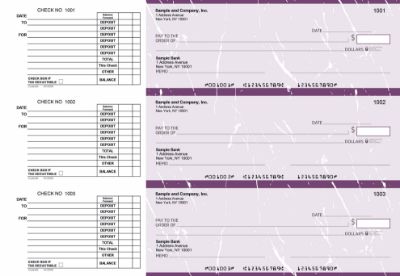
A high security check is business or personal check stock manufactured with multiple built-in features that make the check extremely difficult to alter, counterfeit, or use in a fraud scheme.

Standard checks have the basics: your name, address, and account information printed on ABA-compliant paper with a MICR line at the bottom. They clear at any US bank. But standard check paper provides no resistance to the tools criminals use most often: chemical solvents that erase ink, scanners and color printers that reproduce checks, and physical alterations that change the payee name or amount.

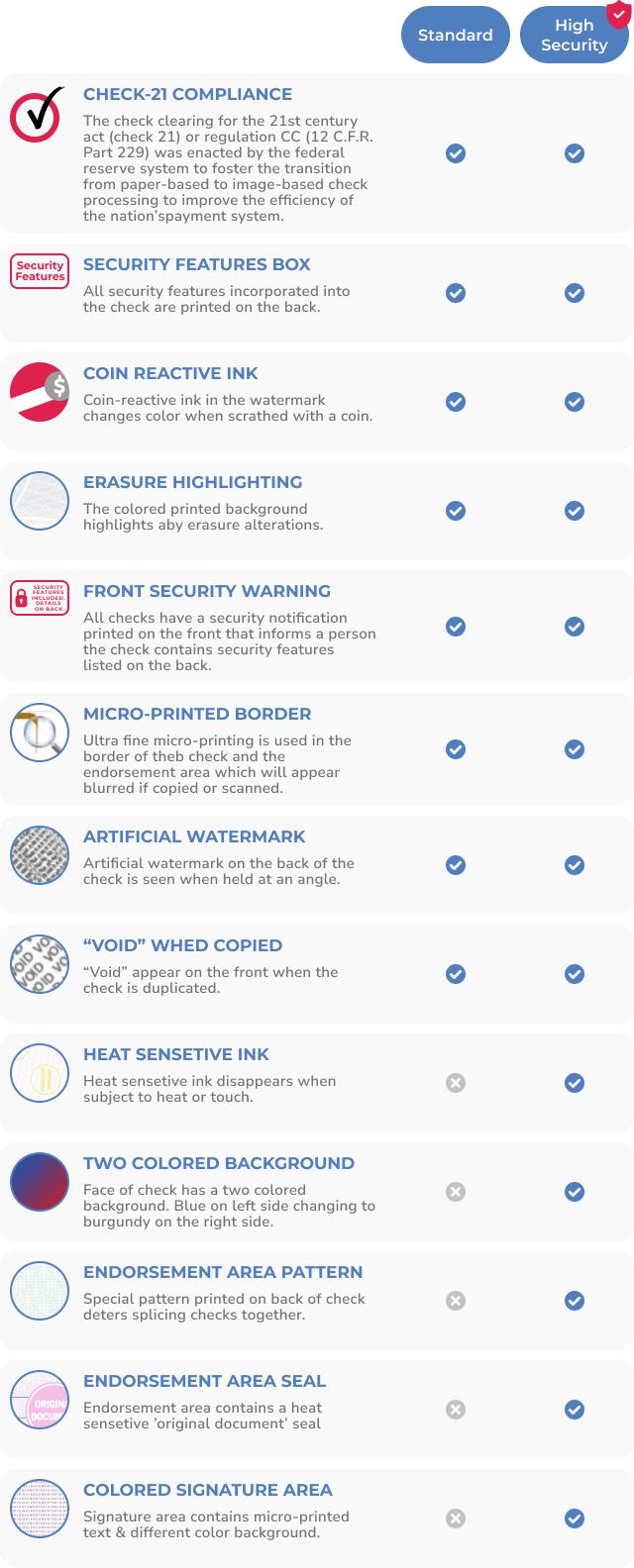
A high security check adds six layers of protection directly into the paper and printing process. These features do not affect how the check is used or how it clears at the bank. They only activate when someone attempts fraud.

The term "high security check" is used interchangeably with "security check," "secure check stock," and "fraud-resistant checks." The underlying standard is the same: multiple features that address multiple fraud methods simultaneously.


The Six Security Features in a High Security Check

High security checks include six specific features. Each one targets a different fraud method. Here is what each feature does and why it matters.


1. Chemically Sensitive Paper

The paper reacts permanently when exposed to solvents like acetone, bleach, or lighter fluid. Criminals use these chemicals to erase ink during check washing. When the solvent touches chemically sensitive paper, it leaves a visible, irremovable stain. The attempted fraud becomes visible on the check itself. This is the most important feature for preventing check washing, which costs US businesses over $815 million per year.


2. Microprinting

Text printed at under one point size along the signature line or borders. It looks like a solid line to the naked eye. Under a magnifying glass, it reads as a repeated word or phrase. On any photocopy or scan, the microprinting degrades into an unreadable blur. A bank teller trained to check for microprinting can immediately identify a copy from an original. This feature specifically defeats photocopying and scanning fraud.


3. Void Pantograph

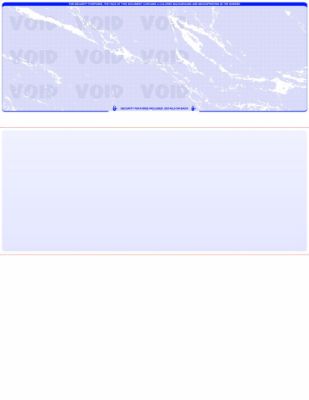
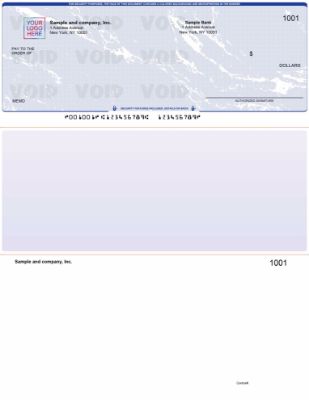
A hidden pattern in the check background that reveals the word VOID when the check is photocopied or scanned. The pattern is invisible on the original check but appears clearly on any reproduction. This feature defeats attempts to reproduce a legitimate check and pass the copy as an original. For more detail on how this works, see our guide to how QuickBooks checks prevent check washing.


4. UV Fluorescent Fibers

Colored fibers embedded in the paper during manufacturing that glow under ultraviolet light. Bank authentication equipment and handheld UV lights used by tellers can verify these fibers instantly. Standard copy paper and most printing substrates do not contain these fibers. Any attempt to reproduce the check on different paper fails the UV check. The fibers cannot be added to paper after manufacturing.


5. Heat-Sensitive Ink (Thermochromic Ink)

Ink printed in a specific area of the check that disappears when rubbed with a finger and reappears when the heat dissipates. This is a simple, instant verification step anyone can perform without equipment. A bank teller or business owner who rubs the heat-sensitive area and sees no reaction knows the ink is not genuine. This feature is difficult to replicate with standard printing equipment and provides a quick physical authentication step.


6. Genuine Watermark

A watermark embedded in the paper during manufacturing. It appears when the paper is held up to a light source. Surface-printed watermarks are different from genuine watermarks and do not have the same appearance under light. Genuine watermarks cannot be added to paper after the fact. Tellers trained in check authentication verify the watermark as part of the fraud screening process. For the full list of security features available on Checkomatic check stock, see the security features page.


Who Needs High Security Checks

Most businesses that write checks should use high security checks. The risk-benefit calculation is clear: At Checkomatic, high security checks include all six security features at the base price on every order.

You specifically need high security checks if your business fits any of these profiles:


You Mail Checks Regularly

Every check that goes into outgoing mail is a potential target. Check washing starts with theft from mailboxes. A check on standard paper can be washed and reused. A check on chemically sensitive paper destroys itself when washing is attempted. If your accounts payable cycle involves mailing vendor payments, you need high security checks.


You Write High-Value Payments

A $500 check and a $50,000 check are equally easy to steal. But criminals actively seek higher-value checks because the payoff is larger. High-value vendor payments, contractor payments, and equipment purchases deserve the extra protection of security-featured check stock.


You Are in a High-Risk Industry

Certain industries see disproportionately high rates of check fraud. Construction (large contractor payments), property management (multiple vendor relationships), nonprofits (limited internal controls), legal services (trust account checks), and healthcare (insurance and patient billing) are all high-risk categories. If your industry processes large check volumes with multiple payees, high security checks are a baseline precaution.


Your Bank Requires Them for Positive Pay

Positive Pay is a bank fraud prevention service that cross-checks each presented check against a list of checks you issued. Many banks require security-featured check stock as a condition of their Positive Pay enrollment. If you use or plan to use Positive Pay, confirm your bank's check stock requirements before ordering.


You Have Had a Fraud Incident Before

A business that has experienced check fraud once is more likely to be targeted again. Fraudsters share information about successful targets. Switching to high security checks after a fraud incident removes the vulnerability that was exploited and demonstrates reasonable care under UCC guidelines.


What Fraud Types High Security Checks Prevent

High security checks are specifically designed to defeat the most common check fraud methods. Here is how each feature maps to a specific threat.


Check Washing

Check washing is the most common physical check fraud method. A criminal steals a check, uses chemical solvents to erase the ink, writes a new payee and amount, and cashes it. Chemically sensitive paper makes check washing significantly more difficult to execute successfully. The solvent reacts with the paper before the ink is fully removed, leaving a visible, permanent stain that bank tellers are trained to identify as evidence of tampering. For a full guide to check washing and how security features stop it, see how QuickBooks checks prevent check washing.


Photocopying and Scanning

A criminal with access to a high-quality color copier or scanner can reproduce a check and try to cash the copy. Microprinting defeats this by degrading to an obvious blur on any copy. The void pantograph defeats it by displaying VOID on any reproduction. Both features activate automatically when copying is attempted.


Counterfeiting

A criminal creates a fake check using your routing number and account number , information visible on any check you write. UV fluorescent fibers make counterfeiting significantly harder because the fibers must be embedded during paper manufacturing , they cannot be added after the fact. Any UV scan that is part of a bank's authentication process will not find these fibers in paper that was not manufactured with them. The genuine watermark provides the same defense under light inspection.


Physical Alteration

A criminal receives a legitimate check and alters the payee name or amount using correction fluid, bleaching, or scraping. Heat-sensitive ink and chemically sensitive paper both make physical alteration visible. Any attempt to correct, bleach, or chemically alter the surface leaves permanent evidence.


Are High Security Checks Required by Law

High security checks are not required by federal law in most situations. However, two legal frameworks make them practically necessary for most businesses.


UCC Reasonable Care Standard

Under UCC (Uniform Commercial Code) Article 3, businesses are responsible for exercising reasonable care to prevent check fraud. If a check fraud investigation determines that a business used standard check stock without security features when security-featured stock was readily available, the business may be held partially or fully responsible for the fraud losses rather than the bank.

Using high security checks demonstrates reasonable care. It does not guarantee full recovery in every fraud case, but it significantly strengthens your legal position. A business that used security-featured check stock and still suffered fraud has a much stronger claim against the bank than one that used plain paper checks. For more on UCC liability and check security, see our guide on what are the most important features of checks.


Bank and Industry Requirements

Some banks require security-featured check stock as a condition of specific services, particularly Positive Pay enrollment. Some industries require it through internal compliance policies or client contract requirements. Always confirm your bank's check stock requirements directly. Requirements vary by institution and by the specific account type or service level you use.


High Security Checks With QuickBooks and Accounting Software

High security checks work with all major accounting software the same way standard checks do. The security features are in the paper and printing , they do not affect how QuickBooks or any other platform generates the check data or sends the print job to your printer.


QuickBooks-Compatible High Security Formats

Checkomatic offers high security check stock in all QuickBooks-compatible formats:

  • Voucher (check on top): One check with two detachable stubs per page. Default QuickBooks payroll and AP format.
  • 3-on-a-page: Three checks per sheet, no stubs. High-volume AP printing.
  • Check in middle: For Sage 50 and Peachtree software.
  • Manual checks: Pre-printed carbonless check books for handwritten payments.

All four formats include all six security features as standard. There is no "security upgrade" tier at Checkomatic. Every check order, regardless of format or quantity, uses the same security-featured paper stock.

For the full range of software-compatible high security check formats, see QuickBooks checks and computer checks for business.

Blue

What Customers Say About Checkomatic

All reviews below are published on checkomatic.com and reproduced verbatim. Source: checkomatic.com/quickbooks-starter-pack-product, 4.5 stars from 166 verified reviews.

"Been with them for 15 years. Always reliable, always good quality, good service. What more can you ask for?"

ATV Inc. | ★★★★★ 5/5 | April 5, 2024 | Source: checkomatic.com/quickbooks-starter-pack-product

"I got 500 checks for less than half of what the bank wanted for 200!"

VVA Voucher Checks (Vietnam Veterans of America) | ★★★★★ 5/5 | July 6, 2024 | Source: checkomatic.com/quickbooks-starter-pack-product

"ASJ Wilson Construction has been a client of checkomatic for some years now and they've never disappointed this company. Thank you checkomatic for all that you do."

ASJ Wilson Construction | ★★★★★ 5/5 | June 6, 2024 | Source: checkomatic.com/quickbooks-starter-pack-product

"We use CheckoMatic for all of our check needs! They have great prices and we receive our products in a timely manner!"

CG's Tax Service | ★★★★★ 5/5 | September 18, 2024 | Source: checkomatic.com/quickbooks-starter-pack-product

"First time ordering and I am super impressed with the quality of the checks. No issues with delivery. I will be ordering again!"

TClinton | ★★★★★ 5/5 | April 9, 2025 | Source: checkomatic.com/quickbooks-starter-pack-product

"Affordable and efficient. My go-to business check printer."

Doe | ★★★★★ 5/5 | January 24, 2025 | Source: checkomatic.com/quickbooks-starter-pack-product


Why Choose Checkomatic for High Security Checks

All Six Features Standard on Every Order

There is no security tier or upgrade fee at Checkomatic. Every check order includes all six security features: chemically sensitive paper, microprinting, void pantograph, UV fluorescent fibers, heat-sensitive ink, and genuine watermark. This applies to every format and every quantity, from a single box to a large bulk order.


In-House Manufacturing Since 1997

All high security checks are manufactured at Checkomatic's own facility in Monroe, NY. In-house production means consistent security feature quality on every check in every order. No third-party print vendors. Your banking information stays within a single controlled manufacturing environment.


ABA-Compliant MICR Pre-Verified

Every routing number is verified against the Federal Reserve E-Payments Routing Directory before production begins. High security checks from Checkomatic clear at any US bank without rejection. ABA compliance and security features are not a trade-off , every check delivers both.


50 to 70 Percent Below Bank Pricing

Banks charge a significant markup for security-featured check stock. Checkomatic's in-house manufacturing eliminates that markup. High security checks from Checkomatic cost 50 to 70 percent less than equivalent stock ordered through a bank. Browse all high security formats at business checks at Checkomatic. For a complete guide on finding the best check supplier, see what is the best place to order checks online.


Aug 11, 2026

How to Cash a Check: Complete Step-by-Step Guide

Before You Cash a Check: What to Verify

Before attempting to cash any check, verify four things that determine whether the check can be cashed at all.

Is the check made out to you? The payee name on the "Pay to the order of" line must match your name as it appears on your government-issued ID. Even a minor spelling difference (Robert vs. Bob, or a hyphenated surname written without a hyphen) can cause a teller to decline. If your name is spelled incorrectly on the check, contact the check writer to issue a new one.

Is the check dated within the last 180 days? Most US banks treat a check as stale after 180 days from the written date. A stale check may be refused even if everything else is in order. Check the date in the upper right corner before going to a cashing location. For more on stale checks, see our check writing guide.

Does the check have the payer's signature? A check without a signature from the account holder on the front is invalid. Banks will not cash or deposit an unsigned check. If you receive an unsigned check, return it to the payer for a signature.

Are the check fields fully filled in? The amount in numbers (the box), the amount in words (the line), and the payee name must all be completed. An incomplete check may be refused by automated processing equipment and may raise fraud concerns at a teller window.


Step 1: Endorse the Check

Endorse check to cash it: before a bank, retailer, or cashing service can give you money for a check, you must endorse it by signing the back. The endorsement authorizes the cashing location to process the funds.

Sign your name in the endorsement area on the back of the check, which is the 1.5-inch zone at the top of the back (when the check is held face down). Most checks have a box or lines labeled "Endorse Here" in this zone, followed by "Do Not Write Below This Line." Stay within the endorsement zone; writing below it can interfere with bank processing.

Use blue or black permanent ink for your endorsement. Do not use pencil.

Sign as close to cashing time as possible. An endorsed check is immediately negotiable. If a signed check is lost before you reach the cashing location, another person may attempt to cash it. For a full explanation of endorsement types and when each is appropriate, see our endorsements guide and our check fraud prevention guide.

If you are depositing the check through a bank or credit union rather than cashing it for immediate cash, use a restrictive endorsement: write "For deposit only to account [your account number]" before your signature. This prevents the check from being cashed if it is lost after signing.

For mobile deposits, the endorsement must include "For mobile deposit only at [your bank name]" below your signature to comply with Regulation CC mobile deposit rules, which prevent the same check from being deposited twice.


Step 2: ID Required to Cash a Check

Check cashing ID requirements apply at virtually every cashing location. The standard is a government-issued photo ID. Accepted forms:

  • Driver's license (most commonly accepted)
  • State-issued ID card
  • US Passport or Passport Card
  • Military ID
  • Permanent Resident Card

For large checks (typically over $500-$1,000 depending on the location), some banks and retailers require a second form of ID or proof of address alongside the primary photo ID. The OCC confirms this requirement exists because of federal anti-money laundering regulations, not just individual store policy. When a business cashes a check for someone with no account history, ID verification is the only fraud protection available.

Check-cashing stores are the main exception: some will cash checks without ID or with fewer ID requirements, particularly for very small amounts. This flexibility comes with higher fees.


Where to Cash a Check: 7 Options Compared

The best place where to cash a check without bank account varies by check type, amount, and ID availability. The seven options below cover every situation, ranked lowest to highest fee.

Where to cash a check depends on whether you have a bank account, how quickly you need the funds, what type of check you have, and how much you are willing to pay in fees. The seven options below are ranked from lowest fee to highest for most check types.


Option 1: Your Own Bank or Credit Union (Free)

If you hold a checking or savings account, cashing a check at your own bank or credit union is free. The teller verifies your identity through your account relationship rather than a document check alone. You can receive cash immediately across the counter for checks up to your bank's cash limits, or deposit the check and withdraw cash against available funds.

Mobile deposit through your bank's app is the most convenient method for account holders and eliminates a branch visit. For most payroll and government checks under $6,725, funds are typically available the next business day under Regulation CC (updated July 1, 2025). Cashing a check over the counter at your own bank gives you the money immediately with no hold.

ATM deposits to your own bank's ATM: funds are available on the next business day in most cases.


Fastest Method: Mobile Deposit as Instant Cash Equivalent

Mobile deposit cash check: for account holders who need their funds quickly, mobile deposit is functionally equivalent to cashing a check for most practical purposes. You photograph the front and back of the endorsed check through your banking app and submit. Under the Regulation CC $275 threshold, the first $275 is available as early as the next business day. For most payroll checks and government checks, up to $6,725 is available by the second business day. This eliminates the need to travel to a branch or cashing location entirely.

Mobile check deposit hold: some banks offer "early direct deposit" or "instant check deposit" features for qualifying account types that accelerate availability beyond the standard Regulation CC schedule. Check your bank's specific account terms.


Option 2: The Issuing Bank for Non-Customers ($5-$8)

Cash check at issuing bank non customer: the bank whose name is printed on the check face is called the issuing bank (technically, the drawee bank). Many issuing banks will cash their own checks for non-customers because they can immediately verify that the funds exist in the account, reducing their fraud risk compared to a stranger presenting the check elsewhere.

Check cashing fee at bank for non-customers typically runs $5-$8. This is the lowest-cost check cashing option without a bank account, lower than Walmart for checks under about $200 and comparable for larger checks.

The issuing bank has the best ability to verify the check: they hold the payer's account and can confirm balance availability in real time. This is why they can process checks for non-customers with reasonable confidence.

What to bring: the endorsed check and a government-issued photo ID. The teller will look up the payer's account, verify the check, and give you cash minus the fee.


Option 3: Walmart Money Center ($4-$8 Flat)

Walmart check cashing fee: Walmart's Money Center charges a flat fee of $4 for checks up to $1,000 and a maximum fee of $8 for checks over $1,000. This flat-fee structure makes Walmart one of the most affordable check cashing options for any check above approximately $200, where the flat $4 fee beats the percentage-based fees at check-cashing stores.

Walmart cashes payroll checks, government checks, tax refund checks, cashier's checks, money orders, insurance settlement checks, and 401(k) disbursement checks. Two-party personal checks are accepted at some Walmart locations up to a maximum of $200 with a $6 fee. Walmart requires a government-issued photo ID and has a maximum limit of $5,000 per check ($7,500 during tax season for qualifying tax refund checks).

Kroger check cashing fee: Kroger and Kroger banner stores (Fred Meyer, Fry's, Ralphs, and others) offer check cashing at customer service desks. Fees vary by state due to differing state check-cashing regulations, typically running $3-$6 per check. Check limits and accepted check types also vary by location.


Option 4: Grocery Stores and Retailers

Many grocery chains beyond Kroger offer check cashing: Albertsons, Publix, and local regional chains in some markets. The experience mirrors Walmart: customer service desk, government ID, flat fee, immediate cash. Fees generally run $3-$6.

Accepted check types at grocery stores are usually more limited than at Walmart. Most accept payroll checks and government checks readily. Personal checks from individuals are frequently declined because grocery stores have less fraud verification capability than banks, and personal checks carry higher return risk.


Option 5: Check Cashing Apps

Cash check with app: several mobile payment apps allow you to deposit and cash checks through your smartphone without a traditional bank account.

Check cashing app fee PayPal: PayPal offers mobile check cashing through its app. For instant access to funds, the fee is around 5% of the check amount with a minimum of $5. If you can wait 10 business days, some check types are processed at no fee. Cash App charges 1.5-5% of the check amount for instant deposit. Ingo Money (which powers check cashing in multiple apps) charges 1% for government or payroll checks and 5% for personal checks for instant access.

Mobile deposit cash check via apps: for users without traditional bank accounts, apps like Chime or Bluebird by American Express (both prepaid debit card services with bank-account-like features) offer mobile check deposit with no monthly fees and faster availability than many alternatives.


Option 6: Prepaid Debit Cards

Cash check prepaid debit card: prepaid debit cards that support mobile check deposit let you load a check onto the card via a smartphone photograph. The card network then provides access to funds on the card balance timeline, which varies by provider. Fees typically run $5-$25 per check load, or a percentage of the check amount for instant availability.

The advantage of prepaid cards: they provide a payment card for everyday purchases, unlike cash received at a teller window. The disadvantage: fees per transaction can be high, and funds loaded onto the card are not FDIC insured the same way bank account deposits are unless the card explicitly offers pass-through FDIC coverage through a banking partner.


Option 7: Check-Cashing Stores (Last Resort)

Check cashing store fee percentage: dedicated check-cashing stores (often branded as payday loan or check-cashing centers) typically charge 1-10% of the check face value. Western Union reports some personal check cashing fees reach 15% at these locations. A $500 check at 5% costs $25 in fees. A $1,000 check at 10% costs $100. These fees compound significantly for frequent users.

Bankrate's 2025 analysis found check-cashing stores are "the most expensive option, charging 1-10% of check value" and labels them a last resort. State laws cap check-cashing fees in many states, so maximum rates vary. Check your state's financial regulation authority for the applicable cap in your area.

When check-cashing stores serve a purpose: they accept checks that banks and retailers often refuse, including some personal checks, checks where the payee's ID does not perfectly match the name, checks from closed or disputed accounts (though these carry risk for the cashing store), and in some cases, checks presented without standard government ID. This flexibility is why their fees are higher: they carry more risk per transaction.


Check Cashing Fee Comparison

Check cashing fee comparison across all major venues for a $500 check and a $1,000 check, based on Bankrate's research and current venue fee schedules:

Your own bank or credit union: $0 for both. Best option if you have an account.

Issuing bank (non-customer): $5-$8 for both. Best option without a bank account for checks under $200.

Walmart Money Center: $4 for a $500 check; $8 for a $1,000 check. Flat fee makes this the winner for larger checks without a bank account.

Kroger / grocery stores: approximately $3-$6 for both (varies by state and location).

PayPal check cashing app: approximately $25 (5%) for a $500 check; $50 (5%) for a $1,000 check, for instant access.

Prepaid debit card: $5-$25 per check regardless of amount at most providers.

Check-cashing store: $5-$50 (1-10%) for a $500 check; $10-$100 (1-10%) for a $1,000 check. The most expensive option.

The long-term math: if you cash 20 payroll checks per year at a check-cashing store at 5% on an average $1,000 check, you pay $1,000 per year in cashing fees. A free checking account at a bank or credit union eliminates this cost entirely.


Regulation CC Hold Rules Effective July 2025

Regulation CC hold policy 2025: the federal Expedited Funds Availability Act, implemented as Regulation CC, sets the timeline for when deposited (not cashed) funds must be available. The Federal Reserve and CFPB adjusted the dollar thresholds effective July 1, 2025, to reflect inflation. These are now the governing figures for all US banks and credit unions.


Regulation CC $275 Threshold (Next-Day Availability)

Regulation CC next-day availability: for check deposits made in person to a teller, the first $275 must be available for withdrawal by the next business day. This applies to all personal, payroll, and business check deposits. On a $700 check deposited Monday, $275 is available Tuesday. The remaining $425 is available Wednesday for local checks.


Second-Day Availability for Local Checks

For checks drawn on banks in the same federal Reserve district (local checks), the amount above $275 is available no later than the second business day. A $700 check deposited Monday: $275 available Tuesday, remaining $425 available Wednesday.


Regulation CC $6,725 Large Deposit Threshold

The Regulation CC $6,725 large deposit threshold: for check deposits totaling more than $6,725 in a single business day, the amount over $6,725 may be held for up to seven business days for local checks. A deposit of $10,000 in personal checks: the first $6,725 follows the standard schedule; the remaining $3,275 may be held up to seven additional business days.


Government Checks, Cashier's Checks, Treasury Checks

Government checks (federal, state, local) and cashier's and certified checks deposited in person to a teller qualify for next-day availability of up to $6,725 when certain conditions are met. Above $6,725, the excess may be held up to nine business days.


New Account Exception

New accounts open fewer than 30 days face stricter holds. Check deposits to new accounts may be held for up to nine business days regardless of check type. This is the main exception period where cashing a check over the counter (rather than depositing it) provides meaningfully faster access to funds.


Cashing vs Depositing a Check: The Key Difference

Cashing vs depositing a check produces different access timelines for your money.

When you cash a check, you receive all the funds in cash immediately, across the counter, with no hold. The bank verifies the check and pays you on the spot. There is no Regulation CC hold because you are not depositing funds into an account.

When you deposit a check into your account, the bank accepts the check and credits your account balance, but access to those funds is subject to Regulation CC hold schedules. Check hold how long: for most personal checks, the first $275 is accessible the next business day; the remainder follows on the second business day for local checks.

The tradeoff: cashing requires you to handle cash, which you must then secure, carry, and potentially re-deposit somewhere. Depositing allows the funds to go directly into your account for electronic use (debit card, bill pay, transfer), but with a 1-2 day delay on most of the amount. For large checks where the hold window matters operationally, cashing may be preferable if you need the full amount immediately.

Check deposit vs cashing a check decision: if you have a bill due immediately and the check amount exceeds $275, cashing provides immediate access to the full amount. If the funds can wait a business day or two, depositing is typically more convenient because it avoids handling cash.


When a Bank Can Refuse to Cash Your Check

Bank refuse cash check non customer: the OCC (Office of the Comptroller of the Currency) has confirmed in its public guidance: "There is no federal law or regulation that requires banks to cash checks for non-customers." This is one of the most surprising and misunderstood facts in check cashing.

A bank may refuse to cash a check for a non-customer for any reason, including: you do not have an account with them, the check amount exceeds their non-customer limits, the check is a personal check rather than a payroll or government check, or you cannot provide satisfactory identification. The bank's protection against fraud loss when cashing checks for strangers is limited entirely to your ID , they have no account history with you to fall back on if the check later bounces or is found to be fraudulent.

When a bank issues its own check (cashier's check, official check), it guarantees payment. When a customer of the bank writes a personal check to you, the bank has not guaranteed anything. Cashing that personal check for a non-customer means the bank takes on the full return risk if the check bounces. Many banks simply decline this exposure for non-customers.

Banks that do cash checks for non-customers typically only cash on-us checks, meaning checks drawn on accounts held at that specific bank. This is where your lowest-cost non-customer option lies: the issuing bank, whose name is printed on the check face.

For checks you have written that a payee wants to stop, see our stop payment guide.


Why Check Type Matters for Cashing

Check type payroll check easier to cash: payroll checks from established companies are among the easiest check types to cash because they carry implied institutional credibility. The bank can verify the company is a real employer with a valid account, and payroll checks are less likely to bounce than personal checks from individuals.

Government check easier to cash: US Treasury checks, state tax refund checks, Social Security checks, and other government-issued checks are the easiest to cash anywhere. They carry zero risk of insufficient funds (the US government will not run out of money to cover a Social Security check). Most banks, Walmart, and grocery stores readily accept government checks with minimal scrutiny beyond ID verification.

Personal check hardest to cash: a personal check from an individual is the most difficult to cash without a bank account because it carries the highest risk of return. The payer's account could be overdrawn, closed, or the check could be fraudulent. Banks that cash checks for non-customers typically refuse personal checks for exactly this reason. Grocery stores and Walmart may also decline personal checks. Check-cashing stores that will accept them charge the highest fees (5-15% for personal checks is common).

Cashier's check: cashier's checks represent guaranteed funds from the issuing bank, making them highly reliable. However, cashier's check fraud has increased significantly, so banks scrutinize them carefully and may place holds even on these instruments if the bank is unfamiliar with the issuing institution.


Third-Party Check Cashing

Third-party check cashing: signing a check over to someone else (a third-party endorsement, using "Pay to the order of [new payee]" above your signature) is technically legal under UCC 3-205, but banks increasingly refuse to accept third-party checks. For more on endorsement types and the special endorsement process, see our complete endorsements guide.

Sign check over to someone: if you sign a check over to a trusted family member or friend who has a bank account, they can attempt to cash or deposit it on your behalf. The bank may require both of you to be present, demand two sets of ID, or simply refuse. Many major banks have internal policies against third-party checks because of the elevated fraud risk when the name on the check and the person presenting it do not match.

If you need to use this approach, call the receiving bank before visiting to confirm they accept third-party checks and ask what ID and presence requirements apply. The alternative of opening a simple checking account (or even a prepaid card account) is more reliable for recurring check access than depending on third-party cashing.


What Makes a Check Impossible to Cash

Several conditions make a check uncashable regardless of where you take it:

  • Stale check 180 days: a check dated more than 180 days ago is stale. Most banks will not honor it, and the cashing location has no recourse if the issuing bank returns it unpaid.


  • Post-dated check: a check with a future date may be refused at some locations before that date, though legally banks are not required to wait. Most banks process checks when presented regardless of a future date, but some tellers flag and refuse them.


  • Missing signature: an unsigned check is invalid. No endorsement from you can fix a missing payer signature.


  • Missing endorsement: you must sign the back before cashing. An unendorsed check will not be accepted.


  • Wrong payee name: if the name on the check does not match your ID, you may be refused. Minor spelling variations may be handled case-by-case; significant name mismatches (different person) will be declined.


  • Altered check: visible alterations to the amount, payee, or date make a check uncashable as banks treat alterations as a fraud indicator.


  • Damaged MICR line: if the routing and account numbers at the bottom of the check are torn, overwritten, or illegible, bank processing equipment cannot read the check. Some banks can manually process damaged MICR lines, but this requires manager approval and extra time.


Long-Term Solution: Second-Chance Checking Accounts

Second-chance checking account: if you have been unable to open a standard checking account due to negative banking history (overdrafts, account closures at prior banks, or ChexSystems records), a second-chance checking account allows you to establish a bank relationship and eliminate check-cashing fees permanently.

Unbanked check cashing fees add up fast. Someone cashing 26 biweekly payroll checks per year at a $500 average at a 5% check-cashing store rate pays $650 per year in fees. A second-chance checking account typically charges a small monthly fee ($5-$10) with a path to upgrade to a standard account after 12 months of positive account history. The fee savings in the first year alone typically cover the account cost many times over.

According to FDIC data cited by Bankrate, 4.2% of US households (approximately 5.9 million) are unbanked. The most common reason for being unbanked is a prior negative banking record. Second-chance accounts and prepaid accounts with check deposit capability serve as bridges to full banking participation.

For a broader comparison of personal and business check options, see our advantages and disadvantages of personal checks guide. For businesses that write payroll checks and want to understand the payer's options and obligations, see our business checks and payroll services guide.

Every Checkomatic check is produced in Monroe, NY (Monroe NY) by an in-house check manufacturer (in-house check manufacturer) on ABA compliant check stock (ABA compliant). CPSA certified (CPSA certified) security paper ships with every order, including six fraud deterrent features that make the check easier to verify and harder to counterfeit at every cashing location. Order personal checks, business checks, and deposit slips at checkomatic.com.


The Short Version on How to Cash a Check

To cash a check: verify it is valid (correct name, date within 180 days, signed by payer), endorse the back in permanent ink just before cashing, and present with government-issued photo ID. Your own bank is free. The issuing bank charges $5-$8. Walmart charges $4-$8 flat. Check-cashing stores charge 1-10% and are a last resort. Mobile deposit through your banking app is the fastest and most convenient for account holders.

No bank is legally required to cash checks for non-customers. Banks typically only cash on-us checks for non-customers. Government and payroll checks are easiest to cash; personal checks are hardest. Regulation CC (July 2025 thresholds) requires the first $275 available next business day on deposits; cashing avoids holds entirely. Long-term: a checking account or second-chance account eliminates check-cashing fees permanently.


Frequently Asked Questions


How do you cash a check step by step?

How to cash a check step by step: (1) Verify the check: name matches your ID exactly, dated within 180 days, payer signature present, all fields complete. (2) Endorse check to cash it: sign the back in the endorsement zone using blue or black permanent ink, as close to cashing time as possible. (3) Gather check cashing ID requirements: government-issued photo ID (driver's license, state ID, passport, or military ID). (4) Choose your cashing location: your own bank or credit union (free); the issuing bank printed on the check face ($5-$8); Walmart Money Center ($4-$8 flat fee); Kroger or grocery store ($3-$6); mobile deposit app (free or 1-5% fee); or check-cashing store (1-10%, last resort). Present the endorsed check and ID and receive cash minus any fee.


How much does it cost to cash a check without a bank account?

Check cashing fee comparison without a bank account: the issuing bank charges $5-$8 (cheapest with ID). Walmart check cashing fee: $4 for checks up to $1,000, $8 for checks over $1,000 (best flat-rate option). Kroger check cashing fee: $3-$6 (varies by state). Check cashing app fee: PayPal and Cash App charge around 5% for instant access; no-fee options require waiting up to 10 days. Prepaid debit card: $5-$25 per load. Check cashing store fee percentage: 1-10% of the check value, the most expensive option. A free checking account eliminates all these fees.


Can a bank refuse to cash a check if you don't have an account?

Bank refuse cash check non customer: yes. The OCC confirms there is no federal law or regulation requiring banks to cash checks for non-customers. Most banks have policies limiting check cashing to account holders. Banks that do cash checks for non-customers typically only cash on-us checks (checks drawn on accounts held at that specific bank), require government-issued photo ID, charge $5-$8, and decline personal checks or large amounts. The bank whose name is printed on the check face is the most likely venue for non-customer check cashing, as they can verify the payer's account in real time.


How long does a bank hold a deposited check before funds are available?

Regulation CC hold policy 2025 (effective July 1, 2025): for check deposits made in person to a teller, the Regulation CC $275 threshold requires the first $275 to be available by the next business day. The remaining balance of local checks must be available by the second business day in most cases. The Regulation CC $6,725 large deposit threshold: amounts over $6,725 deposited in personal checks may be held up to seven additional business days. Government checks and cashier's checks deposited in person qualify for next-day availability of up to $6,725. Note: cashing a check (receiving cash across the counter) avoids all holds entirely since no deposit is made.


What makes a check impossible to cash?

Check cashing stale check 180 days: most banks refuse stale checks (dated more than 180 days ago). Other uncashable conditions: missing payer signature (check is invalid without it); check cashing missing signature on the endorsement (you must sign the back); check cashing post-dated check with a future date (some banks refuse before that date); payee name does not match your ID exactly; visible alterations to amount, payee, or date; and damaged MICR line where routing and account numbers are illegible. Personal check hardest to cash: personal checks are frequently declined by non-account cashing venues due to higher return risk, while payroll check easier to cash and government check easier to cash because of their institutional backing.

Aug 11, 2026

How to Void a Check: Step-by-Step Guide for Personal and Business Checks

Voiding a check means permanently canceling it so it can never be used as a payment instrument. A voided check cannot be deposited, cashed, or processed by any bank , in person, by mail, or through mobile deposit. The word VOID written across the face tells every bank teller and automated processing system that this check is not negotiable regardless of what is written on it.

The MICR line at the bottom of the check (the row of numbers printed in magnetic toner that contains your routing number and account number) remains intact after voiding. This is intentional. The MICR line is not used to authorize payments , it identifies the account. Keeping it readable is why voided checks are useful for setting up direct deposit, ACH payments, and payroll software, where the other party needs your account details but not a payment authorization.

Voiding a check is a permanent, irreversible physical action. Once you write VOID on a paper check, that check cannot be un-voided. There is no voiding process to reverse. If you need the payment to go through after voiding in error, write a new check with the next sequential check number.


How to Void a Check Step by Step

The process for voiding a check is the same for personal and business checks. Follow these steps in order.


Step 1: Get a Dark Permanent Marker

Use a black or dark blue permanent marker with a medium or broad tip. A fine-tip marker works but requires more passes to make the VOID marking clear and unremovable. Do not use pencil, ballpoint pen, or erasable pen. Permanent marker ink cannot be removed, altered, or lightened without visibly damaging the paper, which is exactly the protection you need.


Step 2: Write VOID in Large Capital Letters

Write the word VOID in large capital letters across the entire front face of the check. The letters should be large enough to cover most of the check face. Write across the payee line (Pay to the Order of), the dollar amount box, and the signature line at the bottom right. The VOID marking should be immediately visible to anyone handling the check.


Step 3: Do Not Cover the MICR Line

The MICR line is the row of numbers and symbols printed in magnetic toner along the very bottom edge of the check. It contains your routing number on the left, your account number in the middle, and the check number on the right. Do not write over this line when voiding. If you are voiding the check for direct deposit or account verification purposes, the other party needs to read this line. Even if you are voiding a spoiled check, leaving the MICR line intact makes it easier to identify and record in your check register.


Step 4: Record It in Your Check Register

Open your check register and enter the voided check number with the word VOID in the description column. Leave the amount column blank or enter zero. This step preserves your sequential check number record. A gap in check numbers looks like a missing or unaccounted transaction to a bank, accountant, or auditor. Recording VOID confirms the gap was intentional. For guidance on maintaining an accurate check register, see our complete guide on the check register.

Burgundy


Step 5: Dispose of the Check Safely

After recording, either file the voided check in a secure location (your check binder or a locked drawer) or shred it immediately using a cross-cut shredder. Strip shredders create strips that can be taped back together. Cross-cut shredders cut paper into small fragments that cannot be reconstructed. The MICR line on a voided check still contains your full routing number and account number. These details alone are enough for someone to attempt an unauthorized ACH debit from your account. Treat every voided check as sensitive financial data.


How to Void a Check for Direct Deposit

Voiding a check for direct deposit is one of the most common reasons people void a check. Employers, payroll platforms, and payment services use a voided check to verify your checking account details before setting up recurring deposits or payments.


What the Other Party Needs

When you provide a voided check for direct deposit, the recipient reads the MICR line at the bottom. They capture your routing number and account number from that line. They do not need or use anything else on the check. The VOID marking confirms that the check cannot be submitted for payment, making it safe to hand over.


How to Void a Check for Direct Deposit

  1. Take a blank check from your personal or business checkbook.
  2. Do not fill in any information (no date, no payee, no amount).
  3. Write VOID in large capital letters across the front with a permanent marker.
  4. Cover the payee line, amount box, and signature line.
  5. Do not cover the MICR line at the bottom.
  6. Hand the voided check to your employer, upload a scan, or photograph it as directed.


If You Don't Have Checks Yet

If you are a new account holder and your checks have not yet arrived, your bank can provide a counter check or a bank letter that confirms your routing and account numbers. Both serve the same purpose for direct deposit setup. Once your check order arrives, a voided check from your personal or business checkbook is the standard verification method. Browse personal checks at Checkomatic to order a starter supply quickly.

American Flag


How to Void a Business Check

Voiding a business check follows the same physical process as voiding a personal check, but business check voiding has additional bookkeeping implications that matter for accurate financial records.


Void the Physical Check

Write VOID across the face of the business check in permanent marker, covering the payee line, amount box, and signature line. Leave the MICR line intact. If the check is a voucher format (check on top with stubs below), write VOID on the check portion only. The stubs are a separate record.


Record in Your Accounting System

In addition to your check register, record the void in your accounting software. If the check was generated by QuickBooks, the correct procedure is to void it inside QuickBooks as well to keep your books and physical check stock synchronized. For the complete QuickBooks Online voiding process, see the dedicated guide on how to void a check in QuickBooks Online.


File or Shred the Voided Business Check

Business check stock contains your company name, business address, and banking details. Voided business checks are sensitive financial documents. File them in a locked cabinet or shred them with a cross-cut shredder. Many businesses with an accounts payable cycle establish a simple policy: void checks are filed for the current fiscal year, then shredded after year-end close when records are archived digitally.


Voucher Check Format Consideration

If your business uses voucher checks (check on top with two payment stubs), the stub portion typically carries payment detail from your accounting software. When voiding a voucher check, some businesses mark VOID on both the check portion and the stub to prevent any confusion about whether the entire document was cancelled. This is a best practice, not a legal requirement. For all business check formats including voucher checks and 3-on-page formats, see business checks at Checkomatic.


How to Void a Check That Was Already Written

A check that has already been filled in (payee written, amount filled in) but has not yet been given to anyone can still be voided using the same process.


If the Check Is Still in Your Hands

Write VOID in large capital letters across the entire face using a permanent marker. The existing writing underneath the VOID marking does not matter. The VOID supersedes everything else written on the check. A teller who sees VOID written clearly across a check will not process it regardless of what the payee line or amount box say. Record the void in your check register and dispose of the check safely.


If the Check Has Been Given to Someone Else

If the check has already been handed to a payee, mailed, or otherwise left your possession, physically voiding it is not possible. The check is no longer in your control. Contact your bank immediately and place a stop payment on that check number. Most banks charge a stop payment fee (typically $25 to $35) and process the request within one business day. See the section below on void versus stop payment for full guidance.


What to Do After Voiding a Check

Voiding the physical check is only one part of the process. Two more steps protect your records and prevent the voided check from becoming a security risk.


Record the Void in Your Check Register

Every voided check number must appear in your check register as VOID. Write the check number in the check number column, leave the payee blank or write VOID, enter zero in the amount column, and note the void in the description. This preserves your sequential check numbering and creates a clear audit trail. A check number that appears in your register as VOID is fully accounted for. A missing check number with no register entry looks like an unaccounted transaction.


Dispose of the Voided Check Safely

Your two options are filing and shredding. Filing is appropriate when you may need to produce the voided check later , for an audit, an accountant review, or a bank inquiry. Store filed voided checks in a locked drawer or secure filing cabinet, not an open desk tray. Shredding is appropriate when you are certain you will not need the physical document. Use a cross-cut shredder. Strip shredders create strips that can be taped back together by a determined individual. Cross-cut fragments cannot.


Common Mistakes When Voiding a Check

Most voiding errors are avoidable. Here are the mistakes that cause the most problems and how to avoid each one.


Mistake 1: Using an Erasable Pen or Pencil

Pencil and erasable pen can be removed. A voided check marked with erasable ink is not truly voided. Anyone who obtains the check could remove the VOID marking and use the check. Always use a permanent marker that cannot be erased or dissolved by common household chemicals.


Mistake 2: Writing VOID Too Small to Be Visible

A small VOID written in one corner does not clearly void the entire check. Write the word large enough to span most of the check face. A teller or automated system that cannot see VOID clearly may attempt to process the check.


Mistake 3: Covering the MICR Line

If you are voiding a check for direct deposit or ACH setup, covering the MICR line defeats the entire purpose. The recipient needs to read your routing and account numbers from that line. Keep the MICR line clear when voiding for account verification purposes.


Mistake 4: Skipping the Check Register Entry

A voided check with no register entry creates a gap in your sequential check numbers. That gap requires an explanation if anyone reviews your records. Recording VOID takes ten seconds and prevents questions that could take much longer to resolve.


Mistake 5: Throwing the Voided Check in the Trash Without Shredding

As covered above, the MICR line remains readable after voiding. Disposing of a voided check without shredding exposes your banking details to anyone who goes through your trash. Cross-cut shredding takes five seconds and eliminates this risk entirely.


Mistake 6: Trying to Void a Check After It Has Left Your Hands

If a check has been given to a payee, mailed, or otherwise left your possession, you cannot void it by marking the physical paper , you no longer have the paper. Call your bank and request a stop payment immediately.


When to Order Replacement Check Stock After Voiding

Voiding several checks in a row , because of printing errors, spoiled checks, or damaged stock , depletes your check supply faster than normal. The standard reorder rule applies: order replacement checks when you reach 25 remaining in your current supply. This gives you a 5 to 8 day buffer to cover standard production and delivery before you run out.

If you voided a large portion of a batch due to a printing alignment error, order replacement stock immediately and select rush production to avoid running out of checks before the new supply arrives. Rush production ships in 1 to 2 business days. For personal check replacements, see personal checks. For business check replacements including QuickBooks-compatible formats, see computer checks for business and business checks. For complete delivery options including rush and overnight, see shipping and handling.

For a complete guide to choosing the best check supplier for replacement stock, see what is the best place to order checks online.


What Customers Say About Checkomatic

All reviews below are published on checkomatic.com and reproduced verbatim. Source: checkomatic.com/quickbooks-starter-pack-product, 4.5 stars from 166 verified reviews.

"First time ordering and I am super impressed with the quality of the checks. No issues with delivery. I will be ordering again!"

TClinton | ★★★★★ 5/5 | April 9, 2025 | Source: checkomatic.com/quickbooks-starter-pack-product

"Been with them for 15 years. Always reliable, always good quality, good service. What more can you ask for?"

ATV Inc. | ★★★★★ 5/5 | April 5, 2024 | Source: checkomatic.com/quickbooks-starter-pack-product

"I got 500 checks for less than half of what the bank wanted for 200!"

VVA Voucher Checks (Vietnam Veterans of America) | ★★★★★ 5/5 | July 6, 2024 | Source: checkomatic.com/quickbooks-starter-pack-product

"We use CheckoMatic for all of our check needs! They have great prices and we receive our products in a timely manner!"

CG's Tax Service | ★★★★★ 5/5 | September 18, 2024 | Source: checkomatic.com/quickbooks-starter-pack-product

"ASJ Wilson Construction has been a client of checkomatic for some years now and they've never disappointed this company. Thank you checkomatic for all that you do."

ASJ Wilson Construction | ★★★★★ 5/5 | June 6, 2024 | Source: checkomatic.com/quickbooks-starter-pack-product

"Affordable and efficient. My go-to business check printer."

Doe | ★★★★★ 5/5 | January 24, 2025 | Source: checkomatic.com/quickbooks-starter-pack-product


Why Choose Checkomatic for Replacement Business and Personal Checks

In-House Manufacturing Since 1997

All check stock is manufactured at Checkomatic's own facility in Monroe, NY. No third-party print vendors. Standard production ships in 3 to 5 business days. Rush production ships in 1 to 2 business days for urgent situations where voided check stock needs immediate replacement.


All Formats for Business and Personal Use

Personal checkbooks, voucher business checks, 3-on-page computer checks, manual payroll checks, and QuickBooks-compatible formats are all available. Every format ships with ABA-compliant MICR pre-encoded and six built-in security features at the base price. For business users, see QuickBooks checks for software-compatible formats.

Blue


50 to 70 Percent Below Bank Pricing

Direct in-house manufacturing eliminates the bank's retail markup. Free black-and-white logo printing on every business check order regardless of quantity. Browse the full check catalog at business checks and personal checks.


Aug 10, 2026

What Is a Voided Check and How to Write One: Guide

What Is a Voided Check

Voided check definition: a voided check is a personal or business check on which the word VOID has been written in large capital letters across the front, permanently marking it as invalid for payment. A voided check cannot be cashed, deposited, or used to authorize a payment. Despite this, the check still displays the MICR line at the bottom, which contains the bank's ABA routing number and the account holder's account number , the two pieces of banking information that make a voided check useful.

The voided check is primarily a documentation and verification tool, not a payment instrument. When an employer, lender, or biller asks for a voided check, they are not asking for a way to take money from you. They want the routing and account numbers printed in the MICR line so they can configure their systems to send money into your account electronically. The VOID marking confirms you are not accidentally handing over a signed blank check that could be filled in and cashed.

For a full explanation of what each field on a personal or business check represents, including the MICR line fields, see our check diagram and layouts guide.


What a Voided Check Looks Like

What does a voided check look like: a voided check looks like any regular personal or business check except that the word VOID is written in large, unmistakable letters across the check face. The VOID writing typically covers the pay-to line, the amount box, and the signature line in the center of the check. It does not cover the MICR line at the bottom edge, which remains fully visible and readable.

The check face will still show the account holder's name and address in the upper left, the bank's name, the check number in the upper right, and the routing number, account number, and check number in the MICR line at the bottom. None of the payment fields (date, payee, amount in numbers, amount in words, signature) are filled in , these remain blank alongside the VOID marking.

A well-written voided check looks unambiguous: anyone who picks it up immediately understands it cannot be used for payment but can extract the banking information from the bottom.


How to Write a Voided Check: 4 Steps

How to make a voided check (how to void a check step by step):

  1. Start with a blank, unused check. Take one check from your checkbook. Do not fill in any fields before voiding. Leave the date, payee, amount, and signature lines completely empty. You are not writing a check , you are creating a documentation tool from a blank check form.
  2. Use a blue or black permanent ink pen. Void check pen ink color must be blue or black , not pencil or red. This is the only acceptable ink type. Blue or black ink is clearly visible and permanent. Do not use pencil (erasable), red ink (may interfere with scanning), green or other colors (nonstandard), or felt-tip markers that bleed through the paper and obscure the MICR line on the back.
  3. Write VOID in large capital letters across the front. Make the letters large enough to cover the pay-to line, the amount box, and the signature line. These are the fields someone would need to fill in to use the check as a payment instrument. Do NOT write over the MICR line at the bottom. The routing number and account number there must remain fully visible and legible. Do not cross out or obscure the check number in the upper right, either; you will need it for your records.
  4. Record the check number in your register and handle securely. Write the check number in your check register with the notation VOID. Hand the voided check to the requesting party in person, or scan it and send it through a secure channel. Never photograph a voided check and send it via unsecured text message.

For guidance on all the fields involved in filling out a check for payment, see our complete check writing guide.


Why the MICR Line Must Stay Visible

The voided check MICR line visible rule is the single most important technical detail about voiding a check, and the one most guides fail to explain properly. Here is why it matters.

The MICR line voided check routing account section at the bottom of every check contains three numbers printed in magnetic ink: the bank's ABA routing number (nine digits, in the first group of numbers from the left), the account number (the middle group), and the check number (the final group). These are the only pieces of information a payroll department, utility company, lender, or investment platform needs from a voided check. The entire reason they ask for a voided check is to extract these numbers accurately.

MICR stands for Magnetic Ink Character Recognition. The numbers in the MICR line are printed in a special font (E-13B) using ink containing iron oxide particles that can be read both visually and by the magnetic reader-sorter machines used in bank check processing. When a voided check is scanned or photographed for digital submission, the MICR characters read cleanly under standard scanning conditions because they were designed for machine readability from the start.

If you write VOID over the MICR line, the recipient cannot read the routing and account numbers without holding the check under specific lighting or asking you to provide a different check. You have defeated the purpose of voiding the check in the first place. Paychex confirms: "Write VOID in large, clear letters using permanent ink , visible enough to prevent processing but without obscuring the routing and account numbers at the bottom."

LegalClarity's voided check guide explains what the recipient does with these numbers: "Your employer needs two pieces of information from a voided check: your bank's routing number and your personal account number. Both appear in the MICR line along the bottom edge. Together, the routing and account numbers work like an address for your bank account. They tell payroll systems exactly where to send your money through the Automated Clearing House (ACH) network."


What Fields to Leave Blank on a Voided Check

What fields to leave blank voided check: all payment fields must remain blank. Specifically, leave the following empty:

  • Date line (upper right)
  • Pay to the order of / payee line
  • Numeric amount box
  • Written amount line
  • Memo line
  • Signature line

The check number in the upper right, and all pre-printed information (your name, address, bank name, and MICR line), are already on the check and should not be altered or covered. The only thing you add is the word VOID, written across the face without touching these pre-printed elements.


Why You Should Not Sign a Voided Check

PNC's voiding guide specifically warns: "Don't sign a blank check. Adding your signature may create confusion, so leave that line blank." This is worth addressing directly.

A signed check with VOID written across it is not automatically harmless. While the VOID marking legally invalidates it, a signed check could still be presented at a bank counter or ATM where a human teller or automated system might misread the situation. The combination of a signature and VOID creates an ambiguous document. Leaving the signature line blank alongside the VOID marking is unambiguous: the check is clearly a documentation tool only.

If you have already signed a check and then need to void it (for example, you signed it before realizing you made an error in the payee or amount), you can still void it by writing VOID in large letters across the face. The existing signature does not prevent voiding, but it does add a layer of risk if the check is mishandled. Huntington Bank confirms: "If you've already signed the check, it can still be voided via steps one and two , writing VOID in large letters with blue or black ink." In this case, write VOID even more prominently to ensure the check's invalid status is unmistakable.


When Do You Need a Voided Check

When you need a voided check: any time an employer, financial institution, lender, or biller requires your routing number and account number in a verified format for electronic payment setup. Common situations:


Voided Check for Direct Deposit Payroll

Void check direct deposit: the most common use. When starting a new job or changing your direct deposit bank, your employer's payroll department will ask for a voided check from the account where you want your paycheck deposited. Chase's guide confirms: "Another frequent reason you'd void a check is to set up direct deposit. Employers may ask you to fill out a short authorization form and provide a voided check to get started." Paychex adds: "The voided check provides accurate banking information while preventing the check itself from being cashed."


Voided Check for ACH Automatic Payments

Voided check for ACH payment: Voided check for automatic bill payment: utility companies, insurance providers, mortgage servicers, and subscription services all use ACH (Automated Clearing House) to pull monthly payments from your bank account. Setting up this autopay requires your routing and account numbers. PayPal's guide notes that voided checks ensure "accurate details, like the routing and account numbers, are transmitted without error" for automated payment enrollment.


Other Common Uses

Voided check for mortgage: mortgage servicers typically request a voided check when setting up automatic mortgage payment from your checking account. The voided check establishes the debit relationship on the ACH network.

Voided check for investment account: brokerage firms, robo-advisors, and retirement contribution platforms often require a voided check to link your checking account for fund transfers, contribution deposits, or rebalancing transactions.

Voided check for government payment: receiving Social Security benefits, tax refunds, or other government payments via direct deposit requires submitting your routing and account numbers to the relevant agency. While government agencies typically accept a direct deposit enrollment form rather than a voided check, both contain the same underlying information.

Loan repayment autopay: lenders for auto loans, student loans, and personal loans frequently require a voided check when setting up automatic monthly payment drafts.


What Your Employer Does With Your Voided Check

Why employer needs voided check: your employer's payroll department extracts the nine-digit ABA routing number and your account number from the MICR line and enters them into their payroll software or ACH payment platform. These numbers are the address for your bank account within the ACH network. The payroll system uses them to send your net pay to your specific account at your specific bank each pay period.

The routing number identifies your bank (every US bank has a unique routing number). The account number identifies your specific account within that bank. Together, they form a unique identifier for exactly one bank account in the entire US banking system. An error in either number sends your pay to the wrong bank or a nonexistent account, requiring an ACH return and reissue that typically delays your pay by one to two payroll cycles.

Providing a voided check rather than writing the numbers on a form eliminates transcription errors. The numbers are pre-printed in machine-readable format; a payroll clerk or HR staff member copying them from the MICR line is less likely to transpose digits than a new employee writing nine-digit routing numbers from memory.

Voided check routing number account number: the voided check MICR line format is standardized across all US checks under ANSI and ABA specifications. The routing number always appears first, between the two pairs of symbols that bookend it. The account number follows. The check number appears last. This layout is universal regardless of your bank, so any payroll system recognizes the field positions.


The Prenote ACH Test Transaction

Prenote ACH test transaction: after receiving your voided check, some employers and billers run a verification step before sending your first real deposit. This is called a prenote, short for pre-notification. Under Nacha ACH rules, a prenote is a zero-dollar test transaction sent through the ACH network using your routing and account numbers before the first actual payment.

LegalClarity explains: "Many payroll departments send what's called a prenote , a zero-dollar test transaction through the ACH network , to confirm your account details are valid. Under ACH rules, the employer can send the first actual deposit as soon as the third banking day after the prenote settles, assuming the bank doesn't flag any errors."

If the prenote returns with an error (wrong routing number, closed account, account type mismatch), the employer can correct the information before your first pay cycle and avoid a failed deposit. If no error returns, the first live payroll deposit is sent on or after the third banking day after the prenote.

Prenotes are optional under Nacha rules. Some employers skip them and send the first live deposit immediately after receiving your banking information. In this case, a routing or account number error may result in a failed deposit that takes one to two pay cycles to resolve. If your employer uses the prenote process, you may not receive direct deposit on your first paycheck if you provided your banking information close to the pay date.

How long for direct deposit to start after voided check: with prenote verification, typically 1-2 pay cycles after you submit your voided check. Without prenote, as soon as the next payroll run after submission, assuming no errors. Your HR or payroll department can tell you which process they use.


Starter Check Warning

Starter check warning: Some employers and financial institutions will not accept a voided starter check for direct deposit setup. Confirm requirements before submitting one.

Starter check voided check employer warning: a starter check is a temporary paper check issued by a bank when you open a new account, before your personalized printed checks arrive in the mail. Starter checks have your routing and account numbers in the MICR line, but they do not have your name, address, or any personalized information pre-printed on them. They are filled in by hand and look significantly different from a standard check.

Paychex confirms: "Some employers or organizations may not accept starter checks (temporary checks without your name pre-printed). If you're setting up direct deposit, confirm whether a starter check is acceptable or if you need to wait for your personalized checks to arrive."

The reason for this restriction is verification: a voided starter check cannot confirm who the account belongs to because the name is not pre-printed. The bank can provide a bank letter on letterhead that confirms your name and account details if you need to set up direct deposit before your personalized checks arrive.


Voided Check vs Blank Check

Voided check vs blank check is a critical distinction. A blank check has no VOID marking and all payment fields left empty. A voided check has VOID written across it. These are not the same thing, and giving someone a blank check is a major security risk.

Huntington Bank explains it plainly: "You should never give someone a blank check because anyone can fill it out and withdraw money from your bank account. A simple rule to remember: treat checks like cash. This is why employers ask for a voided check to set up direct deposit, not a blank one."

A blank check in the wrong hands allows the finder to fill in any payee name, any amount, and any date, then sign it (or forged a signature) and present it for payment. A voided check cannot be used for payment because any bank or teller that processes it will see the VOID marking and reject it. The VOID marking is the entire security mechanism that makes sharing check information safe.

For more on check fraud methods that exploit blank or insufficiently protected checks, see our check fraud scams guide.


Voided Check vs Deposit Slip

Voided check vs deposit slip for direct deposit setup: this comparison is covered in detail in our deposit slips guide. The short version: deposit slips are for making deposits; voided checks are for providing banking credentials.

The key technical issue: some banks use a different routing number on deposit slips than the ABA routing number on checks. The deposit slip routing number may be a check-clearing internal code; the check's MICR routing number is the ABA code used for ACH transfers. If the routing numbers happen to match at your bank, a pre-printed deposit slip might be accepted by some employers. But since they do not always match, the voided check is the safer document for any ACH or direct deposit setup. Many banks print the warning "Do not use this routing number for automated payments" directly on deposit slips for this reason.


Voided Check Alternatives When You Have No Checkbook

Voided check alternatives no checkbook: if you do not have personal checks, five alternatives provide the same routing and account number information to employers and billers.


Bank Letter on Letterhead

Voided check alternatives bank letter: request an official letter from your bank or credit union confirming your name, account number, routing number, and account type (checking or savings) on the institution's official letterhead. Most banks provide this free of charge. The letter carries the bank's name and contact information, which gives it the verification credibility that a handwritten form entry lacks. This is typically the most widely accepted alternative when a voided check is not available.


Direct Deposit Authorization Form

Voided check alternatives direct deposit authorization form: voided check vs direct deposit form: your employer's HR department or the requesting organization may have its own form where you enter your routing number, account number, and account type manually. In some cases, the employer can ask your bank to stamp or sign the form for added verification. This option eliminates the need for a physical check entirely. Nacha, the governing body for the ACH network, formally endorsed this approach in 2022, noting that requiring a voided check is outdated when other verified methods are available.


Online Banking Account Details

Voided check alternatives online banking: most banks display your routing number and account number within your online banking dashboard or mobile app under account details. Some banks even generate pre-filled direct deposit forms that you can download and provide to your employer. The Nacha organization confirmed that many of its own employees set up direct deposit through a secure HR portal without ever submitting a voided check.


Bank-Generated Direct Deposit Form

Some banks offer a customized direct deposit setup service where they generate a signed, bank-verified form containing your routing and account numbers in a standardized employer-ready format. Ask your bank's branch or online portal whether this option is available.


Pre-Printed Deposit Slip (With Caveats)

A pre-printed deposit slip (not a blank counter slip) includes your name and account number. Some employers accept it as a voided check alternative. However, the deposit slip routing number caveat applies: verify that the routing number on the deposit slip matches the ABA routing number on your checks before submitting. Some banks print a different routing number on deposit slips for internal clearing purposes, and submitting the wrong routing number causes direct deposit failures.


Voided Check Security and Fraud Risk

Voided check fraud risk: a voided check carries your name, address, routing number, and account number. These are enough to attempt check fraud or ACH fraud if the check lands in the wrong hands. Even though the VOID marking prevents the check from being cashed, the banking information on it is still sensitive.

PNC's voiding guide warns: "Voided checks should be handled securely, as they still contain sensitive information." Two specific risks apply.


Check Washing on Improperly Voided Checks

Check washing voided check: if a voided check has the VOID marking written lightly or in erasable ink, a fraudster with check-washing chemicals could potentially remove the VOID marking, then fill in the payment fields and present the check. This is why permanent ink is required. A VOID marking in blue or black permanent pen cannot be removed by washing solvents. ABA-compliant (ABA compliant) check stock with chemically reactive paper provides additional protection: washing solvents cause visible staining on the paper itself, making the tampering obvious even if the ink could be removed.


Account Information Exposure

The routing number and account number on a voided check can be used to initiate an ACH debit from your account without your permission. This is why you should only provide a voided check to entities you trust for legitimate purposes, through secure channels. Never post a photograph of a voided check on social media, send it via unsecured email, or leave it in a communal workspace where others can photograph it.

For the full range of check fraud methods and how to protect against them, see our check fraud prevention guide.


How to Dispose of a Voided Check

Voided check security dispose shred: if you void a check for your own records (to correct a writing error) and do not need to provide it to anyone, shred it. Cross-cut shredding cuts the check into small pieces that cannot be reassembled. Tearing the check by hand into small pieces is also acceptable. Do not throw an unshredded voided check in the trash or recycling: even with VOID written across it, the account information at the bottom remains readable and exploitable.

Chase's guide recommends: "Consider keeping a photocopy in your records if you believe you'll need it for future reference. Otherwise, you can shred or tear the check into very small pieces before disposing of it."

If you provided the voided check to an employer or biller for electronic payment setup, you have no control over how they handle it. Most employers and financial institutions have data retention and destruction policies that govern check handling. If you have concerns about a specific organization's data practices, ask their HR or accounts payable team to confirm the check is destroyed after your account information is entered into their system.


Recording a Voided Check in Your Check Register

Voided check record check register: every voided check should be recorded in your check register with the check number and the notation VOID. This serves two purposes.

First, it accounts for the check number in your sequential register. If check number 1052 is voided, your register shows the gap is intentional rather than a missing check. During bank reconciliation, if check 1052 never appears in your bank statement, you know it was voided and not lost.

Second, if the voided check somehow appears as a cleared transaction in your bank statement, your register notation alerts you immediately to contact the bank. Huntington Bank advises: "Record the voided check number in your checkbook. This will help you remember that the check was voided and you're not waiting for it to clear your account. If that check number is posted to your account, contact your bank right away."

Voided check duplicate check book: if you use a duplicate checkbook (where a carbon copy is made automatically of every check written), the VOID marking should transfer to the duplicate copy as well. Huntington Bank confirms: "If you use duplicate checks, make sure your VOID marks are seen on the duplicate, too." A clear VOID on the carbon copy ensures your retained records accurately reflect the check's status.

For a complete guide to maintaining a check register and reconciling your account, see our check register guide.


Getting Checks to Void From Checkomatic

The need for a voided check presupposes you have a checkbook. If you are a new account holder without checks yet, or if you need to reorder because you are running low, ordering from Checkomatic ensures you have checks available not just for payments but for voiding when employers, lenders, or billers need your banking credentials.

Checkomatic is an in-house check manufacturer (in-house check manufacturer) that has produced ABA compliant check stock (ABA compliant) in Monroe, NY (Monroe NY) since 1997. Every check ships on CPSA certified (CPSA certified) security paper with six fraud deterrent features. The chemically reactive coating on the paper provides the specific protection that makes a voided check more secure than a voided counter slip: check washing solvents cause visible staining, making any attempt to remove the VOID marking detectable.


Personal Checks for Voiding

Checkomatic's personal check range covers all wallet-size formats: personal checkbooks in blue, burgundy, and green (single or duplicate with carbon copies), personal top stub checks, and personal deskset checks. Duplicate check formats automatically produce a carbon copy of every check including voided checks, which satisfies the Huntington Bank recommendation to ensure VOID marks appear on the duplicate.


Business Checks for Voiding

For businesses that need to provide voided checks to ACH service providers, payroll processors, or lending institutions for business accounts, Checkomatic's full business check range is available: check on top (voucher), check in middle, 3-on-a-page, and manual business checks. For businesses using QuickBooks, the QuickBooks checks format is the correct match.


Free Logo Printing

Free logo printing (free logo printing) is included on every Checkomatic business check order at no extra charge. A voided check from a Checkomatic business check order displays the business name, logo, and address in the pre-printed area, which adds credibility when providing voided checks to financial institutions and lenders who may require verification of business identity alongside banking credentials.

Standard turnaround is 3 to 5 business days from digital proof approval. No pre-selected add-on programs at checkout. Start at checkomatic.com.


The Short Version on Voided Checks

A voided check is a blank check with VOID written across the face in large permanent letters, making it invalid for payment while preserving the MICR line routing and account numbers at the bottom. You write one by taking a blank check, using blue or black permanent ink, writing VOID across the face without covering the MICR line, and recording the check number in your register as VOID.

You need one for direct deposit payroll, ACH automatic bill payments, mortgage autopay, investment account linking, and loan repayment setup. The MICR line must stay visible because the routing and account numbers there are the entire point. Do not sign a voided check. Do not give a blank check instead. Starter checks may not be accepted by all employers. The prenote ACH test means your first direct deposit may take one to two pay cycles. If you have no checkbook, a bank letter, direct deposit authorization form, or online banking account details print are the five viable alternatives. Shred voided checks you do not need to provide to anyone.


Frequently Asked Questions


What is a voided check?

Voided check definition: a voided check is a personal or business check on which the word VOID has been written in large capital letters across the front in permanent ink, making it permanently invalid for payment while preserving the routing number and account number in the MICR line at the bottom. What does a voided check look like: it looks like a standard blank check with VOID written in large letters across the face, with all payment fields (date, payee, amount, signature) left empty. The MICR line at the bottom remains fully visible. A voided check is used exclusively as a documentation tool to provide banking credentials for electronic payment setup , never as a payment instrument.


How do you write a voided check?

How to void a check step by step: (1) Take a blank, unused check. Leave all fields empty. (2) Use a blue or black permanent ink pen. Void check pen ink color must be blue or black , not pencil or red. (3) Write VOID in large capital letters across the front, covering the pay-to line, amount box, and signature line. Do NOT cover the MICR line at the bottom. The voided check MICR line visible rule is critical: the routing and account numbers there are what the recipient needs. Make the VOID lettering unmistakably large. (4) Record the check number in your check register with the notation VOID. Never sign a voided check; leave the signature line blank alongside the VOID marking.


When do you need a voided check?

You need a voided check when you need a verified source of your routing number and account number for electronic payment setup. Common situations: voided check for direct deposit payroll with a new employer; voided check for ACH payment setup for utility bills, mortgage, insurance, or subscriptions; voided check for investment account linking; voided check for government payment direct deposit enrollment; and loan repayment autopay setup. You do not need a voided check for making deposits, withdrawing cash, or mobile check deposits. The voided check provides banking credentials only, not payment authorization.


What are the alternatives to a voided check?

Voided check alternatives no checkbook: (1) Voided check alternatives bank letter: request an official letter from your bank on letterhead confirming your routing number and account number. (2) Voided check alternatives direct deposit authorization form: your employer's own form where you manually enter routing and account number. (3) Voided check alternatives online banking: print or screenshot your account details from your bank's app or web portal. (4) Bank-generated direct deposit setup form: some banks create pre-filled forms for customers. (5) Pre-printed deposit slip (with the caveat that some banks use different routing numbers on deposit slips vs checks; verify before submitting). Always confirm what the requesting organization accepts before submitting an alternative.


Can a voided check be cashed or deposited?

Can voided check be cashed: no. A voided check cannot legitimately be cashed or deposited. The VOID marking permanently invalidates the check as a payment instrument. Any bank, teller, or ATM that processes a voided check should reject it. An ATM might briefly accept it, but any credits from a voided check will be reversed when it reaches the clearing system. The voided check is for documentation only. Never fill in any payment fields (date, payee, amount, signature) when voiding a check; a voided check with completed payment fields creates an ambiguous document. The voiding is permanent and cannot be reversed once written in permanent ink.

Aug 07, 2026

Deposit Slips: What They Are and How to Fill One Out

What Is a Deposit Slip

Deposit slip definition: a deposit slip (also called a deposit ticket) is a paper form that bank account holders fill out to provide instructions to their bank when depositing cash, checks, or both into their account. It identifies the account receiving the funds, itemizes what is being deposited, and specifies how much of the deposit the account holder wants credited versus received back as cash. The completed slip is submitted alongside the cash and checks being deposited.

Deposit ticket vs deposit slip: both terms mean the same thing. Banks and credit unions use both terms interchangeably on their forms and in their communications. You may see either phrase on a form from the same bank at different times.

The deposit slip creates a paper record for both the depositor and the bank. For the bank, it provides deposit instructions and a record of what was received. For the depositor, the bank receipt stamped at deposit serves as proof that a specific amount was received by the bank on a specific date. This receipt is valuable for resolving any dispute about whether a deposit was made or how much was deposited.

Deposit slips are primarily used for in-person teller deposits, night deposit slip submissions at night drop boxes, and ATM deposits at machines that require an envelope. Mobile deposits and most modern ATMs handle deposits without a physical slip.


Where to Get Deposit Slips

Deposit slip pre-printed vs blank: pre-printed deposit slips have your name and account number already printed as part of your check order. When you order checks from Checkomatic, your business deposit slips are printed to match your account, pre-filled with your business name and account details so you do not need to handwrite them on every slip.

Counter deposit slips are blank slips kept at bank branch teller counters for use by any depositor. These require you to write your name, account number, and all deposit details manually. Counter slips work fine for one-off deposits but become time-consuming when you deposit frequently.

Deposit slips may also be included in the back pages of a checkbook. Personal checkbooks from Checkomatic include check registers; for business deposit slips matched to your account, order separately at checkomatic.com/deposit-slips-options.

Your bank's online portal may allow you to print deposit slips for your account. QuickBooks also includes a deposit slip printing function that pre-fills deposit details from your QuickBooks records, reducing manual entry for businesses using that accounting platform.


Deposit Slip Fields Explained

All deposit slip fields appear in a standard order across most US banks. Understanding each field before filling out the slip eliminates errors.


Name and Date

The deposit slip date field records when the deposit is being made. Write today's date. The deposit slip name field identifies the account holder. Pre-printed slips have this filled in; verify it is correct before submitting. Counter slips require you to write your full name as registered with the bank.


Deposit Slip Account Number

The deposit slip account number is the checking or savings account number receiving the funds. This is the most important field on the deposit slip: an incorrect account number sends your deposit to the wrong account. Pre-printed deposit slips have this already filled in. For counter slips, write your account number carefully and verify every digit. Your account number appears on your checks (the middle set of numbers in the MICR line at the bottom), in your bank's mobile app under account details, and on your monthly bank statement.


Deposit Slip Routing Number

Some deposit slips include a routing number field. The deposit slip routing number is a nine-digit code identifying your bank. However, read the critical warning about this field in the routing number section below before using this number for anything other than the deposit slip itself.


Cash Field

The deposit slip cash field records the total dollar value of all currency and coins included in the deposit. Count your cash carefully before writing the total. Some business deposit slip formats include separate fields for bills and coins; enter them separately. Leave the cash field blank if you are depositing checks only.


Checks Field

The deposit slip checks field is a numbered list where each check being deposited gets its own line. Deposit slip check number list: for each check, write the check number and dollar amount on the same line. The check number (the small number in the upper right corner of the check face) helps the bank identify specific checks in the batch and supports any later dispute or trace. If the slip does not have space for check numbers, write the amount of each check on separate lines.


Deposit Slip Subtotal

The deposit slip subtotal is the sum of all cash and all check amounts listed on the slip. Add the cash total to all the check amounts and write the combined figure in the Subtotal field. If checks are listed on both the front and back of the slip, include the back total in this calculation.


Less Cash Received

The less cash received deposit slip field is where you record any cash you want back from the deposit rather than credited to your account. If you want to take no cash back, leave this field blank or write $0.00. This field is explained in detail in its own section below.


Net Deposit

The net deposit deposit slip field is the final amount that the bank will credit to your account: Subtotal minus Less Cash Received. This is the number your bank statement will reflect as the deposit for this transaction.


How to Fill Out a Deposit Slip: 7 Steps

Fill out a deposit slip step by step in this order:

  1. Write your name and today's date. On a pre-printed slip, verify the name is correct. On a counter slip, write your full name as it appears on your account.
  2. Write your account number. Double-check each digit. An error here redirects your deposit to the wrong account. Verify against your checks or bank statement if unsure.
  3. Enter the total cash amount. Count your bills and coins, confirm the total, and write it in the Cash field. Leave blank if depositing checks only.
  4. List each check separately. Write the check number and amount of each check on its own line. If you run out of lines on the front, continue on the back. Write the subtotal of the back-of-slip checks on the front in the designated field, or note "See back."
  5. Calculate the subtotal. Add all cash and all check amounts. Write the total in the Subtotal field.
  6. Enter less cash received (if applicable). Write the amount of cash you want back in the Less Cash Received field. If taking cash back, sign the slip on the signature line. Leave this field blank if depositing the full amount.
  7. Calculate the net deposit. Subtract Less Cash Received from the Subtotal. Write the result in the Net Deposit or Total field. This is what goes into your account.

Hand the completed slip to the teller with your cash and endorsed checks. The teller will process the deposit and provide a stamped receipt. Keep the receipt until the deposit appears correctly in your account.


What Does Less Cash Received Mean

Less cash received on a deposit slip is the amount of cash you want the teller to hand back to you at the time of deposit, rather than depositing it into your account. This field allows you to make change or access a portion of your deposit as cash without making a separate withdrawal.

Example: you bring three checks totaling $800 to deposit. You also want $50 in cash for the week. You enter $800 in the Checks section, $800 as the Subtotal, $50 in the Less Cash Received field, and $750 as the Net Deposit. The teller deposits $750 to your account and hands you $50 in cash.

For businesses, this field is almost never used. SmartPayables confirms: "Most businesses won't use this field" because businesses deposit the full amount and make any needed cash withdrawals separately for cleaner accounting records. Each transaction type (deposit, withdrawal) appearing separately in the business account register makes reconciliation cleaner than mixing the two in one deposit transaction.

For personal banking, less cash received is a convenience feature that saves a second trip to the ATM or a separate withdrawal slip. The requirement to sign the deposit slip when using this field is the bank's mechanism for confirming you authorized the cash portion of the transaction.


How to Calculate the Net Deposit

Net deposit = Subtotal minus Less Cash Received.

If you are depositing the full amount with no cash back: Net Deposit = Subtotal (Less Cash Received is $0).

If you want some cash back: Net Deposit = Subtotal minus the Less Cash Received amount.

Always verify your arithmetic before handing the slip to the teller. A math error on the deposit slip causes a discrepancy between what you declare and what the teller counts, which requires the teller to reconcile and may delay your deposit. For business deposits with many checks, use a calculator or add the check amounts in your accounting software first, then transfer the verified total to the deposit slip.


When Do You Sign a Deposit Slip

Deposit slip signature when required: you only need to sign a deposit slip when you are receiving cash back from the deposit (using the Less Cash Received field). For a standard deposit with no cash back, no signature is required on the deposit slip.

The Balance Money confirms: "You typically only need to sign a deposit slip when you want cash back from your deposit. If you're only depositing funds, you don't need to sign the deposit slip." SmartPayables adds: "For simple deposits without cash back, a signature usually isn't required."

When you do sign, sign in the designated signature field, not across the check sections or routing information. Your signature authorizes the cash portion of the transaction.


How to List Multiple Checks on a Deposit Slip

How many checks on deposit slip front: most deposit slips provide space for three to eight checks on the front. Deposit slip back of slip: if you have more checks than lines on the front, continue the list on the reverse side. Most deposit slips have additional lines on the reverse side for exactly this purpose.

For the back of the slip: list each additional check's number and amount just as you did on the front. Add those amounts and write a subtotal at the bottom of the back. Transfer that subtotal to the designated "Total from back" or "Checks listed on back" line on the front, then include it in your front-side subtotal calculation.

If you have more checks than the front and back of a single slip can accommodate, ask the teller for a continuation slip. Deluxe's business deposit guide confirms: "If you still have more checks than available lines, ask your bank for a continuation slip." Attach the continuation slip to the primary deposit slip and note the combined check total on the primary slip's subtotal line.

For businesses depositing large numbers of checks regularly, pre-printed multi-check deposit slips with more lines per page are available. Checkomatic's business deposit slips are formatted for business check volumes.


The Deposit Slip Routing Number Warning

Important: Many banks print a warning directly on deposit slips that reads: "Do not use this routing number for automated payments. Use a voided check instead." This warning is there for a specific technical reason explained below.

The deposit slip routing number warning direct deposit issue: some banks use different routing numbers for different types of transactions. The routing number on a deposit slip is the bank's check-clearing routing number for processing incoming paper deposits. The routing number on a check is the ABA routing number used for ACH electronic transfers, direct deposit payroll, and automated bill payments.

At many banks, these two routing numbers are identical. But at some banks, they differ. A Bogleheads forum thread documented exactly this scenario: a depositor noticed their deposit slip carried the routing number warning and that the routing number on their deposit slip did not match the one on their checks, even though both were from the same bank.

The deposit slip routing number vs check routing number problem: if you provide the deposit slip routing number to your employer for direct deposit setup and that number differs from your check's ABA routing number, your direct deposit payroll will be rejected or misdirected. Recovering a misdirected ACH transfer can take days.

The reliable solution: always use a voided check, a direct deposit authorization form from your bank, or a bank letter on letterhead for direct deposit and ACH setup. Artsyltech confirms: "Deposit slips sometimes use a different routing number specifically for deposits rather than the one needed for electronic transfers. Additionally, some deposit slips might not include all the required information in the standardized format that automated systems expect."

For more on voided checks and their role in direct deposit and ACH setup, see our check writing guide and our ABA routing numbers guide.


Business Deposit Slip vs Personal Deposit Slip

Business deposit slip fields differ from personal deposit slips in several ways. Understanding these differences matters for businesses that deposit frequently and want their slips to match bank expectations for business accounts.


Fields Specific to Business Deposit Slips

A business deposit slip includes the business name (full legal business name, not the owner's personal name), the business address and phone number, the bank's name and address (for deposits processed at branches that serve multiple bank clients), the business account number, and sometimes a deposit slip number (often pre-printed for sequencing and audit purposes).

Personal deposit slips typically have only the account holder's name, address, account number, and date. Business deposit slips are more detailed because businesses need a formal paper trail for accounting records, audits, and reconciliation against their accounts receivable ledgers.


Cash Breakdown Fields

Some business deposit slip formats include separate denomination fields for cash: a bills field and a coin field. Personal deposit slips typically have a single cash total field. The denomination breakdown on business slips supports cash control at businesses like retail stores that count the drawer at close and need to verify specific denomination totals in their deposit records.


Multiple Accounts

Businesses with separate checking accounts for AP, payroll, and operating funds use separate deposit slips for each account. The account number field on each slip directs the deposit to the correct account. Using the wrong slip for the wrong account sends funds to an unintended account, requiring a transfer to correct. Pre-printed business deposit slips with the account number already on each slip eliminate this error type by making the destination account visually obvious.


NCR Paper for Business Deposit Slips

Business deposit slip NCR paper is the standard for professionally printed business deposit slips. NCR stands for No Carbon Required. NCR paper is a multi-layer form where writing on the top sheet transfers through pressure to the layers below, creating duplicate copies without a separate carbon sheet between them.

CheckDepot's business deposit guide confirms: "Company deposit slips are typically printed on specialized NCR paper. NCR stands for 'no carbon required.' This paper allows deposit information to appear on multiple layers of paper."

For business deposits, the NCR copy structure gives the business a copy of the deposit detail (which checks were deposited, the amounts, the total) without needing to photocopy the slip at the branch. The bank retains the original; the business retains the copy. This copy is the primary source document for reconciling the bank deposit against the business's accounts receivable records.

Single-part deposit slips (no copy) require either making a photocopy before submitting or relying solely on the bank's deposit receipt. The bank receipt shows the total deposited but does not itemize individual check amounts. For a business reconciling accounts receivable against specific invoices, the itemized deposit slip copy is more useful than the bank receipt alone.

Checkomatic's business deposit slips are available in the NCR format for businesses that need self-copying capability without a separate carbon sheet.


When You Do Not Need a Deposit Slip

Deposit slips are not always required. Knowing when you can skip the slip saves time.


ATM Deposit Slip Required

At most modern ATMs, no deposit slip is required. You insert your debit card, select deposit, and feed cash or checks into the machine. The ATM images the checks and counts the cash electronically. At older ATMs that accept envelopes, you may need to prepare a deposit slip and place it in the envelope with your cash and checks. ATM deposit slip required or not depends entirely on the specific ATM model, so check the screen instructions before preparing a slip.


Mobile Deposit Slip Not Needed

Mobile deposit slip not needed: when you deposit a check using your bank's mobile app, no deposit slip is required. You photograph the front and back of the check, enter or confirm the amount, and submit. The app records the deposit against your account without a physical slip. The only physical requirement for mobile deposits is the endorsement on the back of the check, typically "For mobile deposit only at [Bank Name]" plus your signature. For more on mobile deposit endorsement requirements, see our endorsements guide.


In-Person Teller Deposit With Debit Card

Many banks now allow in-person teller deposits using only your debit card for identification rather than a deposit slip. The teller accesses your account via the card and applies the deposit. PNC confirms this option is available at their branches. Not all banks offer this, and not all customers prefer it, so deposit slips remain common for in-person teller visits.


Cashier's Checks and Money Orders

Investopedia notes: "You typically don't need to fill out a deposit slip for an ATM or mobile deposit or for the deposit of a cashier's check or money order" at some institutions. Policies vary by bank; verify with your branch for large or unusual deposits.


Regulation CC and the Special Deposit Slip

Regulation CC special deposit slip: the Regulation CC deposit next day rule comes from the federal Expedited Funds Availability Act, implemented as Regulation CC, includes a provision that affects deposit slips for specific check types. For next-day availability of funds from government checks (US Treasury, state and local government) and cashier's checks deposited in person, some banks may require a "special deposit slip" or specific notation on the deposit slip to trigger the expedited availability.

The Federal Reserve's Regulation CC compliance guide states: "If the customer desires next-day availability of funds from these checks, you may require use of a special deposit slip." This means if you deposit a US Treasury refund check or a state tax refund check and expect next-day access to those funds, ask the teller whether a special deposit slip or notation is required at your bank. Without it, the bank may apply a longer hold even on checks that qualify for next-day availability.

For routine check deposits (personal and business checks), the Regulation CC next-day deposit rule requires that the first $275 of a non-next-day deposit be available the next business day, with the remainder subject to standard hold periods. The deposit slip itself does not affect this calculation; the check type does.

For an overview of how checks are processed after deposit and what determines hold times, see our check validity and fraud prevention guide.


Deposit Slip vs Voided Check for Direct Deposit Setup

Deposit slip vs voided check direct deposit: the two documents serve different purposes, and confusing them creates problems. A deposit slip is for making deposits. A voided check is for providing your banking credentials to an employer, biller, or financial institution for electronic transfer setup.

For direct deposit payroll, automated bill payments, and ACH transfers, employers and billers need your ABA routing number and account number in a standardized, verifiable format. The voided check provides both numbers in the MICR line at the bottom, which is machine-readable and universally formatted across all US banks.

A pre-printed deposit slip might be accepted by some employers as a substitute for a voided check, as it shows your account number and sometimes a routing number. However, the deposit slip routing number warning (covered in the section above) means the routing number on a deposit slip may not be the correct ABA routing number for ACH transfers. The voided check's routing number is always the ABA code used for electronic transfers.

Paychex confirms: "A deposit slip contains same routing and account numbers" , but only when the bank happens to use the same routing number on both. Voidedcheck.org cautions: "A deposit slip often doesn't have this [ABA routing number], making a voided check important for getting paid on time."

The safe rule: use a voided check, a bank letter on letterhead, or your bank's official direct deposit authorization form for any electronic payment setup. Use a deposit slip only for making deposits at a branch or night drop. For full guidance on voided checks and their uses, see our check writing guide.


Common Deposit Slip Errors

Deposit slip account number error is the most consequential mistake: writing the wrong account number directs your deposit to another account. Always verify the account number digit by digit against your checks or bank statement. Pre-printed deposit slips eliminate this error entirely.

Deposit slip total incorrect: arithmetic errors in the Subtotal or Net Deposit fields cause the teller to reconcile the discrepancy before processing, slowing the transaction. For business deposits with many checks, total the amounts in your accounting software before writing them on the slip. Transfer the verified total to the slip rather than computing it by hand at the teller window.

Illegible handwriting: deposit slips processed by scanners and image capture systems require legible numbers. Write clearly in the boxes, using numerals rather than words. CheckDepot confirms illegible writing can delay deposit processing.

Omitting check numbers: not listing check numbers on the deposit slip is not an error that prevents processing, but it reduces your ability to trace a specific check later if a question arises about a particular payment. Listing check numbers takes a few extra seconds and provides a searchable record.

Not listing checks on the back: if you have more checks than front-side lines and simply skip the extras, the deposit will be short of what you intended. Always continue on the back and bring the back total forward to the front subtotal.

Forgetting to sign when taking cash back: if you use the Less Cash Received field, you must sign the slip. A teller cannot release cash from a deposit without the account holder's signature authorizing it. Forgetting to sign means the teller cannot complete the transaction until you sign.

For the general principles behind accurate check and banking documentation, see our checkbook management guide.


How Long to Keep Deposit Slip Receipts

How long keep deposit slip receipts (deposit slip receipt keep how long): keep the bank receipt from every deposit until the transaction appears correctly in your bank statement, which is typically within one to three business days. After confirming the deposit posted correctly, you can discard the individual receipt for routine personal deposits.

For business deposits, the standard retention recommendation aligns with accounting and tax record-keeping rules. The IRS recommends keeping business financial records for at least three years from the filing date of the relevant tax return, and for seven years if you filed a claim for a loss. Business deposit records support the revenue figures on tax returns, so keeping deposit slips and receipts for three to seven years is prudent.

Keep deposit slips longer in these situations: if a deposit is disputed by the bank or a customer (the payor claims they paid, you claim you did not receive it), the deposit slip is your primary evidence. If a check in the deposit later bounces, the deposit slip shows you deposited it on a specific date, supporting your claim against the issuer. If a tax audit covers income from a specific period, deposit slips provide the paper trail behind revenue entries.

For businesses using QuickBooks or other accounting software that integrates with deposit slips, the software records may supplement or replace the paper slips for record-keeping purposes, but physical receipts from the bank remain the most authoritative evidence of a specific transaction.


Checkomatic Business Deposit Slips

An ABA compliant check from Checkomatic means every check and deposit slip matches ABA-compliant security paper specifications used across the US banking system.

Checkomatic is an in-house check manufacturer (in-house check manufacturer) that has produced ABA-compliant (ABA compliant) personal and business checks and deposit slips in Monroe, NY since 1997. As a direct manufacturer, every deposit slip order is produced at the Monroe NY facility with direct quality control over pre-printed account information, NCR paper layering, and field formatting.


Pre-Printed Business Deposit Slips

Checkomatic's business deposit slips are pre-printed with your business name, account number, and bank details, eliminating the need to handwrite this information on every slip. Pre-printed slips reduce account number errors, speed up the deposit process, and produce a consistent, professional-looking deposit document that banks process without questions.

Ordering deposit slips matched to your Checkomatic check order ensures the pre-printed account number and bank information on the deposit slips match your check stock exactly. Having consistent account information across checks and deposit slips eliminates one of the most common sources of deposit processing confusion: mismatched account details between the slip and the account.


Matching Your Check Order

Checkomatic's full business check range works alongside the business deposit slips for a complete in-house check management system. Whether you use check on top (voucher) format3-on-a-page checks, or manual business checks, matching deposit slips complete the deposit workflow. For businesses using QuickBooks payroll and AP checks, QuickBooks checks pair with deposit slips for end-to-end payment documentation.


All Orders Include

Every Checkomatic check order ships on CPSA certified (CPSA certified) ABA-compliant security paper with six fraud deterrent features. Free logo printing (free logo printing) is included on every business order at no extra charge. No pre-selected add-on programs at checkout. Standard turnaround is 3 to 5 business days from digital proof approval. Order checks, deposit slips, check envelopes, and 7-ring check binders together at checkomatic.com.


The Short Version on Deposit Slips

A deposit slip is a paper form used to direct cash and checks into your bank account at a branch, night drop, or envelope-style ATM. Fill it out in seven steps: name and date, account number, cash amount, list each check by number and amount, subtotal, less cash received (if any), and net deposit. Sign only when taking cash back. You do not need a deposit slip for mobile deposits or most modern ATM deposits. Never use the routing number on a deposit slip for direct deposit or ACH setup; use a voided check instead, because some banks print a different routing number on deposit slips than the ABA routing number used for electronic transfers. Business deposit slips include more fields than personal slips and are typically printed on NCR multi-copy paper for the business to retain a copy. Keep deposit slip receipts until deposits confirm in your account; keep business deposit records for three to seven years.


Frequently Asked Questions


What is a deposit slip?

Deposit slip definition: a deposit slip (also called a deposit ticket) is a paper form filled out by a bank account holder to provide instructions for depositing cash, checks, or both into their account. It identifies the receiving account, itemizes the deposit contents, specifies any cash back requested via the less cash received field, and calculates the net deposit that will be credited. Deposit slips are used for in-person teller deposits, night drop box deposits, and some ATM deposits. They are not required for mobile check deposits or most modern ATMs. The completed deposit slip goes to the teller with the cash and endorsed checks; the bank returns a stamped receipt confirming the deposit amount and date.


How do you fill out a deposit slip step by step?

How to fill out a deposit slip in 7 steps: (1) Write your name and the current date. (2) Write your account number and verify each digit. (3) Enter total cash in the Cash field; leave blank if depositing checks only. (4) List each check on its own line in the Checks section with the check number and amount. If more checks than lines, continue on the back of the deposit slip. (5) Add cash and all check amounts for the deposit slip subtotal. (6) Enter any less cash received amount if you want cash back, and sign the slip. (7) Calculate the net deposit (subtotal minus less cash received) and write it in the Net Deposit field. Hand the completed slip to the teller with your endorsed checks and cash.


Can I use a deposit slip instead of a voided check for direct deposit setup?

Not reliably. The deposit slip routing number warning printed on many bank deposit slips reads: "Do not use this routing number for automated payments." This is because some banks use a different routing number on deposit slips than the ABA routing number on checks that is required for ACH and direct deposit. If the numbers happen to be the same at your bank, some employers may accept a pre-printed deposit slip. But because the deposit slip routing number vs check routing number may differ without any indication on the slip, a voided check, a direct deposit authorization form, or a bank letter on letterhead is the more reliable document for direct deposit vs voided check purposes.


What is "less cash received" on a deposit slip?

Less cash received on a deposit slip is the amount of cash you want the teller to hand back to you at the time of deposit, rather than depositing the full amount. If you deposit $800 in checks but want $50 back, write $50 in the Less Cash Received field and $750 in the Net Deposit field. Sign the deposit slip when using this field to authorize the cash portion. Businesses generally leave this field blank, depositing the full amount and making any cash withdrawals as separate transactions for cleaner accounting records.


Do you need a deposit slip for ATM or mobile deposits?

ATM deposit slip required: generally no for modern ATMs, which use debit card identification and electronic imaging or counting rather than paper slips. Older envelope-style ATMs may still require a deposit slip inside the envelope. Mobile deposit slip not needed: mobile check deposits through your bank's app do not require a physical deposit slip. The app images the check and records the deposit electronically. Deposit slips remain required for in-person teller deposits, night drop deposits, and deposits through armored carrier services. Always check the specific ATM's on-screen instructions; requirements vary by machine model and bank.

Aug 07, 2026

What Is a Check Printing Company and How to Choose the Right One

A check printing company is a business that manufactures personal and business checks. When you order checks from a check printing company, they print your business name, mailing address, logo, bank name, ABA routing number, and account number onto ABA-compliant check stock. The MICR (Magnetic Ink Character Recognition) line at the bottom of every check, which carries your routing and account number in certified magnetic toner, is pre-printed before the check reaches you. Your accounting software or handwriting completes the variable fields (payee, amount, date) when you use the check.

Check printing companies serve both individual consumers who need personal checks and businesses that need check stock for payroll, accounts payable, or vendor payments. They stock multiple formats to match different accounting software print templates and offer customization including logos, colors, and security level upgrades.

The check printing industry in the United States is regulated by ABA (American Bankers Association) specifications, which govern the physical dimensions, MICR line position, and encoding standards that banks require for automated check processing. Every legitimate check printing company produces checks that meet or exceed these specifications, meaning checks from any reputable printer clear at any US bank.


Direct Manufacturer vs Order Broker: The Most Important Distinction

Not all check printing companies are the same. The single most important distinction between check printing companies is whether they manufacture checks in-house or broker your order to a third-party printer. This difference affects price, turnaround, quality control, and accountability.


Direct Manufacturer

A direct check printing company owns and operates its own printing equipment. Your order enters their production facility, is printed by their team, verified for quality, and shipped from their warehouse. Every step of the process is controlled by the company you ordered from. Examples: check printing companies that explicitly state they manufacture in-house at a named facility.

Benefits of ordering from a direct manufacturer:

  • Lower prices because no intermediary markup is added
  • Faster turnaround because no forwarding step delays production
  • Single point of accountability for errors, reprints, and quality issues
  • Rush production is possible because the company controls its own schedule
  • Your banking information is handled by fewer parties


Order Broker

An order broker accepts check orders on a website but does not manufacture checks. They forward your order to a third-party check manufacturer, receive the finished product, and ship it to you (or arrange direct shipment from the manufacturer to you). The broker adds a margin to cover their operating costs and profit.

Disadvantages of ordering from an order broker:

  • Higher per-check price due to the intermediary margin
  • Slower turnaround because the order must pass through an additional step
  • More complex accountability when errors occur
  • Your banking information passes through an additional party
  • Rush production depends on the third-party manufacturer's availability, not the broker's


Check Printing Company vs Your Bank

Many businesses order checks through their bank because it is convenient and familiar. The bank handles every other financial product , why not checks? The answer is simple: banks do not manufacture checks. They are order brokers. Your bank accepts your check order, sends it to one of a small number of major check printers, marks up the price, and delivers the finished product back to you.


What CPSA Certification Means for a Check Printing Company

CPSA stands for Check Payment Systems Association, the industry trade organization that establishes standards for check production security, quality, and data handling in the United States. CPSA certification indicates that a check printing company has demonstrated compliance with these standards through a formal certification process.


What CPSA Certification Covers

  • Security feature standards: CPSA defines the minimum security features that certified check stock must include, covering chemically sensitive paper, microprinting, void pantograph, UV fluorescent fibers, and MICR encoding in certified magnetic toner.
  • Data handling practices: Certified check printing companies follow established protocols for handling customer banking information including routing numbers and account numbers.
  • Production quality: CPSA standards cover print quality, paper weight, and dimensional accuracy to ensure consistent bank processing across all check types.


Why CPSA Certification Matters

Not all check printing companies are CPSA certified. Companies that skip certification may still produce checks that look correct but use lower-quality MICR toner that causes automated bank processing errors, security paper that provides weaker chemical resistance against check washing fraud, or data handling practices that increase the risk of your banking information being compromised.

When evaluating check printing companies, CPSA certification is one of the most reliable indicators that a company meets industry standards rather than minimum baseline requirements.


How Check Printing Companies Verify Your Routing Number

One of the most important steps a check printing company performs before producing your order is routing number verification. A 9-digit ABA routing number that passes verification is confirmed as belonging to an active US banking institution. This step prevents two common problems.


Transposed Digits

A single transposed digit in your routing number (for example, 021000089 instead of 021000098) produces a check that routes to the wrong bank or fails to route at all. Without verification, the check printing company prints the entire batch with the wrong number. You receive checks that cannot clear. Every check must be reprinted. The verification step catches transposition errors before a single check is produced.


Outdated Routing Numbers

Banks merge, acquire, and restructure regularly. A routing number that was active when you last ordered checks may have been reassigned or deactivated since then. The Federal Reserve E-Payments Routing Directory is the authoritative source for currently active routing numbers. A check printing company that verifies against this directory before production catches outdated numbers before they produce a batch of unusable checks.


What to Ask

Before placing an order with any check printing company, ask: "Do you verify my routing number against the Federal Reserve E-Payments Routing Directory before printing?" A reputable check printing company will confirm this step. A company that cannot confirm it skips verification and passes the risk of routing errors to you.


Seven Criteria to Evaluate Any Check Printing Company

Evaluating check printing companies across seven criteria identifies the best option before you enter any banking information. These are the same criteria that define what makes a check printing company trustworthy and reliable for ongoing business check production.


1. CPSA Certification

Confirms the company meets industry security and quality standards. Look for explicit CPSA certification mention on the website or product pages, not just general claims of "bank-grade security."


2. In-House Manufacturing

Confirms the company prints your checks themselves rather than brokering to a third party. Look for a named manufacturing facility and an explicit statement about in-house production.


3. MICR Pre-Verification

Confirms your routing number is verified against the Federal Reserve E-Payments Routing Directory before production begins. This is non-negotiable for preventing bank processing errors.


4. Accounting Software Compatibility

Confirms the check stock matches your software's print template. QuickBooks, Sage, MYOB, Xero, and other platforms have specific dimensional requirements. Format mismatches produce misaligned checks that are unusable. For QuickBooks-compatible formats, see QuickBooks checks.

Blue


5. Security Features at Base Price

Confirms that chemically sensitive paper, microprinting, void pantograph, UV fluorescent fibers, and pre-encoded MICR are included without a security upgrade fee. Some check printing companies charge separately for security features that reputable manufacturers include as standard.


6. Turnaround Time With Rush Options

Standard turnaround for a direct manufacturer is 3 to 5 business days. Rush production should be available for urgent situations. Confirm both the standard and rush timelines before ordering. For Checkomatic's current shipping options, see shipping and handling.


7. Clear Reprint Policy

Confirms what happens if your checks are produced with errors. A reputable check printing company offers a free reprint when errors are caused by their production process. Understand the policy before ordering.


Red Flags When Choosing a Check Printing Company

Most check printing company problems are avoidable when you know what signals to look for before placing an order. Here are the red flags that indicate a check printing company to avoid.


No CPSA Certification Mentioned

A check printing company that does not mention CPSA certification either is not certified or does not consider it worth mentioning. Neither is a good sign. Certification is a standard that reputable companies display prominently.


Vague Security Feature Claims

"Meets bank standards" or "bank-grade security" without listing specific features is marketing language, not a specification. A trustworthy check printing company lists each security feature individually: chemically sensitive paper, microprinting, void pantograph, UV fluorescent fibers, heat-sensitive ink, and pre-encoded MICR.


No Routing Number Verification Step

If the checkout process does not include a step where you verify your routing and account numbers against an existing check, or if the company does not confirm they verify your routing number before production, skip that supplier.


No Digital Proof Before Production

A digital proof lets you verify every piece of pre-printed information (business name, address, routing number, account number, logo) before a single check is printed. Check printing companies that skip the proof step to speed up the order are passing quality control responsibility to you after the fact.


Unusually Low Prices With No Explanation

Check printing has real material costs: security paper, certified MICR toner, production equipment, quality control. Prices significantly below market rates often indicate lower-quality MICR toner, no security paper, or brokered production where your data passes through additional parties. The cheapest option in check printing is rarely the safest.


No Clear Reprint Policy

If a check printing company does not clearly state what happens when checks are produced incorrectly, assume the answer is unfavorable. Reputable check printing companies post their reprint and correction policies clearly.


Questions to Ask Any Check Printing Company Before You Order

These are the specific questions that distinguish trustworthy check printing companies from those that cut corners. A company that answers all of these clearly and promptly is one worth ordering from.

  1. "Do you manufacture checks in-house or forward orders to a third-party printer?" You want "in-house" as the answer.
  2. "Are you CPSA certified?" You want a yes with a certification reference.
  3. "Do you verify my routing number against the Federal Reserve E-Payments Routing Directory before printing?" You want a yes.
  4. "What security features are included at the base price?" You want a specific list, not a general claim.
  5. "What is your reprint policy if checks are produced with an error on your end?" You want a clear, free-reprint commitment for their errors.
  6. "Is your checkout process SSL secured?" You want a yes, and you should verify it by checking for https in the browser address bar when you enter your banking information.
  7. "What accounting software formats do you support?" If you use QuickBooks, Sage, or another platform, confirm explicit compatibility before ordering.

For a complete guide to evaluating check suppliers across these criteria, see our guide on what is the best place to order checks online.


What Customers Say About Checkomatic

All reviews below are published on checkomatic.com and reproduced verbatim. Source: checkomatic.com/quickbooks-starter-pack-product, 4.5 stars from 166 verified reviews.

"Been with them for 15 years. Always reliable, always good quality, good service. What more can you ask for?"

ATV Inc. | ★★★★★ 5/5 | April 5, 2024 | Source: checkomatic.com/quickbooks-starter-pack-product

"I got 500 checks for less than half of what the bank wanted for 200!"

VVA Voucher Checks (Vietnam Veterans of America) | ★★★★★ 5/5 | July 6, 2024 | Source: checkomatic.com/quickbooks-starter-pack-product

"ASJ Wilson Construction has been a client of checkomatic for some years now and they've never disappointed this company. Thank you checkomatic for all that you do."

ASJ Wilson Construction | ★★★★★ 5/5 | June 6, 2024 | Source: checkomatic.com/quickbooks-starter-pack-product

"We use CheckoMatic for all of our check needs! They have great prices and we receive our products in a timely manner!"

CG's Tax Service | ★★★★★ 5/5 | September 18, 2024 | Source: checkomatic.com/quickbooks-starter-pack-product

"First time ordering and I am super impressed with the quality of the checks. No issues with delivery. I will be ordering again!"

TClinton | ★★★★★ 5/5 | April 9, 2025 | Source: checkomatic.com/quickbooks-starter-pack-product

"Affordable and efficient. My go-to business check printer."

Doe | ★★★★★ 5/5 | January 24, 2025 | Source: checkomatic.com/quickbooks-starter-pack-product


Why Choose Checkomatic as Your Check Printing Company

Direct Manufacturer Since 1997

Checkomatic manufactures all checks at its own facility in Monroe, NY. No third-party print vendors. No order brokering. Your banking information is handled exclusively by the team that prints and ships your checks. In-house manufacturing is what makes standard 3 to 5 business day production and same-day rush production possible.


CPSA Certified

Checkomatic is CPSA certified. Every check order includes CPSA-compliant security features at the base price: chemically sensitive paper, microprinting, void pantograph, UV fluorescent fibers, heat-sensitive ink, and pre-encoded MICR. No security upgrade required for standard protection.


MICR Pre-Verified Against the Federal Reserve Directory

Every routing number is verified against the Federal Reserve E-Payments Routing Directory before production begins. This eliminates the most common cause of bank processing errors in check production and prevents the reprinting delays that occur when routing errors are caught after delivery.


Compatible With Over 500 Accounting Platforms

Pre-calibrated check stock for QuickBooks, Sage, MYOB, Xero, Microsoft Dynamics, NetSuite, FreshBooks, and over 500 other platforms. See the full range at computer checks for business and QuickBooks checks.

Quickbooks® Check on Top


50 to 70 Percent Below Bank Pricing

Direct in-house manufacturing eliminates the bank's markup. Free black-and-white logo printing on every order regardless of quantity. Volume discounts reduce per-check cost as quantity increases. Browse business checks and manual checks for current pricing. For new businesses, the business check starter packs bundle checks, deposit slips, and envelopes in one order.


Aug 06, 2026

How to Write a Check: Step-by-Step Complete Guide

Before You Start Writing a Check

Before filling out a check, verify two things. First, confirm your available account balance covers the check amount. Writing a check for more than your available balance triggers an NSF (non-sufficient funds) fee averaging $16.82 per Bankrate's 2025/2026 study, plus potential fees to the payee. Second, gather the payee's full legal name. A check written to a misspelled name or an informal nickname may be refused by the recipient's bank. For businesses, use the official business name exactly as registered.

Use a blue or black permanent ink pen. Never use pencil (erasable), red ink (can interfere with optical scanning), or felt-tip markers (bleed through paper). Permanent ink dries quickly and is harder to alter than water-soluble inks.

Do not sign the check until you are ready to deposit, hand it to the payee, or mail it. A signed check with blank fields left unfilled is a fraud risk. For a full explanation of check security practices, see our check fraud prevention guide.


Step 1: Write the Date

Where: Upper right corner of the check, in the field labeled "Date"

Format: MM/DD/YYYY (e.g., 06/15/2025)

What to write: Today's date, or a future date if post-dating

Write the date in the small field in the upper right corner of the check. The date tells the bank and the payee when the check was written and establishes when the check's 180-day validity period begins.

The standard format is month/day/year: 06/15/2025 for June 15, 2025. You can also write it out as "June 15, 2025" if you prefer the spelled-out month.

The fill out check date step matters for two reasons. First, a check without a date can still be cashed at a bank's discretion, but missing dates can cause confusion at some institutions. Second, the date establishes the starting point for the stale check rule: a check becomes stale, and banks are not obligated to honor it, 180 days (six months) after the date written. If your landlord deposits your rent check seven months after you wrote it, the bank may legitimately refuse it.

Post-dating (writing a future date) is covered in detail below. The short version: writing a future date does not legally prevent most banks from processing the check before that date arrives.


Step 2: Write the Payee Name

Where: The line labeled "Pay to the order of" in the upper center of the check

What to write: The full legal name of the person or business receiving payment

On the payee line check field (labeled "Pay to the order of"), write the full name of the person, organization, or business you are paying. For individuals, use their full legal name as they would use it at a bank. For businesses, use the official registered business name. For government agencies, use the full official agency name.

Spelling matters. A check made out to "Steven Smith" when the recipient's account is registered to "Stephen Smith" may be flagged at deposit. If you are unsure of the exact spelling of a business name, check their invoice or website before writing.

How to write payee name on check for multiple parties: if you are writing the check to two people, the conjunction determines who must endorse. "John Smith AND Jane Doe" requires both signatures. "John Smith OR Jane Doe" allows either to cash or deposit the check alone. This is governed by UCC 3-110(d), covered in detail in our multiple signature checks guide.

Fill the space from your last written character to the end of the payee line with a horizontal line or dashes. This prevents someone from adding a name after yours (for example, converting "John Smith" into "John Smith OR Jane Doe" to allow a different person to cash the check).


Step 3: Write the Numeric Amount

Where: The small rectangular box to the right of the payee line, after the pre-printed dollar sign

Format: Dollars and cents with two decimal places (e.g., $130.45 or $200.00)

Write the check amount in numbers in the small box on the right side of the check. The check amount in numbers should include the full dollar and cents amount with a decimal point separating them. Write the numbers starting as far left in the box as possible, right up against the pre-printed dollar sign. This prevents someone from inserting an additional digit in front of your amount.

Always include two decimal places, even for whole dollar amounts. Write $200.00, not $200. Writing the decimal and zeros makes the amount unambiguous and closes the gap that would allow someone to add ".50" after a trailing round number. If the check is for $1,300 exactly, write $1,300.00.

The numeric amount in the box is not the legally controlling amount if it conflicts with the written amount on the line below. However, banks use it to process the check through automated systems. The two amounts should always match.


Step 4: Write the Amount in Words

Where: The long line below the payee line, ending in the word "Dollars"

Format: Dollars spelled out, cents as a fraction over 100

Example: "One hundred thirty and 45/100 _____________________ DOLLARS"

Write the check amount in words on the long line directly below the payee line. This is the legally controlling amount field under UCC 3-114. If the written amount and the numeric box amount differ, the bank pays the written amount.

Start writing at the far left of the line, as close to the beginning as possible. Write the dollar amount fully spelled out in words, then write "and" followed by the cents as a fraction over 100. After writing the complete amount, draw a horizontal line from the end of your text all the way to the word "DOLLARS" printed at the right end of the line. This drawn line prevents anyone from adding additional text to inflate the amount.

For whole dollar amounts: write "and 00/100" or "no/100" or "xx/100" to explicitly indicate zero cents. Do not leave the cents portion blank. Example: "Two hundred and 00/100 _________________________ DOLLARS"

For amounts with cents: write the dollars in words, "and," then the cents as a number over 100. Example: "One hundred thirty and 45/100 _________________ DOLLARS"


Step 5: Add a Memo

Where: The small field at the lower left, labeled "Memo" or "For"

Required: No, but strongly recommended for records

The memo line check purpose is documentation and communication. It is optional but writing something here takes five seconds and can save significant trouble later.

Common memo entries include: "July rent" or "July 2025 rent" for a rent payment, "Invoice #4521" for a contractor payment, your utility account number for a bill payment, "2024 income tax" for an IRS payment, or "Annual donation" for a charitable contribution. The IRS specifically recommends writing your Social Security number on checks sent to them.

Important: the memo line is for reference only. Banks are not obligated to follow instructions written on the memo line. Wells Fargo confirms this explicitly: "Banks are not obligated to follow any restrictions or instructions, such as 'void after 30 days,' 'void over $50,' or 'payment in full.'" Writing "final payment" in the memo does not legally constitute an accord and satisfaction in most states without the payee's explicit agreement. If you have specific legal intent behind a payment (such as settling a disputed debt), consult an attorney rather than relying on memo line notation.


Step 6: Sign the Check

Where: The signature line at the lower right of the check

Required: Yes , an unsigned check is invalid

When: As late as possible before deposit or delivery

The signature line check field is in the lower right corner. Sign your name there. Use the same signature you used when you opened your checking account. An unsigned check cannot be cashed or deposited; it is not a valid payment instrument without your authorization signature.

Sign last, as a deliberate final step. SoFi's guide warns: "Don't sign your name on the bottom of the check until it is completely filled out. If a check has your signature, but no payee name or dollar amount, you are leaving yourself wide open for any thief with a pen to fill in the blanks." A fully-signed blank check is essentially a blank check in the worst sense.

Sign only after every other field is complete and you are ready to hand the check to the payee, deposit it, or mail it. For checks being mailed, use a restrictive endorsement on the back and a sealed security envelope. For more on endorsement types and when to use them, see our endorsements and stamps guide.


How to Write Cents on a Check

To write cents on check (how to write cents on check): use the cents as fraction check method, placing the cent amount as a numerator over 100 on the written amount line.

How to write cents on a check is one of the most commonly asked questions about check writing. The answer for the written amount line: express cents as a fraction with the cents amount over 100.

  • $25.50: "Twenty-five and 50/100"
  • $130.45: "One hundred thirty and 45/100"
  • $75.09: "Seventy-five and 09/100"
  • $500.00: "Five hundred and 00/100"
  • $1,200.75: "One thousand two hundred and 75/100"

For the cents fraction, always write the actual cents value as a two-digit number over 100, even if the cents value is less than 10 (write 09/100, not 9/100). For whole dollar amounts, write 00/100, no/100, or xx/100 , all three are widely accepted ways to denote zero cents.

In the numeric amount box, write the cents after a decimal point: $130.45, $500.00, $75.09. Use exactly two decimal places. Banks use the numeric box for automated processing but the written line to verify the amount and resolve any discrepancy.


Amount in Words: Examples for Common Check Amounts

Here are the correct written-amount-line formats for frequently written check values. These answer the common questions about how to write a large amount check in words:

How to write $100 on a check:
How to write 100 on a check: "One hundred and 00/100 _________________________ DOLLARS"

How to write $500 on a check:
How to write 500 on a check: "Five hundred and 00/100 ________________________ DOLLARS"

How to write $1,000 on a check:
How to write 1000 on a check: "One thousand and 00/100 _______________________ DOLLARS"

How to write $1,500 on a check:
"One thousand five hundred and 00/100 ___________ DOLLARS"

How to write $2,500 on a check:
"Two thousand five hundred and 00/100 ____________ DOLLARS"

How to write $1,350.75 on a check:
"One thousand three hundred fifty and 75/100 _____ DOLLARS"

How to write $10,000 on a check:
"Ten thousand and 00/100 ________________________ DOLLARS"

Note that for amounts in the thousands, you do not need to write "dollars" within the words , save that for the pre-printed "DOLLARS" at the end of the line. Write the number words only, then the "and XX/100" cents fraction, then the line, then the printed "DOLLARS."


What Happens If the Two Amounts Are Different

The UCC 3-114 written amount rule: the check written amount controls UCC rule (UCC Section 3-114) governs any discrepancy between the numeric amount in the box and the written amount on the line below. Banks pay the written amount.

If you write $150 in the box but "One hundred and 00/100" in words, the bank pays $100. If you write $1,000 in the box but "One thousand five hundred and 00/100" in words, the bank pays $1,500. Regions Bank confirms: "If the numeric and written amounts are different, banks generally process the written amount."

This rule exists because written words are considered the more deliberate and less error-prone expression of intent, and because they are harder to alter without detection. It is the same reason legal documents express numbers in both numerals and words for important figures.

The practical implication: always complete the written amount line carefully and verify it matches the numeric box before signing. A simple transposition error in the numeric box ($415 instead of $145) is corrected by the written line if the written line is accurate. A transposition error in the written line goes to the payee and cannot be easily corrected after the check clears. If you discover a discrepancy after the check clears, the bank honored the written amount per UCC 3-114, and your recourse is with the payee, not the bank.


How to Void a Check

Void check write VOID instruction: to void a check, write the word VOID in large, clear letters across the front of the check using a blue or black permanent ink pen. The letters should be large enough to clearly indicate the check is void but should not completely cover the routing number and account number in the MICR line at the bottom , these numbers are sometimes needed for direct deposit setup or automated payment enrollment.

Huntington Bank offers an alternative approach: write VOID on each individual field (date line, payee line, amount box, written amount line, and signature line) if you want to keep the MICR line fully visible. Both methods are valid.

After voiding: record the voided check number in your check register with the notation "VOID" so you can account for the missing check number during bank reconciliation. Then shred the voided check. Do not throw an unshredded voided check in the recycling or trash , it carries your account number and routing number and should be destroyed.

Correction fluid on check is prohibited: never use white-out on a check. Correction fluid on a check invalidates the check and may be treated as evidence of tampering. Banks will not process a check where correction fluid has been applied. If you make an error, void the check and write a new one.

Voided checks serve a second purpose beyond correcting errors: they are commonly requested for setting up direct deposit payroll, ACH automatic payments, and other electronic payment arrangements that need your routing and account number. For more on how to set up these payments using a voided check, see our ABA routing numbers guide.


Post-Dating a Check

A post-dated check is a check written with a future date, signaling that you intend the check to not be deposited or cashed until that date arrives. Post-dating is a common and legal practice, but it does not legally bind banks to wait.

Both Wells Fargo and Fidelity confirm: most banks are not required to delay processing a post-dated check. Wells Fargo states: "Banks may still process a check even if it includes such notations, is past the date you wrote, or has no date at all." Fidelity notes: "Just because a check has been postdated doesn't mean the person receiving it or the bank cashing it must honor that date."

If you need a check to not clear before a specific date, the reliable method is to place a stop payment on the check with your bank, timed to expire on or after the intended processing date. A stop payment fee typically runs $20-35, but it provides actual legal protection that post-dating alone does not. Tell the payee about the stop payment so they know not to deposit before the agreed date, then contact your bank to release the stop payment when you are ready for the check to clear.


Checks Made Out to Cash

Check payable to cash: writing "Cash" in the payee field creates a bearer instrument , a check that any person physically holding it can attempt to cash or deposit. Check to cash risk: if such a check is lost or stolen before you hand it to the intended recipient, whoever finds it can present it for payment.

Huntington Bank's guide explicitly flags this: "Be aware, though, that this can be risky if the check ever gets lost or stolen. Anybody can cash or deposit a check made out to 'cash.'"

Most financial guides advise against writing checks to cash except when completely necessary. The situations where it makes sense are narrow: you need to cash a check yourself at your own bank and do not want your name on it for some reason, or you are giving a gift and truly do not know who will receive the check. For any payment to a known recipient, always write their name in the payee field.


Common Check Writing Errors and How to Avoid Them

Check writing mistakes to avoid:


Error 1: Leaving Blank Space After the Written Amount

Blank space after check amount is a fraud risk: if you write "One hundred and 00/100" and leave a large empty space before "DOLLARS," someone could add "fifty" to make it read "One hundred fifty and 00/100." Always draw a line from the end of your written amount to the word "DOLLARS." Regions Bank identifies this as one of the most common check writing errors.


Error 2: Not Starting the Numeric Amount Far Left

If you write "$150.00" with a large gap between the dollar sign and the "1," someone could insert a "9" to make it "$9150.00." Write the first digit as close to the dollar sign as possible in the amount box.


Error 3: Forgetting to Sign

SoFi confirms: "One of the biggest mistakes check writers make is forgetting to sign the check. Neglecting to do so makes the check invalid and uncashable." The check is not a valid payment instrument without the payer's signature. Banks will return unsigned checks.


Error 4: Using Correction Fluid

Correction fluid (white-out) on a check invalidates it and may trigger a tampering review. If you make an error, void the check and write a new one. Never use correction fluid, white-out tape, or erasers on any part of a check.


Error 5: Mismatching Numeric and Written Amounts

Always verify that the numeric box amount and the written line amount match before signing. A mismatch is corrected by the written amount under UCC 3-114, which may mean the payee receives more or less than you intended.


Error 6: Writing Checks to Vague Payees

Writing "Electric Company" instead of "Pacific Gas and Electric Company" or "landlord" instead of your landlord's legal name may cause the check to be refused at deposit. Use the exact legal name of the payee as it appears on the invoice or account statement.


Error 7: Mailing Unsigned Checks

Double-check that the check is signed before sealing the envelope. An unsigned mailed check requires you to send a replacement, losing time and creating a gap in your payment record.


Error 8: Writing the Wrong Year

In January, many people habitually write the prior year. A check dated January 15, 2024 written in January 2025 may still clear, but creates a dating record issue in your bank statement and check register.


Pen, Ink, and Checkbook Storage

Check writing pen ink guidelines: use blue or black permanent ink. Blue ink is traditional and clearly distinguishable from pre-printed black text on the check. Black ink also works. Avoid:

  • Pencil (erasable, not permanent, invalidates the check's integrity)
  • Red ink (can interfere with optical scanning equipment)
  • Green or other colored inks (not standard, may cause scanning issues)
  • Felt-tip markers or gel pens that bleed through paper

Store your checkbook in a secure location, not in an easily accessible desk drawer or left in a car. Your checkbook contains your routing number and account number on every check, as well as your personal check register. Unauthorized access to your checkbook gives a fraudster everything needed to create counterfeit checks or initiate unauthorized ACH withdrawals from your account.

For business check storage with organized access, Checkomatic's 7-ring check binders keep manual business checks organized and protected while remaining accessible at a workstation.


The 180-Day Stale Check Rule

Stale check 180 days: most US banks treat a check as stale after 180 days (six months) from the date written on the check. Banks are not legally obligated to honor stale checks, though they may choose to do so at their discretion.

From the payer's perspective: a check you wrote in January that the payee does not deposit until August may be refused by your bank. The payee then has an unpaid obligation and must contact you for a new check. Keep this in mind for any payment arrangement where the payee might not deposit immediately , large contractor final payments, year-end charitable donations, or rent checks given in advance.

From the payee's perspective: deposit checks promptly. A check sitting in a drawer for more than six months becomes a stale item that the payer's bank may refuse. If you receive a check and cannot deposit immediately, at least verify within the first few months that the check is still current and not approaching the 180-day window.

If you have issued a check that has not been cashed for six months and you want to clear the outstanding item from your books, contact the payee first and confirm the payment. If the payee has lost the check or does not respond, place a stop payment with your bank and reissue the payment through a new check or alternative method.

Checks that are stale are also covered in the check validity section of our check validity and fraud prevention guide.


When Writing a Check Is Still the Right Choice

Understanding how to write a check also means knowing when a check is the best tool for the payment. With electronic alternatives widely available, checks are not always the right method. But in specific situations, they remain the most practical or legally sound option.

Rent payments: Many landlords prefer checks for the paper trail they provide, and some do not offer digital payment options without a processing fee surcharge. A monthly rent check is one of the most common ongoing uses for personal checks.

Contractor and service provider payments: Contractors who prefer not to pay card processing fees on their full invoice amount often request checks. The canceled check image provides documented proof of payment with the contractor's endorsement signature, which is valuable for home improvement records.

Charitable donations: The check delivers the full donated amount to the charity with no interchange fee deducted, unlike card donations where the charity nets 97-98.5% after processing. The canceled check serves as a tax deduction record with the charity's bank deposit confirmation on the back.

Large personal transactions: For payments over $1,000 to individuals (paying for a used car, splitting a large shared expense, settling a loan repayment between family members), a check provides documentation that a card tap or cash does not.

For the full analysis of when checks are the best payment method versus digital alternatives, see our advantages and disadvantages of personal checks guide.


Getting the Right Checks From Checkomatic

Checkomatic has manufactured ABA compliant check stock (ABA-compliant) personal and business checks in Monroe, NY since 1997. As an in-house check manufacturer (in-house check manufacturer), every check is produced at the Monroe NY facility with direct quality control over the check fields, MICR encoding, and security paper.

The check writing guide above applies to every format Checkomatic produces. The six steps are the same whether you are writing a personal check from a wallet-size checkbook or filling in a business manual payroll check by hand. The fields are in the same positions. The rules governing amounts, signatures, and voiding are universal.


Personal Checks for Every Day Use

Checkomatic's personal check range covers all standard wallet-size formats: personal checkbooks in blue, burgundy, and green (single or duplicate with carbon copies), personal top stub checks (stub above each check for payment notes), personal deskset checks, and secretary deskbook checks. A check register is included with every personal checkbook order so you can track every check written and maintain a running balance.


Business Checks for Software Printing

For businesses that print checks through QuickBooks, Sage, or other accounting software, Checkomatic's computer check formats fill in all variable fields (payee, date, amount, check number) automatically from the software, with only the signature applied by hand. Available formats: check on top (QuickBooks voucher), check in middle (Sage 50), and 3-on-a-page. See QuickBooks checks for QuickBooks-tested formats.


Manual Business Checks for Handwriting

For businesses that write checks by hand, Checkomatic's manual business checks include pre-printed stub fields for accounts payable, payroll, or multi-purpose payments. The check writing steps above apply identically to manual business checks.


Security Features on Every Order

Every Checkomatic check ships on ABA-compliant security paper with six fraud deterrent features including chemically reactive paper that resists check washing. CPSA certified (CPSA certified) status appears on every order. Free logo printing (free black and white logo printing) is included on business check orders at no extra charge. No pre-selected add-on programs at checkout. Standard turnaround is 3 to 5 business days from digital proof approval. Start at checkomatic.com.


Summary: How to Write a Check

Six steps to write a check: (1) write the current date in the upper right date field, (2) write the payee's full legal name on the "Pay to the order of" line and draw a line to fill remaining space, (3) write the dollar and cents amount in the numeric box starting far left with two decimal places, (4) write the amount in words on the line below with cents as a fraction over 100 and draw a line to "DOLLARS," (5) add an optional memo noting payment purpose, (6) sign on the lower right signature line as the final step.

The written amount controls if amounts differ (UCC 3-114). Use blue or black permanent ink. Never use correction fluid. Void errors by writing VOID in large letters and starting fresh. Post-dating does not legally prevent banks from processing the check early. Checks expire after 180 days. Sign last, as close to delivery or deposit as possible.


Frequently Asked Questions


How do you write a check step by step?

How to write a check step by step: (1) Fill out check date in the upper right field using MM/DD/YYYY format. (2) Write the payee's full legal name on the "Pay to the order of" line and draw a horizontal line to fill remaining space. (3) Write the check amount in numbers in the small box on the right, starting as far left as possible, always with two decimal places. (4) Write the amount in words on the line below the payee, with cents as a fraction over 100, and draw a line to "DOLLARS." (5) Add an optional memo in the lower left field. (6) Sign on the signature line at the lower right. Sign last to minimize fraud exposure from a signed blank check.


How do you write cents on a check?

How to write cents on a check: on the written amount line, express cents as a fraction with the cents number over 100. For $130.45 write "One hundred thirty and 45/100." For $500.00 (whole dollars) write "Five hundred and 00/100" or "Five hundred and no/100" or "Five hundred and xx/100." All three zero-cent formats are accepted. In the numeric box, write the cents after a decimal point: $130.45 or $500.00. Always write two decimal places in the numeric box. The check amount words examples with fraction format are the legally controlling amount under UCC 3-114.


What happens if the written amount and the numeric amount on a check are different?

Under UCC Section 3-114, the check written amount controls UCC rule applies: banks pay the written amount in words if it differs from the numeric box. If you write $150 in the box but "One hundred and 00/100" in words, the bank pays $100. Regions Bank confirms: "If the numeric and written amounts are different, banks generally process the written amount." This rule exists because written words are harder to alter and are the more deliberate expression of intent. Always verify both amounts match before signing.


How do you void a check?

Void check write VOID: write the word VOID in large letters across the front of the check using a permanent ink pen. Try not to obscure the MICR line at the bottom (routing number and account number), which may be needed for direct deposit or ACH setup. Alternatively, write VOID on each individual field: date, payee, amount box, written amount line, and signature line. Never use correction fluid on a check. Record the voided check number in your check register as VOID. Shred the voided check securely after recording it. An unsigned voided check with visible MICR line is commonly requested for direct deposit setup.


Can you post-date a check?

Post-dated check how to write: write a future date in the date field instead of today's date. However, banks are generally not required to wait until that date to process the check. Both Wells Fargo and Fidelity confirm this. If you need a check to not clear before a specific date, place a stop payment order with your bank timed to expire on or after the intended processing date. The stop payment provides legal protection that post-dating alone does not. Notify the payee of the arrangement and release the stop payment when ready for the check to clear.

Aug 05, 2026

Check Promotions and Savings: Complete Money Guide

Why Checks Cost What They Do

Check pricing is a function of three things: the paper and printing cost, the manufacturer's margin, and the distribution channel markup. Each adds to the final price you pay per check.

The paper cost is real. ABA-compliant security paper with six fraud deterrent features (chemically reactive coating, genuine watermark, microprinting, thermochromic ink, void pantograph, UV fluorescent fibers) costs more than standard copy paper. The MICR encoding, printing, and quality control for checks that must clear through bank reader-sorter equipment adds manufacturing cost above typical document printing. This base production cost is roughly the same whether you order from a bank, a direct manufacturer, or a retailer.

The manufacturer's margin and the distribution channel markup are where the variation occurs. A bank orders checks wholesale from Deluxe or Harland Clarke and resells them to account holders at retail. Bankrate's research found that standard bank account holders pay 40-66 cents per single check through their bank. The same quality of check ordered from a direct manufacturer like Checkomatic costs 15-25 cents per personal check. The difference is the distribution channel markup, not a difference in quality.

Understanding this structure is the foundation for every check savings strategy below. For more on how bank check markup works and why banks outsource printing to the same manufacturers as direct-order companies, see our bank checks ordering guide.


Strategy 1: Bank Account Free Check Tiers

The bank account free checks benefit is the first place to look. Checking account promotions checks: free check account tiers where specific checking account types include free checks as a perk. If your account qualifies, this is the lowest-cost option since free checks cost nothing.


Banks That Offer Free Checks With Qualifying Accounts

Checking account with free checks benefits at major US banks include:

  • Ally Bank: 20 free checks per request for all Ally checking account holders, no balance requirement. Ally is the only major bank that offers free checks without a premium account tier requirement.


  • Chase: Free standard checks for Premier Plus Checking and Sapphire Banking accounts. Both require monthly fees that can be waived by maintaining minimum balances or qualifying direct deposits.


  • Wells Fargo: Free checks for Prime Checking and Premier Checking. Monthly fees apply; fee waivers require minimum balance thresholds.


  • SoFi: Free check shipping to all SoFi Money account holders.


  • Discover Bank: Free standard checks with qualifying accounts.


  • Navy Federal Credit Union: Free checks for members with qualifying accounts.


The key calculation with free check accounts: look at the total cost of the account tier that provides the benefit. An account with a $25 monthly fee ($300 annually) that can be waived by maintaining a $25,000 minimum balance is not a free-check benefit for most people , the opportunity cost of the minimum balance exceeds the check savings. For accounts where the free check benefit requires no balance you would not otherwise maintain, it is a genuine saving.


US Bank Account Discounts

For banks that do not offer completely free checks, account discounts still reduce the cost. US Bank shows discounted check styles with a green tag in their ordering portal for eligible account holders. The specific discount depends on the account type and the check design selected. Checking your bank's ordering portal before placing a check order elsewhere takes less than five minutes and may reveal a discount that changes the math.


Strategy 2: Direct Manufacturer Pricing vs Bank Pricing

The largest and most reliable check savings strategy for most people is ordering from a direct manufacturer rather than through a bank. The bank check markup savings available at a direct manufacturer are consistent and do not require a specific account tier or a promotional code.

Bankrate's research established the benchmark: standard bank accounts charge 40-66 cents per single check and 43-75 cents per duplicate check (duplicate vs single check pricing gap is modest). Non-bank providers charge 5-24 cents per single check. Checkomatic's Monroe, NY in-house manufacturing delivers personal checks at approximately 15-25 cents per check depending on format and quantity, with the same ABA-compliant security paper.

On a box of 200 personal checks, the difference between ordering through a bank (at 40 cents each = $80) versus ordering from Checkomatic (at 20 cents each = $40) is $40 per order. For a family ordering once every three to five years, that difference is modest. For a small business ordering four boxes of business checks twice per year, the direct manufacturer check price difference is several hundred dollars annually.

The direct manufacturer channel also delivers faster. Checkomatic's standard turnaround is 3 to 5 business days from digital proof approval. Bank check delivery through Deluxe or Harland Clarke typically takes 7-14 business days. If you run out of checks and need them quickly, ordering direct saves both time and money. See the full comparison in our cheap checks online guide.


Strategy 3: Check Promo Codes Explained

Check promo code mechanics are consistent across most direct check manufacturers. Understanding how they work helps you find and apply the best available discount on each order.


Where to Find Check Promo Codes

Check promotion codes sites that aggregate check coupons include CouponCabin and RetailMeNot, both mentioned by Bankrate as reliable sources for check discounts. NerdWallet suggests also checking Groupon for check coupons. Bank check coupon sources and manufacturer websites both display current promotions directly on a dedicated coupon or promotions page. Email newsletters from check manufacturers frequently carry exclusive subscriber-only discount codes not published on the website. Manufacturers' social media accounts (Twitter/X, Facebook) may post limited-time promotional codes.

Deluxe's coupon page offers structured discounts: $30 off orders over $200, $50 off orders over $350, a new customer code for 40% off business checks and forms, and a free shipping code. Deluxe's codes are alphanumeric 5-6-character codes applied at checkout. Artistic Checks lists first-box pricing as low as $8.40 with a new-customer code. Extra Value Checks offers a buy-one, second-box-for-77-cents promotion on personal checks with a published code.


How Check Promo Codes Work

Check promo code how it works: at most check manufacturers, the promo code is entered in a designated field at checkout, either in the site header or the shopping cart. The discount applies to qualifying items in the order. Most manufacturers limit one promo code per order, meaning you cannot stack two codes. If a multi-box bundle discount is already active on your order, applying a promo code for a percentage off may give you less than one or the other alone , choose whichever produces the larger total discount.

Expiration dates matter. NerdWallet confirms: promo codes have expiration dates; the system will not apply an expired code. Checking the code's terms before building your order saves the disappointment of a discount that expired. Codes from aggregator sites are sometimes not updated when they expire, so always verify with the manufacturer.


First-Order Promotion Codes vs Reorder Codes

First order check discount codes are typically the largest promotions available. New customer offers can range from 30-50% off the first order. Deluxe advertises 40% off for new customers on business checks. Checks Unlimited's new customer pricing saves up to 50% compared to bank prices per their promotional materials. Reorder codes for existing customers are smaller, typically 10-20% off or a fixed dollar discount on orders above a minimum.

The implication for planning: if you know you will need checks regularly, placing a larger first order rather than starting with a small box gives you the maximum use of the first-order discount tier before you move to smaller reorder codes.


Strategy 4: Bulk Order Discounts

The bulk check order savings structure is consistent across most direct check manufacturers. Ordering more boxes in a single transaction reduces the per-check cost at defined quantity tiers.


How Bulk Pricing Works

Most check manufacturers price by the box and offer tiered discounts for two-box and four-box orders:

  • Single box: Standard pricing. Personal check boxes: $15-25 for 100-150 checks.


  • Two-box order: Typical 25-30% discount over single-box per-unit pricing.


  • Four-box order: Typical 35% discount over single-box pricing. Often includes bonus perks such as free shipping or a free fourth box in promotional periods.


Checks Unlimited's current structure offers up to 30% off 2-box orders and up to 35% off 4-box orders. A 4-box order of 80 checks per box yields 320 checks, which Checks Unlimited notes is enough for most individuals for 2-3 years.

CheckWorks' bulk pricing brings four packs (480 checks) to approximately 8 cents per check compared to 15-20 cents per check at single-box pricing, per DepositAccounts' research. Costco's check service via Harland Clarke prices 200 checks at $18.38 (9.2 cents per check) and 400 checks at $25.52 (6.4 cents per check) for Costco members , a 30% discount for doubling the quantity.


When Bulk Buying Makes Sense

The per-check cost math at different order volumes favors bulk buying when you use enough checks to justify the upfront quantity. For personal check users writing 15-20 checks per year, a box of 150 checks lasts 7-10 years. Buying 4 boxes to save 35% on per-check cost means holding 10-20 years of supply, which is not practical. For business users writing 20-50 checks per week, bulk buying makes obvious sense. The personal check bulk discount sweet spot for personal users is typically two boxes: enough savings to be meaningful, not so many checks that they expire before use (checks are generally valid for 6 months after their printed date, though the paper itself does not expire).

For business check bulk discount ordering, the volume math works differently. A business writing 50 AP checks per week uses 2,500 checks per year. A 4-box order of 500 checks per box = 2,000 checks, which lasts roughly 48 weeks. At that volume, the 4-box bulk discount represents real annual savings worth planning around.


Strategy 5: Economy Shipping Savings

Economy shipping checks savings is one of the simplest and most overlooked cost reductions on a check order. Most check manufacturers offer multiple shipping speeds: standard (economy), first class, and expedited. Bankrate notes: "Go with economy shipping. If the seller offers different shipping speeds, and you don't need expedited shipping, opting for the longest shipping time will likely save you significant money."

Economy shipping typically saves $5-15 per order compared to expedited shipping, depending on the manufacturer and destination. For personal check orders that are not urgent (you still have 10-20 checks in your current book), planning ahead and choosing economy shipping can easily save more per order than a moderate promo code discount would.

Some manufacturers offer check order free shipping on specific products or promotional periods. Extra Value Checks offers free standard shipping on personal checks. Costco members receive free standard delivery. Checkomatic's standard turnaround already ships within 3-5 business days from proof approval at standard rates, meaning you get fast delivery without paying for expedited processing.


Strategy 6: Skip Add-Ons at Checkout

Check order add-ons are optional extras offered at checkout that increase your order total without being necessary for most users. Check order add-ons skip advice from NerdWallet: "Skip the add-ons. You may be offered add-ons, such as fraud protection, expedited printing and trackable shipping, and these will increase your final bill. For the best value, decline all such extras."

Common add-on offers at check manufacturers include third-party check fraud protection subscriptions (EZShield and similar services), expedited printing fees, trackable shipping upgrades, and premium design upgrades. For fraud protection specifically: if your checks already ship on ABA-compliant security paper with CPSA certification, the paper-level security features provide strong fraud deterrence without a monthly subscription fee. For a full explanation of what ABA security features do at the paper level, see our safe and security checks guide.

Checkomatic does not include pre-selected add-ons at checkout. Every order starts at the check price without optional extras being auto-added to your cart.


The Hidden Cost of the Cheapest Check Paper

This is the check savings strategy that actually costs money in certain circumstances: choosing the lowest-priced check paper available without verifying that it meets ABA security standards.

ABA security check value: the difference in price between ABA-compliant security paper with six fraud deterrent features and basic check-compatible paper without those features can be 5-10 cents per check. On a box of 150 personal checks, that is $7.50-$15 in paper cost savings. On the surface, this looks like a valid saving.

The hidden cost: non-ABA check paper risk. The most critical security feature on ABA-compliant check paper is the chemically reactive coating, which produces permanent visible staining when check washing solvents contact the paper. This is the primary defense against mailed-check theft and check washing fraud. A check written for $500 and mailed to a landlord or contractor can be intercepted, washed to remove the ink, and rewritten for $5,000 on paper without this protection. The fraud may not be detected until the check clears and the victim notices the wrong amount was deducted from their account.

A single successful check wash on a $500 payment that costs the victim $5,000 eliminates the check paper savings from thousands of cheap-paper check orders. The math on security paper is not about the per-check price. It is about the tail risk that cheap check paper creates when any of your checks go through the mail.

The standard to verify: look for the CPSA padlock icon on any check order. The CPSA padlock cheap check verification confirms that the paper meets the Check Payment Systems Association's enhanced security feature guidelines, regardless of whether the check costs 8 cents or 25 cents per check. Both Checkomatic and the major check manufacturers (Deluxe, Harland Clarke) include CPSA padlock certification on their standard check stock.

The cheapest check paper that still meets ABA standards is the right target. The cheapest paper regardless of standard is a risk that outweighs the savings for any check that is mailed.


How Many Checks Come in a Box

How many checks in a box (checks per box quantity) varies by format and manufacturer:

  • Personal checks (standard): 100-150 checks per box in most formats. Duplicate (carbonless copy) boxes typically hold 100-125 checks.


  • Business computer checks: 250-500 checks per box. The number varies by manufacturer; most Checkomatic business formats come in 250-check boxes as standard, with larger quantities available.


  • Costco (Harland Clarke): Minimum 200 checks (two packs) per order, 400 checks for the full bundle.


  • Sam's Club: Up to 240-400 checks per order depending on format.


  • Bank starter pack: Typically 100-150 checks provided free with new account opening.


  • Ally Bank free checks: 20 checks per request.


The check starter pack free quantity: Bankrate confirms "many checking accounts come with a starting set of free checks, usually containing 100 to 150 checks, upon opening." The bank starter pack vs first reorder pricing gap is worth knowing: the free starter checks cover your immediate need, but the first reorder through your bank is typically at full bank pricing (40-66 cents per check), making the first reorder an ideal time to switch to a direct manufacturer.


How Many Checks Does the Average Person Use Per Year

Checks per year average: Federal Reserve data shows the average US consumer uses approximately 10-20 personal checks per year as of 2024. This figure includes checks written for recurring uses like rent (12 annually for monthly rent payers) plus occasional uses (charitable donations, contractor payments, healthcare).

For a rent payer writing 12 rent checks plus 8 other checks annually (20 total), a box of 150 checks lasts approximately 7.5 years. This annual check cost estimate has implications for savings strategy: the bulk discount on a 4-box order saves 35%, but holding 600 checks means a 30-year supply at that usage rate. The optimal order strategy for a low-volume personal check user is a single box at a time with a first-order discount code, not bulk buying.

Business users write checks at much higher volumes. A business writing 50 payroll and AP checks per week uses approximately 2,500 checks per year, consuming a 500-check box every 10 weeks. For this user, the bulk discount on a 4-box order makes significant sense, and annual check cost is a meaningful budget line item.


Per-Check Cost Math at Different Order Volumes

Per-check cost bulk order breakdown across ordering channels and quantities, using data from Bankrate, DepositAccounts, and manufacturer pricing:

Through a standard bank account: 40-66 cents per single check, 43-75 cents per duplicate. No bulk discount typically available.

Through a bank with free check benefit: 0 cents per check (Ally, Chase Premier Plus, Wells Fargo Prime, SoFi). Account fees may apply separately.

Direct manufacturer, single box (100-150 checks): 15-25 cents per personal check at Checkomatic-tier pricing. Comparable at most quality direct manufacturers.

Direct manufacturer, 2-box order: Approximately 12-18 cents per check after 25-30% bulk discount.

Direct manufacturer, 4-box order: Approximately 10-16 cents per check after 35% bulk discount.

Big-box retailer (Costco, 400 checks): Approximately 6-9 cents per check for standard designs, with free shipping for Costco members.

Walmart standard design (120 checks): Approximately 11 cents per check per Penny Hoarder's 2026 pricing data.

The per-check cost at volume is lowest at big-box retailers, but those channels offer limited format selection (personal checks only, limited business formats, no professional logo printing), no digital proof step, and typically longer delivery windows. For personal check users who want the basic blue safety design and care primarily about per-check price, Costco and Walmart are valid choices. For users who need business check formats, professional logo printing, specific accounting software compatibility, or faster delivery, direct manufacturer ordering from Checkomatic provides comparable or lower pricing with the full format range.


First-Order vs Reorder Check Pricing

The first order check discount gap is the largest single pricing discontinuity in the check market. New customer promotions from direct check manufacturers typically offer 30-50% off the first order. Checks Unlimited's new customer pricing is up to 50% below bank pricing. Deluxe offers 40% off for new business check customers. Extra Value Checks and Artistic Checks both have first-box promotional pricing significantly below reorder rates.

The reorder check discount for returning customers is smaller: typically 10-20% off or a fixed dollar amount on orders above a threshold. The net effect is that a customer who orders checks from a single manufacturer year after year pays progressively less competitive pricing than they would by shopping around for new-customer promotions periodically.

The practical implication: if you are due for a check reorder at a manufacturer where you have been ordering for years, check current new-customer pricing at one or two other CPSA-certified manufacturers before reordering. The first-order discount at a new source may be large enough to justify a one-time switch, after which you can return to your preferred manufacturer for subsequent orders. Since checks are made to ABA specifications regardless of manufacturer, the quality of the paper and MICR encoding does not change between CPSA-certified sources.


Business Check Savings Strategies

Business check savings have additional levers that personal check savings do not.


Format Selection Affects Cost

Not all business check formats cost the same per check. The 3-on-a-page format, which prints three checks per sheet with no voucher stubs, typically has a lower per-check cost than voucher formats (check on top, check in middle) because less paper is used per check and the layout is simpler. For businesses that send remittance data separately from the check (by email or separately printed remittance advice), 3-on-a-page is the cost-efficient format. Businesses that need the voucher stub for AP reconciliation pay slightly more per check for the additional paper and layout complexity.


Manual vs Computer Check Formats

Manual business checks, written by hand, typically have a similar per-check cost to computer formats. The choice between them is a workflow decision (do you use accounting software?) not primarily a cost decision. For a business writing fewer than five checks per week, manual format is often simpler and eliminates the alignment and software configuration overhead of computer check printing. See our personal vs business checks comparison for the full format selection guide.


Blank Check Stock for Multi-Account Operations

Businesses with multiple bank accounts can use blank check stock across all accounts from a single supply, rather than ordering separate boxes of pre-printed stock for each account. The single supply eliminates redundant stock ordering and reduces total cost when multiple account check needs are aggregated. Blank stock requires a MICR printer but allows one inventory to serve all accounts. See our check stock and paper supplies guide for the blank vs pre-printed cost comparison.


What Checkomatic's Direct Pricing Looks Like

Checkomatic is an in-house check manufacturer (in-house check manufacturer) that has produced personal and business checks in Monroe, NY since 1997. Every order is manufactured directly at the Monroe NY facility without bank intermediary markup. The pricing reflects direct manufacturing cost, not the 50-100% markup that banks add when reselling Deluxe or Harland Clarke checks.


Personal Checks

Checkomatic's personal check range at direct-manufacturer pricing covers all standard formats: personal checkbooks in blue, burgundy, and green (single or duplicate), personal top stub checks, personal deskset checks, and secretary deskbook checks. A check register is included with every personal checkbook order at no extra charge.


Business Checks

All six business check formats are available: check on top (voucher), check in middle, 3-on-a-page, the full manual business check range, and Z-fold pressure seal checks. All formats are compatible with QuickBooks, Sage, and other accounting software. For QuickBooks-specific formats, see QuickBooks checks.


Free Logo Printing

Free logo printing check value: free black and white logo printing is included on every Checkomatic business and personal check order at no extra charge. This is a value-add that most coupon and savings comparisons miss entirely. At other check manufacturers, logo printing is an add-on fee (typically $10-30 per order depending on the manufacturer). At Checkomatic, it is standard. For a business ordering checks regularly, this represents meaningful savings over manufacturers who charge for logo placement.


ABA Security on Every Order

Every Checkomatic check ships on ABA-compliant (ABA compliant) security paper with all six fraud deterrent features at base price. No security upgrade tier is needed. CPSA certified status is included on every order. The CPSA padlock appears on the check face confirming the paper meets Check Payment Systems Association security standards. This base security level is the same standard that bank-ordered checks through Deluxe carry, at direct-manufacturer pricing.

Start your order at checkomatic.com. Standard turnaround is 3 to 5 business days from digital proof approval. No pre-selected add-ons at checkout.


The Short Version on Check Promotions and Savings

Six strategies to reduce what you pay for checks: first, check if your bank account tier includes free checks (Ally for all members, Chase Premier Plus, Wells Fargo Prime, SoFi, Discover). Second, order from a direct manufacturer at 15-35 cents per check versus 40-66 cents at a standard bank account. Third, use check promo codes from the manufacturer's promotions page or aggregator sites like CouponCabin , new customer codes give the largest first order check discount. Fourth, order 2-4 boxes in one transaction to unlock 25-35% bulk check order savings. Fifth, choose economy shipping over expedited. Sixth, skip the add-on protection programs at checkout.

The check savings strategy that backfires: buying the cheapest possible check paper without ABA security features to save 5-10 cents per check, leaving every mailed check vulnerable to check washing fraud that can cost far more than the paper savings.


Frequently Asked Questions


What is the cheapest way to get checks?

The cheapest way to get checks depends on your account and order volume. If your bank account tier includes free checks (Ally for all members, Chase Premier Plus or Sapphire, Wells Fargo Prime or Premier, SoFi, Discover), use that benefit. If your account does not include free checks, ordering from a direct manufacturer like Checkomatic costs approximately 15-25 cents per personal check and 20-35 cents per business check, compared to the 40-66 cents per check bank check financial promotions at standard bank accounts per Bankrate's research. Ordering 2-4 boxes at once unlocks bulk check order savings of 25-35% per check. Using economy standard shipping rather than expedited saves another $5-15 per order.


How do check promo codes work?

Check promo code mechanics: promo codes are 5-6-character alphanumeric codes entered at checkout that apply a discount to qualifying check orders. They are available from the manufacturer's promotions page, coupon aggregator sites like CouponCabin and RetailMeNot, manufacturer email newsletters, and social media accounts. Most manufacturers allow only one promo code per order. First order check discount codes for new customers offer the largest savings (30-50% off). Reorder codes for existing customers are smaller. Codes expire; verify the expiration date before building your order. Check promotion codes sites like Groupon and Savings.com aggregate current check manufacturer offers in one place.


How many checks come in a box?

How many checks per box varies by format. Personal check boxes: 100-150 checks for single style, 100-125 for duplicate. Business check boxes: 250-500 per box for computer formats. Bank starter pack: typically 100-150 checks free with new account opening. Ally Bank free checks: 20 per request. Costco via Harland Clarke: minimum 200 checks per order. Sam's Club: 240-400 per order. The more checks per box, the lower the per-check price at most direct manufacturers, since fixed production setup costs are spread over more units. Bulk order savings at 2-box and 4-box tiers reflect this volume pricing structure.


Are cheap checks without ABA security features worth the savings?

No. Cheap check hidden costs make non-ABA check paper a risky choice for any mailed payment. The non-ABA check paper risk: paper without the chemically reactive coating can be washed with chemical solvents to remove ink, allowing the payee and amount to be altered and the check rewritten for a higher amount. A $500 rent check rewritten as $5,000 eliminates the paper savings from thousands of cheap-paper check orders. The CPSA padlock cheap check standard is the verification to look for: it confirms the check paper meets Check Payment Systems Association security feature requirements regardless of price. Always verify CPSA padlock certification before ordering from any source.


How many checks does the average person use per year?

The average person in the US uses approximately 10-20 personal checks per year based on Federal Reserve payment data. A rent payer writing monthly checks uses 12 per year plus occasional others, totaling roughly 15-25 per year. At 20 checks per year, a box of 150 checks lasts approximately 7-8 years. This annual check cost estimate matters for bulk buying decisions: a four-box bulk order at 35% discount makes sense for a business writing 50 checks per week but may not be practical for an individual writing 20 checks per year who would hold a 30-year supply. For low-volume personal use, single-box ordering with a first-order check discount code is more economical than bulk buying.

Aug 05, 2026

Fast Business Checks: How to Get Business Checks Delivered Quickly

Running out of business checks at the wrong time is not just inconvenient. It can mean a missed payroll run, a delayed vendor payment that triggers a late fee, or a contractor sitting idle while you wait for check stock. Paper checks remain the primary payment method for a significant portion of US business-to-business payments, and payroll for businesses with employees who do not use direct deposit still runs on paper.

The problem is that most business owners do not think about fast business checks until they are almost out. By then, standard production and shipping timelines may not work. Knowing the actual timelines, the rush options, and the simple steps that prevent delays is what keeps fast business checks available when you need them most.


Business Check Production and Shipping Timelines

Understanding what "fast" actually means for business check orders starts with separating production time from shipping time. These are two different stages, and both affect when your checks arrive.


Rush Production and Overnight Delivery Options

When standard production is too slow, two fast business check options accelerate your order: rush production and overnight delivery on your first 50 checks.


Rush Production

Rush production moves your order to the front of the production queue. Instead of entering the standard 3 to 5 business day production cycle, rush orders are printed within 1 to 2 business days. Rush production is available on all business check formats including computer checks, manual checks, QuickBooks-compatible checks, and personal checks. Select rush at checkout when placing your order. Rush production fees apply and vary by order size.


Overnight Delivery on First 50 Checks

For truly urgent situations, Checkomatic offers same-day production and overnight delivery on your first 50 checks. Orders placed before 3 PM EST on a business day are produced the same day and shipped overnight, arriving the next business day. This option is the fastest available for fast business checks and is ideal for businesses that need check stock immediately to cover a payroll run or urgent vendor payment while a full order is being produced.


Which Formats Get You Fast Business Checks Fastest

Not all business check formats take the same amount of time to produce. Format complexity, customization level, and stock availability all affect how quickly your fast business checks move through production.


Fastest Formats for Urgent Orders

  • Standard voucher checks (check on top): The most common format and the one most likely to be in-stock for fast production. Compatible with QuickBooks, Quicken, and most accounting software. This is the format to choose when speed matters.
  • 3-on-a-page computer checks: Also widely stocked and fast to produce. Three checks per sheet with no stubs. Ideal for high-volume accounts payable where speed matters more than physical stub records.
  • Manual checks: No software required, no alignment setup, ready to write immediately on arrival. Fastest usable format when your printer is down or your accounting software setup is incomplete.


Formats That May Add Time

  • Custom color logos: Full-color logo printing requires an additional setup step compared to standard black-and-white logo printing. If speed is the priority, choose black-and-white logo (free on every order) and skip the full-color upgrade for the fast order.
  • Non-standard formats: Check-in-middle or check-on-bottom formats are less commonly stocked than voucher checks. Confirm availability before ordering if you need a non-standard format with rush timing.

Browse all available fast business check formats at Business Checks and Computer Checks.

Picture for category Manual Business Checks


Why Reorders Ship Faster Than First-Time Orders

If you have ordered from Checkomatic before, your reorder will move through production faster than your original order did. Here is why this matters for fast business checks.


Banking Verification Is Already Done

On a first-time business check order, Checkomatic verifies your ABA routing number and checking account number before printing. This verification step protects against errors that would produce unusable checks and adds 1 to 2 days to the production timeline. On a reorder, verification was completed when you placed your original order. The printer already confirmed your routing number matches an active bank account. That step is skipped, and production begins immediately after your order is confirmed.


Your Information Is Already on File

Your business name, address, logo file, check format, and security level are all saved from your original order. You only need to update your starting check number, which changes every order. Entering fewer fields means less opportunity for errors and faster order confirmation.


What Causes Delays When Ordering Fast Business Checks

Most fast business check order delays are preventable. Here are the most common causes and how to eliminate each one before you place your order.


Delay 1: Incorrect Routing or Account Number

A transposed digit in your ABA routing number or checking account number stops production immediately. The printer flags the error, contacts you for a correction, and your order waits until you respond. This is the single most common cause of delayed business check orders. Always verify both numbers from an actual existing check before entering them, not from memory or a banking app display.


Delay 2: Missing Banking Verification Documents

First-time orders require a voided check or bank verification letter to confirm your account details. If you do not have this ready when you order, production waits until the document is submitted and reviewed. Have your voided check scanned and ready to upload before you start a first-time order.


Delay 3: Requesting Proof Approval

Most check printers offer an optional digital proof, a PDF showing exactly how your checks will look before printing. Requesting a proof is useful on first-time orders with custom logos or unusual formatting. On standard reorders, it adds 1 to 2 days while you review and approve. Skip proof approval on simple reorders where nothing has changed except the starting check number.


Delay 4: Ordering Through a Bank or Retailer

Banks and retail office suppliers batch check orders on weekly production schedules through third-party printers. Your order waits for the next batch run. For fast business checks, order directly from a manufacturer with daily in-house production. See our complete guide on What Is the Best Place to Order Checks Online for a full comparison.

Gift box with business checks


Delay 5: Ordering a Non-Standard Format

If you order a check format that is not in-stock, the printer may need to source the paper stock before production begins. Standard voucher checks and 3-on-page formats are almost always in-stock. Non-standard sizes or specialty formats may add 1 to 2 days for stock sourcing.


What to Do If You Run Out of Business Checks Before Your Order Arrives

Running out of fast business checks between orders happens. Here is how to handle payments while you wait for your new stock to arrive.


Option 1: ACH Transfer or Wire Payment

For vendor payments and bill pay, ACH transfers process in 1 to 3 business days and wire transfers clear the same business day. Both work without check stock. Set up ACH from your bank's online portal with the vendor's routing and account number. This is the cleanest solution for amounts over $100 where a wire fee is justified.


Option 2: Order the Overnight 50-Check Option

If you need physical checks immediately, order Checkomatic's overnight 50-check option before 3 PM EST. The 50 checks arrive the next business day. Place a standard or rush order for your full quantity at the same time. The overnight 50 covers your immediate needs while the full order is in production.


Option 3: Bank Counter Checks

Most bank branches issue counter checks on the spot. These are plain checks from the bank's supply with your account information filled in by the teller. Counter checks work for emergency payments but have limited security features and no logo. They are not suitable for regular business use but will work for 1 to 3 urgent payments while your order is in transit.

Blank Laser Checks on Top


Option 4: Digital Payment Platforms

For contractors, freelancers, or vendors who accept digital payment, platforms that support business-to-business transfers can cover payments that would normally use a check. Many accept ACH details that draw from the same business checking account your checks use.


Cheap Business Checks With Fast Shipping

The assumption that fast business checks cost significantly more than standard-speed checks is mostly wrong. Rush production fees add a modest cost to the order. The base price of the checks themselves does not increase for fast production.


Why Direct Manufacturers Offer Both Lower Price and Faster Speed

Banks charge 50 to 70 percent more per check than direct manufacturers and take twice as long to deliver. The higher price and slower speed are both caused by the same thing: banks route orders through third-party printers and add retail markup. A direct manufacturer like Checkomatic produces checks in-house, ships from a single facility in Monroe, NY, and sells at manufacturing cost. You pay less per check and receive them faster.


Free Logo Printing Does Not Slow Your Order

Black-and-white logo printing is free on every Checkomatic business check order and does not add production time on standard and rush orders. If you want a logo on your checks, order it. It will not affect how fast your checks ship. For QuickBooks-compatible checks with fast delivery, see QuickBooks Checks. For personal checks with fast shipping, see Personal Checks. For a complete starter kit with checks, deposit slips, and envelopes in one fast order, see Starter Packs.


What Customers Say About Checkomatic Business Checks

All reviews below are published on checkomatic.com and reproduced verbatim. Source: checkomatic.com/quickbooks-starter-pack-product, 4.5 stars from 166 verified reviews.

"First time ordering and I am super impressed with the quality of the checks. No issues with delivery. I will be ordering again!"

TClinton | ★★★★★ 5/5 | April 9, 2025 | Source: checkomatic.com/quickbooks-starter-pack-product

"Been with them for 15 years. Always reliable, always good quality, good service. What more can you ask for?"

ATV Inc. | ★★★★★ 5/5 | April 5, 2024 | Source: checkomatic.com/quickbooks-starter-pack-product

"We use CheckoMatic for all of our check needs! They have great prices and we receive our products in a timely manner!"

CG's Tax Service | ★★★★★ 5/5 | September 18, 2024 | Source: checkomatic.com/quickbooks-starter-pack-product

"I got 500 checks for less than half of what the bank wanted for 200!"

VVA Voucher Checks (Vietnam Veterans of America) | ★★★★★ 5/5 | July 6, 2024 | Source: checkomatic.com/quickbooks-starter-pack-product

"ASJ Wilson Construction has been a client of checkomatic for some years now and they've never disappointed this company. Thank you checkomatic for all that you do."

ASJ Wilson Construction | ★★★★★ 5/5 | June 6, 2024 | Source: checkomatic.com/quickbooks-starter-pack-product

"Affordable and efficient. My go-to business check printer."

Doe | ★★★★★ 5/5 | January 24, 2025 | Source: checkomatic.com/quickbooks-starter-pack-product


Why Choose Checkomatic for Fast Business Checks

In-House Production Ships in 3 to 5 Business Days Standard

All fast business checks are produced at Checkomatic's own facility in Monroe, NY. No third-party printers. No batch scheduling. Daily production means your order enters the queue the day it is confirmed and ships within 3 to 5 business days on standard production. Rush production ships in 1 to 2 business days.


Overnight Option for Truly Urgent Needs

Orders placed before 3 PM EST get same-day production on the first 50 checks with overnight delivery arriving the next business day. This is the fastest business check option available and covers urgent payroll or vendor payment situations. See full details at Shipping and Handling.


All Formats Available for Fast Delivery

Voucher checks, 3-on-page computer checks, manual checks, QuickBooks-compatible checks, and personal checks are all available with rush production. No format is excluded from fast shipping options. Browse the full range at Manual Checks and Business Checks.


50 to 70 Percent Below Bank Pricing

Fast business checks from Checkomatic cost 50 to 70 percent less than bank-issued checks and arrive 2 to 4 times faster. Free black-and-white logo printing is included on every order. No minimum quantity required for the rush option.


ABA-Compliant MICR Pre-Verified

Every routing number is verified against the Federal Reserve E-Payments Routing Directory before production begins. This eliminates the most common cause of check rejection at the bank and prevents the reprinting delays that occur when MICR errors are caught after delivery.


Aug 04, 2026

Business Checks and Payroll Services: Complete Guide

Payroll Check Definition and How It Differs From AP Checks

Payroll check definition: a payroll check is a business check issued by an employer to an employee as compensation for work performed. It is drawn from the employer's payroll bank account and includes an attached pay stub (also called an earnings statement or check stub) that itemizes gross wages, all deductions, and net pay for the pay period.

The payroll check vs regular business check comparison shows three key differences. First, the stub: a payroll check always carries a pay stub with specific legally required fields for employee compensation disclosure. A regular AP check for vendor payments may include a voucher stub for remittance detail, but the fields and legal requirements are entirely different. Second, the account: payroll checks are drawn from a dedicated payroll bank account that is separate from the operating or AP account. This separation is a standard internal control for financial record-keeping and fraud prevention. Third, the law: payroll checks are subject to state pay stub laws and federal wage payment rules (FLSA and EFTA) that do not apply to vendor AP payments.

ADP's payroll check guide confirms: "Included with a payroll check is a pay statement or pay stub, which shows the employee's gross wages, deductions, net pay and other pertinent information. Specific requirements for pay statements vary by state."

For the differences between personal checks and business checks more broadly, including size and format differences, see our personal vs business checks comparison guide. For the complete range of business check formats, see our types of checks guide.


Payroll Check Stub Fields Explained

The payroll check stub fields are the specific data elements printed on the pay stub attached to each payroll check. These fields vary somewhat by employer and state, but the core set covers everything an employee needs to understand their compensation for the pay period.


Identification Fields

Every pay stub must identify both parties. Employee identification fields include the employee's full name and often an employee ID number. Employer identification fields include the employer's business name and address. Some states require additional identification fields: New York requires the employer's phone number; California requires specific business identification numbers.


Pay Period Fields

The pay period start date and end date define the work period being compensated. These fields are required by most Access states that mandate pay stubs. The pay date (when the check is issued) appears separately from the pay period dates.


Hours and Rate Fields

For non-exempt (hourly) employees, the pay stub must show regular hours worked, the regular pay rate per hour, overtime hours worked (any hours over 40 in a workweek under federal FLSA), and the overtime rate (at least 1.5 times the regular rate under FLSA). For salaried exempt employees, the hours and rate fields may be simplified or may show salary rather than an hourly rate.


Pay Stub Gross Pay Net Pay Fields

Gross wages (total compensation before any deductions) is one of the most important pay stub fields. It includes regular wages, overtime wages, bonuses, commissions, and any other taxable compensation for the period. Net pay (the take-home amount after all deductions) is the amount that appears on the payroll check itself. The relationship between gross pay and net pay is explained by the itemized deductions between them.


Pay Stub Deductions Fields

Itemized deductions on the pay stub show exactly what was withheld and why. Standard deduction fields include:

  • Federal income tax withheld (based on W-4 withholding elections)


  • Social Security tax (FICA): 6.2% of gross up to the annual wage base


  • Medicare tax (FICA): 1.45% of all gross wages; additional 0.9% above $200,000


  • State income tax (amount varies by state; some states have no income tax)


  • Local income tax (if applicable in the employee's jurisdiction)


  • Health, dental, and vision insurance premiums (employee's share)


  • Retirement plan contributions (401(k), 403(b), SIMPLE IRA, etc.)


  • HSA or FSA contributions


  • Garnishments (child support, tax levies, student loan garnishments)


Some states also require year-to-date (YTD) totals for earnings and deductions, not just the current period amounts. Illinois, Nevada, Washington, Colorado, and Massachusetts are among the states requiring YTD totals on every pay stub.


Federal Pay Stub Law: What FLSA Requires

The federal pay stub law FLSA is often misunderstood. The Fair Labor Standards Act does not require employers to provide pay stubs to employees. This surprises many people. The federal requirement is for the employer to maintain the records internally , the FLSA requires that employers keep accurate payroll records for at least three years , but the FLSA does not mandate that those records be shared with employees in any format.

The IRS requires payroll tax records to be kept for four years, which supersedes the FLSA three-year minimum as a practical matter. Most businesses keep payroll records for at least four years to satisfy both requirements. Lift HCM's 2026 pay stub analysis notes: "Generating them is effectively a best practice even where state law doesn't require distribution" because most FLSA-required recordkeeping information lives on a pay stub anyway.

The consequence of this federal gap is that pay stub requirements are almost entirely a state-level compliance matter. A business operating in a state with no pay stub requirement is not legally obligated to give employees a pay stub under federal law. A business operating in California, New York, or Texas is subject to state-level requirements that are significantly more prescriptive than the federal baseline.


State Pay Stub Requirements by Category

Pay stub requirements by state: the states that require printed pay stubs framework has been analyzed by Lift HCM and Patriot Software into four broad categories. Understanding which category applies to your business's state determines your payroll check stub compliance obligations.


Access States (Approximately 36 States Plus D.C.)

Access states require employers to proactively provide pay stubs to employees each pay period, either electronically or on paper. The employer cannot simply make records available on request; they must actively distribute the pay stub each payroll cycle. Most states fall into this category. Alaska, Arizona, Colorado, Connecticut, Hawaii, Iowa, Maine, Minnesota, New Mexico, North Carolina, Texas, and Vermont are examples of Access states.

Illinois moved from a no-requirement state to an Access state on January 1, 2025, under Public Act 103-0953. Illinois employers as of 2025 must provide a pay stub for every pay period, retain copies for three years, and fulfill employee requests for copies within 21 calendar days.


Access Plus Printable States

These states require not only that employees receive pay stubs but that they can access and print them. Electronic-only delivery that employees cannot print does not satisfy the requirement. California, New York, Massachusetts, Nevada, Washington, and Colorado are in this category. California's pay stub requirements are the most detailed of any state: nine specific mandatory fields including piece-rate details and the last four digits of the employee's Social Security number.


Opt-Out States

Delaware, Minnesota, and Oregon allow electronic delivery of pay stubs as the default. However, employees have a clear right to request paper copies, and employers must switch those employees to paper delivery upon request. A business in an opt-out state can distribute electronic stubs to most employees but must maintain a paper process for any employee who opts out.


No Requirement States

A smaller group of states, including Arkansas, Florida, Louisiana, Mississippi, Nebraska, South Dakota, Tennessee, and Virginia, have no pay stub distribution requirement. Employers in these states are not legally required to provide pay stubs to employees. Even in these states, maintaining payroll records is still a federal obligation under FLSA and IRS rules.


Direct Deposit vs Paper Payroll Check

The direct deposit vs paper check payroll decision affects both the employer's operational workflow and the employee's access to wages. Neither method is universally superior; the right choice depends on the employee population, the business's size, and state law requirements.


Direct Deposit Advantages for Employers

Direct deposit eliminates the cost of check stock, MICR printing, envelope and postage, and physical distribution. For a business with 50 employees, switching from paper payroll checks to direct deposit eliminates a meaningful per-payroll supply and labor cost. Funds transfer reliably on the scheduled date without the risk of checks being lost, delayed in mail, or deposited late by the employee. Payroll software integration with direct deposit is generally seamless.


Paper Payroll Check Advantages

Paper payroll checks serve employees who do not have bank accounts and cannot receive direct deposit. The Federal Deposit Insurance Corporation (FDIC) reports that approximately 4.5 percent of US households were unbanked as of 2023. For employers with unbanked employees, paper payroll checks are the primary payment method. Paper checks also work without internet access, banking infrastructure, or employee technology, making them reliable in all environments. Some employees simply prefer the tangibility and control of a paper check.

ADP's payroll check guide notes: "Printing payroll checks may be economically feasible for the smallest businesses where all employees work in the same location and checks can be delivered in person. Additionally, some employers don't like the deadlines associated with direct deposit and feel that paychecks give them more leeway." The payroll float advantage of paper checks also applies here: the funds are not debited from the payroll account until each employee deposits their check, which can benefit cash flow for businesses with timing-sensitive finances.


Can Employers Require Direct Deposit?

Can employer require direct deposit? The mandatory direct deposit by state rules are governed by both federal law and state-specific requirements. Under federal law, the Electronic Fund Transfer Act (EFTA) allows mandatory direct deposit under one condition: either the employee is free to choose any financial institution for the deposit, or the employer designates a specific bank but also offers at least one other payment option such as a paper payroll check or pay card.

The FLSA wages free and clear requirement adds a second constraint: employers cannot charge employees a fee based on their payment method. An employer cannot mandate direct deposit and then charge employees to use it, because that fee would effectively reduce take-home wages in violation of FLSA.

Paycor's mandatory direct deposit analysis confirms: "No employer can require an employee to use direct deposit at a specific bank without offering an alternative." Most states go further. California, Texas, New York, and many others explicitly require that employers offer an alternative to direct deposit, typically a paper payroll check or a pay card. For businesses in these states, maintaining a paper payroll check process for employees who prefer it is not optional; it is a legal requirement regardless of how convenient direct deposit would be operationally.


How to Print Payroll Checks: Five Steps

Payroll check printing steps: how to print payroll checks follows a consistent process whether you use payroll software with a built-in check function or a dedicated check printing application alongside your payroll system.


Step 1: Run Payroll to Calculate Net Pay

Before any checks are printed, calculate gross pay for each employee (hours worked times rate, or salary), deduct all federal and state taxes and voluntary deductions, and determine each employee's net pay. Patriot Software's guide confirms: "Run payroll to calculate gross pay, taxes, deductions, and net pay before printing checks." If you use payroll software, the system generates these calculations automatically and produces the check amounts. If you calculate payroll manually, complete all calculations and verify totals before moving to printing.


Step 2: Configure Check Layout in Your Software

In your payroll or check printing software, select the check layout that matches your check stock format. The payroll check format voucher (check on top) is the most common for QuickBooks payroll check printing, where the check prints in the top third of the sheet and the pay stub(s) print in the remaining two thirds. Sage 50 uses check in middle format. Select the type of check stock (pre-printed or blank) and verify your printer settings.


Step 3: Load Check Stock and Print a Test

Load your payroll check stock into the printer. Before printing the full payroll run, print a test check on plain paper to verify alignment. Misalignment between the printed paycheck data and the pre-printed check stock fields is one of the most common payroll printing errors, and a test print on plain paper allows you to catch and correct it without wasting check stock. If you use blank check stock, also confirm that MICR toner is loaded in the printer before beginning production.


Step 4: Print the Full Payroll Run

Once alignment is confirmed, print the full batch of payroll checks. Verify that each printed check shows the correct employee name, pay period, check amount, and check number. Review the MICR line at the bottom of each check to confirm it printed clearly with no smearing or dropouts.


Step 5: Distribute Checks Securely

Distribute payroll checks in person when possible, particularly for the first check to a new employee. Verify the employee's identity at distribution. For employees who cannot receive checks in person, mail in a sealed business envelope using the check envelope format. Do not send unenclosed checks through inter-office mail or leave checks in unlocked areas. For a full explanation of check security and mail theft risk, see our check fraud prevention guide.


Payroll Check Stock: Preprinted vs Blank

The payroll check stock preprinted vs blank decision follows the same logic as for AP checks, but payroll operations have specific considerations that change the analysis slightly.

Preprinted payroll check stock has the employer's name, address, routing number, and account number already printed on each sheet. The payroll software prints the variable data: employee name, pay date, check amount, check number, and the pay stub fields. A standard laser or inkjet printer fills in all variable data. No MICR printer is required.

Blank payroll check stock has no pre-printed information. The MICR printer prints everything: the fixed employer information, the routing and account numbers in the MICR line, and all variable payroll data. One supply of blank stock serves the payroll account regardless of changes to the employer's address or banking relationship, since all printed information is generated fresh on each check.

For payroll specifically, Patriot Software's printing guide notes that blank check stock printing "also need to use MICR ink," meaning a MICR-capable printer is required in addition to the blank stock. For businesses already using a MICR printer for AP blank stock, adding payroll to the same printing setup is operationally simple. For businesses that do not currently have a MICR printer, preprinted payroll check stock is the more accessible option.

For a complete explanation of blank vs preprinted check stock including the ANSI X9.100-10 paper specifications, see our check stock and paper supplies guide.


MICR Toner Requirement for Payroll Check Printing

The MICR toner payroll check requirement applies to any check printed on blank check stock, including blank payroll check stock. ADP's payroll printing guide explains: "Of these items, MICR is probably the most important because banks use magnetic readers to process payroll checks. Without MICR, the check is not as secure and the bank may take longer to complete the transaction or charge employers an additional fee."

MICR toner contains iron oxide particles that allow the characters in the MICR line (routing number, account number, check number) to be read by magnetic sensors in bank reader-sorter machines. Standard laser toner does not contain iron oxide. A payroll check printed with standard toner on blank stock may pass through optical processing at some banks, but it does not meet the ABA-compliant MICR encoding standard and risks processing errors or additional fees at reader-sorters that rely on magnetic reading.

For businesses using preprinted payroll check stock, the MICR line is already encoded on the stock by the manufacturer using MICR-compliant printing. The payroll software only prints the variable data on top of the pre-encoded MICR line, so no MICR printer is required. This is the primary reason many smaller businesses choose preprinted stock over blank stock for payroll operations.


QuickBooks Payroll Check Printing Workflow

The QuickBooks payroll check printing workflow is the most common payroll check printing setup for small and medium businesses. QuickBooks Enhanced Payroll, QuickBooks Desktop Payroll, and QuickBooks Online Payroll all support payroll check printing with different configuration steps but the same core process.

In QuickBooks Desktop with Enhanced Payroll, after running the payroll, go to Employees, then Print Paychecks, select the checks to print, verify the check number sequence, and print. The check prints using the voucher (check on top) template by default, placing the check in the top third and two stubs showing employee and employer copies of the pay detail below. The check format must match the loaded check stock.

QuickBooks Online Payroll handles check printing through the same Payroll menu. After approving payroll, select Print Checks from the payroll summary and follow the on-screen instructions. QuickBooks Online uses the same check on top voucher format as QuickBooks Desktop for payroll checks.

For QuickBooks compatibility, order Checkomatic's QuickBooks checks in the check on top voucher format, which is QuickBooks' default payroll print template. For manual payroll operations not using software, order Checkomatic's manual payroll checks with pre-printed payroll stub fields.


Why Payroll Needs Its Own Bank Account

Maintaining a separate bank account specifically for payroll is a standard internal control recommendation from accountants, the AICPA, and payroll compliance advisors. There are four practical reasons this separation matters.

First, it simplifies payroll tax compliance. When payroll runs through a dedicated account, the total debits to that account match payroll exactly. Auditing payroll tax deposits against the account balance is clean and verifiable. Mixing payroll and operating payments in the same account obscures this relationship and creates reconciliation work.

Second, it limits the blast radius of payroll check fraud. If a fraudster gains access to payroll account credentials or check stock, they can only access the payroll account balance, not the full operating account. Funding the payroll account in the specific amount of each payroll run (rather than maintaining a large standing balance) limits the maximum fraud exposure per incident.

Third, positive pay is more effective when payroll checks are on a dedicated account. With positive pay, the employer submits a list of authorized checks (check number, amount, payee) to the bank before each payroll run. The bank flags any check that does not match the pre-authorized list. A dedicated payroll account makes it easy to submit the payroll register as the positive pay file. A mixed account requires filtering payroll checks from other payments before submission.

Fourth, state wage payment compliance audits are cleaner. If your state labor department audits your wage payments, having all employee payments flowing from one dedicated account provides a clear audit trail with no ambiguity about which transactions are payroll.


Payroll Check Fraud Schemes

Payroll check fraud is a significant threat to businesses of all sizes. Payroll fraud statistics from the ACFE 2024 report: payroll fraud affects 27 percent of businesses, averages $2,800 per month in losses, and typically goes undetected for 18 months. Over 18 months, that average loss exceeds $50,000 before the scheme is caught.


Ghost Employee Fraud

Ghost employee payroll fraud is the most common payroll check fraud scheme. The ACFE Fraud Examiners Manual defines a ghost employee as "someone on the payroll who does not work for the victim company." A fraudster with access to the payroll system adds a fake employee record, logs hours or salary for the nonexistent worker, and directs the payroll check to a bank account they control. The ghost can be a fictional person, a former employee never removed from payroll, or a friend or relative of the fraudster.

ClearlyAcquired's fraud guide notes that ghost employee schemes "can cost companies $383,000 per case on average" and "often go unnoticed for 18 to 30 months, causing financial losses, legal issues, and reputational damage." Remote work environments are particularly vulnerable because visual head counts and in-person check distributions that previously exposed ghost employees are no longer routine.


Payroll Check Tampering

Payroll check tampering involves intercepting a legitimate payroll check and altering the payee name, amount, or endorsement before deposit. This can be done by an internal employee who handles physical check distribution, or externally through mail theft. ABA-compliant payroll check security paper with chemically reactive coating makes physical tampering detectable because washing solvents cause visible staining. For more on how check security paper prevents tampering, see our safe and security checks guide.


Overstated Hours and Rate Manipulation

Timesheet fraud involves hourly employees or managers falsifying clock-in/clock-out records to inflate regular or overtime hours. Rate manipulation involves unauthorized changes to pay rates in the payroll system, either by the employee through a compromised login or by a colluding payroll administrator. Both schemes require access to the payroll system and are prevented by segregation of duties (different people approve timesheets and process payroll) and access controls.


How to Prevent Payroll Check Fraud

Prevention of payroll check fraud centers on internal controls that make each fraud scheme harder to execute and easier to detect.


Dual Approval for New Hires and Pay Rate Changes

No new employee should be added to the payroll system without approval from both the hiring manager and a separate HR or payroll administrator. No pay rate change should be processed without approval from a manager and verification against the original offer letter or change documentation. Two-person approval for these high-risk transactions closes the ghost employee and rate manipulation entry points.


Segregation of Payroll Duties

The person who processes payroll should not be the same person who approves timesheets, hires employees, or has physical access to the signed checks. Separating these functions means a single bad actor cannot execute a complete fraud scheme alone. For small businesses where complete segregation is not operationally feasible, periodic review of the payroll register by the business owner against the employee roster is a minimum compensating control.


ABA-Compliant Payroll Check Stock

Using payroll check security features (ABA-compliant check stock with six security features) makes physical check tampering detectable. Chemically reactive paper produces visible staining when check washing is attempted. Microprinting along the signature line prevents accurate photocopying. The void pantograph causes "VOID" to appear if the check is photocopied. All Checkomatic payroll checks ship with these ABA security features at base price. See our check fraud scams guide for detailed fraud method explanations.


Positive Pay for Payroll Accounts

Payroll check positive pay is the most effective electronic fraud prevention tool available at the bank level for payroll operations. Before each payroll run, the employer submits a file of authorized payroll checks (check number, amount, payee name) to the bank. When a check is presented for payment, the bank matches it against the pre-authorized file. Any check not on the file, or any check where the amount or payee name does not match, is flagged for the employer's review before being paid.

Positive pay does not prevent a check from being written, but it prevents an unauthorized check from clearing without the employer's specific review and approval. A forged, tampered, or ghost employee check that does not match the pre-authorized payroll register will be flagged before it clears. Most business banks offer positive pay as an optional service; the fee is typically modest relative to the potential fraud losses it prevents.

For businesses with a dedicated payroll account, submitting the payroll check register file as the positive pay authorization is a natural fit. The payroll run generates the register; the register feeds the positive pay authorization; any deviation from the register is caught at the bank. For more on payroll check security in the context of the full check fraud landscape, see our check validity and fraud prevention guide.


Payroll Record Retention: IRS and FLSA Rules

Payroll record retention rules come from two federal sources with different retention periods. IRS payroll records 4 years: the IRS requires payroll tax records (W-2s, payroll tax deposits, 941 filings, 940 filings, and supporting documentation) to be kept for four years from the due date of the return or the date the tax was paid, whichever is later. FLSA records 3 years: the FLSA requires payroll records to be kept for three years for payroll, sales, and purchase records, and two years for records on which wage computations are based (timesheets, wage rate tables, work schedules).

In practice, the IRS four-year requirement governs the minimum retention period for most payroll documentation. Lift HCM's pay stub guide confirms: "The IRS does require employers to maintain precise payroll records for at least four years." Many compliance advisors recommend keeping payroll records for seven years to cover state statute of limitations periods for wage claims, which can be longer than the federal minimums.

For payroll checks specifically, canceled check images are retained by the bank under the Check 21 Act imaging standards. Employers do not need to store physical payroll checks; the digital image retained by the bank satisfies the record requirement for those instruments. The employer's payroll records (the payroll register, the individual pay computations, the deduction authorizations) should be retained in the employer's own files or payroll system regardless of bank records.


Checkomatic Payroll Check Formats

Checkomatic has manufactured payroll and business checks in Monroe, NY since 1997. As an in-house check manufacturer (in-house check manufacturer), every payroll check order is produced at the Monroe NY facility with direct quality control over MICR encoding, security paper, and stub field printing. Standard turnaround is 3 to 5 business days from digital proof approval.


Manual Payroll Checks

Checkomatic's manual payroll checks are the right choice for businesses that write payroll checks by hand rather than through accounting software. The 3-on-a-page format includes pre-printed payroll stub fields for gross pay, deductions, and net pay. The stub fills in at the time the check is written, giving the employee a complete pay record alongside their check. Manual payroll checks store in 7-ring check binders for organized desk-side check writing.


QuickBooks Computer Payroll Checks

For businesses printing payroll through QuickBooks, Checkomatic's QuickBooks checks in the check on top (voucher) format align with QuickBooks' default payroll print template. The software prints the employee name, pay period, gross-to-net detail on the stubs, and the net pay amount on the check face. The MICR line is pre-encoded on the pre-printed stock, requiring no MICR printer.


Computer Payroll Checks for Other Software

For Sage 50, MYOB, or other software using check in middle format, Checkomatic's check in middle format is the correct match. For high-volume payroll operations that mail checks, the Z-fold pressure seal format eliminates envelope and stuffing costs by folding and sealing the check as its own mailer. For the full payroll check format selection guide, see our business checks for payroll guide.


ABA Security Features on All Payroll Checks

Every ABA compliant payroll check from Checkomatic ships on ABA-compliant security paper with six fraud deterrent features: chemically reactive paper, genuine watermark, microprinting, thermochromic ink, void pantograph, and UV fluorescent fibers. CPSA certified status confirms the security paper meets the Check Payment Systems Association's enhanced security standard. Free black and white logo printing is included on every order. Start at checkomatic.com.


The Short Version on Business Checks and Payroll Services

Payroll checks differ from regular business checks in three ways: they always include a pay stub with gross pay, itemized deductions, and net pay; they come from a dedicated payroll account; and they are subject to state pay stub laws. Federal FLSA does not require pay stub distribution; roughly 36 states plus D.C. do, with California, New York, and Texas requiring employees to be able to print stubs.

Direct deposit is the most common payroll method, but most states require employers to offer a paper check alternative. Employers cannot require direct deposit at a specific bank without offering an alternative. Payroll fraud affects 27 percent of businesses per ACFE 2024 data, with ghost employee schemes and check tampering being the most common methods. Prevention requires dual approval for new hires, segregation of payroll duties, positive pay, and ABA-compliant payroll check stock. Payroll records must be kept four years under IRS rules.


Frequently Asked Questions


What is a payroll check and how does it differ from a regular business check?

Payroll check definition: a payroll check is a business check issued by an employer to an employee as compensation for work, always accompanied by a pay stub showing gross wages, itemized deductions, and net pay. The payroll check vs regular check distinction has three parts: payroll checks carry legally governed stub fields; they are drawn from a dedicated payroll bank account rather than the general operating account; and they are subject to state pay stub laws that do not apply to vendor AP checks. A regular AP business check pays a vendor invoice, may include a voucher stub for remittance detail, and faces no state-level pay stub disclosure requirements.


Are employers required to provide pay stubs to employees?

The federal pay stub law FLSA does not require employers to provide pay stubs to employees. FLSA requires employers to maintain payroll records for three years; the IRS requires payroll tax records for four years. State laws vary: approximately 36 states plus D.C. require employers to proactively provide pay stubs (Access states). States that require printed pay stubs where employees can also print them (Access Plus Printable) include California, New York, Texas, Colorado, Massachusetts, Nevada, and Washington. Opt-Out states (Delaware, Minnesota, Oregon) allow electronic default with employee paper request rights. States with no pay stub requirement include Arkansas, Florida, Louisiana, Mississippi, Nebraska, South Dakota, Tennessee, and Virginia. Illinois moved to an Access state on January 1, 2025.


Can employers require direct deposit instead of paper payroll checks?

The mandatory direct deposit by state rules allow employers to require direct deposit under two federal conditions: the employee can choose their own bank, or the employer offers at least one alternative payment method such as a paper payroll check or pay card. FLSA wages free and clear prohibits charging employees a fee based on payment method. Most states require that employers offer a paper payroll check alternative for employees who cannot or prefer not to use direct deposit, particularly unbanked employees. California, New York, Texas, and many other states explicitly require this alternative. Employers cannot mandate direct deposit at a specific bank without offering an alternative.


What fields must appear on a payroll check stub?

Payroll check stub fields required by most Access states include: employee name and ID, employer name and address, pay period start and end dates, regular hours and rate, overtime hours and rate, pay stub gross pay total, all pay stub deductions itemized (federal income tax, Social Security, Medicare, state and local taxes, benefits, retirement), and net pay. States requiring additional fields: California mandates nine specific fields including the last four digits of the employee's SSN; New York requires basis of pay and employer phone number; Illinois, Nevada, Washington, and Colorado require year-to-date totals on every stub. Always verify current requirements for your specific state.


What is payroll check fraud and how can businesses prevent it?

Payroll check fraud includes ghost employee payroll fraud (adding fake employees to payroll), payroll check tampering (altering intercepted checks), overstated hours fraud (falsifying timesheets), and rate manipulation (unauthorized pay rate changes). ACFE payroll fraud 2024 data: payroll fraud affects 27 percent of businesses, averages $2,800 per month in losses, and typically goes 18 months before detection. Prevention: implement dual approval for new hires and pay rate changes, separate who approves timesheets from who processes payroll, use positive pay on the payroll account, use ABA-compliant payroll check stock with security features that detect check tampering, and conduct periodic unannounced payroll register audits comparing the active payroll list against HR employee records.

Accepted by the world’s leading banks

Bank of America logo
Capital One logo
Citibank logo
Wells Fargo logo
TD Bank logo
Chase bank logo
;