Blog

Aug 28, 2026

Payroll Check vs Direct Deposit: Pros, Cons, and When to Use Each
Quick Answer: For most small businesses, offering both payroll checks and direct deposit is the right approach. Direct deposit reduces printing and mailing costs and is preferred by most employees who have bank accounts. Paper payroll checks cover unbanked employees, comply with state laws that prohibit mandatory direct deposit, and provide a physical pay stub that some employees prefer. The cost difference between the two methods is small enough for businesses under 15 employees that compliance, convenience, and employee preference should drive the decision more than per-transaction savings.


How Payroll Checks and Direct Deposit Each Work

How Paper Payroll Checks Work

A paper payroll check is a physical instrument drawn on your business checking account and issued to the employee on each pay date. The check is printed either manually or through accounting software such as QuickBooks, and it includes a detachable voucher stub showing the employee's gross pay, itemized deductions, and net pay for the period along with year-to-date totals. The employee receives the check either in person, by mail, or through an in-office distribution process. They deposit or cash the check at their bank or credit union. The check then clears through the standard banking system over 1 to 2 business days under the Check 21 Act.

Paper payroll checks require a supply of properly formatted payroll check stock, a printer or handwriting process, and a distribution method. They do not require the employee to have a bank account that accepts electronic transfers, and they do not require your payroll system to connect to the ACH network.


How Direct Deposit Works

Direct deposit is an electronic payment transmitted through the Automated Clearing House (ACH) network, administered by NACHA. On each pay date, your payroll software or payroll processor generates an ACH file containing each employee's routing number, account number, and net pay amount. This file is sent to your bank, which forwards it through the ACH network to each employee's bank. Funds are credited to the employee's account on the settlement date, typically the pay date itself or one business day before it depending on your bank's processing schedule.

Direct deposit requires each employee to complete a direct deposit authorization form providing their bank routing number and account number. It also requires your payroll software or processor to support ACH origination, and it requires your bank to transmit the ACH file before their cutoff, usually 1 to 2 business days before the pay date. Employees receive an electronic pay stub through a payroll portal or by email rather than a physical document attached to a check.


Full Comparison Table: Payroll Check vs Direct Deposit

FactorPaper Payroll CheckDirect Deposit
Employee bank account requiredNoYes
When employee receives fundsAfter depositing/cashing the check (1 to 2 days)On pay date (funds in account morning of payday)
Cost per employee$3 to $8 fully loaded$1.50 to $3 ACH fee plus software
Physical pay stubYes , attached to check as voucher stubElectronic only (portal or email)
Reversible if error foundYes , stop payment before deposit ($20-$35)Difficult , ACH reversal not guaranteed
State mandatory direct deposit prohibitedN/A , always permittedCalifornia, New York, and others , employee consent required
Setup for employerCheck stock order and printer setupACH origination agreement with bank + employee authorization forms
Lost or stolen paymentStop payment and reissueContact bank to trace ACH deposit
Employee preference (national average)Minority preference, primarily unbankedMajority preference among banked employees


Pros of Paper Payroll Checks

Works for Every Employee Regardless of Banking Status

A paper payroll check can be cashed at the issuing bank, at a check cashing service, or at many retail locations. An employee does not need a personal checking account, a savings account, or any banking relationship at all to receive payment by check. For employers with unbanked workers, paper payroll checks are not a legacy option. They are the only legally acceptable payment method in most states. According to FDIC data, approximately 4.5 percent of US households were unbanked as of the most recent survey period, and the rate is higher in certain industries including construction, hospitality, and agriculture.


Reversible via Stop Payment Before Deposit

If a payroll error is discovered after checks are printed but before employees deposit them, a stop payment order placed with your bank prevents the incorrect amount from clearing. This is a practical safeguard that direct deposit does not provide. Once an ACH payroll batch is released to the banking network, reversing it requires the receiving bank to voluntarily return the funds, which is not guaranteed. A stop payment on a paper check costs $20 to $35 at most banks and resolves the issue cleanly. For full stop payment guidance, see how to stop payment on a check: step-by-step guide.


Physical Pay Stub Attached to Every Payment

Payroll checks in voucher format include two detachable stubs showing gross pay, itemized deductions, and net pay for the period plus year-to-date totals. The employee receives this documentation physically attached to their payment without needing to log into a portal, have a printer, or have reliable internet access. For employees who prefer physical records or who work in environments where internet access is limited, the paper pay stub is the more accessible format.


No ACH Setup or Bank Agreement Required

Paper payroll checks require no ACH origination agreement with your bank, no employee banking data collection, no payroll processor integration with your bank's ACH system, and no advance submission deadline that can be missed. You print and distribute on pay date. This simplicity is particularly valuable for very small businesses that process payroll manually or infrequently.


Security Features Protect Against Payroll Fraud

Properly manufactured payroll check stock includes security features that protect against check washing, counterfeiting, and alteration. Chemically sensitive paper, microprinting, void pantograph, and MICR-certified encoding protect every check in your payroll run. If a payroll check is intercepted and altered, the security features make the tampering visible before the bank processes the check. For security feature details, see are business checks safe: security features that actually matter.


Cons of Paper Payroll Checks

Higher Per-Transaction Cost at Scale

A payroll check fully loaded with printing, postage, and staff time costs $3 to $8 per employee per pay period. For a 50-employee business running biweekly payroll, that is $150 to $400 per pay period or $3,900 to $10,400 per year. Direct deposit for the same workforce costs $75 to $150 per pay period. At scale, the cost difference is real. For small businesses with 10 or fewer employees, the difference is small enough that operational preference matters more.


Employees Must Take Action to Receive Funds

A paper check does not put money in the employee's account automatically. The employee must physically deposit or cash the check, which takes time and sometimes travel to a bank. Employees who forget, lose, or delay depositing checks create follow-up work for the employer. Lost checks require stop payment orders and replacement check issuance, both of which take additional time and carry fees.


Distribution Logistics for Remote or Dispersed Workforces

For businesses with remote employees or workers at multiple locations, mailing paper payroll checks adds 2 to 5 business days of transit time to the payment process. A payroll check mailed on Wednesday for a Friday pay date may not arrive until the following Monday or Tuesday. Managing mailing addresses, tracking undelivered checks, and reissuing lost mail-based payroll checks creates ongoing administrative overhead.


Pros of Direct Deposit

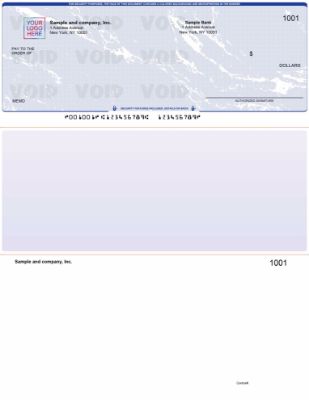
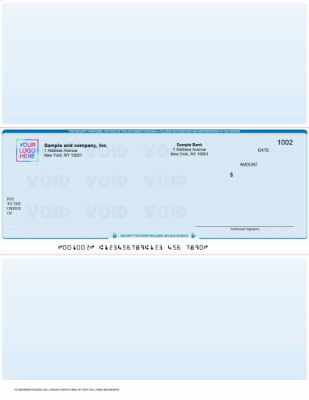
QuickBooks check on top voucher format from Checkomatic showing payroll check alternative to direct deposit with detachable pay stub for employee earnings and deductions records

QuickBooks payroll checks from Checkomatic in voucher format , the paper payroll alternative when direct deposit is not available or not preferred.


Funds Available on Pay Date

With direct deposit, the employee's pay is available in their account at the opening of business on pay date or even the night before. The employee does not need to go anywhere, wait for mail, or take any action to access their pay. For employees living paycheck to paycheck, the certainty of funds being available at a specific time on a specific date is a meaningful quality-of-life benefit that paper checks do not provide as reliably.


Lower Per-Transaction Cost at Volume

ACH payroll origination fees are $1.50 to $3.00 per employee per pay period at most banks and payroll processors. There are no check stock costs, no postage, and minimal staff time for distribution. At 20 or more employees processed biweekly, the savings over paper checks become measurable over a full year.


Eliminates Mailing and Distribution Logistics

Direct deposit removes the physical mailing process entirely. Pay arrives in the employee's account regardless of their location. Remote employees, employees at different offices, and employees who travel are paid on the same schedule as in-office staff without any additional distribution effort. Lost check replacement, returned mail tracking, and undelivered paycheck follow-up disappear from your payroll workflow.


Supports Multiple Account Splits

Most direct deposit systems allow employees to split their net pay across multiple accounts. An employee can direct a set amount to a savings account automatically and receive the remainder in their checking account. This built-in budgeting feature is not available with paper payroll checks, where the employee must manually manage any account splitting after cashing or depositing the full check.


Cons of Direct Deposit

Excludes Unbanked Employees

An employee without a bank account cannot receive ACH direct deposit payments. Employers cannot legally force an unbanked employee to open an account in most states. For workforces with any meaningful share of unbanked employees, maintaining a paper payroll check process is not optional. It is the legally required alternative payment method.


State Law Restrictions on Mandatory Direct Deposit

Several states, including California and New York, prohibit employers from requiring all employees to use direct deposit. Even in states that permit mandatory direct deposit, the Electronic Fund Transfer Act requires that the employee be free to choose their own bank. An employer who attempts to force all employees to direct deposit to a specific bank account or payroll card may violate both federal and state wage payment law. Penalties for improper mandatory direct deposit include civil fines and back pay liability.


ACH Reversals Are Not Guaranteed

If a payroll error is discovered after the ACH batch is released, reversing the payment requires the receiving bank to voluntarily return the funds. The receiving bank is not legally obligated to comply. In practice, most banks cooperate with ACH reversal requests when the request is timely and clearly documented, but the process is not as clean or reliable as a stop payment on a paper check. Overpayments that are not reversed require the employer to pursue repayment through other means.


Setup Requires Employee Banking Data Collection

Every employee must complete a direct deposit authorization form providing their routing number, account number, and account type. Collecting, verifying, and storing this banking data creates a data management responsibility. Employees who change banks must submit new authorization forms with enough lead time for the change to take effect before the next payroll. An employee who forgets to update their direct deposit information after changing banks may miss a pay period entirely, triggering a replacement paper check regardless.


Cost Comparison: What Each Method Costs Per Employee

Cost ComponentPaper Payroll CheckDirect Deposit
Transaction fee$0.15 to $0.25 (check stock)$1.50 to $3.00 (ACH fee)
Postage (if mailed)$0.73 per envelope$0
Staff time (print, sign, distribute)$2 to $5 per check at typical wage ratesMinimal , batch submission
Fully loaded per employee per pay period$3 to $8$1.50 to $3 (plus software subscription)
Annual cost, 10 employees biweekly$1,560 to $4,160$780 to $1,560 (plus software)
Annual cost, 50 employees biweekly$7,800 to $20,800$3,900 to $7,800 (plus software)


State Law: When Paper Checks Are Legally Required

This is the most important section for employers considering mandatory direct deposit. Federal law under the Electronic Fund Transfer Act (EFTA) does not prohibit mandatory direct deposit but sets a baseline: you cannot require an employee to use a specific bank. State law in many states goes further.


States That Prohibit Mandatory Direct Deposit

California explicitly prohibits mandatory direct deposit under California Labor Code Section 213. Employers in California must obtain voluntary written consent from each employee before initiating electronic wage payments and must offer a paper check alternative. New York similarly requires voluntary written consent. Indiana, Maryland, New Hampshire, New Jersey, and several other states impose comparable restrictions ranging from consent requirements to outright prohibitions on making direct deposit a condition of employment.


What "Consent Required" Means in Practice

In consent-required states, an employer can offer direct deposit as a convenient option and encourage employees to use it. What the employer cannot do is make direct deposit a condition of employment, fire or discipline an employee who refuses direct deposit, or fail to offer a paper payroll check as an alternative. The employee's choice must be actually voluntary and documented in writing.

For the complete guide to state payroll law requirements and how they affect your payroll check format choices, see business checks for payroll: the complete employer guide.


Unbanked Employees: Why Paper Checks Remain Essential


Burgundy

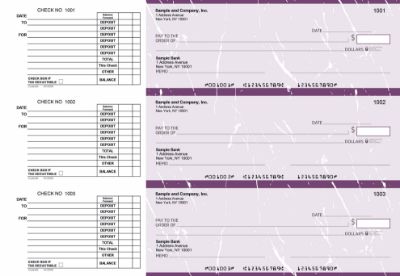
Manual executive deskbook checks from Checkomatic , the practical solution for unbanked employees and small teams that prefer handwritten payroll checks.

According to FDIC data, approximately 4.5 percent of US households were unbanked as of the most recent national survey. The rate is higher in industries that rely heavily on hourly and seasonal workers, including construction, food service, agriculture, and hospitality. For employers in these industries, a meaningful share of their workforce may have no access to ACH direct deposit.


Why Employers Cannot Mandate Bank Account Ownership

An employer cannot legally require an unbanked employee to open a bank account as a condition of employment in most states. Opening a bank account is not always simple for employees with limited credit history, past ChexSystems entries, or immigration status complications. An employer who attempts to enforce this requirement exposes themselves to wage payment law violations and potential discrimination claims.


The Payroll Card Option and Its Limitations

A payroll card is a prepaid debit card loaded with the employee's net pay each period. Some employers use payroll cards as an alternative to paper checks for unbanked employees. Under federal Regulation E, employees must be able to access their full pay without fees at least once per pay period if payroll cards are used. The employee also must consent to receiving pay by payroll card and must have a genuine alternative available if they refuse. In many states, that alternative must be a paper payroll check. Payroll cards eliminate the paper check for some unbanked employees but do not eliminate the requirement to offer paper checks entirely.

For businesses with unbanked employees, paper payroll checks in manual or computer-printed format remain the most simple and universally compliant payment method. For manual check options that work without accounting software, see manual checks at Checkomatic.


The Hybrid Approach: Offering Both

The most practical answer to the payroll check vs direct deposit question for most small and medium-sized businesses is not to choose between them. Offer both and let employees select the method that works for their situation. This approach eliminates the state law compliance risk, covers unbanked employees, satisfies the majority of employees who prefer direct deposit, and maintains the paper check option for employees who prefer it.


How to Implement a Hybrid Payroll System

  • Set up ACH direct deposit for every employee who has a bank account and consents in writing.
  • Maintain a supply of payroll check stock for employees who do not consent or cannot use direct deposit.
  • Process both methods on the same pay date , direct deposit through your payroll software's ACH module and paper checks through the same software's check printing function.
  • Document each employee's payment method choice in writing and update it whenever an employee changes their preference.
  • Review the employee list at each payroll run to confirm no one has slipped through with a missing or outdated preference on file.


What Accounting Software Handles Both

QuickBooks Payroll handles both direct deposit and paper check printing within the same payroll run. You can process some employees as ACH deposits and print physical checks for others in the same batch. QuickBooks-compatible payroll checks in voucher format from Checkomatic print correctly through QuickBooks Payroll's check printing function and align with double window envelopes for mailing. For QuickBooks-compatible payroll checks, see QuickBooks checks.


Which Is Right for Your Business

Business SituationBest MethodWhy
1 to 5 employees, all bankedEither , employer preferenceCost difference is negligible at this scale
Any unbanked employeesPaper check (required)Direct deposit not available without bank account
California or New York employerBoth (mandatory)State law requires paper check alternative
20+ employees, all banked, consent obtainedDirect deposit primaryCost and logistics savings meaningful at this scale
Field workers, no reliable internetPaper checkPhysical pay stub accessible without portal access
Remote employees in multiple statesDirect deposit primaryEliminates mailing logistics across locations
Mixed workforce (some banked, some not)Both (hybrid)Cover all employees with their preferred method
Payroll error risk is high (complex pay structures)Paper checkStop payment available before deposit if error found


What Customers Say About Checkomatic

All reviews below are published on checkomatic.com and reproduced verbatim. Source: checkomatic.com/quickbooks-starter-pack-product, 4.5 stars from 166 verified reviews.

"Been with them for 15 years. Always reliable, always good quality, good service. What more can you ask for?"

ATV Inc. | ★★★★★ 5/5 | April 5, 2024 | Source: checkomatic.com/quickbooks-starter-pack-product

"First time ordering and I am super impressed with the quality of the checks. No issues with delivery. I will be ordering again!"

TClinton | ★★★★★ 5/5 | April 9, 2025 | Source: checkomatic.com/quickbooks-starter-pack-product

"We use CheckoMatic for all of our check needs! They have great prices and we receive our products in a timely manner!"

CG's Tax Service | ★★★★★ 5/5 | September 18, 2024 | Source: checkomatic.com/quickbooks-starter-pack-product

"I got 500 checks for less than half of what the bank wanted for 200!"

VVA Voucher Checks (Vietnam Veterans of America) | ★★★★★ 5/5 | July 6, 2024 | Source: checkomatic.com/quickbooks-starter-pack-product

"ASJ Wilson Construction has been a client of checkomatic for some years now and they've never disappointed this company. Thank you checkomatic for all that you do."

ASJ Wilson Construction | ★★★★★ 5/5 | June 6, 2024 | Source: checkomatic.com/quickbooks-starter-pack-product

"Affordable and efficient. My go-to business check printer."

Doe | ★★★★★ 5/5 | January 24, 2025 | Source: checkomatic.com/quickbooks-starter-pack-product


Why Choose Checkomatic for Payroll Check Stock

Voucher Format With Pre-Printed Pay Stub Fields

Checkomatic's payroll checks ship in voucher format with pre-printed stub fields for gross pay, deductions, net pay, and year-to-date totals , the exact fields required by most state pay stub laws. These are not generic business checks with blank stubs. They are specifically formatted for payroll compliance. For all payroll check formats, see business checks for payroll: the complete employer guide.


Security Features Standard on Every Payroll Check Order

Every Checkomatic payroll check includes chemically sensitive paper, microprinting, void pantograph, and ANSI-certified MICR encoding as standard. Payroll checks are high-value targets for check washing and counterfeiting because they are issued regularly in predictable amounts. Security check stock significantly reduces this risk. For payroll-specific security considerations, see are business checks safe: security features that actually matter.


Compatible With QuickBooks, Quicken, Sage, and Most Payroll Software

Checkomatic's payroll checks are compatible with QuickBooks Payroll, Quicken, Sage 50, and most other accounting platforms that support check printing. The voucher format prints correctly with the check-on-top layout that QuickBooks defaults to for payroll. No format adjustment needed. For QuickBooks-compatible check formats, see QuickBooks checks. For manual checks for businesses that handwrite payroll, see manual checks.


For Positive Pay Integration

Checkomatic's payroll checks work with positive pay services offered by most US business banks. When your bank's positive pay system compares issued check data against presented checks, having consistently formatted MICR-encoded check stock eliminates the encoding errors that cause false rejections. For the complete guide to positive pay as a payroll fraud prevention tool, see what is positive pay and how does it work. To order payroll check stock in the right format and quantity, see what is the best place to order checks online.


Aug 27, 2026

Check 21 Act Explained: What It Means for Your Business Checks

Quick Answer: The Check 21 Act is the 2004 federal law that transformed US check clearing from a physical paper routing process into an electronic image exchange system. It created the substitute check, made mobile deposit legally possible, and eliminated the multi-day check float that businesses once used for cash flow management. For businesses that write checks, Check 21's most practical implication is that your MICR line must be correctly encoded because most US banks now scan it optically. A check with an off-spec MICR line gets bounced to manual processing, adding days to clearing time.


What the Check 21 Act Is

The Check 21 Act, formally titled the Check Clearing for the 21st Century Act, is a US federal law signed by President Bush on October 28, 2003. Its provisions took effect exactly one year later on October 28, 2004. The law's purpose is stated directly in its title: to modernize check clearing for the 21st century by reducing the legal barriers that required physical paper checks to travel between banks.

Before Check 21, US banking law treated the physical paper check as the only legally valid instrument for check payment settlement. If a check drawn on a bank in Seattle was deposited at a bank in Miami, the physical paper document had to travel ; by courier, armored car, or air transport ; from Miami back to Seattle before the payment could settle. This was slow, expensive, and operationally fragile. A major weather event, a natural disaster, or even a large-scale flight disruption could delay clearing for thousands of checks simultaneously.

Check 21 solved this by creating a new legal instrument: the substitute check. A substitute check is a paper reproduction of a check's digital image that the law treats as fully equivalent to the original paper document. With substitute checks as the legal backstop, banks could exchange digital images of checks electronically across the country in seconds rather than routing physical paper documents across the country over days.


Check Clearing Before and After Check 21

How Check Clearing Worked Before 2004

Before Check 21, a US business payment by check went through a physical routing process that could take three to five days for checks crossing Federal Reserve districts:

  1. The payee deposits the check at their bank.
  2. The payee's bank sends the physical check to a Federal Reserve processing center.
  3. The Fed sorts the checks by the issuing bank's routing number and ships the physical paper to the appropriate Federal Reserve district.
  4. The physical check is transported to the issuing bank.
  5. The issuing bank debits the payer's account and the payment settles.

The physical transportation between steps 3 and 4 was the bottleneck. A check deposited in Boston against a bank in Los Angeles was physically flown across the country before the Los Angeles bank saw it. This took 2 to 3 business days under normal conditions and could take longer when travel was disrupted. After the September 11, 2001 attacks grounded all US flights, check clearing delays stretched to a week in some cases. That disruption accelerated Congressional support for Check 21, which passed two years later.


How Check Clearing Works After Check 21

After Check 21, the same Boston-to-Los-Angeles check clears differently:

  1. The payee deposits the check at their Boston bank, either in person, at an ATM, or via mobile deposit.
  2. The Boston bank scans both sides of the check and captures its MICR line data.
  3. The digital image is transmitted electronically to the Federal Reserve or directly to the issuing bank in Los Angeles.
  4. The Los Angeles bank verifies the image against the account, debits the payer's account, and the payment settles.
  5. The original paper check is held briefly and then destroyed, or returned to the account holder depending on the account agreement.

The entire process now takes 1 to 2 business days at most institutions. The physical check may never leave the state where it was deposited. For the complete guide to how long each method of check clearing takes under current Regulation CC rules, see how long do business checks take to clear in 2026.

FactorBefore Check 21After Check 21
Physical routing requiredYes ; paper traveled between banksNo ; digital images transmitted electronically
Typical clearing time2 to 5 business days1 to 2 business days
Legal instrument requiredOriginal paper check onlyOriginal check or substitute check (image)
Check float2 to 5 days ; usable for cash flowLargely eliminated ; 1 to 2 days only
Disruption vulnerabilityHigh ; weather, disasters, flight disruptionLow ; electronic transmission not weather-dependent
Mobile depositNot possiblePossible ; bank creates substitute check from photo


What a Substitute Check Is and How It Works

QuickBooks check on top from Checkomatic showing the front and back of a business check that becomes a substitute check image replacement document under the Check 21 Act when deposited via mobile deposit or electronic check clearing

A business check from Checkomatic ; when deposited, this becomes the source for a substitute check image under the Check 21 clearing process.

The substitute check is the legal cornerstone of Check 21. Understanding what it is and what it is not clarifies how the law actually functions in practice.


What Makes a Substitute Check Legally Valid

Under Check 21, a substitute check is the legal equivalent of the original check if it meets four specific requirements:

  1. Accurate representation: The substitute check must accurately represent all information on both the front and back of the original check as it appeared at the time the original was scanned and truncated.
  2. Legal equivalence legend: The substitute check must bear the statement: "This is a legal copy of your check. You can use it the same way you would use the original check."
  3. MICR line conformance: The substitute check must include a MICR line containing all the information from the original check's MICR line. This is how the bank's automated systems read the routing number and account number from the substitute check.
  4. ANSI standards compliance: The substitute check must conform to ANSI X9.100-140 specifications for paper stock, dimensions, and format so it can be processed in the same automated systems that process original checks.


What Happens to the Original Check

Once a check is scanned and a digital image is captured, the original paper is said to have been "truncated." The original check is typically held for a short period ; often 30 to 90 days depending on the bank's policy ; and then destroyed. Some banks return original checks with account statements. Others provide image statements showing pictures of canceled checks. Whether you receive your original check back depends on your bank's account agreement, not on Check 21 itself, which does not require destruction of original checks.


Substitute Check vs Check Image vs Image Statement

These three are related but different. A substitute check is a paper document that meets the legal requirements above ; it is a physical reproduction of the check image that carries full legal equivalence. A check image is the digital file ; a TIFF or PDF scan of the front and back of the check ; that banks store and exchange electronically. An image statement is a paper account statement that shows multiple check images on the same page; the images on an image statement may be original checks or substitute checks, but the statement itself is not a substitute check. For proof of payment, all three serve the same legal purpose under Check 21.

For the complete glossary covering substitute checks, image replacement documents, and related Check 21 terminology, see check types and terminology: complete glossary guide.


How Check 21 Made Mobile Deposit Possible

Mobile deposit is the most visible consumer-facing result of Check 21, even though Check 21 itself predates smartphones by several years. The legal framework Check 21 created is what allows mobile deposit to work.


The Mechanism

When you photograph a check through your bank's mobile app, you are creating the initial digital capture of the check. Your bank takes that photograph, processes it to meet ANSI X9.100-140 specifications, and creates a substitute check ; a legal equivalent of the original check. That substitute check image is transmitted electronically through the clearing system. The original paper check you photographed has been functionally truncated at the moment of scanning, even though you still hold the physical paper.


Why You Must Void or Destroy the Original After Mobile Deposit

After a mobile deposit, your bank instructs you to write "VOID ; MOBILE DEPOSIT" on the front of the original check and hold it briefly before destroying it. This is not optional courtesy ; it is a necessary step in the Check 21 framework. The original paper check that was photographed is now the source document for a substitute check that has been legally presented for payment. If the original check were deposited again at a teller or ATM, the bank would potentially process a double payment. The "For Mobile Deposit Only" or "VOID" notation and the subsequent destruction of the physical check prevent this double presentment scenario.


Why Business Checks Need Correct Endorsement for Mobile Deposit

Business accounts have specific mobile deposit requirements beyond the check itself. The endorsement on the back of a business check deposited via mobile must typically include the authorized signature plus "For Mobile Deposit Only" or similar language as required by the depositing bank. Without the correct endorsement language, the mobile deposit may be flagged for review. For the complete guide to business check endorsement requirements, see check types and terminology: complete glossary guide.


What Check 21 Means for MICR Compliance on Your Business Checks

This is the most practical implication of the Check 21 Act for businesses that order and write checks. Before Check 21, banks used magnetic readers to read MICR lines ; the row of numbers at the bottom of every check. After Check 21 shifted clearing to electronic image processing, most large US banks moved to optical check scanners that read the MICR line visually from the check image rather than magnetically from the ink.


What This Means for Check Quality

Optical scanning places stricter requirements on MICR line quality than magnetic reading did. A MICR line that reads adequately under magnetic scanning might not reproduce clearly enough in a digital check image for optical character recognition to parse correctly. The consequences of a poorly printed MICR line under optical processing are:

  • The automated scanner cannot read the routing number or account number from the image.
  • The check is routed to manual processing where a bank employee reads the MICR line by eye and keys it in.
  • Manual processing adds 1 to 3 business days to clearing time on top of the standard timeline.
  • In some cases, a badly printed MICR line results in the check being returned to the depositing bank as unprocessable.


What ANSI-Certified MICR Means

ANSI E13-B is the US standard for MICR font and ink specifications. A check with an ANSI-certified MICR line has been printed to meet the ink density, font dimensions, and placement specifications that US bank scanners ; both magnetic and optical ; are calibrated to read. This certification is what separates a check that clears without delays from a check that gets bounced to manual processing.

Checkomatic has printed ANSI-certified MICR lines on every business check order from its Monroe, NY facility since 1997. Every batch goes through MICR reader verification before shipping. For the complete technical guide to MICR encoding and why it matters under Check 21 processing, see what is a MICR line: the tech behind every check.


How Check 21 Changed Check Float for Businesses

Check float was once a practical cash flow tool for small businesses. If a business had $3,000 in its checking account on a Friday but needed to pay a $4,000 vendor invoice, a business owner might write the check on Friday knowing that the check would not clear until Wednesday, by which time an expected payment from a customer would have arrived. This practice depended entirely on the 3 to 5 day clearing window that existed before Check 21.


Check 21 Eliminated Reliable Float

After Check 21 compressed clearing timelines to 1 to 2 business days, the 3 to 5 day float window closed. A check written on Friday might clear by Monday or Tuesday. The arithmetic of floating a check against expected future deposits no longer works when the clearing window is this short.


Check Kiting Is Now Faster to Detect

Before Check 21, check kiting ; deliberately exploiting the float period by writing checks against insufficient funds and depositing money before the checks cleared ; required the float window to work. Check 21's faster clearing made kiting schemes collapse faster and become detectable sooner by bank fraud systems. Writing a check you know your account cannot cover, and relying on float to cover it, is check kiting: a federal bank fraud offense under 18 U.S.C. 1344. The faster clearing under Check 21 means there is less time for the scheme to work before the bank detects the insufficient funds.

For businesses managing cash flow, the correct response to Check 21's elimination of float is accurate cash flow planning using a check register and accounting software rather than relying on clearing delays. For complete guidance on business checkbook management and register reconciliation, see check types and terminology: complete glossary guide.


Does Check 21 Affect Computer-Printed Business Checks?

Blue

QuickBooks 3-on-a-page computer-printed checks ; fully legal and bank-accepted under the Check 21 Act framework.

Yes, in a positive way. The Check 21 Act is part of why computer-printed business checks from accounting software are fully legal and bank-accepted at every US institution.


Why Computer-Printed Checks Are Legal Under Check 21

Before Check 21, the legal framework for check clearing assumed that a check was a document produced by a financial institution or commercial printer. Computer-printed checks occupied an ambiguous position. The Check 21 Act, by establishing that the legal instrument for settlement is the digital image or substitute check rather than the physical paper, removed the ambiguity. A check printed by your accounting software on properly encoded check stock produces a digital image that is indistinguishable from an image of a preprinted check in the electronic clearing system. Both are processed identically.


What Your Check Stock Must Be for Computer-Printed Checks

For a computer-printed check to clear correctly under Check 21 electronic processing, the blank check stock it is printed on must:

  • Have the MICR routing number and account number pre-printed in ANSI-certified magnetic ink (so your accounting software does not need to print the MICR line)
  • Meet the paper dimension standards that bank scanners are calibrated for (8.5 x 3.5 inches for standard voucher business checks)
  • Have security features embedded in the paper that reproduce correctly in a digital image scan without obscuring the MICR line

Check stock that does not meet these specifications can cause processing delays under Check 21 imaging even if it looks correct to the human eye. For a complete guide to computer-printed check stock requirements and how to choose the right format for your accounting software, see computer printable checks: how to choose and print them.


Expedited Recredit: Your Protection Right Under Check 21

Check 21 included a specific consumer protection provision for situations where receiving a substitute check causes a financial loss. This provision is called expedited recredit.


When Expedited Recredit Applies

Expedited recredit applies when:

  • You received a substitute check rather than the original check.
  • The substitute check caused a loss ; most commonly through an erroneous or duplicate debit against your account.
  • The original check or a better copy of the check is needed to resolve a claim or dispute.


How to File an Expedited Recredit Claim

You must file the claim within 40 calendar days of receiving the relevant account statement or the substitute check itself, whichever is later. Contact your bank directly and describe the specific loss, the substitute check that caused it, and the amount of the loss. The bank must provisionally recredit your account within 10 business days of receiving your claim while it investigates. The bank has 45 days to complete its investigation and make the recredit permanent or reverse it with explanation.


Expedited Recredit for Business Accounts

Check 21 expressly provides expedited recredit rights for both consumer and business account holders who receive substitute checks. Business accounts that process high check volumes should designate someone in the accounting or AP function to monitor incoming substitute checks for discrepancies. Any discrepancy related to a substitute check should be flagged and reported within the 40-day window. After that window closes, you may lose the expedited recredit remedy and be limited to standard dispute resolution channels with your bank.


Check 21 and Business Check Fraud

Check 21 changed the fraud landscape for business checks in both directions. Some fraud methods became harder. Others became easier. Understanding both sides helps you protect your business.


What Check 21 Made Harder

Physical check interception and alteration became somewhat harder under Check 21 because checks spend less time in physical transit. A check that would have traveled by courier for three days pre-Check 21 now clears in one to two days, reducing the window for physical interception. Faster clearing also means altered checks reach the bank's verification systems faster, where fraud detection algorithms can flag anomalies in the check image itself.


What Check 21 Made Possible for Fraudsters

Check image fraud emerged as a new vector after Check 21. Because the bank processes a check image rather than the physical document, sophisticated fraudsters can attempt to manipulate the check image to alter amounts or payee details in the digital file before it reaches the clearing system. This is rare and technically difficult, but it is an attack vector that did not exist in the pre-Check 21 physical routing world.


Why Security Features Still Matter Under Check 21

The six physical security features on properly manufactured business check stock ; chemically sensitive paper, microprinting, void pantograph, UV fluorescent fibers, heat-sensitive ink, and genuine watermark ; serve a dual purpose under Check 21. They protect the physical check from alteration before it is scanned, and they reproduce in ways in the digital image that bank fraud detection systems recognize as authentic. A counterfeit check produced without these security features produces a check image that lacks the expected security feature signatures, which fraud systems flag. Positive pay adds the bank-side verification layer: the bank confirms every presented check against your issued check list before releasing payment. For both security features and positive pay, see are business checks safe: security features that actually matter and what is positive pay and how does it work.


What Customers Say About Checkomatic

All reviews below are published on checkomatic.com and reproduced verbatim. Source: checkomatic.com/quickbooks-starter-pack-product, 4.5 stars from 166 verified reviews.

"Been with them for 15 years. Always reliable, always good quality, good service. What more can you ask for?"

ATV Inc. | ★★★★★ 5/5 | April 5, 2024 | Source: checkomatic.com/quickbooks-starter-pack-product

"First time ordering and I am super impressed with the quality of the checks. No issues with delivery. I will be ordering again!"

TClinton | ★★★★★ 5/5 | April 9, 2025 | Source: checkomatic.com/quickbooks-starter-pack-product

"We use CheckoMatic for all of our check needs! They have great prices and we receive our products in a timely manner!"

CG's Tax Service | ★★★★★ 5/5 | September 18, 2024 | Source: checkomatic.com/quickbooks-starter-pack-product

"I got 500 checks for less than half of what the bank wanted for 200!"

VVA Voucher Checks (Vietnam Veterans of America) | ★★★★★ 5/5 | July 6, 2024 | Source: checkomatic.com/quickbooks-starter-pack-product

"ASJ Wilson Construction has been a client of checkomatic for some years now and they've never disappointed this company. Thank you checkomatic for all that you do."

ASJ Wilson Construction | ★★★★★ 5/5 | June 6, 2024 | Source: checkomatic.com/quickbooks-starter-pack-product

"Affordable and efficient. My go-to business check printer."

Doe | ★★★★★ 5/5 | January 24, 2025 | Source: checkomatic.com/quickbooks-starter-pack-product


Why Choose Checkomatic for Check 21 Compliant Business Checks

ANSI-Certified MICR on Every Order

Check 21 electronic processing requires a correctly printed MICR line. Every Checkomatic business check ships with an ANSI E13-B certified MICR line printed on a dedicated MICR printer, verified through a MICR reader before leaving the facility. Rejection rate at US banks is under 0.1 percent across monthly order volume. No guessing, no "MICR-compatible" label with inconsistent magnetic signal. Certified MICR, every order. For the technical guide to why MICR matters under Check 21, see what is a MICR line: the tech behind every check.


Standard Paper Dimensions for Optical Scanning

Every Checkomatic business check is manufactured to the 8.5 by 3.5 inch standard for business voucher format ; the dimension that US bank ATM scanners, mobile deposit apps, and teller scanning equipment are calibrated to read. Checks in non-standard dimensions confuse automated image cropping and trigger read errors that delay clearing. For all business check formats, see business checks and QuickBooks checks.


Security Features That Reproduce Correctly in Check Images

Checkomatic's security features are manufactured to reproduce correctly in the digital check image that banks exchange under Check 21. The microprinting appears correctly in high-resolution scans. The void pantograph activates correctly when a copy is made. The chemically sensitive paper reacts to washing attempts before the check is ever scanned. These features work in the pre-scan physical protection layer and in the post-scan image authentication layer. For the complete security feature guide, see are business checks safe: security features that actually matter.


Aug 26, 2026

Wire Transfer vs Check: When to Use Each for Business Payments

Quick Answer: Wire transfers and business checks are both legitimate B2B payment methods with different strengths. Wire transfers win on speed (same-day) and international reach. Business checks win on cost, reversibility, remittance documentation, and universal vendor acceptance. For most routine US vendor payments, business checks are the better choice. Reserve wire transfers for urgent large payments, real estate closings, and international transactions where same-day settlement is required and the wire fee is justified.


How Wire Transfers and Business Checks Work

How a Wire Transfer Works

A wire transfer is an electronic bank-to-bank instruction to move funds from one account to another. For domestic US payments, wire transfers move through the Federal Reserve's Fedwire network. The sending bank debits your account, sends a real-time settlement instruction through Fedwire to the receiving bank, and the receiving bank credits the payee's account. Each wire is processed individually, not in a batch, which is why it settles so quickly. For international payments, wire transfers route through the SWIFT network, which connects banks across more than 200 countries.

Wire transfers require you to provide the receiving bank's routing number (ABA number for domestic, BIC/SWIFT code for international), the payee's account number, and the payment amount. Once your bank releases the wire, it moves in real time. Domestic wires typically complete within hours on the same business day when initiated before the bank's internal cutoff, usually mid-to-late afternoon Eastern Time.


How a Business Check Works

A business check is a written instruction ordering your bank to pay a specified amount to the payee named on the check. You fill out the check, sign it as the authorized signatory on file with your bank, and deliver it to the payee by mail or in person. The payee deposits the check at their bank, which presents it to your bank through the check clearing system. Your bank verifies the check and releases funds from your account. The entire cycle from writing the check to cleared funds typically takes 2 to 8 business days depending on mail transit time and the payee's bank hold policies under Regulation CC.

Business checks require no special bank initiation steps at payment time. You write the check when you have the payee's name and the amount confirmed. The payee handles the rest. Your account is not debited until the check clears, which means a check gives you slightly more control over payment timing than a wire does.


Wire Transfer vs Check: Full Comparison Table

FactorWire TransferBusiness Check
Settlement speedSame business day (domestic)2 to 8 business days total
Per-transaction cost$15 to $50 outgoing$3 to $20 fully loaded
ReversibilityGenerally irreversible once sentReversible via stop payment before deposit
Remittance dataShort reference field onlyTwo detachable stubs with invoice detail
International reachYes, via SWIFTYes, but slow and currency-dependent
Vendor acceptanceRequires vendor bank account detailsNear-universal acceptance
Fraud profileBEC fraud; often unrecoverableCheck washing; stoppable; UCC recourse
Paper trailElectronic record onlyPhysical stub + electronic bank image
Payment timing controlDebits immediately on releaseDebits when check clears
Transaction limitNo standard limitNo standard limit


Speed and Settlement Time Compared

Speed is the clearest advantage of wire transfers over business checks. For most businesses, the question is whether same-day settlement is actually needed or whether 2 to 5 business days is acceptable.


Wire Transfer Settlement Timeline

  • Domestic (Fedwire): Initiate before your bank's cutoff (typically 3:00 to 5:00 p.m. Eastern Time). Funds arrive at the receiving bank the same business day, usually within hours. The receiving bank may take additional time to post funds to the payee's account.
  • International (SWIFT): 1 to 5 business days depending on the destination country, the number of correspondent banks involved, and any currency conversion steps.
  • After the bank cutoff: Wires initiated after your bank's internal cutoff go out the next business day. Missing the cutoff by a few minutes means a one-day delay.


Business Check Settlement Timeline

  • Mail transit: 1 to 5 business days for the check to reach the payee.
  • Check clearing after deposit: Under Regulation CC, the first $225 of a check deposit is available the next business day. Larger amounts are typically available within 2 business days at most banks for checks from established payors, though longer holds apply to new accounts and certain check types.
  • Total timeline: 2 to 8 business days from writing the check to cleared funds in the payee's account. For local payments delivered in person, the check can clear in 1 to 3 business days.
When speed actually matters: Most routine vendor invoices, rent payments, and supplier payments do not require same-day settlement. If the invoice has net-30 terms, a check written on day 25 and cleared on day 29 is just as on-time as a wire sent on day 29. Reserve wire transfers for payments where being even one day late has real consequences.


Cost Comparison: Wire Transfer vs Business Check


Blue

AP business checks from Checkomatic ; $3 to $20 per check fully loaded vs $15 to $50 per wire for the same routine vendor payment.

Cost is where the comparison between wire transfers and business checks is most concrete. The difference per transaction is significant, and at volume it becomes a meaningful line item.


Wire Transfer Costs

  • Outgoing domestic wire: $15 to $30 at most US banks.
  • Outgoing international wire: $25 to $50, plus possible correspondent bank fees that reduce the amount received by the payee.
  • Incoming wire fee: $0 to $15 depending on the receiving bank.

At $25 per outgoing domestic wire and 50 wires per month, a business spends $1,250 per month on wire fees alone. At 100 wires per month, that is $2,500 per month, or $30,000 per year. For large businesses with high wire volumes, the fee reduction from switching routine payments to checks or ACH is directly measurable.


Business Check Costs

  • Check stock per check: $0.15 to $0.25 per check ordered in quantity directly from a manufacturer like Checkomatic.
  • Postage: $0.73 for a standard first-class letter.
  • AP staff time: $2.00 to $3.00 per check fully loaded at typical AP wage rates.
  • Total fully loaded per check: $3 to $20, depending on business size and staff cost allocation.

At $5 fully loaded per check and 50 checks per month, a business spends $250 per month. Compared to $1,250 in wire fees for the same number of payments, the annual savings of switching from wires to checks for routine payments is $12,000 per year. For a complete payment cost comparison across all methods, see card vs check payments: costs, pros, cons compared.


When the Wire Fee Is Worth Paying

The wire fee is cost-justified when the payment amount is large enough that the fee is immaterial, or when same-day settlement is operationally required. On a $500,000 real estate closing, a $30 wire fee is 0.006 percent of the transaction. On a $300 vendor invoice, the same $30 wire fee is 10 percent of the payment amount. Scale the wire fee against the payment size when deciding whether it is justified.


Reversibility: Stop Payment vs Wire Irrevocability

This is the most practically important difference between wire transfers and business checks for businesses managing payment risk.


Wire Transfers: Generally Irreversible

Once a domestic wire is accepted by the receiving bank through Fedwire, it is functionally irrevocable. There is a very brief window before the wire leaves the sending institution when cancellation may be possible, but this is typically minutes and is not guaranteed by any standard. If a wire is sent to the wrong account number, the wrong routing number, or the wrong payee entirely, recovery requires the sending bank to contact the receiving bank and request a voluntary return. The receiving bank is not legally obligated to comply. If the funds have already been moved or withdrawn by the payee, recovery may be impossible.

This irreversibility is the central risk factor when criminals use business email compromise (BEC) to intercept payment communications and trick accounts payable staff into wiring funds to a fraudulent account. Once the wire goes out, the money is gone in most cases.


Business Checks: Reversible Before Deposit

A business check can be stopped at any point before it is deposited by the payee. A stop payment order placed with your bank costs $15 to $35 at most institutions and remains in effect for 6 months (renewable). The stop payment prevents the check from clearing even if the payee presents it. This gives your business a meaningful window to correct payment errors, resolve disputes, or address lost or stolen checks before the funds leave your account.

After a check is deposited and cleared, recovery requires a bank investigation or legal action, but the window for stopping payment before clearing is a significant advantage over wire transfers for routine payment management. For complete stop payment guidance, see how to stop payment on a check: step-by-step guide.

Wire transfer irrevocability in practice: A business email compromise attack typically involves a criminal intercepting payment approval communications, changing the bank account details in the payment request, and convincing AP staff to wire funds to the criminal's account instead of the legitimate vendor. Because wires are irreversible, there is no stop payment option. Businesses that route large payments through wire transfers need dual approval controls and bank account verification protocols before any wire is released.


Fraud Risk: Wire Transfer vs Business Check

Wire transfers and business checks face different fraud threats. Neither is inherently safer than the other ; they are vulnerable in different ways, which affects how you protect against each.


Wire Transfer Fraud: Business Email Compromise

The dominant wire transfer fraud vector is business email compromise (BEC). A criminal gains access to or spoofs a business email account involved in the payment process ; often a vendor's billing department or a C-suite executive at the paying company. The criminal sends a payment request with altered bank details, directing the wire to their own account. Because BEC attacks are sophisticated and often indistinguishable from legitimate payment requests, they succeed frequently. The FBI's 2023 Internet Crime Report identified BEC as the highest-cost cybercrime category in the US. And because wires are irreversible, recovery after a BEC attack is rare.

Defense against wire fraud requires process controls: verify any new or changed bank account details through a direct phone call to a known contact number before releasing any wire. Dual approval requirements for large wires add a second line of defense.


Business Check Fraud: Check Washing and Theft

The dominant business check fraud vector is check washing: intercepting a check in the mail, chemically removing the ink from the payee and amount fields, and rewriting the check to a fraudulent payee for a larger amount. Check washing requires physical access to the check, which limits the attacker pool to mail thieves rather than remote criminals.

The defense is security check stock. Chemically sensitive paper reacts to washing chemicals with a visible stain that makes tampering immediately apparent at the bank. Microprinting and void pantograph features stop counterfeit check attempts. Under UCC Article 3, a bank that pays a materially altered check bears liability for the difference between the original and altered amounts if the drawer exercised ordinary care in writing and mailing the check. This provides legal recourse that wire fraud victims typically lack.

For the complete guide to check security features and how they protect against the most common check fraud methods, see are business checks safe? Security features that actually matter.


Remittance Documentation: Where Business Checks Have the Advantage

This is the least discussed but most practically valuable advantage of business checks over wire transfers for businesses managing accounts payable at any significant volume.


What Remittance Documentation Is


QuickBooks voucher check on top from Checkomatic showing two detachable remittance stubs below the check that carry invoice level payment detail for accounts payable reconciliation a key advantage of business checks over wire transfers which carry only a short reference field


QuickBooks voucher checks from Checkomatic ; two stubs carry full invoice-level remittance detail; wire transfers provide only a short reference field.

When you pay a vendor, they need to know which invoices your payment covers. If you owe a vendor $4,750 across three open invoices of $2,000, $1,500, and $1,250, the vendor's accounts receivable team needs to know which of those three invoices your payment of $4,750 covers. Without this information, they cannot close the invoices in their system. This creates unnecessary back-and-forth calls, delayed account reconciliation, and AP friction on both sides.


Wire Transfer Remittance Limitations

A domestic wire transfer carries a short reference field in the payment message, typically 140 characters or less. This allows a payment reference or invoice number, but it cannot accommodate full invoice-level detail for multi-invoice payments. When you wire $4,750 against three invoices, you must separately email, mail, or call the vendor with remittance detail explaining how the $4,750 is allocated. This adds a step to every multi-invoice wire payment.


Business Check Remittance Advantage

A voucher-format business check includes two detachable stubs, each the same size as the check itself. One stub goes to the vendor with the payment. The stub includes fields for: vendor name, invoice numbers, amounts per invoice, discounts taken, credits applied, and the net payment amount. The vendor's AP team receives the check and the remittance detail in one envelope. No separate email or call needed.

This is why voucher format remains the standard for US business accounts payable even as electronic payment options have expanded. The physical remittance record reduces vendor communication overhead and speeds up the payee's accounts receivable reconciliation. For voucher format business checks and all other AP check formats, see voucher checks vs wallet checks: when to use each.


When to Use a Wire Transfer

Wire transfers are the right payment method in these specific situations. Outside of these scenarios, a business check or ACH payment is typically the better choice.


Real Estate Closings and Large One-Time Settlements

Real estate title companies require confirmed, same-day-settled funds at closing. A check that might clear in 2 business days creates uncertainty that delays the closing. A wire that settles by mid-afternoon on the day of closing gives the title company the fund confirmation they need to proceed. This is the most common and most justified use case for wire transfers in small and medium-sized business payments.


International Vendor Payments

Domestic ACH does not cross US borders. An international SWIFT wire is the standard method for paying overseas suppliers, manufacturers, and service providers in their local currency or in USD. A US business check sent internationally faces currency conversion, international clearing delays, and some foreign banks may add fees or refuse to process foreign checks. For regular international supplier payments, wire is the practical choice.


Very Large Urgent Payments

For a six-figure or seven-figure payment where same-day settlement is actually required, a wire's $30 fee is immaterial against the transaction size, and the certainty of same-day settlement is worth the cost. Examples: equipment purchases where the seller requires confirmed funds before shipping, large inventory purchases with time-sensitive terms, tax payments with same-day deadlines.


Payees That Cannot Accept Checks

Some international payees cannot process US checks. Some domestic payees with automated AP systems are set up to receive wires and do not have check deposit workflows. If the payee specifies wire as the required payment method, use wire.


When to Use a Business Check

Routine Domestic Vendor Payments

For most routine vendor invoices with net-30 terms, a business check written 5 to 10 days before the due date arrives and clears well within the payment window. The lower per-transaction cost, built-in remittance documentation, and reversibility through stop payment make checks the practical default for high-volume domestic AP runs.


Payroll When Employees Prefer or Require Paper Checks


Blue


Payroll business checks from Checkomatic ; pay stubs attached for employee earnings detail when paper payroll is required.

Some employees do not have bank accounts or prefer physical paychecks. Paper payroll checks remain the most universally accepted payroll payment method and provide the employee with a detachable pay stub showing earnings detail, taxes withheld, and deductions. See business checks for payroll: the complete employer guide for payroll check format guidance.


Payments Where Reversibility Matters

Any payment to a new vendor where you want the option to stop payment if the goods or services are not delivered as agreed. Any payment where the dollar amount is uncertain until delivery and might need adjustment. Any situation where payment-in-dispute risk is elevated and you want recourse before the funds clear.


Vendors Who Prefer or Require Checks

Many small contractors, landlords, local service providers, and specialty vendors work on paper check workflows and do not have electronic payment setups. Refusing to pay by check forces payment method negotiation that slows the relationship. Checks remain the most universally accepted business payment method in the US and require the least vendor setup effort.


Decision Framework: Wire Transfer vs Check by Situation

Payment SituationBest MethodWhy
Real estate closing, same-day funds required✅ WireSame-day settlement required
International supplier payment✅ Wire (SWIFT)ACH does not cross US borders
Routine vendor invoice, net-30 terms✅ Business checkLower cost, remittance stubs, reversible
Employee payroll, paper check required✅ Business checkUniversal acceptance, pay stub attached
Large urgent same-day domestic payment✅ WireFee is immaterial at large amounts
Small contractor, prefers paper✅ Business checkNo electronic setup needed from vendor
Payment to new vendor, dispute risk elevated✅ Business checkStop payment available before clearing
Multi-invoice consolidated payment✅ Business checkVoucher stub carries all invoice detail
Payee cannot accept checks✅ WirePayee's system requires wire
Rent or landlord payment✅ Business checkMost landlords accept and prefer checks


What Customers Say About Checkomatic

All reviews below are published on checkomatic.com and reproduced verbatim. Source: checkomatic.com/quickbooks-starter-pack-product, 4.5 stars from 166 verified reviews.

"I got 500 checks for less than half of what the bank wanted for 200!"

VVA Voucher Checks (Vietnam Veterans of America) | ★★★★★ 5/5 | July 6, 2024 | Source: checkomatic.com/quickbooks-starter-pack-product

"Been with them for 15 years. Always reliable, always good quality, good service. What more can you ask for?"

ATV Inc. | ★★★★★ 5/5 | April 5, 2024 | Source: checkomatic.com/quickbooks-starter-pack-product

"First time ordering and I am super impressed with the quality of the checks. No issues with delivery. I will be ordering again!"

TClinton | ★★★★★ 5/5 | April 9, 2025 | Source: checkomatic.com/quickbooks-starter-pack-product

"We use CheckoMatic for all of our check needs! They have great prices and we receive our products in a timely manner!"

CG's Tax Service | ★★★★★ 5/5 | September 18, 2024 | Source: checkomatic.com/quickbooks-starter-pack-product

"ASJ Wilson Construction has been a client of checkomatic for some years now and they've never disappointed this company. Thank you checkomatic for all that you do."

ASJ Wilson Construction | ★★★★★ 5/5 | June 6, 2024 | Source: checkomatic.com/quickbooks-starter-pack-product

"Affordable and efficient. My go-to business check printer."

Doe | ★★★★★ 5/5 | January 24, 2025 | Source: checkomatic.com/quickbooks-starter-pack-product


Why Choose Checkomatic for Business Check Payments

Lower Per-Transaction Cost Than Wire Transfers for Routine Payments

At $3 to $5 fully loaded per check versus $15 to $30 per wire, business checks cost 70 to 90 percent less per transaction for routine domestic vendor payments. A business switching 50 routine monthly wire payments to checks saves $500 to $1,250 per month in wire fees. Browse all business check formats at business checks and QuickBooks checks.


Voucher Format Eliminates Separate Remittance Communication

Checkomatic's voucher-format AP checks include two detachable stubs with full invoice-level remittance fields. Every check payment carries its own remittance documentation. No separate email, no phone call, no remittance transmission file needed. For AP payment volumes of 20 or more checks per month, eliminating the separate remittance step saves meaningful staff time per payment cycle.


Six Security Features Standard on Every Check

Chemically sensitive paper, microprinting, void pantograph, UV fluorescent fibers, heat-sensitive ink, and genuine watermark on every order at the base price. These features address check washing, counterfeiting, and physical fraud methods that wire transfers are not vulnerable to. For security feature details, see are business checks safe? Security features that actually matter.


Stop Payment Available on Every Check Before Clearing

Unlike wire transfers, every business check is reversible via stop payment before the payee deposits it. This gives your AP team the ability to correct payment errors, resolve disputes, or address lost checks without the "irrevocable payment" problem that wire fraud creates. For the complete stop payment guide, see how to stop payment on a check: step-by-step guide. For the best place to order checks with full security features, see what is the best place to order checks online.


Aug 25, 2026

How Many Checks Should I Order? A Guide by Business Size and Volume
Quick Answer: For most small businesses writing 20 to 50 checks per month, 250 to 500 checks per order is the right starting point. This quantity covers 5 to 12 months of supply, qualifies for meaningful bulk pricing, and does not lock you into a large batch you might not use if your business details change. For payroll, always keep at least one full payroll run worth of checks in reserve. For your very first order from any new supplier, order a smaller quantity first to confirm alignment before committing to 500 or more.


How Many Checks to Order by Business Size

The most practical starting point for answering how many checks you should order is your business size and the number of checks you write per month. Every business is different, but these ranges apply to the majority of US small and medium-sized businesses.

Business TypeChecks/MonthAnnual NeedRecommended Order
Solo operator / freelancer5 to 1060 to 120100 to 150
Small business, AP only20 to 30240 to 360250 to 400
Small business, AP + payroll30 to 60360 to 720400 to 600
Medium business, high AP60 to 150720 to 1,800600 to 1,000
Property manager (multiple properties)40 to 100480 to 1,200500 to 1,000
Non-profit / school / foundation10 to 30120 to 360150 to 400
Construction / trades50 to 150600 to 1,800600 to 1,000

These ranges assume you are ordering one format at a time. If you use both voucher checks for payroll and 3-on-a-page for AP, calculate each separately and order them as separate batches with separate check number sequences. Mixing formats in a single order creates tracking and alignment confusion.


Quick Reference: Checks Needed by Monthly Volume

If you know roughly how many checks your business writes per month, this table tells you how many to order at once to cover 6 months, 12 months, and 18 months of supply.

Checks/Month6-Month Supply12-Month Supply18-Month Supply
5306090
1060120180
20120240360
30180360540
50300600900
1006001,2001,800
1509001,8002,700


How Check Format Affects Your Quantity Decision

QuickBooks check on top voucher format from Checkomatic showing one check per page for quantity calculation when deciding how many checks to order for business payroll and accounts payable

Voucher checks ; one check per page. Your monthly usage equals your monthly check count exactly.

The format you choose affects how quickly you go through a batch of check stock. Understanding this before placing an order helps you buy the right quantity the first time.


Voucher Checks (Check-on-Top)

One check per 8.5 by 11 inch sheet. If you write 30 checks per month, you use 30 sheets of voucher stock per month. The calculation is one-to-one: your monthly check count equals your monthly sheet count. Voucher format is the standard for payroll and accounts payable where a physical stub record is required per payment. For voucher format business checks, see QuickBooks checks and business checks at Checkomatic.


3-on-a-Page Checks (Standard Format)

Three checks per 8.5 by 11 inch sheet. If you write 90 checks per month, you use only 30 sheets of 3-on-a-page stock. The calculation is one-third: your monthly check count divided by 3 equals your monthly sheet count. This format is more paper-efficient for high-volume accounts payable runs. For 3-on-a-page format, see 3-on-a-page checks at Checkomatic.


Manual Checks (Handwritten)

Three checks per page with carbonless duplicate copies. The carbon duplicate creates an automatic paper record of every check you write. Manual checks are sold by the book or in individual sheets. If you write 10 to 30 checks per month by hand, a standard manual check supply covers your needs without requiring accounting software. For manual check formats, see manual checks at Checkomatic.

FormatChecks/SheetSheets for 300 ChecksBest For
Voucher (check-on-top)1300 sheetsPayroll, AP with stubs
3-on-a-page (standard)3100 sheetsHigh-volume AP, no stubs needed
Manual (handwritten)3 (with carbon)100 sheetsNo software, occasional payments

For a full comparison of check formats and which situations call for each, see voucher checks vs wallet checks: when to use each.


How Many Checks to Order for Payroll

Payroll business checks from Checkomatic showing voucher format with two detachable stubs for employee pay records with quantity guide for how many payroll checks to order based on employee headcount and pay frequency

Payroll business checks from Checkomatic ; order quantity based on headcount and pay frequency.

Payroll is the most time-sensitive check use case. Running out of payroll checks before a pay date means employees do not get paid on time, which creates both a legal risk and an employee relations problem. The quantity calculation for payroll checks is more precise than for general AP checks.


Payroll Quantity Formula

Start with your employee headcount paid by check at each pay run. Multiply by the number of pay runs per year. Add 10 to 15 percent buffer for voided checks, new employees, and corrections.

  • Weekly payroll, 5 employees: 5 x 52 = 260 checks per year. Order 300.
  • Biweekly payroll, 10 employees: 10 x 26 = 260 checks per year. Order 300.
  • Biweekly payroll, 25 employees: 25 x 26 = 650 checks per year. Order 750.
  • Monthly payroll, 15 employees: 15 x 12 = 180 checks per year. Order 250.


The Payroll Reserve Rule

Always keep at least one full payroll run worth of checks in reserve before triggering a reorder. If you pay 10 employees biweekly, your reorder trigger is when you have 10 to 15 checks remaining, not when you have 25 remaining. The 25-check general rule is a floor; for payroll, build the trigger around your headcount.

For the complete guide to payroll check formats and compliance requirements, see business checks for payroll: the complete employer guide.


First-Time Order: What Quantity to Start With

QuickBooks starter pack from Checkomatic showing complete first order bundle with checks deposit slips envelopes and endorsement stamp ideal first time check order quantity for new business setup

Checkomatic starter pack ; the right first order for new businesses getting their check supply set up.

The first order from any check supplier is different from a reorder. With a reorder, you already know the format works, the alignment is correct, and the quality meets your standard. With a first order, you are verifying all of these for the first time.


Why First Orders Should Be Smaller

Even with a supplier that pre-formats check stock to your software's print template, individual printer models vary. The margins on your specific printer may require a small alignment adjustment. If you order 500 checks and discover the alignment requires correction after running through 50 checks, you have wasted 50 sheets of security paper. Starting with a smaller quantity gives you the chance to confirm alignment on your specific printer before committing to a large batch.


Recommended First-Order Quantities

  • New business, low volume (under 20 checks/month): Start with 100 to 150 checks.
  • Existing business, switching suppliers: Start with 150 to 250 checks.
  • New business, medium volume (20 to 50 checks/month): Start with 250 checks.
  • Established business with confirmed format: Order 500 or more for bulk pricing.

For new businesses setting up their complete check-writing system for the first time, the starter kit bundle covers checks, deposit slips, double-window envelopes, and an endorsement stamp in a single order. See the business check starter kit at Checkomatic.


Bulk Pricing: When Ordering More Saves Money

Per-check cost decreases as quantity increases. The savings between a small order and a medium or large order are meaningful for businesses that use checks regularly.


How Bulk Pricing Works

Check printing has fixed production costs (setup, MICR encoding verification, security paper preparation) and variable costs (paper, toner, binding). The fixed costs are the same whether you order 50 checks or 500 checks. Spreading those fixed costs over a larger quantity lowers the per-check price at every tier above the minimum order. This means the per-check cost of a 500-check order can be 40 to 60 percent lower than the per-check cost of a 50-check order from the same supplier for the same format.


When to Take Advantage of Bulk Pricing

  • After your first order confirms quality and alignment ; then move to larger quantities on reorders.
  • When your business details (name, address, bank account) are stable for at least 12 months.
  • When your monthly check volume is consistent enough to estimate 12-month usage reliably.
  • When you have confirmed your accounting software and check format are correctly matched.


When NOT to Order in Bulk

  • First order from a new supplier ; verify quality and alignment first.
  • Your business is growing rapidly and you expect your details (name, address) to change.
  • You are not sure which check format your software needs ; confirm format before ordering large batches.
  • You have recently changed banks or are in the process of changing your legal entity name.


What Happens If You Order Too Few Checks

Running out of business checks creates a different problem depending on what you use them for.


Running Out During an AP Run

If you run out of checks mid-month during a vendor payment run, you have a few options: ACH transfer or wire for urgent payments (these take 1 to 3 business days), digital payment platforms for vendors who accept them, or a rush reorder that ships within 1 to 2 business days at additional cost. Missing vendor payment deadlines due to check supply issues can affect vendor credit terms and relationships.


Running Out Before Payroll

This is the highest-risk scenario. Running out of payroll checks before a pay date means employees do not receive payment on time. In states with strict payroll timing laws, late payroll triggers penalties even when the cause is a supply issue rather than intentional delay. Always maintain a one-full-payroll-run reserve above your reorder trigger.


The Rush Order Cost

Rush check orders are available at Checkomatic and ship within 1 to 2 business days. However, rush production costs more than standard production. Businesses that consistently run out of checks and reorder on rush terms pay more per check over time than businesses that manage their supply with planned reorders. The 25-check reorder trigger (described in the reorder section below) eliminates the need for most rush orders entirely.


What Happens If You Order Too Many Checks

Ordering too many checks creates a different but equally real problem: outdated stock.


When Check Stock Becomes Unusable

Pre-printed business checks carry your business name, address, ABA routing number, account number, and starting check number. If any of these change before you use up a large batch, the remaining checks are unusable. Banks reject checks with account information that does not match their records. You cannot handwrite corrections on pre-printed check stock.

The most common reasons check stock becomes outdated before it is used up:

  • Business relocates to a new address
  • Business changes its legal name (LLC restructuring, DBA change, acquisition)
  • Bank changes routing number after a merger or acquisition
  • Business switches banks entirely
  • Business changes its account number (rare but occurs after fraud events)


The 18-Month Rule

A practical rule for how many checks to order at once: never order more than an 18-month supply. Most businesses can estimate their usage reliably over 18 months, and most business details remain stable over 18 months. At 24 months or more, the probability of a business detail change increases enough that the risk of wasted stock begins to outweigh the bulk pricing savings. Order 12 to 18 months of supply at a time for the best balance of savings and flexibility.


When to Reorder: The 25-Check Rule

Once you have your first order in hand and have confirmed everything works correctly, the next question is when to place the next order. The practical reorder trigger for most businesses is when you have approximately 25 checks remaining.

Standard production and shipping at Checkomatic takes 3 to 5 business days. Twenty-five checks at a volume of 3 to 5 checks per day gives you 5 to 8 business days of supply. This buffer is enough to cover the standard production window with a few days to spare. For businesses with concentrated check-writing periods (end of month AP runs, biweekly payroll), adjust the trigger higher. For businesses with irregular low-volume check writing, 15 checks remaining may be enough of a trigger.

For the complete reorder process including how to find your starting check number in QuickBooks Desktop, QuickBooks Online, and manual check binders, see how to reorder business checks online: step-by-step.


Common Check Quantity Ordering Mistakes

Mistake 1: Ordering the Same Format in Different Quantities for Different Accounts

If your business has two bank accounts and you use different check formats or check number sequences for each, order them as separate batches. Combining checks for two accounts into one order creates confusion during reconciliation. Keep each account's check stock in separate, clearly labeled storage.


Mistake 2: Calculating Quantity Based on Sheets Instead of Checks

If you use 3-on-a-page format and order 100 sheets, you have 300 checks. If you use voucher format and order 100 sheets, you have 100 checks. Confirm whether the supplier's pricing and quantity display is in checks or in sheets before placing the order. Most Checkomatic product pages list quantities in individual checks, not sheets.


Mistake 3: Not Ordering Enough Buffer for New Hires

Payroll check usage is predictable based on headcount, but headcount changes. If you plan to hire 5 new employees in the next 6 months, factor that into your payroll check order today. Running a larger payroll on a supply calculated for a smaller workforce means running short before your planned reorder date.


Mistake 4: Ordering a Large Batch Before Confirming Format

Ordering 500 checks before confirming your accounting software's format setting matches the physical stock is the most avoidable and most costly quantity mistake. Confirm the Check Style in your software's printer settings (Voucher, Standard, or Wallet) before placing any order. A format mismatch wastes the entire batch.


Mistake 5: Not Factoring in Void Rate

Every business voids some checks due to printer jams, writing errors, or checks that are spoiled during processing. A realistic void rate for most businesses is 2 to 5 percent of total check usage. Add this buffer to your quantity calculation. A business using 250 checks per year should order 265 to 275 to account for voids without running short.


What Customers Say About Checkomatic

All reviews below are published on checkomatic.com and reproduced verbatim. Source: checkomatic.com/quickbooks-starter-pack-product, 4.5 stars from 166 verified reviews.

"I got 500 checks for less than half of what the bank wanted for 200!"

VVA Voucher Checks (Vietnam Veterans of America) | ★★★★★ 5/5 | July 6, 2024 | Source: checkomatic.com/quickbooks-starter-pack-product

"Been with them for 15 years. Always reliable, always good quality, good service. What more can you ask for?"

ATV Inc. | ★★★★★ 5/5 | April 5, 2024 | Source: checkomatic.com/quickbooks-starter-pack-product

"First time ordering and I am super impressed with the quality of the checks. No issues with delivery. I will be ordering again!"

TClinton | ★★★★★ 5/5 | April 9, 2025 | Source: checkomatic.com/quickbooks-starter-pack-product

"We use CheckoMatic for all of our check needs! They have great prices and we receive our products in a timely manner!"

CG's Tax Service | ★★★★★ 5/5 | September 18, 2024 | Source: checkomatic.com/quickbooks-starter-pack-product

"ASJ Wilson Construction has been a client of checkomatic for some years now and they've never disappointed this company. Thank you checkomatic for all that you do."

ASJ Wilson Construction | ★★★★★ 5/5 | June 6, 2024 | Source: checkomatic.com/quickbooks-starter-pack-product

"Affordable and efficient. My go-to business check printer."

Doe | ★★★★★ 5/5 | January 24, 2025 | Source: checkomatic.com/quickbooks-starter-pack-product


Why Choose Checkomatic for Your Business Check Order

Quantity Options From 50 to 1,000+ With Bulk Pricing at Every Level

Checkomatic's check ordering allows you to select the exact quantity that matches your usage without being forced into fixed pack sizes. Bulk pricing reduces your per-check cost at higher quantities so you benefit from ordering the right amount for your volume. Browse all quantity options at business checks and computer checks for business.


Digital Proof Before Production on Every Order

Before any check prints, Checkomatic generates a digital proof for you to verify. Confirm your business name, address, ABA routing number, account number, and starting check number before anything goes to production. A proof verification step on your first order is the simplest way to avoid ordering too many checks with an error in them.


Rush Production for Urgent Needs

Rush production options ship within 1 to 2 business days for businesses that need checks quickly before a payroll date or an urgent AP run. Rush availability means that even if you run lower than planned on your check supply, same-week production is available. For the best ordering experience and guidance on the right quantity for your business, browse the full catalog at what is the best place to order checks online.


Aug 25, 2026

How Many Checks Should I Order? A Guide by Business Size and Volume
Quick Answer: For most small businesses writing 20 to 50 checks per month, 250 to 500 checks per order is the right starting point. This quantity covers 5 to 12 months of supply, qualifies for meaningful bulk pricing, and does not lock you into a large batch you might not use if your business details change. For payroll, always keep at least one full payroll run worth of checks in reserve. For your very first order from any new supplier, order a smaller quantity first to confirm alignment before committing to 500 or more.

How Many Checks to Order by Business Size

The most practical starting point for answering how many checks you should order is your business size and the number of checks you write per month. Every business is different, but these ranges apply to the majority of US small and medium-sized businesses.

Business TypeChecks/MonthAnnual NeedRecommended Order
Solo operator / freelancer5 to 1060 to 120100 to 150
Small business, AP only20 to 30240 to 360250 to 400
Small business, AP + payroll30 to 60360 to 720400 to 600
Medium business, high AP60 to 150720 to 1,800600 to 1,000
Property manager (multiple properties)40 to 100480 to 1,200500 to 1,000
Non-profit / school / foundation10 to 30120 to 360150 to 400
Construction / trades50 to 150600 to 1,800600 to 1,000

These ranges assume you are ordering one format at a time. If you use both voucher checks for payroll and 3-on-a-page for AP, calculate each separately and order them as separate batches with separate check number sequences. Mixing formats in a single order creates tracking and alignment confusion.

Quick Reference: Checks Needed by Monthly Volume

If you know roughly how many checks your business writes per month, this table tells you how many to order at once to cover 6 months, 12 months, and 18 months of supply.

Checks/Month6-Month Supply12-Month Supply18-Month Supply
5306090
1060120180
20120240360
30180360540
50300600900
1006001,2001,800
1509001,8002,700

How Check Format Affects Your Quantity Decision

QuickBooks check on top voucher format from Checkomatic showing one check per page for quantity calculation when deciding how many checks to order for business payroll and accounts payable

Voucher checks ; one check per page. Your monthly usage equals your monthly check count exactly.

The format you choose affects how quickly you go through a batch of check stock. Understanding this before placing an order helps you buy the right quantity the first time.

Voucher Checks (Check-on-Top)

One check per 8.5 by 11 inch sheet. If you write 30 checks per month, you use 30 sheets of voucher stock per month. The calculation is one-to-one: your monthly check count equals your monthly sheet count. Voucher format is the standard for payroll and accounts payable where a physical stub record is required per payment. For voucher format business checks, see QuickBooks checks and business checks at Checkomatic.

3-on-a-Page Checks (Standard Format)

Three checks per 8.5 by 11 inch sheet. If you write 90 checks per month, you use only 30 sheets of 3-on-a-page stock. The calculation is one-third: your monthly check count divided by 3 equals your monthly sheet count. This format is more paper-efficient for high-volume accounts payable runs. For 3-on-a-page format, see 3-on-a-page checks at Checkomatic.

Manual Checks (Handwritten)

Three checks per page with carbonless duplicate copies. The carbon duplicate creates an automatic paper record of every check you write. Manual checks are sold by the book or in individual sheets. If you write 10 to 30 checks per month by hand, a standard manual check supply covers your needs without requiring accounting software. For manual check formats, see manual checks at Checkomatic.

FormatChecks/SheetSheets for 300 ChecksBest For
Voucher (check-on-top)1300 sheetsPayroll, AP with stubs
3-on-a-page (standard)3100 sheetsHigh-volume AP, no stubs needed
Manual (handwritten)3 (with carbon)100 sheetsNo software, occasional payments

For a full comparison of check formats and which situations call for each, see voucher checks vs wallet checks: when to use each.

How Many Checks to Order for Payroll

Payroll business checks from Checkomatic showing voucher format with two detachable stubs for employee pay records with quantity guide for how many payroll checks to order based on employee headcount and pay frequency

Payroll business checks from Checkomatic ; order quantity based on headcount and pay frequency.

Payroll is the most time-sensitive check use case. Running out of payroll checks before a pay date means employees do not get paid on time, which creates both a legal risk and an employee relations problem. The quantity calculation for payroll checks is more precise than for general AP checks.

Payroll Quantity Formula

Start with your employee headcount paid by check at each pay run. Multiply by the number of pay runs per year. Add 10 to 15 percent buffer for voided checks, new employees, and corrections.

  • Weekly payroll, 5 employees: 5 x 52 = 260 checks per year. Order 300.
  • Biweekly payroll, 10 employees: 10 x 26 = 260 checks per year. Order 300.
  • Biweekly payroll, 25 employees: 25 x 26 = 650 checks per year. Order 750.
  • Monthly payroll, 15 employees: 15 x 12 = 180 checks per year. Order 250.

The Payroll Reserve Rule

Always keep at least one full payroll run worth of checks in reserve before triggering a reorder. If you pay 10 employees biweekly, your reorder trigger is when you have 10 to 15 checks remaining, not when you have 25 remaining. The 25-check general rule is a floor; for payroll, build the trigger around your headcount.

For the complete guide to payroll check formats and compliance requirements, see business checks for payroll: the complete employer guide.

First-Time Order: What Quantity to Start With

QuickBooks starter pack from Checkomatic showing complete first order bundle with checks deposit slips envelopes and endorsement stamp ideal first time check order quantity for new business setup

Checkomatic starter pack ; the right first order for new businesses getting their check supply set up.

The first order from any check supplier is different from a reorder. With a reorder, you already know the format works, the alignment is correct, and the quality meets your standard. With a first order, you are verifying all of these for the first time.

Why First Orders Should Be Smaller

Even with a supplier that pre-formats check stock to your software's print template, individual printer models vary. The margins on your specific printer may require a small alignment adjustment. If you order 500 checks and discover the alignment requires correction after running through 50 checks, you have wasted 50 sheets of security paper. Starting with a smaller quantity gives you the chance to confirm alignment on your specific printer before committing to a large batch.

Recommended First-Order Quantities

  • New business, low volume (under 20 checks/month): Start with 100 to 150 checks.
  • Existing business, switching suppliers: Start with 150 to 250 checks.
  • New business, medium volume (20 to 50 checks/month): Start with 250 checks.
  • Established business with confirmed format: Order 500 or more for bulk pricing.

For new businesses setting up their complete check-writing system for the first time, the starter kit bundle covers checks, deposit slips, double-window envelopes, and an endorsement stamp in a single order. See the business check starter kit at Checkomatic.

Bulk Pricing: When Ordering More Saves Money

Per-check cost decreases as quantity increases. The savings between a small order and a medium or large order are meaningful for businesses that use checks regularly.

How Bulk Pricing Works

Check printing has fixed production costs (setup, MICR encoding verification, security paper preparation) and variable costs (paper, toner, binding). The fixed costs are the same whether you order 50 checks or 500 checks. Spreading those fixed costs over a larger quantity lowers the per-check price at every tier above the minimum order. This means the per-check cost of a 500-check order can be 40 to 60 percent lower than the per-check cost of a 50-check order from the same supplier for the same format.

When to Take Advantage of Bulk Pricing

  • After your first order confirms quality and alignment ; then move to larger quantities on reorders.
  • When your business details (name, address, bank account) are stable for at least 12 months.
  • When your monthly check volume is consistent enough to estimate 12-month usage reliably.
  • When you have confirmed your accounting software and check format are correctly matched.

When NOT to Order in Bulk

  • First order from a new supplier ; verify quality and alignment first.
  • Your business is growing rapidly and you expect your details (name, address) to change.
  • You are not sure which check format your software needs ; confirm format before ordering large batches.
  • You have recently changed banks or are in the process of changing your legal entity name.

What Happens If You Order Too Few Checks

Running out of business checks creates a different problem depending on what you use them for.

Running Out During an AP Run

If you run out of checks mid-month during a vendor payment run, you have a few options: ACH transfer or wire for urgent payments (these take 1 to 3 business days), digital payment platforms for vendors who accept them, or a rush reorder that ships within 1 to 2 business days at additional cost. Missing vendor payment deadlines due to check supply issues can affect vendor credit terms and relationships.

Running Out Before Payroll

This is the highest-risk scenario. Running out of payroll checks before a pay date means employees do not receive payment on time. In states with strict payroll timing laws, late payroll triggers penalties even when the cause is a supply issue rather than intentional delay. Always maintain a one-full-payroll-run reserve above your reorder trigger.

The Rush Order Cost

Rush check orders are available at Checkomatic and ship within 1 to 2 business days. However, rush production costs more than standard production. Businesses that consistently run out of checks and reorder on rush terms pay more per check over time than businesses that manage their supply with planned reorders. The 25-check reorder trigger (described in the reorder section below) eliminates the need for most rush orders entirely.

What Happens If You Order Too Many Checks

Ordering too many checks creates a different but equally real problem: outdated stock.

When Check Stock Becomes Unusable

Pre-printed business checks carry your business name, address, ABA routing number, account number, and starting check number. If any of these change before you use up a large batch, the remaining checks are unusable. Banks reject checks with account information that does not match their records. You cannot handwrite corrections on pre-printed check stock.

The most common reasons check stock becomes outdated before it is used up:

  • Business relocates to a new address
  • Business changes its legal name (LLC restructuring, DBA change, acquisition)
  • Bank changes routing number after a merger or acquisition
  • Business switches banks entirely
  • Business changes its account number (rare but occurs after fraud events)

The 18-Month Rule

A practical rule for how many checks to order at once: never order more than an 18-month supply. Most businesses can estimate their usage reliably over 18 months, and most business details remain stable over 18 months. At 24 months or more, the probability of a business detail change increases enough that the risk of wasted stock begins to outweigh the bulk pricing savings. Order 12 to 18 months of supply at a time for the best balance of savings and flexibility.

When to Reorder: The 25-Check Rule

Once you have your first order in hand and have confirmed everything works correctly, the next question is when to place the next order. The practical reorder trigger for most businesses is when you have approximately 25 checks remaining.

Standard production and shipping at Checkomatic takes 3 to 5 business days. Twenty-five checks at a volume of 3 to 5 checks per day gives you 5 to 8 business days of supply. This buffer is enough to cover the standard production window with a few days to spare. For businesses with concentrated check-writing periods (end of month AP runs, biweekly payroll), adjust the trigger higher. For businesses with irregular low-volume check writing, 15 checks remaining may be enough of a trigger.

For the complete reorder process including how to find your starting check number in QuickBooks Desktop, QuickBooks Online, and manual check binders, see how to reorder business checks online: step-by-step.

Common Check Quantity Ordering Mistakes

Mistake 1: Ordering the Same Format in Different Quantities for Different Accounts

If your business has two bank accounts and you use different check formats or check number sequences for each, order them as separate batches. Combining checks for two accounts into one order creates confusion during reconciliation. Keep each account's check stock in separate, clearly labeled storage.

Mistake 2: Calculating Quantity Based on Sheets Instead of Checks

If you use 3-on-a-page format and order 100 sheets, you have 300 checks. If you use voucher format and order 100 sheets, you have 100 checks. Confirm whether the supplier's pricing and quantity display is in checks or in sheets before placing the order. Most Checkomatic product pages list quantities in individual checks, not sheets.

Mistake 3: Not Ordering Enough Buffer for New Hires

Payroll check usage is predictable based on headcount, but headcount changes. If you plan to hire 5 new employees in the next 6 months, factor that into your payroll check order today. Running a larger payroll on a supply calculated for a smaller workforce means running short before your planned reorder date.

Mistake 4: Ordering a Large Batch Before Confirming Format

Ordering 500 checks before confirming your accounting software's format setting matches the physical stock is the most avoidable and most costly quantity mistake. Confirm the Check Style in your software's printer settings (Voucher, Standard, or Wallet) before placing any order. A format mismatch wastes the entire batch.

Mistake 5: Not Factoring in Void Rate

Every business voids some checks due to printer jams, writing errors, or checks that are spoiled during processing. A realistic void rate for most businesses is 2 to 5 percent of total check usage. Add this buffer to your quantity calculation. A business using 250 checks per year should order 265 to 275 to account for voids without running short.

What Customers Say About Checkomatic

All reviews below are published on checkomatic.com and reproduced verbatim. Source: checkomatic.com/quickbooks-starter-pack-product, 4.5 stars from 166 verified reviews.

"I got 500 checks for less than half of what the bank wanted for 200!"

VVA Voucher Checks (Vietnam Veterans of America) | ★★★★★ 5/5 | July 6, 2024 | Source: checkomatic.com/quickbooks-starter-pack-product

"Been with them for 15 years. Always reliable, always good quality, good service. What more can you ask for?"

ATV Inc. | ★★★★★ 5/5 | April 5, 2024 | Source: checkomatic.com/quickbooks-starter-pack-product

"First time ordering and I am super impressed with the quality of the checks. No issues with delivery. I will be ordering again!"

TClinton | ★★★★★ 5/5 | April 9, 2025 | Source: checkomatic.com/quickbooks-starter-pack-product

"We use CheckoMatic for all of our check needs! They have great prices and we receive our products in a timely manner!"

CG's Tax Service | ★★★★★ 5/5 | September 18, 2024 | Source: checkomatic.com/quickbooks-starter-pack-product

"ASJ Wilson Construction has been a client of checkomatic for some years now and they've never disappointed this company. Thank you checkomatic for all that you do."

ASJ Wilson Construction | ★★★★★ 5/5 | June 6, 2024 | Source: checkomatic.com/quickbooks-starter-pack-product

"Affordable and efficient. My go-to business check printer."

Doe | ★★★★★ 5/5 | January 24, 2025 | Source: checkomatic.com/quickbooks-starter-pack-product

Why Choose Checkomatic for Your Business Check Order

Quantity Options From 50 to 1,000+ With Bulk Pricing at Every Level

Checkomatic's check ordering allows you to select the exact quantity that matches your usage without being forced into fixed pack sizes. Bulk pricing reduces your per-check cost at higher quantities so you benefit from ordering the right amount for your volume. Browse all quantity options at business checks and computer checks for business.

Digital Proof Before Production on Every Order

Before any check prints, Checkomatic generates a digital proof for you to verify. Confirm your business name, address, ABA routing number, account number, and starting check number before anything goes to production. A proof verification step on your first order is the simplest way to avoid ordering too many checks with an error in them.

Rush Production for Urgent Needs

Rush production options ship within 1 to 2 business days for businesses that need checks quickly before a payroll date or an urgent AP run. Rush availability means that even if you run lower than planned on your check supply, same-week production is available. For the best ordering experience and guidance on the right quantity for your business, browse the full catalog at what is the best place to order checks online.


Aug 24, 2026

How to Write a Business Check: Step-by-Step Guide
Quick Answer: To write a business check, fill in the date, vendor or payee name (their full legal name, not a nickname), dollar amount in numbers, dollar amount in words, invoice number in the memo field, and sign with the authorized signatory signature on file with your bank. If your account requires dual signatures, both signatories must sign before the check leaves the office. Complete the voucher stubs at the same time. Record the check in your check register immediately.


Before You Write: What You Need Ready

Writing a business check correctly takes less than two minutes when you have the right information in front of you before you start. Gathering this before picking up the pen prevents errors that require voiding and rewriting.

  • The payee's full legal name. For a vendor, this is their business name exactly as it appears on their invoice ; not an abbreviation, nickname, or contact person's name. "Smith Electrical Contractors LLC" not "Bob Smith." The name you write on the payee line must match the name on the payee's bank account for the check to clear without delays.
  • The exact dollar amount. Pull the invoice and verify the total. Do not estimate. If there are multiple invoices in a single payment, add them before you start writing and confirm the total.
  • The invoice or PO number. This goes in the memo field. Having it written on the invoice in front of you before you start prevents forgetting it and having to add it later.
  • Your next check number. Check numbers run sequentially. The next check in your book or printer should follow the last check you wrote. Do not skip numbers and do not reuse numbers.
  • Your check register or accounting software open. You record the check immediately after writing it, while all the details are in front of you.


How to Write a Business Check: Every Field Step by Step

Business check on top format from Checkomatic showing all fields to fill in when writing a business check including date field payee line dollar box written amount line memo field and authorized signature for step-by-step guide

Voucher business check on top format ; all fields must be completed correctly before signing.


Step 1: Write the Date

Write today's date in the date field in the upper right area of the check. Use the standard US format: month/day/year. Write the full date clearly ; do not abbreviate the year to two digits or use shorthand that could be misread.

Do not post-date business checks by writing a future date. Post-dating does not legally prevent a bank from processing the check before that date in most US states. If you need to delay a payment, discuss payment terms with the vendor rather than relying on a future date on the check. For situations where you need to cancel a check before it clears, the correct tool is a stop payment order at your bank.


Step 2: Write the Payee Name

On the "Pay to the Order of" line, write the full legal name of the vendor, supplier, or individual being paid. For business vendors, use their registered business name exactly as it appears on their invoice. For employees, use their full legal name as it appears on their employment documents and tax forms.

Never leave the payee line blank. A blank payee line on a signed business check is functionally equivalent to a signed blank check. Anyone who receives it can write their own name in that field. If you need to issue a check before you have confirmed the exact payee name, hold the unsigned check until you can confirm the correct name. Never sign a check with a blank payee line.


Step 3: Enter the Dollar Amount in the Box

In the small rectangular box to the right of the payee line, write the numeric dollar amount. Start writing as close to the left edge of the box as possible ; this prevents anyone from inserting additional digits before your number. Write clearly in pen.

Include cents even when the amount is a round number. Write $500.00, not $500. The bank and your records benefit from the explicit decimal notation. If the amount has no cents, write 00/100 on the written line and confirm the box shows the decimal.


Step 4: Write the Dollar Amount in Words

On the written amount line below the payee field, write the dollar amount in words. For $1,247.50, write: "One thousand two hundred forty-seven and 50/100." Start at the far left of the line. After writing the amount, draw a horizontal line from the end of the words to the pre-printed "Dollars" at the right end of the line. This line fills the remaining space and prevents anyone from adding additional words to inflate the amount.

Under UCC Article 3, the written amount is the legally controlling amount if it conflicts with the numeric amount in the box. If you write $1,247.50 in the box but "one thousand two hundred and 50/100" in words, the check legally authorizes $1,200.50. Always verify both fields match before signing.


Step 5: Write the Invoice Number in the Memo Field

In the memo field in the lower left corner of the check, write the invoice number, purchase order reference, or payment description. For vendor payments: "Invoice 2847" or "INV-2847" or "PO-1094." For rent: "Rent March 2026." For payroll: "Pay period 08/01-08/15." This step is covered in full in the memo line section below.


Step 6: Sign the Check as the Authorized Signatory

Sign the check in the signature field in the lower right corner. The signature must match the specimen signature on file with your bank for the account. The bank's processing system and tellers use this signature to verify authenticity.

Sign only after all other fields are completely filled in. Never sign a blank check or a check with any unfilled fields. If your business account requires dual signatures, both authorized signatories must sign before the check leaves your office. This is covered in the dual signature section below.


How to Complete the Voucher Stubs on a Business Check

If you use voucher format business checks ; the most common format for business accounts payable and payroll ; each check comes with two detachable stubs below the check itself. The stubs must be completed at the same time you write the check, not after.


What Goes on Each Stub

Both stubs carry the same payment information. Fill in each stub with:

  • Date: Same as the check date.
  • Check number: The sequential number of this check.
  • Payee name: Same vendor or employee name as on the check face.
  • Invoice or reference number: The same invoice number you wrote in the memo field.
  • Amount: Same dollar amount as the check.
  • Balance forward (if applicable): Running account balance with the vendor, if you track partial payments against open invoices.


What Happens to Each Stub

The first stub goes to the payee. It functions as a remittance advice document ; it tells the vendor exactly which invoice your check covers without requiring a separate remittance letter or email. This is particularly important when paying partial amounts against a large invoice or consolidating multiple invoices into one check payment.

The second stub stays with you as a physical accounts payable record. File it with the corresponding invoice copy. The stub plus the invoice creates a complete paper trail for this payment transaction that exists independently of your accounting software.

For full guidance on voucher vs other business check formats, see voucher checks vs wallet checks: when to use each. To browse all voucher format business check options, see business checks at Checkomatic.


Authorized Signatory Rules for Business Checks

Self-inking endorsement stamp from Checkomatic for business check endorsement and authorized signature use showing pre-inked stamp for for deposit only business check processing and AP workflow

Self-inking endorsement stamps from Checkomatic for business check processing and deposit workflows.

This is the most important rule that separates business check writing from personal check writing. On a personal check, anyone who holds the check and knows the account can theoretically write a check. On a business account, only specifically designated individuals can legally authorize payments.


Who Is an Authorized Signatory

An authorized signatory is an individual whose name and signature specimen are on file with the bank as authorized to draw checks against a specific business checking account. When your business opens a checking account, the bank requires a signature card or account agreement that names these individuals. Only those named individuals ; by legal name as registered ; can sign checks on that account.


Why This Matters More Than People Think

If an employee who is not an authorized signatory writes and signs a business check, the bank may still honor it if the signature looks plausible. But the business retains liability for payments made by unauthorized signatories, and depending on the circumstances, the signing employee may face personal liability for the unauthorized transaction. This is why internal check authorization controls are not just procedural ; they are a legal protection for the business.


Best Practice for Authorized Signatories

Designate at least two authorized signatories so check writing can continue when the primary signatory is unavailable due to travel, illness, or other reasons. Common business setups include: the owner or CEO plus the controller or CFO for a small business; the CFO plus the AP manager for a medium-sized business. The bank updates the authorized signatory list through a formal process ; changes are not automatic when personnel changes occur. Keep the bank's signatory records current when key personnel change.


When a Business Check Requires Two Signatures

Some business checking accounts require two signatures on checks above a specified dollar threshold. This is a fraud prevention control that prevents a single individual from issuing large unauthorized payments unilaterally.


How Dual Signature Thresholds Work

At account opening, a business can request that the bank flag checks above a specified amount for dual signature verification. Common thresholds are $1,000, $5,000, or $10,000. Below the threshold, one authorized signatory can sign. Above it, two signatories must sign before the check is presented to the bank.


Setting the Right Threshold

Set the threshold low enough to catch significant vendor payments and high enough that routine operating expenses (office supplies, utilities, small vendor invoices) do not require two people to approve every check. For most small businesses, a $2,500 to $5,000 threshold balances control with operational efficiency.


What Happens Without the Second Signature

A check presented to the bank without the required second signature may be honored anyway depending on the bank's internal processes. Some banks verify dual signature requirements on every check. Others spot-check. The fact that the bank might honor the check does not eliminate the business's internal control violation. If the payment later turns out to be unauthorized or fraudulent, the absence of the second signature weakens the business's legal position in any recovery action.


How to Use the Memo Line for Accounts Payable Tracking

The memo line on a business check is one of the most underused fields in small business accounting. It takes five seconds to fill in and saves hours of AP research later.


What to Write in the Memo Field

  • Single invoice payment: "Invoice 4821" or "INV-4821"
  • Multiple invoices in one check: "INV-4821, 4822, 4823" or "Invoices per attached remittance"
  • Partial payment against an invoice: "INV-4821 partial" or "INV-4821 $500 of $1,200"
  • Rent or recurring payment: "Rent March 2026" or "Monthly retainer March 2026"
  • Payroll check: "Pay period 08/01-08/15/2026"
  • Utility or vendor account number: "Account 88471-223"


Why Invoice Numbers in the Memo Field Matter

When a vendor calls three months later claiming they never received payment for Invoice 4821, you can pull your check register, search for "INV-4821" in the memo column, and find the check number, date, and amount in under 60 seconds. Without the memo notation, tracing that payment requires cross-referencing dates, amounts, and vendor names manually ; a process that can take 20 to 30 minutes per disputed payment. For businesses that cut dozens of checks per month, the memo field is a free accounts payable efficiency tool on every check.


Memo Field Limitations

The memo field does not appear on your bank statement, does not affect check processing, and does not communicate directly to the payee's bank. It is a record-keeping tool for your books and a communication tool to the payee via the stub. If the payee needs specific information to process your payment, include it in the memo AND on the stub that goes to them.


How to Record a Business Check in Your Register

Every business check must be recorded in two places: your physical check register (or check stub) and your accounting software. Record both immediately after writing the check, while the details are in front of you.


In Your Check Register

Enter the check number, date, payee name, memo description, and dollar amount in the Payment column. Update the running balance. Your register balance decreases by the check amount the moment you write the check, not when it clears the bank. This is how you maintain an accurate available balance that accounts for checks you have written but that have not yet been presented for payment. For the complete check register guide, see check register: how to set up and use a checkbook ledger.


In QuickBooks or Accounting Software

Record the check as a check transaction in your accounts payable or checking account register. Apply the payment to the specific open invoice for that vendor. This closes the invoice in your AP ledger and matches the payment to the obligation it covers. If you use QuickBooks, the software generates a check record that can be printed, searched, and reconciled during month-end. The physical check stub and the software record should match exactly in amount, date, and payee name.


Immediate vs Delayed Recording

Always record immediately ; not at the end of the day, not at the end of the week, not during month-end reconciliation. A check you write and forget to record creates a phantom available balance in your account. If you write more checks against that phantom balance, you risk overdrafts. Even one check recorded late can cascade into multiple overdrafts if several checks clear before you update the balance.


Manual vs Computer-Printed Business Checks

Manual executive deskbook business checks from Checkomatic showing handwritten business check format for writing a business check without accounting software with carbonless duplicate copies for AP record keeping

Manual executive deskbook business checks from Checkomatic ; carbonless duplicates create an instant payment record as you write.

The steps in this guide apply to both manual handwritten checks and computer-printed checks. The difference is who fills in the variable fields.

FactorManual Handwritten ChecksComputer-Printed Checks
Who fills fieldsAuthorized signatory by handAccounting software prints all fields
Record keepingCarbonless duplicate creates instant copySoftware records automatically at print
Best volumeUnder 20 checks per month20 or more checks per month
Software requiredNoYes ; QuickBooks, Sage, etc.
Error riskHigher ; handwriting errors possibleLower ; software fills fields from records
Signatory still required?Yes ; sign by handYes ; sign by hand after printing

For manual checks in binder or book format, see manual checks at Checkomatic. For computer-printed formats compatible with QuickBooks and other software, see computer checks for business.


Common Business Check Writing Mistakes

Mistake 1: Writing a Personal Name Instead of the Business Entity Name

A check drawn on "Smith Electrical LLC" signed by "John Smith" but written to "Bob Jones" instead of "Jones Plumbing Supply Inc." may create a tax and AP documentation problem. Always write the legal business name of the payee when paying a business entity. For a vendor that is a sole proprietor doing business as a company, confirm whether to use their personal name or DBA name before writing the check.


Mistake 2: Leaving the Memo Field Blank

Every business check payment has an underlying invoice, contract, or obligation it covers. Leaving the memo field blank makes that connection invisible on the physical check. Six months later, when a vendor disputes payment of Invoice 4821, the blank memo check provides no immediate confirmation of what it was for. Five seconds at the time of writing saves twenty minutes of research later.


Mistake 3: Not Completing the Voucher Stubs Before Detaching

Tearing the check away from the stubs before completing them defeats the purpose of voucher format. The stub is the physical payment documentation. A blank or partially completed stub is not a useful AP record. Complete both stubs fully before signing and detaching the check.


Mistake 4: Not Recording the Check Immediately

Writing a check and intending to record it later creates a phantom balance in your checking account. If you forget to record it and write additional checks against the unrecorded balance, you risk overdrafts when the unrecorded check clears. Record every check in your check register the moment you write it.


Mistake 5: Discarding a Voided Check Instead of Marking It

When you make an error on a check and need to start over, never simply discard the check. Write VOID in large permanent marker across the front of the check, record it as VOID in your check register with the check number noted, and retain the voided check for your records. A missing check number in your sequence triggers questions during audits and bank reconciliation. For the complete guide on voiding, see how to void a check: step-by-step guide for business.


Mistake 6: Using the Wrong Business Name on Check Stock

If your check stock prints the wrong business name, a name that has changed since the check stock was ordered, or a DBA name that does not match the bank account registration, every check you write creates an IRS documentation mismatch and may face payee deposit delays. Order new check stock whenever your legal business name changes. For all business check formats with correct entity name printing, see business checks at Checkomatic.


What Customers Say About Checkomatic

All reviews below are published on checkomatic.com and reproduced verbatim. Source: checkomatic.com/quickbooks-starter-pack-product, 4.5 stars from 166 verified reviews.

"Been with them for 15 years. Always reliable, always good quality, good service. What more can you ask for?"

ATV Inc. | ★★★★★ 5/5 | April 5, 2024 | Source: checkomatic.com/quickbooks-starter-pack-product

"First time ordering and I am super impressed with the quality of the checks. No issues with delivery. I will be ordering again!"

TClinton | ★★★★★ 5/5 | April 9, 2025 | Source: checkomatic.com/quickbooks-starter-pack-product

"We use CheckoMatic for all of our check needs! They have great prices and we receive our products in a timely manner!"

CG's Tax Service | ★★★★★ 5/5 | September 18, 2024 | Source: checkomatic.com/quickbooks-starter-pack-product

"I got 500 checks for less than half of what the bank wanted for 200!"

VVA Voucher Checks (Vietnam Veterans of America) | ★★★★★ 5/5 | July 6, 2024 | Source: checkomatic.com/quickbooks-starter-pack-product

"ASJ Wilson Construction has been a client of checkomatic for some years now and they've never disappointed this company. Thank you checkomatic for all that you do."

ASJ Wilson Construction | ★★★★★ 5/5 | June 6, 2024 | Source: checkomatic.com/quickbooks-starter-pack-product

"Affordable and efficient. My go-to business check printer."

Doe | ★★★★★ 5/5 | January 24, 2025 | Source: checkomatic.com/quickbooks-starter-pack-product


Why Choose Checkomatic for Business Check Stock

All Business Check Formats in One Place

Voucher (check on top), check in middle, check on bottom, 3-on-a-page, manual handwritten, payroll, and accounts payable formats. Every format manufactured at Checkomatic's facility in Monroe, NY since 1997. ABA routing number verified against the Federal Reserve E-Payments Routing Directory before every production run. Browse all formats at business checks and computer checks for business.


Manual Checks With Carbonless Duplicates for Handwritten AP

If you write checks by hand, Checkomatic's manual business checks include carbonless duplicate pages that create an instant copy of every check you write. The copy stays in the binder as your AP record. No separate register entry needed for the basic payment detail ; the carbon provides it automatically. Browse manual formats at manual checks.


Six Security Features Standard on Every Check

Chemically sensitive paper, microprinting, void pantograph, UV fluorescent fibers, heat-sensitive ink, and genuine watermark on every check at the base price. No security tier upgrade required. The security features protect every business check you write from the most common forms of business check fraud.


Pre-Printed Deposit Slips to Complete the Payment Cycle

When a vendor deposits your business check, they may need to fill out a deposit slip. For your own deposits of received checks, pre-printed deposit slips with your account details pre-printed save time at the teller. For business deposit slips matched to your account, see business deposit slips.


Aug 22, 2026

3-on-a-Page Checks: What They Are, Who Needs Them, and When to Use Them

Quick Answer: 3-on-a-page checks are business check stock where three individual checks print per full-size sheet with no attached stubs. Payment records stay in your accounting software instead of on physical paper. This format is called Standard in QuickBooks. It is most efficient for high-volume accounts payable runs. It is not the right format for payroll in states requiring physical pay stubs. Always confirm the format setting in your software before ordering.


What Are 3-on-a-Page Checks

3-on-a-page checks are business check stock that prints three individual checks on a single 8.5 by 11 inch sheet of paper. Each check sits one above the other, occupying approximately 3.5 inches of the page. The checks are separated by perforations that allow clean tear-out. There are no attached stubs.

The name comes directly from the physical layout: three checks, one page. In QuickBooks, this format is called Standard in the Check Style selector. In other accounting platforms it may be called Standard, 3-per-page, or simply listed by the check dimensions.

3-on-a-page checks are the second most popular business check format after voucher (check-on-top). They are used primarily for accounts payable runs where digital software records replace physical paper stubs, and for any business that prioritizes paper efficiency and per-check cost over physical stub documentation.


How 3-on-a-Page Checks Work

The workflow is the same as any computer check format. Your accounting software handles the data. The check stock handles the physical security layer.


What the Check Stock Does

The check stock arrives pre-printed with your business name, bank name, routing number, account number, and starting check number. The MICR line at the bottom of each check is pre-printed in certified magnetic toner. Security features are embedded in the paper ; chemically sensitive coating, void pantograph, microprinting, UV fluorescent fibers, heat-sensitive ink, and genuine watermark. None of this is printed at run time. It ships on the stock before it reaches you.


What Your Accounting Software Does

When you run a check print job in QuickBooks or another compatible platform, the software sends a print command for each payment. The print command positions the variable data fields for all three checks on the sheet: payee name, dollar amount in numerals, dollar amount in words, date, and check number. Your laser or inkjet printer outputs these fields onto the pre-printed stock in one pass per sheet, producing three completed checks ready to sign and mail.


Where the Payment Records Go

With voucher checks, one physical stub per check stays with you as a paper accounts payable log. With 3-on-a-page checks, no physical record attaches to each payment. The payment record lives entirely inside your accounting software. Every check QuickBooks or your platform prints is automatically recorded in the check register, accounts payable ledger, and vendor history in the software. The digital record replaces the physical stub.


3-on-a-Page Checks vs Voucher Checks: Full Comparison

QuickBooks voucher check on top format from Checkomatic showing one check per page with two detachable stubs below for comparison with 3-on-a-page standard format for business accounts payable and payroll

Voucher (check-on-top) format ; one check per page with two detachable stubs. Compare with 3-on-a-page above.

Factor3-on-a-Page (Standard)Voucher (Check-on-Top)
Checks per sheet3 per 8.5 by 11 inch sheet1 per 8.5 by 11 inch sheet
Attached stubsNoneTwo perforated stubs per check
Payment recordsDigital only ; in accounting softwarePhysical stub plus digital in software
Per-check paper useOne-third of a sheet per checkOne full sheet per check
QuickBooks settingStandardVoucher
Best forHigh-volume AP; digital-first operationsPayroll; AP requiring remittance stubs
Payroll useNot recommended in most statesStandard choice for payroll
Paper efficiency3x more efficient than voucherOne sheet per payment

For a deeper comparison of when to use voucher format vs other check formats for different business situations, see voucher checks vs wallet checks: when to use each.


Who Should Use 3-on-a-Page Checks

High-Volume Accounts Payable Operations

If your business cuts 50 or more vendor checks per week, 3-on-a-page format delivers a meaningful efficiency advantage. Each print job runs three payments per sheet rather than one, cutting your paper use by two-thirds for the same number of payments. Over a month of regular AP runs, the paper savings are measurable. Over a year, they are significant at higher volumes.


Businesses That Track Everything Digitally

If your business runs QuickBooks, Sage, Xero, MYOB, or any other accounting platform and relies entirely on software records for accounts payable documentation, 3-on-a-page checks are the right fit. The digital records in your accounting software serve the same function as a physical stub. You get searchable, permanent payment history without the physical paper overhead of a stub per check.


Non-Profits, Schools, and Foundations

Organizations that process regular vendor payments, grant disbursements, and operational expenses but do not run employee payroll through check printing benefit from the paper and cost efficiency of 3-on-a-page format. Grant management software and accounting platforms used by non-profits typically support this format.


Small Businesses With Consistent Vendor Rosters

A small business with 10 to 20 regular vendors paid monthly by check gets the same per-check cost efficiency without needing the stub record that a larger AP operation might want. When vendor relationships are consistent and payment details are simple, digital records in the accounting platform are sufficient documentation.


Property Management Companies

Property managers cutting maintenance vendor checks, utility payments, and owner distributions typically process high volumes across multiple accounts. 3-on-a-page format reduces paper overhead for these runs while software records maintain the payment audit trail by property and vendor.


Who Should NOT Use 3-on-a-Page Checks

Payroll business checks from Checkomatic showing voucher format with detachable stubs for employee earnings and deductions required for payroll check printing when 3-on-a-page checks are not appropriate

Payroll business checks from Checkomatic ; voucher format with stubs for employee pay documentation.

Businesses Running Payroll in Stub-Required States

This is the most important restriction on 3-on-a-page checks. Many US states require employers to provide employees with an itemized wage statement at every pay period showing gross earnings, tax withholdings, deductions, and net pay. A 3-on-a-page check has no stub. An employee who receives a stub-free check receives only the check amount ; no wage detail. If your state requires physical pay stubs at each pay period, using 3-on-a-page format for payroll puts you out of compliance unless you print and distribute separate pay stubs alongside every check.

For payroll, use voucher format. One check per page with two detachable stubs provides the physical wage documentation employees need and satisfies state itemized wage statement requirements at the point of payment. For the complete guide to payroll check formats, see business checks for payroll: the complete employer guide.


Businesses Whose Vendors Require Remittance Stubs

Some vendors, particularly large suppliers with high-volume AP processing departments, require a remittance advice document to match your payment to their open invoices. A voucher check stub serves this function at no extra step ; the stub tells the vendor exactly which invoices your check covers. A 3-on-a-page check provides no such document. If you pay vendors who require remittance advice, either use voucher format or print separate remittance documents and mail them with each 3-on-a-page check.


Businesses Without Reliable Accounting Software

3-on-a-page checks work only when a software system maintains the digital payment records that the missing physical stubs would otherwise provide. If your business does not use accounting software consistently, or if the software records are poorly maintained, 3-on-a-page format leaves you without a reliable payment audit trail. In that situation, voucher format provides a physical backup record per payment that exists independently of any software system.


Which Accounting Software Supports 3-on-a-Page Checks

Most major accounting platforms with check printing functionality support 3-on-a-page format. The format you order must match your software's configured print layout.


QuickBooks Desktop and Online

QuickBooks calls this Standard format. It is available across all QuickBooks Desktop editions (Pro, Premier, Enterprise) and all QuickBooks Online subscription tiers. In QuickBooks Desktop, select Standard in File, Printer Setup, Check Style. In QuickBooks Online, select Standard in the gear icon, Print Checks setup. The 3-on-a-page stock must be in your printer when you select Standard. For the complete QuickBooks Desktop print setup walkthrough, see how to print checks from QuickBooks Desktop in 2026. For QuickBooks Online, see how to set up check printing in QuickBooks Online: step by step.


Sage 50, Xero, and MYOB

Sage 50, Xero, and MYOB all support 3-on-a-page check printing through their check printing modules. The format name and the path to select it vary by platform. Confirm the format selection in your specific software's check printing settings before ordering. Checkomatic's 3-on-a-page check stock is compatible with all three platforms and carries the same MICR pre-printing that clears at any US bank.


Quicken

Quicken supports check printing and includes a 3-per-page option in addition to voucher and wallet formats. Personal and home business Quicken users who print checks for regular vendor or contractor payments find the 3-on-a-page format particularly practical at lower volumes.


Other Platforms

Any accounting platform that includes check printing functionality and a format selector that lists 3-per-page, Standard, or a similar label supports this check stock format. If your platform is not listed, contact Checkomatic before ordering. Custom formatting is available for non-standard software configurations. For all compatible platforms and format guidance, see QuickBooks-compatible checks: voucher, wallet, and 3-on-a-page explained.


Cost Savings: 3-on-a-Page vs Voucher Format

The per-check cost difference between 3-on-a-page and voucher format comes directly from paper use. Three checks on one sheet means one-third of the paper per check compared to voucher format.


How the Savings Work at Scale

Consider a business that cuts 100 vendor checks per month. With voucher format, that is 100 sheets of check stock per month, or 1,200 sheets per year. With 3-on-a-page format, the same 100 checks use approximately 34 sheets per month, or 400 sheets per year. The per-sheet price of both formats is similar. The reduction in sheets needed is where the savings come from.

For businesses with lower check volumes ; under 20 checks per month ; the cost difference between formats is small enough that the stub versus no-stub decision matters more than the cost calculation. For businesses printing 100 or more checks per month, the cost and paper difference is meaningful.


When Cost Is Not the Right Deciding Factor

If your payroll requires stubs or your vendors require remittance documentation, no cost advantage justifies choosing 3-on-a-page. The stub provides compliance and documentation value that costs more to replicate separately than the savings on paper. Use the right format for your workflow, then benefit from cost efficiency where it applies.


How to Confirm Your Format Before Ordering

The single most important step before ordering any check stock is confirming your software's format setting. A format mismatch between your check stock and your software setting wastes the entire order.


QuickBooks Desktop

  1. Open QuickBooks Desktop.
  2. Go to File, then Printer Setup.
  3. In the Form Name dropdown, select Check or Paycheck.
  4. Look at the Check Style field. If it shows Standard, order 3-on-a-page stock. If it shows Voucher, order voucher stock.


QuickBooks Online

  1. Click the gear icon in the upper right corner.
  2. Under Tools, select Print Checks.
  3. The check style selector shows your current setting. Standard means 3-on-a-page.


Other Software

Open the check printing or payment settings in your platform. Look for a format selector, check style field, or print template option. The preview shown in that setting tells you exactly which format to order. If the preview shows three checks on one page with no stubs, order 3-on-a-page stock.

For all 3-on-a-page formats in QuickBooks-compatible and general computer check versions, browse QuickBooks checks 3 on a page and computer checks 3 on page at Checkomatic.


Common 3-on-a-Page Check Ordering Mistakes

Mistake 1: Ordering 3-on-a-Page When the Software Is Set to Voucher

This is the most common and most costly mistake. If QuickBooks is set to Voucher and you load 3-on-a-page stock, the check layout prints in the wrong third of the sheet. The payee line, amount, and date all land in positions designed for a full-page voucher layout. Every check in the batch is unusable. Always check the software setting first. Always.


Mistake 2: Using 3-on-a-Page for Payroll Without Checking State Requirements

Switching payroll to 3-on-a-page format to reduce costs and then discovering mid-year that your state requires physical pay stubs is an avoidable compliance problem. Check your state's wage statement law before making the switch. If stubs are required, stay with voucher format for payroll. See business checks for payroll: the complete employer guide for payroll check format guidance.


Mistake 3: Not Running a Paper Alignment Test First

Even with the correct format selected, individual printer models can introduce minor scaling differences. Print the test page in QuickBooks printer settings on plain paper, hold it against your actual check stock, and confirm field alignment before running a full batch. Five minutes of testing prevents wasting an entire batch of check stock.


Mistake 4: Assuming 3-on-a-Page Works for All Vendors

Before switching from voucher to 3-on-a-page for accounts payable, confirm that your key vendors do not require a physical remittance stub with payment. Most vendors do not require it, but large suppliers with structured AP processing departments sometimes do. A quick check with your five largest vendors before switching format takes ten minutes and prevents payment processing problems.


Mistake 5: Ordering Without Checking Starting Check Number

If you are switching from voucher to 3-on-a-page stock for the first time, the new stock must continue your existing check number sequence. Do not restart at 1001 unless you are opening a new bank account. Your accounting software and your bank both track check numbers, and gaps or restarts in the sequence create reconciliation confusion. Note your last used check number from your current supply and set the starting number on your 3-on-a-page order to continue from there.


What Customers Say About Checkomatic

All reviews below are published on checkomatic.com and reproduced verbatim. Source: checkomatic.com/quickbooks-starter-pack-product, 4.5 stars from 166 verified reviews.

"Been with them for 15 years. Always reliable, always good quality, good service. What more can you ask for?"

ATV Inc. | ★★★★★ 5/5 | April 5, 2024 | Source: checkomatic.com/quickbooks-starter-pack-product

"First time ordering and I am super impressed with the quality of the checks. No issues with delivery. I will be ordering again!"

TClinton | ★★★★★ 5/5 | April 9, 2025 | Source: checkomatic.com/quickbooks-starter-pack-product

"We use CheckoMatic for all of our check needs! They have great prices and we receive our products in a timely manner!"

CG's Tax Service | ★★★★★ 5/5 | September 18, 2024 | Source: checkomatic.com/quickbooks-starter-pack-product

"I got 500 checks for less than half of what the bank wanted for 200!"

VVA Voucher Checks (Vietnam Veterans of America) | ★★★★★ 5/5 | July 6, 2024 | Source: checkomatic.com/quickbooks-starter-pack-product

"ASJ Wilson Construction has been a client of checkomatic for some years now and they've never disappointed this company. Thank you checkomatic for all that you do."

ASJ Wilson Construction | ★★★★★ 5/5 | June 6, 2024 | Source: checkomatic.com/quickbooks-starter-pack-product

"Affordable and efficient. My go-to business check printer."

Doe | ★★★★★ 5/5 | January 24, 2025 | Source: checkomatic.com/quickbooks-starter-pack-product


Why Choose Checkomatic for 3-on-a-Page Business Checks

Pre-Formatted for QuickBooks Standard Template

Checkomatic's 3-on-a-page check stock is sized and positioned to match QuickBooks Standard print template alignment for all current QuickBooks Desktop and Online versions. The alignment adjustment most users need is minimal. Check stock not pre-calibrated to your software's template may require significant alignment adjustments and multiple test runs.


MICR Line Pre-Printed on Every Sheet

The MICR line at the bottom of each check is pre-printed in certified magnetic toner before the stock ships and verified against the Federal Reserve E-Payments Routing Directory. Your laser or inkjet printer handles only the variable fields QuickBooks generates. No MICR toner required from your printer.


Six Security Features at Base Price

Chemically sensitive paper, microprinting, void pantograph, UV fluorescent fibers, heat-sensitive ink, and genuine watermark ; all standard on every 3-on-a-page order regardless of quantity. No security upgrade fee. The same fraud prevention built into Checkomatic's voucher format ships on every 3-on-a-page order at no additional cost.


All Computer Check Formats Available

If you determine that 3-on-a-page is not the right fit for your workflow after reading this guide, every other format is available at the same facility. Voucher (check-on-top), check-in-middle, check-on-bottom, and 3-on-a-page formats all manufactured in Monroe, NY. Browse all formats at computer checks for business.


Order Directly for QuickBooks or General Computer Check Use

For QuickBooks-specific 3-on-a-page stock verified compatible with all QB versions, see QuickBooks checks 3 on a page. For general-purpose 3-on-a-page computer checks compatible with Sage, Xero, MYOB, Quicken, and other platforms, see computer checks 3 on page.


Aug 21, 2026

Writing a Check to Yourself for Deposit: Step-by-Step Guide
Quick Answer: To write a check to yourself for deposit, write your own name on the Pay to the Order of line. Fill in the dollar amount in the box and in words on the written line. Write today's date. Sign the front. On the back, write "For Deposit Only to Account [your account number]" and sign. Then deposit at your bank in person, by ATM, or via mobile deposit. The funds must be available in the account you are drawing from before you make the deposit.


Three Reasons People Write Checks to Themselves for Deposit

Writing a check to yourself for deposit is more common than most people realize. There are three situations where it comes up regularly.


Reason 1: Transferring Money Between Your Own Accounts at Different Banks

If you hold accounts at two different banks, transferring money between them electronically can take several days or require setting up a linked external account ; a process that itself takes several days the first time. Writing a check from your account at Bank A and depositing it at Bank B is often the faster alternative. You draw the check from one account and deposit it into the other. Both accounts are in your name. The transaction is legal and common.


Reason 2: Withdrawing Cash When a Debit Card Is Not Available

If your debit card is lost, frozen, or expired, writing a check to yourself and cashing it at the bank teller is a direct way to access your funds. You write the check to yourself, go to your bank branch, present the check and your identification, and receive cash over the counter. Some people also write the check payable to "Cash" for this purpose, though writing your own name is more secure because a check payable to cash can be cashed by anyone who finds it.


Reason 3: Depositing at a Branch Without an ATM or Mobile Deposit

Some credit unions, community banks, and regional institutions have limited ATM networks and require in-person deposits for checks drawn on outside institutions. Writing a check from your primary account and depositing it in person at a secondary institution is a practical workaround. It also creates a physical paper trail that both institutions record, which can be useful for bookkeeping purposes.


How to Write a Check to Yourself Step by Step

How to write a check to yourself for deposit using Checkomatic personal checkbook showing checkbook with pay to the order of line filled with own name amount date and signature for self-check deposit transfer between bank accounts

Checkomatic personal checkbooks ; for writing checks to yourself or any payee.

The process is identical to writing a check to anyone else. The only difference is that your own name goes on the payee line.


Step 1: Fill in the Date

Write today's date in the date field in the upper right area of the check. Use the month/day/year format. Do not post-date the check by writing a future date. Post-dating a check does not legally prevent a bank from processing it early in most US states, and if the funds are not in the account at the time of deposit, the check will bounce.


Step 2: Write Your Name on the Pay to the Order of Line

Write your full name exactly as it appears on the account you are depositing into. If your name on the receiving account is "John A. Smith," write "John A. Smith" on the payee line. Using a nickname or an abbreviation that does not match the name on file can cause the bank to delay or reject the deposit.


Step 3: Write the Dollar Amount in the Box

In the small rectangular box to the right of the payee line, write the numeric dollar amount. For example: 500.00. Write it clearly and start from the left edge of the box to prevent someone from inserting additional digits before your number.


Step 4: Write the Amount in Words on the Written Amount Line

On the line below the payee line, write the amount in words. For $500.00 write: Five hundred and 00/100. Draw a horizontal line from the end of your words to the printed "Dollars" text to fill the remaining space. Under UCC Article 3, if the numeric amount and the written amount conflict, the written amount controls. Get both right, but the written line is the legally binding one.


Step 5: Write a Memo (Optional but Recommended)

In the memo field in the lower left corner, write a brief description of the purpose. "Transfer to savings," "Account transfer," or "Withdrawal" are all appropriate. This note does not affect whether the check clears but makes your check register and bank statement easier to reconcile later.


Step 6: Sign the Front of the Check

Sign your name in the signature field in the lower right corner of the check. This is your authorization as the drawer ; the person authorizing the bank to release the funds. Without a signature, the check is not valid.


How to Endorse a Check Written to Yourself

How to endorse a check written to yourself using self-inking endorsement stamp showing For Deposit Only restrictive endorsement on back of personal check for self-check deposit into bank account

Self-inking endorsement stamps from Checkomatic ; stamp "For Deposit Only" in one press.

Endorsing a check you wrote to yourself works the same way as endorsing any other check. The endorsement method you choose determines how securely the check is protected between the time you sign the back and the time it reaches the bank.


Use a Restrictive Endorsement

A restrictive endorsement is the safest option for any check you are depositing. In the endorsement area on the back of the check, write:

For Deposit Only to Account [your account number]

Then sign your name below that text. The phrase "For Deposit Only" tells the bank that the check can only be deposited, not cashed over the counter or transferred to a third party. Adding your specific account number directs the deposit to exactly one account. A check with a restrictive endorsement cannot be cashed by someone who finds it or steals it from the mail.


For Mobile Deposit

If you are depositing the check through your bank's mobile app, write:

For Mobile Deposit Only

Then sign below. This phrasing provides protection under Regulation CC against duplicate deposit liability. If a check bearing "For Mobile Deposit Only" is later presented again for deposit (either by mistake or intentionally), the indemnification language helps protect the bank and the depositor from the second deposit going through. Never use a plain signature without any restrictive language on a mobile deposit check.


Never Use a Blank Endorsement

A blank endorsement is just your signature with no additional text. Under UCC Article 3, a blank endorsement converts the check into a bearer instrument ; anyone who holds it can cash or deposit it regardless of whose name is on the front. A self-check with a blank endorsement that falls out of your pocket on the way to the bank can be cashed by whoever picks it up. Always add the restrictive text before signing. For the complete guide to all endorsement types, see how to endorse a check: every type and stamp explained.


How to Deposit a Check Written to Yourself

After writing and endorsing the check, you have three deposit options. Each has different timing for when funds become available.

How to deposit a check written to yourself using Checkomatic pre-printed business deposit slips with account number bank name and routing number already printed ready for self-check deposit at bank teller ATM or mobile deposit

Pre-printed deposit slips from Checkomatic; account details already on the slip.


In Person at a Bank Teller

Hand the endorsed check to a teller along with a completed deposit slip. The teller verifies your identification and the check details, processes the deposit, and gives you a receipt. The first $225 is typically available the same business day. The remainder is usually available within one to two business days under Regulation CC. For the full guide to completing a deposit slip, see how to fill out a deposit slip: step-by-step guide.


ATM Deposit

Insert the endorsed check into your bank's ATM. The ATM images the check and processes the deposit. Availability is typically the same as teller deposits for checks under $225, though individual bank policies vary. Some banks hold ATM-deposited checks for one additional business day compared to teller deposits.


Mobile Deposit

Open your bank's mobile app, navigate to the deposit function, enter the amount, and photograph the front and back of the endorsed check. Funds from mobile deposits are often available within one to two business days for the first $225, with the remainder available within five business days at some banks. Mobile deposits on checks over $5,000 may face longer hold periods regardless of account history.


Check Kiting: The Risk You Must Understand

Check kiting is the illegal practice of writing a check from an account with insufficient funds, depositing it to create a temporary false balance, and then withdrawing or spending that false balance before the originating check is returned unpaid. It exploits the processing delay between when a check is deposited and when it fully clears.


Why This Matters for Self-Checks

Writing a check to yourself becomes check kiting when the account the check is drawn on does not have sufficient available funds to cover the amount. The pattern looks like this: you write a check from Account A for $2,000, deposit it in Account B, then spend from Account B before the check from Account A clears. Meanwhile, Account A is short and the check bounces. If this is done repeatedly with increasing amounts, it is a federal crime under 18 U.S.C. 1344 (bank fraud).


How to Stay on the Right Side

  • Confirm available balance in the source account before writing the self-check.
  • Do not spend funds from the deposit until the originating check has fully cleared the source account.
  • Do not write self-checks back and forth between accounts to manufacture a temporary balance at either account.
  • If you need to move money between accounts quickly, an ACH transfer is faster than a self-check and eliminates the float risk entirely.


Self-Check vs ACH Transfer: Which Is Faster for Moving Money

FactorSelf-Check DepositACH Transfer
Setup requiredNone; need a check and deposit accessLink external account first (3 to 5 days one-time)
Transfer speed1 to 5 business days for full availabilitySame day or next day at most banks
Paper requiredYes; physical check neededNo; fully electronic
Float riskExists; check processes over 1 to 5 daysMinimal; both accounts update quickly
Best forWhen ACH is not set up; cash withdrawal; emergency transferRegular inter-account transfers; recurring moves
CostOne check from your supplyUsually free at most banks

For regular inter-account transfers, ACH is faster and does not require a physical check. For emergency situations where ACH is not set up, writing a check to yourself remains a reliable option as long as the source account has sufficient funds.


How to Record a Self-Check in Your Check Register

Recording a self-check in your check register is the same as recording any other check you write. The key is doing it at the moment you write the check, not after the deposit clears.


In Your Physical Check Register

Enter the check number, today's date, the description ("Transfer to savings" or "Account transfer"), and the dollar amount in the Payment column. Calculate and update your running balance. The balance decreases by the check amount the moment you write it, even though the check has not yet been presented. Your register should always reflect what you have authorized to leave the account, not what has already cleared. For the complete guide to maintaining an accurate register, see check register: how to set up and use a checkbook ledger.


In QuickBooks or Accounting Software

Record the self-check as a check transaction from the source account with a memo of "Transfer to [destination account name]." On the receiving side, record the deposit when it posts. For business accounts, your bookkeeper may categorize this as an inter-account transfer rather than an expense. Check with your accountant on the correct category for your bookkeeping setup.


During Monthly Reconciliation

The self-check will appear on your source account's bank statement as a paid check and on your receiving account's statement as a deposit. During monthly reconciliation, match the check number and amount on both sides. Any gap between the date you wrote the check and the date it cleared is the float period. For the full reconciliation process, see checkbook management: how to balance and reconcile your account every month.


Common Mistakes When Writing a Check to Yourself

Mistake 1: Writing Your Name Incorrectly on the Payee Line

If the name you write on the payee line does not match the name on the receiving account, the bank may put a hold on the deposit pending identity verification. Write your name exactly as it appears on the account statement ; including middle initials or suffixes if they are part of the account name.


Mistake 2: Blank Endorsement Instead of Restrictive Endorsement

Signing the back without adding "For Deposit Only" first converts the check into a bearer instrument. If it is lost, stolen, or found, anyone can cash it. Always write "For Deposit Only to Account [number]" before signing.


Mistake 3: Depositing Before Confirming Available Funds

Available balance differs from account balance. A deposit you made yesterday may not yet be available. Pending transactions may reduce what you can draw from. Writing a self-check against unavailable funds creates an overdraft on the source account and potentially a check kiting flag.


Mistake 4: Not Recording the Check Immediately

Writing the check and depositing it without recording it in your register leaves your running balance wrong until the check clears. This creates reconciliation confusion and may cause you to accidentally write another check that overdrafts the account. Record it the moment you write it.


Mistake 5: Double-Depositing the Physical Check After Mobile Deposit

After a mobile deposit, keep the physical check but do not deposit it again. Double-depositing a check is fraud, even when accidental. Write "MOBILE DEPOSITED [date]" in pen across the front of the physical check after the mobile deposit confirms, so you do not accidentally deposit it again at an ATM or teller.


What Customers Say About Checkomatic

All reviews below are published on checkomatic.com and reproduced verbatim. Source: checkomatic.com/quickbooks-starter-pack-product, 4.5 stars from 166 verified reviews.

"Been with them for 15 years. Always reliable, always good quality, good service. What more can you ask for?"

ATV Inc. | ★★★★★ 5/5 | April 5, 2024 | Source: checkomatic.com/quickbooks-starter-pack-product

"First time ordering and I am super impressed with the quality of the checks. No issues with delivery. I will be ordering again!"

TClinton | ★★★★★ 5/5 | April 9, 2025 | Source: checkomatic.com/quickbooks-starter-pack-product

"We use CheckoMatic for all of our check needs! They have great prices and we receive our products in a timely manner!"

CG's Tax Service | ★★★★★ 5/5 | September 18, 2024 | Source: checkomatic.com/quickbooks-starter-pack-product

"I got 500 checks for less than half of what the bank wanted for 200!"

VVA Voucher Checks (Vietnam Veterans of America) | ★★★★★ 5/5 | July 6, 2024 | Source: checkomatic.com/quickbooks-starter-pack-product

"ASJ Wilson Construction has been a client of checkomatic for some years now and they've never disappointed this company. Thank you checkomatic for all that you do."

ASJ Wilson Construction | ★★★★★ 5/5 | June 6, 2024 | Source: checkomatic.com/quickbooks-starter-pack-product

"Affordable and efficient. My go-to business check printer."

Doe | ★★★★★ 5/5 | January 24, 2025 | Source: checkomatic.com/quickbooks-starter-pack-product


Why Choose Checkomatic for Personal and Business Checks

Personal Checks in Duplicate Format

When you write checks to yourself regularly for inter-account transfers, keeping accurate records matters. Personal checkbooks in duplicate format create a carbonless copy of every check you write at the moment you write it. The copy stays in the check register stub area automatically ; no separate entry needed. The duplicate records the check number, date, payee (your own name), and amount instantly. For personal checkbook options including duplicate formats, see personal checkbook at Checkomatic.


Business Checks for Business Account Transfers

Business owners who write checks between business accounts need checks that clear at all US banks without friction. Checkomatic's business checks are ABA-verified, MICR-encoded, and accepted at every major US financial institution. No alignment issues, no bank rejections. For all business check formats, see business checks at Checkomatic.


Pre-Printed Deposit Slips for the Receiving Account

When depositing a self-check in person, a pre-printed deposit slip speeds up the teller process significantly. Checkomatic's deposit slips arrive with your account number, bank name, and routing number already printed. You fill in only the date and amount. For deposit slips matched to your account, see business deposit slips.


In-House Manufacturing Since 1997

All checks manufactured at Checkomatic's own facility in Monroe, NY. Standard production ships in 3 to 5 business days. ABA routing numbers verified against the Federal Reserve E-Payments Routing Directory before every production run. SSL-encrypted checkout protects your banking information.


Aug 20, 2026

ABA Routing Number: What It Is and Where to Find It

ABA Routing Number Definition

ABA routing number definition: an ABA routing number is a 9-digit numeric code that identifies a specific financial institution in the United States payment system. ABA stands for American Bankers Association, the organization that created and maintains the routing number system. Routing numbers are also called routing transit numbers (RTN), check routing numbers, or ABA numbers, all referring to the same 9-digit identifier.

Routing number meaning: the routing number tells US payment networks where to send or receive money. When you write a check, the routing number in the MICR line tells the Federal Reserve check clearing system which bank holds the account the funds should come from. When you set up direct deposit, your employer uses your routing number to tell the ACH network which bank should receive your paycheck. When you initiate a wire transfer, the routing number identifies both the sending and receiving institution in the Fedwire system.

The Stripe explainer captures it simply: "ABA routing numbers are unique nine-digit codes that financial institutions in the United States use to identify specific banks or credit unions. They're used in financial transactions, such as electronic funds transfers, to ensure that these transactions are sent to the correct institution."

Every US bank, credit union, thrift institution, and savings bank that holds a master account at a Federal Reserve Bank has at least one routing number. The ABA's official routing number information page confirms: "An ABA Routing Number can be issued only to a federal or state chartered financial institution which has been determined to be eligible for a master account by a Federal Reserve Bank."


History of Routing Numbers

ABA routing number history 1910: the routing number system was created by the American Bankers Association in 1910 and formally adopted by the US banking industry in 1911. The ABA's Routing Number Policy states: "The routing number, devised by the American Bankers Association (ABA) in 1910 and adopted by the industry in 1911, serves to identify the specific financial institution which is responsible for the payment of a negotiable instrument."

The original purpose was purely operational: to enable the sorting, bundling, and physical delivery of paper checks across the country's growing banking network. Before routing numbers existed, banks had to manually identify where each check came from and where it needed to go for clearing. The 9-digit standardized code allowed automated sorting equipment to route paper checks to the correct Federal Reserve branch for physical delivery to the paying bank.

Wikipedia's routing transit number article traces the evolution: "The American Bankers Association developed the system in 1910 to facilitate the sorting, bundling, and delivering of paper checks to the drawer's (check writer's) bank for debit to the drawer's account." Over the following century, the system expanded from paper check routing to electronic funds transfer routing, ACH network processing, and Fedwire funds transfer, while maintaining the same 9-digit format and the same Federal Reserve district encoding in the first two digits.

Today, ABA routing number registrar LexisNexis Risk Solutions: this organization (formerly Bankers Almanac) serves as the official ABA-designated registrar. Any new financial institution must apply to LexisNexis Risk Solutions to receive an ABA routing number assignment.


Where to Find the Routing Number on a Check

Routing number location on check: the routing number is printed in the MICR line at the bottom of the check. The MICR line runs along the very bottom edge of the check face and contains three groups of numbers printed in a distinctive typeface called E-13B using magnetic ink.

Looking at the bottom of a check, reading left to right:

  • First group (leftmost): The 9-digit ABA routing number, bracketed by two transit symbols
  • Second group (middle): The account number, which varies in length from 8-12 digits
  • Third group (rightmost): The check number, typically 4 digits

The ABA confirms this order: "You can find the ABA Routing Number at the bottom of your checks. The ABA Routing Number is the left-most number, followed by your account number, and then by the number of the check."

Routing number 9 digits: the routing number is always exactly 9 digits. If the number you are reading from the check is 8 digits, you may have missed a leading zero (some routing numbers begin with zero). If it is 10 or more digits, you may be including part of the account number. Count carefully; the transit symbol brackets define exactly where the routing number begins and ends.

For personal checks, the routing number appears at the bottom left. For business checks, the same MICR line structure applies. Checkomatic pre-encodes the routing number in the MICR line of every check before shipping, so you will not need to locate or enter it manually , it is already on the check. For a complete check diagram showing where each MICR field appears, see our check diagram and layouts guide.


The MICR Line Structure: Routing, Account, Check Number

Routing number account number check number MICR order: the MICR line on a US check follows a standardized layout established by ANSI and the Federal Reserve. The three fields always appear in the same left-to-right sequence, separated by special MICR characters.

The complete MICR line structure:

  1. Transit/routing field: The 9-digit routing number. Preceded and followed by a transit symbol (a character unique to MICR that looks like a colon with an added vertical stroke, used only in MICR printing). This field tells bank processing equipment exactly where the routing number begins and ends.
  2. On-us field: The account number and any additional bank-specific information. The account number field length varies by bank; it can be 8-17 characters depending on the bank's internal account numbering scheme. This field is delimited by "on-us" symbols in the MICR line.
  3. Check amount field: On checks that have the amount pre-printed (as opposed to handwritten), the dollar amount also appears in the MICR line. On most personal and business handwritten checks, this field is left blank and is encoded by the bank's reader-sorter during processing after the check amount is read optically.

For a full explanation of MICR encoding, including why standard toner cannot be used and why iron oxide toner is required for bank processing, see our blank check stock guide.


Transit Symbols and MICR Field Brackets

Routing number transit symbol MICR: the transit symbols (also called "transit/routing symbols" or "bracket characters") are two special characters in the E-13B MICR font that bracket the routing number field. They appear on the left and right side of the routing number in the MICR line and serve as machine-readable delimiters that tell bank reader-sorter equipment exactly where the 9-digit routing number begins and ends.

Transit symbols are unique to the MICR E-13B character set. They are not standard characters in any typographic font; they exist only in E-13B MICR printing. This is why MICR fonts are required for check printing: a standard font cannot produce the transit symbol characters that define the routing number field for bank processing equipment.

When you read a check MICR line visually, the transit symbols look like a colon or bracket character flanking the routing number. The routing number field is always the first bracketed group reading from the left, always 9 digits, always using these symbols as delimiters. The account number and other fields use different delimiter symbols (on-us symbols, amount symbols) that are also unique to the E-13B character set.


Routing Number vs Account Number

Routing number vs account number: these two numbers identify different things. The routing number identifies the bank; the account number identifies your specific account at that bank.

Every account holder at the same bank uses the same routing number (or the same routing number for their state or region). Your routing number is not a secret; banks publish them on their websites, and they appear on every check. The routing number for Chase in California is the same for every Chase customer in California regardless of account type.

Your account number is unique to your account. No other account at your bank has the same account number. Account numbers are sensitive financial information. Sharing your account number gives the recipient the ability to set up ACH debits from your account (with the routing number). This combination is why phishing scams that obtain both your routing number and account number can be used to initiate unauthorized ACH withdrawals.

On a check MICR line: routing number (9 digits, leftmost, in transit symbol brackets) followed by the account number (8-12+ digits, middle field). The check number appears at the right. Some banks include the check number in both the MICR line and printed in the upper right corner of the check face. Both are the same number.

For the full explanation of how to void a check for direct deposit setup (which requires providing both routing and account numbers), see our voided check guide.


Federal Reserve District Routing Number Encoding

Federal reserve district routing number: the first two digits of any ABA routing number encode the Federal Reserve district where the bank is registered.

Routing number digits 1-2 Federal Reserve: the first two digits of an ABA routing number encode the Federal Reserve district and processing information. This encoding is the historical foundation of the routing number system , it tells the Federal Reserve network which district bank is responsible for processing the item.

Wells Fargo's routing number guide explains: "A routing number, sometimes called an ABA number, is a unique identifier that directs electronic payments to the correct financial institution. Routing numbers also embed Federal Reserve processing information. The first few digits indicate the Federal Reserve district and processing center."

The Federal Reserve has 12 districts across the US, numbered 1-12. The first two digits of a routing number correspond to the Federal Reserve district where the bank is headquartered or the processing location assigned to the bank:

  • Districts 01-12: Federal Reserve Bank cities (Boston, New York, Philadelphia, Cleveland, Richmond, Atlanta, Chicago, St. Louis, Minneapolis, Kansas City, Dallas, San Francisco)
  • Digits 21-32: Same districts but for checks drawn on thrift institutions (originally savings and loan associations)
  • Digits 61-72: Used for electronic check presentment (ECP) and processing center designations
  • Digits 80: Used for traveler's checks (special purpose)

Wikipedia's routing transit number article provides the historical context: "The prefix and the Federal Reserve Routing Symbol (XXXX) are determined by the bank's geographical location and treatment by the Federal Reserve type, while the remaining data (YYYY, and Branch number, if present) depends on the specific bank, and are unique within a Federal Reserve district."

Digits 3-4 of the routing number identify the specific Federal Reserve processing center within the district. Digits 5-8 identify the specific financial institution within the Federal Reserve district. Digit 9 is the check digit, calculated from the previous 8 digits using the validation algorithm covered below.


The 9-Digit Routing Number Structure

ABA routing number structure:

  • Digits 1-2: Federal Reserve Routing Symbol, first two digits. Indicates the Federal Reserve district (01-12 for commercial banks, 21-32 for thrift institutions, 61-72 for electronic processing centers).


  • Digits 3-4: Federal Reserve Routing Symbol, last two digits. Indicates the specific Federal Reserve processing center within the district.


  • Digits 5-8: ABA Institution Identifier. Uniquely identifies the specific financial institution within the Federal Reserve district. These four digits are what distinguish Chase from Bank of America from your local credit union within the same district.


  • Digit 9: Check digit. Calculated from the previous 8 digits using the modulo-10 weighted sum algorithm. Validates that the routing number is a legitimate ABA routing number, not a random 9-digit number.


This structure means every valid ABA routing number encodes geographic (Federal Reserve district), institutional (specific bank), and validation (check digit) information simultaneously. A routing number that fails the check digit test is invalid and will be rejected by ACH, wire, or check processing systems.


The ABA Routing Number Check Digit Algorithm

Routing number check digit formula: the 9th digit validates the first 8 using a modulo-10 weighted sum. Any single-digit change will fail this check.

ABA routing number check digit algorithm: the 9th digit of every valid ABA routing number is calculated from the first 8 digits using a modulo-10 weighted sum formula. This check digit allows payment systems to instantly validate any routing number without looking it up in a database.

Routing number modulo 10 weighted: the algorithm assigns specific weights to each of the 9 digit positions, reading left to right:

Position: 1 2 3 4 5 6 7 8 9
Weight: 3 7 1 3 7 1 3 7 1

To validate a routing number:

  1. Multiply each digit by its corresponding weight
  2. Sum all 9 products
  3. If the sum is divisible by 10 (that is, sum modulo 10 equals 0), the routing number is valid

Example validation for routing number 121000248 (Bank of America California):

1×3 + 2×7 + 1×1 + 0×3 + 0×7 + 0×1 + 2×3 + 4×7 + 8×1
= 3 + 14 + 1 + 0 + 0 + 0 + 6 + 28 + 8
= 60
60 ÷ 10 = 6 with remainder 0 ✓ Valid

The Apache Commons Validator library, which is widely used in banking software, documents this algorithm: "Modulus 10 ABA Number (or Routing Transit Number (RTN)) Check Digit calculation/validation. Check digit calculation is based on modulus 10 with digits being weighted based on their position (from right to left): Digits 3, 6 and 9 are weighted 3; digits 2, 5 and 8 are weighted 7; digits 1, 4 and 7 are weighted 1."

This algorithm is the reason the check digit exists: any number entered with a single digit transposition or substitution will almost always fail the modulo-10 test, immediately flagging the error before any money moves. Payment systems that accept routing numbers run this validation before attempting to process a transaction.


Why Banks Have Multiple Routing Numbers

Multiple routing numbers same bank: it is normal and common for the same bank to have more than one routing number. How many routing numbers a bank has depends on two factors: geographic coverage and transaction types.


Geographic State/Region Split

How many routing numbers does a bank have? Large national banks have separate routing numbers for different states and regions because the Federal Reserve district in the first two digits of the routing number reflects geographic location. A bank that operates in multiple Federal Reserve districts may have different routing numbers for customers in different states. Checkomatic's routing number guide confirms: "Large banks have separate routing numbers for different purposes or different regions. Chase, for instance, has roughly 24 different routing numbers covering different states and account types."

Routing number by state bank: when you look up a routing number for a large bank like Chase, Wells Fargo, or Bank of America, the results differ by state. A Chase account opened in California has a different routing number than a Chase account opened in New York. This is why "what is Chase's routing number" does not have a single answer , it depends on the state where the account was opened.

The correct routing number for your account is the one printed on your existing checks from that account. This is the definitive source for your check-specific routing number, because it is pre-encoded by the bank for your specific account at the time the checks are manufactured.


Transaction Type Split

Wire routing number vs ACH routing number same bank: in addition to geographic splits, many banks use different routing numbers for different transaction types. Wells Fargo's routing guide is explicit: "Banks may have one routing number for ACH, one for wires, and one shown on paper checks, because each transaction type uses different Federal Reserve networks (FedACH, Fedwire, and check clearing)."

The three transaction types and their routing number usage:


  • Paper check routing number: Pre-printed in the MICR line on your physical checks. Used for check clearing through the Federal Reserve check processing system.


  • ACH routing number: Used for direct deposit, automatic bill payments, and other Automated Clearing House transactions through FedACH.


  • Wire transfer routing number: Used specifically for domestic Fedwire transfers, which settle in real time rather than in batches.


Wire Routing Number vs ACH Routing Number

Wire vs ACH routing number same bank: the most practically consequential difference in routing numbers that most guides do not explain clearly. At many banks, the routing number used for wire transfers is different from the routing number used for ACH transactions. Using the wrong one for the wrong transaction type can delay or fail the payment.

Checkomatic's routing guide explains the specific consequence: "This matters because the routing number on your checks has to be the one your bank uses for paper check processing in your state. Using the ACH routing number on a paper check causes the check to bounce back through the Federal Reserve system, which can delay clearing by 1 to 3 business days."

The same problem applies in reverse: if you provide your paper check routing number for an ACH direct deposit setup and your bank uses a different number for ACH, the direct deposit may fail or be rejected. The Wikipedia routing transit number article confirms: "The same bank may use different routing numbers for checks vs. wire transfers."

How to get the right routing number for each purpose:


  • For paper check ordering and check-related transactions: Use the routing number from the MICR line on an existing check from the same account.


  • For direct deposit (ACH) setup: Use the routing number specified by your bank for ACH transactions, which you can find in your online banking portal under account details, or by calling your bank.


  • For wire transfers: Use the wire routing number your bank specifies for Fedwire, which may differ from both the paper check and ACH routing numbers. Most banks publish their wire routing numbers in the account services section of their websites.


When in doubt, call your bank and specify the type of transaction: "I need to set up direct deposit ACH , what routing number should I use?" or "I need to receive an incoming domestic wire , what routing number should I give the sender?" Banks commonly receive these questions and can confirm the correct number for each purpose.

Why Deposit Slips May Show a Different Routing Number

Routing number on deposit slip warning: as covered in detail in our deposit slips guide, many banks print a note on their deposit slips that reads "Do not use this routing number for automated payments. Use a voided check instead." This warning exists because Deposit slip routing number different from check: the routing number on some deposit slips is a deposit-processing code used internally for routing incoming deposits through the check clearing system, not the ABA routing number needed for ACH, direct deposit, or wire transfers.

This is the most commonly encountered practical example of the multiple routing number problem. The routing number on your deposit slip may match your check routing number at some banks and differ at others. Because you cannot know which situation applies to your bank without checking, always use the routing number from your checks (or your bank's confirmed ACH routing number) for electronic payment setup, not the number from a deposit slip.

For a full explanation of deposit slip routing numbers and when to use a voided check instead, see our voided check guide.


5 Ways to Find Your Routing Number

Five reliable ways to find your routing number, in order of reliability:

1. From the MICR Line on an Existing Check

Routing number on check is the most authoritative source for the paper check routing number. The leftmost 9-digit group in the MICR line at the bottom of any existing check from the account is the routing number to use for paper check-related purposes, check ordering, and voided check submissions. Checkomatic's routing guide confirms: "To confirm you have the right routing number for paper checks, look at an existing check from the same account. The MICR line on that check is the one you want. Don't substitute the ACH or wire routing number that comes up on lookup sites."


2. From Your Bank's Online Banking Portal

Most banks display the routing number prominently in the online banking account details section. Stripe's guide confirms: "Online bank portal: Log in to your bank's website and navigate to your account details or payment settings. The routing number is often listed alongside your account number." For ACH setup (direct deposit), the number shown in online banking is typically the ACH routing number, which may or may not match the paper check routing number depending on your bank.


3. From Your Bank's Public Website

Most major banks publish their routing numbers on their public websites under routing number lookups or account services pages. Search "[your bank name] routing number [your state]" to find the published number for your state. Verify that the number you find matches the one on your existing checks before using it for check ordering.


4. From Your Bank Statement

Some banks include the account routing number in the header of monthly paper or electronic statements. Stripe confirms: "Bank statements: Many banks also include the routing number on your monthly bank statements. It might be located in the upper right corner or in your account information details."


5. By Calling Your Bank

If you need to verify routing numbers for specific transaction types (ACH vs wire vs paper check), calling your bank's customer service line and asking directly is the most definitive approach. Tell them the transaction type and ask which routing number to provide. Banks commonly receive these questions and can confirm the correct number for each use case.


How to Verify an ABA Routing Number for Free

How to verify routing number: two free public tools verify any ABA routing number.

Federal Reserve E-Payments Routing Directory

Federal Reserve E-Payments Routing Directory: the Federal Reserve Banks maintain a free public routing directory at frbservices.org that lists every active ABA routing number. The directory is synchronized with the Federal Reserve FedACH and Fedwire databases daily. Search by routing number and the directory shows the financial institution's name, address, and which payment types the routing number supports (FedACH, Fedwire). This is the authoritative verification tool.

Checkomatic's routing guide confirms this resource: "Use the Federal Reserve's E-Payments Routing Directory. It's free and lists every active routing number in the US. Type in your number and it should show your bank's name, address, and which payment types it supports."

Note: the directory lists Fedwire participants separately from FedACH participants. Search both if you are verifying a number for a specific transaction type. A routing number may appear in one directory but not the other, indicating which transaction types it supports.


The Check Digit Algorithm

ABA routing number lookup free using math: the modulo-10 check digit algorithm described in the check digit section above can be applied to any 9-digit number to determine whether it is a structurally valid ABA routing number. This does not confirm the number belongs to an active institution, but it immediately eliminates clearly invalid numbers. Any number that fails the check digit test cannot be a valid ABA routing number.

For the check ordering process specifically, Checkomatic verifies routing numbers against the Federal Reserve directory before printing any order. Checkomatic's ordering guide confirms this practice: "We verify your routing and account number against the Federal Reserve directory and confirm the bank name matches before anything prints, which catches the typos that wreck a first order." For more on the complete check ordering process, see our how to order business checks guide.


What Routing Numbers Are Used For

Routing number uses: routing numbers appear in every major US payment transaction type:

Routing Number for Direct Deposit

Routing number direct deposit: when setting up direct deposit payroll, you provide your bank's ACH routing number and account number to your employer's payroll department. The payroll system uses these to send your paycheck through the ACH network to your account on payday. The ACH routing number is typically (but not always) the same as the routing number on your checks. Confirm with your bank which routing number to use for direct deposit specifically. For the full guide on setting up direct deposit, see our voided check guide and our guide to cashing checks.


Routing Number for ACH Payments

Routing number ACH payment: automatic bill payments, mortgage autopay, utility drafts, insurance premiums, and any other recurring payment pulled from your checking account by a biller use your ACH routing number and account number. These transactions flow through the FedACH network, which uses ACH routing numbers specifically.


Routing Number for Wire Transfers

Routing number wire transfer: domestic wire transfers use the Fedwire system, which has its own routing number designation. For incoming wires, you provide the sender with your wire routing number and account number. The wire transfer settles in real time on the same business day (for Fed-hours wires) rather than in overnight batches like ACH. Wire routing numbers may differ from ACH routing numbers at the same bank.


Routing Number for Check Ordering

Routing number for personal check or business check ordering: when you order checks, you provide the routing number that should be pre-encoded in the MICR line at the bottom of each check sheet. This must be the paper check routing number for your specific account at your specific bank in your state. This is the routing number from the MICR line on existing checks, not the ACH or wire routing number.

If you order checks with the wrong routing number in the MICR line, the checks will be returned unpaid when deposited because the Federal Reserve cannot match the routing number to your bank. Checkomatic verifies routing numbers against the Federal Reserve directory before printing to prevent this error.


Routing Number for Direct Deposit Setup

Routing number for direct deposit: the most common practical use of a routing number in everyday banking is providing it to set up payroll direct deposit. Most employers ask for a routing number and account number, typically obtained from a voided check or a direct deposit authorization form.

The routing number to use for direct deposit depends on which number your bank designates for ACH transactions. For most banks, this is the same as the paper check routing number. For banks that have separate ACH and paper check routing numbers (common at large banks), use the ACH routing number for direct deposit, not the check routing number.

The safest approach: provide a voided check to your employer rather than writing the numbers on a form. The voided check's MICR line carries your check routing number. If your bank uses the same number for ACH, the voided check is perfect. If your bank uses a different ACH routing number, your online banking portal or a bank call will confirm the correct ACH number to provide on the direct deposit form alongside the account number from your check.

For the full guide on using a voided check for direct deposit setup including the deposit slip routing number warning, see our voided check guide.


Routing Number on Business Checks

Routing number for business check: the routing number on a business check functions identically to the routing number on a personal check. It is the leftmost 9-digit number in the MICR line, pre-encoded by the check manufacturer during production. When a vendor, employee, or contractor receives a check from your business and deposits it, the routing number in the MICR line tells the Federal Reserve which bank holds your business checking account.

For businesses that order checks from a direct manufacturer, providing the correct routing number at the time of ordering is critical. Checkomatic verifies every routing number against the Federal Reserve E-Payments Routing Directory before printing to confirm the bank name matches, catching any entry errors before the batch is printed.

When switching from bank-ordered to direct-ordered checks, use the routing number from your existing bank-issued checks as the authoritative source. Do not rely on a routing number found through a general web search, as large banks have multiple routing numbers and the one listed for your bank may apply to a different state than your account. The routing number from your existing checks is always the correct one for your specific account.

For the complete guide to ordering business checks, see our how to order business checks guide. You can also explore our full range of personal checks and manual business checks.


Checkomatic and Routing Numbers on Checks

Checkomatic is an in-house check manufacturer (in-house check manufacturer) that has produced ABA compliant check stock (ABA compliant) in Monroe, NY (Monroe NY) since 1997. Every check order requires the customer to submit their ABA routing number as part of the ordering information. Checkomatic verifies this routing number against the Federal Reserve E-Payments Routing Directory before production begins, confirming the bank name matches the submitted routing number. This pre-print verification step catches routing number entry errors before they result in a batch of unusable checks.

The routing number is pre-encoded in the MICR line of every check at manufacture using ANSI X9.100-20-compliant MICR toner. Customers with standard laser or inkjet printers do not need MICR capability; the routing number, account number, and check number are already encoded on the check stock when it arrives. QuickBooks and other accounting software only need to print the variable fields (payee, date, amount) , the MICR encoding is handled at the factory.

For QuickBooks-compatible checks with your routing number pre-encoded, see our QuickBooks checks. For the full business check range, see our business checks overview. CPSA certified (CPSA certified) security paper with six fraud deterrent features ships on every order. Free logo printing (free logo printing) on every business check order. Standard turnaround 3 to 5 business days from proof approval. Order at checkomatic.com.


The Short Version on ABA Routing Numbers

An ABA routing number is a 9-digit code created by the American Bankers Association in 1910 that identifies your bank in US payment systems. Find it in the MICR line at the bottom left of any check: it is the leftmost 9-digit number, bracketed by two transit symbols. The first two digits encode the Federal Reserve district. The 9th digit is a check digit calculated by the modulo-10 weighted sum formula (weights 3,7,1,3,7,1,3,7,1). Banks have multiple routing numbers: different numbers for different states, and different numbers for paper checks, ACH, and wire transfers. Never use the routing number from a deposit slip for electronic payment setup; deposit slips sometimes carry different routing numbers than checks. Verify any routing number free at the Federal Reserve E-Payments Routing Directory (frbservices.org). Use the routing number from your existing check's MICR line for check ordering and paper-check transactions.


Frequently Asked Questions


What is an ABA routing number?

ABA routing number definition: an ABA routing number is a 9-digit numeric code that identifies a specific US financial institution in payment processing systems. ABA stands for American Bankers Association, which created the routing number system in 1910. Routing number meaning: the code tells payment networks (FedACH, Fedwire, Federal Reserve check clearing) which bank should send or receive funds in a transaction. Also called a routing transit number RTN, ABA number, or bank routing number. Routing number 9 digits: always exactly 9 digits, never more, never fewer. Verified by a modulo-10 check digit calculation. Every US bank has at least one routing number; large banks have several, one per state or transaction type. The official registrar is LexisNexis Risk Solutions, designated by the ABA.


Where is the routing number on a check?

Routing number location on check: the routing number is the leftmost 9-digit number in the MICR line at the bottom of the check. Routing number MICR line: the MICR line runs along the very bottom edge of the check face and contains three fields printed in E-13B magnetic ink font. Routing number transit symbol MICR: the routing number is bracketed by two transit symbols (special MICR delimiter characters). Reading left to right: routing number in transit brackets, then account number in on-us field, then check number. Routing number account number check number MICR order is always in this sequence on a standard US check. The ABA confirms the routing number is the "left-most number, followed by your account number, and then by the number of the check."


Why does the same bank have multiple routing numbers?

Multiple routing numbers same bank occur for two reasons. First, routing number by state bank: large national banks have different routing numbers in different Federal Reserve districts. Routing number digits 1-2 Federal Reserve encode the district, so a bank's routing number varies by the state where the account was opened. How many routing numbers does a bank have: Chase has approximately 24, Bank of America has several per state. Second, wire routing number vs ACH routing number same bank: banks use different routing numbers for paper check clearing, ACH direct deposit, and Fedwire transfers, because each uses a separate Federal Reserve network. Wire vs ACH routing number is often the most consequential difference , providing the wrong routing number for the transaction type delays or fails the payment. The routing number on your check is the paper check routing number; confirm with your bank which number to use for ACH and wire specifically.


What is the difference between a routing number and an account number?

Routing number vs account number: a routing number identifies the bank; an account number identifies your specific account. Routing number 9 digits, same for all accounts at the same bank (or same regional routing group). Account numbers are unique per account, typically 8-12 digits. On the MICR line: routing number is leftmost (bracketed by transit symbols), account number is in the middle field. Together they form the complete address for electronic payments: routing number directs the payment network to the correct bank, account number directs the bank to the correct account. Routing numbers are not secret (banks publish them); account numbers are sensitive and should only be shared with trusted parties for legitimate payment purposes.


How do you verify an ABA routing number?

How to verify routing number, three methods. (1) Federal Reserve E-Payments Routing Directory (FedACH routing directory): free public tool at frbservices.org that lists every active ABA routing number with bank name, address, and supported payment types. Authoritative and updated daily. (2) ABA routing number check digit algorithm: multiply each of the 9 digits by weights 3,7,1,3,7,1,3,7,1 from left to right, sum the products, and confirm divisible by 10. Any number that fails this routing number modulo 10 weighted test is invalid. (3) Your bank's published routing number: search "[bank name] routing number [state]" and verify the published number matches your check's MICR line. ABA routing number lookup free: both the Federal Reserve directory and the check digit formula are free and require no account or subscription.

Aug 20, 2026

What Is Blank Check Stock and Who Needs It

Quick Answer: Blank check stock is check paper that arrives with no routing number, account number, or business name printed on it. Security features, perforations, and check format are built into the paper. Your accounting software , QuickBooks, Sage, Xero, or any compatible platform , prints all check details including the MICR line at the bottom when you run a payment batch. It is used by businesses that need one paper supply to cover multiple bank accounts, and by payroll companies printing checks across multiple client accounts.


What Is Blank Check Stock

Blank check stock is check paper that arrives with no bank account information on it. No routing number. No account number. No business name. No payee line. Just a security-grade sheet of paper with the correct perforations, the right check layout, and fraud-resistant features built into the fiber and coating of the paper itself.

Everything else , your business name, bank details, payee, amount, date, check number, and the MICR line at the bottom , gets printed by your accounting software when you run a payment batch. The paper provides the physical and security layer. The software provides all the data.

This is different from pre-printed business checks, which arrive with your routing number, account number, and business name already on every sheet. With pre-printed checks, your software only fills in the variable fields: payee, amount, date, and memo. With blank check stock, your software prints everything.

For the full range of blank check stock formats and ordering options, see blank check stock and blank check paper at Checkomatic.


How Blank Check Stock Works

What the Paper Does

Blank check stock arrives pre-configured with the physical structure of a check: the correct dimensions (8.5 by 11 inches for most formats), perforation lines that let you separate stubs cleanly, and security features embedded in the paper fiber and coating. The paper holds the anti-fraud layer. It cannot be photocopied successfully. It reacts visibly to chemical tampering. None of this is printed on , it is part of the paper manufacturing process.


What the Software Does

When you run a check print job in QuickBooks, Sage, Xero, or any compatible platform, the software sends a print command to your printer. That command positions every data field on the page according to the check format template: your business name and address in the upper left, the payee line, the dollar amount in numerals and words, the date, the check number in the upper right, and the MICR line at the very bottom. Your printer transfers all of this onto the blank sheet in one pass.

Blank check stock on top format from Checkomatic showing voucher laser check with two perforated stubs below for accounting software to print all payment details at run time including MICR line routing number and account number

Blank laser checks on top , the most popular blank check stock format for QuickBooks and payroll software.


The MICR Line

The MICR line is the row of numbers at the bottom of every check. It contains your routing number, account number, and check number in E13-B font , the standard used for magnetic ink character recognition across the US banking system. On pre-printed checks, this line comes on the paper before it reaches you, printed in certified magnetic ink by the manufacturer. On blank check stock, this line is either pre-printed by the manufacturer (Checkomatic's approach) or printed by your software at run time using MICR-compatible toner. Which applies depends on which type of blank stock you order , covered in detail in the MICR section below.


Who Needs Blank Check Stock

Blank check stock is not the right choice for every business. Pre-printed checks are simpler for single-account operations. Blank check stock serves specific needs that pre-printed checks cannot meet.


Payroll Companies and CPA Firms

A payroll company or CPA firm may process payroll for dozens or hundreds of client businesses, each with their own bank account. Pre-printed checks would require maintaining a separate stock for each client account. Blank check stock solves this: one stack of paper covers all client accounts. The software swaps out the bank details for each client when printing. One paper supply. Unlimited account coverage.


Businesses With Multiple Bank Accounts

A business that maintains separate checking accounts for payroll, operating expenses, and taxes needs different MICR data for checks drawn on each account. Pre-printed checks are tied to one account. Blank check stock works for all accounts from the same paper supply. Load the stack, select the account in your software, and the correct routing and account numbers print on each check automatically.


Property Management Companies

Property managers often process payments across multiple owner accounts and tenant accounts simultaneously. Each property or owner entity may have its own bank account. Blank check stock eliminates the need to stock and track separate pre-printed check supplies for each account.


High-Volume Accounts Payable Operations

At large quantities, blank check stock costs less per sheet than pre-printed checks. Businesses running high-volume accounts payable batches find blank stock more economical. The per-sheet savings compound significantly at volume, and the flexibility to cover multiple accounts from one supply adds further operational value.


Businesses Switching Banks or Adding Accounts

When banking details change , a new account, a bank switch, or a routing number change , pre-printed check stock becomes obsolete immediately. With blank check stock, a routing number change requires only a software update. The physical paper stays in use. Nothing is wasted.


Do You Need MICR Toner for Blank Check Stock

This is the question most businesses get wrong before ordering blank check stock. The answer depends on which type you order.


Type 1: Blank Stock With Pre-Printed MICR Line (Checkomatic)

Checkomatic's blank check stock ships with the MICR line already printed on the paper by the manufacturer in certified magnetic ink. Your routing number and account number are already on the sheet when it arrives. Your software prints only the variable data fields: payee, amount, date, check number, and business name. Your standard laser or inkjet printer handles this with standard toner. No MICR toner required for the MICR line.


Type 2: Fully Blank Stock With Software-Printed MICR Line

Fully blank stock has nothing pre-printed , not even the MICR line. Your software prints the complete check including the routing and account numbers in the MICR line. For this to work, your laser printer must be equipped with MICR-compatible toner cartridges. Inkjet printers cannot use MICR toner. Fully blank stock always requires a laser printer with MICR toner.


How to Confirm Before Ordering

  1. Call your bank and ask whether they process checks optically or magnetically. Most major US banks use optical processing as of 2026, which means standard laser or inkjet output is acceptable.
  2. Confirm which type of blank stock you are ordering. Checkomatic's blank check stock ships with the MICR line already on the paper , only standard toner needed for the variable fields.


Blank Check Stock vs Pre-Printed Checks

FactorBlank Check StockPre-Printed Checks
Bank details on paperNone , software prints at run timePre-printed by manufacturer
MICR toner neededDepends on type orderedNot needed , MICR already on paper
Accounts coveredUnlimited , software switches accountsOne account per supply
Setup complexityHigher , software must be configuredLower , load and print
Best forMulti-account businesses, CPAs, payroll companiesSingle-account businesses
When banking details changeUpdate software only , paper still usableOrder new check stock
Per-sheet cost at volumeLower at high quantitiesHigher due to custom pre-printing
Security featuresBuilt into paper , same levelBuilt into paper , same level

For a full guide to choosing between check types, see different types of business checks: what is best for your business.


The Four Blank Check Stock Formats

Blank check stock comes in four formats. Each corresponds to a specific accounting software print layout. Ordering the wrong format causes every field to print in the wrong position. Always confirm your software's format before ordering.


Blank Check on Top

The check area occupies the top third of an 8.5 by 11 inch sheet. Two perforated stubs fill the lower two-thirds. One stub goes to the payee. One stays with the payer as a record. This is the default format for QuickBooks and most payroll software. If you are unsure which format your software uses, this is almost definitely it.


Blank Check in Middle

The check sits in the center of the page. One stub appears above the check. One stub appears below. This layout is the default for Sage 50 (formerly Peachtree) and is required for businesses running that platform.

Blank check paper in middle format from Checkomatic showing laser check centered on page with perforated stubs above and below compatible with Sage 50 and Peachtree accounting software for accounts payable and payroll printing

Blank check paper in middle , the correct format for Sage 50 and Peachtree users.


Blank Check on Bottom

The check sits at the bottom of the sheet. Two stubs appear above it. This format is required for DacEasy, agFinance, agPayroll, Countryside Data, Sage MAS 90, and other platforms that output check data to the lower portion of the page.

Blank check stock on bottom format from Checkomatic showing laser check at bottom of page with two perforated stubs above required for DacEasy Sage MAS 90 agFinance and agPayroll accounting software for check printing

Blank check stock on bottom , required for DacEasy, Sage MAS 90, and similar platforms.


Blank 3-on-a-Page

Three checks per 8.5 by 11 inch sheet with no stubs. This format prints three times more checks per page than voucher format, making it the most paper-efficient option for high-volume accounts payable runs. It is not appropriate for payroll where employees need a physical pay stub.

Blank laser checks 3 on page format from Checkomatic showing three checks per sheet with no stubs for high volume accounts payable printing compatible with QuickBooks and major accounting software

Blank laser checks 3 on page , three checks per sheet for high-volume accounts payable runs.


Which Accounting Software Works With Blank Check Stock

Any accounting platform that includes check printing functionality can work with blank check stock, provided the stock format matches the software's configured print layout. The most commonly used platforms include:

  • QuickBooks Desktop and Online: Default is check-on-top (voucher) format. Also supports 3-on-a-page and wallet.
  • Sage 50 (Peachtree): Default is check-in-middle format.
  • Xero: Supports check printing with appropriate format templates.
  • Quicken: Compatible with standard blank check formats.
  • Deltek: Compatible with check-on-top format.
  • DacEasy and Sage MAS 90: Require check-on-bottom format.

Checkomatic has been formatting blank check stock for accounting software platforms for nearly three decades. If your platform is not listed, contact Checkomatic before ordering to confirm the correct format. Custom formatting is available for non-standard configurations.


Security Features in Blank Check Paper

Security in blank check stock is built into the paper itself , not the printing. Checkomatic's blank check stock includes the same six security features as pre-printed business checks, all at the base price with no upgrade fee.

  • Chemically sensitive paper: Reacts visibly when check washing solvents contact it, permanently staining the sheet.
  • Void pantograph: A hidden pattern that displays the word VOID when the check is photocopied or scanned.
  • Microprinting: Text under one point size along the signature line. Degrades to an unreadable blur on any photocopy.
  • UV fluorescent fibers: Embedded in the paper. Glow under ultraviolet light used by bank authentication equipment.
  • Heat-sensitive ink: Disappears when rubbed with a finger. Reappears when released.
  • Genuine watermark: Visible when held to light. Cannot be replicated on a standard printer or copied from a scan.


How to Choose the Right Blank Check Stock

Decision 1: Do You Actually Need Blank Stock?

If your business has one bank account and one accounting platform, pre-printed checks are simpler. Blank stock adds setup complexity that single-account businesses do not need. If you have multiple accounts, use payroll software for multiple clients, or switch banks regularly, blank stock is the right choice.


Decision 2: Which Format Does Your Software Use?

Open your accounting software and check the print settings. The format in the preview tells you exactly which blank stock format to order. Do not guess , a wrong format wastes the entire order.


Decision 3: Does Your Bank Require MICR Toner?

Call your bank before ordering. Ask whether they process checks optically or magnetically. Checkomatic's blank check stock ships with the MICR line pre-printed , only the variable data fields are printed by your software at run time, which standard toner handles.


Decision 4: What Quantity Do You Need?

Blank check stock is available in multiple quantity tiers with bulk discounts. For businesses printing hundreds of checks per week, ordering at a higher quantity tier reduces supply cost and reorder frequency.


Common Blank Check Stock Mistakes

Mistake 1: Ordering the Wrong Format

The most common mistake. If your software is set to check-in-middle and you order check-on-top blank stock, every field prints in the wrong position. Always confirm your software's format setting in print settings before ordering.


Mistake 2: Assuming MICR Toner Is Not Required Without Checking

Printing with standard toner at a bank that requires magnetic processing results in rejected checks. Two minutes on the phone with your bank before ordering prevents this entirely.


Mistake 3: Using 3-on-a-Page for Payroll

Ordering 3-on-a-page blank stock for payroll where employees need physical pay stubs creates a compliance problem. Use check-on-top (voucher) format for payroll. For the complete payroll check guide, see business checks for payroll: the complete employer guide.


Mistake 4: Not Testing Alignment First

Before running a full batch on blank check stock for the first time, print one test check on plain paper. Hold the plain paper against your blank stock and confirm every field aligns correctly before printing the full batch.


Mistake 5: Running Out Mid-Payroll

Order replacement stock when your supply reaches approximately 20 percent remaining. At that level, standard production (3 to 5 business days) arrives before you run out under normal printing volumes.


What Customers Say About Checkomatic

All reviews below are published on checkomatic.com and reproduced verbatim. Source: checkomatic.com/quickbooks-starter-pack-product, 4.5 stars from 166 verified reviews.

"Been with them for 15 years. Always reliable, always good quality, good service. What more can you ask for?"

ATV Inc. | ★★★★★ 5/5 | April 5, 2024 | Source: checkomatic.com/quickbooks-starter-pack-product

"First time ordering and I am super impressed with the quality of the checks. No issues with delivery. I will be ordering again!"

TClinton | ★★★★★ 5/5 | April 9, 2025 | Source: checkomatic.com/quickbooks-starter-pack-product

"We use CheckoMatic for all of our check needs! They have great prices and we receive our products in a timely manner!"

CG's Tax Service | ★★★★★ 5/5 | September 18, 2024 | Source: checkomatic.com/quickbooks-starter-pack-product

"I got 500 checks for less than half of what the bank wanted for 200!"

VVA Voucher Checks (Vietnam Veterans of America) | ★★★★★ 5/5 | July 6, 2024 | Source: checkomatic.com/quickbooks-starter-pack-product

"ASJ Wilson Construction has been a client of checkomatic for some years now and they've never disappointed this company. Thank you checkomatic for all that you do."

ASJ Wilson Construction | ★★★★★ 5/5 | June 6, 2024 | Source: checkomatic.com/quickbooks-starter-pack-product

"Affordable and efficient. My go-to business check printer."

Doe | ★★★★★ 5/5 | January 24, 2025 | Source: checkomatic.com/quickbooks-starter-pack-product


Why Choose Checkomatic for Blank Check Stock

All Four Formats Available

Check on top, check in middle, check on bottom, and 3-on-a-page blank check stock , all manufactured at Checkomatic's own facility in Monroe, NY since 1997. Every format available with bulk quantity pricing and six security features at base price.


MICR Line Pre-Printed on Every Order

Checkomatic's blank check stock ships with the MICR line already printed in certified magnetic toner and verified against the Federal Reserve E-Payments Routing Directory before production. Your standard laser or inkjet printer handles only the variable fields at run time.


Compatible With Over 500 Accounting Platforms

QuickBooks Desktop, QuickBooks Online, Sage 50, Xero, Quicken, Deltek, and hundreds of other platforms. Custom formatting available for non-standard configurations.


Six Security Features at Base Price

Chemically sensitive paper, microprinting, void pantograph, UV fluorescent fibers, heat-sensitive ink, and genuine watermark , all standard on every blank check stock order at no extra charge.


Fast Turnaround From Monroe NY

Standard production ships in 3 to 5 business days. Rush production available for urgent situations. Browse all formats at blank check stock and blank check paper.


Accepted by the world’s leading banks

Bank of America logo
Capital One logo
Citibank logo
Wells Fargo logo
TD Bank logo
Chase bank logo
;