Blog

Oct 21, 2026

Can You Sign a Check for Someone Else? What to Know
Learn when you can legally sign a check for someone else, how to sign as an agent under power of attorney, and what to do when a bank says no.

Oct 20, 2026

Do Businesses Have to Accept Checks? What the Law Says
No federal law makes a business accept checks. Learn what the law says, where state rules differ, and how to write a fair check acceptance policy.

Oct 20, 2026

How Many Paychecks in a Year? Weekly, Biweekly and More
Find out how many paychecks you get in a year on weekly, biweekly, semi-monthly and monthly pay, and which months bring a third paycheck in 2026 and 2027.

Oct 17, 2026

How Long to Keep Check Registers and Old Records
Learn how long to keep check registers, which records to store with them, how to label and file old registers, and how to get rid of them safely.

Oct 16, 2026

How to Do Payroll Yourself: A Step by Step Guide
Learn how to do payroll yourself: what to set up first, how to withhold and deposit payroll taxes, which forms to file and when, how to pay employees by check, and when a payroll service makes sense.

Oct 15, 2026

How to Sign a Check Over to Someone Else
Signing a check over to someone else takes seconds to write and is refused by banks more often than people expect. Here is the wording that works, what the Uniform Commercial Code actually protects, and why third party checks get held.

Oct 14, 2026

What Is a Cashier's Check and How Does It Work?
A cashier's check is drawn on the bank's own funds rather than yours, which changes who guarantees the payment, how quickly the funds must be released, and what happens if the check is lost or turns out to be counterfeit.

Oct 13, 2026

How to Fill Out a Check: Step-by-Step Guide for Business Owners

Filling out a check incorrectly can result in a returned payment, a processing delay, or an opened door for check fraud. Whether you are paying a vendor, running payroll, or sending a tax payment to the IRS, every field on the check matters. This guide covers each field in sequence, provides written-out examples for common business payment amounts, and addresses business-specific rules that most general guides skip entirely.


Quick Answer: How to Fill Out a Check Correctly

To fill out a check correctly, write the date, the payee's full legal name, the numeric dollar amount, the written dollar amount in words, a memo note, and your signature, in that order. The written amount in words is the legally controlling amount if the two fields ever conflict.

  • Always use a permanent ink ballpoint pen (blue or black), never pencil
  • Write the payee's full legal name exactly as it appears on their bank account
  • Fill the written amount line completely, then draw a line through any remaining blank space
  • If the numeric box and written words conflict, the written words control legally (UCC Article 3)
  • Void the entire check if you make a mistake; never use correction fluid or cross out errors
  • Log every business check in your check register or accounting software immediately after writing it
Check FieldWhat to WriteCommon Mistake to Avoid
DateToday's full date (MM/DD/YYYY or written out)Postdating (banks often cash it early anyway)
Pay to the Order OfFull legal name of payee or business entityNicknames or abbreviations that do not match the payee's account
Numeric Amount ($)Exact amount in numbers with cents (e.g., 1,250.00)Leaving cents blank or omitting the decimal
Written AmountSpelled out in full (e.g., One thousand two hundred fifty and 00/100)Mismatching the numeric box; leaving blank space at the end
MemoInvoice number, account reference, or pay periodLeaving blank (makes reconciliation and dispute resolution harder)
SignatureAuthorized signer's signature in permanent inkSigning before filling out all other fields


What Are the Parts of a Business Check?

Understanding each part of a check before you write one prevents errors and helps you catch problems before a check leaves your hands. Business checks contain the same core fields as personal checks, but they also include your company name, business address, and sometimes a logo or account branding.

  • Business name and address (preprinted): Your legal business name and mailing address appear in the upper left corner. This identifies the account holder to the payee and to the bank that processes the check.
  • Check number (preprinted): Located in the upper right corner and repeated in the MICR line at the bottom. Use check numbers to track payments and reconcile your register against bank statements.
  • Date line: Where you write the date the check is issued. Located in the upper right area, below the check number.
  • Pay to the Order Of line: The full legal name of the person, business, or agency you are paying.
  • Numeric amount box ($): The payment amount written in numbers, always including cents (e.g., 1,500.00).
  • Written amount line: The payment amount spelled out in words. This is the legally controlling amount under UCC Article 3 if there is ever a discrepancy between the numeric box and the words.
  • Memo line: An optional but highly recommended field for identifying the purpose of the payment, such as an invoice number, account reference, or pay period.
  • Signature line: Where the authorized account signer signs in permanent ink. Some business accounts require two signatures above a certain dollar threshold.
  • Bank name (preprinted): Your bank's name and often its address, appearing in the center or lower portion of the check.
  • MICR line (bottom): The row of numbers printed in magnetic ink at the bottom. Contains your bank's routing number, your account number, and the check number, in that order. Do not write over or obscure the MICR line.

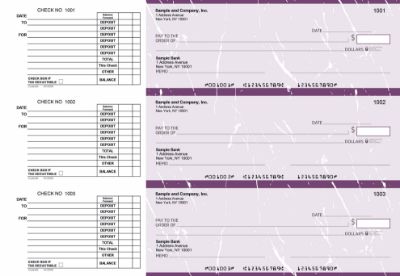
If you need high-security checks with fraud-deterrent features built into the check stock itself, Checkomatic offers options with watermarks, void pantographs, and chemically reactive paper that protect payments from alteration.
 

Burgundy


How Do You Fill Out a Check Step by Step?

Follow these six steps in order. Filling fields out of sequence, particularly signing before completing all other fields, creates unnecessary risk.


Step 1: Write the Date in the Date Field

Write the current date in the date field in the upper right corner of the check. Use the full date including month, day, and year. You can write it numerically (10/13/2026) or in full (October 13, 2026).

  • Postdating: Writing a future date on a check does not legally prevent a bank from cashing it early. Most banks are not required to hold a postdated check unless you provide a formal postdating notice to the bank in advance. Do not rely on postdating to manage timing of payments.
  • Backdating: Writing a past date can create an inaccurate accounting record and can be considered fraudulent in certain contexts. Use the actual date.
  • Stale-dating: Business and personal checks are generally considered stale after 180 days. If a payee has held a check for more than six months, they may have difficulty depositing it.


Step 2: Write the Payee's Full Legal Name

On the "Pay to the Order Of" line, write the full legal name of the person or business you are paying. This should match the name on the payee's bank account exactly.

  • Business payee: Use the registered legal business name including the entity suffix. "Johnson Supply Co. LLC" not "Johnson Supply" or "Johnson."
  • Individual payee: Use their full legal name as it appears on a government-issued ID.
  • Government agencies: Use the exact name shown on the payment instructions. For IRS payments, write "United States Treasury," not "IRS."
  • Two payees: Write both names on the payee line. Use "AND" if both must sign before the check can be deposited. Use "OR" if either can deposit it independently. For vendor splits and joint reimbursements, "OR" gives more flexibility. For a shared account or legal settlement, "AND" ensures both parties are involved.
  • Checks to "Cash": Never make a business check payable to "Cash." Any person who possesses a check made out to Cash can cash it, including someone who steals or finds it.


Step 3: Write the Dollar Amount in the Numeric Box

In the small box to the right of the payee line (the $ box), write the exact payment amount in numbers. Start writing at the far left edge of the box, leaving no room for anyone to insert additional digits before your number.

  • Always include cents, even for round amounts: write 500.00, not 500
  • Use a decimal point between dollars and cents: 1,250.75
  • Use a comma for thousands: 10,000.00, not 10000.00
  • If the box is small, you may abbreviate the thousands with a comma: 25,000.00


Step 4: Write the Dollar Amount in Words on the Written Amount Line

This is the most important field on the check and the most frequently filled out incorrectly. Write the dollar amount in words on the long line below the payee line, beginning at the far left. This written amount is what the bank legally honors in any dispute with the numeric box.

  • Write whole dollars as words: "Five hundred" not "500"
  • Write cents as a fraction over 100: "75/100" for 75 cents, "00/100" for zero cents
  • After writing the amount and fraction, draw a line through all remaining blank space on the line
  • The line through the blank space is a fraud-prevention measure that prevents anyone from adding words after your amount

See the full reference table in the next section for exact written-out examples for common business payment amounts from $50 to $25,000.


Step 5: Fill In the Memo Line

The memo line is optional but strongly recommended for all business payments. It creates the paper trail that supports reconciliation, tax reporting, and payment dispute resolution. Without a memo note, tracking down the purpose of a check months later can be difficult and time-consuming.


Payment TypeWhat to Write in the Memo
Vendor invoiceInvoice number (e.g., INV-2026-0045)
Office or commercial rentMonth and property address (e.g., Oct 2026 rent, 123 Main St)
IRS tax paymentEIN or SSN, tax year, and form number (e.g., EIN 12-3456789 / 2025 / Form 941)
Employee reimbursementExpense description and period (e.g., Oct 2026 travel reimbursement)
Loan or line of credit paymentLast four digits of the account number only
Professional services retainerRetainer reference (e.g., Legal retainer Q4 2026)
Passport application feeApplicant's name and date of birth
PayrollPay period dates (e.g., Pay period 10/01/2026 to 10/15/2026)


Step 6: Sign the Check on the Signature Line

Sign the check in the lower right corner using the same signature you provided to the bank when you opened the account. Banks compare signatures against their records during processing, particularly for checks above certain amounts.

  • Sign only after all other fields are complete. A signed blank check is the equivalent of signing a blank check to whoever finds or takes it.
  • For business accounts with dual-signature requirements, both authorized signers must sign before the check is issued.
  • An authorized employee may sign checks only if they are listed on your bank's signature card. Adding an authorized signer requires an in-person visit to the bank with that person's valid government-issued ID.
  • Never allow an unauthorized person to sign on behalf of your business, even if you trust them personally.

After signing, record the check in your register or accounting software immediately. Note the check number, date, payee, amount, and memo. Your bank statement will show only checks that have already cleared, not outstanding checks, so this record is your only current view of what is still pending.


How Do You Write Dollar Amounts in Words on a Check?

Writing out dollar amounts in words is the step that generates the most questions and the most errors. The format is consistent: spell out the whole dollar amount, express the cents as a fraction over 100, and fill the remaining blank space with a drawn line.

Numeric AmountCorrect Written Amount (Words Line)
$50.00Fifty and 00/100 _______________
$100.00One hundred and 00/100 _______________
$100.75One hundred and 75/100 _______________
$250.50Two hundred fifty and 50/100 _______________
$500.00Five hundred and 00/100 _______________
$1,000.00One thousand and 00/100 _______________
$1,250.50One thousand two hundred fifty and 50/100 _______________
$2,000.00Two thousand and 00/100 _______________
$5,000.00Five thousand and 00/100 _______________
$10,000.00Ten thousand and 00/100 _______________
$25,500.75Twenty-five thousand five hundred and 75/100 _______________


Rules to follow when writing amounts in words:

  • The word "and" appears only once, between the whole dollar amount and the cents fraction
  • Cents are always expressed as a fraction over 100 (50 cents = 50/100), not as a word like "fifty cents"
  • For zero cents, write 00/100, not "even," "no cents," or leaving it blank
  • Hyphenate compound numbers from twenty-one through ninety-nine (forty-five, seventy-two)
  • Do not include commas in the words (write "One thousand" not "One,000")
  • Do not start with the word "Dollars" (it appears preprinted at the end of the line)
  • Draw a line through all remaining blank space after the cents fraction


How to Fill Out a Check for Specific Payments

Most of the variation between check payments comes down to what goes in the payee field and the memo line. Here are the most common business payment types and exactly what to write for each one.


Blue


How to Fill Out a Check for the IRS

IRS payments have specific requirements that differ from standard vendor payments.

  • Payee line: Write "United States Treasury" exactly. Do not write "IRS," "Internal Revenue Service," or "U.S. Treasury" with abbreviations.
  • Memo line: Write your EIN (or SSN for individual filers), the tax year the payment covers, and the tax form number. Example: "EIN 12-3456789 / Tax Year 2025 / Form 941."
  • Attaching: Do not staple the check to the tax form. Attach it with a paper clip.
  • SSN note: For IRS payments, writing your SSN or EIN in the memo is required by the IRS so they can apply the payment to the correct account. This is one of the rare cases where including a tax ID in the memo is necessary.


How to Fill Out a Check for Rent

  • Payee line: Write the landlord's full legal name or the property management company's registered business name, exactly as it appears on your lease.
  • Memo line: Include the rental address and the month being paid. Example: "123 Oak Street, Suite 200, October 2026 rent."
  • Date note: Write today's actual date, not the rent due date. Postdating a rent check does not prevent the landlord from depositing it immediately.


How to Fill Out a Check for a Passport Application

  • Payee line: Write "U.S. Department of State" exactly. Do not abbreviate to "Dept. of State" or "State Dept."
  • Memo line: Write the applicant's full name and date of birth. Example: "Jane A. Smith DOB 01/15/1985."
  • Two-check rule: In many cases you need two separate checks: one for the U.S. Department of State (the application fee) and one for the acceptance agent (the execution fee). Confirm the current requirements at the passport acceptance facility before submitting.
  • Check type accepted: Personal and business checks are both accepted for passport applications. Money orders are also accepted.


How to Fill Out a Payroll Check

  • Payee line: Use the employee's full legal name exactly as it appears on their W-4 form.
  • Memo line: Note the pay period clearly. Example: "Pay period 10/01/2026 to 10/15/2026."
  • Payroll records: Log gross pay, net pay, and all withholdings in your payroll records for every check issued. The check itself shows only the net amount paid.
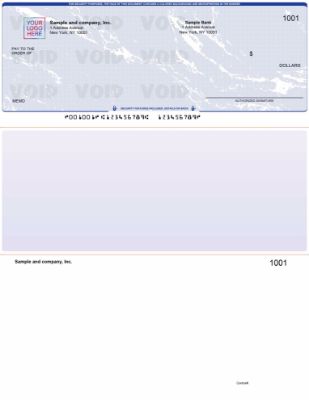
  • Best check type for payroll: Voucher checks are the preferred format for payroll because the detachable stub shows gross wages, tax withholdings, deductions, and net pay, giving the employee a complete payment record alongside the check.


How to Fill Out a Check to Yourself as a Business Owner

  • Write your own full legal name on the payee line, not your business name.
  • In the memo line, note the purpose: owner draw, reimbursement, or loan repayment.
  • If your business is an LLC or corporation, consult with your accountant before writing owner draws, as the tax treatment differs by entity type.
  • Never make the check payable to "Cash" even for your own draw. It removes all documentation of the payee and creates reconciliation problems.


What Are the Rules for Filling Out a Business Check?

Business check writing follows the same foundational rules as personal checks, but several rules apply specifically to business accounts and are not covered in most general-purpose guides.


Do Business Checks Require Two Signatures?

Dual-signature requirements are set by the business, not the bank, and are specified on the account's signature card at the time the account is opened (or updated). Many businesses require two authorized signatures on checks above a certain dollar threshold, as an internal financial control against unauthorized disbursements.

A check issued on a dual-signature account with only one signature is technically incomplete. However, banks do not always verify dual-signature requirements before processing checks. This means the internal control depends on your team enforcing the process, not solely on the bank catching violations.


Who Is Allowed to Sign Checks for a Business?

Only individuals listed as authorized signers on the bank's signature card may sign checks against the business account. Adding a new authorized signer requires visiting a bank branch with the individual's valid government-issued ID and completing the bank's signature card update process. The authorization is tied to the bank account, not to the person's role at the company alone.


How Do Accounting Software Users Fill Out Business Checks?

If you use accounting software such as QuickBooks or Quicken, you can print the payee name, date, dollar amount, and memo directly onto the check from within the software, eliminating manual entry errors in those fields. You then sign the printed check manually.

QuickBooks compatible checks from Checkomatic are pre-formatted to align with QuickBooks print templates. Quicken check alignment ensures checks print correctly on Quicken-formatted stock. Using check stock that matches your software eliminates the alignment issues that result in misprinted fields.
 

Blue


What Check Format Works Best for Vendor Payments with Documentation?

For vendor payments where you want to include remittance detail with the check, voucher checks include a stub that can show invoice numbers, payment period, project references, or itemized line amounts alongside the check itself. The stub detaches when the check is cashed, giving the vendor a clear record of what is being paid and why.


How Do You Prevent Check Fraud When Writing Business Checks?

Business checks are a frequent target for fraud, including check washing (chemically removing ink), check alteration (changing amounts or payee names), and check counterfeiting (creating fake checks using your account information from a legitimate check). Taking targeted precautions at the writing stage reduces exposure significantly.


What Type of Pen Should You Use to Write Business Checks?

Use a permanent-ink ballpoint pen with blue or black ink. Do not use:

  • Pencil: Can be erased and amounts or payee names can be changed
  • Gel ink pens: Many gel inks can be removed with chemical washing techniques, leaving a blank check that can be rewritten
  • Felt-tip or marker pens: Ink can smear during processing and may bleed through the check paper
  • Ballpoint pens with washable ink: Avoid any pen labeled "washable"


How Do You Fill Blank Spaces to Prevent Check Alteration?

  • Start writing numeric amounts and written amounts at the far left of each field, leaving no room for digits or words to be added before your entry
  • Draw a line through all unused space on the written amount line after the cents fraction
  • If the numeric box has space remaining after your amount, fill it with a double slash or a period, such as writing $500.00// in a wider box
  • Never leave a check partially completed on your desk where it can be accessed by others
  • Never pre-sign blank checks, even for employees you trust


What Check Security Features Protect Against Fraud?

Standard check stock offers minimal built-in protection against skilled fraud. High-security business checks include physical security features baked into the check paper and printing that make alteration and counterfeiting significantly more difficult:

  • Void pantograph: The word "VOID" appears when the check is photocopied or scanned, making it obvious that a copy is not the original
  • Watermarks: Visible when held up to light; missing or incorrect on counterfeits
  • Microprinting: Tiny text printed along borders that blurs or disappears when photocopied
  • Chemically reactive paper: Shows staining or discoloration if someone attempts to chemically wash the ink
  • Security background: Intricate patterns that are difficult to reproduce accurately


How Should You Store and Mail Business Checks?

  • Store blank check stock in a locked location with access limited to authorized personnel
  • Track check numbers sequentially and investigate any gaps when reconciling your register
  • When mailing checks, use security check envelopes with an interior security tint that blocks the check contents from view and prevents scanning through the envelope window
  • For high-value payments, use certified mail with a return receipt to have documented proof of delivery date
  • Reconcile your bank statement against your check register at least monthly and investigate any check that cleared for an amount different from what you recorded


What Should You Do If a Business Check Is Lost or Stolen?

Contact your bank immediately to place a stop payment order on the check. You will need the check number, amount, payee name, and date. There is typically a fee for a stop payment order, and the order expires after a set period (commonly six months). See our full guide on how to stop payment on a business check for the complete process and timeline.


What Are the Most Common Check-Writing Mistakes?

Most check-writing errors fall into a small number of predictable categories. Being aware of them before writing reduces returned payments and processing delays.

  • Mismatched amounts between fields: The numeric box and the words line say different amounts. The written (words) amount controls legally, so even a small discrepancy can mean the wrong amount is paid. Verify both fields match before signing.
  • Leaving blank space on the written amount line: Blank space after your written amount can be exploited to alter the check. Always draw a line through unused space.
  • Using pencil or gel ink: Both can be altered after the check is written. Permanent-ink ballpoint pen is the only safe choice.
  • Signing before all other fields are complete: A signed blank check is essentially cash. Always fill out every field before signing.
  • Making a check payable to "Cash": This eliminates payee identity control. Anyone in possession of the check can cash it.
  • Omitting the memo: Without a memo, tracking down the purpose of a cleared check weeks or months later is difficult and can cause problems during audits or payment disputes.
  • Not recording the check immediately: Outstanding checks that are not logged can cause unexpected overdrafts when they clear days or weeks after being issued.


What Should You Do If You Make a Mistake on a Check?

Do not attempt to fix an error by crossing out, using correction fluid, or erasing. Banks are permitted to refuse altered checks, and an attempt to correct a check can look like an attempt to alter it fraudulently. The correct process:

  1. Write "VOID" in large letters across the front of the check in permanent ink
  2. Mark the check number in your register with a note explaining the void
  3. Retain the voided check in your records (it is part of your financial documentation)
  4. Write a new check from scratch

For the full process when an error has already been issued and delivered, see our guide on how to correct a mistake on a check.


Which Type of Business Check Should You Use?

The right check format depends on your payment volume, the software you use, and the level of security or documentation the payment requires. Using the correct check type streamlines your workflow and reduces the chance of formatting errors.


Check TypeBest ForKey Feature
Manual Business ChecksLow-volume payments, on-the-spot payments, field useHandwritten, immediate use, portable checkbook format
Computer ChecksBusinesses using accounting software, moderate to high volumePrints payee, date, amount, and memo directly from software
QuickBooks Compatible ChecksQuickBooks Desktop and Online usersPre-formatted to align with QuickBooks print templates, eliminates field errors
Voucher ChecksPayroll, vendor payments requiring remittance documentationAttached stub records pay period, deductions, invoice detail, or line items
High-Security ChecksLarge payments, fraud-sensitive industries, financial and legal firmsWatermarks, microprinting, void pantograph, chemically reactive paper


If you print checks from accounting software, computer checks eliminate handwriting errors in the payee, date, amount, and memo fields entirely by pulling data directly from your accounting system. This is especially valuable for businesses processing more than a handful of checks per week, where manual entry errors compound across payments.

For businesses that handle payroll in-house, voucher checks provide employees with a clear earnings statement attached to every paycheck, satisfying the pay stub requirements that apply in most states without a separate document.
 

Blue


How We Created This Guide

This guide was researched using top-ranking content on how to fill out a check, publicly available UCC Article 3 provisions, IRS payment instructions for business tax filers, and passport acceptance facility requirements from the U.S. Department of State. All claims about legal amounts, bank policies, and fraud prevention methods were reviewed against primary sources before publication. A person fact-checked every claim before this guide was published.


What to Do Next

Filling out a check correctly starts before you pick up the pen. Having the right check stock for your payment type and the right security features for your payment volume prevents errors, speeds up processing, and reduces fraud exposure.

If your business writes a moderate to high volume of checks or handles in-house payroll, printing checks directly from your accounting software with computer checks eliminates the most common manual entry errors. For high-value or sensitive payments, high-security checks provide fraud-deterrent protection built into the check stock itself.

If something has already gone wrong with an issued check, these related guides walk you through the next steps:
 

Oct 09, 2026

How to Endorse a Business Check for Deposit: Step-by-Step Guide

Endorsing a business check sounds simple. Flip it over, sign the back, hand it to a teller. But if your business name is abbreviated, if the check is made out to a DBA, if multiple people are authorized to sign, or if you are depositing by mobile app, there are real rules that can get a check rejected or held. Banks apply stricter standards to business checks than personal ones, and a wrong endorsement can delay funds by days or trigger an extended hold under federal banking regulations.

This guide covers everything your business needs to know about how to endorse a business check for deposit correctly, including endorsement types, who is authorized to sign, what to do when a bank rejects a check, and how an endorsement stamp can eliminate most endorsement errors for high-volume deposits.


What Does It Mean to Endorse a Business Check?

Endorsing a check means signing or stamping the back of it to transfer ownership of the funds from the payee to the bank. When a check is made out to your business, your signature (or your business's stamp) in the endorsement area tells the bank that you, as an authorized representative, are handing over that check and authorizing the deposit into your business account.

An endorsement is more than a formality. Under the Uniform Commercial Code (UCC), it is a legal transfer of the right to collect those funds. If no authorized person endorses the check, the bank can refuse to process it. If the wrong person endorses it, the business and that person may face legal liability.

Banks treat business check endorsements differently from personal check endorsements. Your bank must verify that the business name on the endorsement matches the account, that the signer has authority to deposit on behalf of the business, and that the check has not been altered. This is why the endorsement area, the business name used, and the information you write all matter.


Where Do You Endorse a Business Check?

Turn the check over. At one short end, you will see a shaded or marked area that reads "Endorse Here" or "Do Not Write, Stamp, or Sign Below This Line." That strip, typically 1.5 inches wide, is the endorsement area.

Write or stamp within the endorsement area only. Banks scan the back of checks during processing, and anything written outside the endorsement zone can interfere with the routing information on the MICR line and cause the check to be rejected or flagged for manual review.

If you are using a endorsement stamp, position it squarely within that strip so the full impression is captured cleanly without bleeding into the MICR area below.


Who Is Authorized to Endorse a Business Check?

Not everyone at your business can sign a business check for deposit. The authorized signers on a business bank account are the people the business officially designated when the account was opened or updated through a bank resolution or signature card. Typically, these are:

  • The business owner or sole proprietor
  • Partners listed on a partnership agreement
  • Corporate officers listed in a banking resolution (CEO, CFO, President, Treasurer)
  • Employees specifically added as authorized signers
  • Bookkeepers or office managers granted check-depositing authority

If someone who is not an authorized signer endorses and deposits a business check, the bank may refuse the deposit. More seriously, that person may face personal liability for unauthorized endorsement under the UCC. Even if the deposit goes through, the business may have grounds to reverse the transaction if the endorser was not properly authorized.

If your bookkeeper or office manager handles deposits regularly, make sure their name and signature are on file with your bank as an authorized signer. This protects both the business and the employee.

For more detail on who can sign on behalf of a business, see our guide on who can endorse a business check.


What Are the Types of Business Check Endorsements?

There are four main types of endorsements used for business check deposits. Each one serves a different purpose, and choosing the wrong type can slow down your deposit or leave your funds exposed.


1. What Is a Blank Endorsement and When Should a Business Use It?

A blank endorsement is simply the signature of the authorized signer with nothing else written. This makes the check payable to the bearer, meaning anyone holding it could theoretically cash it. For a business, a blank endorsement is the least secure option.

Never sign a blank endorsement until you are standing at the bank counter or actively completing a mobile deposit. A pre-signed blank check that is lost or stolen can be cashed by anyone. If you must use a blank endorsement, sign it at the moment of deposit only.


2. What Is a Restrictive Endorsement and Why Should Businesses Use It?

A restrictive endorsement adds the phrase "For Deposit Only" along with the business name and account number. This is the most secure and most commonly recommended endorsement type for businesses. It limits the check to a single action: depositing into the named account. A thief cannot cash a check with a restrictive endorsement.

Note on account number privacy: some businesses choose to omit the account number from their endorsement stamp, especially for mobile deposits where check images are stored digitally. If you prefer not to print your account number on every check image, write or stamp "For Deposit Only" and the business name, then add the account number separately only when required by your bank. Check your bank's policy before deciding.

The endorsement stamp is the most practical way to apply a consistent, accurate restrictive endorsement on every check without writing by hand each time.


3. What Is a Special Endorsement and When Is It Used for Business Checks?

A special endorsement (also called a third-party endorsement or "pay to the order of" endorsement) transfers the check to a specific person or entity other than the original payee. For businesses, this is occasionally used when a check needs to be signed over to a vendor, partner, or another account.

Special endorsements are harder to process for business checks. Most banks require the original payee (your business) to accompany the transaction, and some banks refuse to accept third-party business checks entirely. If you need to endorse a business check over to someone else, contact your bank first to confirm they will accept it.


4. What Is an FBO Endorsement and How Does It Work?

An FBO (For the Benefit Of) endorsement is used when a check is held or managed on behalf of another party, such as a trust, a client account, or a benefit account. The endorsement format reads: "For the Benefit Of [Beneficiary Name]." The account holder signs, and sometimes the beneficiary must also sign depending on the bank's requirements. FBO endorsements are most common in financial services, legal, and property management contexts.


How Do You Endorse a Business Check for Deposit Step by Step?

Follow these steps every time you endorse a business check for deposit. A few minutes of care upfront prevents delays, holds, and rejected deposits.


Step 1: Review the front of the check first. Check the payee name, date, amount in numbers, amount in words, and signature. Confirm the amounts match. Confirm the date is current (checks older than 6 months may be considered stale-dated and refused). If there is any discrepancy, contact the check issuer before depositing.


Step 2: Match the payee name to your business account name. The name on the front of the check should match your business name on file with your bank. If it does not, see the DBA section below before proceeding.


Step 3: Determine the correct endorsement type. For standard deposits, use a restrictive endorsement (For Deposit Only + business name + account number). For mobile deposits, check whether your bank requires "For Mobile Deposit Only" specifically.


Step 4: Endorse the check in the correct area. Write or stamp within the endorsement strip on the back. Sign as an authorized signer. If using a stamp, press firmly and evenly for a clean impression.


Step 5: Deposit the check promptly. Do not leave endorsed checks sitting in a drawer. A restrictive endorsement limits misuse, but the sooner the check is deposited, the better.


Step 6: Keep records. For your own records, note the check number, amount, date deposited, and issuer. For mobile deposits, see the mobile-specific steps below.


How Do You Endorse a Business Check for Mobile Deposit?

Mobile deposit endorsements have specific requirements that differ from in-person deposits. Many banks now require a separate notation to prevent double deposits, where the same check is deposited twice (once by mobile and once in person).


What Should You Write for a Mobile Deposit Endorsement?

Most major banks require one of the following in addition to the standard endorsement:

  • "For Mobile Deposit Only" written or stamped below the signature
  • A checkmark in the "Mobile Deposit" checkbox if the check has one
  • "For Mobile Deposit at [Bank Name]" in some cases

Check your specific bank's mobile deposit policy before depositing. Using only "For Deposit Only" without the mobile-specific notation may result in the deposit being rejected by the app or held for review.


What Should You Do with the Check After a Mobile Deposit?

After your mobile deposit is confirmed, do not immediately shred the check. Best practice is:

  1. Write the deposit date on the check once the deposit is confirmed.
  2. Store the check in a secure location for at least 30 days (some banks recommend 60 days) until the funds are fully cleared and verified on your statement.
  3. After 30 to 60 days with no issues, shred the check completely. Never simply throw it in the trash, as check washing fraud is a real threat. Check washing involves chemically altering the check to change the payee name or amount after the original check has been deposited.

For all deposit method options including ATM, mobile, and in-person, see How to Deposit a Business Check.


How Does Business Structure Affect Business Check Endorsement?

Your business structure determines who is legally authorized to endorse, and what name must appear on the endorsement.


Sole Proprietor

If you operate as a sole proprietor under your personal name, you sign your personal name. If you operate under a DBA (Doing Business As) trade name, see the DBA section below. In either case, your bank account name must match the endorsement.


Partnership

A check made out to the partnership should be endorsed with the partnership's legal name. The authorized signer is any partner listed on the bank account signature card. Multi-partner deposits may require two signatures depending on the partnership agreement and bank requirements.


LLC

Endorse using the LLC's legal name exactly as registered. The authorized signer is a member or manager listed on the business bank account. If the LLC has a separate trade name, see the DBA section below.


Corporation

Corporations must endorse using the corporate legal name, followed by the title of the authorized officer signing (for example: "[Corporation Name] by [Name], Treasurer"). Banking resolutions filed with your bank determine who is authorized to endorse.


What Is a DBA and How Does It Affect Business Check Endorsement?

DBA stands for "Doing Business As." Many businesses operate under a trade name that differs from their legal registered name. For example, a sole proprietor named Jane Smith might operate as "Jane's Bookkeeping Services."


What Happens If a Check Is Made Out to a DBA Name?

Under UCC §3-204(d), a payee can endorse a check using the name that appears on the check, their legal name, or both. In practice, banks typically want to see an endorsement that they can match to both the check and the account.

If a check is made out to your DBA name, the recommended approach is:

  1. Endorse the check using the DBA name exactly as written on the front.
  2. On the next line, sign your legal business name or your personal name as the authorized representative.

Always confirm with your bank how they want DBA endorsements formatted before depositing a large check. Some banks have specific DBA endorsement protocols.


What If the Check Has a Misspelled or Incorrect Business Name?

Clients and customers frequently write checks with minor spelling errors, abbreviations, or variations of your business name. "Smith's Consulting, Inc." may be written as "Smith Consulting" or "Smiths Consulting Inc."


How Do You Handle a Misspelled Business Name on a Check?

The standard technique is the double-sign method:

  1. First, sign or stamp the misspelled name exactly as it appears on the front of the check.
  2. Directly below, sign or stamp your correct legal business name.

This shows the bank that you are the intended recipient and you are aware of the discrepancy. Your bank may still ask for documentation connecting the two names (such as a DBA filing or business license), particularly for larger checks.

If the discrepancy is significant (completely wrong business name, wrong payee type), contact the check issuer and request a corrected check rather than attempting to deposit the original.


What Are the And vs. Or Rules for Checks Made Out to Multiple Payees?

Sometimes a check is made out to two payees. The word connecting them determines the endorsement requirement.


Check Made Out With "And" Between Two Payees

If a check reads "[Business A] and [Business B]" or "[Business Name] and [Individual Name]," both parties must endorse the check. One signature is not enough. If you cannot get both endorsements, the bank will not accept the deposit.


Check Made Out With "Or" Between Two Payees

If a check reads "[Business A] or [Business B]," either party may endorse and deposit it. Only one endorsement is required.


What If the Check Just Has Two Names With No Connecting Word?

Most banks treat an ambiguous multi-payee check (no "and" or "or" specified) as an "and" check, requiring both endorsements. When in doubt, get both signatures or contact your bank before depositing.


What Are the Most Common Business Check Endorsement Mistakes?

Even experienced bookkeepers make these errors. Here are the most common mistakes and how to avoid them.


Signing Outside the Endorsement Area

Any writing that bleeds below the endorsement strip can interfere with the MICR line on the back of the check and cause processing errors. Use a stamp that fits cleanly within the area, or practice your placement before committing to ink.


Using an Abbreviated Business Name

If your bank account says "Smith Consulting Group LLC" but you write "Smith Consulting" on the endorsement, the bank may reject the check or place a hold pending manual verification. Always match your account name exactly.


Endorsing Too Early

A signed check sitting in a drawer or briefcase is a risk. If it is stolen before deposit, a blank endorsement makes it negotiable by anyone. Endorse immediately before depositing, not when the check arrives.


Missing "For Mobile Deposit Only" on Mobile Deposits

Many bank apps will reject or hold a mobile deposit that lacks the mobile-specific endorsement text. Always check your bank's mobile deposit requirements.


Not Keeping the Check After Mobile Deposit

Destroying a check immediately after a mobile deposit removes your proof of the original instrument. Hold it for 30 to 60 days in case of any dispute.


Letting Unauthorized Employees Endorse Checks

An employee who is not listed as an authorized signer on your business bank account should never endorse a business check. Keep your authorized signer list current with your bank, and train staff on who is permitted to handle check endorsements.


Account Number Errors

Handwriting account numbers on every check by hand creates room for transposition errors. A single wrong digit can misdirect a deposit. An endorsement stamp with your account number pre-printed eliminates this risk entirely.


Can You Use an Endorsement Stamp Instead of a Handwritten Signature?

Yes, and for most businesses depositing more than a handful of checks per week, a stamp is the better option.


Why Do Businesses Use Endorsement Stamps?

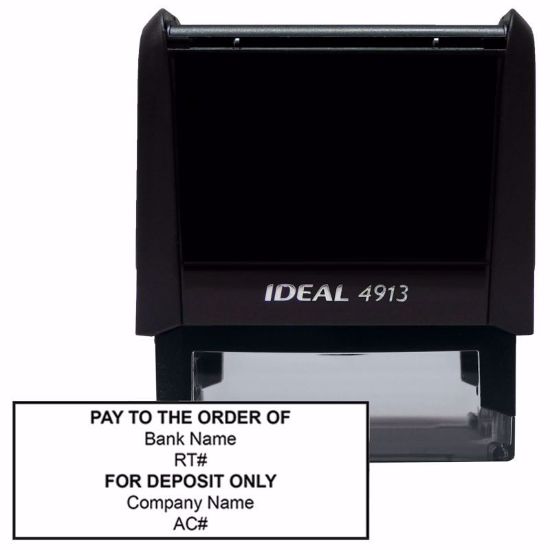
A self-inking endorsement stamp applies your business name, account number, bank name, and "For Deposit Only" in a single press. It delivers a consistent, legible impression every time, eliminating the most common sources of endorsement errors:

  • Name abbreviations that do not match the account
  • Account number transposition errors from handwriting
  • Illegible signatures that cause bank delays
  • Inconsistent formatting across multiple authorized signers
  • Writing outside the endorsement area

Banks recognize stamped endorsements as valid under the UCC, and many banks actually prefer stamps for business accounts because they are more consistent and easier to verify during processing.

For businesses handling high check volumes, the time savings alone are significant. Stamping 50 checks takes seconds. Handwriting the same information on 50 checks takes considerably longer and introduces 50 opportunities for error.

Self-inking business endorsement stamp for check deposits

Checkomatic offers custom self-inking endorsement stamps built specifically for business check deposits. You choose the information to include, the stamp applies it cleanly every time. For businesses processing batches of checks regularly, see also check accessories including ink pads and replacement parts.

Learn the full process for putting your stamp to work: How to Use an Endorsement Stamp.


What Happens to Funds After You Endorse and Deposit a Business Check?

After you deposit a check, the bank does not release the funds instantly. Federal Regulation CC (Reg CC) sets the rules for funds availability.


How Long Does It Take for a Business Check to Clear?

For most business checks, banks must make the first $225 available by the next business day. The remaining funds are typically available within two business days for local checks and up to five business days for non-local checks.


What Is an Extended Hold and When Can a Bank Apply One?

Under Reg CC, banks can apply extended holds in certain situations, including:

  • Deposits exceeding $6,725 in a single day (the threshold above which banks can extend availability)
  • Checks from new accounts (accounts open less than 30 days)
  • Repeatedly overdrawn accounts
  • Checks where the bank has reason to suspect fraud or doubt collectibility
  • Emergency conditions (such as computer system failures)

If a hold is placed, your bank must give you written notice stating the reason for the hold and when the funds will be available. Keep this notice for your records.

For more on deposit methods and how holds work, see How to Deposit a Business Check.


What Happens If the Bank Rejects a Business Check Endorsement?

A rejected endorsement is frustrating, but it is fixable. Here is how to handle it depending on the situation.


The Bank Returned the Check Because the Endorsement Is Incorrect

If there is still room in the endorsement area, add the missing information (such as the correct business name or "For Deposit Only") below your original endorsement and re-present the check. Make sure any addition is clearly written and does not overlap with the MICR line.


The Endorsement Area Is Already Full

If the endorsement area is full and you cannot add anything readable, do not try to write on other parts of the check. Instead, contact the check issuer and request a new check. Mark the original as void to prevent it from being used. This is the safest approach when the endorsement area is unusable.


The Bank Rejected the Check Because Names Do Not Match

If the business name on the check does not match your account name and the bank rejected it, use the double-sign method (see the misspelled name section above) and re-present. If the bank still rejects it, ask the issuer to reissue the check with the correct payee name.


The Check Is Too Old

Checks older than 6 months are typically considered stale-dated. Banks are not required to honor them. Contact the issuer and ask for a replacement check.


How Do You Endorse a Business Check: A Quick Reference Summary

Use this reference for your most common endorsement scenarios:

SituationWhat to Write / StampNotes
Standard in-person depositFor Deposit Only + Business Name + Account Number + SignatureRestrictive endorsement; most secure option
Mobile depositFor Mobile Deposit Only + Business Name + SignatureKeep check 30-60 days after confirmation
DBA name mismatchDBA Name (as on check) + Legal Business Name + For Deposit OnlyUCC §3-204(d) allows both names; confirm with bank
Misspelled business nameMisspelled name first + Correct name belowDouble-sign technique; bank may request proof
Two payees with "and"Both parties must signOne signature is not enough
Two payees with "or"Either party may signOnly one endorsement needed
High-volume batch depositSelf-inking endorsement stampMost consistent, fastest method for multiple checks


How Can a Business Streamline the Check Endorsement Process?

For businesses that deposit checks regularly, consistency is more than a convenience. Inconsistent endorsements are one of the leading causes of deposit delays and bank holds. A simple process reduces errors and keeps cash flow moving.


What Is the Best Way for a Business to Endorse Multiple Checks Quickly?

The most efficient approach for batch deposits is a self-inking endorsement stamp. Rather than handwriting your business name, account number, and "For Deposit Only" on every check, the stamp applies all of that information in a single press. A batch of 20 or 50 checks can be processed in minutes.

The stamp also creates a consistent impression that is easier for bank processing systems to read compared to varying handwriting styles from different employees.

Custom endorsement stamp for business check deposits

What Information Should Be on a Business Endorsement Stamp?

A complete business endorsement stamp typically includes:

  • The phrase "For Deposit Only" at the top
  • Your business legal name as it appears on your bank account
  • Your bank account number
  • Optionally, your bank name and routing number

Checkomatic's endorsement stamps are fully customizable, so you include exactly the information your bank requires. Learn how to get your stamp set up correctly: How to Use an Endorsement Stamp.


What Are the Legal Rules Behind Business Check Endorsements?

Understanding the legal framework helps when you encounter unusual situations or disputes.

Business check endorsements are governed by Article 3 of the Uniform Commercial Code (UCC), which has been adopted in some form by all 50 U.S. states. Key provisions include:

  • UCC §3-204(d): Allows a payee to endorse using the name shown on the instrument, the payee's legal name, or both. This protects businesses that receive checks made out to DBA names or slightly incorrect versions of their legal name.
  • UCC §3-206: Defines what a restrictive endorsement (such as "For Deposit Only") means and limits negotiation of the check accordingly.
  • Federal Regulation CC (Reg CC): Governs funds availability timelines after deposit. Banks must follow Reg CC rules on when to make deposited funds available, with the $6,725 threshold determining when extended holds can be applied.

For specific legal questions about check endorsement in your state or situation, consult a business attorney or your bank's compliance department.


What Should You Know About Check Endorsement Fraud?

Check fraud continues to be a significant issue for small businesses. Awareness of the most common schemes helps you protect your deposits.


What Is Check Washing and How Can Endorsement Protect Against It?

Check washing is a fraud technique where a criminal uses chemicals to remove the ink on a check and rewrite it with a new payee name or amount. The original check structure (including the MICR line and the signature) remains intact, making it appear genuine.

Protecting your business: Use pens with permanent, gel-based ink for anything written on a check. Stamps with fast-drying, bank-grade ink are more resistant to washing than standard ballpoint pen ink. A restrictive endorsement does not prevent check washing, but it limits what a fraudster can do with a washed check if it already has "For Deposit Only" stamped on the back.

If you suspect a check you received has been altered, do not deposit it. Contact your bank and the issuer immediately.


How Does Blank Endorsement Create Fraud Risk?

A check with only a signature on the back is essentially cash. Anyone who has access to that check can present it for payment. For business checks representing significant amounts, this risk is substantial. Always use a restrictive endorsement for business deposits.


Oct 08, 2026

What Size Ink Pad Do You Need for a Business Check Endorsement Stamp?

Quick Answer: You do not need to buy a separate ink pad when you order a self-inking endorsement stamp from Checkomatic. The ink pad is built into the stamp housing and arrives pre-loaded, ready to use from impression one. The pad is rated for 1,000 or more impressions. The only time an ink pad purchase is needed is later, once the original built-in pad runs dry at which point Checkomatic's replacement ink pad is the correct product to order. Contact Checkomatic at sales@checkomatic.com to confirm compatibility before placing a replacement order.


Checkomatic self-inking endorsement stamp for business check deposits — black ink, 5-line design

Checkomatic self-inking endorsement stamp: 5-line custom design, black ink, rated 1,000 or more impressions, ready to use out of the box.


Does a Self-Inking Endorsement Stamp Come With an Ink Pad Already?

Yes. Every Checkomatic self-inking endorsement stamp ships with the ink pad pre-loaded inside the stamp housing. The mechanism works like this: when you press the stamp down, an internal spring flips the rubber die across the built-in pad, picks up ink, and transfers your endorsement text to the check. When you release pressure, the mechanism resets and the die returns face-down against the pad, ready for the next impression.

What this means when you are placing your first order:

  • You do not need to add an ink pad to your cart alongside the stamp
  • The stamp is self-contained and usable immediately on arrival
  • The built-in pad stays in contact with the die between uses, which maintains ink consistency impression after impression
  • You get reliable, repeatable endorsement impressions without any separate setup

Many business owners expect to buy an ink pad the same way they would for a traditional open-face rubber stamp. That approach does not apply to self-inking models. The pad is part of the product.


How Many Impressions Does the Built-In Pad Last?

Checkomatic's self-inking endorsement stamp is rated for 1,000 or more impressions. For a business depositing checks regularly, that represents a meaningful run of use before any re-inking or replacement is needed. The actual lifespan can vary depending on stamping pressure, usage frequency, and how the stamp is stored between sessions.

When the pad starts to run low, you will notice it in the quality of your impressions. The endorsement text will begin to look lighter or uneven before it fades out completely, so you have advance notice before impressions become too faint to use.


When Do You Actually Need to Buy an Ink Pad for an Endorsement Stamp?

You need to order a replacement ink pad only after the original built-in pad has run through its rated impressions. Think of it the way you would think about printer ink: the printer ships with ink installed, and you only order a replacement cartridge when that supply is used up. The ink pad on Checkomatic is a consumable refill supply, not something to add to an initial stamp order.

Signs the internal pad needs attention:

  • Faded impressions. The endorsement text appears lighter or patchy on check surfaces.
  • Inconsistent coverage. Some characters transfer cleanly while others are barely visible.
  • Incomplete text. Part of your account number or the "For Deposit Only" line is missing from the impression.

If you notice any of these, test on plain paper first. A faded impression on paper confirms the pad is the issue. If the stamp looks normal on paper but not on checks, the check paper surface may be the cause rather than the ink supply.


Can a Faded Endorsement Impression Cause Problems at the Bank?

Yes. Banks image deposited checks, and a faded or incomplete endorsement can cause delays. If the text is too light to read clearly, the deposit may be flagged for manual review. For mobile deposit, where the bank's app photographs the back of the check, a clear and complete impression is especially important. Testing impression quality every few months and ordering a replacement pad before impressions become unreadable is the simplest way to avoid disruptions to your deposit process.


What Ink Pad Do I Need for a Checkomatic Endorsement Stamp?

Checkomatic's replacement ink pad is designed for their range of self-inking stamps, including the check endorsement stamp, the custom signature stamp for checks, and the custom name and address stamp. It uses the same high-quality black ink as the original pre-loaded pad.


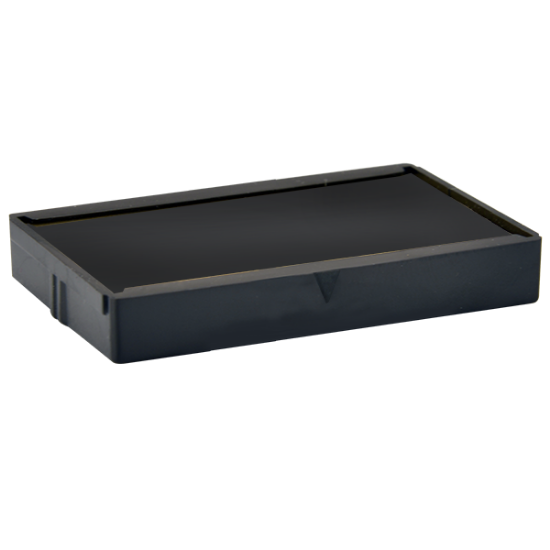
Checkomatic replacement ink pad for self-inking endorsement stamps — black ink

Checkomatic replacement ink pad: black ink, rated 1,000 or more impressions, compatible with the check endorsement stamp, custom signature stamp, and custom name and address stamp.

Before placing an order, Checkomatic recommends confirming that the replacement pad is the correct fit for your specific stamp model. Contact their team at sales@checkomatic.com with your original order details and they can verify compatibility before you order.


How Do I Know If the Replacement Ink Pad Fits My Stamp?

The product page for the ink pad lists the stamp models it fits: the check endorsement stamp, the custom signature stamp for checks, and the custom name and address stamp. If your stamp is one of those models, the replacement pad is designed for it. If you are unsure which stamp model you have, contact Checkomatic at sales@checkomatic.com with your original order number and they can confirm the right replacement for you.


What Ink Color Does the Replacement Pad Come In?

The replacement ink pad is available in black. Black is the standard for business check endorsements: it produces high-contrast impressions that image reliably under bank scanning systems and mobile deposit cameras.


How Do You Re-Ink or Replace the Ink Pad in a Self-Inking Endorsement Stamp?

When your stamp starts showing faded impressions, you have two options: re-ink the existing pad, or replace it entirely. The right choice depends on the condition of the pad. Re-inking works when the pad is still physically intact but running low on ink. Replacement is the better option when the pad has dried out completely, hardened, or been damaged. A pad that has been left dry for an extended period may not absorb fresh ink effectively, and a new replacement pad will give you cleaner results from the start.


Can I Re-Ink the Pad Myself?

Most self-inking endorsement stamps support manual re-inking as a routine maintenance step. The general process across self-inking stamp models involves:

  1. Locking the stamp mechanism open so the internal pad is accessible without spring tension
  2. Removing the ink pad from the housing, typically by sliding or unclipping it from a slot in the stamp body
  3. Applying compatible stamp ink evenly across the pad surface in small amounts and allowing it to absorb fully before reinserting
  4. Reinserting the pad with the inked side facing the rubber die, pressing it flat and flush in the housing
  5. Testing on plain paper before using on actual checks, to confirm impression quality and clear any excess ink through the first few impressions

Only use ink specifically formulated for self-inking stamp pads. Craft inks, printer inks, and ballpoint refill inks have different compositions that can damage the pad material and affect impression quality. Contact sales@checkomatic.com for the recommended ink type and re-inking process for your specific Checkomatic stamp model.


How Long Does a Replacement Pad Last?

Like the original pre-loaded pad, a replacement ink pad from Checkomatic is rated for 1,000 or more impressions. With proper storage and handling, you can expect the same level of consistent impression quality from a replacement as from the original.


What Are Common Mistakes When Using a Self-Inking Endorsement Stamp?

Most impression quality problems come from a small set of easily corrected issues. Knowing what to look for saves you from ordering a replacement pad when the actual issue is technique or storage.


Why Is My Endorsement Stamp Impression Smearing on Checks?

Smearing is usually caused by one of three things:

  • Excess ink after re-inking. The first few impressions after adding ink can be heavier than usual while the pad distributes evenly. Do several test presses on scrap paper before using the stamp on actual checks.
  • Tilting or dragging on the lift. Press straight down, hold briefly, and lift straight up. Any tilt or sideways movement as you lift blurs the impression.
  • An unstable check surface. Stamp on a firm, flat surface. A check resting on soft or uneven material can shift under pressure and distort the text.


Why Does My Stamp Print Faintly Even After Re-Inking?

A newly re-inked pad that still prints faintly is usually a seating issue rather than an ink problem. The pad may not be fully flush in the housing. Remove it, reseat it firmly, and test again. New or freshly maintained pads also sometimes need three to five test presses before ink transfers evenly. If faint printing continues after proper seating and test presses, contact Checkomatic at sales@checkomatic.com for guidance.


Can I Use Any Ink to Re-Ink a Self-Inking Endorsement Stamp?

No. Only use ink formulated specifically for self-inking stamp pads. Generic alternatives can damage pad materials and affect long-term impression quality. Contact sales@checkomatic.com to confirm the correct ink type for your Checkomatic stamp before re-inking.


How Should You Store a Self-Inking Endorsement Stamp to Extend Pad Life?

Proper storage between uses directly affects how long the ink pad stays in usable condition. In dry or air-conditioned office environments, storage habits matter even more.

  • Store face-down or upright in a holder. When the die rests against the pad, it helps keep the pad surface from drying out. Storing face-up exposes the inked pad surface to open air.
  • Avoid heat and direct sunlight. High temperatures and UV exposure accelerate ink drying. A desk drawer or closed supply cabinet works well.
  • Keep away from temperature extremes. Consistent room temperature protects both the pad material and the ink.
  • Use the cap or cover if your model includes one. Replacing the cover after each use slows evaporation between stamping sessions.


What Should a Business Check Endorsement Stamp Say?

The wording on your endorsement stamp affects whether deposits process without delays. The Checkomatic endorsement stamp supports five lines of custom text, which gives you enough space for everything a complete business endorsement requires.


What Is the Standard Wording for a For Deposit Only Stamp?

A standard business endorsement stamp typically includes:

  • The phrase "For Deposit Only" (or "For Deposit Only to Account of")
  • Your full business name as it appears on your bank account
  • Your bank account number

For mobile deposit, many banks now recommend or require "For Mobile Deposit Only" language to prevent a check from being deposited more than once. The 5-line design of the Checkomatic endorsement stamp gives you enough lines to include both standard endorsement wording and any mobile deposit language your bank requires. Confirm exact wording requirements with your bank before ordering the stamp.

For detailed guidance on endorsement wording and check handling, the how to endorse a check guide covers what banks accept and how to structure your endorsement correctly.


Does the Number of Lines Affect Impression Quality?

A stamp with more lines of text has a larger die surface. The replacement ink pad from Checkomatic is designed to match the die dimensions of their self-inking stamp range. Using a non-matching pad would result in partial or misaligned impressions. This is one reason why ordering the replacement pad directly through Checkomatic, or confirming compatibility with them first, is the straightforward approach.


How Do You Set Up a Checkomatic Endorsement Stamp for the First Time?

First-time setup is minimal. The stamp arrives with the internal pad pre-loaded and ready to use.

  1. Remove the stamp from packaging and check the die area for any protective film or shipping cover.
  2. Press the stamp once on plain paper to verify the full impression prints correctly.
  3. Check that all five lines of your endorsement text are visible and clearly defined.
  4. If any text is missing or light, confirm the mechanism is fully releasing on the downstroke and test again.
  5. Once a clean, complete impression appears on paper, the stamp is ready for use on actual checks.

The how to use an endorsement stamp guide covers technique and first-use details, including tips for consistent impressions across different check paper types.


What to Order Alongside Your Endorsement Stamp

If you are ordering an endorsement stamp for the first time, or restocking your deposit station, here are the related products available through Checkomatic that pair with it:


Replacement Ink Pad

The ink pad is not needed at the time of your first stamp order, but it is the right product to have on hand once your original pad has run through its impressions. Ordering it in advance means you are not without your endorsement stamp while waiting for a replacement to arrive. Compatible with the check endorsement stamp, the custom signature stamp for checks, and the custom name and address stamp.


Business Deposit Slips

If your bank requires deposit slips for in-person deposits, Checkomatic offers business deposit slips through their business check accessories section. The endorsement stamp can also be used on deposit slips in addition to checks.


Check Envelopes

For businesses mailing checks, check envelopes in double-window formats are available through the accessories section. The double-window design allows the payee and return address to show through the envelope windows without additional labels.


How Do You Order a Replacement Ink Pad From Checkomatic?

Ordering a replacement ink pad from Checkomatic is straightforward:

  1. Visit the ink pad product page on checkomatic.com.
  2. Before adding to cart, confirm that your stamp model is listed as compatible (check endorsement stamp, custom signature stamp, or custom name and address stamp). If you are uncertain, contact sales@checkomatic.com with your original order details.
  3. Add the replacement pad to your cart and complete checkout. Standard shipping and UPS 3 Day Select are available at checkout.
  4. Replacement ink pads ship within 3 to 5 business days of order.

Checkomatic has supplied business check accessories since 1997. The replacement pad stocked on the site is matched to the stamp products they sell, which means you are not left searching third-party compatibility guides or guessing on a generic pad that may not fit your stamp housing.


What Customers Say About Checkomatic

Checkomatic has been a trusted supplier of business check accessories since 1997, serving businesses across the United States. Their self-inking stamps, replacement ink pads, and business check supplies are accepted by leading banks and designed for the demands of everyday business deposit workflows.

"I ordered the endorsement stamp to match changes to check order, and they shipped it with my check order to save me even more money."

AL H Verified Customer  |  ★★★★★

The endorsement stamp is rated 3.8 out of 5 stars from verified customer reviews on checkomatic.com. For questions about any product, their team is reachable at sales@checkomatic.com.


Accepted by the world’s leading banks

Bank of America logo
Capital One logo
Citibank logo
Wells Fargo logo
TD Bank logo
Chase bank logo
;